
If you have ever lost your train of thought mid-demo or watched a key segment derail because a presenter forgot their talking points, you already understand why hybrid webinar software exists.
According to a 2024 Demand Gen Report, 65% of B2B marketers say webinars generate more qualified leads than any other content format, but only when the experience is polished enough to hold attention. That is exactly what a top hybrid webinar platform helps you achieve.
In this guide, I have reviewed 10 of the best hybrid webinar platforms based on ease of setup, engagement tools, CRM and webinar integrations, analytics depth, and real pricing.
Whether you are running product demos, training sessions, or large-scale virtual events, there is a tool here for every need and budget.
What Is a Hybrid Webinar Platform?
A hybrid webinar platform enables hosts to blend pre-recorded video with live elements such as Q&A sessions, polls, chat, and real-time presenter interaction. Unlike a purely live or purely automated setup, a hybrid webinar works by queuing recorded segments while the host remains active and responsive in the background, or by switching between live and recorded streams during a single session.
But how does a hybrid webinar work?
You upload a pre-recorded video (your best take, fully edited), schedule it like a live event, and then join the session yourself to answer questions, run polls, and interact with attendees in real time. Attendees see a professional broadcast.
You get the best of both worlds: the quality of recorded content with the energy of live engagement.
Put simply:
- Live webinars can be engaging, but they are often risky and inconsistent.
- Automated webinars are polished, but they can feel dead.
- Hybrid webinars are both scalable and engaging.
10 Best Hybrid Webinar Platforms to Elevate Engagement
Here is a side-by-side comparison of the top hybrid webinar platforms before we dive into each review:
| Platform | Best For | Starting Price |
|---|---|---|
| WebinarNinja | Improving marketing, grow sales, and teach better | Starts at $0.30/attendee/month (includes CourseNinja worth $1200). |
| Zoom Webinars | Scale and familiarity | $79/month |
| ON24 | Enterprise marketing | Custom ($10K+/year) |
| GoToWebinar | Reliable structured events | $49/month |
| BigMarker | White-label hybrid events | $99/month |
| Demio | Browser-based marketing webinars | $49/month |
| Livestorm | Browser-first automation | $79/month |
| RingCentral Events | Full hybrid event experiences | $99/month |
| Hopin | Large-scale virtual events | $83/month |
| Adobe Connect | Interactive education | Custom pricing |
Let’s check out these tools in a bit of detail:
1. WebinarNinja
Best Webinar Software to Improve Marketing, Grow Sales, and Teach Better
I have used WebinarNinja personally for several months, and what surprised me most was how little friction stood between me and a polished hybrid event. The first time I set up a hybrid webinar on WebinarNinja, I had been dreading the usual technical maze.
I uploaded a 40-minute recorded session, scheduled it like a live event, and then joined the session live to field questions in real time. The whole setup took less than 15 minutes. What I genuinely loved was that attendees had no idea part of the content was pre-recorded. The experience felt entirely live because the chat, polls, and Q&A were all happening in real time around the recording.
WebinarNinja’s hybrid format essentially makes you look twice as prepared without twice the effort. The platform supports live, automated, series, and hybrid webinars, all from a single dashboard with clean navigation that does not require a technical background to master.
For marketers and educators who want flexibility without complexity, WebinarNinja hits a sweet spot that most competitors cannot.
Pros:
- Supports live, hybrid, series, and automated webinar formats from a single dashboard
- Built-in email automation with customizable sequences for registration confirmations, reminders, and follow-ups
- Unlimited registrants on all paid plans, with replay access for all registrants automatically included
- Native integrations with HubSpot, Mailchimp, ConvertKit, ActiveCampaign, and Stripe for paid webinars with zero platform fees
- Detailed analytics covering attendance rates, engagement scores, Q&A activity, and conversion tracking
Cons:
- No dark mode support on the web.
- It does not have a downloadable or on-premise version.
Pricing: A FREE 14-day trial is available. Paid starts at $0.30/attendee/month (includes CourseNinja worth $1200).
2. Zoom Webinars
Best for Large-Scale Audiences With Familiar Infrastructure
Zoom Webinars needs little introduction. When you are presenting to 5,000 attendees, and your organization already runs on Zoom, there is something genuinely reassuring about staying inside the same ecosystem.
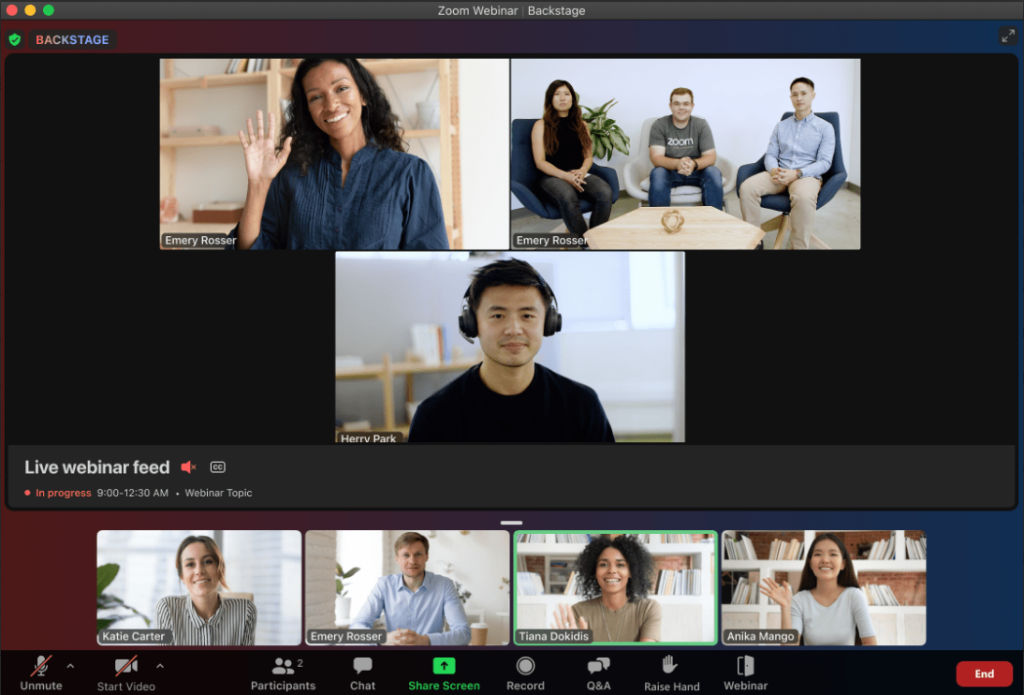
Hosts can stream pre-recorded video segments during live sessions, making hybrid setups possible within the existing Zoom environment. The platform supports up to 100,000 attendees on its highest tier, making it one of the most scalable webinar solutions available. Built-in AI features include real-time transcription, AI-generated summaries, and automated highlights, which help teams repurpose webinar content without additional software.
However, Zoom Webinars requires an existing Zoom Workplace Pro subscription before you can add a webinar license, which means the true entry cost is higher than the listed webinar price alone.
Pros:
- Scales to 100,000 attendees with proven infrastructure reliability during high-traffic events
- AI Companion provides real-time transcription, summaries, and late-arrival catch-up prompts
- Native live streaming to YouTube Live and Facebook Live during webinar sessions
- CRM and marketing automation integrations with Salesforce, HubSpot, and Marketo
- Hybrid event support through Zoom Events, which adds virtual lobbies, networking hubs, and multi-session management
Cons:
- Attendees must download the Zoom application to join, which creates a friction barrier that browser-based competitors have already eliminated
- Zoom updated its Terms of Service to allow using customer content to train AI models, with no opt-out option for paid users, which raises significant data privacy concerns for enterprises
Pricing: Starts at $79/month for up to 500 attendees (billed annually, requires Zoom Workplace Pro).
3. ON24
Best for Enterprise Revenue Marketing and Deep Buyer Intent Data
That is ON24 in a sentence. This is one of the hybrid webinar platforms built for enterprise marketing teams that need to turn webinar engagement into pipeline data. Every audience interaction, from poll responses to resource downloads to Q&A questions, is captured, structured, and pushed into CRM and MAP systems for immediate sales follow-up.
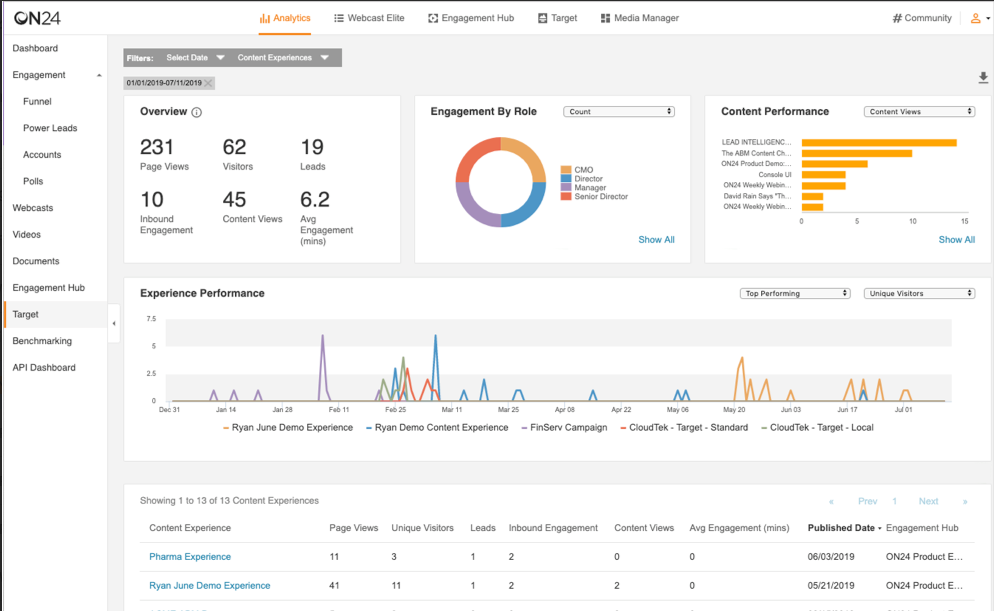
A marketing director I know well runs demand generation for a large SaaS company. She described her first ON24 event with characteristic precision: “I loaded the console builder on a Tuesday morning, and by Friday I had a branded hybrid event with 22 interactive widgets, a Salesforce integration that was pushing lead scores in real time, and analytics so detailed I could tell which slide made 60 percent of my audience click away.”
ON24 offers live, simulive (pre-recorded played as live), and on-demand formats, giving marketing teams full flexibility over how they stage and repurpose content. UnitedHealthcare used ON24 to cut event production time by 50% and achieve an 80% cost reduction compared to previous years. The platform’s AI tools can automatically repurpose webinar content into blogs, social posts, and eBooks.
Pros:
- 20-plus interactive engagement tools, including polls, surveys, Q&A, resource links, and breakout rooms
- Deep first-party data capture from every audience interaction with direct integration into 30-plus CRM and MAP platforms
- AI-powered content repurposing that converts webinar recordings into blog posts, social clips, and ebooks automatically
- Simulive format allows pre-recorded content to run as live events, reducing presenter pressure while maintaining engagement
- Enterprise-grade security with SOC 2 Type II and SSAE18 certifications
Cons:
- The user interface is widely reported as clunky and outdated, with a steep learning curve that regularly causes friction for onboarding guest speakers
- Pricing starts at approximately $10,000 per year and is entirely custom, making it inaccessible for small to midsize businesses without a substantial events budget
Pricing: Custom pricing.
4. GoToWebinar
Best for Structured Corporate Training
GoToWebinar is the webinar platform equivalent of a dependable sedan. It is not the most exciting thing on the road, but it starts every time, handles reliably at highway speed, and has never once stranded me on the side of the road during a client presentation.
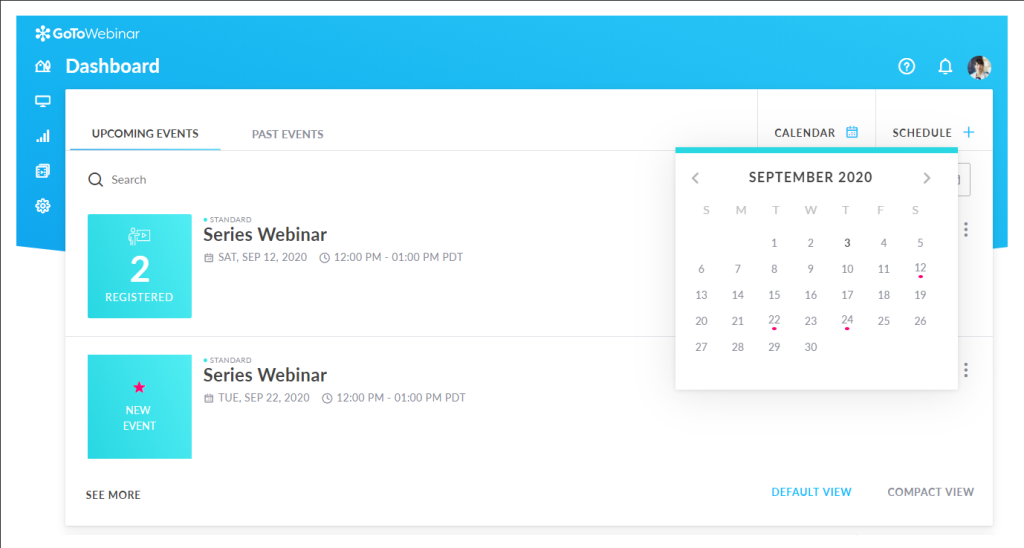
Built for structured, professional events, GoToWebinar covers all the core bases: customizable registration pages, automated email sequences, Q&A, polls, and recording with cloud storage. The platform integrates with HubSpot, Salesforce, Slack, and Zapier, and its GoToStage content hub lets you repurpose recordings into on-demand assets that continue generating leads after the event ends.
Source tracking on registration links is genuinely useful for attributing webinar performance to specific campaigns. GoToWebinar is best suited for marketers and trainers who run regular webinars and prioritize reliability and clean analytics over cutting-edge production features.
Pros:
- Source tracking on registration links enables accurate campaign attribution and audience qualification
- GoToStage content hub transforms recordings into evergreen on-demand assets accessible long after the live event
- Detailed attendee analytics covering registration sources, engagement duration, and poll responses
- Integrations with Salesforce, HubSpot, Slack, and Zapier for automated lead management
- Transparent, attendee-based pricing with no hidden fees across standard plan features
Cons:
- The interface and overall design feel dated compared to browser-first competitors like Livestorm or Demio.
- Hybrid webinar and evergreen (pre-recorded) features are restricted to the Pro plan.
Pricing: Starts at $49/month (billed annually) for up to 250 attendees.
5. BigMarker
Best for Fully Branded White-Label Hybrid Events
My colleague Priya heads up events at a mid-market software company and has been on BigMarker for the better part of two years. “The first time I ran a hybrid summit on BigMarker,” she told me, “I had sponsors, breakout rooms, an expo booth, and a keynote all running simultaneously.
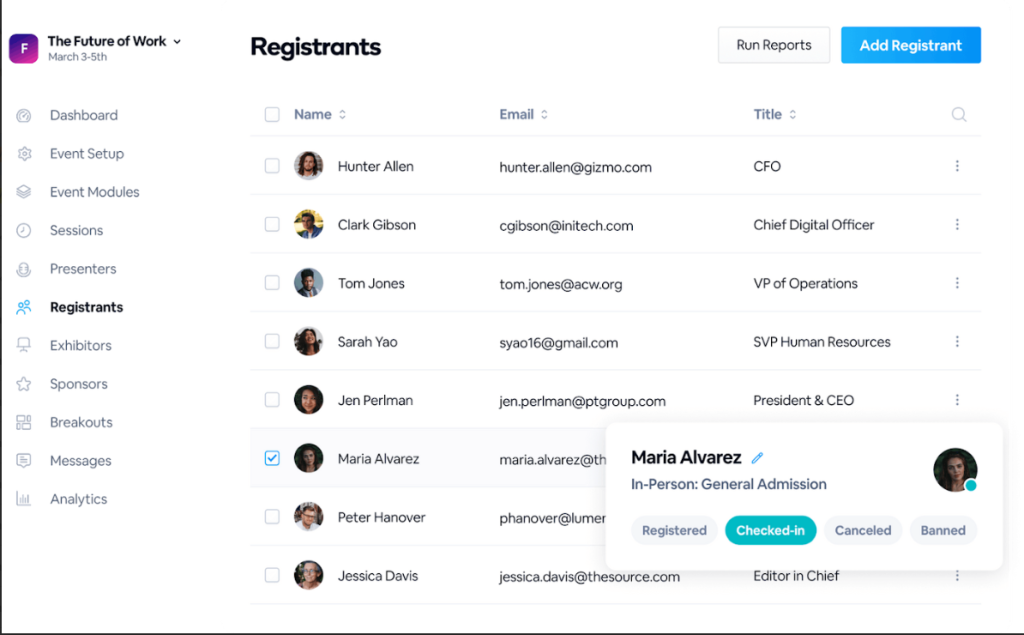
My team managed it without a single external AV vendor.” That experience captures what BigMarker is genuinely built for. It is one of the most customizable webinar and virtual event platforms available, offering white-label options, custom domains, and APIs that let you embed interactive video experiences directly into your own website.
The platform supports live, simulive, automated, and on-demand formats, with a broadcast studio that handles multi-camera setups, lower-thirds, and scene switching. For organizations that run large-scale branded events, product summits, or virtual conferences, BigMarker offers a depth of customization that most competitors cannot match at a comparable price point.
Pros:
- White-label and custom domain options allow fully branded event experiences with no BigMarker branding visible to attendees
- Built-in broadcast studio with multi-camera setup support, scene switching, and lower-third text overlays
- Virtual and hybrid event infrastructure, including expo booths, networking lounges, and multi-session management
- Lead scoring and attendee analytics, integrated directly with CRM platforms including Salesforce and HubSpot
- Browser-based access for attendees with no downloads required
Cons:
- Pricing climbs quickly for larger attendee counts, and higher virtual event tiers require custom quotes.
- The attendee-facing interface, while functional, feels less polished and modern than newer platforms designed around the viewer experience
Pricing: Starts at $99/month (billed annually) for up to 100 attendees.
6. Demio
Best for Simple, Browser-Based Marketing Webinars for Growing Teams
Demio made its name by removing every possible barrier between a presenter and a live webinar. No downloads, no plugins, no app prompts. Attendees click a link, and they are in, which sounds obvious until you have watched 15 percent of your registrant list drop off at the download screen on a competing platform.
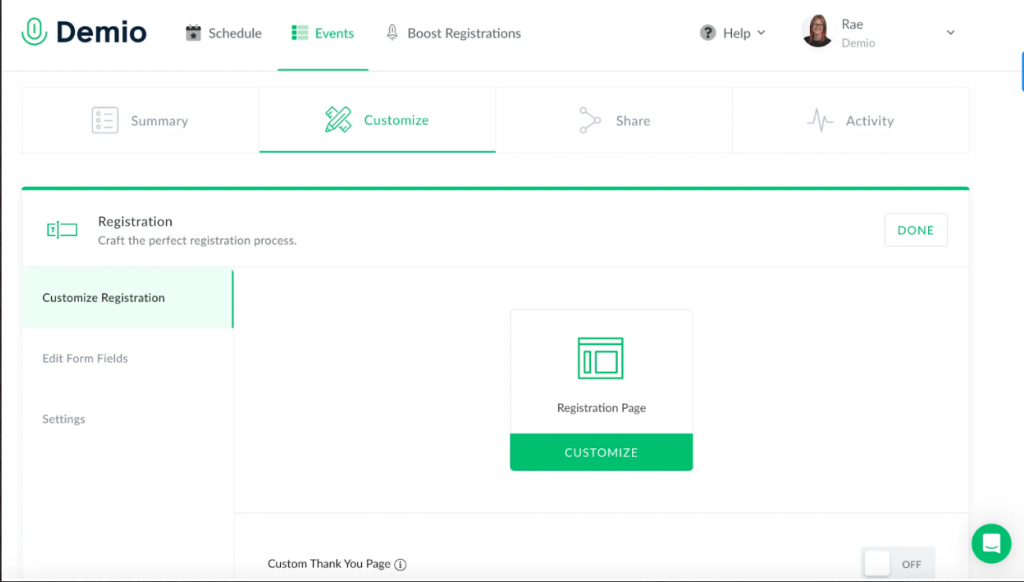
Demio is one of the hybrid webinar platforms with a clean, modern interface, branded registration pages, automated email sequences, and engagement tools, including polls, chat tagging, and handouts, built into every plan. The platform targets marketing and revenue teams specifically, with features designed around lead generation, intent signaling, and CRM data flow.
Demio integrates with Salesforce, HubSpot, Pipedrive, and other popular CRM tools, though deeper integrations require higher-tier, annual plans. For small- to mid-size teams running frequent marketing webinars who prioritize ease of use over complex, large-scale events, Demio is a well-regarded choice.
Pros:
- Fully browser-based for attendees, eliminating download friction that typically reduces attendance rates
- Clean, modern interface with straightforward onboarding that requires no technical expertise to operate
- Engagement tools, including polls, Q&A, chat with tagging, handouts, and direct CTAs during sessions
- On-demand webinar support for evergreen content distribution on Growth and higher plans
- 14-day free trial with full feature access to evaluate the platform before committing
Cons:
- CRM integrations with HubSpot, Salesforce, and similar platforms require annual plans starting at a significant premium, making them inaccessible for month-to-month users
- Video quality and overall attendee experience have been criticized as feeling somewhat dated compared to newer platforms, particularly for high-production hybrid events
Pricing: Starts at $49/month for the Starter plan with up to 50 attendees.
7. Livestorm
Best for Automated and Browser-Based Webinars
Livestorm is the platform that quietly wins converts among marketers who have been frustrated by clunky interfaces and mandatory downloads. It runs entirely in the browser for both hosts and attendees, supports live, on-demand, and automated formats, and pairs a clean video experience with analytics that are genuinely useful for iterating on webinar performance.
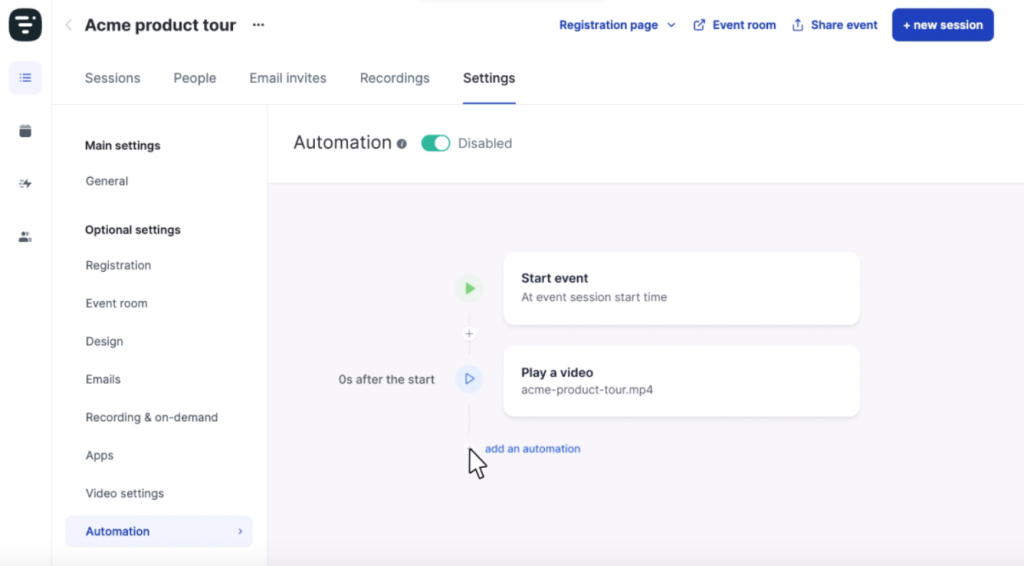
The platform’s app marketplace allows teams to expand functionality with third-party integrations, and its automated email and event management tools reduce the operational overhead of running recurring webinars.
Livestorm works particularly well for European companies, given its GDPR compliance architecture and a user base concentrated in France, Germany, and the UK. One constraint worth noting is that branding customization is relatively limited on entry and mid-tier plans, which can be a drawback for teams with strong brand guidelines.
Pros:
- Browser-based for both hosts and attendees across all devices with no downloads or plugins required
- Automated email workflows and event sequences reduce manual setup time for recurring webinar programs
- Analytics dashboard tracks attendee engagement, source performance, and drop-off points across sessions
- GDPR-compliant infrastructure with strong privacy controls suited for European regulatory requirements
- App marketplace with integrations for HubSpot, Salesforce, Pipedrive, Intercom, and other marketing tools
Cons:
- Branding customization for landing pages, emails, and the webinar console itself is limited on lower plans.
- Pricing can feel steep for small teams, with meaningful features like advanced integrations and on-demand functionality gated behind higher-cost plans
Pricing: Starts at $79/month for the Pro plan (billed annually).
8. RingCentral Events (formerly Hopin Events)
Best for Virtual Events With Multi-Stage Programming
RingCentral Events is the enterprise-grade product that emerged after RingCentral acquired Hopin in 2023, it replaced what was previously known as Hopin Events and is the full-featured version of the two Hopin-derived products on this list
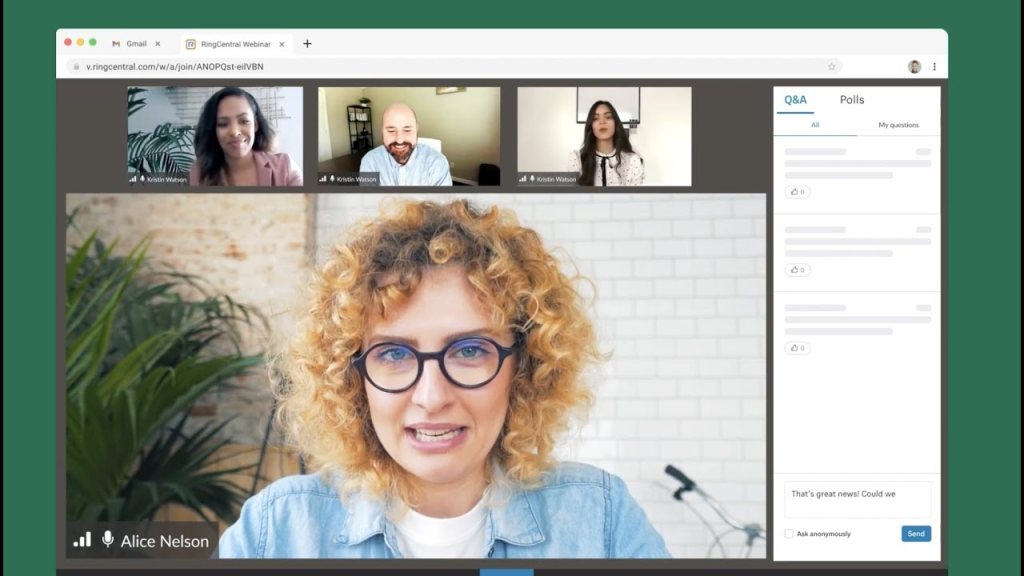
A friend of mine who runs community events for a major developer platform switched to RingCentral Events after a disastrous Zoom-based conference where breakout recordings were simply not available. “RingCentral actually lets you record the breakout sessions,” he told me, still slightly incredulous.
“That alone justified the switch.” RingCentral Events, which absorbed Hopin Events after RingCentral’s acquisition in 2023, is built for organizations that need to run complex hybrid experiences, including multiple stages, networking areas, virtual expo booths, and onsite check-in and badge printing for in-person attendees.
The platform includes a built-in production studio with StreamYard technology, AI-powered content repurposing tools for generating social clips and blog posts from recordings, and 40-plus app store integrations for a customizable event technology stack. The hybrid event infrastructure is among the most comprehensive available in this price range.
Pros:
- Breakout session recording included, addressing a gap that competing platforms like Zoom leave open
- Built-in production studio powered by StreamYard technology for professional-quality live broadcasts
- Full hybrid event support, including onsite registration, badge printing, floor plans, and virtual venue integration
- AI-powered content repurposing tools that automatically generate social clips, email content, and blog posts from event recordings
- 40-plus app store integrations with custom domain support and unlimited webinars and events on paid plans
Cons:
- Account activation and onboarding processes have been reported as slow, with some users waiting weeks to have their accounts fully configured by RingCentral’s team
- The platform’s interface can feel disorienting for speakers and hosts accustomed to Zoom, particularly during first-time events where speakers may not adapt quickly to the different layout
Pricing: Starts at $99/month (per organizer, billed annually).
9. Hopin (Sessions)
Best for Community-Driven Virtual and Hybrid Events
Hopin Sessions is the lighter, standalone product that continued operating separately after the RingCentral acquisition, think of it as the community-focused sibling to the enterprise-grade RingCentral Events above.
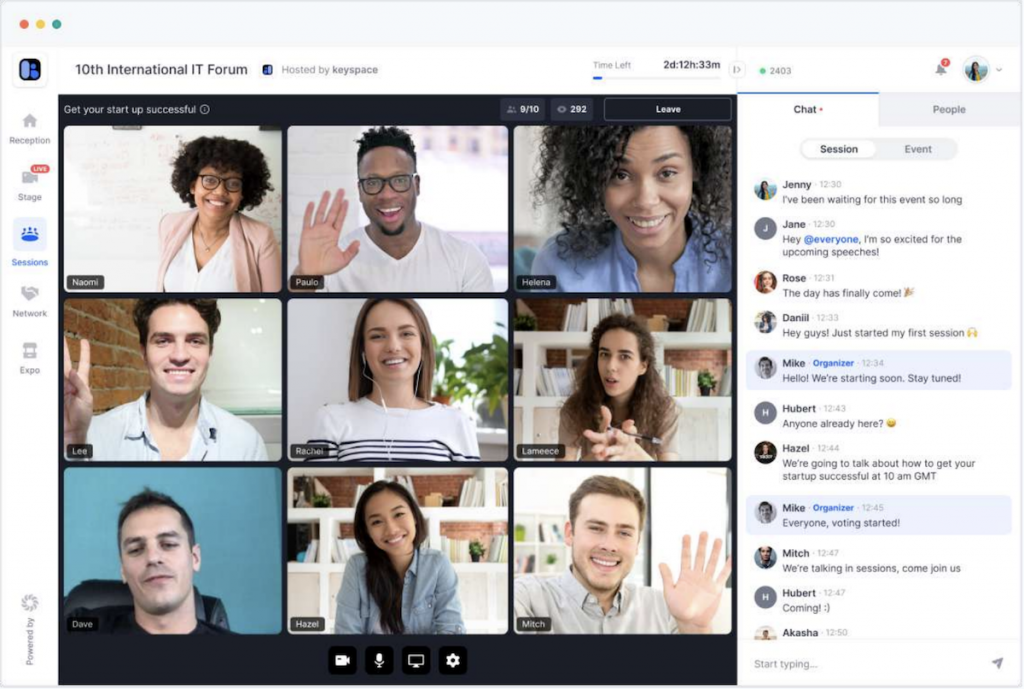
Before Hopin Events became RingCentral Events, Hopin’s Sessions product carved out its own niche as a lighter, more community-oriented event tool. Sessions continues to operate as a standalone product focused on smaller, high-engagement virtual events that prioritize networking and peer interaction over broadcast-style webinars.
The platform is particularly effective for developer communities, user groups, and professional associations that want attendees to connect with each other, not just watch a presenter.
Its free plan offers a functional entry point for organizations just starting with virtual events, and the Starter plan at approximately $83/month provides a meaningful upgrade for teams running regular hybrid sessions with engaged audiences.
Pros:
- Free plan available for small events, providing a no-cost entry point for organizations new to hybrid event formats
- Networking features that enable peer-to-peer interaction during events, making it effective for community and educational formats
- Backstage functionality for speaker preparation and green-room management before going live
- Moderator controls for managing audience interaction during hybrid sessions
- Integration with StreamYard for professional production quality on live and hybrid streams
Cons:
- The feature set is more limited than the full RingCentral Events product, which may leave teams needing advanced analytics or complex multi-session management searching for alternatives
- Ticket commission fees on paid events add an additional layer of cost that competing platforms like Zoom do not charge, which can erode revenue margins on commercial events
Pricing: Starts at $83/month for the Starter plan.
10. Adobe Connect
Best for Corporate Training Environments
My friend Marcus teaches continuing education for a financial services firm. He spent three years on Zoom, then switched to Adobe Connect for one reason: “I can build a classroom inside a webinar.” He was not being metaphorical. Adobe Connect’s Pods system allows hosts to create fully customized virtual room layouts with dedicated areas for video, chat, files, polls, whiteboards, and breakout activities, all visible and active simultaneously.
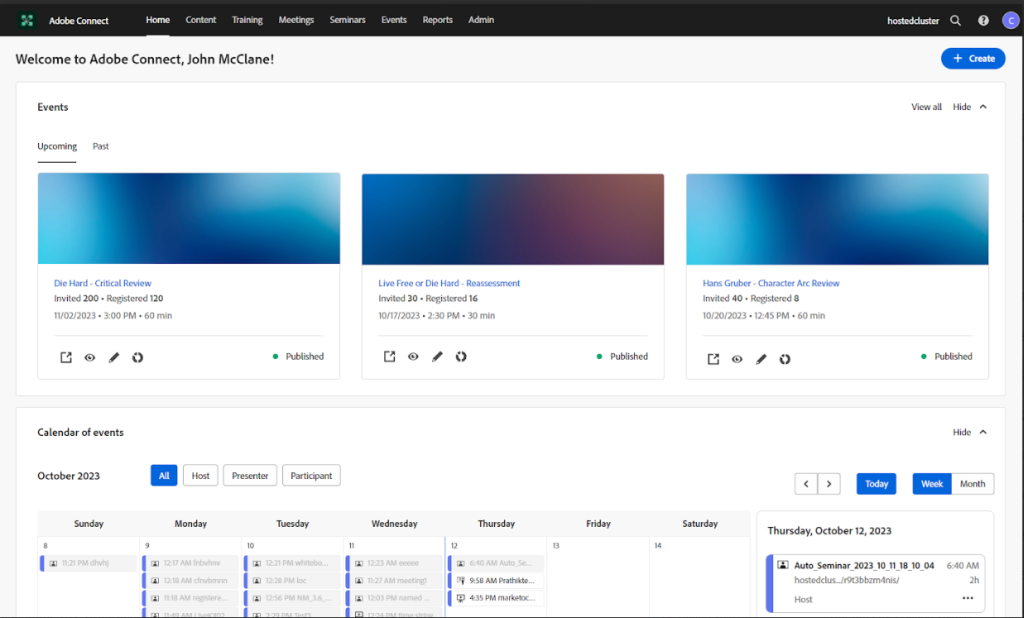
“The first session I ran on Adobe Connect,” Marcus told me with visible satisfaction, “I had three content pods running at once, a live poll in the corner, and participants in three different breakout groups while I was still presenting to the main audience. No other platform lets me do that.”
Adobe Connect is particularly strong for compliance-driven training environments, interactive educational courses, and corporate programs that require high levels of audience participation and real-time assessment. The platform supports SCORM-compliant content delivery, making it a serious option for L&D teams with existing eLearning content libraries.
Pros:
- Pods system enables fully customizable virtual room layouts with multiple simultaneous content areas visible during a single session
- SCORM-compliant content delivery supports integration with existing eLearning libraries and learning management systems
- Persistent virtual rooms that retain layouts, materials, and setup between sessions, reducing pre-event preparation time
- Strong breakout room capabilities with concurrent group management accessible to the host during the main session
- Long-standing enterprise track record with robust security and compliance features for regulated industries
Cons:
- The interface and overall design have not kept pace with modern browser-first platforms and can feel dated compared to Demio or Livestorm, potentially affecting attendee experience
- Pricing is custom and tends to sit at the higher end of the market, making it less accessible for smaller organizations or teams without dedicated event budgets
Pricing: Custom pricing.
How I Chose These Hybrid Webinar Platforms/My Evaluation Criteria
Choosing the best hybrid webinar platform is not simply about picking the one with the longest feature list. Here is the framework I used to evaluate and rank each tool.
1. Hybrid Webinar Format Support
The first test was straightforward: Does the platform actually support hybrid webinars, meaning the ability to run pre-recorded content alongside live interaction in a single session? Platforms that require separate tools for recorded and live elements, or that limit hybrid formats to premium enterprise tiers, ranked lower in this category, in many cases, according to credible review websites.
2. Audience Interaction and Engagement Features
A hybrid webinar platform lives or dies by how well it keeps an audience engaged during segments that are not fully live. I evaluated each platform’s native tools for polls, Q&A, chat, handouts, and CTAs, specifically asking whether these features work seamlessly during pre-recorded segments or require the host to manually manage the transition.
3. CRM and Webinar Integrations
One of the core promises of any hybrid webinar platform is that it connects your event data to your marketing and sales stack. I assessed how deeply each platform integrates with CRM tools like Salesforce and HubSpot, whether attendee engagement data flows automatically into lead records, and whether integration depth is gated behind expensive plan tiers.
4. Webinar Recording and On-Demand Access
Hybrid webinar software should make it effortless to record, store, and distribute session recordings as on-demand content. I evaluated each platform’s cloud storage policies, recording quality, replay access for registrants, and whether the on-demand experience preserves the interactive elements of the original session.
5. Analytics and Audience Interaction Metrics
Post-event analytics are where hybrid webinar platforms often differentiate themselves most sharply. I looked beyond basic attendance data to evaluate each tool’s ability to measure engagement by segment, identify drop-off points, track CTA clicks, and generate actionable reports that inform future event strategy.
6. Ease of Setup and Multi-Camera Streaming Support
The best hybrid webinar platform is one that your team can actually use without a dedicated technical producer. I assessed each platform’s setup time, UI intuitiveness, and support for multi-camera streaming setups for organizations that want to produce broadcast-quality events.
7. Pricing Transparency and Value
Finally, I looked at whether the features that make a platform genuinely useful for hybrid webinars, primarily the hybrid format itself, automated email sequences, and CRM integrations, are available at entry-level pricing or locked behind premium tiers that significantly inflate the true cost of entry.
My Top 3 Hybrid Webinar Platforms
After testing and evaluating all 10 platforms, three tools consistently delivered the best combination of hybrid functionality, ease of use, audience engagement, and overall value. Here is why I chose them:
1. WebinarNinja
WebinarNinja earns the top spot because it delivers genuine hybrid webinar functionality within a platform that is accessible to teams of any size and technical background. The combination of live, automated, hybrid, and series formats in a single dashboard, paired with built-in email automation, unlimited registrants, and native CRM integrations, makes it the most complete package in this list for marketers and educators who need flexibility without complexity.
2. ON24
For enterprise marketing teams that use webinars as a primary pipeline driver, ON24 earns its place in the top three through sheer depth of buyer intent data and marketing automation capability. The platform’s ability to capture, structure, and activate first-party engagement data from every attendee interaction is unmatched at scale, and its AI content repurposing tools make it genuinely efficient for high-volume webinar programs.
3. BigMarker
BigMarker rounds out the top three for organizations that need fully branded, white-label hybrid event experiences with production quality that rivals dedicated AV setups. Its broadcast studio, custom domain support, and ability to run virtual and hybrid events simultaneously make it the strongest choice for companies running large-scale summits, user conferences, or multi-session branded events.
Ready to Pick the Best Hybrid Webinar Platforms?
The hybrid webinar space has matured significantly, and the gap between the best tools and the rest of the field is wide. Whether you are a solo marketer, a growing sales team, or an enterprise demand generation operation, there is a platform in this list built for exactly your situation.
That said, if I had to start fresh with one platform today, I would choose WebinarNinja. Having used it myself, I can say with confidence that it delivers a rare combination of genuine hybrid functionality, intuitive setup, and marketing-ready features at a price point that most teams can justify without a lengthy procurement process.
The ability to run live, automated, series, and hybrid webinars from a single platform, paired with built-in email automation, unlimited registrants, and native HubSpot and Mailchimp integrations, means you don’t have to stitch together a multi-tool stack just to run a polished event. The one-click replay access, timed offers during sessions, and 14-day free trial make it especially compelling for teams that want to move fast.
Frequently Asked Questions

What features should a hybrid webinar platform have?
A strong hybrid webinar platform should include live and pre-recorded format switching, audience engagement tools (polls, Q&A, chat), automated email sequences, webinar recording and on-demand access, CRM integrations, and detailed post-event analytics.
Are hybrid webinars better than live or online-only events?
Hybrid webinars offer the best of both formats. They deliver the polish and reliability of pre-recorded content while preserving the engagement and trust of live interaction. For most marketing and training use cases, hybrid outperforms both fully live and fully automated approaches.
How much do hybrid webinar platforms cost?
Hybrid webinar platform pricing typically ranges from $0.30/attendee/month for tools like WebinarNinja and GoToWebinar to $10,000+ per year for platforms like ON24. Most platforms offer tiered pricing based on attendee capacity and feature access.
Can I integrate hybrid webinars with CRM tools?
Yes. Most leading hybrid webinar platforms, like WebinarNinja, integrate with popular CRM and marketing tools, including HubSpot, Salesforce, Mailchimp, ActiveCampaign, and Marketo. Integration depth varies by platform and pricing tier.
What equipment do I need for hybrid webinars?
For a basic hybrid webinar, you need a reliable internet connection, a quality webcam and microphone, and a screen sharing tool. For production-quality hybrid events, consider a multi-camera setup, a dedicated lighting kit, and a platform like WebinarNinja that supports broadcast studio features.
Which hybrid webinar platform is best for large audiences?
For large audiences, you need a webinar platform that can handle high attendee volumes without sacrificing engagement. WebinarNinja scales well for audiences up to 1,000 on its Business plan, with strong engagement features throughout.
What is the difference between hybrid and Simulive webinars?
A hybrid webinar combines pre-recorded content with live interaction during the session. The host stays active, answers questions, runs polls, and engages with attendees in real time while recorded segments play. A simulive webinar usually plays a pre-recorded presentation as if it were live, with little or no real-time host involvement. In simple terms, hybrid is more interactive, while simulive is more automated.
Which platform has the best engagement tools?
WebinarNinja stands out for its balance of simplicity and engagement, offering live chat, Q&A, polls, handouts, and smooth audience interaction features in one place. BigMarker is also strong, especially for businesses that want more advanced customization and interactive event experiences. The best choice depends on your goals, but for most users who want powerful engagement without added complexity, WebinarNinja is a strong option.
Are hybrid webinars better for lead generation?
Yes. Hybrid webinars are often better for lead generation because they combine polished delivery with live interaction. A well-produced presentation helps you communicate your message clearly, while real-time chat, Q&A, and polls help build trust and keep attendees engaged. This mix usually leads to better watch time, stronger audience connection, and more qualified leads than a fully live or fully automated webinar.
Want to host a webinar for free?
Use WebinarNinja to teach, improve marketing, and grow your sales.