
What if your best webinar could run itself every day, at every time zone, to every lead who ever signed up, while you were at the gym, on a flight, or just finally sleeping past 6 AM?
That is not a fantasy. That is what some of the best simulated live webinar software do. And yet most marketers are still grinding through live sessions week after week, burning out on repeat performances that a well-built simulive setup could handle permanently.
I spent weeks hands-on testing the top Simulive webinar tools, cross-referencing thousands of user reviews, and talking to real users running these platforms in production.
Based on this, I have produced a guide that helps you understand:
- What Simulive webinar software is, how it works, and why it outperforms both live and basic automated webinars
- The real benefits of going simulive
- The best simulated live webinar software, reviewed with honest pros, cons, verified pricing, and my personal top 3 picks
Let’s begin with the fundamentals:
What Is Simulive Webinar Software?
Simulated live webinar software (also called simulive webinar software) is a platform that lets you broadcast a pre-recorded webinar on a scheduled basis while simulating a live experience for attendees, complete with real-time chat, polls, timed offers, and automated follow-ups. Unlike a basic video replay, simulive sessions run on a timed broadcast, populate the room with live-feeling activity, and trigger interactions at specific timestamps, so attendees experience the energy of a live event without the host ever needing to show up again.
Simulive webinar software allows you to record a webinar presentation once and then broadcast it repeatedly as if it were happening live in real time. Attendees register, join at a scheduled time, see a live-feeling chat, respond to polls, and receive follow-up emails, all without the host being present.

Simulive webinar software is distinct from basic on-demand video hosting. Where a video sits passively on a page waiting to be watched, a simulive session runs on a schedule, populates an attendee room with live-feeling activity, delivers automated interaction prompts at specific timestamps, and triggers a pre-recorded webinar with live chat capabilities so the experience feels human even when you are not there.
According to the Content Marketing Institute’s 2024 B2B Outlook, webinars rank among the top three most effective content formats for lead generation and audience engagement. Simulated live webinars multiply that impact by removing the time constraint of live delivery.
10 Best Simulated Live Webinar Software
If you are looking for the most effective simulated live webinar software, I have gathered some of the best tools on the market. Check out a sneak peek of these before we go into details:
| Tool | Best For | Starting Price | Simulive | Free Trial |
|---|---|---|---|---|
| WebinarNinja | Improving Marketing, Growing Sales, and Teaching Better | Starts at $0.30/attendee/month (includes CourseNinja worth $1200). | Yes | Yes |
| EverWebinar | Live simulation realism | $99/mo | Yes | Yes (14-day) |
| eWebinar | Real live chat on automated sessions | $99/mo | Yes | Yes (14-day) |
| StealthSeminar | Conversion-focused automation | $69.95/mo | Yes | Yes (30-day) |
| Demio | Marketing engagement analytics | $59/mo | Yes (Growth+) | Yes (14-day) |
| WebinarJam | High-volume live webinars | $39/mo | Via EverWebinar | Yes ($1 trial) |
| WebinarKit | Sales funnel automation | $47/mo | Yes | Yes ($1 trial) |
| EasyWebinar | Live + automated hybrid workflows | $80/mo | Yes | Yes |
| Livestorm | CRM-integrated B2B webinars | $99/mo | Yes | Free plan |
| WebinarGeek | GDPR-compliant European teams | $22/mo | Yes | Yes (14-day) |
Let’s check out the features of all these tools in detail:
1. WebinarNinja
Best Webinar Software to Improve Marketing, Grow Sales, and Teach Better
I have been using WebinarNinja for about two years now, and the thing that genuinely surprised me was how little friction there was getting from “I have a recorded presentation” to “this is now running on autopilot.”
Here is what stood out in practice: I recorded a product demo webinar one Tuesday afternoon, set it to run as an automated session every Tuesday and Thursday at 11 AM and 7 PM, customized the registration page with our brand colors, set up a three-email nurture sequence, and had my first attendees the very next morning.
The whole setup took under 45 minutes. What I genuinely appreciated was that attendees could see the live chat and poll activity from previous sessions seamlessly integrated alongside real-time engagement, creating an experience that felt remarkably live. Nobody in a test group of 50 people realized they were watching a pre-recorded session.
The platform runs entirely in the browser, which means zero download friction for attendees. That alone bumped my attendance rates from around 38% to over 55% in the first month.
For anyone asking whether simulive webinars can generate leads automatically: yes, and WebinarNinja’s built-in registration forms, email automation, and analytics make the entire lead generation loop self-contained.
Pros:
- WebinarNinja supports live, automated, hybrid, and series webinar formats all under a single subscription with no separate add-ons needed, so you are not paying extra just because your format changes from week to week.
- The built-in webinar marketing automation sends confirmation, reminder, and follow-up messages automatically with customizable triggers, so attendees are nurtured without you touching a thing between registration and post-event.
- The registration and thank-you page builder includes custom branding options, so your webinar funnel looks native to your brand without needing a separate landing page tool.
- Attendee analytics include registration rates, show-up rates, watch time, poll responses, and Q&A logs, giving you a detailed picture of which parts of your presentation convert and which lose people.
- WebinarNinja is backed by ProProfs, which means the platform benefits from an established support infrastructure, including 24/7 live chat, email support, and a comprehensive knowledge base, so help is always a click away.
Cons:
- No downloadable or on-premise version available.
- Dark user interface option not available
Pricing: A FREE 14-day trial is available. Paid starts at $0.30/attendee/month (includes CourseNinja worth $1200).
2. EverWebinar
Best for Maximally Realistic Live Simulation at Scale
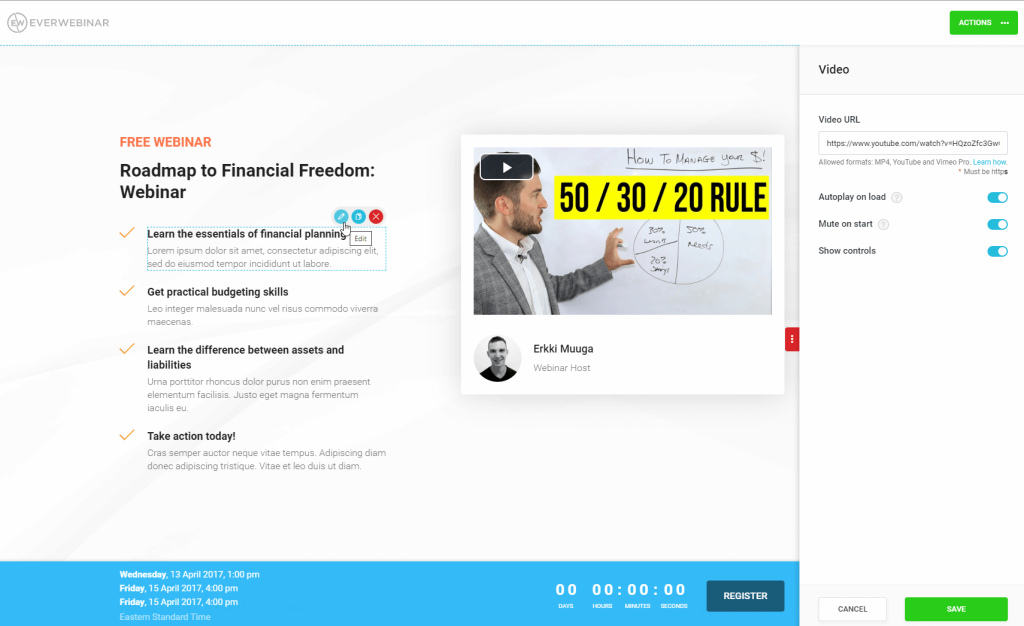
If the goal is to make a pre-recorded webinar indistinguishable from a live event, EverWebinar is the platform most dedicated to achieving exactly that. A colleague of mine who runs a high-ticket coaching program has been using EverWebinar for over two years. His summary: “It is like hiring a clone of yourself that never has a bad day and always delivers the pitch perfectly.”
He was particularly enthusiastic about the “Replica Replay” feature, which imports a previously recorded live WebinarJam session and rebuilds the entire event, including the exact timing of chat messages, poll launches, and slide transitions. The result is an automated broadcast that carries the authentic, unpredictable feel of a live session, not the polished-but-obvious feel of a recording.
EverWebinar also features a “just-in-time” scheduling option, where a registrant who signs up is immediately offered a session starting in the next few minutes.
Pros:
- The Replica Replay feature rebuilds the authentic timing and interaction patterns from a previously live WebinarJam session, creating the most convincing simulation of a live event available in any automated webinar tool.
- Just-in-time webinar scheduling automation allows registrants to join a session starting within minutes of sign-up, significantly improving attendance rates compared to fixed-schedule automated webinars.
- A live chat simulator populates the chat area with pre-programmed messages at timed intervals, reinforcing the perception that other attendees are present and engaged throughout the session.
- Flexible scheduling options include specific dates, recurring weekly sessions, and just-in-time delivery, allowing hosts to match audience time zone preferences without managing separate calendar slots.
- Built-in email and SMS notification sequences send pre-webinar reminders and post-webinar follow-ups automatically, including replay links for attendees who did not show up at their registered time.
Cons:
- EverWebinar does not include a real live chat with genuine attendee communication; the chat is simulated, and messages sent by attendees are routed to a contact form rather than delivered in-session, which can frustrate attendees who expect a real response.
- The platform is only sold as an annual or biennial subscription with no true monthly plan, making it a more significant upfront commitment for users who want to test it for a short period.
Pricing: Starts at $99/month (billed monthly).
3. eWebinar
Best for Pre-Recorded Webinar With Live Chat at Scale
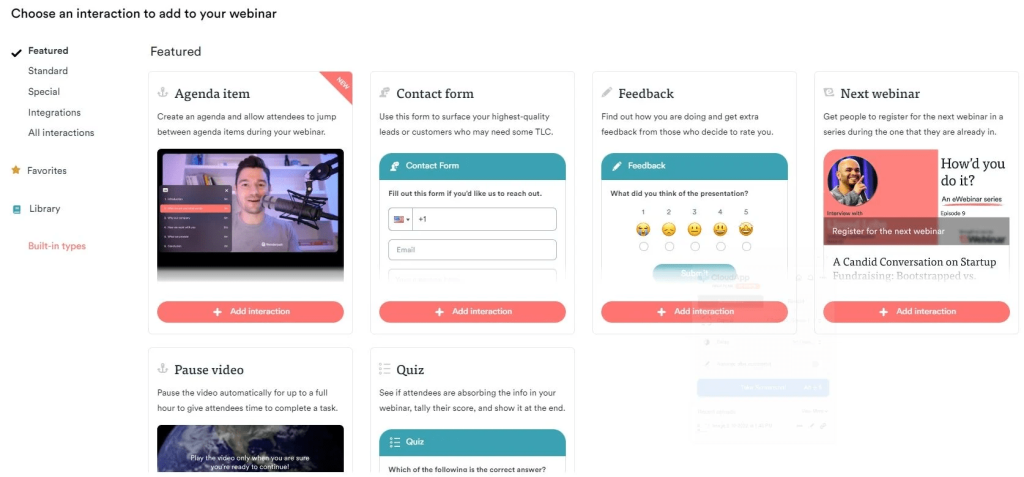
What if you could run an automated webinar but still have a real conversation with your attendees? That question is essentially eWebinar’s entire reason for existing. The platform combines pre-recorded video with an authentic live chat system that routes messages to the host or a designated team member via email or Slack, and responses appear directly inside the attendee’s chat window, even after the webinar has ended.
I know a friend who runs a SaaS onboarding program at a mid-sized company and discovered eWebinar after burning out on delivering the same 40-minute product tour five times a week.
She switched to eWebinar, recorded the session once, set it to run on a recurring schedule and on-demand, and within the first month, her team was fielding fewer than 1 support ticket per 10 attendees, down from nearly 4. The key was that the live chat kept attendees engaged and answered their questions in context, so fewer left confused.
Pros:
- It has a full real-time live chat that allows hosts or team members to respond to attendee messages during and after sessions, with messages delivered via email or Slack for asynchronous handling.
- The platform supports on-demand, recurring, and just-in-time scheduling simultaneously for the same webinar, maximizing attendance flexibility without creating management overhead.
- An extensive interaction toolkit includes polls, quizzes, tips, special offers, contact forms, and file downloads that can be triggered at specific timestamps in the video, boosting webinar engagement features throughout the session.
- Detailed analytics track per-attendee watch time, interaction responses, chat engagement, and replay behavior, giving hosts granular data on where the presentation performs and where it loses people.
- Team members can be added to an eWebinar account at no additional cost, allowing multiple people to manage chat moderation and attendee responses without extra per-seat charges.
Cons:
- eWebinar does not have a free plan, and even if you end your trial with zero active webinars, you will be charged at the entry-level subscription rate unless you cancel before the trial expires, which catches some new users off guard.
- The platform’s pricing model is based on the number of active (published) webinars rather than attendee volume, which can feel counterintuitive and may require careful management to avoid unexpected tier upgrades.
Pricing: Starts at $99/month.
4. StealthSeminar
Best for Reliable Automated Webinar Delivery With Conversion Tools
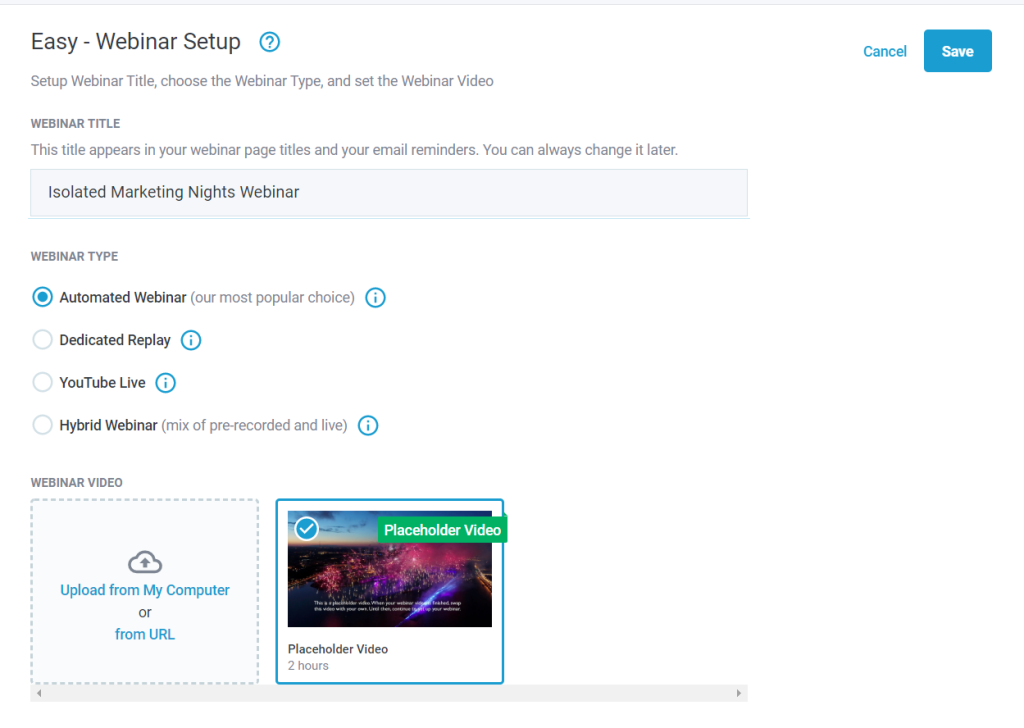
The name sounds like something from a spy thriller, and in a way, it is apt: StealthSeminar runs your automated webinar so smoothly that nobody notices the machinery behind it.
I tested StealthSeminar over a four-week period with a product launch sequence and noticed a few things that stood out: the platform’s attendee display feature shows a live count of how many people are watching, including a simulated fluctuation that makes the room feel populated even in off-peak sessions.
The built-in scarcity tools, including countdown timers and limited-offer displays, felt native rather than bolted on. Webinar engagement features on this platform lean heavily toward conversion, which is exactly what you want from a Simulive tool running a sales-focused presentation.
What genuinely impressed me was that StealthSeminar handled a webinar session with 600 registered attendees without a single technical hiccup during the recording playback. That kind of backend reliability is exactly what you need when a sales presentation is running autonomously at 2 AM.
Pros:
- StealthSeminar’s automated attendee count display shows a realistic, dynamically adjusted number of viewers in the room, creating genuine social proof and urgency that purely static pages simply cannot replicate.
- Built-in scarcity and urgency tools allow hosts to display timed offers, countdown timers, and limited availability notifications at specific points during the presentation, directly inside the webinar room.
- The platform supports multiple webinar formats including fully automated sessions, live sessions, and hybrid events, so you are not locked into a single delivery mode as your strategy evolves.
- Detailed tracking of attendee behavior, including join time, exit time, and interaction with offers, gives hosts actionable data on which parts of the funnel need optimization.
- Email integration with major platforms like Mailchimp, ActiveCampaign, and HubSpot allows for automated segmented follow-up based on attendee behavior during the session.
Cons:
- The user interface feels visually dated compared to newer platforms, and the setup flow is less intuitive for first-time users, particularly around scheduling and landing page customization.
- StealthSeminar does not currently offer a native Zapier integration, which limits connection options to a shorter list of directly supported platforms and requires workarounds for more complex marketing automation setups.
Pricing: Starts at $69.95/month.
5. Demio
Best for Marketing Teams That Need Engagement Analytics
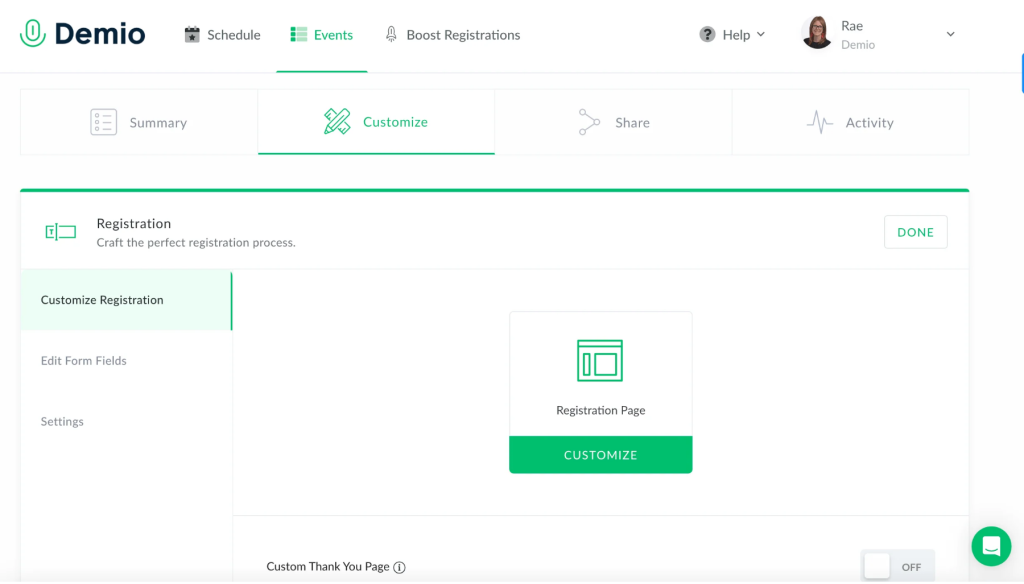
Demio has one of the cleanest interfaces in the category, which matters more than it sounds: a complex interface is a real barrier when marketing teams need to get events launched quickly across different campaigns and regions.
A friend who leads demand generation at a B2B SaaS company switched his team to Demio after struggling with an older platform that required too much IT involvement to maintain. His team could spin up a new automated product demo webinar in under 30 minutes, including the registration page, the email sequence, and the analytics dashboard.
“What we really needed,” he said, “was a way to see which webinar content drove pipeline. Demio’s engagement scoring lets us see exactly which attendees clicked the featured CTA inside the webinar room, and we filtered those into our high-priority CRM segment. Pipeline from webinars went up 60% in Q2 after we made that change.”
Demio’s automated webinars are available from the Growth plan upward, so first-time users should note that the entry-level Starter plan is live-only.
Pros:
- Demio’s engagement analytics dashboard tracks which specific attendees clicked featured actions, downloaded handouts, responded to polls, and participated in chat, enabling precise post-event segmentation and personalized follow-up.
- The webinar room is fully browser-based and requires no downloads for attendees, reducing friction at the point of joining and contributing to higher show-up rates compared to platforms that require app installs.
- Automated and on-demand webinar features allow marketing teams to run evergreen lead generation campaigns without requiring host availability, with all interactive elements preserved from the original live recording.
- The platform’s featured action tool allows hosts to display time-triggered CTAs inside the webinar room, such as product trial links or survey forms, at the moment of highest audience engagement.
- Demio integrates natively with HubSpot, Marketo, Pardot, and other leading CRM platforms on higher-tier plans, allowing webinar engagement data to flow directly into sales pipelines.
Cons:
- Automated webinar functionality is locked behind the Growth plan, which starts noticeably higher than the entry-level Starter pricing, meaning users who specifically want simulated live features will need to budget for a higher tier from the start.
- Some users on Capterra have reported audio quality and connectivity issues during live sessions, which can also affect hybrid webinar setups where the automated playback is supplemented by live host Q&A.
Pricing: Starts at $59/month.
6. WebinarJam
Best for High-Volume Live and Automated Webinar Combinations

WebinarJam is meant for teams that run both live and automated sessions and want a single hub for the entire operation.
What sets it apart is its engineering for scale. The platform handles up to 5,000 live attendees on the Enterprise plan, with high-definition video streaming that remains stable across diverse network conditions.
For teams that run regular live sessions and want to convert their best performances into evergreen webinars for ongoing automated playback, the workflow from live WebinarJam session to EverWebinar automated replay is essentially one click via the Replica Replay feature.
The panic button is one of those things you hope you never need but are deeply grateful for when you do. If the live webinar room experiences a technical failure mid-session, clicking the panic button instantly creates a new room and moves all attendees there automatically, without a visible interruption for the audience.
Pros:
- WebinarJam supports audiences up to 5,000 attendees on its Enterprise plan, making it one of the highest-capacity webinar platforms available at this price point for large-scale product launches and training events.
- The Panic Button feature automatically creates a new live room and transfers all attendees in the event of a technical failure, protecting the session from visible disruption and preserving audience trust in critical presentations.
- Built-in email and SMS webinar marketing automation sends automated pre-event reminders and post-event follow-ups directly from the platform, eliminating the need for a separate email service for basic webinar communications.
- Attendee spotlight allows hosts to bring audience members on screen with their camera and microphone, enabling live Q&A segments that add a genuine, dynamic element to what might otherwise feel like a one-way broadcast.
- A/B split testing for registration pages is built directly into the platform, allowing hosts to test headline variations, images, and form layouts to maximize sign-up conversion without needing an external testing tool.
Cons:
- WebinarJam is primarily designed as a live webinar platform; automated webinar functionality (evergreen replay) requires a separate EverWebinar subscription, which adds meaningful cost for users who primarily want simulated live delivery.
- The maximum session duration on lower-tier plans is capped at one to two hours, which may be insufficient for longer training sessions or multi-module workshops that run beyond that limit.
Pricing: Starts at $39/month (billed annually).
7. WebinarKit
Best for Sales-Focused Automated Webinar Funnels

WebinarKit is one of the newer platforms in the automated webinar space, and it has moved quickly to differentiate itself by focusing heavily on the sales funnel side of the webinar experience.
The platform’s timed offer display lets hosts set pop-up offers with countdown timers to appear at exact timestamps during the pre-recorded presentation, creating urgency at the moment of maximum engagement. Combined with the built-in replay page, a single recorded session can generate leads and sales continuously with minimal ongoing management.
The chat simulator feature populates the chat window with pre-written messages at scheduled times, maintaining the feel of an active room even during the early minutes of a session when live participation would typically be sparse. Attendees can type in the chat and receive responses, which are routed to the host’s dashboard for asynchronous reply.
Pros:
- WebinarKit’s timed offer display allows hosts to set revenue-generating CTAs, including purchase links and countdown timers, to appear at precisely calibrated moments during the automated presentation, maximizing conversion at peak engagement.
- The chat simulator populates pre-scheduled messages at defined timestamps, maintaining an active, social atmosphere in the webinar room even during early-session periods when organic chat activity would otherwise be low.
- Unlimited webinars and unlimited attendees are included on all paid plans with no per-attendee overage charges, making it one of the most cost-predictable platforms for businesses with rapidly growing audiences.
- Just-in-time webinar scheduling automation presents registrants with a session starting within minutes of sign-up, significantly reducing the attention drop-off that occurs when attendees have to wait days for their scheduled session.
- Native integrations with Zapier, ActiveCampaign, HubSpot, and other major platforms allow registrant data and behavioral signals to flow into existing CRM workflows without custom development.
Cons:
- WebinarKit’s live webinar functionality is relatively recent and still maturing; users who need robust, battle-tested live streaming for large audiences may find the automated webinar side significantly stronger than the live event capabilities.
- The registration page and webinar room design options are somewhat limited compared to more established platforms, which may require external landing page tools for users who need highly customized or brand-specific visual experiences.
Pricing: Starts at $47/month.
8. EasyWebinar
Best for Combining Live and Automated Webinar Workflows
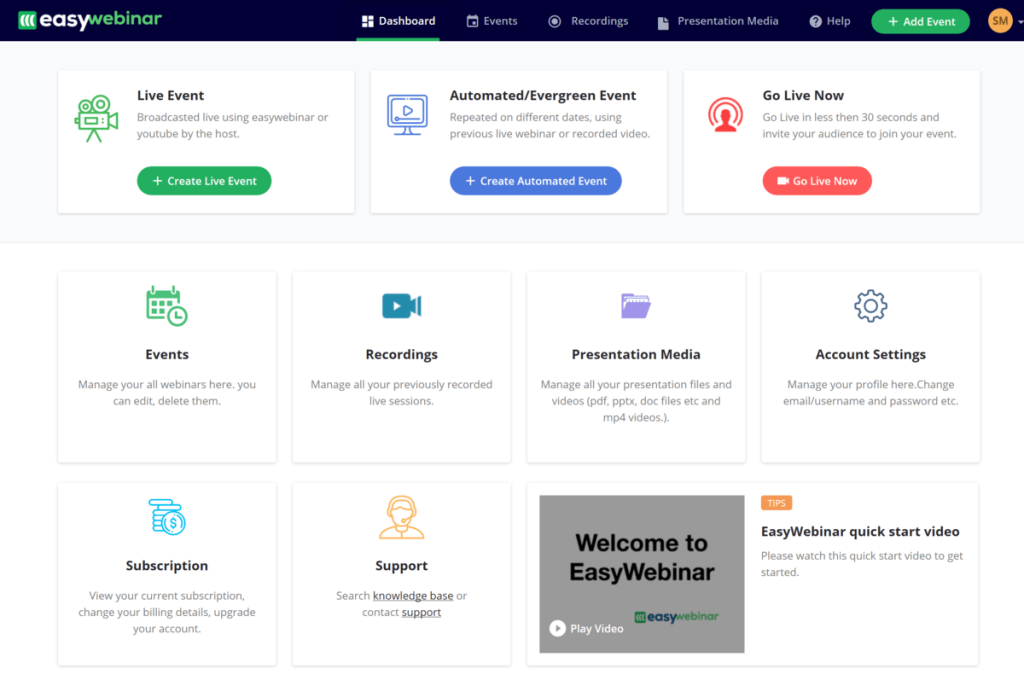
EasyWebinar occupies an interesting middle ground: it is built specifically for teams that run both live events and automated evergreen webinars and want a single platform where both workflows feel equally first-class.
My colleague, who runs an online education business, told me about her switch to EasyWebinar after years of stitching together multiple tools. She particularly appreciated that she could run a live webinar to a warm audience, collect feedback in real time, refine the presentation, and then immediately publish the polished version as an evergreen automated session, all without leaving the platform or re-recording from scratch.
“What I used to do with three different tools and a whole afternoon of work, I now do in EasyWebinar in about 20 minutes,” she said. “And my automated sessions convert better because I know the content is already proven. I tested it live first. The webinar engagement features in the automated room feel just as active as when I was presenting live, which surprised me.”
The platform supports up to 500 attendees on the standard plan, with enterprise options for larger events, and includes built-in Facebook and YouTube live streaming.
Pros:
- EasyWebinar supports live, automated, and hybrid webinar formats with equal depth of features across all three modes, so hosts are not sacrificing capability when they switch between live and evergreen delivery.
- Facebook and YouTube live streaming is natively integrated, allowing hosts to simultaneously broadcast to their webinar room audience and their social media followers without managing a separate streaming setup.
- A built-in split testing feature for registration pages allows hosts to compare different headline and design variants to identify which generates the highest sign-up rate for a given audience.
- The platform supports up to 6 presenters on the Pro plan, making it suitable for panel discussions, co-hosted training events, and multi-speaker webinar series without additional per-seat charges.
- EasyWebinar’s analytics include detailed attendee behavior reports tracking registration source, join time, engagement with polls, and offer clicks, enabling precise attribution of revenue generated from each automated session.
Cons:
- EasyWebinar’s pricing scales based on the number of active webinars and attendee capacity rather than a flat rate, which can become difficult to forecast for organizations with highly variable monthly webinar volumes.
- Some users have noted that EasyWebinar’s interface is less polished and more complex to navigate compared to newer platforms like Demio or WebinarNinja, particularly for first-time users setting up their initial automated webinar.
Pricing: Starts at $80/month.
9. Livestorm
Best for B2B Teams Needing Deep CRM and Marketing Automation Integration
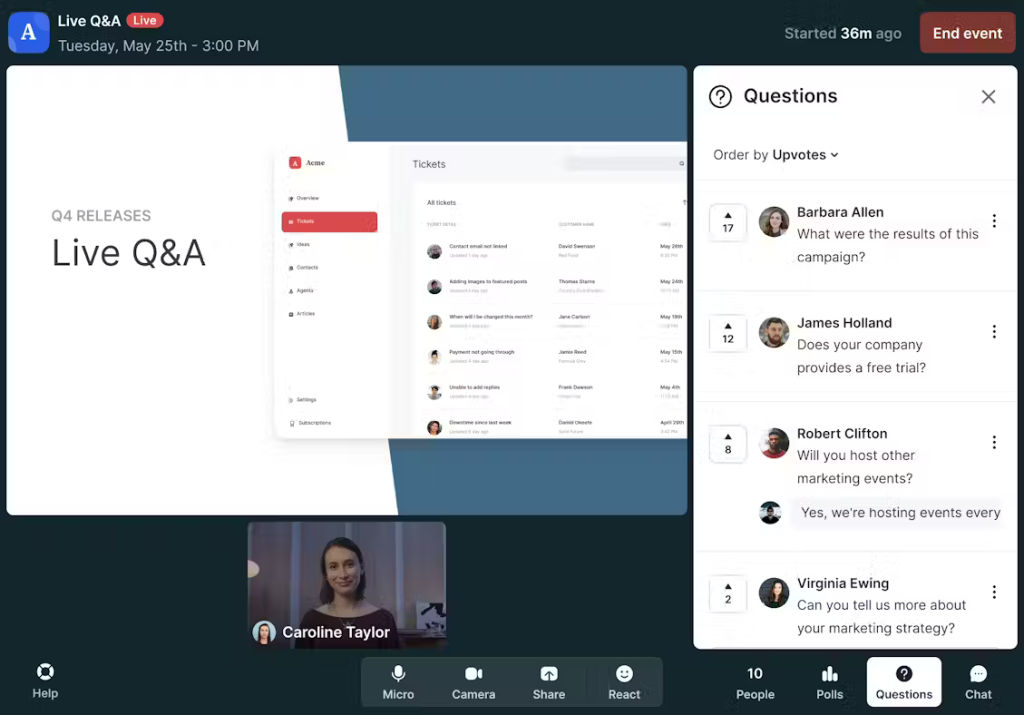
Livestorm is the enterprise-leaning option in the simulated live webinar space, built on the assumption that your webinar data should live within your CRM and marketing stack, not in isolation.
It is the platform I would recommend to any team that already runs HubSpot, Salesforce, Marketo, or Pardot and wants their webinar engagement data to sync automatically and bidirectionally.
The platform offers a free plan with up to 10 attendees per session, which is genuinely useful for testing before committing, though it caps sessions at 20 minutes, so it is really a trial rather than a functioning free tier. The Pro plan removes those limits and adds automated webinars, on-demand replay pages, and the full integration library.
What Livestorm does particularly well is the attendee journey. From a customized, branded registration page to automated reminder emails to the interactive webinar room to post-event analytics, every touchpoint is consistent, branded, and measurable.
Pros:
- Livestorm’s native integrations with Salesforce, HubSpot, Marketo, and Pardot allow webinar registration and engagement data to sync bidirectionally with CRM records in real time, eliminating manual data exports and enabling immediate sales follow-up.
- The platform is fully browser-based with no downloads required for hosts or attendees, ensuring the lowest possible friction at every touchpoint in the webinar funnel from registration through session completion.
- Automated webinar and on-demand replay functionality allow marketing teams to run evergreen lead generation campaigns continuously, with full interactive engagement preserved and analytics tracked for each unique viewer.
- The event analytics dashboard provides granular data on attendee attention, engagement with polls and CTAs, drop-off points, and replay behavior, enabling data-driven content refinement across multiple event iterations.
- Livestorm supports up to 1,000 live attendees on the Pro plan and up to 3,000 on the Business plan, with enterprise-grade scalability available for organizations with larger global event audiences.
Cons:
- Livestorm’s pricing is contact-based rather than attendee-based, which means costs scale with the total number of registrants across all events rather than per session, leading to unexpectedly higher invoices for organizations with large but infrequent events.
- The automated webinar features, while solid, are not as deeply customizable as those on platforms like EverWebinar or eWebinar, particularly around chat simulation and interaction timing controls.
Pricing: Starts at $99/month (Pro plan).
10. WebinarGeek
Best for European Teams Needing GDPR-Compliant Webinar Automation

WebinarGeek is a Dutch-built platform that has quietly built a strong reputation in the European market, largely because it takes data privacy, GDPR compliance, and accessibility far more seriously than most competitors.
For any organization operating under strict data protection regulations, that is not a minor feature: it is a fundamental requirement.
A colleague who heads marketing for a mid-sized Netherlands-based software company introduced me to WebinarGeek after her team spent three months evaluating automated webinar platforms for GDPR compliance and found that most US-based tools required significant legal review before they could be deployed. WebinarGeek passed their legal team’s scrutiny in under a week.
The platform also supports on-demand and automated webinars, with a feature that allows hosts to log in and chat live with attendees even during an evergreen session, which she described as a genuinely unexpected differentiator in the Simulive webinar tools market.
Pros:
- WebinarGeek includes built-in GDPR consent fields on registration forms with a full audit trail of consent records, making it one of the few webinar platforms purpose-built for compliance with European data protection regulations.
- Hosts can log in and interact with attendees in real time via chat, even during an automated or on-demand webinar session, combining the convenience of pre-recorded content with the personal touch of live interaction.
- The platform offers detailed analytics, including session duration, engagement scores, poll responses, and CTA click rates, providing actionable post-event insights without requiring a separate analytics integration.
- WebinarGeek supports custom branding across registration pages, reminder emails, and the webinar room itself, enabling organizations to deliver a consistent brand experience throughout the entire attendee journey.
- The platform integrates with over 5,000 tools and services via native connectors and Zapier, and its API allows deeper custom integrations for organizations with complex marketing stack requirements.
Cons:
- WebinarGeek’s primary support team operates during European business hours, which can result in delayed response times for users in North American or Asia-Pacific time zones who encounter technical issues during evening or early morning sessions.
- The platform’s automated webinar scheduling interface is less feature-rich than dedicated automation platforms like EverWebinar or StealthSeminar, with fewer options for simulating live audience activity or generating on-screen urgency signals.
Pricing: Starts at $22/month.
How I Chose These Simulated Live Webinar Software/My Evaluation Criteria
The evaluation of products or tools chosen for this article follows an unbiased, systematic approach that ensures a fair, insightful, and well-rounded review. This method employs six key factors:
1. User Reviews and Ratings
Direct experiences from users, including ratings and feedback from reputable sites like G2, Capterra, and GetApp, provide a ground-level perspective that no marketing page can replicate. This feedback is critical in understanding overall satisfaction and recurring problems. For Simulive webinar tools specifically, I prioritized reviews that mentioned reliability, attendance rates, and whether the “live feel” actually convinced attendees.
2. Essential Features and Functionality
The core value of any simulated live webinar platform is assessed by its automation depth, webinar scheduling automation flexibility, chat and interaction simulation quality, webinar engagement features, and replay capabilities. I paid particular attention to whether features worked as advertised, not just whether they were listed on the pricing page.
3. Ease of Use
The user-friendliness of each platform was evaluated across three phases: setting up the first automated webinar, managing ongoing sessions, and reviewing analytics. Platforms that required extensive technical knowledge or offered confusing setup flows were penalized, because in practice, a tool that is hard to use does not get used.
4. Customer Support
The quality and accessibility of customer support was examined across support channels, response time, and support availability hours. For automated webinar platforms, support quality matters particularly during off-hours technical issues, since your webinar may be running autonomously at midnight while you are asleep.
5. Value for Money
Value for money was evaluated by comparing pricing tiers against features delivered. I specifically assessed whether entry-level plans were genuinely useful for getting started or whether the meaningful features were all locked behind expensive upgrades.
6. Personal Experience and Expert Opinions
This part of the evaluation draws on my direct testing of each platform and the firsthand accounts of colleagues and clients who use these tools in production environments. Real-world usage over sustained periods reveals reliability, edge cases, and workflow implications that short trials cannot surface.
My Top 3 Simulated Live Webinar Software
After evaluating all 10 platforms against the criteria above, three tools consistently rose to the top across every dimension. Here are my picks for the best Simulive webinar tools:
1. WebinarNinja
WebinarNinja earns the top spot because it is the only platform that seamlessly handles live, automated webinars, hybrid, and series webinars under a single subscription with transparent pricing, a zero-download experience for attendees, and robust built-in webinar marketing automation. From a personal standpoint, I have seen it deliver consistently high attendance rates and conversion-ready analytics without requiring a tech team to manage it.
2. EverWebinar
EverWebinar earns its place in the top three because of the unmatched realism of its simulated live experience. The Replica Replay feature, just-in-time scheduling, and live chat simulator combine to create an automated webinar environment that audiences genuinely mistake for live events, which drives measurably higher conversion rates for sales-focused presentations.
3. eWebinar
eWebinar rounds out the top three by solving the biggest weakness of every other automated webinar platform: the absence of real human interaction. By routing live chat through Slack or email, eWebinar delivers a genuine pre-recorded webinar with live chat experience, resulting in significantly higher attendance rates and lower post-event support loads compared to platforms that rely entirely on chat simulation.
How Does Simulive Differ From Live or Automated Webinars?
This is a question I get asked constantly, and it is worth a clear answer before we get into the tool reviews. The three formats look similar on the surface but serve very different operational and strategic needs.
| Live Webinar | Basic Automated Webinar | Simulive Webinar | |
|---|---|---|---|
| Host presence required | Every session | No | No |
| Real-time chat | Yes | Rarely | Simulated |
| Scheduled broadcast | Yes | Optional | Yes, including just-in-time |
| Polls and timed offers | Yes (manual) | Limited | Yes, at defined timestamps |
| Live attendee count | Yes | No | Simulated |
| Scales without effort | No | Yes | Yes |
| Feels live to attendees | Yes | Rarely | Yes (when well-configured) |
| Best for | High-touch sales, launch events | On-demand content libraries | Evergreen lead generation and sales |
A live webinar happens in real time: the host presents, the audience watches, chat flows naturally, and Q&A happens spontaneously. It is the most personal format, but it demands your time every single time.
A basic automated webinar is a pre-recorded session that plays back on a schedule or on demand. It is hands-off but typically lacks the interactive engineering that makes a session feel alive.
Simulive webinar uses webinar scheduling automation to run the recording on a timed broadcast, populates the chat with pre-programmed messages through a chat simulator, launches polls and offers at specific timestamps, and creates an environment where attendees cannot easily distinguish the experience from a live event.
Think of it this way: a live webinar is a concert. A basic automated webinar is a recorded album. A simulive webinar is a live-album playback engineered to sound indistinguishable from the original concert night, complete with crowd noise and all the spontaneous moments that made it special.
What Are the Benefits of Simulive Webinars?
Before we conclude this blog, it is worth understanding what you are actually buying when you invest in simulated live webinar software. The benefits are substantial, and they compound over time.
1. Record Once and Run Your Best Presentation Indefinitely
Every future session is delivered with the same quality, the same timing, and the same energy, regardless of whether you are at your desk or on vacation. Webinar marketing automation handles the reminder emails, follow-up sequences, and CRM syncing without any manual effort after initial setup.
2. Lock In Consistent Conversion Rates and Test What Moves the Needle
Because the presentation is identical across every session, you can isolate and test variables like registration page copy, offer timing, and CTA placement with confidence that the content itself is the constant. You know exactly what changed when your conversion rate moves.
3. Fill More Seats With Flexible Just-in-Time Scheduling
Offering multiple daily time slots and just-in-time sessions that start within minutes of sign-up means registrants can always find a time that works. This dramatically reduces the drop-off between sign-up and attendance that plagues fixed-schedule live webinars.
4. Generate Qualified Leads Around the Clock Without Hosting Effort
Simulive webinars capture registration data 24/7, trigger segmented email follow-up sequences based on attendee behavior, and push leads into your CRM automatically. A single well-built simulive session can generate leads while you sleep, every night of the year.
5. Scale to Any Audience Size Without Adding Overhead
You can run the same simulive session for 10 people and for 10,000 people with identical effort. There is no incremental cost to scale beyond the platform’s pricing tier, and no additional preparation is needed as your audience grows.
Also, if you wish to know more benefits of webinars in a bit of detail, this video is tailor-made for you:
How Much Does Simulated Live Webinar Software Cost?
Simulated live webinar software pricing ranges from around $22/month at the budget end to $99/month and above for platforms with enterprise-grade CRM integrations and advanced automation capabilities.
Mid-range options typically fall between $39/month and $80/month and cover the full simulive feature set, including chat simulation, just-in-time scheduling, timed offers, and automated follow-up sequences. Most platforms price based on attendee capacity, number of active webinars, or registered contacts per month, so the right plan depends on your audience size and session frequency.
Nearly all serious Simulive platforms offer a free trial ranging from 7 to 30 days, so you can test the full experience before committing to a paid plan.
Ready to Pick the Best Simulated Live Webinar Software?
The best simulated live webinar software is the one that fits your workflow, your audience expectations, and your growth goals. If you are primarily focused on lead generation with minimal ongoing effort, EverWebinar or WebinarKit may serve you well. When your team needs enterprise-grade CRM integration and seamless webinar marketing automation, Livestorm or Demio deserves serious consideration. If GDPR compliance is non-negotiable for your European audience, WebinarGeek is purpose-built for that requirement.
That said, after two years of personal use and extensive testing across this entire list, I find myself consistently leaning toward WebinarNinja. The combination of zero download friction for attendees (which directly improves show-up rates), seamless support for all four webinar formats in a single subscription, built-in landing pages, and email automation works really well.
It does not ask you to bolt extra tools together to close functionality gaps. WebinarNinja’s browser-based delivery eliminates the single biggest barrier to attendance across all device types, and its analytics give you a clear view of conversion at every stage of the funnel.
Frequently Asked Questions

Do I need a separate platform for automated and live webinars?
No. WebinarNinja, EasyWebinar, and Demio support both formats under one subscription. WebinarJam and EverWebinar are designed to work together but sold separately. If you want one platform for everything, WebinarNinja is the most complete single-subscription option available.
Which Simulive webinar software is best for beginners?
WebinarNinja and WebinarKit offer the most beginner-friendly setup, with guided configuration flows, pre-built email templates, and no-code landing page builders. Both platforms can have a first automated webinar running within an hour of sign-up, with no technical background required.
Is Simulive webinar software suitable for enterprise use?
Yes. Platforms like Livestorm, Demio, and WebinarNinja support enterprise requirements, including SSO, CRM integrations, custom branding, and audiences in the thousands. Livestorm and Demio are particularly built for enterprise marketing teams running account-based programs with complex reporting needs.
How do I improve attendance rates for automated webinars?
Offer just-in-time scheduling to eliminate the gap between sign-up and session start, send SMS reminders alongside email, ensure the registration page is mobile-optimized, and use branded confirmation emails that feel personal. Platforms like WebinarNinja and EverWebinar include all of these tools natively.
Can I edit or update a Simulive webinar after scheduling it?
Yes, most simulated live webinar platforms allow you to edit your webinar even after it has been scheduled. You can replace the video, adjust timing for polls and offers, update chat scripts, or modify email sequences without starting from scratch. This is particularly useful if you want to improve conversion rates based on analytics or feedback from earlier sessions.
What kind of content works best for Simulive webinars?
Simulive webinars work best for structured, repeatable presentations such as product demos, onboarding sessions, training workshops, and sales webinars. Content that follows a clear flow with defined engagement points like polls, Q&A prompts, and timed offers tends to perform better because it aligns well with automated interaction triggers.
How do simulive webinars impact lead quality compared to live webinars?
Simulive webinars often improve lead quality because they deliver a consistent experience every time. Since the presentation, timing, and messaging remain controlled, you can optimize for conversions more effectively. Combined with automated follow-ups and behavior-based segmentation, simulive webinars help you identify highly engaged prospects without requiring live hosting
Want to host a webinar for free?
Use WebinarNinja to teach, improve marketing, and grow your sales.