

If you are looking to host a remote or virtual event with a large audience, your best bet is definitely a webinar. But, as an individual (coach, trainer, teacher, author, etc.), investing in a paid webinar platform isn’t a choice that might match your budget.
That’s why you should use free webinar software solutions. They come in plenty. So, the real headache is shortlisting the best ones out there. Fret not; that’s exactly what I’ve already done for you in this blog.
Let’s check out some of the best free webinar tools that can truly make a difference:
10 Best Free Webinar Software to Check
Most of these tools are pretty common names. Of course, you have used software like Google Meet or Zoom. But then, if you’re looking for something that offers more features – great, that’s what you’ll find below.
I spent the last few weeks connecting with product managers, corporate training managers, and HR heads – asking them to suggest webinar platforms that are free and can be used by individual professionals.
This helped me learn which free webinar programs they would prefer and why – so that I could share my personal experience with you. Here’s a sneak peek at these tools:
| Tool | Free Plan? | Attendee Limit (Free) | Session Limit | Recording | Automation | CRM Integration | Best For |
|---|---|---|---|---|---|---|---|
| WebinarNinja | 14-day trial | Unlimited (trial) | Unlimited | Yes | Yes | Mailchimp, HubSpot, 1000+ via Zapier | Marketers, Businesses, Consultants & Coaches |
| Google Meet | Yes | 100.0 | 60 min | Yes (Google Drive) | No | No | Small teams, informal webinars |
| YouTube Live | Yes | Unlimited | Unlimited | Yes (auto) | No | No | Beginners, audience building |
| Zoho Meeting | Yes | 100.0 | 60 min | Yes | No | Zoho CRM only | Remote teams |
| Airmeet | Yes | 50.0 | Not specified | Yes | No | Limited | Virtual events, networking |
| LiveWebinar | Yes | 5.0 | 45 min | Yes | No | Limited | Custom branding |
| StreamYard | Yes | 6 participants | Unlimited | No | No | No | Website embedding |
| Zoom Webinars | No (paid only) | N/A | N/A | Yes | Limited | Yes | Video quality priority |
| GoTo Webinar | No (paid only) | N/A | N/A | Yes | Yes | HubSpot, Salesforce | Pre-recorded/evergreen |
| Adobe Connect | No (paid only) | N/A | N/A | Yes | No | Limited | Interactive training |
Note: ‘Automation’ refers to evergreen/automated webinars where a recorded session runs on a schedule. CRM integration refers to native or Zapier-based connections to email marketing and CRM platforms.
Now, let’s check these tools in detail:
1. WebinarNinja
Best Webinar Software to Generate Leads, Grow Sales, and Teach Better
The first free webinar platform that I have used the most is WebinarNinja. It’s kind of an all-in-one webinar solution for generating leads, teaching, coaching, marketing, and increasing sales as well.
I found its interface pretty straightforward, so learning to host a webinar feels natural even if you are new to dedicated webinar software. The tool offers automated email reminders and registrations, interactive polls, live courses, and built-in analytics for tracking webinar performance.
And you also get the basics of any decent webinar platform, i.e., the ability to replay or download webinars. To conclude, it packs the necessary punches with no extra unnecessary toppings.
What sets WebinarNinja apart from other tools is its built-in webinar funnel, which means automated follow-up emails, registration pages, replay delivery, and offer CTAs all live inside one platform, no stitching together Mailchimp + Zoom + Zapier. It integrates natively with HubSpot, Mailchimp, ConvertKit, and 1,000+ tools via Zapier, so every registrant flows straight into your CRM.
For coaches and consultants, the automated webinar feature lets you deliver your presentation on a schedule without hosting it live each time, turning a one-time event into a lead-generation asset.
Pros:
- High-definition video and audio quality for smooth webinars
- Screen sharing and presentation mode to showcase your content
- Browser-based webinars, no downloads required for you or your attendees
- Drag-and-drop editor to build landing pages and forms
- Polls, chat, Q&A, and offers to interact with your audience and generate sales
- Native integrations with HubSpot, Mailchimp, ConvertKit, and 1,000+ tools via Zapier for automated lead nurturing
- Automated webinar feature to run evergreen webinars on a schedule without going live
Cons:
- No on-premise or downloadable version available.
- There is no dark user interface on the web.
Pricing: A FREE 14-day trial is available. Paid starts at $0.30/attendee/month (includes CourseNinja worth $1200).
Case Study:
Check how WebinarNinja helped Relayer Benefits maintain their sales during the pandemic
2. Zoho Meeting
Best Webinar Solution for Remote Collaboration
Another great free webinar software option is Zoho Meeting, which is known for its remote collaboration capabilities. In my experience, it seamlessly bridges the gap between team communication and productivity, making it a great tool for your remote work toolkit.
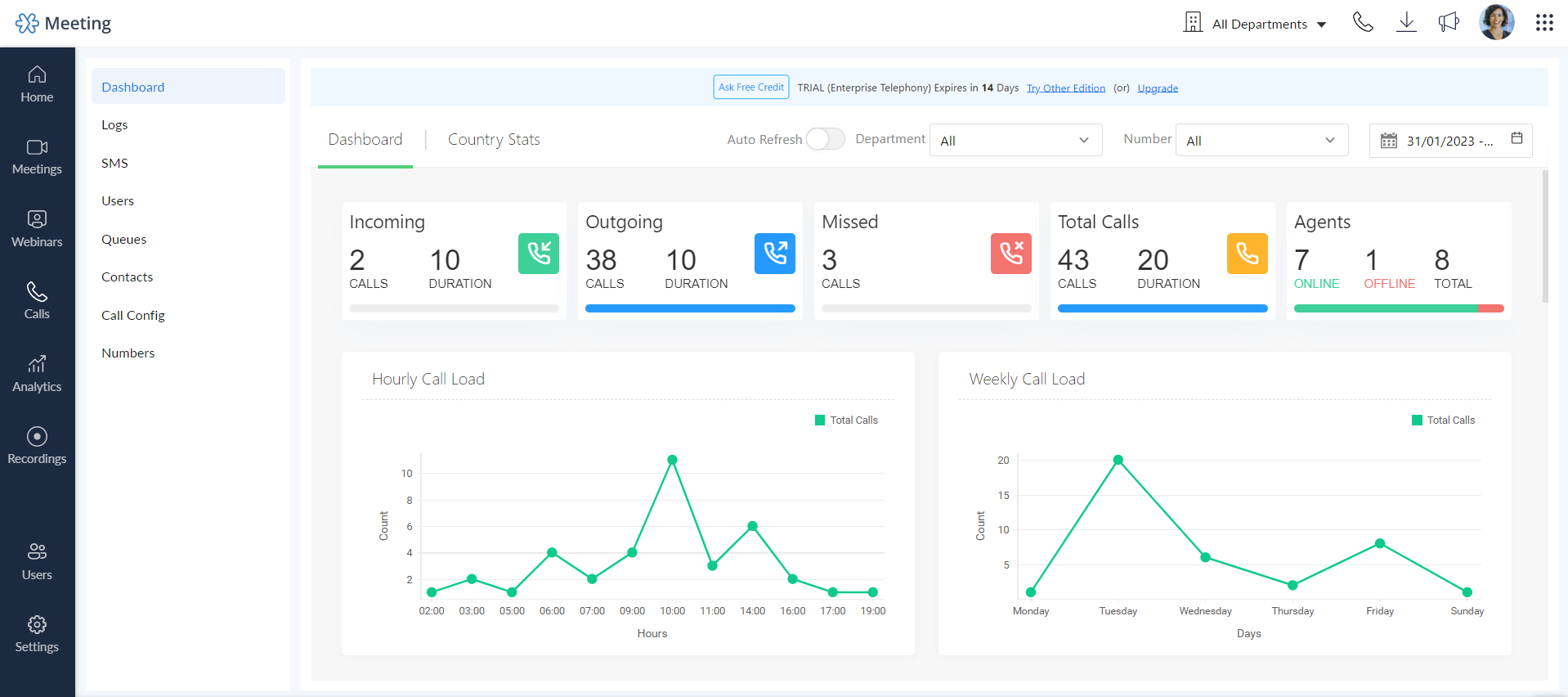
With features like screen sharing, breakout rooms, polls, and Q&A sessions, Zoho Meeting ensures an interactive webinar experience. It also offers custom branding options to maintain your organization’s identity. Easy integration with other Zoho apps for streamlined workflows is also another reason you may consider getting this tool.
Pros:
- Secure and encrypted webinars to protect your privacy and data
- Moderated and open chat options to communicate with attendees
- Polls, Q&A, and raise-hand features to gather feedback and questions
- Customizable registration forms and email templates to brand your webinars
- Cloud-based webinars, no software installation required
Cons:
- Only 60 minutes of webinar sessions are allowed in the free plan
- No automated or evergreen webinars
Pricing: A free plan is available for up to 100 attendees. Paid options start from $1/month/10 participants.
3. Zoom Webinars
Best for High-Quality Video Webcasting
When it comes to high-quality video webcasting, I think Zoom takes the spotlight. This popular free webinar service offers a seamless experience with its robust video conferencing capabilities.
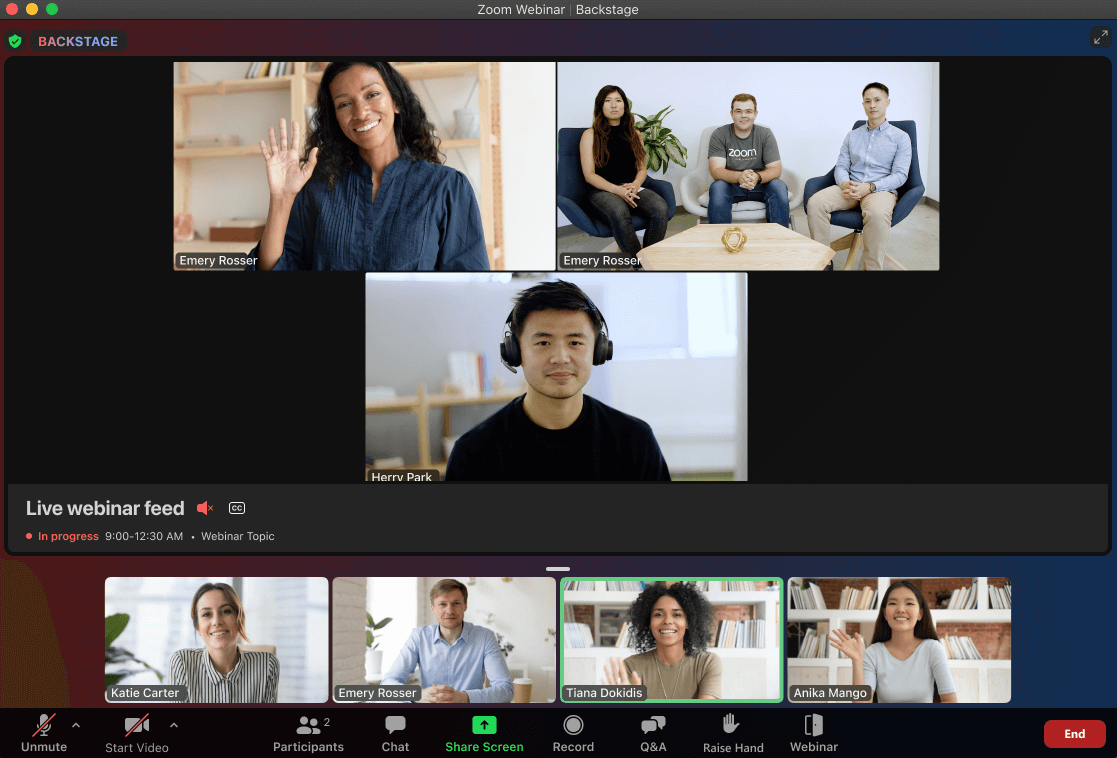
You can stream webinars live or on-demand and engage the audience with interactive features such as chat, Q&A, polls, and handouts. I liked its whiteboarding feature, where you can also illustrate concepts and ideas graphically. The tool offers integration with Zoom’s other products like Zoom Meetings, Zoom Phone, and third-party platforms like YouTube, Facebook, LinkedIn, etc.
Pros:
- HD video and audio quality for crystal-clear webinars
- Live and on-demand streaming options to reach your audience anytime
- Recording and sharing options to save and distribute your webinars
- Webinar registration and branding to customize your webinars
- Host controls and panelist roles to manage your webinars
Cons:
- Pricing is expensive as you need to pay for a yearly Zoom One license and then purchase an additional add-on for webinars
- Slight internet fluctuations can lead to poor video quality
Pricing: Starts at $149.90/year for Zoom One license. Webinar add-on starts at $79/month/license.
4. GoTo Webinar
Best for Pre-Recorded Webinars
Want to skip the hassles of creating webinars? Try GoTo Webinar. It’s a free webinar service that comes with pre-recorded webinars. Its interface is not clumsy – something that simplifies the process of creating and hosting pre-recorded webinars.
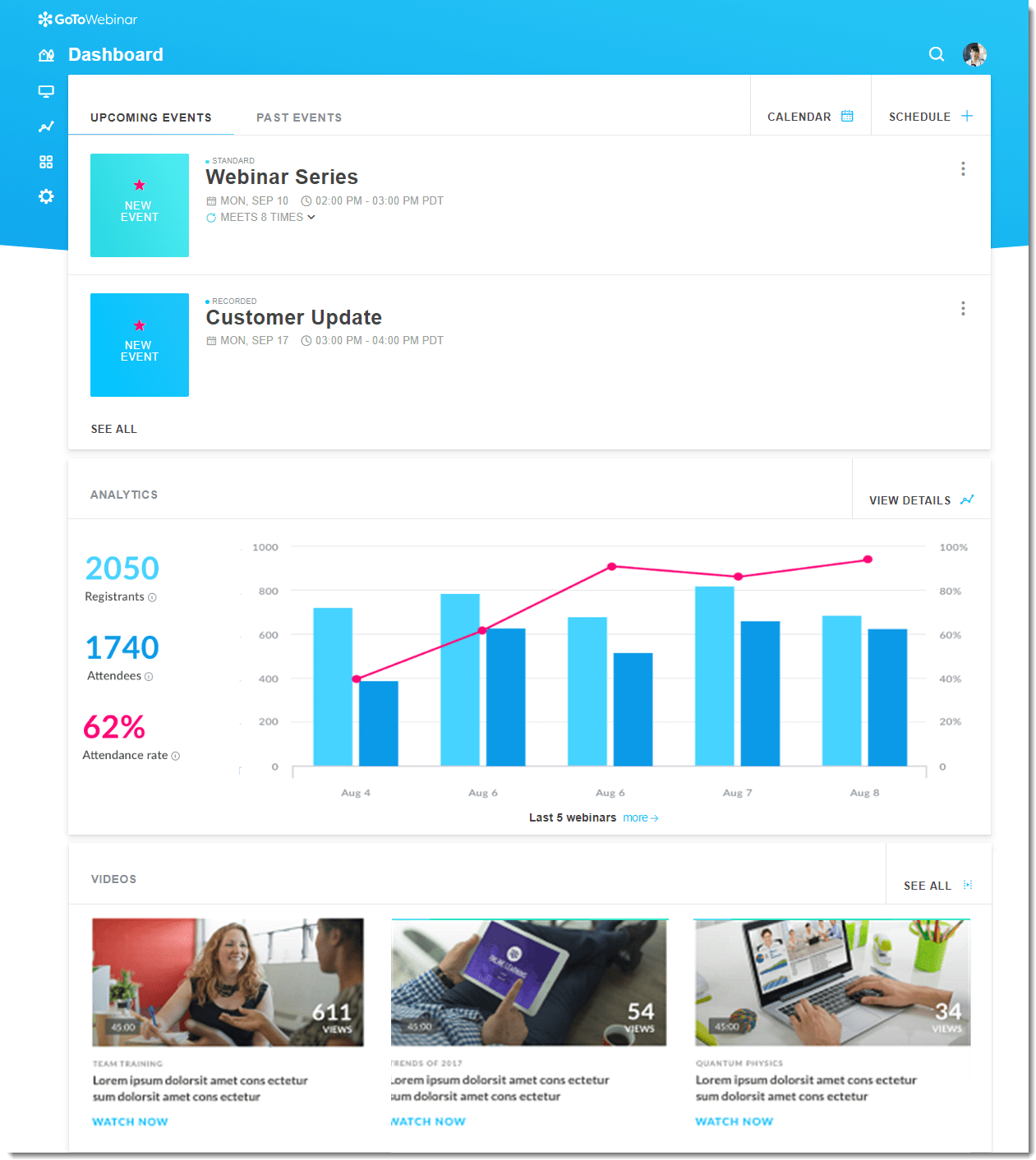
My experience has shown it to be exceptionally reliable for creating evergreen content that continues to educate audiences long after the live event. It’s particularly beneficial for educators who want to produce content at their own pace and release it strategically over time.
The software packs other features like automated email reminders, easy attendee management, and customizable webinar registration pages.
Pros:
- Interactive tools, including polls and surveys, keep the audience engaged
- Automated webinars for scheduling and replaying pre-recorded sessions
- Customizable registration forms capture essential attendee information
- Detailed analytics track engagement and performance metrics
- Templates and branding to customize webinars
Cons:
- The interface may seem dated compared to newer platforms
- Some users have reported occasional audio issues
Pricing: Starts at $49/organizer/month.
5. Google Meet
Best for Secure Video Conferencing
Google Meet stands out for its simplicity and accessibility. It’s easily one of the best free webinar platforms for secure video conferencing and informal webinars. It provides features like end-to-end encryption, admin controls, and secure join meetings.
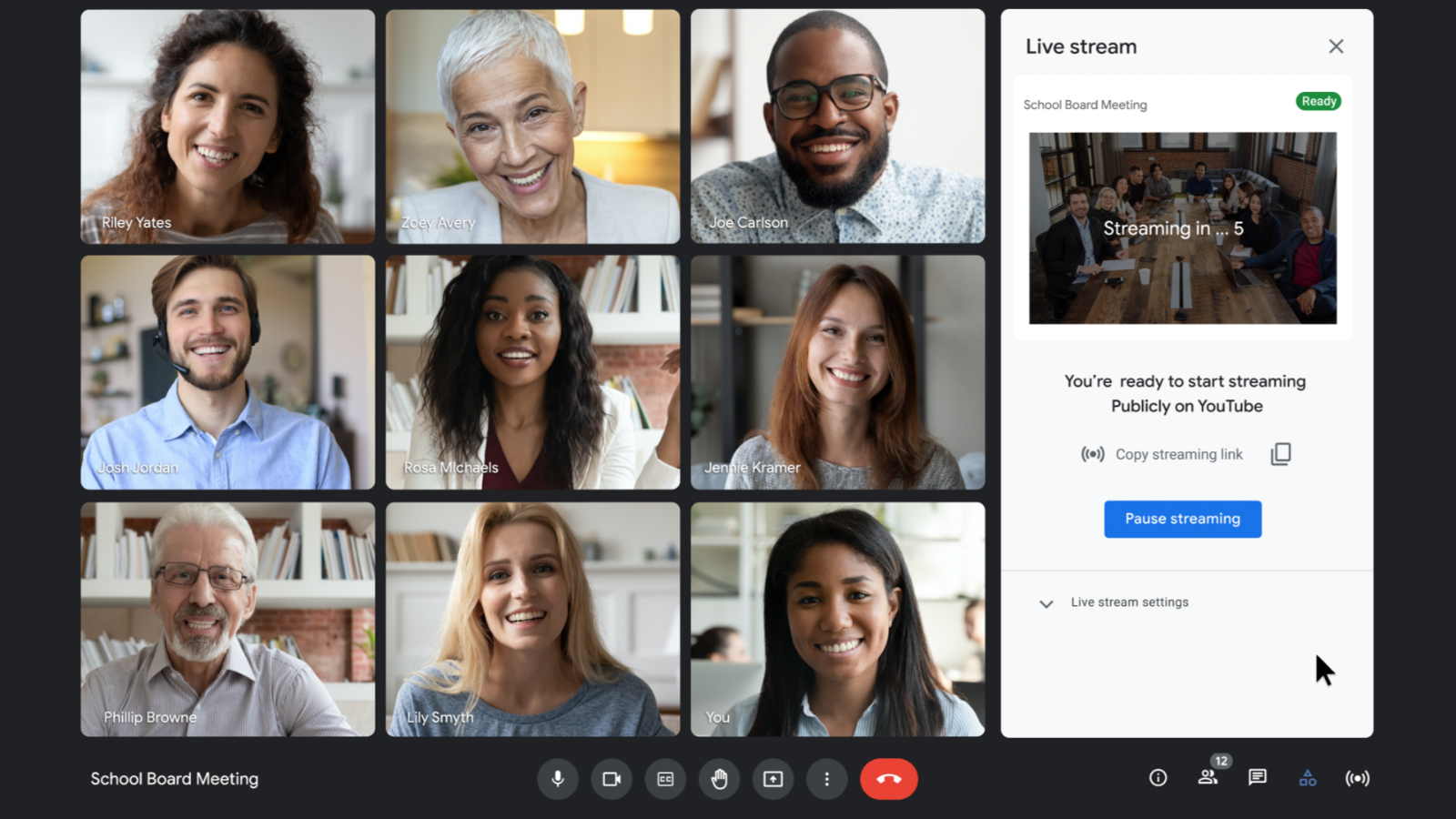
Integrated within the Google ecosystem, it facilitates seamless collaboration and communication. My reliance on Google Meet for team meetings and small webinars has been met with ease of use and minimal setup. It shows how the software emphasizes its value for straightforward, effective online gatherings.
Pros:
- Noise cancellation and low-light mode to enhance your audio and video quality
- Chat feature to communicate with attendees
- Recording and saving to Google Drive to store and access webinars
- Host controls and participant roles to manage your webinars
- Live captions and translations to make your webinars accessible and inclusive
Cons:
- Limited advanced webinar features compared to dedicated platforms
- Not suitable for large audiences as it can only accommodate up to 100 attendees
Pricing: Google Meet is a free tool.
6. LiveWebinar
Best for Unlimited Customization
For those who value unlimited customization options, LiveWebinar is the perfect choice. Having used LiveWebinar for a variety of online events, I’ve been pretty impressed by its ability to tailor every aspect of the webinar experience.
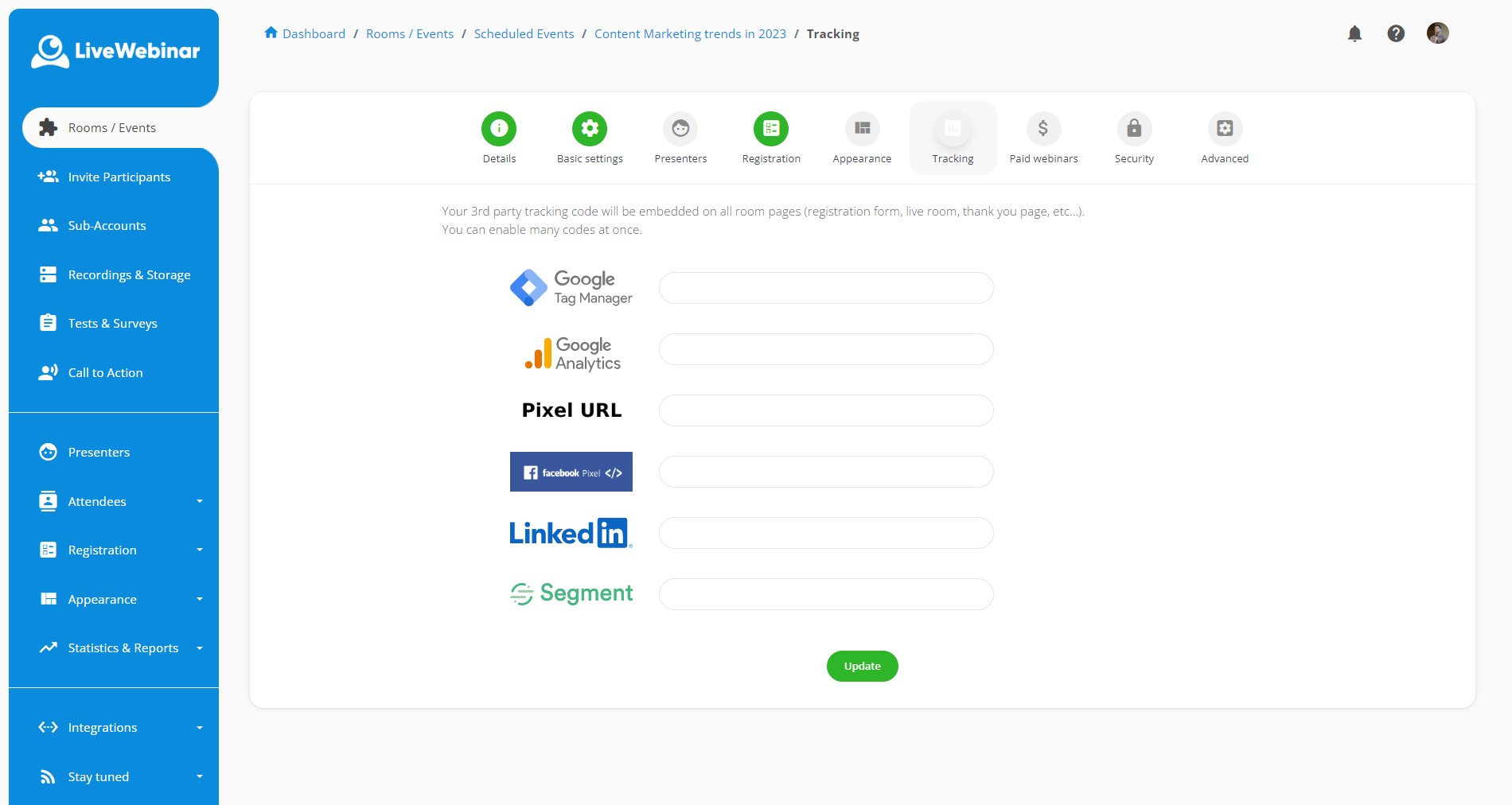
It’s fascinating how I could modify everything from branding to interactive features! With features like personalized webinar registration pages, branding elements, and interactive elements, LiveWebinar offers a truly tailored webinar experience.
Pros:
- Advanced customization options for branding and aesthetics
- High-definition video and audio streaming capabilities
- Real-time engagement tools like polls, surveys, and whiteboards
- Breakout rooms for small group discussions
- Cloud storage for webinar recordings and resources
Cons:
- The array of customization options can be overwhelming for beginners
- Only 45 minutes of allowed session time in the free plan
Pricing: A free plan is available for up to 5 attendees. Paid options start from $14.42/month/100 attendees.
7. Adobe Connect
Best for Designing Interactive Storyboards
When the product is from the creators of Photoshop and Lightroom, you do expect some lights and decor, right? Well, that was my initial thought, too, and Adobe Connect does not disappoint. It takes webinar presentations to the next level with its focus on creating engaging, interactive sessions.
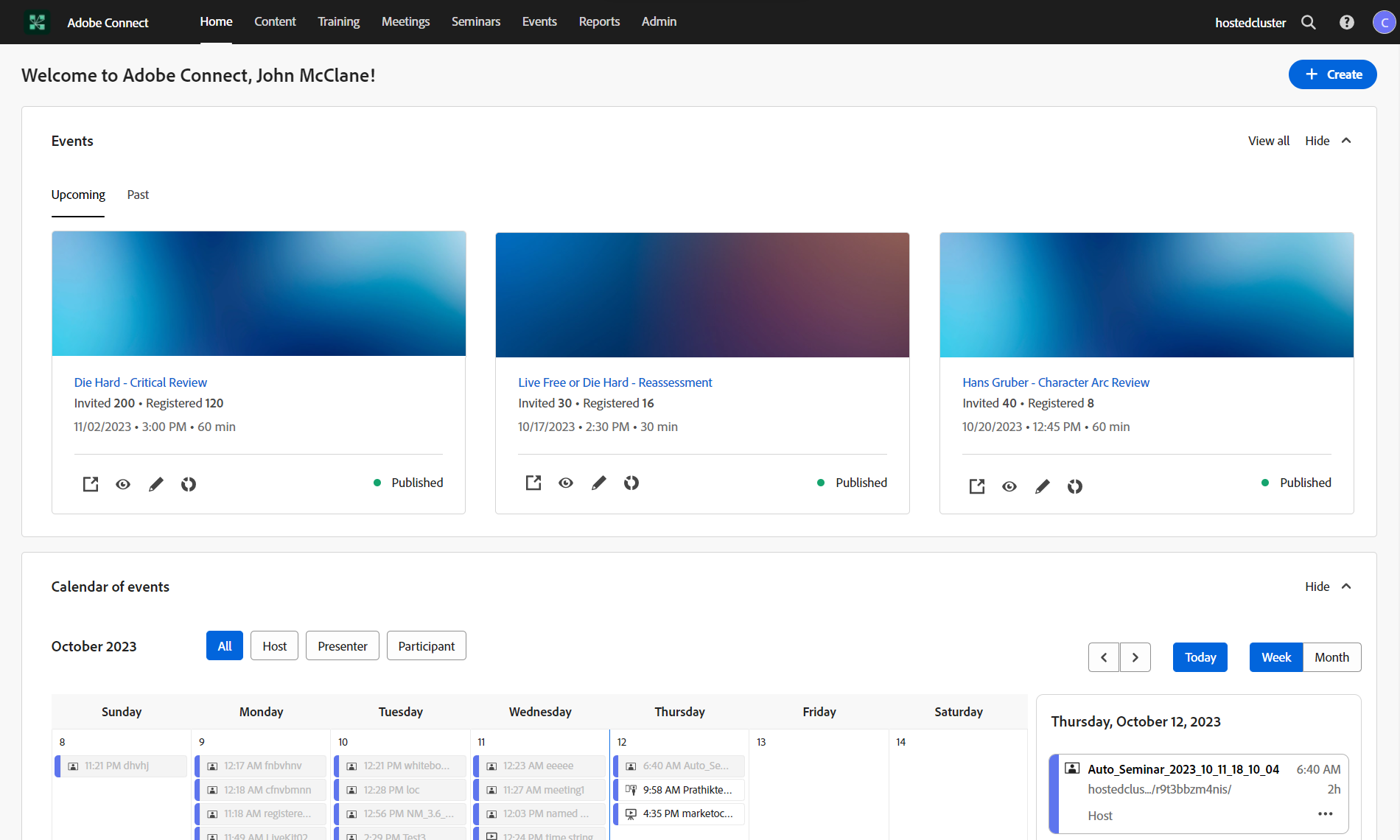
Designed with educators and trainers in mind, it lets you develop rich multimedia storyboards that make each webinar a dynamic learning experience. It also provides features like breakout rooms, audio and video integration, and content-sharing options.
Overall, it’s a good recommendation if you want to host a free webinar with lots of customizations.
Pros:
- Unique storyboard and layout designs for engaging presentations
- Mobile app availability for hosting and attending on the go
- Breakout sessions for personalized group interactions
- On-demand content accessibility for attendees
- Integration with Adobe Creative Cloud for enhanced content creation
Cons:
- The software demands significant system resources, which can affect performance
- Limited integration with non-Adobe products
Pricing: Starts at $190/year/host.
8. YouTube Live
Best for Livestreaming Videos
If you’re looking for a webinar platform free from any type of cost whatsoever, then YouTube Live definitely comes to mind. Right?
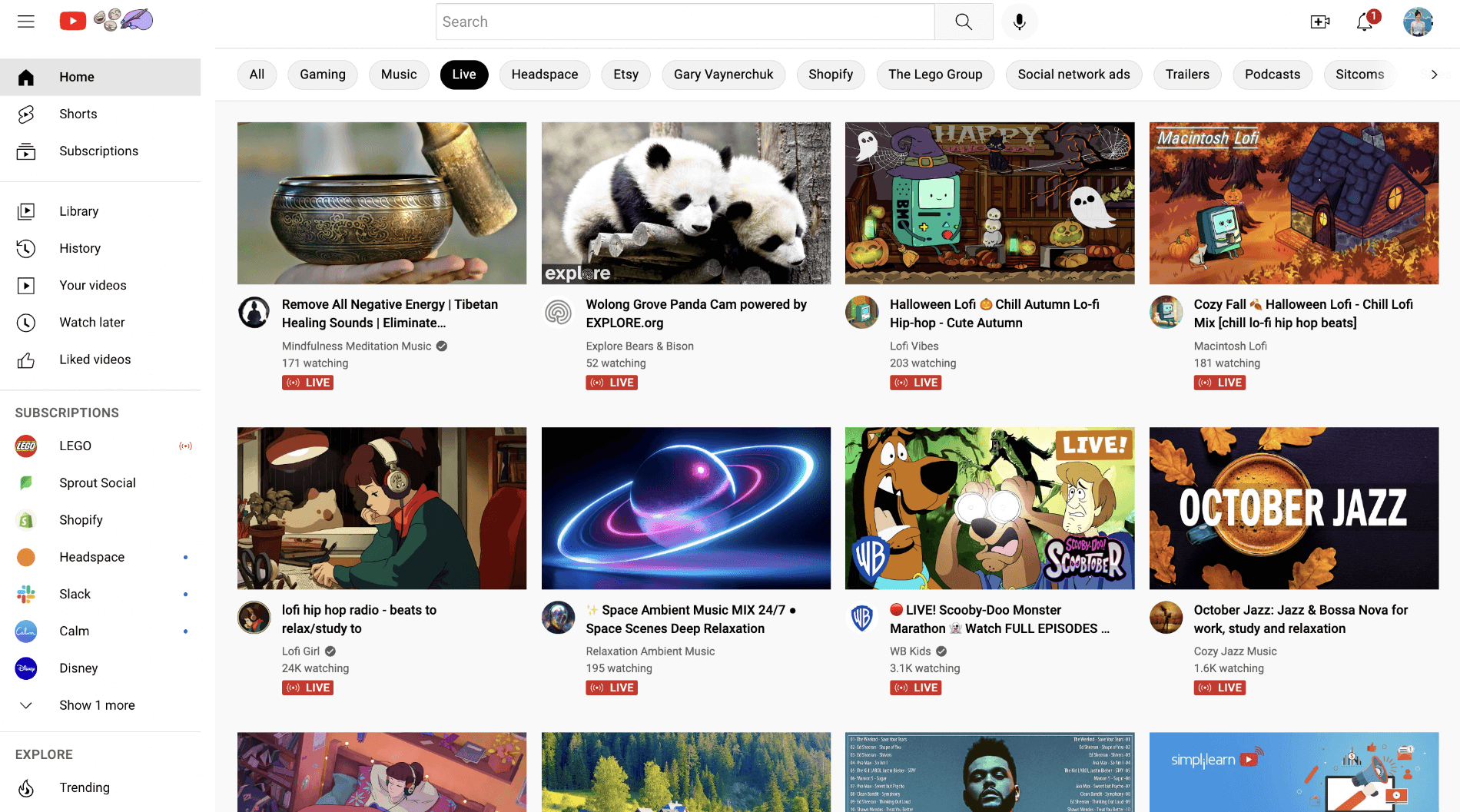
Well, the good news is that although it isn’t a dedicated webinar tool, it’s nevertheless free, and – yes, you can host webinars. I think YouTube’s features, like live chat, real-time engagement with viewers, and integration with other social media platforms, make it an excellent platform for hosting webinars.
I think if you are starting with your professional journey, it’s a great place to build an online presence. The only caveat? Limited features.
Pros:
- Livestreaming videos to stream webinars to your YouTube channel
- Screen sharing, audio, and video to share your content and voice
- Features such as DVR, auto-generated captions, and live automatic speech recognition
- Integration with YouTube Studio, YouTube Analytics, and YouTube Creator Academy
- Automatic recording and availability of live sessions for later viewing
Cons:
- Navigating YouTube’s algorithms can be challenging for new creators
- Subject to YouTube’s platform rules and potential content restrictions
Pricing: YouTube Live is free to use with limited features.
9. StreamYard On-Air
Best for Embedding Webinars on Website
Next, I have this free webinar software called StreamYard On-Air. I came to know about it from Hopin’s suite of audience engagement tools.
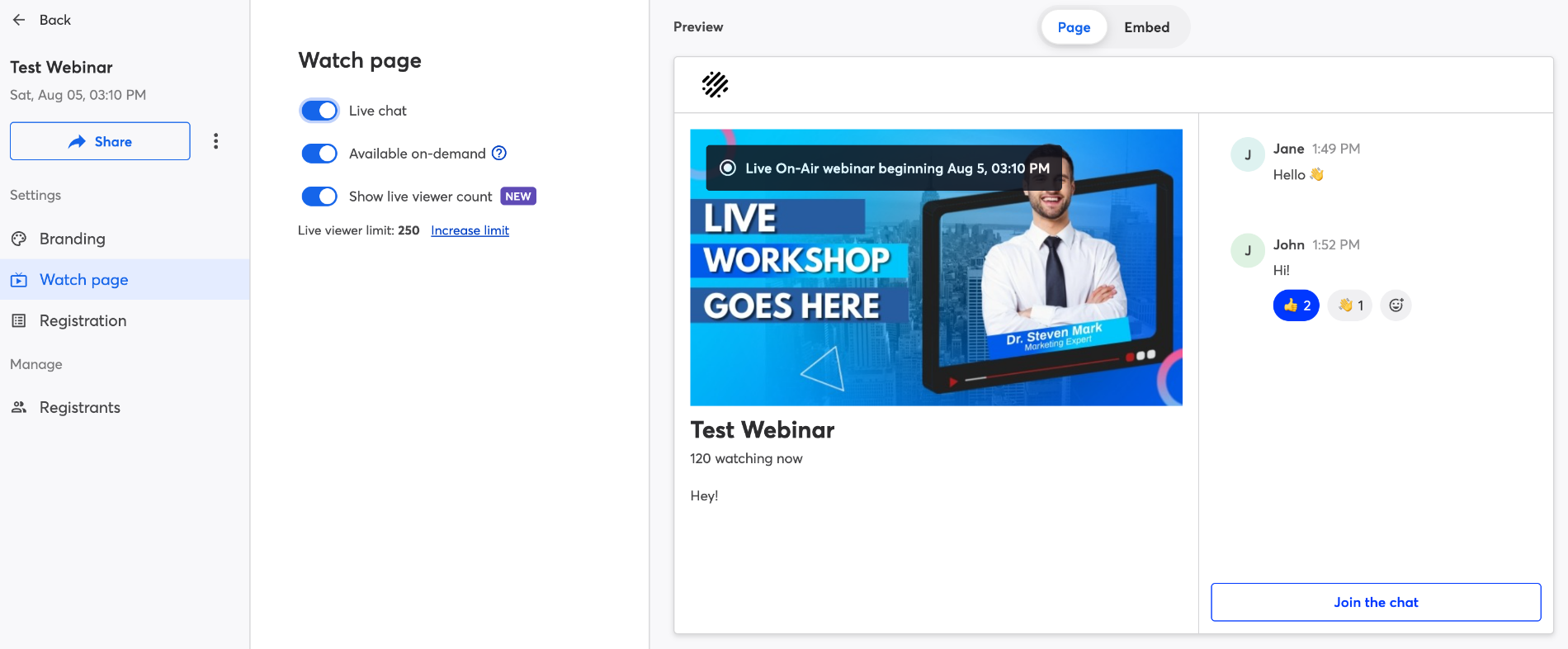
The software revolutionizes the way webinars are embedded on websites, offering a seamless integration that enhances viewer engagement without leaving your site. In my experience, that’s a great thing for hosting webinars directly on your platform. You can also invite guests and co-hosts to join your webinars and share your screen, audio, and video.
Pros:
- Easy embedding of live streams on your website
- Multi-streaming to various platforms simultaneously
- Interactive features like on-screen comments and Q&A
- No download is required for participants; it is accessible through a web browser.
- Guest participation with a simple link invitation
Cons:
- Dependence on external platforms for audience engagement features
- The free version includes StreamYard branding on your broadcasts
Pricing: A free plan is available for up to 6 participants. Paid options start from $20/month.
10. Airmeet
Best for Premium Webinars
Airmeet positions itself as a premium solution for hosting interactive and engaging webinars. It offers a suite of features like customizable event spaces, virtual tables, and audience engagement tools – designed to simulate a real conference experience online.
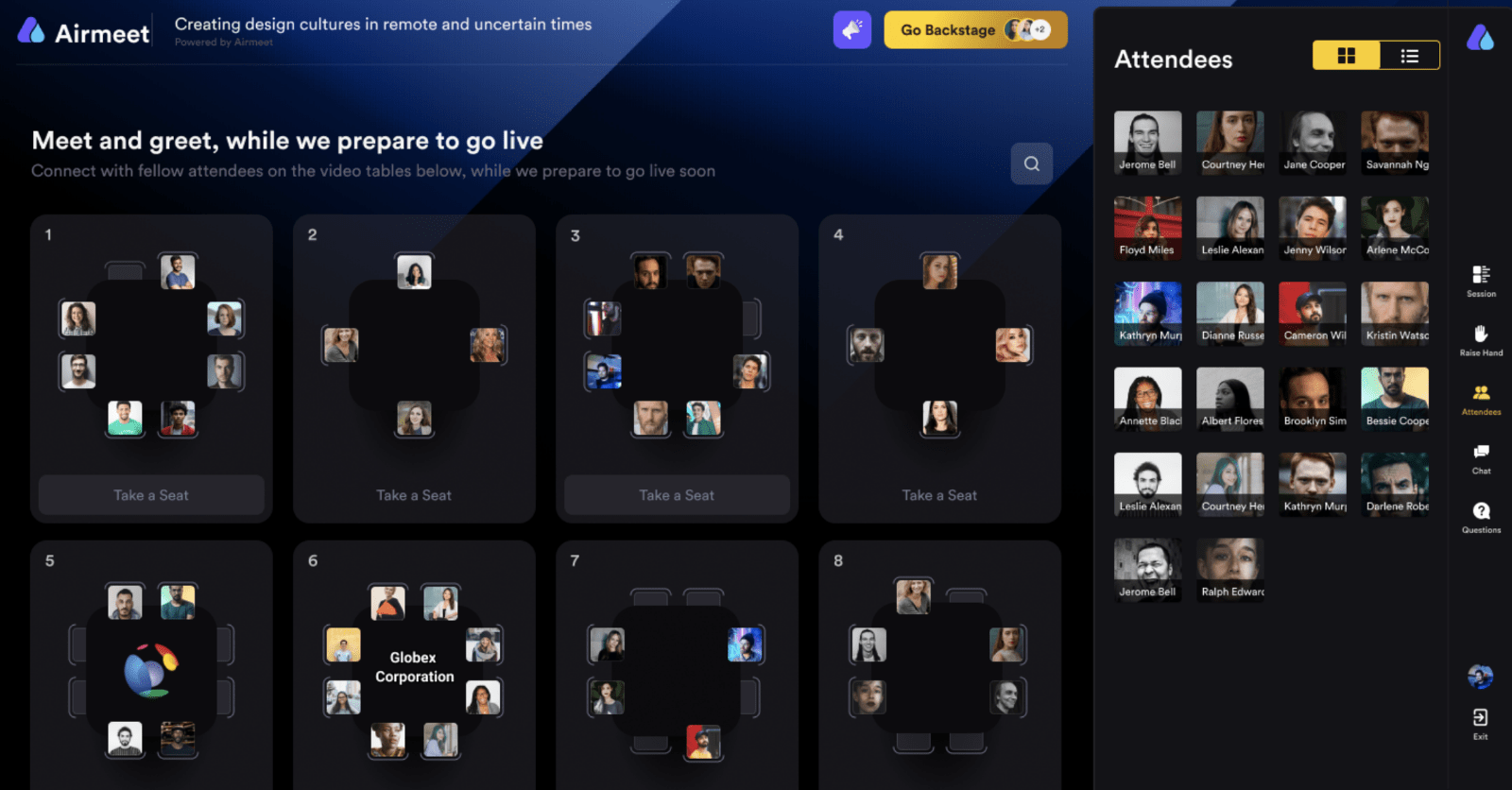
For example, I could host large-scale virtual events, engage our audience through interactive sessions, and network with participants seamlessly.
In my opinion, it’s one of those webinar tools that foster a sense of community and interaction among participants. And that’s an ideal choice for those looking to create an immersive event atmosphere.
Pros:
- Scalable event platform for small to large audiences
- Recording and replaying options to save and share webinars
- Support for multi-format events, including workshops and exhibitions
- Robust security features, including GDPR compliance
- Features such as backstage, green room, and speaker dashboard to optimize webinars
Cons:
- Pricing is on the higher side
- Some users have reported issues with browser compatibility
Pricing: A free plan is available for up to 50 attendees. Paid options start from $167/month.
Evaluation Criteria
The evaluation of products or tools chosen for this article follows an unbiased, systematic approach that ensures a fair, insightful, and well-rounded review. This method employs six key factors:
- User Reviews / Ratings: Direct experiences from users, including ratings and feedback from reputable sites, provide a ground-level perspective. This feedback is critical in understanding overall satisfaction and potential problems.
- Essential Features & Functionality: The value of a product is ascertained by its core features and overall functionality. Through an in-depth exploration of these aspects, the practical usefulness and effectiveness of the tools are carefully evaluated.
- Ease of Use: The user-friendliness of a product or service is assessed, focusing on the design, interface, and navigation. This ensures a positive experience for users of all levels of expertise.
- Customer Support: The quality of customer support is examined, taking into account its efficiency and how well it supports users in different phases – setting up, addressing concerns, and resolving operational issues.
- Value for Money: Value for money is evaluated by comparing the quality, performance, and features. The goal is to help the reader understand whether they would be getting their money’s worth.
- Personal Experience / Expert’s Opinion: This part of the evaluation criteria draws insightful observations from the personal experience of the writer and the opinions of industry experts.
My Top 3 Free Webinar Software Picks
Short on time? Here are my top three choices from the list –
WebinarNinja:
Tailored for lead generation, marketing, coaching, and training, WebinarNinja offers automated webinars, analytics, and essential features such as replay and download options. It also integrates natively with HubSpot, Mailchimp, and 1,000+ tools via Zapier, making it a complete webinar funnel rather than just a hosting platform. At just $0.30/attendee/month with a free trial, it’s one of the finest webinar tools without unnecessary complexity.
Airmeet:
Airmeet is a premium webinar solution that comes with customizable event spaces, virtual tables, and audience engagement tools. It replicates the feel of a real conference online – ideal for creating immersive event atmospheres.
YouTube Live:
YouTube Live, while not dedicated to webinars, offers a free platform with features like live chat and real-time engagement, making it suitable for beginners to build an online presence, albeit with some limitations.
Free vs. Paid Webinar Software: When to Upgrade
Free webinar tools are a great starting point, but they come with real limitations that can block your growth once you start using webinars as a lead generation or sales channel.
What Free Webinar Platforms Typically Limit
| Limitation | Typical Free Plan Cap | What It Means for You |
|---|---|---|
| Session duration | 45–60 minutes | Can’t run longer trainings or demos |
| Attendee limit | 5–100 attendees | Can’t scale to bigger audiences |
| Automation | None | No evergreen or automated webinars |
| Recording | Limited or no cloud storage | Replays unavailable to registrants |
| CRM integration | None (Mailchimp, HubSpot, etc.) | Manual follow-up, no lead nurturing |
| Branding | Platform branding shown | Looks unprofessional to attendees |
| Analytics | Basic (attendee count only) | Can’t track conversions or engagement |
Signs You’ve Outgrown a Free Webinar Tool
- You’re manually exporting attendee lists into your email platform (Mailchimp, HubSpot, etc.)
- Registrants can’t access a replay after the live session ends
- Your sessions regularly run longer than 60 minutes
- You want to run the same webinar on a schedule without hosting it live every time (evergreen/automated webinars)
- You need to track webinar conversion rates or A/B test registration pages
- You want your webinar room to be branded, not showing Zoom or Google branding
Free Webinar Software for Specific Use Cases
Choosing the right webinar tool often depends on what you are trying to achieve rather than just the price. A teacher, a first-time host, and a marketer running automated sessions all need very different capabilities.
Below is a breakdown that matches specific use cases with practical free options, along with their limitations.
Free Webinar Software for Teachers and Educators Who Need Interactive Learning Tools
Teachers need tools that support breakout rooms, interactive polls, and session recordings that students can revisit later. Google Meet works well for small classes, allowing up to 100 participants on the free plan. However, recordings are tied to Google Drive storage limits.
WebinarNinja’s free trial is a stronger option if you plan to monetize courses or conduct structured live training with replay access. It supports live courses natively and gives you more control over delivery.
Zoom’s free plan does not include webinar functionality, so you would need a paid add-on to unlock those features.
Free Webinar Software for Beginners Hosting Their First Webinar
If you are just getting started, simplicity matters more than advanced features. Google Meet and YouTube Live are the easiest entry points. Both are completely free and require only a Google account to get started.
YouTube Live supports unlimited viewers, while Google Meet allows up to 100 participants. The downside is that neither platform provides registration pages, automated email reminders, or post-event analytics.
Once you validate your topic and see audience interest, moving to a platform like WebinarNinja helps you build a proper lead generation funnel with structured workflows.
Free Webinar Software With Recording and Replay Access Options
Most webinar tools offer recording, but access and storage vary widely across free plans. YouTube Live automatically saves and publishes recordings to your channel, making it the most straightforward option.
Google Meet saves recordings to Google Drive, which means you are limited by your available storage. WebinarNinja’s trial includes recording storage and allows you to share replay links with registrants, which is useful for follow-up engagement.
Zoho Meeting includes recording in its free plan, though access is limited in duration. LiveWebinar provides recording features only in its paid tiers.
Free Automated Webinar Software for Scheduled and Evergreen Sessions
Fully automated webinars, where a pre-recorded session runs on a schedule and mimics a live experience, are not available on permanently free plans.
Platforms like GoTo Webinar and WebinarNinja support automation. If automation is your goal, WebinarNinja’s free trial gives you enough time to build and test your first automated webinar funnel before deciding on a long-term plan.
Wrapping Up
Finding a free webinar software solution is not that tough, considering how there are plenty in the market. However, it is slightly different when it comes to choosing what’s best for your requirements. The best way? Well, you can test the software first.
Get your free trial or a free plan and check whether it is what you need. For example, when I first heard about WebinarNinja, I was skeptical of the tool’s learning curve. It was only after I used the free trial that I got to know that it’s actually a wonderful webinar software. At a very low cost, it’s an all-in-one webinar tool that offers the power of multiple software tools in a single tool.
Frequently Asked Questions
What is the best free webinar software in 2026?
The best free webinar software depends on your use case. For completely free tools with no time limit, YouTube Live (unlimited attendees) and Google Meet (up to 100 attendees, 60-minute sessions) are the top options. For a free trial that includes automation, CRM integration, and lead generation features, WebinarNinja's 14-day trial is the strongest option for coaches, teachers, and consultants.
Can I record a webinar for free?
Yes. WebinarNinja stores recordings during the 14-day trial and lets you send replay links to registrants. Zoho Meeting records on the free plan, but limits how long recordings are accessible.
What features should I look for in free webinar software?
Prioritize browser-based access, live polls and Q&A, built-in recording, and basic post-event analytics. Then check the limits that vary most between platforms: attendee caps (5 to 100 on most free plans), session length (45 to 60 minutes), and whether the platform stamps its own branding on your event. If lead generation matters, also look for native registration pages and CRM integration, since Google Meet and YouTube Live offer neither.
How many attendees can I host with free webinar software?
It ranges widely. Google Meet and Zoho Meeting cap free sessions at 100 attendees, Airmeet allows 50, StreamYard limits you to 6 participants on screen, and LiveWebinar caps out at just 5. YouTube Live has no attendee limit since it's a public broadcast. WebinarNinja's 14-day trial allows unlimited attendees, which makes it a better fit if you're testing a larger launch webinar.
Do free webinar tools integrate with HubSpot or Mailchimp?
Most free webinar plans do not include CRM integrations. WebinarNinja natively integrates with HubSpot, Mailchimp, ConvertKit, and 1,000+ tools via Zapier. Zoho Meeting integrates with Zoho CRM only. Free plans from Google Meet and YouTube Live have no CRM integration at all.
Can I collect leads with free webinar software?
Not with most basic free tools. Google Meet, YouTube Live, and Zoho Meeting have no built-in registration pages, so you'd need to bolt on a separate form to capture sign-ups. WebinarNinja includes native registration and landing pages during its 14-day trial, so leads flow directly into your list without extra tools.
Can free webinar software send reminders and follow-up emails?
Rarely, and this is one of the biggest gaps in the free tools on this list. Google Meet, Zoho Meeting, Airmeet, and LiveWebinar have no automated email features, so reminders have to be sent manually. WebinarNinja includes automated confirmation, reminder, and follow-up emails during the free trial.
Can I host automated or evergreen webinars for free?
Only on a trial basis. GoTo Webinar offers automation on paid plans only, and most free tools on this list, including Google Meet, Zoho Meeting, and Airmeet, don't support it at all. WebinarNinja's 14-day trial gives you full access to automated webinar features, so you can test an evergreen funnel before deciding whether to upgrade. Paid plans start at $0.30/attendee/month.
What are the limitations of free webinar software?
Free webinar platforms typically limit session duration (45-60 minutes), attendee count (5-100), and access to key features like webinar automation, recording storage, CRM integration (Mailchimp, HubSpot), and custom branding. They also tend to display platform branding to your attendees. For professional lead generation or sales webinars, a paid plan is generally necessary once you're running webinars as part of a funnel.
Is there truly free webinar hosting software with no time limits?
Yes, YouTube Live and Google Meet are the only tools on this list that are genuinely free with no subscription required. YouTube Live has no time limit and no attendee cap. Google Meet is free for sessions up to 60 minutes with up to 100 attendees. However, neither offers webinar-specific features like registration pages, automated reminders, or analytics. But mind you, these are not genuine webinar software.
Want to host a webinar for free?
Use WebinarNinja to teach, improve marketing, and grow your sales.