
We hit 900 registrations in 2 days, and all it took was one smart webinar invitation email.
No ads.
No fancy funnel.
Just a message that landed in the right inbox, at the right time, with the right words. After 8+ years of writing and testing over 500 webinar campaigns, I’ve learned that the difference between an empty event and a packed one often comes down to this single email.
Most teams obsess over topics, speakers, or presentation decks, but your email invite decides who ever shows up to see them.
So in this blog, I will help you learn:
- How to craft irresistible, high-converting webinar invites
- Best practices, examples, and templates that consistently boost attendance
- A ready-to-use checklist to perfect your process
By the end, you’ll write webinar emails that don’t just get opened; they get clicked, shared, and remembered.
What is a Webinar Invitation Email?
Getting this email right is the single biggest lever for filling your webinar, before your topic, your speakers, or your slide deck.
Why Effective Webinar Invitation Emails Matter
Whenever someone asks me why their webinar turnout is low, my first question is simple: “Can I see your invite?” Because, honestly, the webinar invitation email is where the real game begins.
You can have top speakers, polished slides, and a catchy title, but if your email doesn’t make people stop and click, it won’t matter how well you host a webinar behind the scenes.
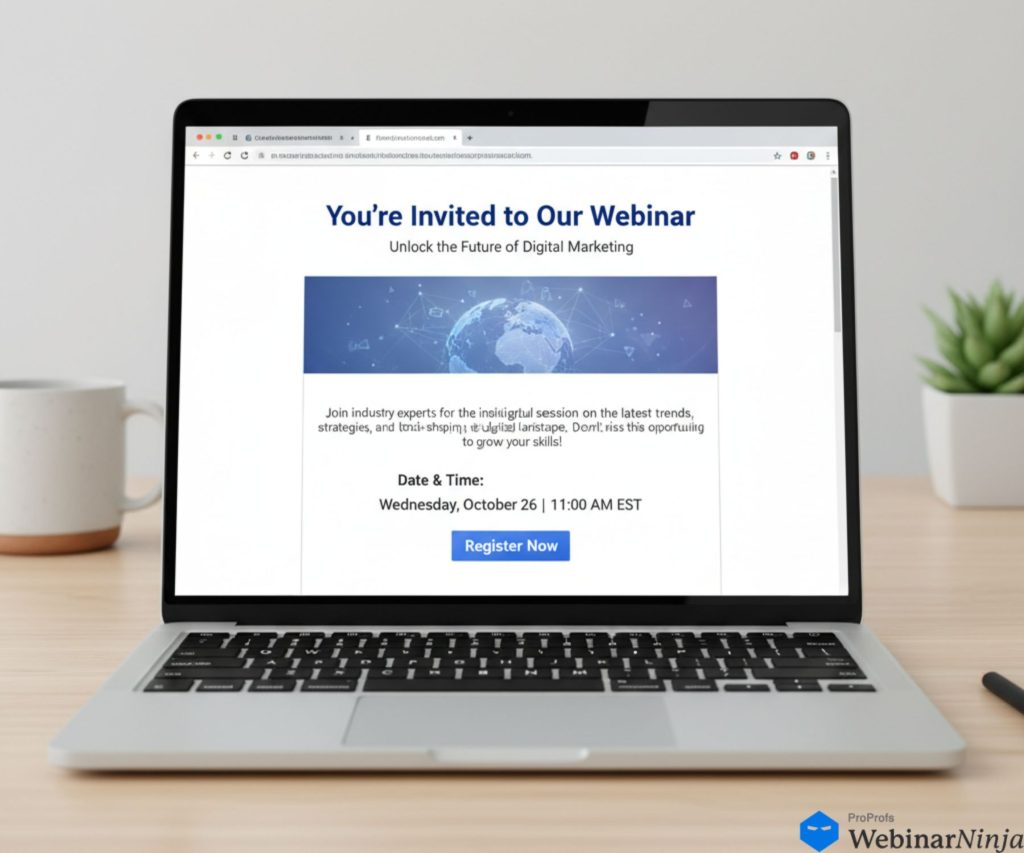
Over the years, I’ve tested hundreds of webinar invite emails: some brilliant, some… well, forgettable. The pattern is clear. Great emails don’t just announce a webinar; they sell the experience. They grab attention, create trust, and get people genuinely excited to show up.
1. A Clear Webinar Invite Brings the Right People In
A well-crafted webinar registration email doesn’t chase everyone; it attracts the right audience. The subject line highlights a clear benefit, and the copy quickly answers what, when, and why it matters. I’ve found that simply moving the date, time zone, and duration to the top of the email can lift sign-ups instantly. It makes people feel organized and informed, not confused.
2. A Professional-Looking Email Builds Instant Trust
First impressions matter. A clean layout, branded visuals, and a short speaker bio add credibility that a plain text email can’t match. Whenever I include expert credentials or past achievements, the registration rate jumps. That’s the hidden power of trust in a webinar invitation email template; it convinces people that the session will be worth their hour.
3. A Focused CTA and Calendar Link Drive Real Attendance
A webinar promotion email should guide readers straight to one action: click the CTA button. A single, bright Register Now button paired with an add to calendar link turns interest into attendance. I’ve seen it double participation for live sessions. Clear focus always wins over clutter.
4. Repeatable Emails Help You Scale Effortlessly
When you follow proven webinar email invitation best practices, your campaigns become effortless to replicate. A single solid format can anchor your whole email campaign for webinars. With consistent tone, layout, and links, every online event invite becomes a predictable attendance booster.
In short, a smartly written webinar invitation email does more than fill seats; it builds a loyal audience that looks forward to your next event.
By the numbers:
- Sending 3 reminder emails before a webinar increases attendance by up to 28% (Marketing LTB, 2026)
- Personalized subject lines generate 26% higher open rates compared to generic ones (Campaign Monitor)
- 47% of recipients decide whether to open an email based on the subject line alone (Invesp)
- The average webinar attendance rate sits between 35–45% of registrants and a well-timed email sequence can push that to 55%+ (Demand Sage, 2025)
Now that we understand why a webinar invitation email can make or break your event, let’s take it one step further.
What exactly goes into crafting one that people can’t resist clicking?
Key Elements of a High-Converting Webinar Invitation Email
Years ago, I wrote what I thought was a perfect webinar invitation email, snappy subject line, bright design, clever copy. It looked great. But after sending it, I realized I’d forgotten to mention how long the webinar was.
That single missing detail cost us dozens of sign-ups. Since then, I’ve built a simple rule: never send a webinar invite without covering the “what, when, why, who, and how.” When all five elements work together, your email not only looks good but converts effortlessly.
Let’s break down each of these essentials with practical examples.
1. Start With a Clear and Compelling Title (The “What”)
Your title is your hook; it’s the first thing readers notice in a crowded inbox. It should be short, direct, and instantly convey the benefit. Think of it like a movie trailer headline; if it doesn’t spark interest in a few seconds, they scroll past.
Example 1: “Master AI-Powered Marketing in 2026: Free Live Webinar”: clear topic, benefit, and timeline.
Example 2: “How to Train Remote Teams Without Burning Out Your Managers”: problem-driven and specific
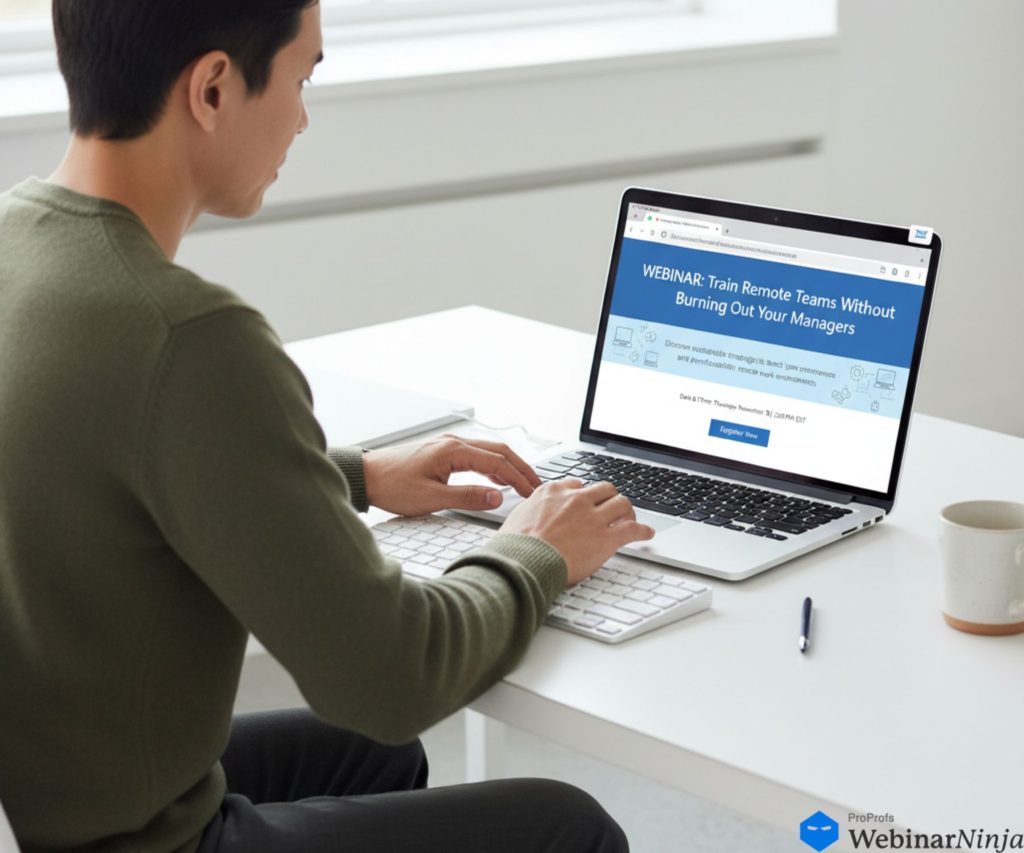
In your webinar invitation email template, place the title both in the webinar email subject line and at the top of the email body. If the webinar covers multiple subtopics, mention them briefly under the title. This gives readers context and reassurance that their questions will be answered.
2. Highlight the Date, Time, and Duration (The “When”)
Never hide the schedule in fine print. The webinar registration email should feature the date, time, time zone, and duration in a bold, easy-to-scan format. A simple, clean example:
📅 Tuesday, March 5 | 2 PM EST | 60 Minutes
Including the webinar time zone prevents confusion, especially for global audiences. Adding an add to calendar link right beneath the timing helps people commit instantly. It’s a small step that significantly boosts attendance rates because it keeps the event on their radar.
Pro Tip: Mention the day of the week (e.g., “Wednesday”), many people think in days, not dates. It helps them visualize when they’ll attend.
3. Explain the Value Proposition (The “Why Attend”)
This is where most invites fall flat. Don’t just say what the webinar is about; explain why it matters to the reader. Focus on what they’ll learn, achieve, or solve.
Instead of saying:
“We’ll discuss trends in remote training.”
Say something like:
“You’ll learn how companies like Zapier and Slack keep remote teams productive using simple training workflows.”
Now, your webinar promotion email speaks directly to their needs.
You can use short bullets to highlight the learning takeaways:
- 3 proven techniques to boost learner engagement
- Templates for building effective onboarding modules
- Real-world success stories from top companies
This section should convince readers that attending is a smart investment of their time.
4. Introduce the Speaker (The “Who”)
The credibility of your speaker can make the difference between curiosity and commitment. Include a professional photo and a concise, one-line bio that highlights their expertise.
For example:
“Hosted by Sarah Lin, Senior Learning Strategist at ProProfs, who’s helped over 200 organizations design employee training that actually sticks.”

That single sentence does more than a full paragraph of generic introduction; it tells readers why they should listen.
If you have multiple speakers, list them in order of appearance with short credentials. People are more likely to register when they see a familiar name or title.
5. Use a Strong Call to Action (The “How”)
Your webinar CTA button is where the real conversion happens. It needs to stand out visually and make it crystal clear what will happen next. Keep the text short and action-oriented:
- Register Now
- Save My Seat
- Join the Live Webinar
Place your CTA button early, ideally above the fold, and repeat it at least once near the end of the email. If readers scroll halfway and decide to sign up, they shouldn’t have to scroll back up to find the link.
Also, make sure your button color contrasts with your email background. I once changed a grey CTA to orange and saw click-throughs jump by 40%. Sometimes, the smallest design tweaks bring the biggest gains.
6. Add an Urgency Trigger (The “Why Now”)
Even a great invite gets ignored if there’s no reason to act today. Add one urgency element to every webinar invitation email, not fake scarcity, but a genuine reason to register now versus “later” (which usually means never).
Real urgency triggers that work:
- Seat cap: “We’re limiting this to 200 attendees for a better Q&A experience.”
- Bonus for early registrants: “Register by [date] and get our free [resource] before the session.”
- Session will not be recorded: “This is a live-only session,; there’s no replay.”
- Replay available for 48 hours only: “A recording will be available, but only for 48 hours after the event.”
Example line to add near your CTA:
“Seats are limited to 200 for a focused Q&A. Once we hit capacity, registration closes.”
This small addition consistently lifts registration rates. It answers the question every reader silently asks: “Why should I sign up right now?”
Why These Elements Work Together
When your webinar invitation email answers all five questions: what, when, why, who, and how, you remove every bit of friction that keeps people from signing up. The reader shouldn’t have to hunt for details or wonder what the benefit is.
A strong structure also improves consistency. Once you master these elements, you can reuse your webinar invite email format across future events, tweaking only the content. That’s how top-performing teams run multiple online event invites each month without losing quality or momentum.
If you can pass the “10-second test”, where someone can glance at your invite and instantly know the topic, timing, and how to join, you’ve already built a high-converting email.
Best Practices for Crafting Webinar Invitation Emails
Over the years, I’ve tested countless webinar invite emails, from crisp one-liners to design-heavy campaigns, and I can tell you this: the difference between a good email and a high-converting one usually lies in the details.
Below are the tactics that consistently lift open rates, clicks, and registrations.
1. Write a Subject Line That Earns the Open
Your subject line decides whether your email lives or dies in the inbox. Keep it clear, short, and useful; people should know exactly what they’ll gain by opening it.
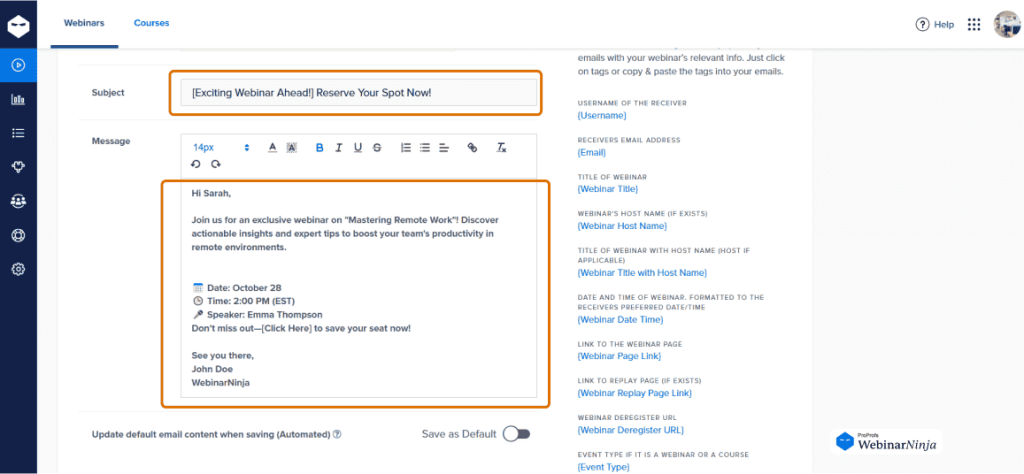
Examples that perform well:
- Don’t Miss Our Free SEO Webinar Tomorrow
- You’re Invited: Data Storytelling Made Simple
- [LIVE] HR Compliance Tips for 2026
Use the word “webinar” to set context and create clarity. If your tool allows it, personalize it with a name or industry cue, such as “Sarah, ready to boost your conversions?” Avoid gimmicks or over-promises; authentic curiosity always outperforms hype.
2. Design an Email That Looks Polished and Professional
You only get one visual first impression, and design often makes the difference between trust and delete.
- Add your brand logo and color palette to make it feel legitimate.
- Include a clean header image with the webinar title and date.
- Keep paragraphs short, font readable, and spacing generous.
- Make sure it looks great on both desktop and mobile.
In one of my campaigns, simplifying a cluttered two-column layout into a one-column, mobile-friendly design increased clicks by nearly 30%. People stay longer when it’s easy on the eyes.
3. Keep the Copy Short, Scannable, and Reader-Focused
Your webinar promotion email isn’t a brochure, it’s a personal note that says, “Here’s something valuable for you.”
Focus on the reader’s outcome:
“You’ll learn three ways to onboard employees faster with fewer meetings.”
And not on your company:
“Our platform helps organizations achieve efficiency through process automation.”
Use bullet points for clarity, bold important details, and trim any fluff. A sweet spot of 200–300 words is ideal; it’s long enough to build interest but short enough to keep attention.
4. Create One Clear Call to Action
Your CTA button is the heartbeat of your invite. Keep it visible, bright, and unmistakable.

Use direct, action-based phrases such as:
- Register Now
- Reserve My Seat
- Join the Live Webinar
Place one button above the fold and another near the end. Consistency keeps readers moving toward the click. And always test it before sending, nothing kills a campaign faster than a broken registration link.
5. Test, Proof, & Perfect Before Sending
Before launch, send test emails to yourself and a colleague. Check:
- Does every link work?
- Are the time and date correct?
- Does it look clean on mobile?
- Are all placeholders (like names) displaying properly?
Read it out loud once. It’s the fastest way to spot awkward phrasing or missing info. A polished, error-free webinar invitation email template sends a powerful message: if the invite feels professional, the webinar will too.
The Webinar Email Invitation Sequence: When to Send and How Many
Most hosts send one invite and wonder why attendance is low. The data is clear: a structured email sequence, not a single blast, is what separates packed webinars from empty ones.
According to Marketing LTB (2026), sending 3 reminder emails before a webinar increases attendance by approximately 28%. And per Digital Applied’s 2026 Webinar Statistics Report, one-third of registrations now arrive on the day of the webinar, making a day-of email the highest-leverage send in your entire sequence.
Here is the exact sequence to follow:
| When to Send | Purpose | What to Include | |
| 1. First Invite | 2 weeks before | Awareness + first-wave registrations | Full details: topic, speaker, date/time/timezone, CTA |
| 2. Follow-up to Non-Openers | 1 week before | Catch people who missed the first email | New subject line, same body, resend only to non-openers |
| 3. One-Week Reminder | 7 days before | Re-engage registrants who haven’t added to the calendar | Recap value, add-to-calendar link, “what you’ll learn” bullets |
| 4. Two-Day Reminder | 2 days before | Build anticipation | Speaker spotlight, one key stat or insight from the session |
| 5. Day-Of Reminder | Morning of the webinar (9–10 AM recipient’s time) | Final nudge | Direct join link, time + timezone, run time, “It’s today!” |
| 6. 1-Hour Reminder | 60 minutes before start | Last-chance attendance boost | One-line value reminder + direct join link |
| 7. Post-Webinar Follow-Up | Within 24 hours after | Convert non-attendees + keep registrants engaged | Replay link (if available), key takeaways, next step CTA |
Best days to send: Tuesday is the strongest day. MailerLite’s research analyzing over 2 million campaigns confirms Tuesday delivers the highest click rates of the week. Stripo’s data shows 21% of all webinar registrations happen on Tuesdays specifically. Wednesday and Thursday are strong alternatives. Avoid Mondays (inbox overload) and Fridays (attention elsewhere).
Best time to send: 9–11 AM in the recipient’s time zone. A secondary window of 2–4 PM works well for follow-up sends. (MailerLite, 2026)
Pro tip for re-sending to non-openers: Your second send with a different subject line can recover 15–20% of your audience who missed your first email. This single tactic can add dozens of registrations at zero additional effort.
Once you have this sequence in place, use a tool like WebinarNinja to automate every single step. Confirmation emails, reminders, and post-event follow-ups go out automatically when someone registers. You set it up once; the platform handles the rest for every webinar you run.
Examples & Templates of Webinar Invitation Emails
Below are 5 ready-to-use webinar invitation email templates. Copy, customize the fields in [brackets], and send.
Template 1: Standard B2B Webinar Invite
Best for: Lead generation, product demos, thought leadership sessions
Example:
Preview text: 60 minutes. Real tactics. No fluff.
Hi [First Name],
We’re hosting a free live webinar on [Webinar Topic], and I think you’ll find it genuinely useful.
[Webinar Title] 📅 [Day, Date] | 🕒 [Time] [Timezone] | ⏱ [Duration]
Here’s what you’ll walk away with:
* [Key takeaway 1]
* [Key takeaway 2]
* [Key takeaway 3]
Your host: [Speaker Name], [Title] at [Company] — [one-line credibility statement].
Seats are limited. Click below to save yours.
[Register Now →]
If you can’t attend live, register anyway — we’ll send you the replay within 24 hours.
See you there,
[Your Name]
[Company]
Template 2: Personal / Plain-Text Style
Best for: Smaller, high-trust lists; coaches; consultants; SaaS founders
Preview text: It’s about [pain point] — and I think I can help.
Hi [First Name],
Quick one — are you still dealing with [specific pain point]?
We’re hosting a free session next [Day] where I’ll walk through exactly how to [solve problem / achieve outcome]. No slides, no pitch — just a working session with real examples.
[Webinar Title] [Day], [Date] at [Time] [Timezone] — 45 minutes.
[Save My Spot →]
Only [number] seats available. Happy to answer any questions before then — just reply to this email.
[Your Name]
Template 3: Urgency / Last-Chance Reminder
Best for: Final send 24–48 hours before the webinar, to non-registrants
Example:
Preview text: Registration closes tonight at midnight.
Hi [First Name],
Just a heads-up — [Webinar Title] is happening tomorrow, [Day] at [Time] [Timezone].
This is your last chance to grab a spot.
What you’ll learn:
* [Takeaway 1]
* [Takeaway 2]
* [Takeaway 3]
Once we hit capacity, registration closes. We’re at [X] spots filled — [Y] spots left.
[Claim Your Seat Now →]
See you tomorrow.
[Your Name]
Template 4: Re-Invite to Non-Openers
Best for: Resending to people who didn’t open your first invite, change only the subject line
Example:
Subject line (Option B): Saving you a seat for [Webinar Topic]
Subject line (Option C): [First Name] — still interested in [topic]?
Preview text: We’re doing this live on [Day].
(Use the same body as Template 1 — change only the subject line and add this line at the top of the email:)
Hi [First Name],
I sent this last week but figured it may have gotten buried — so here it is again, in case it’s useful.
Then continue with the original body from Template 1.
Template 5: Post-Webinar Follow-Up (For Non-Attendees)
Best for: Everyone who registered but didn’t attend; send within 24 hours of the event
Preview text: Available for the next 48 hours only.
Hi [First Name],
We missed you at [Webinar Title] yesterday!
The good news: we recorded the whole thing. Here’s your replay link — it’ll be available for the next 48 hours.
[Watch the Replay →]
Key things we covered:
* [Takeaway 1]
* [Takeaway 2]
* [Takeaway 3]
If you have questions after watching, just reply to this email — happy to help.
And if you want to attend the next live session, we’re running [next webinar topic] on [date]. You can register here: [link]
[Your Name]
With your templates ready, the next lever is the subject line. It determines whether your email gets opened at all. Here is what the data says, and 15 lines you can use immediately.
How to Write Webinar Invitation Subject Lines That Get Opened
47% of people decide whether to open an email based solely on the subject line (Invesp). Personalized subject lines, using the recipient’s name, company, or a relevant topic, generate 26% higher open rates compared to generic ones (Campaign Monitor).
Subject lines with 6–10 words achieve the highest open rates (Retention Science, via OptinMonster).
Use these benchmarks as your bar when writing and A/B testing subject lines.
15 Webinar Invitation Subject Lines to Swipe
Benefit-led:
- [First Name], here’s how to [achieve outcome] in 60 minutes
- Free webinar: [solve pain point] — [Date]
- The [topic] playbook: live session on [Day]
Curiosity-driven:
- We’re doing something different on [Day]
- The [topic] mistake most [job titles] make (and how to fix it)
- What [Company/Industry] isn’t telling you about [topic]
Urgency / FOMO:
- spots left for [Webinar Title]
- Last chance: [Webinar Topic] — [Day] at [Time]
- Registration closes [Day] — don’t miss this
Question-based:
- Are you still struggling with [pain point], [First Name]?
- Is your [process/tool/strategy] costing you [outcome]?
- How are teams like yours handling [topic]?
Direct / Plain:
- Join us live: [Webinar Title]
- [First Name], we’re going live on [Day]
- 60 minutes on [topic] — free, live, this [Day]
Before we get into the mistakes that quietly kill webinar campaigns, here is a quick video from email expert Matthew Kimberley on writing emails that people actually want to open:
You now have the templates, the sequence, and the subject lines. Here is what can quietly undo all of it.
Common Mistakes to Avoid With Webinar Invitation Emails
Even the most polished webinar invitation email can fail if a few small but critical details go wrong.
In this section, we’ll walk through the common pitfalls I’ve seen (and made myself) so you can avoid them and keep your email marketing campaign on track:
1. Burying the Value Under Company Talk
Many webinar invite emails read like company press releases instead of helpful invitations. Readers don’t care about your product features or mission statement; they care about what they’ll learn.
Weak:
“Our company has been the leading provider of SaaS solutions for over a decade…”
Better:
“You’ll learn how to automate your onboarding process in half the time.”
Put the audience’s benefit first. Every sentence should answer one question: “Why should I attend?”
2. Overloading the Email With Text
No one has time for long, dense paragraphs. A webinar promotion email filled with heavy copy is easy to skip. Break your content into short sections with bullets and bold headings.
Quick rule:
If your invite looks like an essay, it’s too long. Aim for 250 words or less. Use whitespace generously; it makes your message easier to digest and your CTA easier to find.
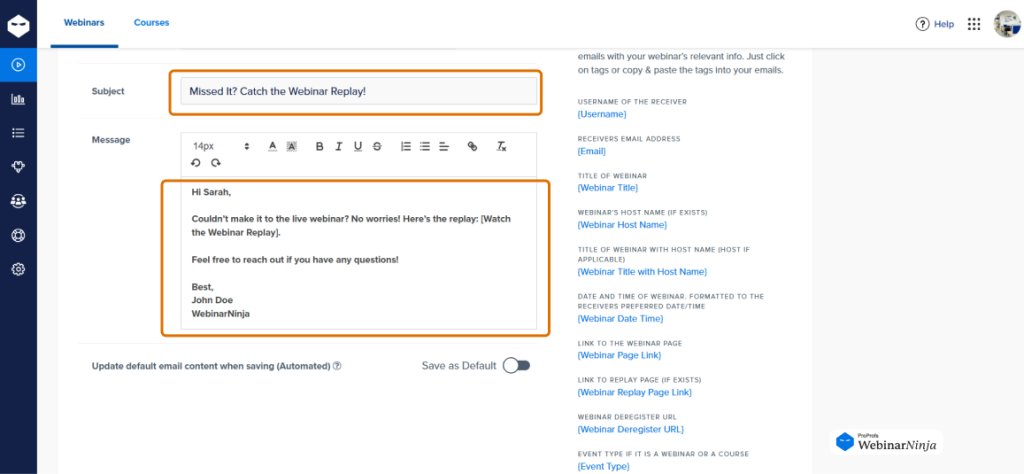
3. Weak or Hidden CTAs
A buried or unclear CTA button is one of the easiest ways to lose conversions. If your “Register Now” link blends into the background or appears only once at the very bottom, you’re losing clicks.
Make your CTA visible, bold, and repeat it at least twice. The reader shouldn’t have to hunt for it. And never use vague language like “Learn More“; tell them exactly what action to take.
4. Skipping Mobile Optimization
More than half of all webinar invitation emails are opened on mobile. If your email looks clunky, misaligned, or requires zooming, it’s already dead.
Use a one-column layout, readable font size, and tap-friendly buttons. Always send yourself a test on your phone before launch. A layout that looks perfect on a desktop can easily break on a smaller screen.
5. Ignoring Follow-Ups and Reminders
One of the biggest reasons attendance drops is simple: people forget. Sending just one webinar registration email is never enough. Build a sequence, first invite, reminder, last call, and day-of reminder.
Automate it if possible, or you’ll spend more time chasing attendees than preparing content. Your email calendar is just as important as your webinar calendar.
6. Using Too Many Images or Fancy HTML
Visuals are helpful, but they shouldn’t carry all the information. Many email clients block images by default, meaning readers may see nothing if your entire invite is image-based.

Keep key details like topic, time, CTA, in actual text, not embedded in graphics. A clean, balanced layout beats a flashy one every time.
7. Forgetting to Test and Proofread
Even the smartest marketers skip this step when rushing to meet deadlines. Always send a test email to yourself or a colleague. Check:
- Spelling, date accuracy, and use a grammar checker
- Personalization fields (no “Hi [First.Name]”)
- Functioning links and CTA buttons
- Plain-text version for accessibility
A typo or incorrect date can instantly harm your credibility and reputation for webinar email invitations.
8. Complicating the Registration Process
Imagine a reader finally clicks your CTA, only to land on a messy form asking for their job title, industry, phone number, and a dozen other fields. They’ll close the tab instantly.
Keep your webinar registration email linked to a simple form: name, email, and one optional field at most. The smoother the signup, the higher your conversion rate.
Now that you know what not to do, let’s focus on making your webinar campaigns run like clockwork.
Leveraging Tools and Automation for Webinar Invitation Emails
Writing and designing an effective webinar invitation email takes effort, but doing it manually for every event can quickly burn you out.
That’s where automation and smart tools step in: they keep your outreach consistent, your reminders on schedule, and your attendance rates climbing
Here’s how you can make your webinar invite emails practically run themselves while still keeping them personal and polished.
1. Use an Email Platform That Does the Heavy Lifting
Modern email tools make it easy to design, personalize, and send your webinar campaigns. You can:
- Build branded templates for consistent design
- Set up webinar email sequences (invite → reminder → last call → day-of reminder → post-event follow-up)
- Segment your audience by engagement level or job role
- Track who opened, clicked, or registered
For example, see how WebinarNinja handles your entire email sequence automatically, from registration confirmation to post-event follow-up:
The key is automation. Instead of manually sending your webinar registration email every time, set it up once and let the system handle timing, triggers, and follow-ups.
2. Integrate Your Webinar and Email Systems
Connecting your webinar platform to your email tool ensures smooth communication. When someone registers, they should automatically receive:
- A confirmation email with the join link and calendar attachment
- A reminder email one day and one hour before the event
- A follow-up email with the recording afterward
This keeps your attendees engaged at every stage without extra effort. Tools that integrate natively with platforms like WebinarNinja make this process seamless, no copy-pasting links or tracking lists manually.
3. Personalize at Scale
Automation doesn’t mean robotic communication. Use merge tags and segmentation to personalize your webinar promotion email by name, role, or industry.
Example:
“Hi Alex, ready to discover how HR teams can improve onboarding efficiency?”
That one line can double open rates and make even automated emails feel one-to-one. When your audience feels recognized, they’re far more likely to click Register Now.
4. Automate Smart Triggers and Workflows
With the right setup, your webinar invitation email template can respond intelligently to user actions. For example:
- If someone opens but doesn’t click, send a softer reminder after two days.
- If they register, move them to a “confirmed attendees” list and start the reminder series automatically.
- After the event, trigger a thank-you email or a replay link.
This creates a hands-free experience where your system nurtures attendees before, during, and after the event.
5. Analyze and Optimize Every Send
Automation gives you the data to improve with every campaign. Review metrics such as:
- Open rate (subject line performance)
- Click-through rate (CTA strength)
- Registration conversion (landing page clarity)
- Attendance-to-registration ratio
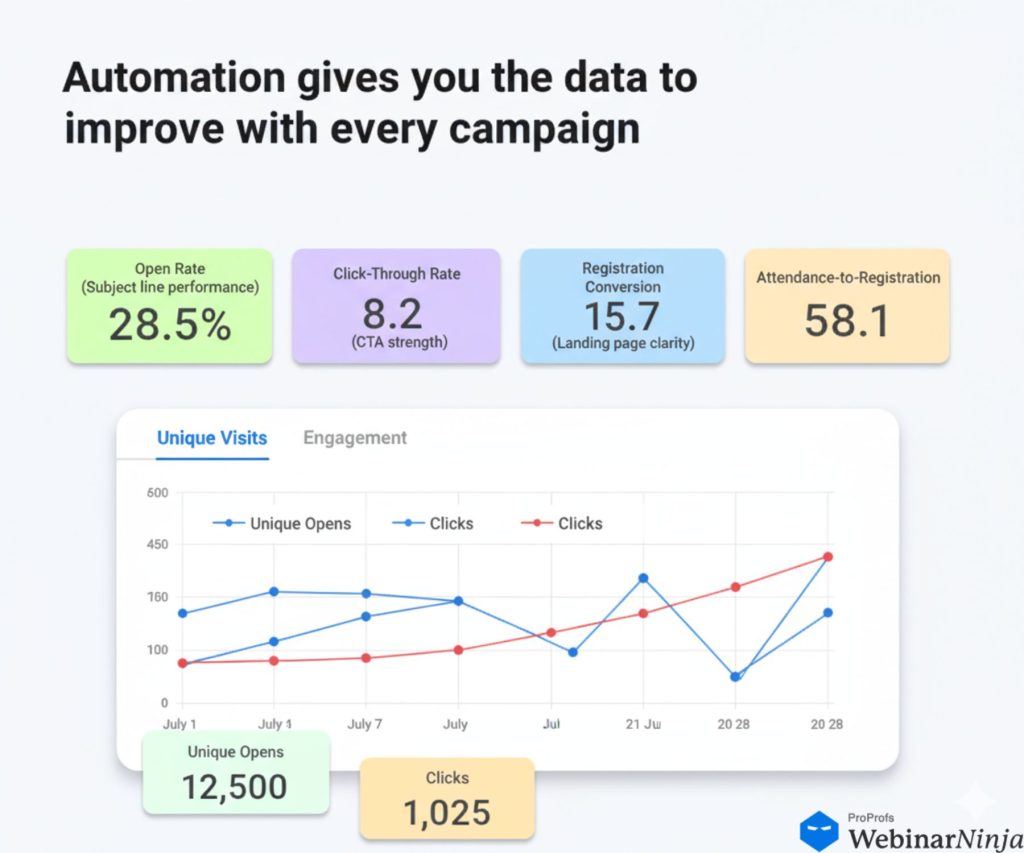
Small adjustments, like tweaking the CTA button color or shortening your subject line, can make measurable differences. One of my best-performing webinar invitation emails achieved a 52% open rate after three rounds of testing different preview texts.
6. Keep the Human Touch Alive
Even with automation, tone matters. Write as if you’re inviting a colleague, not marketing to a stranger. The best-performing online event invites sound conversational, helpful, and direct.
For example:
“Hey Mark, we’re going live in 15 minutes. Grab a coffee and join us here.”
It’s simple, timely, and friendly, perfect for reminder emails.
Putting It All Together: What Full Automation Looks Like
Writing great invitation emails is step one. Sending them manually, copying, scheduling, and tracking every email in your sequence, is where most hosts lose time and make mistakes.
Here’s what good webinar email automation handles for you:
| Task | Manual Approach | With Automation |
| Confirmation email | Write and send manually after each registration | Triggers instantly on registration |
| Reminder emails | Schedule individually in your email tool | Pre-set sequence fires automatically |
| Day-of reminder | Easy to forget when you’re preparing for the session | Sends at the exact time you configured |
| Post-webinar replay | Manual send after the event | Triggers automatically within hours of ending |
| Follow-up to non-attendees | Requires segmenting your list manually | Automated, targeted send to no-shows |
| Calendar invite | Add manually or paste links in emails | Built into the confirmation email by default |
WebinarNinja handles all of this in one place. When someone registers, the platform automatically sends a branded confirmation email with a calendar invite, a reminder sequence you configure once, a day-of email, and a post-event follow-up, all without you touching a button for each event.
The Ultimate Webinar Invitation Email Checklist
Use this checklist before every send to catch errors and keep your sequence on track.
Turn Your Webinar Invitation Email Into a Conversion Magnet
A great webinar invitation email is not about being clever. It’s about being clear, specific, and timely. Cover the five elements (what, when, why, who, how), add an urgency trigger, follow the email sequence, and test your subject lines. Do those four things consistently, and your webinar registrations will compound over time.
The fastest way to put all of this into practice without the manual work is to use a platform that automates your entire invitation and reminder sequence from day one. WebinarNinja builds your registration page, automatically sends your confirmation and reminder emails, and gives you analytics to see what’s working, all in one place.
Frequently Asked Questions
1. How long should a webinar invitation email be?
Keep it between 150 and 250 words. Readers should instantly understand the topic, timing, and value. Short paragraphs, bullets, and a single CTA make it easy to skim. If you need to include more details, link to a landing page instead of cramming it all in.
2. Should I mention that the webinar is free?
Yes. If it's free, say it clearly in the subject line or headline. "Free Live Webinar" often improves open rates because it removes hesitation. Keep it professional and relevant to your audience; avoid overusing exclamation marks or making it sound like a gimmick.
3. What's the best day and time to send webinar invitation emails?
Tuesday is the strongest day to send.MailerLite's 2026 research analyzing over 2 million campaigns confirms Tuesday delivers the highest click rates of the week, andStripo's data shows 21% of all webinar registrations happen on Tuesdays specifically. Wednesday and Thursday are strong alternatives. Send between 9 AM and 11 AM in your recipients' time zone. Avoid Mondays (inbox overload) and Fridays (attention elsewhere).
4. How many reminder emails should I send before a webinar?
Send at least three reminders: one a week before, one a day before, and one an hour before the webinar. Research fromMarketing LTB (2026) shows that sending three reminder emails increases live attendance by approximately 28%. Keep each reminder short, include the direct join link, and add an "Add to Calendar" option to reduce no-shows.
5. How can I make my webinar invitation email look more professional?
Use a clean layout, clear fonts, and your brand colors. Add a branded header image with the webinar title and keep spacing generous. Include a professional speaker photo and a one-line bio. Readers are more likely to register when they see credible faces attached to the event. Platforms like WebinarNinja offer ready-made, mobile-friendly templates that help you look polished without a design team.
6. What metrics should I track to measure webinar email success?
Track open rate (subject line performance), click-through rate (CTA strength), registration conversion rate (landing page clarity), and your attendance-to-registration ratio (reminder sequence effectiveness). Compare these metrics across segments; new leads vs. returning attendees often behave very differently. Most webinar platforms, including WebinarNinja surface all of these in one dashboard, so you can spot what to fix before your next event.
7. What is the difference between a webinar invitation email and a webinar reminder email?
A webinar invitation email goes to people who have not registered yet. Its job is to generate sign-ups. A webinar reminder goes to people who have already registered. Its job is to convert them into live attendees. The copy, CTA, and tone are different. Invites sell the value of attending; reminders confirm it and remove every barrier to showing up.
8. What should the subject line of a webinar invitation email say?
Your subject line should be specific, benefit-led, and under 50 characters. Personalized subject lines using the recipient's first name or company generate 26% higher open rates than generic ones (Campaign Monitor). Avoid vague lines like "Join our upcoming webinar." Lead with the outcome instead: "How to cut onboarding time by 40%. Free live session."
9. How early should I send my first webinar invitation email?
Send your first invite two weeks before the event. This gives your audience enough time to plan, block their calendar, and forward it to a colleague. Starting too early (more than 3 weeks out) risks people forgetting; starting too late (less than a week out) limits your window to re-engage non-openers.Stripo's data shows 54.7% of registrations happen within the final 7 days before a webinar, so your reminder sequence matters just as much as your first invite.
10. Do I need a separate landing page for my webinar registration?
Yes. Always link to a dedicated registration page rather than asking people to reply to the email. A focused landing page with a single form removes friction and keeps the reader's attention on one action. Keep the form short: five fields or fewer. Your invitation email's only job is to get the click; let the landing page close the registration.
11. Can I resend my webinar invitation email to people who did not open it?
Yes. Resending to non-openers with a different subject line is one of the highest-ROI tactics in webinar marketing. Wait 3 to 4 days after your first send, change only the subject line, and send to everyone who did not open. This single step can recover 15 to 20% of your audience at zero additional cost or effort.
Want to host a webinar for free?
Use WebinarNinja to teach, improve marketing, and grow your sales.