Most B2B webinar programs do not have a topic problem. They have a plan problem: no clear reason to register, no structure once the session starts, and no follow-up once it ends.
A study by Grand View Research in 2025 projected that the global virtual events market would reach $297.16 billion by 2030, growing at 20% per year. A study by Gartner found that B2B buyers typically spend only 17% of their time meeting with potential suppliers when considering a purchase.
That leaves a wide gap for a well-run webinar to fill with education instead of a pitch.
This guide walks through a complete B2B webinar strategy, from the first idea to the follow-up email that finally gets a reply, with real examples at each stage.
What Is a B2B Webinar Strategy?
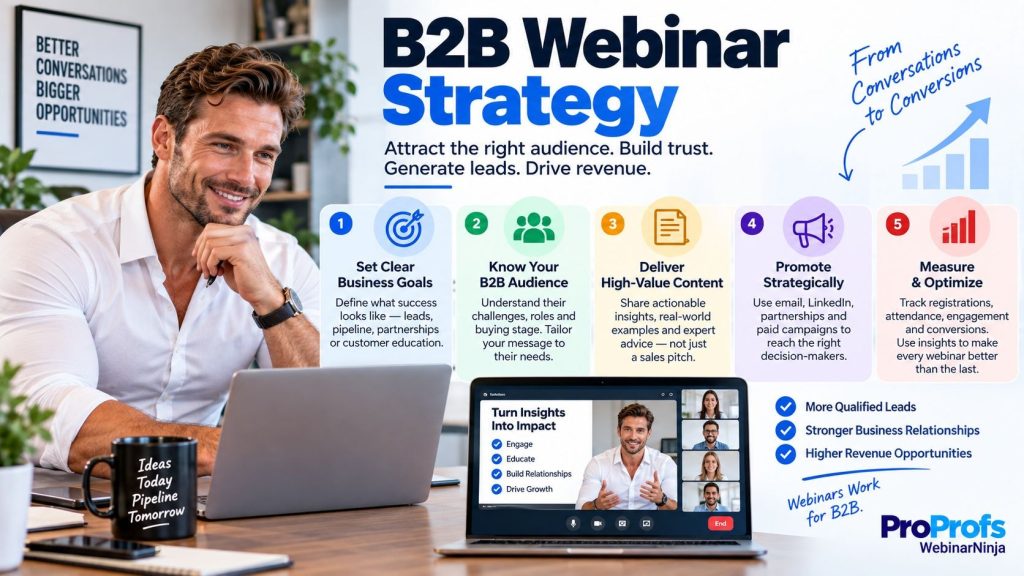
A B2B webinar strategy is a repeatable system for using webinars to generate, nurture, and convert leads. It treats every session as part of a longer program instead of a one-off event.
The difference shows up fast. A firm that runs one webinar a year usually picks the topic in a rush, sends a single reminder email, and follows up with the same generic note to everyone who showed up.
A firm running an actual program builds each session around a named pain point, automates its reminders, and treats every registration as an entry into ongoing lead generation, not a one-time list-building exercise.
Which Webinar Format Fits Your Goal?
Format is a strategic choice, not a technical setting.
| Format | Best for | Skip it when |
| Live | Launches, announcements, real-time Q&A | You want content running around the clock |
| Automated / evergreen | Always-on lead generation, no host needed | The topic is time-sensitive news |
| Series | Onboarding, multi-part courses | You just need a one-off announcement |
| Hybrid | Polished delivery with a live host in chat | You want a fully live, unscripted feel |
A product launch usually works best as a single live session, timed to the announcement itself, before the recording ever gets repurposed into anything else.
How to Build a B2B Webinar Strategy: Step by Step
Here is what that looks like in practice, using one example that runs through all three stages.
Before the Webinar: Planning and Promotion
Say you are marketing an HR platform to mid-market people teams, and open enrollment is the pain point your sales team keeps hearing about on calls.
The topic does not start as “HR Trends for 2026.” It starts as the sentence a prospect says on a real call: “Open enrollment turns into three weeks of chaos every year.”
From there, the headline goes through a few drafts before it is ready to be published:
- “Improving Your Open Enrollment Process” (too vague to act on)
- “How to Run Open Enrollment Without the Chaos” (closer, but still generic)
- “How Mid-Market HR Teams Cut Open Enrollment Time From Three Weeks to Five Days” (specific enough to earn a click)
Only the last version tells a prospect exactly what they get for showing up.
Rule of thumb:
Name, work email, company. Every field past that is a sign-up you do not get back, and the deeper questions can wait for the call with sales.
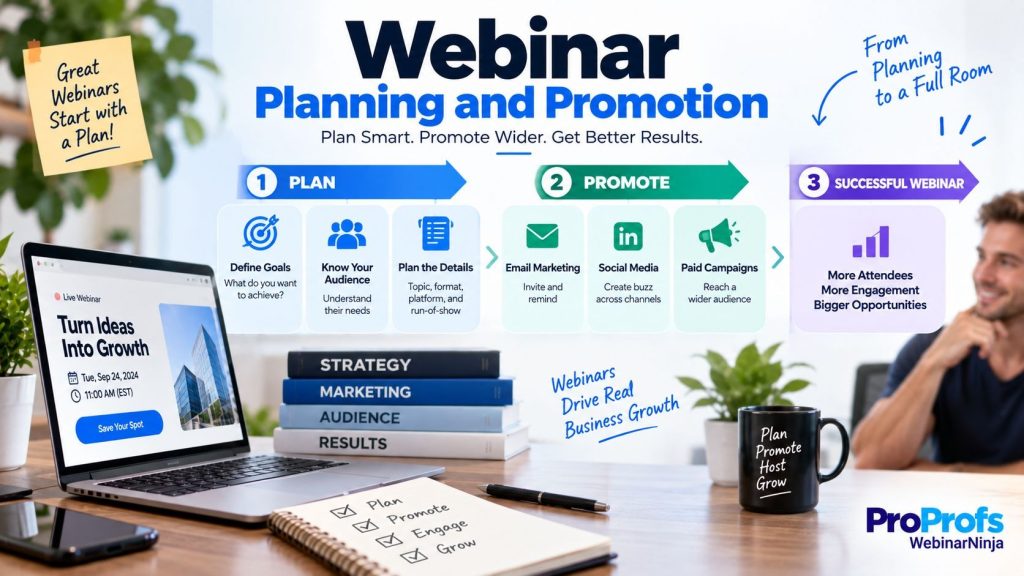
Promotion works best across three channels that reinforce each other instead of repeating the same message:
- An email to the existing list
- A personal LinkedIn post from the host, not just the company page
- A co-promotion partner whose audience overlaps without competing directly
Reminders follow a simple schedule, and skipping any one of the three noticeably lowers the show-up rate:
- Right after sign-up
- 24 hours before the session
- One hour before it starts
Testing a couple of headline variations before publishing tends to be worth the extra ten minutes. Wording alone can swing sign-up rates by a wide margin, which is a strange amount of power for one sentence to hold.
Some webinar platforms now offer to draft a handful of headline options in seconds, which turns that step into picking a favorite instead of staring at a blank field.
The plan also shifts depending on who the webinar is actually for.
| Goal | What matters most |
| External lead generation | Registration volume and offer clicks |
| Internal training or onboarding | Completion and retention, not headcount |
A webinar built to train and communicate with new hires or existing customers should be judged on that second row, not the first.
For a session meant to move a deal forward rather than just build a list, the offer at the end should be planned before a single slide gets built. Treat the webinar as one stage in a pipeline, not a standalone piece of content.
During the Webinar: Running a Session That Converts
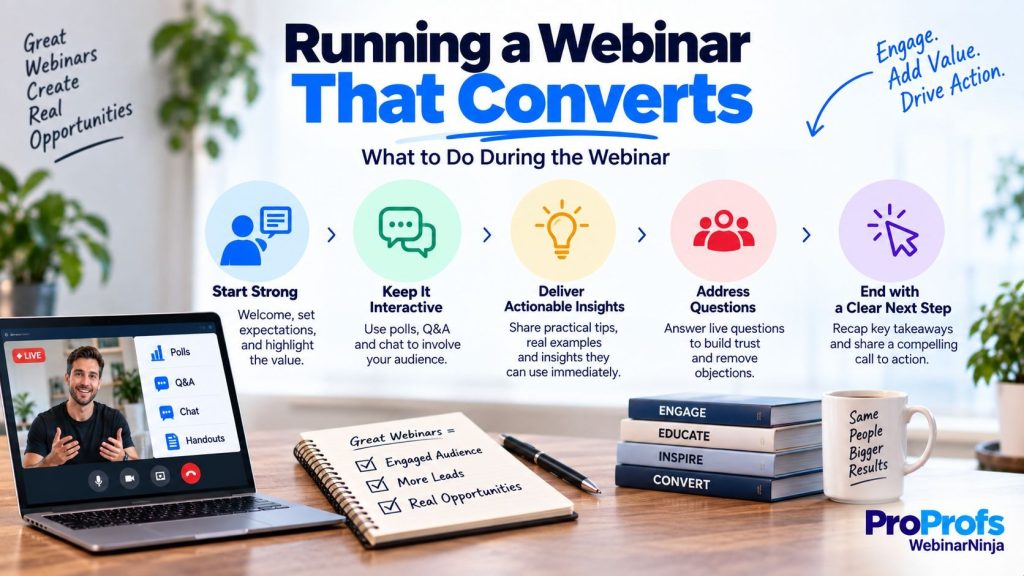
The live session has one job: keep people in the room long enough to reach the offer.
Sticking with the open enrollment example, a session built for conversion might run something like this.
| Minute | What happens |
| 0 to 2 | A hook that restates the pain point, such as “If your enrollment process still runs on spreadsheets, the next 40 minutes should save your team about two weeks this year” |
| 2 to 5 | A credibility moment: one client result with a real number, not a vague “many clients saw improvement” |
| 5 to 30 | Core teaching in three sections, each followed by a poll, such as “How many hours does your team spend on enrollment questions right now?” |
| 30 to 40 | Live Q&A, opened with a question the host already knows is coming, since a silent Q&A segment is its own kind of dead air |
| 40 to 45 | A specific offer, such as a free audit of the current enrollment workflow, not a closing slide that just says “Questions?” |
A hybrid session suits this well for a smaller team. A pre-recorded core presentation keeps the delivery polished, while a live host stays in the chat the entire time, answering questions as they come in rather than saving them for the end.
A Word of Caution
A chat window moving fast, with the same question typed six different ways, is exactly where a host loses the room. Some webinar platforms can now scan that chat for repeated questions and answer the common ones on the spot, so the host stays free for the two or three questions that actually need a person behind them.
A host who tries to type the same answer for the fifth time is no longer hosting. They are a very slow customer support bot.
That same layer can also review the pitch against tested conversion patterns, flagging where the offer gets buried or the call to action shows up too late, with a specific note attached rather than a general “good job.”
After the Webinar: Follow-Up and Measurement
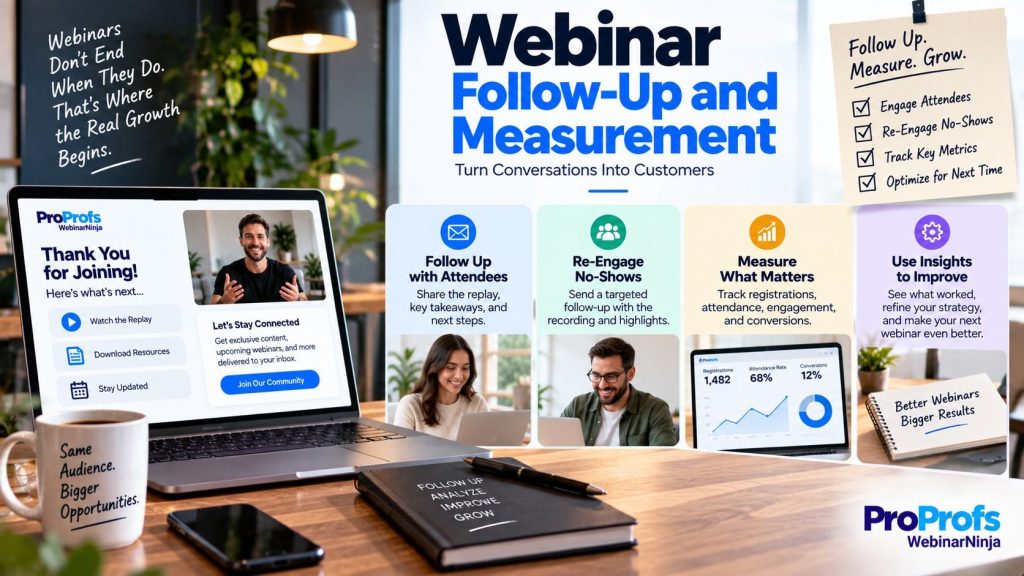
Follow-up determines whether all that work becomes a pipeline or gets lost in an inbox. Segmenting by engagement, not just attendance, makes the difference.
| Segment | Behavior | Follow-up example |
| Hot | Asked a question, clicked the offer, stayed the full session | A personal email from sales within 24 to 48 hours, referencing the specific question they asked |
| Warm | Attended, stayed quiet | A nurture email with the replay and one clear next step |
| No-show | Registered, did not attend | An automatic replay link, folded into the same nurture track as the warm group |
Getting that segmentation data into a CRM automatically matters more than it sounds. A manual export the day after the session is where most follow-up plans stall. Integrations with an existing CRM or email platform exist specifically to remove that step.
The content itself is worth a second life too. You can pull apart a single well-attended session into more than one asset, all from the same transcript:
- A blog post built around the core teaching
- A run of short social clips from the best moments
- A short follow-up email series
Some webinar platforms with AI webinar support can draft all three automatically the moment a session ends, which turns repurposing from a task nobody has time for into something closer to a formality.
An automated version of the same session can then keep collecting registrations long after the live date, often becoming one of the highest-converting pieces of content a team has, simply because it never stops running.
Example from a typical 500-registrant B2B session
| Metric | What it tells you | Example from a 500-registrant session |
| Registration-to-attendance rate | Did your reminders and topic promise hold up | 250 attendees, a 50% rate |
| Engagement time | Did the content hold attention past the intro | 32 of 45 minutes, on average |
| Cost per lead | Is this channel efficient compared to other B2B tactics | Typically well below paid search or trade shows |
| Replay-to-lead rate | Is the evergreen version still pulling weight | 40 more leads the following month, from the replay alone |
| Lead-to-opportunity rate | Does sales trust and work these leads | Tracked separately for hot and warm segments |
A study by Statista found that webinars rank among the most effective top-of-funnel demand generation tactics B2B marketers use. The replay-to-lead number above is usually why the session continues to pay off well after the live date, as long as someone keeps promoting the recording.
Check out this quick video on how consultants use webinars to generate leads:
How Do You Choose the Right Webinar Platform for B2B Lead Generation?
The right platform bundles registration, email automation, live tools, and analytics into one system. The wrong one turns every session into a small integration project: exporting a spreadsheet here, copying an attendee list there.
For a program built mainly to grow sales pipeline rather than run internal training, the question gets simpler: does the platform treat registration and follow-up as one continuous system, or as two separate jobs bolted together?
Best Webinar Tools for B2B Sessions
| Feature | WebinarNinja | Zoom Webinars | GoToWebinar |
| Built-in registration pages | Yes, no code | Usually needs a separate tool | Limited customization |
| Automated/evergreen webinars | Included | Not on standard Meetings, needs a paid add-on | Higher tiers only |
| Attendee download required | No | No | No |
| Built-in email automation | Yes | No, it needs a third-party tool | Limited |
| Setup time for non-technical teams | Low | Moderate | Moderate to high |
Zoom Webinars handles large-scale production well, but Zoom Meetings, the plan most smaller teams already have, does not include an automated webinar option at all. Adding one means paying for a separate product on top of what the team already has.
GoToWebinar is capable and well-established. Teams that have used it for years still point to a longer setup process and a higher price than newer all-in-one platforms, especially for anyone running sessions once or twice a month rather than daily.
It is worth comparing webinar pricing across a couple of platforms before committing, since the real cost is rarely just the subscription line item. It is the hours a team spends stitching four separate tools together every time a session gets planned.
Setup complexity tends to follow the same pattern. Fewer logins usually mean fewer places for a lead to fall through the cracks between marketing and sales.
For a team running paid training or a multi-part course alongside its lead generation webinars, that same platform decision matters twice over. Switching tools for one format but not the other adds exactly the kind of manual work this whole strategy is meant to remove.
Looking for webinar platforms to assist our B2B lead generation strategy? Here’s a quick video that can help you choose your perfect platform:
Why Do So Many B2B Webinar Programs Fail to Generate Pipeline?
Most webinar programs do not fail in an obvious way. They fail two weeks later, when the pipeline number never shows up. A few patterns explain most of it.
| Failure point | What it looks like in practice | Fix |
| Vague registration headline | “Join Our Webinar on Marketing Trends” tells nobody why to give up 45 minutes | Name the specific outcome, such as “How to Cut Onboarding Time in Half” |
| One-way monologue | Forty slides read aloud, with Q&A crammed into the last two minutes | A poll or chat prompt every 8 to 10 minutes |
| Single follow-up email | “Thanks for attending!” sent to the whole list | Segment by engagement before writing a single word |
| Long registration form | Ten or more fields before anyone even sees the agenda | Ask for name, work email, and company, and save the rest for the sales call |
| Replay left untouched | Recording sits in a folder, promoted to nobody | Treat the replay as its own campaign, not an afterthought |
| No debrief | The team moves straight to planning the next session | Twenty minutes reviewing drop-off points before the next topic gets picked |
Fixing even three of these tends to change the pipeline conversation with a CFO.
Turn Your Next Webinar Into a Predictable Pipeline Engine
Stop planning webinars one at a time. Treat topic selection, promotion, delivery, and follow-up as four separate jobs, each with its own owner and its own metric.
Do that, and a webinar stops being a gamble. It starts behaving like a channel you can forecast.
Before your next session, rebuild exactly two things: the registration headline, around a specific outcome, and the follow-up sequence, with one email segmented by engagement instead of a single thank-you note.
Those two changes alone tend to move the needle faster than a bigger production budget. The strategy matters more than the software, but the software decides how much of that strategy a team can pull off in a normal week.
This is where a platform like WebinarNinja tends to earn its keep. When registration, reminders, live chat, and follow-up all sit in one system instead of four logins, the steps in this guide stop being a checklist to remember and start running closer to habit.
A colleague of mine felt that shift firsthand after rebuilding her firm’s webinar program around it. What stood out to her was not a single feature. It was the time she got back: less of it was lost to stitching tools together, more of it was spent thinking about the next topic.
That is the real test worth applying here. Does your setup give a team back time to think, or does it just become one more thing to babysit?
Frequently Asked Questions
How is a B2B webinar different from a regular virtual event?
A webinar is typically a single-session, education-focused format built around one topic and one host. A virtual event usually spans multiple sessions, speakers, and tracks, closer to a digital conference than a single presentation. Most B2B lead generation programs are better served by the tighter, single-session format.
What is the best day and time to host a B2B webinar?
Tuesday through Thursday, late morning in the attendee's time zone, tends to perform best for B2B audiences. Mondays lose people to inbox catch-up, and Fridays lose them to early weekends. If you sell across multiple time zones, mid-morning on the East Coast is a reasonable default that still catches most of a Western audience after lunch.
How far in advance should you start promoting a webinar?
Two to three weeks is usually the sweet spot. Promoting too early lets people forget, and promoting too late does not give the reminder sequence enough room to work. High-stakes sessions with a co-promotion partner sometimes need closer to four weeks, simply because coordinating two calendars takes longer than one.
Do you need a co-host, or is a single presenter enough?
A single strong presenter is fine for most sessions. A co-host helps most when they can moderate live chat and field questions in real time, which frees the main presenter to focus entirely on delivery instead of splitting attention between the slides and the chat window.
Should a B2B webinar be free or paid?
Lead generation webinars should almost always be free, since the goal is reach and pipeline, not ticket revenue. Paid webinars make more sense for standalone training or certification content, where the payment itself signals a level of commitment you want from that audience.
Are webinars still worth it with so much short-form video around?
Yes, and for a specific reason. Short-form video builds awareness, while a webinar builds trust and captures contact details in the same session. The two formats compete for attention, not for the same job, which is why most mature B2B strategies run both instead of picking one.
Can a small team or solopreneur run a real webinar program?
Yes, and it is often easier for a lean team than a large one, since there is no committee slowing down the decision-making process. Platforms such as WebinarNinja exist specifically to make this workable without a dedicated ops person, since one person can realistically own topic, promotion, and follow-up without it becoming a full-time job.
Can webinars support account-based marketing campaigns?
Yes, particularly private or invite-only sessions built for a single target account or a small list of lookalike accounts. The format stays the same, only the guest list gets narrower, and the content usually gets more specific to that account's situation than a broad public session would allow.
How do you get sales and marketing aligned on webinar leads?
Agree on what counts as a hot lead before the webinar runs, not after. A shared definition, based on questions asked or offers clicked, avoids the usual argument over whether a lead was "really" qualified. Writing that definition down and reviewing it after a few sessions tends to matter more than any single tool either team uses.
Is a webinar recording as valuable as the live session?
Often more valuable over time, since a promoted replay keeps generating leads for months at no extra cost. Tools such as WebinarNinja that support automated replays exist specifically to keep that value from expiring the day after the live event, which is exactly the gap that kills most one-and-done webinar programs.
Want to host a webinar for free?
Use WebinarNinja to teach, improve marketing, and grow your sales.