
Most webinar privacy problems don’t start in the webinar room. They start on the registration page, which is why choosing the right GDPR compliant webinar software matters as much as how you set it up.
I have spent years building webinar funnels for audiences across Europe, and I can tell you the uncomfortable truth: hosts rarely get fined for a bad webinar. They get into trouble for what happens to the data before and after it.
Regulators are paying attention. The DLA Piper GDPR Fines and Data Breach Survey (January 2026) found that European authorities issued around €1.2 billion in GDPR fines in 2025. Breach notifications rose 22% to an average of 443 a day. The year’s largest fine, €530 million, was issued over international data transfers, which is exactly the issue a webinar platform hosted outside the EU raises.
This guide explains what GDPR asks of webinar hosts in plain English, which features to demand from your software, five tools worth shortlisting, and a step-by-step process to create GDPR compliant webinars from registration to replay.
A quick note: this guide is practical guidance, not legal advice. For decisions specific to your organization, check with your data protection officer or a privacy lawyer.
What Is GDPR Compliant Webinar Software?
Here’s the part many buyers miss: compliance is shared. Under the GDPR, you, as the host, decide why and how attendee data is used, which makes you the controller. The webinar platform stores and processes that data on your behalf, which makes it a processor.
So when a vendor says “we’re GDPR compliant,” read it as “we’ve done our part as a processor.” Your part covers the lawful basis for collecting data, what your registration page says, whether you record the session, and how long you keep everything afterward.
A good platform makes your part easier. A weak one leaves you patching gaps with spreadsheets, manual exports, and crossed fingers.
Host GDPR Compliant Webinars With a Ready-Made DPA and Consent Controls Built In
What Do Webinar Buyers Actually Ask For on Privacy?
In my years of setting up webinars for European clients, very few conversations have opened with DPAs, EU servers, or ISO certificates. What people ask for, again and again, are practical privacy controls:
- Hide attendee names, so participants (sometimes direct competitors) can’t see who else joined
- Hide the attendee count
- Make chat private or switch it off
- Keep recordings private by default, with the host deciding who gets the replay
- Honor an individual attendee’s request not to be recorded
Only a handful of clients have ever raised GDPR by name, and when they do, it’s usually to ask for a privacy-policy checkbox on the registration form. The lesson is simple: legal paperwork protects you with regulators, but in-room privacy is what your attendees actually notice. Good GDPR compliant webinar software needs both.
What Does GDPR Require From Webinar Hosts?
GDPR applies whenever you collect personal data from people in the EU, even if your business sits in New York or Mumbai. Article 3(2) brings non-EU organizations into scope when they offer services to people in the EU or monitor their behavior. A webinar aimed at a European audience usually qualifies, whether it’s a training session or a run of product demos.
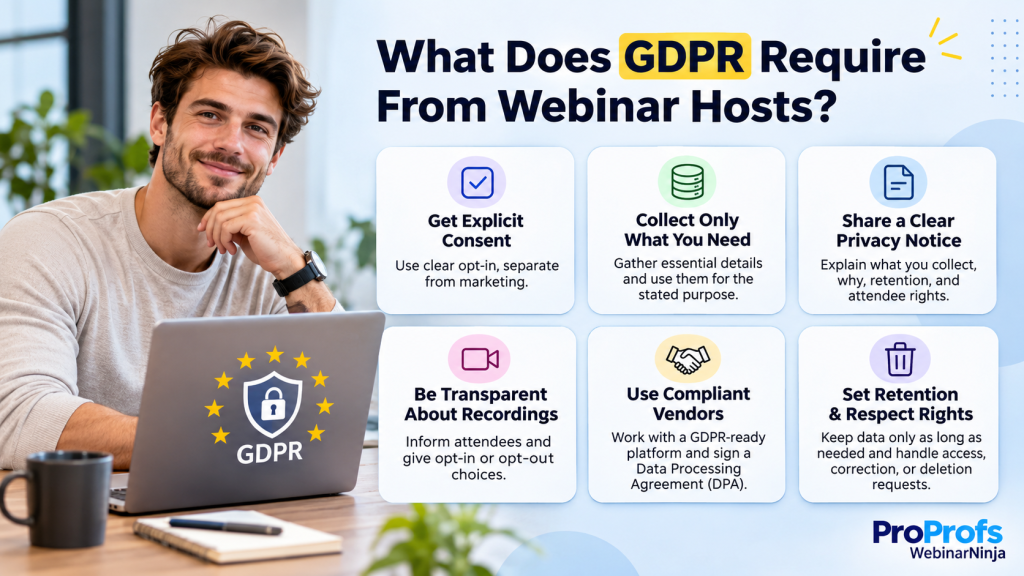
A webinar touches more personal data than most people realize. Here’s where it hides at each stage:
| Webinar Stage | Personal Data Collected | GDPR Rule That Applies |
| Registration | Name, email, company, job title, country, IP address | Lawful basis (Art. 6), transparency (Art. 13), data minimization (Art. 5) |
| Reminders and follow-ups | Email address, engagement history | Consent rules for marketing (Art. 7) and the ePrivacy rules in your country |
| Live session | Attendance logs, chat, Q&A, poll answers, faces and voices on camera | Security (Art. 32), lawful basis for recording |
| Recording and replay | Video, audio, chat transcripts | Storage limitation (Art. 5), access controls |
| After the webinar | Exported lists, CRM records, analytics | Data subject rights (Art. 15 to 22), retention |
From that table, seven obligations matter most for webinar hosts.
1. Have a Lawful Basis for Every Use of Data
Delivering the webinar someone signed up for can usually rest on performing what they asked for or on legitimate interests under Article 6. Sending them marketing emails afterward is a different purpose and usually needs consent.
2. Make Consent Real
Consent must be freely given, specific, informed, and unambiguous. Article 7 requires it to be clearly distinguishable from other matters, and the EU Court of Justice ruled in the 2019 Planet49 case that pre-ticked boxes don’t count. If you want marketing consent, ask for it with its own unticked checkbox.
3. Tell People What You’re Doing
Article 13 requires a privacy notice at the point of collection. Your registration page should link to it and say who receives the data, including the webinar platform and any co-hosts or sponsors.
4. Sign a Data Processing Agreement
Article 28 requires a written contract with every processor. Your webinar platform’s DPA should cover security measures, sub-processors, breach notification, and deletion at the end of the contract.
5. Transfer Data Outside the EU Lawfully
GDPR doesn’t require EU servers, but transfers outside the EU need a legal mechanism under Chapter V. The most common ones are Standard Contractual Clauses (SCCs) and the EU-U.S. Data Privacy Framework, which the European Commission approved in July 2023 for certified U.S. companies.
6. Respond to Data Requests on Time
Attendees can ask to see, correct, export, or delete their data. Article 12(3) gives you one month to respond, so your platform needs a fast way to find and remove a person’s records.
7. Report Breaches Within 72 Hours
If attendee data leaks, Article 33 gives you 72 hours to notify your supervisory authority in most cases. You can only hit that deadline if your vendor commits to telling you quickly.
Get these wrong and the ceiling is steep. Under Article 83, the most serious violations can cost up to €20 million or 4% of worldwide annual turnover, whichever is higher.
What Features Should GDPR Compliant Webinar Software Have?
When I vet a webinar platform for a European client, I skip the marketing page and go straight to the legal and trust pages. Here’s the checklist I use, roughly in order of importance.
1. A Data Processing Agreement You Can Access Before You Buy
Ideally, it’s built into the Terms of Service, with a signable copy for your records.
2. A Public Sub-Processor List
You should be able to see every company that touches attendee data and get notified when a new one is added.
3. A Clear Transfer Mechanism
If data leaves the EU, look for Standard Contractual Clauses or Data Privacy Framework certification. If you want to avoid transfers altogether, look for EU hosting.
4. Registration Consent Tools
Look for a consent checkbox, a privacy notice link, and the option to keep form fields to the minimum.
5. Recording Controls
You need recording notices, consent prompts, replay expiry dates, and limits on who can download recordings.
6. Attendee Privacy in the Room
Look for options to hide attendee names and the attendee count, make chat private or switch it off, moderate Q&A, keep attendee cameras off by default, and keep recordings private unless you choose to share them. In my experience, this is the first privacy question buyers ask.
7. Data Subject Request Support
The platform should give you a way to find, export, and delete one person’s data, plus a vendor commitment on response times.
8. Retention and Deletion Settings
Look for automatic or easy cleanup of old registrations, webinar reports, and recordings.
9. Independent Security Evidence
Ask for ISO/IEC 27001 certification or a SOC 2 report, encryption in transit, and restricted staff access.
10. Breach Notification Commitments
You want a written promise to tell you without delay, so you can meet your 72-hour deadline.
11. Clear Controls for AI Features
This one is easy to overlook. Transcripts, summaries, and AI assistants often send session content to additional sub-processors. Read what each AI feature does with your data, and switch off the ones you don’t need.
Check Every Item on This GDPR Software Checklist in One Platform
5 GDPR Compliant Webinar Software Options Worth Shortlisting
Every tool below publishes a DPA and documents its GDPR approach on its own website. They differ most in where data lives and which privacy settings you get out of the box.
| Tool | Best For | Where Data Is Hosted | DPA | Standout GDPR Feature |
| ProProfs WebinarNinja | Marketers and creators who want simple GDPR controls | AWS, Virginia, USA (with SCCs) | Built into Terms of Service | Built-in registration consent checkbox |
| Livestorm | European B2B teams wanting EU hosting | AWS, Ireland | Available in its Security Portal | Irreversible deletion within 30 days |
| ClickMeeting | Organizations needing EU-based storage and ISO certification | EU data centers | DPA template provided | ISO/IEC 27001:2022 certified |
| Zoho Webinar | Teams wanting automated data cleanup | Region set by account domain (EU via zoho.eu) | Confirm with Zoho | Scheduled deletion of attendee data |
| Zoom Webinars | Large organizations already using Zoom | Selectable data center regions | Built into Terms of Service | EU data centers for eligible paid accounts |
1. ProProfs WebinarNinja
Best for Generating Leads, Growing Sales, and Teaching Better
I have run European webinars on ProProfs WebinarNinja, and what I appreciate most is that the GDPR basics are already built in. One setting in Account Settings adds a Subscriber Consent checkbox to every registration form, and registrants can’t sign up without ticking it.
The legal side is just as tidy. As per its EU data protection policies, the DPA with updated Standard Contractual Clauses has been part of the Terms of Service since October 2021, so you’re covered from day one, with a signable copy if your legal team wants one. Sub-processors are listed publicly, and the team commits to answering data access and deletion requests within 14 days, well inside GDPR’s one-month window.
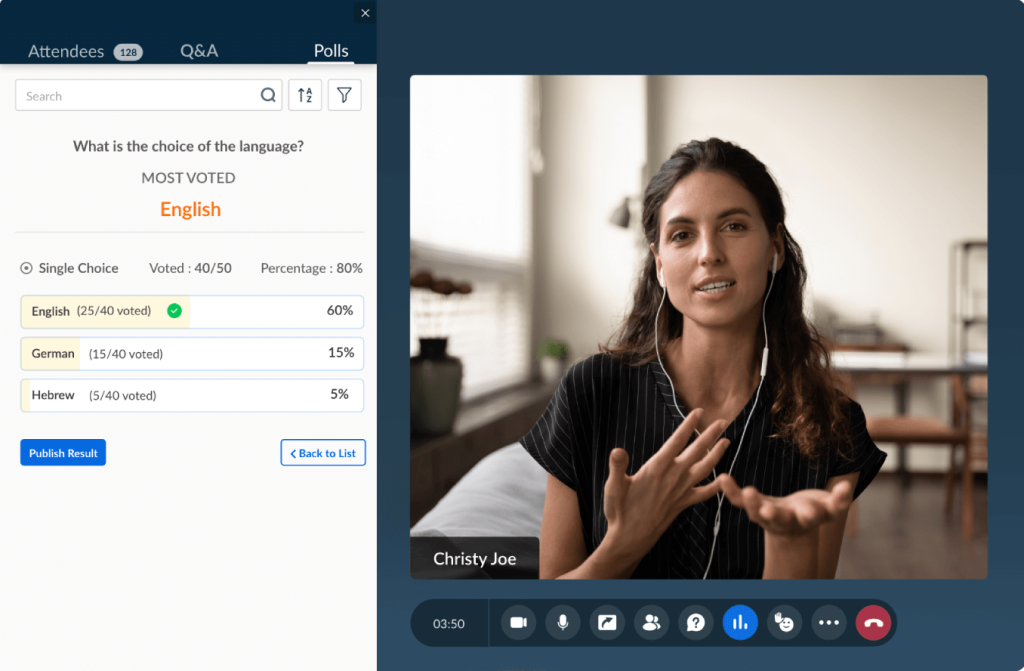
Privacy carries into the room too, and this is where ProProfs WebinarNinja shines. Anonymous webinars hide attendees from one another, which is the privacy feature buyers request most often, so participants in the same session never see who else joined. Replay expiry dates stop recordings from living forever. It also contains several AI features, including the AI webinar creator that builds your registration page, thank-you page, and emails from one line about your topic, and the AI summary can be switched on or off per webinar.
GDPR Features at a Glance
- A built-in GDPR Subscriber Consent checkbox on registration forms, enabled under Account Settings > Consent Settings.
- A DPA with Standard Contractual Clauses included in the Terms of Service since October 18, 2021, plus a downloadable copy to sign.
- A public sub-processor list (AWS, SendGrid, ConvertKit, Intercom, and 200 OK), with a chance to object when a new one is added.
- Data subject requests (access, correction, deletion) answered within 14 days, prompt breach notification, and deletion of customer data at the end of the agreement on request.
- Encryption over SSL/TLS across the web app, API, and email, one-way hashed passwords, and staff access to accounts only with the owner’s explicit permission.
Keep in Mind
- Data is hosted on AWS in Virginia, USA, and transfers rely on Standard Contractual Clauses. That’s lawful under GDPR, but if your policy requires EU-only hosting, make sure it fits.
- The consent checkbox text is fixed in English and covers both event emails and promotional emails. If you need separate marketing consent or another language, collect it through your email tool as well.
Pricing: A FREE 14-day trial is available. Paid starts at $0.30/attendee/month (includes CourseNinja worth $1200).
2. Livestorm
Best for European B2B Teams Wanting EU Hosting
Livestorm is a French company, and its approach to data shows it. According to its GDPR page, collected data is stored on AWS servers in Ireland, so attendee data stays inside the EU by default. For teams whose procurement checklist starts with “Where is the data?”, that’s a short conversation.
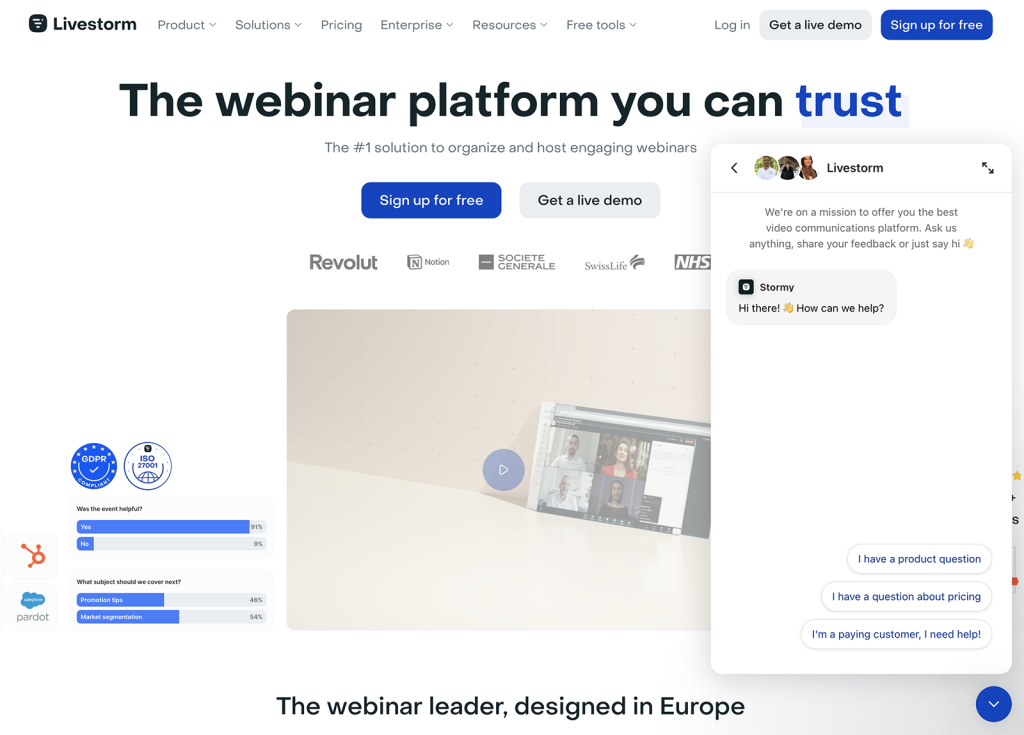
The security paperwork is easy to find. Livestorm holds ISO 27001 certification and keeps its DPA and technical and organizational measures in a dedicated Security Portal. When an account or its data is deleted, its Legal Center says the deletion is total and irreversible within thirty days, which simplifies your retention story.
GDPR Features at a Glance
- Data hosted on AWS in Ireland, inside the EU.
- ISO 27001 certification for information security management.
- DPA and technical and organizational measures available in the Livestorm Security Portal.
- Full, irreversible data deletion within thirty days of a deletion request.
- SAML SSO for controlling who can access your workspace.
Keep in Mind
- CRM integrations such as Salesforce and Marketo require the Enterprise plan, so syncing attendee data on smaller plans may mean manual exports, which bring their own GDPR risks.
- Pricing runs on attendee credits, so budget carefully if you host frequent large sessions.
Pricing: Free plan available; the Pro plan costs €2.50 per attendee, bought as a yearly credit pack.
3. ClickMeeting
Best for Organizations Requiring EU Storage and ISO Certification
ClickMeeting is based in Gdańsk, Poland, and has built its pitch to European buyers around data location. Its GDPR FAQ lists the data centers where personal data is hosted, and the company moved its core server infrastructure from the United States to Europe.
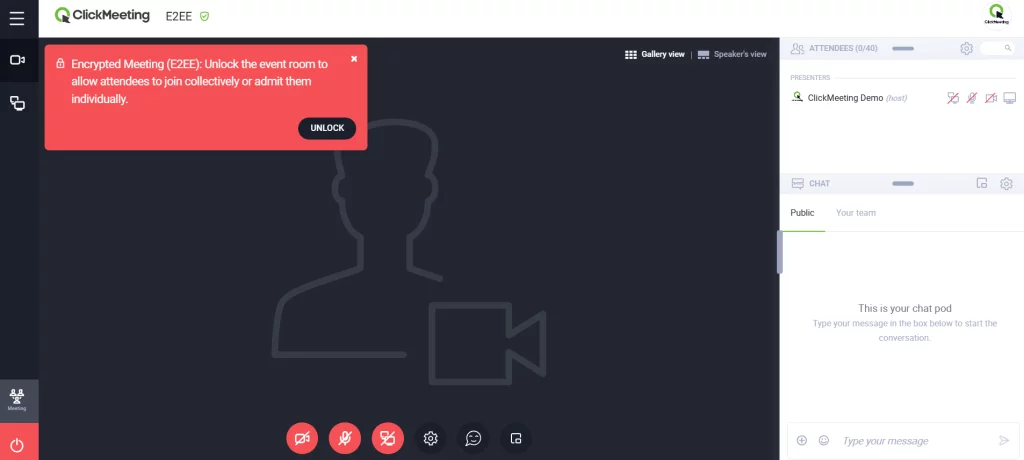
What sets it apart is certification depth. ClickMeeting holds ISO/IEC 27001:2022 certification, issued by Bureau Veritas, and its security page also lists ISO/IEC 27701, the standard for privacy information management. It also provides its own DPA template, tailored to webinar processing.
GDPR Features at a Glance
- Personal data is hosted in EU data centers, with the list published in its knowledge base.
- ISO/IEC 27001:2022 certification issued by Bureau Veritas, with ISO/IEC 27701 listed on its security page.
- A ready-made DPA template for customers.
- Event rooms protected with passwords or one-time tokens.
- A published sub-processor list showing processing locations.
Keep in Mind
- Some access servers that don’t store data sit outside the EU, including in the United States, so check the security policy if your requirements are strict.
- Its affiliated company, GetResponse, handles transactional email as a sub-processor, so review that relationship if you already use another email platform.
Pricing: Plans are priced by audience size on ClickMeeting’s pricing page, with a 14-day free trial that needs no credit card.
4. Zoho Webinar
Best for Teams Wanting Automated Data Cleanup
Zoho Webinar is the tool I’d point to for storage limitation done right. Its GDPR page explains that admins can schedule periodic cleanup of names, email addresses, session reports, recordings, and action logs. Most platforms leave deletion to you; Zoho automates it.
Data location depends on where you create your account. Sign up on webinar.zoho.eu and your data lives in Zoho’s EU data center. It also supports attendee consent before recording, lets you restrict recordings to view-only, and exports analytics and logs as CSV for data portability requests.
GDPR Features at a Glance
- Automated periodic cleanup of attendee data, reports, recordings, and logs.
- An EU data center for accounts created on webinar.zoho.eu.
- Recording consent prompts, plus view-only and restricted access for recordings.
- CSV exports of reports and action logs to support portability requests.
- DTLS-SRTP encryption for audio and video, two-factor authentication, role-based access, and audit logs.
Keep in Mind
- The data center is tied to the domain you sign up on, so European teams need to choose zoho.eu from the very start.
- Zoho states that its GDPR page isn’t legal advice, so you still need your own privacy notice and lawful basis.
Pricing: Paid plans start at $8 per organizer per month, billed annually.
5. Zoom Webinars
Best for Large Organizations Already Using Zoom
Zoom Webinars is a familiar choice, and its GDPR documentation is thorough. According to its GDPR trust page, the DPA is built into the Terms of Service, and eligible paid accounts in Europe can use EU data centers for real-time meeting and webinar traffic.
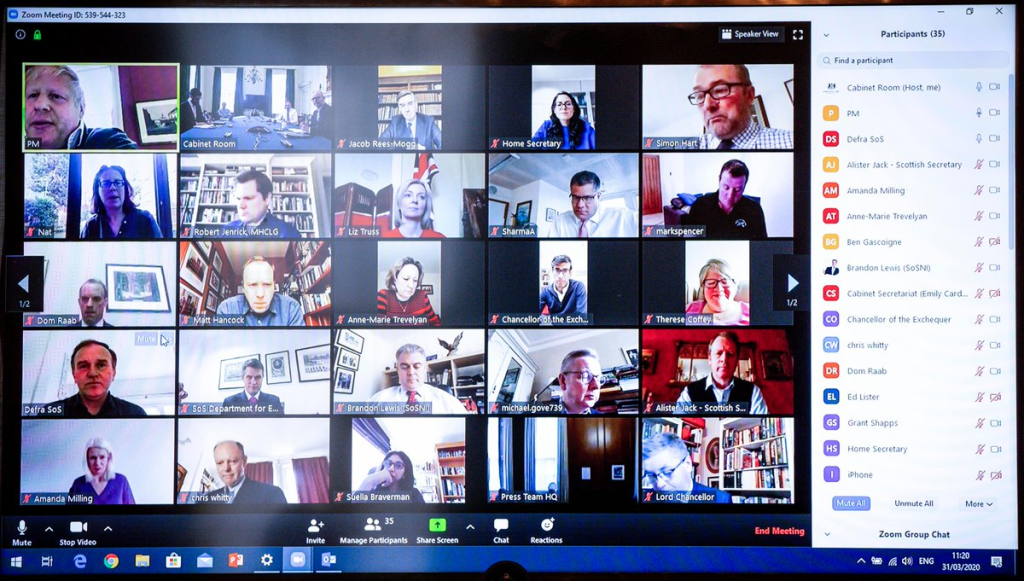
Zoom also publishes a Data Transfer Impact Assessment for Meetings and Webinars, which saves your legal team real work when documenting transfers. A data subject request portal and the option to store recordings locally round out the toolkit.
GDPR Features at a Glance
- A DPA included in the Zoom Terms of Service for all customers.
- EU data centers for eligible paid accounts, with selectable data center regions for live traffic.
- A published Data Transfer Impact Assessment covering Meetings and Webinars.
- A data subject request portal for access and deletion requests.
- The option to store recordings locally instead of in the cloud.
Keep in Mind
- Zoom’s sub-processor list is long, and AI features can send meeting content to additional providers when enabled, so review each setting before your first EU webinar.
- EU data center routing applies to eligible paid accounts and needs to be configured, so it isn’t automatic for every user.
Pricing: Starts at $66.67 per month, billed annually.
Also, if you are looking to compare webinar software, this quick video helps a great deal:
How to Create GDPR Compliant Webinars: A Step-by-Step Process
The right software covers maybe half the job. The rest is how you set up each webinar. Here’s the process I follow, from registration to the last replay view.
Step 1: Map the Data You’ll Collect
List every piece of personal data the webinar will touch: form fields, chat, polls, recordings, and anything you’ll export to your CRM. Then cut what you don’t need. If you won’t use job titles for anything, don’t ask for them. Data minimization is the cheapest compliance win you’ll ever get.
Step 2: Pick a Lawful Basis for Each Purpose
Running the webinar, sending the joining link, and sending reminders usually rest on the registrant’s own request or your legitimate interests. If attendees buy a ticket for one of your paid webinars, delivering the session rests on that contract.
Marketing emails after the event, sharing leads with a sponsor, or publishing the recording are separate purposes. Each one needs its own basis, and marketing usually needs consent.
Step 3: Sign the DPA and Check Transfers
Download or accept your platform’s DPA, save a copy, and review the sub-processor list. If data leaves the EU, confirm the transfer mechanism (SCCs or Data Privacy Framework certification) and note it in your records of processing.
Step 4: Build a Compliant Registration Page
Your registration page is where most webinars succeed or fail on GDPR. It should include:
- Only the fields you actually need, usually name and email
- A link to your privacy notice, placed near the submit button
- A separate, unticked checkbox for marketing emails
- A short line on whether the session will be recorded
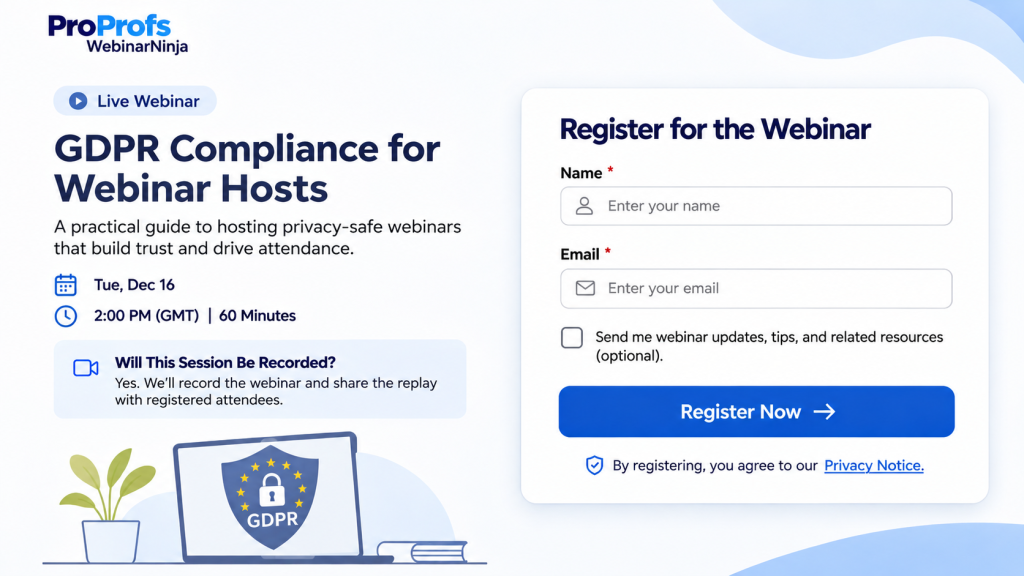
Here’s sample wording you can adapt for the marketing checkbox:
“I’d like to receive occasional emails about future webinars and resources. I can unsubscribe at any time.”
On ProProfs WebinarNinja, you can switch on the built-in consent checkbox in a few clicks: go to Account Settings, open Consent Settings, select Show to everyone after they opt-in, and click Update Settings. Its guide to create GDPR compliant webinars walks through it with screenshots.
Step 5: Be Upfront About Recording
Tell registrants before the event and attendees at the start of the session that you’re recording. If attendees will appear on camera or speak, consent is the safest basis. If you only record your own slides and voice, the privacy footprint is much smaller, which is one more reason to keep attendee cameras off by default. Pre-recorded automated webinars shrink it further, since attendees never appear on screen.
Step 6: Configure Privacy Inside the Room
Before going live, hide the attendee list if your platform allows it, moderate Q&A so personal details don’t appear on screen, and turn off any AI transcripts or summaries you won’t use. Remind attendees not to share sensitive information in public chat.
Step 7: Set Retention Rules and Stick to Them
Decide how long you’ll keep registrations, analytics, and recordings, then set replay expiry dates and calendar reminders to delete old data. Don’t forget exports: the spreadsheet sitting in someone’s downloads folder is personal data too.
Step 8: Prepare for Requests and Breaches
Document who handles data subject requests and how. Know where to find a person’s data in your webinar platform, your email tool, and any CRM connected through integrations. Keep your vendor’s breach contact handy so you can meet the 72-hour notification window if something goes wrong.
Switch On Your GDPR Consent Checkbox in a Few Clicks and Register Attendees Safely
What Are the Most Common GDPR Mistakes in Webinars?
After reviewing dozens of webinar setups, I see the same six mistakes again and again. Each one is easy to fix once you know to look for it.
- Pre-ticked marketing boxes. They look harmless, but EU case law is clear that a pre-ticked box isn’t valid consent.
- Bundling consent into registration. Making marketing emails a condition of attending isn’t freely given consent. Keep the webinar and the newsletter separate.
- Handing leads to sponsors without telling anyone. If co-hosts or sponsors in your webinar lead generation program get the attendee list, say so on the registration page and make sure you have a lawful basis to share it.
- Recording without notice. A surprise recording, especially one showing attendees’ faces, is one of the fastest ways to lose trust and invite complaints.
- Keeping everything forever. Old registrant lists, replays nobody watches, and CSV exports in shared drives all add risk with no benefit.
- Assuming “GDPR compliant” on a vendor’s site covers you. The vendor handles its processor duties. Your registration page, lawful basis, and retention choices are still yours.
Now, while we checked the most common mistakes, here is a quick video to help you learn the 5 most important things that webinar host Omar Zenhom learned after doing 100+ webinars:
Ready to Run GDPR Compliant Webinars?
GDPR compliance for webinars comes down to three things: a vendor that has done its processor homework, a registration page that respects people’s choices, and the discipline to delete what you no longer need. Get those right, and GDPR stops being a blocker and starts being a trust signal your European audience will notice.
If EU-only hosting is a hard requirement, Livestorm, ClickMeeting, or Zoho Webinar on its EU domain will fit. If you want GDPR basics handled with almost no setup, I’d start with ProProfs WebinarNinja. Its built-in consent checkbox, ready-made DPA with SCCs, 14-day response on data requests, and anonymous webinars cover the essentials, while the AI builds your registration pages and emails for you.
Frequently Asked Questions
Does My Webinar Platform Need EU Servers to Be GDPR Compliant?
No. GDPR allows data to be transferred outside the EU as long as a legal mechanism protects it, such as Standard Contractual Clauses or the EU-U.S. Data Privacy Framework. ProProfs WebinarNinja, for example, hosts data in the U.S. and covers transfers with SCCs in its DPA. EU hosting simply removes the transfer question.
Who Is Responsible for GDPR Compliance, Me or the Webinar Platform?
Both, in different roles. You are the controller, so you're responsible for your lawful basis, privacy notice, consent, and retention choices. The platform is the processor and must protect data, follow your instructions, and help you handle requests and breaches under a Data Processing Agreement.
Do I Need Consent to Record a Webinar?
Not always, but you must tell people and have a lawful basis. If attendees appear on camera, speak, or have their names shown, consent is the safest route. Announce the recording on the registration page and at the start of the session, and keep attendee cameras off by default.
Can I Send Marketing Emails to Webinar Registrants?
Only with a lawful basis, which for marketing usually means consent. Use a separate, unticked checkbox on the registration form and give people an easy way to unsubscribe. Event emails like the joining link and reminders are different, since registrants asked for them.
How Long Can I Keep Webinar Recordings and Registrant Data?
GDPR doesn't set a fixed period. You must keep data only as long as you need it for the purpose you collected it for. Many hosts set replay expiry dates and delete registrant lists after a defined window, then document that period in their privacy notice.
Does GDPR Apply to Webinars Run by Non-EU Companies?
Yes, if you offer the webinar to people in the EU. Article 3(2) extends GDPR to organizations outside the EU that offer services to, or monitor the behavior of, people in the EU. A U.S. company promoting a webinar to a European audience falls in scope.
What Is a DPA and Why Do I Need One for Webinars?
A Data Processing Agreement is the contract Article 28 requires between you and any vendor that processes personal data for you. For webinars, it covers how the platform stores registrant data, which sub-processors it uses, how it handles breaches, and when it deletes your data.
How Do I Create GDPR Compliant Webinars in ProProfs WebinarNinja?
Turn on Subscriber Consent under Account Settings > Consent Settings so registrants must agree before signing up. Then link your privacy notice on the registration page, enable anonymous webinars if attendees shouldn't see each other, and set a replay expiry date. The DPA is already part of the Terms of Service. To see the platform in action first, this free course walks through whetherProProfs WebinarNinja is right for you.
Attract Leads, Teach Better & Turn Attendees Into Buyers
Start your 14-day free trial with full access to every feature, or book a free demo.
Real person, real walkthrough, no obligation.