A product demo webinar gets judged on a different scale than most webinar content. Nobody registers for one to feel informed; they register because they’re close to a decision and want to see the thing work before they commit time to a sales conversation. That changes what “good” looks like at every stage: the list you build, the minutes you spend on screen, and what you do in the hours after the call ends.
This guide is organized around the three points where a demo webinar actually gets won or lost, not a script to follow top to bottom, but a set of decisions to get right at each stage.
What Is a Product Demo Webinar?
The comparison below lines up all three side by side, so the differences in audience size, personalization, and goal are easy to see at a glance.
| Format | Audience Size | Personalization | Primary Goal |
| One-on-one sales demo | 1 prospect | Fully tailored to that account | Close or advance one specific deal |
| Product demo webinar | 15 to 80 prospects | Tailored to one persona, not one account | Move a batch of similar prospects toward a shared next step |
| General educational webinar | Open, often broad | Not tailored to buying stage | Build awareness or authority, not necessarily conversion |
The middle row is where a demo webinar lives: narrower and more decision-oriented than an educational session, but reaching far more people per hour than a one-on-one call ever could. Confusing it with either neighbor is where most demo webinars go wrong; teams either water it down into generic education or try to over-customize it the way they would a single-account call, which doesn’t scale.
How to Build a Product Demo Webinar
The five stages listed below carry a session from a blank page to a recording worth reusing later. None of them requires a script, just a decision made deliberately at each point instead of by default.
Step 1: Pin Down the Audience, the Outcome, and the Opening Line
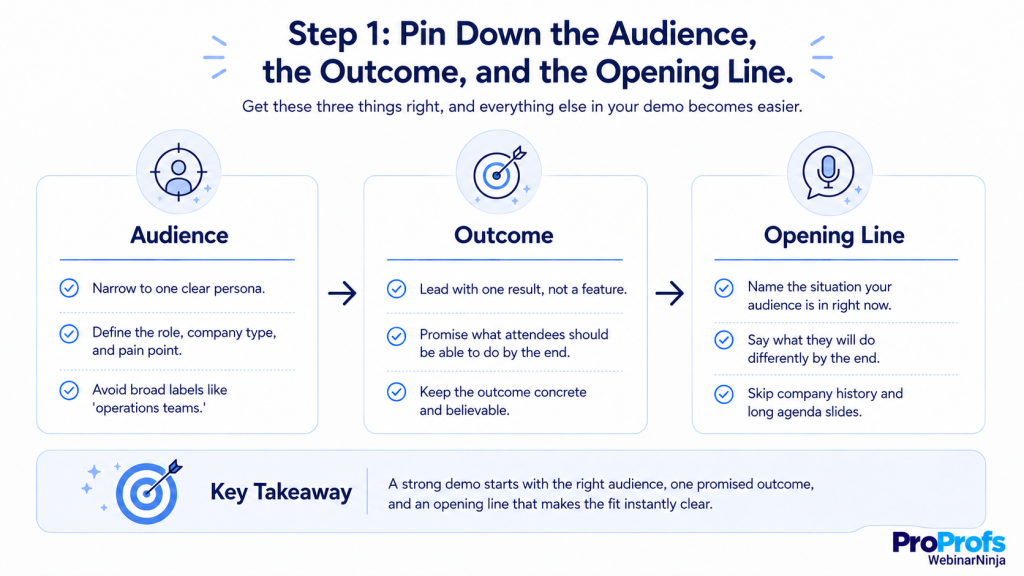
Decide who this is for, and the one result they should believe is possible by the end, before opening a slide deck.
- Not a feature, a result: “See how to cut onboarding time in half,” not “Learn about our onboarding module.”
- A vague audience produces a vague session: “operations teams” gets a generic hour. “Operations leads at 50-to-200-person logistics companies missing SLAs from manual routing” gets a sharp one.
Getting the audience right is now one of the industry’s biggest priorities. Forrester’s 2026 State of B2B Events Survey found thatmore than 90% of organizations prioritize audience acquisition, maximizing event data, and demonstrating impact.
Carry that same specificity into the opening line. The first minute has one job: let the right attendees know instantly this is for them, and let everyone else quietly tune out without resentment. Skip the company history and the agenda slide. Name the situation your audience is in right now, then state plainly what they’ll be able to do differently by the end. If that won’t fit in two sentences, the audience above probably still needs to be narrowed.
Step 2: Build Around One Workflow, Not a Tour
Pick the single sequence of actions that most directly produces the outcome from Step 1, and build the entire demo around it, start to finish.
- Resist detours into adjacent features, even impressive ones, or ones a chat question invites. Save those for a follow-up conversation.
- Check it against a constraint: if the core workflow runs past fifteen minutes, it’s not one workflow, it’s several stitched together. Split it, and demo only the piece that proves the outcome you promised.
Step 3: Add Interaction That Earns Its Place, Then Build to One Proof Moment
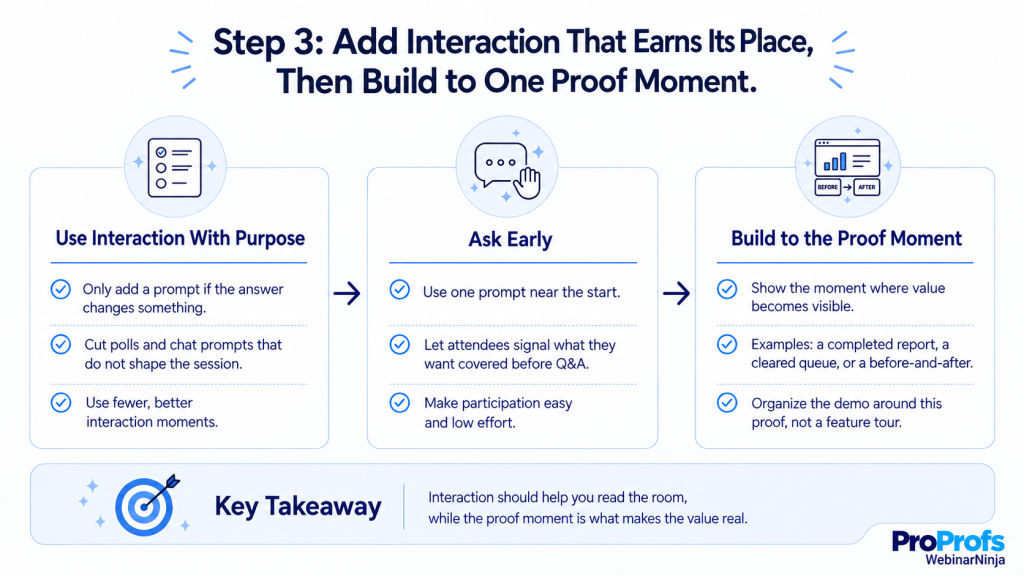
Only add a poll or prompt if you can say, in advance, what you’ll do differently depending on how people answer. If the answer is “nothing,” cut it.
- One prompt near the start, to understand who’s in the room.
- One way for attendees to signal what they want covered before Q&A opens.
Want to make your demo feel like a conversation instead of a presentation? See how to use polls, Q&A, and live interaction effectively.
WebinarNinja’s built-in polling and chat make both easy to set up without bolting on a separate tool.
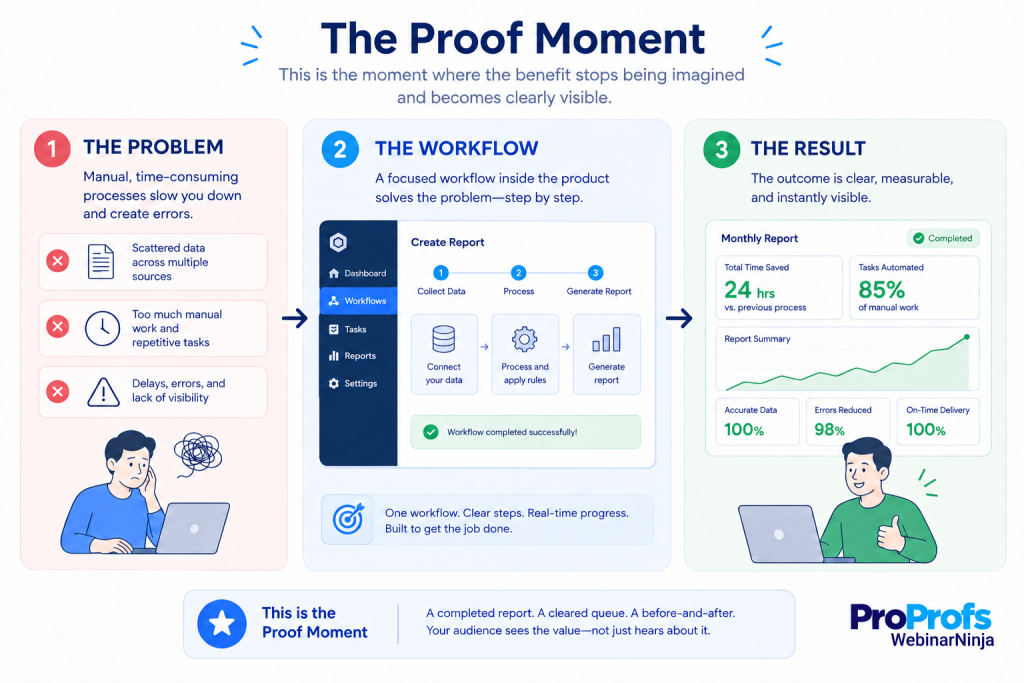
Then build toward one moment where the benefit stops being imagined and starts being seen: a completed report, a cleared queue, a before-and-after the audience can compare with their own eyes. This is the moment the rest of the demo exists to set up. If you can’t point to where it happens in your current run-through, the demo is still organized as a tour, not a proof.
Step 4: Close With One Next Step People Can Take Immediately
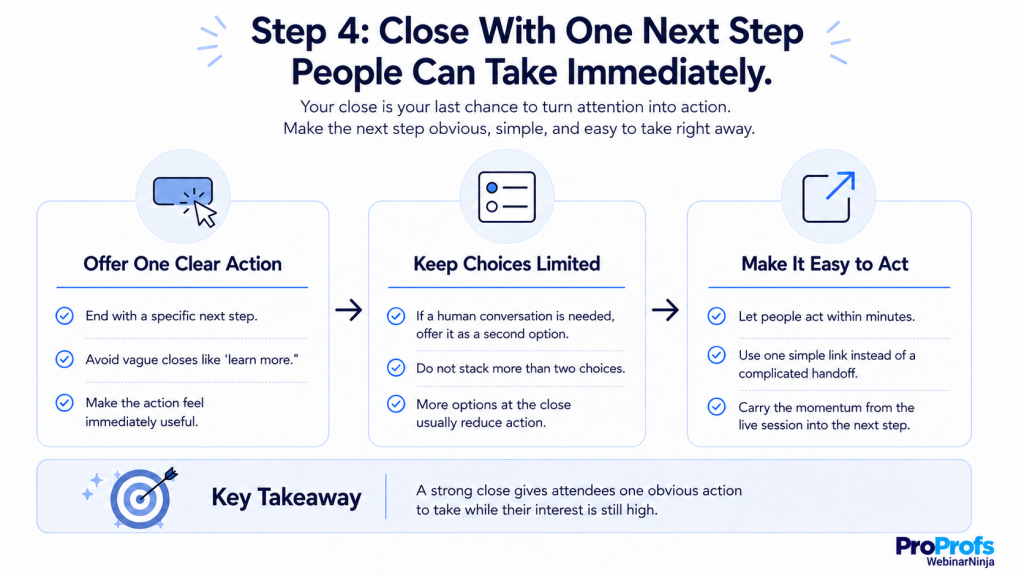
Close with a specific action, not a vague invitation to “learn more.” The strongest next step lets someone act on what they just saw within minutes, not after another round of scheduling.
- If your product genuinely needs a human conversation first, offer that as a second, lower-commitment option, not the only path.
- Avoid stacking more than two options at the close: more choices at this exact moment tend to reduce action, not increase it.
- A platform with built-in registration and checkout, like WebinarNinja, turns that next step into a single link instead of a redirect to a separate tool.
Step 5: Rehearse for Reliability, Then Give the Recording a Second Life
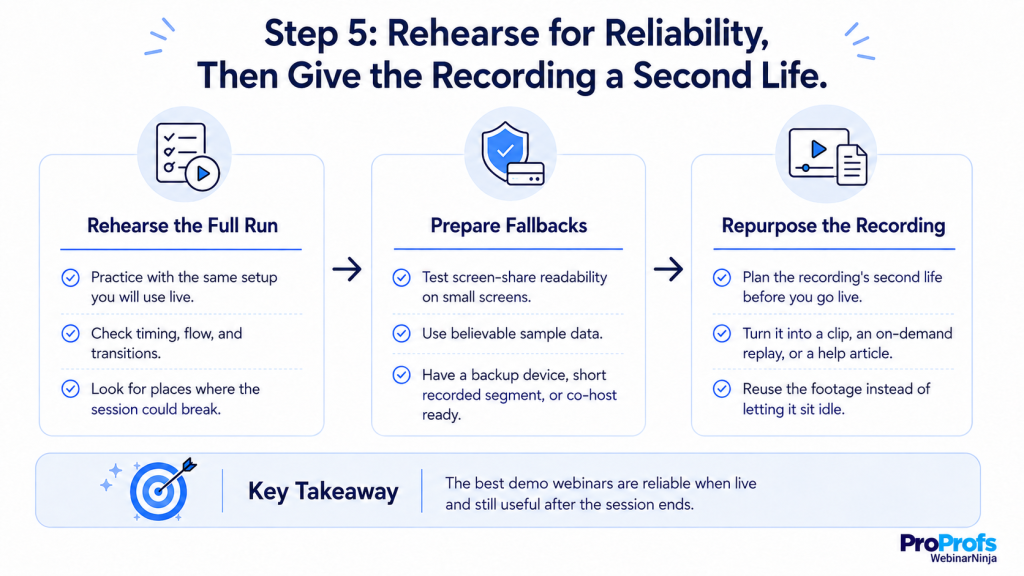
Run the full sequence at least once, using the same setup you’ll use live. The goal isn’t sounding polished; it’s finding out where the session breaks before an audience does. Look for what’s most likely to fail:
- A screen share that’s unreadable on a small device
- Sample data that looks obviously fake
- Timing that runs long once you factor in actually talking, not silently clicking
Have an honest fallback ready for the most likely failure: a backup device, a short recorded segment, or a co-host who can take over without missing a beat.
Then plan the recording’s second life before you go live. Decide in advance what you’ll do with it, a short clip for outbound, a timestamped on-demand version, or source material for a help article. WebinarNinja’s recording and replay tools capture every session automatically, so the only manual work left is deciding what to do with the footage.
Every one of those five steps assumes you’ve already picked a format, and that decision belongs earlier than most teams make it.
Ready to Build Your Product Demo Webinar?
Choosing the Right Format for the Job
Not every demo webinar should be live. The right format comes down to two things: how repeatable your workflow is, and how much real-time judgment the session actually needs. Getting this right is the first step in how to use webinars for product demos, because the format you choose influences everything that follows.
Live Webinar
Fits best when prospects are likely to raise specific, varied objections, pricing questions, integration concerns, or edge cases in their own data, since those benefit from a real-time, tailored answer. The trade-off is that live sessions can drift off track if questions aren’t managed intentionally. WebinarNinja’s live webinar format runs entirely in the browser, so attendees don’t need to download anything before asking a real-time question.
Automated Webinar
Fits when the core workflow is stable and doesn’t change much from prospect to prospect, and the goal is something that runs on a schedule without a host present for every session. The tradeoff: it can feel impersonal if there’s no way for a viewer to ask a question and get a real answer afterward. WebinarNinja’s automated webinar format covers this without needing a separate tool for the always-on version of the session.
Hybrid Webinar
Splits the difference: a pre-built, polished core walkthrough, followed by a live block for framing and questions. This suits teams who want consistency in the demo itself but still want a real person available for the parts that benefit from judgment. WebinarNinja supports this directly through its hybrid webinar format, so switching between formats doesn’t mean switching platforms.
Whichever format you choose, decide on it before you start building slides, not after, since the format determines how much of the session needs a live host to hold the room together.
Product Demo Webinar Planning Templates
A few reusable documents turn a one-off product demo webinar into a repeatable process, so you’re not starting from a blank page before every session.
Scoping Worksheet
Answer these before opening a slide deck:
- Who exactly this product demo webinar is for
- The one outcome they should believe is possible by the end
- The single workflow that proves it
- The two or three objections you’re most likely to hear
- The primary next step, plus a lower-commitment option for anyone not ready
Session Timing Map
A rough time budget for the product demo webinar, split into four blocks: opening and framing, the core workflow walkthrough, interaction and questions, and the close. Deciding this ahead of time is what stops a live session from quietly overrunning in whichever section happens to be going well that day.
Close-Out Line Bank
Three or four ready-made closing lines for a product demo webinar: one for attendees ready to act immediately, one for attendees who need a bit more convincing, and one for people watching the recording later who missed the live close entirely. Having these ready means never improvising the same close from scratch, session after session.
Making Interaction Actually Earn Its Place
Interaction gets added to webinars out of habit more often than out of purpose, a poll because polls are expected, a chat prompt because silence feels awkward. Neither helps unless the response changes something about how the session unfolds.
The more useful test is whether you can say, in advance, what you’ll do differently depending on how attendees respond. A poll about which problem is most painful right now is only worth running if you’re prepared to actually adjust your framing based on the result, live, in front of the room. A chat prompt only earns attention if you plan to read a few responses aloud and connect them to what you show next.
Held to that standard, most sessions need far fewer interactive moments than teams assume, one or two well-placed ones that genuinely shape the room, rather than a checklist of engagement features included because a platform makes them available.
Where Product Demo Webinars Win or Lose
Beyond the mechanics of building a single session, three checkpoints account for most of the variance in how well a demo webinar series performs over time.
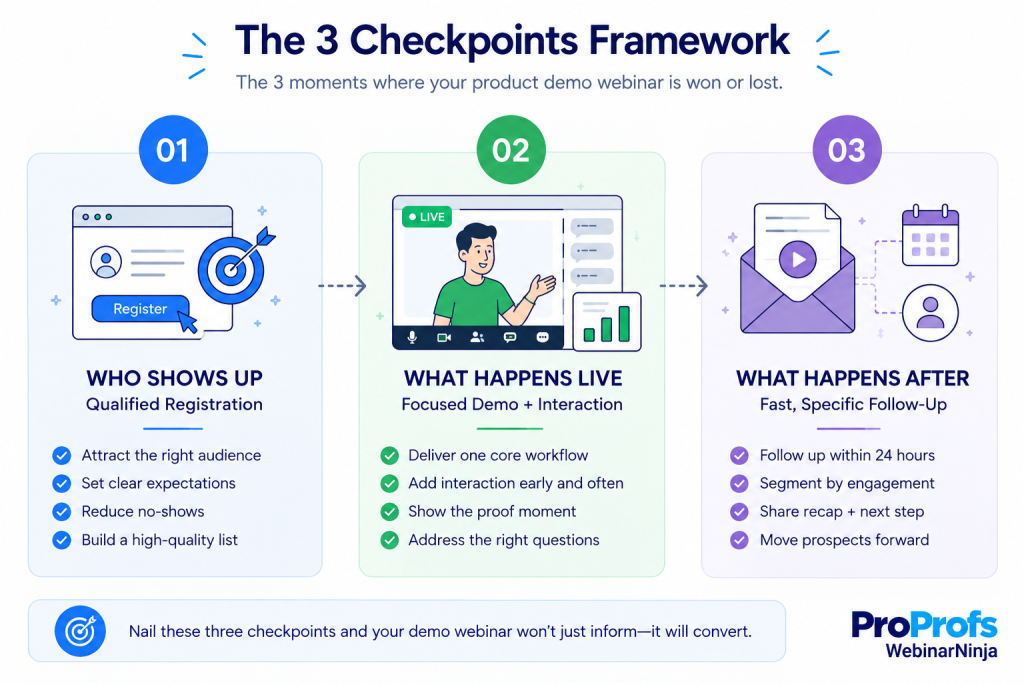
- Who’s on the list before you go live — a small, filtered audience with real intent consistently outperforms a large, unfiltered one
- How disciplined your pacing is during the session — not what you show, but how much you resist showing
- How fast and how specifically you follow up — the window between the session ending and your follow-up landing is where most pipeline is either captured or lost
The sections below go deeper on each.
Checkpoint One: Who’s on the List
A generic registration form (name, email, submit) fills seats without filtering for intent. Add one or two fields that actually tell you something, what they’re currently using to solve this problem, and roughly how big their team or account is. Both let you route attendees differently before the session even starts.
A demo webinar isn’t a webinar in the traditional sense. Once attendance climbs past a certain size, it becomes a broadcast, and broadcasts don’t convert the way small, interactive sessions do. If your list regularly exceeds 60-80 registrants, consider splitting into two smaller sessions rather than one large one.
Want more of the right people to actually show up? See how to improve both webinar registration and attendance.
Checkpoint Two: What Happens Once You’re Live
A useful rule of thumb: no more than 40% of total session time should be spent narrating the product itself. The rest splits across framing the problem up front, live interaction, and a focused close.
| Segment | Share of Total Time | Purpose |
| Framing the problem | ~15% | Establish why this matters before showing anything |
| Live product walkthrough | ~40% | Show the solution in action, not a full feature tour |
| Interaction and questions | ~30% | Chat, polls, live Q&A |
| Close and next step | ~15% | State one clear action, once |
The most common failure in a live demo isn’t a technical glitch; it’s scope creep. A presenter proud of the product wants to show it all, and that instinct works against conversion.
Checkpoint Three: What You Do in the Following 48 Hours
Not every attendee gets the same follow-up. At minimum, split it into three groups: attendees who engaged live, attendees who watched silently, and registrants who didn’t show up at all. Someone who asked a specific question deserves a reply that references it directly, while a no-show needs a message that assumes zero context.
Interest decays quickly once a session ends. A follow-up sent within the first 24 hours consistently outperforms one sent three or more days later, even when the content is identical.
The cost of waiting is well-documented outside webinars, too. A 2011 Harvard Business Review study that audited 2,241 U.S. companies found the average first response to a web-generated lead took 42 hours, and 23% of companies never responded at all.
Want to Fix What’s Costing You Webinar Conversions?
Metrics Worth Tracking at Each Checkpoint
A single demo webinar tells you very little on its own. The value appears when you compare session five against session one, mapped to the same three checkpoints above. This is what turns a single session into an answer for how to use webinars for product demos consistently, not just once.”
List-Building Checkpoint
Track the ratio of qualified registrants to total registrants, based on the intent-signal fields on your form. A shrinking ratio over time usually means your promotion has drifted toward a broader, less-qualified audience than the one your invitation was written for.
Live-Session Checkpoint
Track how long the median attendee stays, and where the steepest drop-off happens. A drop-off that consistently occurs within the same few minutes points to a specific pacing problem in that segment, not a general engagement issue.
Follow-Up Checkpoint
Track what share of attendees take your stated next action within 48 hours, split by whether they engaged live or watched silently. A large gap between those two groups is a signal to make live participation easier to opt into, not just available.
Product Demo Webinar Failures and Fixes
Most product demo webinar problems repeat themselves across teams, and each one traces back to a specific, fixable cause rather than bad luck. The table below matches five common symptoms to their actual causes.
| What you’re seeing | What’s usually causing it | What to try |
| Strong registration numbers, weak live attendance | The invitation promised something broad enough to attract low-intent signups | Add a qualifying field to registration, and make the reminder sequence restate the specific outcome, not just the time |
| Attendees stay, but chat stays silent | The audience wasn’t explicitly invited to participate, or the first prompt came too late | Open with a low-effort prompt in the first two minutes, something answerable in one word |
| One attendee’s question derails the session | Q&A was opened without any structure for prioritizing what gets addressed | Collect questions in chat throughout, then have attendees signal which one matters most before opening the floor |
| Trial signups spike right after the session but stall before activation | The demo proved the concept, but didn’t hand off a concrete first step inside the product itself | Make the CTA specific enough that the first 10 minutes after signup are already mapped out |
| Replay views are healthy, but replay-to-action conversion is near zero | A recording without a real entry point becomes passive video; the live urgency is gone | Pair every replay with a short, dated follow-up message and the same single CTA used live |
Stop Juggling Tools for Your Product Demo Webinar
Rather than evaluating webinar product demo tools by feature list, it’s more useful to ask what job each part of your stack needs to do across the three checkpoints above.
For the list-building checkpoint, you need a registration flow that supports custom qualifying fields without a separate landing page tool, syncing registrant data somewhere your team can use before the session starts.
For the live-session checkpoint, you need reliable browser-based hosting that doesn’t require attendees to download anything, plus built-in polling and chat.
For the follow-up checkpoint, you need automated, timed sequences that can branch by attendee behavior, rather than one generic email sent to everyone who registered.
Tool fragmentation is a real problem. Forrester’s event research found that 28% of large organizations use six or more event technology platforms, while only 20% have fully integrated their primary event platform with the broader sales and marketing stack.
Platforms like WebinarNinja are built to cover all three of these jobs from one account: registration, live hosting, and behavior-based follow-up, which matters most for teams currently stitching together a landing page tool, a separate webinar host, and a manual email sequence across three different logins.
A Self-Check: Is a Demo Webinar the Right Format for This Motion?
Score these four statements honestly before committing time to building a product demo webinar. The pattern in your answers indicates whether this is the right format or what to fix first if it isn’t.
| Statement | If mostly true | If mostly false |
| Prospects at this stage already understand the problem and are evaluating solutions | A demo webinar fits well | Consider top-of-funnel content instead; education comes before demo |
| Your product has one core workflow that represents most of its value | The session will have a clear spine | Narrow the scope to one workflow first, or the demo will feel scattered |
| You can commit to a follow-up within 24 hours of every session | Expect strong conversion from the format | Fix your follow-up process first, a great demo with a slow follow-up underperforms a mediocre demo with a fast one |
| Your deals close through a single-stakeholder, self-serve-friendly motion | A webinar can plausibly close the deal on its own | Treat the webinar as a qualifying step, not a replacement for a real conversation, in complex sales |
Ready to Run Your Product Demo Webinar?
The single biggest lever in a product demo webinar isn’t the polish of the session; it’s whether the right people showed up and whether you gave them one clear reason to act. A study by Forrester Consulting in 2023 found that most B2B marketers already lean on webinars for lead generation but struggle to turn that engagement into a pipeline, and the gap almost always traces back to one of the three checkpoints covered here: a poorly filtered list, an undisciplined live session, or a slow follow-up, not a weak demo script.
The next step is straightforward: pick one upcoming session, rebuild its registration form around a single qualifying question, and commit to sending a follow-up within 24 hours before you run it again.
If registration, live hosting, and follow-up currently live in three separate tools, that’s worth fixing before the next session, too. Platforms like WebinarNinja handle all three from a single account, so the only thing left to prepare is the demo itself.
Frequently Asked Questions
How often should a team run a recurring product demo webinar?
Weekly or biweekly tends to work well for teams with consistent inbound interest, since it gives prospects a short, predictable wait rather than an open-ended one. Lower-volume teams can run monthly sessions without losing momentum, as long as the invitation list stays qualified.
What's the ideal length for a product demo webinar?
Thirty to forty-five minutes covers most demos without losing the room. That leaves roughly eighteen minutes for the actual product walkthrough once framing, interaction, and the close are accounted for, which is why one tight workflow beats a feature tour every time.
Does a product demo webinar entirely replace one-on-one sales calls?
For self-serve or low-complexity products, often yes. For deals involving multiple stakeholders or custom requirements, it works better as a qualifying step to filter and warm prospects before a more tailored one-on-one conversation.
How much should a demo webinar cost to produce?
Cost is driven more by planning time than by equipment. A clean webcam, a decent microphone, and a stable connection cover the technical baseline; the higher cost is the time spent narrowing the audience and workflow correctly before the first session.
Do attendees need to download software to join a product demo webinar?
Should the same person always host the demo?
Not necessarily. Rotating hosts can keep a recurring series from feeling repetitive, as long as every host works from the same framework and follow-up process, so quality doesn't drift session to session.
What's the best day and time to schedule a product demo webinar?
Midweek mornings, typically Tuesday through Thursday between 10 a.m. and 2 p.m. in the audience's primary time zone, consistently draw stronger attendance than Monday or Friday slots. Test your own list before locking in a recurring time, since audience habits vary more by industry than by general benchmark.
What's a reasonable attendance rate to expect?
This varies by industry and list quality, but a well-qualified, well-reminded list typically sees a meaningfully higher show-up rate than a broad, unfiltered one. Track your own baseline over a few sessions rather than benchmarking against an industry-wide number.
Should a product demo webinar be free to attend?
Almost always, yes. A product demo webinar's job is to move a qualified prospect toward a decision, not to generate revenue on its own, so a paywall before registration filters out exactly the volume the format depends on. Save monetization for paid training or course content instead.
Can a recorded demo webinar work as well as a live one?
It serves a different purpose well, reaching people who couldn't attend live, but it converts differently. A recording without a live host loses the read-the-room adjustments and real-time objection handling that make live sessions convert as strongly as they do, so pair recordings with a clear, timed follow-up rather than leaving them to stand alone.
Does a demo webinar platform need to integrate with our CRM?
Yes, if follow-up speed matters, and it usually does. Without a direct sync, registrant and attendance data have to be moved manually before a rep can act on them, which adds hours to the very window where speed determines most outcomes. WebinarNinja'sbuilt-in CRM integrations automatically sync that data, so follow-up sequences can start the moment a session ends.
Do you need a separate landing page tool, or can the webinar platform handle registration?
A platform built for this shouldn't require a separate landing page tool. WebinarNinja includes customizableregistration pages, automated reminder emails, and built-in checkout, so a qualifying question can be added to the same form that captures the signup, without stitching together a second tool just for that page.
Want to host a webinar for free?
Use WebinarNinja to teach, improve marketing, and grow your sales.