82% of buyers rate an immediate response as important or very important when they have a marketing or sales question, and today “immediate” means 10 minutes or less, according to HubSpot’s research on buyer response expectations.
Now think about the last webinar you registered for.
Chances are it didn’t start in 10 minutes. It started three days later, at a time that may or may not have worked for your schedule.
That gap between “I just signed up” and “the content actually shows up” is where most webinar funnels quietly bleed leads.
Just-in-time webinars close that gap entirely.
This guide walks through what just-in-time webinars (JIT webinars) actually are, why they consistently outperform the fixed-date approach, and the exact steps to build one, whether you’re running demos, coaching pitches, or client education sessions.
No fluff. Just the build.
What Are Just-in-Time Webinars?
Here’s what that actually looks like in practice, and where the idea came from.
Three Things Every Just-in-Time Webinar Has in Common
This is your checklist for spotting the real thing versus a scheduled webinar wearing a disguise.
- Registration is the trigger, not a calendar. The session starts because someone signed up, not because it’s Tuesday at 2 PM.
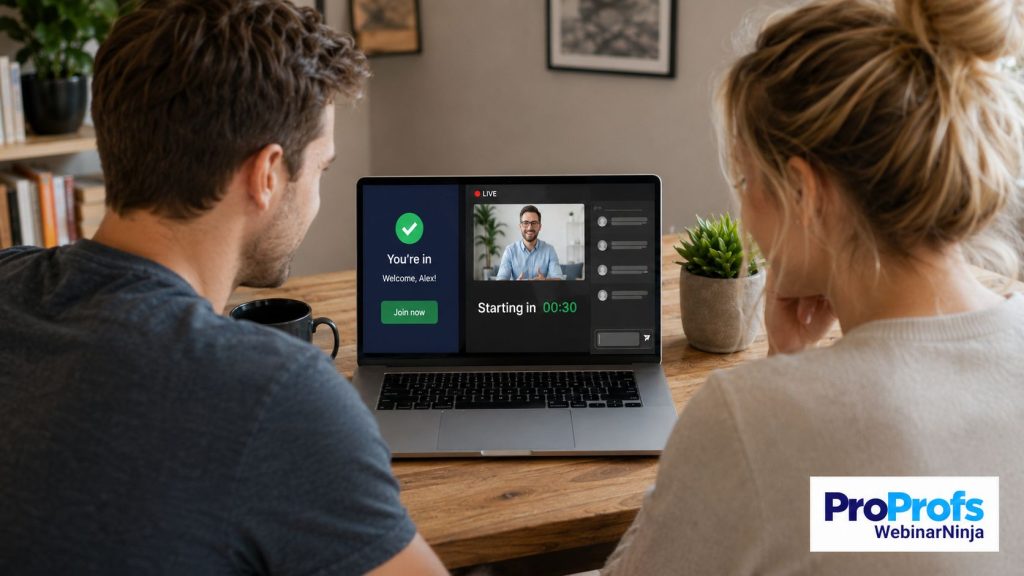
- It’s built to feel live. Countdown timers, a “starting soon” waiting room, and timed chat replays create the illusion of a live event happening in real time.
- It runs at any hour without penalty. A registrant at 2 AM gets the same near-instant experience as one at 2 PM, regardless of time zone.
The Just-in-Time Manufacturing Origin Behind the Name
The term borrows directly from just-in-time manufacturing, a system where materials arrive exactly when a factory line needs them instead of sitting in a warehouse.
Apply that same logic to webinar delivery, and the content shows up exactly when your audience asks for it, not before, not three days later.
The One Setting That Turns Automated Into Just-in-Time
Set your automated webinar’s trigger to “on registration” instead of a fixed date, and you’ve built a JIT webinar. That’s the entire technical difference.
Compare that to a platform built around fixed replay slots, like some of the best evergreen webinar platforms on the market, and the gap becomes obvious: evergreen keeps the webinar alive indefinitely, but only a true JIT trigger keeps the wait time near zero for every single registrant.
The recording doesn’t change. The delivery timing does.
How to Create a Just-in-Time Webinar
This is the part that matters most: the actual build.
Follow these six steps in order, and don’t skip the testing step at the end, no matter how confident you feel.
Step 1: Record Content That Doesn’t Know What Day It Is
Do this before you touch any software.
- Cut any line that references “today,” “this morning,” or a specific day of the week.
- Write and deliver the script as if it’s being watched for the first time, every time, regardless of when that happens.
- Keep total runtime between 20 and 45 minutes. Anything longer loses steam fast without a live host to re-energize the room.
Step 2: Choose a Platform With a Genuine Instant-Access Trigger
Do this before you build a single registration page.
- Confirm the platform has a “Watch Now” or “on registration” trigger option, not just a scheduled replay disguised as automation.
- Check that the same platform also handles registration pages and email sequencing natively, so you’re not duct-taping three separate tools together by lunchtime.
- If you’re comparing options, run a shortlist against a roundup like this list of best automated webinar platforms before committing to one, since instant-access support varies more between tools than most buyers expect.
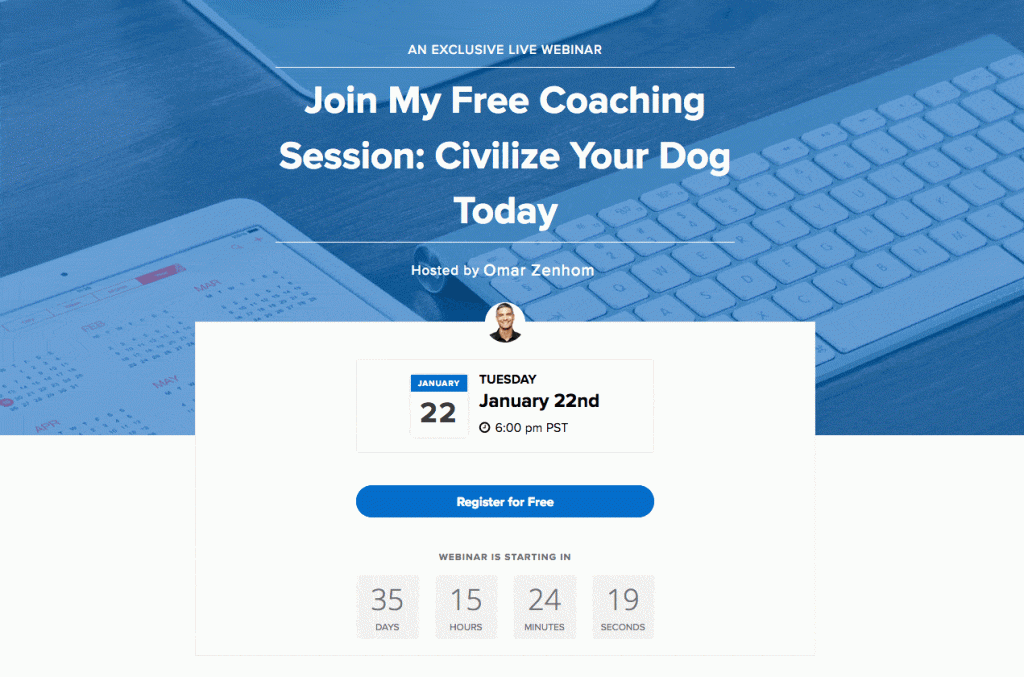
And you can find all of these features easily in an AI webinar creator like WebinarNinja. It bundles registration pages, email sequences, payment gateways, and much more.
Step 3: Set Your Delivery Window
Do this as soon as your platform is selected.
- Set the delay to somewhere between 1 and 15 minutes after registration.
- Default to under 10 minutes if you’re unsure. Shorter windows consistently hold attention better than longer ones.
- Add a short countdown screen during this gap so your confirmation email has time to land in the registrant’s inbox before the session starts.
Step 4: Rewrite Your Registration Page Around Urgency, Not Dates
Do this before you send a single click of traffic.
- Replace “Register for Thursday” with “Watch it right now.”
- Since there’s no date to sell, your headline and subhead need to carry the entire urgency argument on their own.
- Build the page inside a platform with a native landing page builder, so the offer and the delivery mechanism live in one place rather than two disconnected tools.
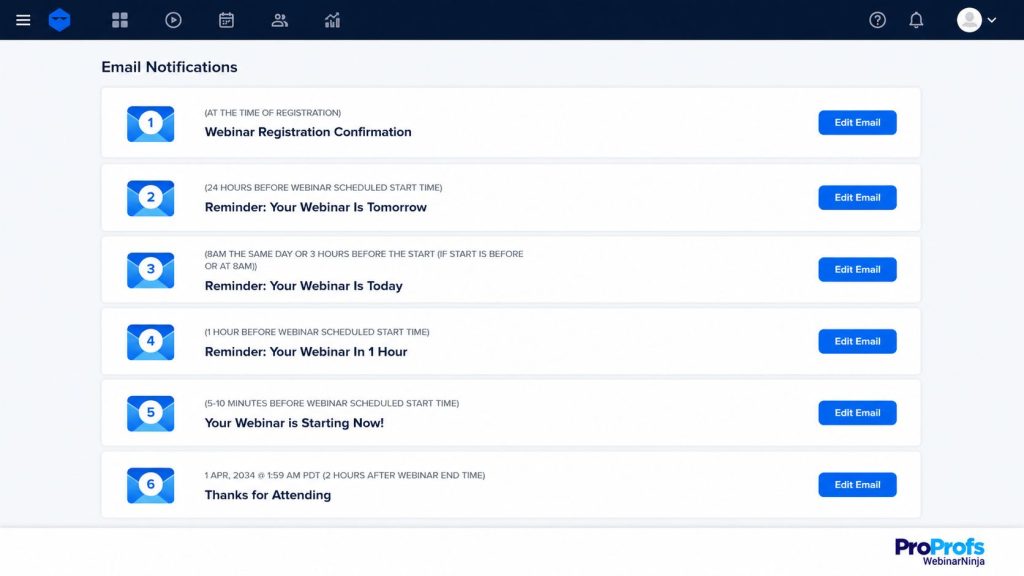
Step 5: Automate Follow-Up Around Watch Behavior, Not a Single Event
Do this immediately after your registration page goes live.
- Build three separate email paths: “watched fully,” “dropped off early,” and “registered but never watched.”
- Stop sending one generic post-event blast to everyone, since JIT registrants show up throughout the day rather than in one batch.
- This is exactly where most of your webinar lead generation actually converts into pipeline, so give this step real attention instead of treating it as an afterthought.
Step 6: Test the Entire Path Like a Stranger Would
Do this before you send any real traffic to the offer.
- Register with a fresh email address you don’t normally use, and sit through the whole experience end-to-end.
- Confirm that offers, polls, and chat timestamps trigger correctly when driven by registration time rather than a fixed clock.
- Repeat this test at two different times of day, since JIT bugs often only show up outside standard business hours.
Looking to launch your own just-in-time webinars or automated webinars? Take this 30-day Automated Webinar Challenge with Omar and learn skills to get better outcomes:
Just-in-Time Webinars vs Scheduled and Live Webinars: Which One Fits You?
Not every webinar should be instant. Use this table to figure out which format actually fits your next session before you build anything.
| Factor | Just-in-Time Webinar | Scheduled Automated Webinar | Live Webinar |
| Starts | 1 to 15 minutes after registration | Fixed date and time | Fixed date and time |
| Needs a host live | No | No | Yes |
| Feels live to the viewer | Yes | Only at showtime | Yes, genuinely |
| Time zone friction | None | High | High |
| Best for | Demos, consultations, high-intent traffic | Launches, recurring promotions | Panels, deep Q&A, training |
| Setup effort after recording | Minimal | Minimal | N/A |
A Simple Rule for Picking JIT, Scheduled, or Live
Run through this quick logic before you commit to a build:
- Choose just-in-time when your traffic is high-intent and self-serve, like demo requests or consultation sign-ups.
- Choose scheduled automated when you’re promoting a specific launch date and want registrants to anticipate it.
- Choose live when real-time interaction, audience Q&A, or a guest panel is the actual point of the session, the same way a genuine live webinar format is built to handle real-time back-and-forth that no recording can replicate.
Where Single-Purpose JIT Tools Start to Fall Short
A handful of platforms built their entire product around the JIT toggle and little else.
That’s fine if instant-start automated webinars are genuinely the only thing you’ll ever run.
It gets expensive and clunky the moment you also need live sessions, a landing page builder, and CRM-connected email sequences, because now you’re stitching together three separate tools instead of running one.
That’s exactly why an all-in-one webinar tool like WebinarNinja is worth having instead of a single-purpose JIT toggle. It folds the instant-access trigger into the same place as your live sessions, landing pages, and email sequences, so nothing sits outside the system.
It also means the software can do more than just start the webinar on time. It can help write your registration headlines, sharpen your pitch against proven conversion frameworks, and keep viewers engaged by answering repeat chat questions on its own.
Once the session wraps, the same platform can turn that recording into blog posts, follow-up emails, and social snippets without you touching a fourth tool.
How Just-in-Time Webinars Help Better Conversions
Speed to content matters more than most marketers give it credit for. Here’s the case for treating delay as a conversion killer, backed by real numbers.
Every Hour of Delay Costs You Attention and Leads
A visitor who registers at midnight is frequently your hottest lead of the entire week. They searched, they found you, they took action.
Ask that same person to wait 72 hours, and you’re relying on them to still be interested, still remember, and still not have booked a demo with a competitor in the meantime.
Treat every hour of delay as a small tax on your conversion rate, because that’s exactly what it is.
Why One Fixed Time Slot Fails a Global Audience
A single fixed webinar slot, say 10 AM EST, works well for one region and poorly for everyone else.
Attendees in Europe get an awkward evening slot. Attendees in Asia-Pacific get the middle of the night. JIT webinars sidestep this entirely because the session starts on the registrant’s own clock, not yours.
The Numbers Behind Why On-Demand Is Winning
Set your expectations using real numbers instead of gut feel. Statista’s survey of U.S. marketers found that 52% prefer a mix of live and on-demand formats, and another 29% lean toward on-demand alone.
That means over 80% of marketers surveyed are already comfortable skipping the fixed calendar slot altogether.
If you’re building a case internally for testing this format, tie it back to your existing lead generation numbers rather than a generic industry average. Your own funnel data will make a far stronger argument than a third-party stat ever could.
Three problems are specifically solved when you make this switch:
- Cooling interest. Every hour of delay gives distractions, competitors, or plain forgetfulness more time to work against you.
- Time zone friction. A single fixed slot cannot serve a global audience fairly. JIT removes the need to even try.
- Attendance decay. The longer the wait between registration and delivery, the more registrants disappear before showtime.
Before we move forward, here’s a quick video on automated webinars that will help you pave your way forward:
Common Mistakes That Quietly Kill Just-in-Time Webinars
Even experienced marketers trip on these. Fix each one before it costs you registrations.
- Delivery window set too long. Anything past 15 minutes stops feeling instant and starts feeling like a scheduled webinar wearing a disguise. Fix it by dropping the window to under 10 minutes and watching attendance improve.
- Date-specific language left in the recording. Nothing breaks the illusion faster than hearing “today is Wednesday” on a Saturday. Fix it by re-recording the intro with fully timeless language.
- One static registration page for everyone. Urgency-based copy and date-based copy convert differently. Fix it by running both as an A/B test for two weeks.
- Ignoring the follow-up split. Treating a full watcher the same as a five-minute dropout wastes a real segmentation opportunity. Fix it by building the three-path sequence described in Step 5.
- Forgetting mobile viewers. A large share of midnight, high-intent registrants are on their phones. Fix it by testing the entire registration-to-playback flow on mobile first, not last.
In Which Situations Do Just-in-Time Webinars Work Best?
JIT is a scalpel, not a sledgehammer. This section, and the training and coaching workflows you can train and communicate through alongside it, will help you confirm fit before you invest time building one for a use case that doesn’t need it.
| Use Case | JIT Fit | Why |
| SaaS product demo | Strong | Buyers are comparing tools right now, and delay hands them to a faster competitor |
| Coaching or consulting pitch | Strong | High emotional intent at sign-up cools fast if it has to wait |
| Real estate buyer education | Strong | Prospects often register outside standard business hours |
| Financial or legal education | Moderate | Great for evergreen topics, less ideal when live compliance Q&A matters |
| Internal employee training | Weak | Cohort timing and manager tracking usually matter more than instant access |
| Multi-speaker panel | Weak | The format depends on live back-and-forth between hosts |
A Three-Question Checklist to Confirm JIT Fits Your Offer
Run through this short checklist before committing:
- Does your traffic register with high intent already in place, like a demo request or consultation booking? JIT fits well.
- Does your offer benefit from a paid next step immediately after the webinar? Coaches and consultants often pair a JIT session with a course or program, and platforms with something like CourseNinja built in make that transition from webinar to paid offer far less clunky.
- Does the session depend on live audience interaction to work at all? If yes, keep it live instead of automating it.
Ready to Run Your First Just-in-Time Webinar?
Attention doesn’t wait around, and neither should your webinar delivery.
The single biggest shift you can make this week: close the gap between “I’m interested” and “I’m watching” to minutes instead of days, and your existing traffic will start converting better without a single extra dollar spent on ads.
Take one webinar you’ve already recorded, flip its trigger from a scheduled date to on registration, and run it for two weeks before you build anything new from scratch.
If you’re setting this up for the first time, look for a platform that treats the instant-access trigger, the registration page, and the follow-up automation as one connected system rather than three separate purchases. WebinarNinja bundles all three into its standard automated webinar setup, so building your first just-in-time webinar doesn’t turn into a weekend project.
Your future self and your conversion rate will thank you.
Frequently Asked Questions
What does JIT stand for in webinar marketing?
JIT stands for "just-in-time," a term borrowed from manufacturing where materials arrive exactly when a factory needs them instead of sitting in storage. Applied to webinars, it describes an automated session that begins the moment someone registers rather than waiting for a fixed date on a calendar. The core idea in both cases is the same: eliminate the gap between demand and delivery.
Is a just-in-time webinar the same as an evergreen webinar?
Not quite, and the distinction matters when you're choosing software. Evergreen simply describes a webinar that runs indefinitely without a defined end date, often on a recurring schedule throughout the week. Just-in-time describes how quickly the session starts after someone signs up. A webinar can be evergreen and scheduled, evergreen and just-in-time, or any combination of the two, so check both settings separately when configuring one.
How long does someone typically wait before a JIT webinar starts?
Most platforms allow you to set a delivery window anywhere from 1 to 15 minutes after registration. Shorter windows, especially anything under 10 minutes, tend to hold attention better because the registrant hasn't had time to get distracted or navigate away. If you're unsure where to start, default to a 5-to-7-minute window and adjust based on your own attendance data after a few weeks.
Can you run polls and Q&A in a webinar that's technically pre-recorded?
Yes. Timed polls and simulated chat messages replay at the right moment in the recording to mimic live engagement, and viewers can still submit genuine questions through a live chat or Q&A box. Those real questions typically route to your email or dashboard so you can follow up personally afterward, which often becomes a stronger touchpoint than a live Q&A session buried in a large group call.
How do you promote a webinar that doesn't have a fixed date?
Sell instant access instead of a date. Swap "Register for Thursday's session" for "Watch it in the next few minutes," since the entire value proposition now rests on speed rather than anticipation. This is a copy change more than a technical one, and it's worth testing both approaches against each other before settling on the final registration page copy.
Does using a JIT trigger hurt SEO on the registration page?
No. Search engines crawl and index the page content itself, not the mechanism deciding when the webinar plays behind the scenes. A JIT registration page can rank exactly the same way any other landing page ranks, provided it follows standard on-page SEO practices like clear headings, fast load times, and relevant keyword placement.
Can you A/B test a just-in-time webinar?
Yes, and you generally should. Registration page copy, the length of the delivery window, and the structure of your follow-up email sequence can all be tested independently of the recorded content itself. Most teams see the biggest lift from testing registration page headlines first, since that's where urgency-based copy tends to make the largest difference.
Is a JIT webinar better than a live webinar for lead generation?
It depends heavily on the type of traffic you're sending to it. High-intent, self-serve audiences like demo requesters and consultation seekers usually convert better with a JIT format because they want the content immediately. Live webinars still win when real-time interaction, guest credibility, or the promotional buzz of a scheduled event date genuinely matters to your audience.
What's the difference between "just-in-time" and "right on time" webinars?
Just-in-time starts within minutes of registration, timed entirely to the individual visitor's clock. Right on time, a term used by a few platforms, runs fixed recurring slots throughout the day instead, closer to a simulated broadcast schedule than true on-demand delivery. If your goal is true instant access with zero waiting, confirm which model a platform actually uses before assuming they're interchangeable.
How much does setting up a JIT webinar typically cost?
Pricing varies by platform and audience size, but the instant-access trigger itself is usually included as a standard configuration option inside existing automated webinar plans rather than sold separately as an add-on feature. Budget for your regular webinar software cost and treat the JIT setting as a free bonus, not an extra line item.
Which businesses benefit most from switching to JIT webinars?
Coaches, consultants, SaaS companies running product demos, and real estate or financial services teams tend to see the biggest lift, since their prospects typically register at the exact moment they're actively evaluating a decision. Businesses running scheduled cohort training or internal onboarding usually see less benefit, since those use cases depend more on group timing than individual speed.
Do JIT webinars work for training content as well as sales pitches?
Yes, particularly when the training is meant to be consumed the moment someone actually needs it rather than on a fixed schedule. This is part of why on-demand webinar software has shifted from a nice-to-have feature to a standard expectation across most webinar platforms, regardless of whether the content is used for sales, onboarding, or internal education.
Want to host a webinar for free?
Use WebinarNinja to teach, improve marketing, and grow your sales.