Matthew Tang is a highly skilled eLearning consultant with 20+ years of experience in delivering exceptional learning products. He has taught students in public schools and online, led online education ... Read more
Matthew Tang is a highly skilled eLearning consultant with 20+ years of experience in delivering exceptional learning products. He has taught students in public schools and online, led online education for a Fortune 50 company, partnered with university researchers to pioneer new learning technologies, and delivered expert learning solutions to clients of all sizes. With a genuine passion for helping individuals succeed and reach their academic or business goals, Matthew continually improves and innovates educational technology solutions, making him a trusted authority in eLearning. Read less
WebinarNinja Editorial Team is a diverse group of professionals passionate about webinars, sales, and marketing. We update you on the latest trends, dive into technical topics, and offer insights to elevate your business.
WebinarNinja Editorial Team is a diverse group of professionals passionate about webinars, sales, and marketing. We update you on the latest trends, dive into technical topics, and offer insights to elevate your business.
Most registrants skip live sessions—on-demand webinars turn a single event into evergreen content that keeps attracting, engaging, and converting viewers long after the broadcast ends.
Choose an on-demand platform blending live, automated, and hybrid formats—with landing pages, email sequences, analytics, and interactivity—so replays sustain engagement and conversions comparable to live.
Match your platform choice to event size, funnel complexity, and audience habits—prioritize automation, replays, and integrations to maximize reach, maintain engagement, and streamline post-webinar follow-up.
I still remember the first time I used on-demand webinar software. 🎥
It was for a launch event, and I was stressed about getting all the attendees to show up live.
Spoiler alert: most of them didn’t. 😬
But with the on-demand option, I turned that live session into a resource that kept working for me long after the event was over.
That’s the magic of automated, evergreen, or on-demand webinars🌍🙌
But which automated webinar tool delivers the best results? Let me help you!
Here, I’ve brought together a list of some of the best on-demand webinar tools I’ve used over nearly a decade of creating webinars.
Let’s get started.
8 Best On-Demand Webinar Tools & Software
Here is a list of some of the most popular on-demand webinar software in the market.
Tool
Best Use Case
Starting Cost
WebinarNinja
Best Webinar Software to Generate Leads, Grow Sales, and Teach Better
Available as a paid add-on, starting at $40/month.
Now, let’s take a detailed look at these on-demand webinar tools, along with their pros, cons, and pricing, to help you better understand them.
1. WebinarNinja
Best Webinar Software to Generate Leads, Grow Sales, and Teach Better
When I need an all-in-one platform to run webinars, WebinarNinja is my go-to, especially because it’s a fantastic on-demand webinar tool. It allows me to easily create evergreen webinars that are always available for viewing without being there live.
Its seamless integration of live, automated, and hybrid webinars makes it perfect for teaching and selling simultaneously. I can set up landing pages, automated email follow-ups, and even sell products during the session.
Plus, the built-in engagement tools, such as polls, Q&A, and chat, keep my audience engaged whether I’m there live or they’re watching the recorded version.
WebinarNinja is built for more than hosting; it powers your entire on-demand webinar funnel. From the registration landing page through to behavioral email automation triggered by viewer actions (watched 50%, clicked a CTA, dropped off), every touchpoint is covered.
Its CRM integration with HubSpot and ConvertKit means attendee data flows directly into your pipeline. You can track webinar engagement rate, monitor video completion rates, and identify webinar drop-off analysis by section, giving you the data to optimize every replay for a higher webinar CTA conversion rate.
This makes WebinarNinja one of the few platforms that treat an on-demand webinar as a living, evergreen, optimizable video funnel rather than a static recording.
What You Will Like:
WebinarNinja offers a seamless user interface that makes it easy to create and host a webinar, even for beginners.
Easy integration with popular CRM and marketing tools such as HubSpot and Mailchimp enables streamlined email marketing and contact management.
Its analytics dashboard provides detailed webinar stats, including engagement rates, attendee retention, and drop-off points.
There’s an option to add automated email sequences that notify attendees before, during, and after the webinar.
It allows you to record your webinars automatically, and you can access or share them with ease.
What You May Not Like:
No downloadable or on-premise version.
A dark user interface option is not available.
Pricing: A FREE 14-day trial is available. Paid plan starts at $0.30/attendee/month (includes CourseNinja worth $1200).
Case Study:
Check out how WebinarNinja’s ease of use allowed Pacific World Institute to conduct & record sessions seamlessly
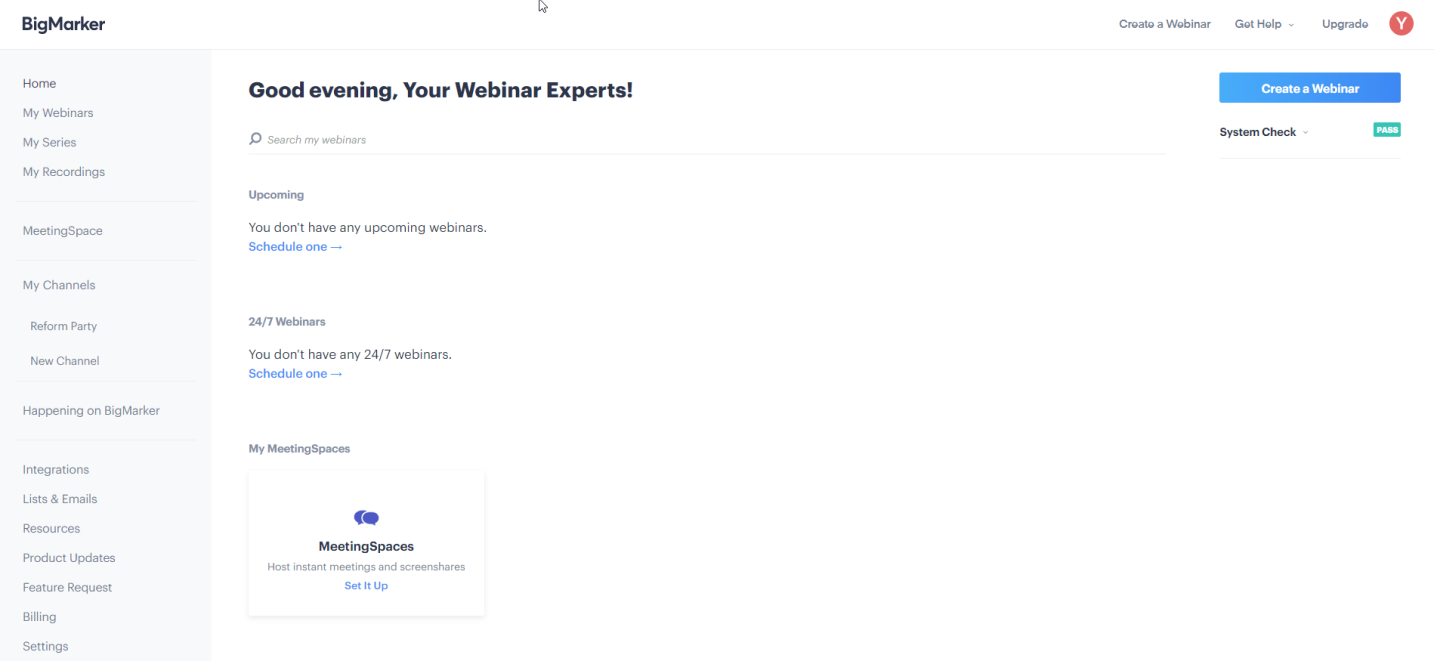
BigMarker is my go-to for hosting large, interactive events, and its on-demand webinar capabilities make it stand out even more. The platform allows me to record live events and easily convert them into on-demand webinars, maintaining the high level of interactivity it is known for.
Whether I’m hosting workshops, conferences, or training events, attendees can revisit the sessions on demand, with all the engagement tools, polls, Q&A, and breakout rooms intact.
The customization of virtual event spaces and integration with marketing tools make it a top choice for anyone looking to host both live and on-demand events with ease.
What You Will Like:
BigMarker offers powerful video conferencing features with high-definition video and no downloads required for attendees.
It supports up to 10,000 attendees, making it ideal for large-scale webinars.
Users can create branded landing pages, which help to maintain a consistent visual identity.
It features in-depth analytics to track registration, engagement, and performance metrics.
The platform includes multiple interaction tools, such as polls, surveys, and Q&A, which enhance audience engagement.
What You May Not Like:
Advanced customizations for automation sequences require more technical knowledge than some users might expect.
Customer support, while available, may sometimes have slower response times, especially on lower-tier plans.
Pricing: Starts at $99/month.
3. EverWebinar
Best for Simple Automated Webinars
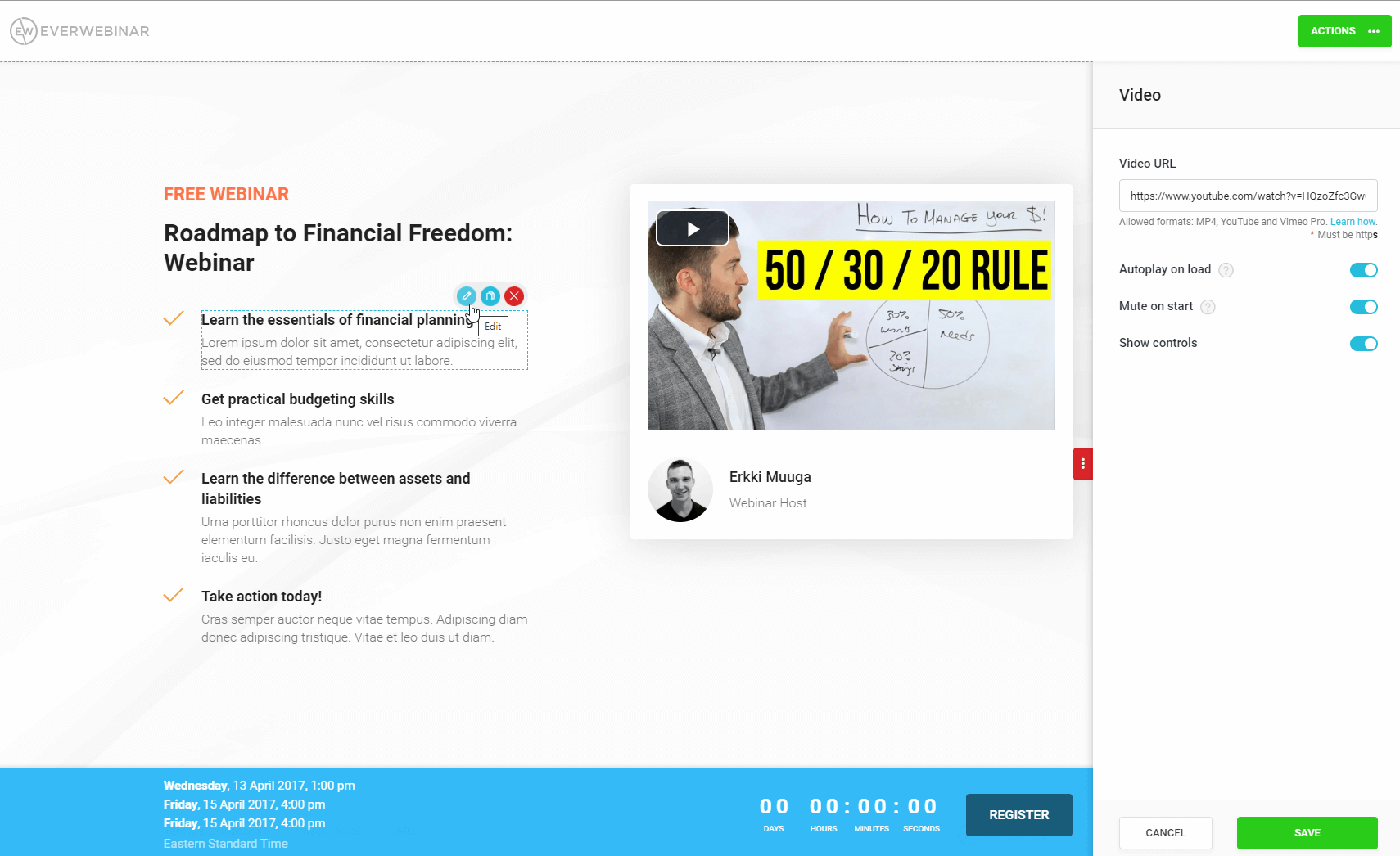
EverWebinar has always been my top pick when I need to create simple automated webinars. The platform makes it incredibly easy to create live events with simulated chat and interactive polls. I appreciate the flexibility to schedule webinars at specific times or make them available on-demand.
The automation tools, too, are simple yet powerful. They automate everything from email reminders to mimicking interactive elements, making the experience feel interactive even though it’s pre-recorded.
EverWebinar’s focus on on-demand webinars means that once it’s set up, you can let the system run on autopilot while continuing to generate leads.
What You Will Like:
The platform offers detailed scheduling flexibility, letting you select specific time zones and run webinars in sequence.
It includes advanced analytics that helps track webinar performance, from attendance to conversions.
Attendees can experience “real-time” chats even during pre-recorded webinars, giving the event a live feel.
EverWebinar supports the integration of marketing tools like ActiveCampaign and AWeber, simplifying email marketing efforts.
You can add scarcity features, such as countdown timers, which enhance conversion rates.
What You May Not Like:
The tool lacks features for hosting live webinars, limiting its versatility compared to other platforms.
Customization for registration pages is limited, leaving less room for branding adjustments.
Pricing: Starts at $99/month.Billed monthly.
4. EasyWebinar
Best for Hybrid Events
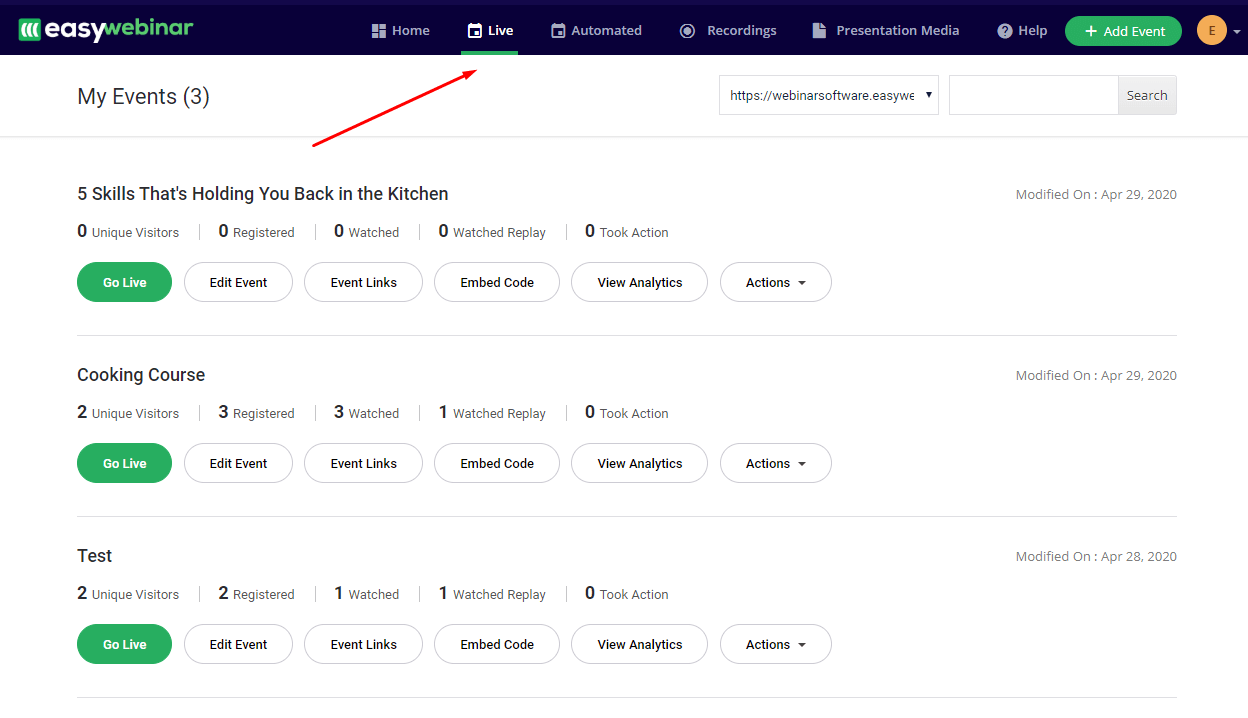
For hosting hybrid events, EasyWebinar has been a game-changer for me, and its ability to offer both live and on-demand options makes it incredibly versatile. I love how I can switch between live video and pre-recorded segments, which allows for a seamless transition between live engagement and automated content.
EasyWebinar’s on-demand feature is perfect for attendees who couldn’t make the live event. It allows them to access the content afterward. This feature is especially useful for larger events or complex marketing funnels where the combination of live and on-demand flexibility is key.
Its integration with marketing tools means I can track and follow up with leads even after the event has ended.
What You Will Like:
The tool supports multi-presenter webinars, making it easy to host interviews or panel discussions.
You can run high-quality HD video webinars with minimal latency, ensuring a smooth experience for attendees.
Attendees can join webinars directly through their browser without needing to download any software.
EasyWebinar allows for detailed audience segmentation, helping you target follow-up emails more effectively.
Users can create recurring webinars, which helps keep content accessible without manually managing schedules.
What You May Not Like:
The platform does not offer in-depth customization for webinar landing pages or thank-you pages.
It lacks built-in CRM tools, meaning users will have to rely heavily on third-party integrations.
Pricing: Starts at $80/month/host. Billed monthly.
5. eWebinar
Best for Onboarding Webinars
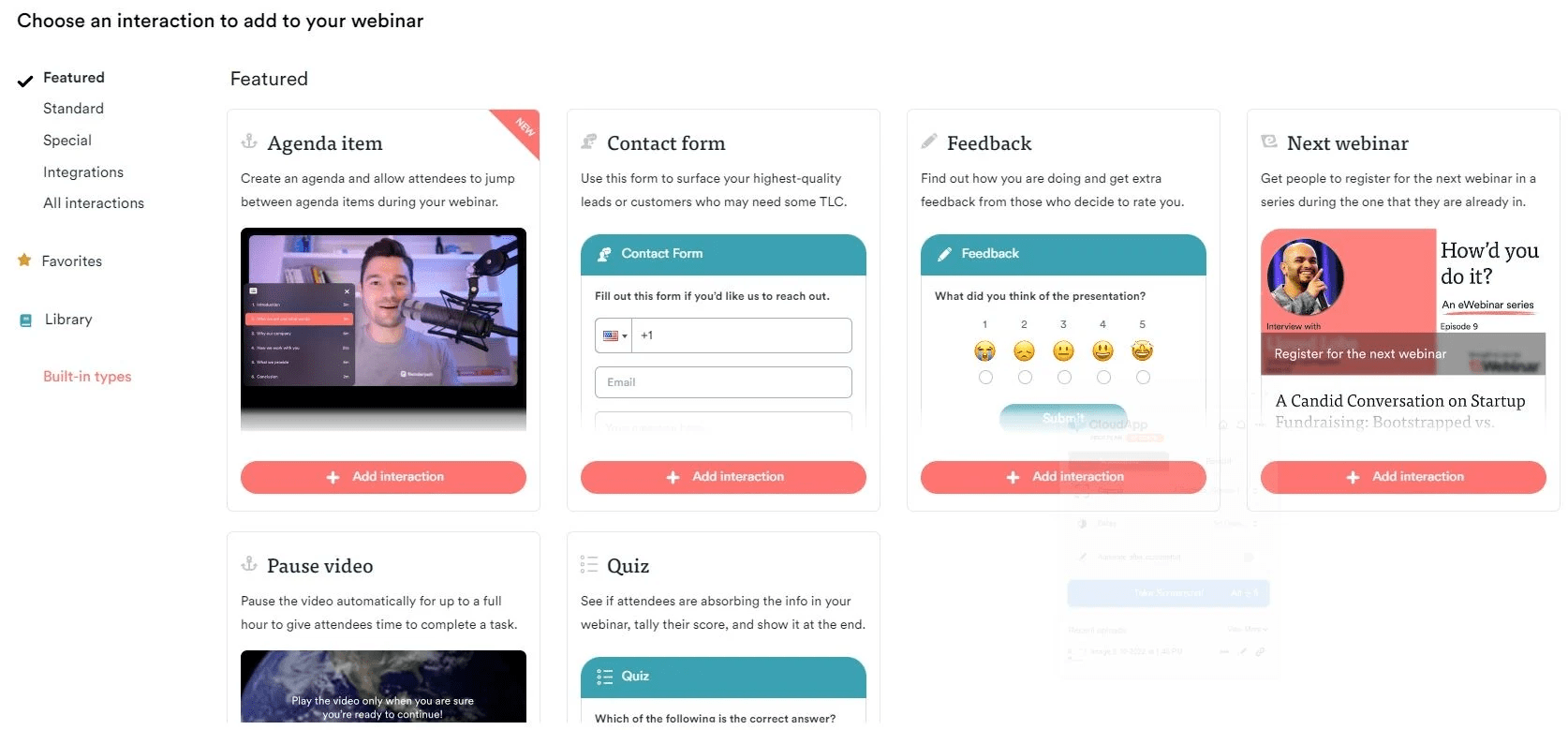
If you are looking to create an engaging onboarding experience, a webinar-on-demand software like eWebinar can be really helpful. I used it in the past to create interactive, evergreen webinars that new clients or employees can access at any time, ensuring a smooth onboarding process without the need for repeated live sessions.
I could include timed interactions, like questions and polls, keeping the audience engaged even when I’m not there live. The platform’s ability to handle real-time responses during an automated session adds a personal touch to the on-demand experience.
What You Will Like:
Its interactive features, such as polls, quizzes, and chat, can make pre-recorded webinars feel like live events.
The platform offers detailed attendee analytics, giving insight into user engagement and session performance.
Users can create unlimited automated webinars with no limits on attendees.
eWebinar’s flexible scheduling options make it easy to create webinars that run at optimal times for your audience.
It integrates with various CRM and email marketing tools to ensure seamless follow-up and contact management.
What You May Not Like:
Some advanced customization options for branding might feel restricted compared to competitors.
Customer support is mainly available through email, with no immediate live chat option for urgent inquiries.
Pricing: Starts at $84/month. Billed annually.
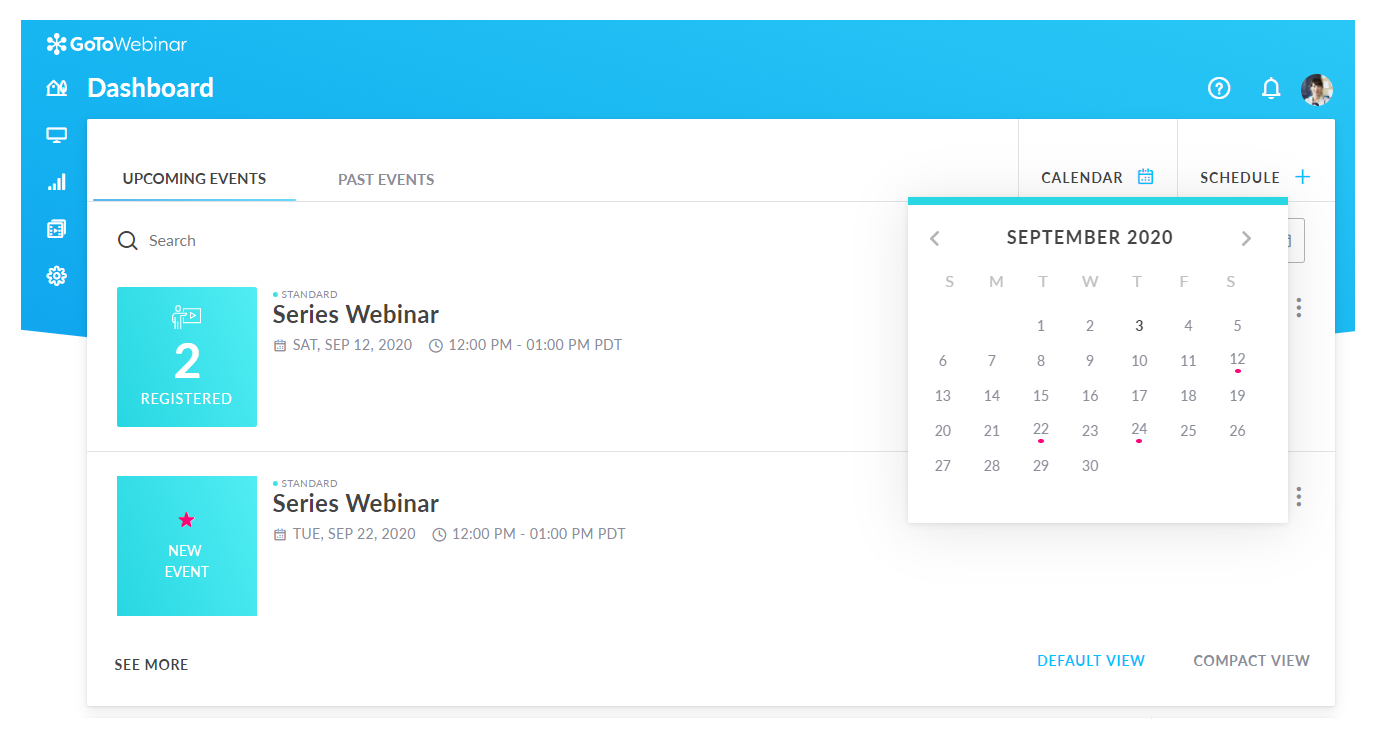
6. GoTo Webinar
Best for Hosting Large-Scale Webinars
GoTo Webinar is a great option for hosting large-scale webinars, and its on-demand capabilities make it even more powerful. After a live event, you can easily make the webinar available on demand, allowing attendees to revisit the content or new viewers to catch up if they missed it.
The platform is perfect for large events where scalability is essential, and its on-demand feature ensures that the content continues to provide value long after the live session ends.
I particularly appreciate the robust analytics that come with both live and on-demand webinars, giving me insight into how attendees engage with the content over time.
What You Will Like:
You can schedule recurring webinars, making it ideal for evergreen content.
GoTo Webinar supports multi-presenter options, allowing for panel discussions or guest speakers.
Attendees can join directly through their browser, minimizing entry barriers.
Its strong security protocols ensure that your webinars remain secure, including options for password protection.
The platform has a built-in video editor that makes it easy to repurpose webinars for future use.
What You May Not Like:
Customization options for registration and follow-up emails are limited compared to other tools.
There is no built-in marketing suite, so third-party integrations are required to handle email campaigns.
Pricing: Starts at $49/month/organizer. Billed annually.
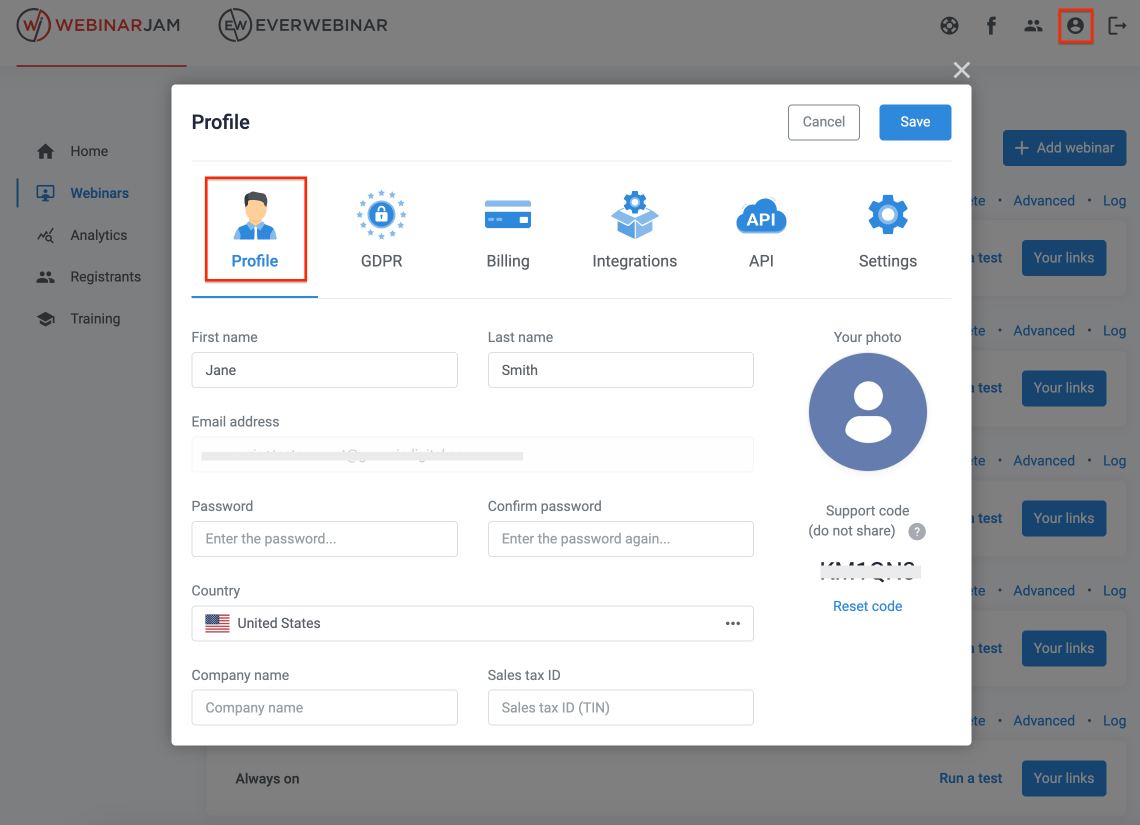
7. WebinarJam
Best for Simple Webinar Needs
I have used WebinarJam for simple webinar setups, and its on-demand feature makes it even more versatile. After running a live session, I can quickly turn the recording into an on-demand webinar that’s available for anyone to watch at their convenience.
What’s great is that the platform retains all the interactive elements, like chat, polls, and Q&A, even for on-demand viewers, giving them the same experience as the live attendees.
It’s perfect for smaller-scale webinars or quick presentations where you want the content to stay available after the live event has ended.
What You Will Like:
The platform offers high scalability, supporting up to 5,000 attendees in a single session.
It integrates with marketing tools like Kartra, enabling a smooth flow between your marketing funnel and webinars.
You can stream directly to YouTube or Facebook, expanding your reach beyond just the webinar audience.
WebinarJam allows for automated replays with real-time chat features, making pre-recorded webinars feel live.
It offers built-in recording features, allowing you to save webinars for future use automatically.
What You May Not Like:
Customization for the registration process is limited.
Some users report occasional delays in video and audio during large webinars.
Pricing: Starts at $39/month. Billed annually.
8. GetResponse
Best for Mobile Devices
GetResponse has been my go-to for webinars, especially when mobile compatibility is a priority. Its on-demand webinar feature is particularly useful, allowing me to offer pre-recorded sessions that are optimized for mobile viewing.
The platform adjusts perfectly to mobile devices, ensuring that attendees have a smooth experience no matter where they are watching from. I also love how easy it is to manage everything from my phone, setting up webinars, tracking registrations, and even going live.
GetResponse’s mobile optimization and its strong on-demand features make it the best choice when your audience is on the go but still needs access to your webinars anytime, anywhere.
What You Will Like:
GetResponse combines both email marketing and webinar capabilities, offering an all-in-one platform.
The tool offers powerful automation features for email follow-ups, making it easy to nurture webinar attendees.
Users can embed webinars directly into landing pages, enhancing the webinar registration process.
GetResponse supports detailed conversion tracking, helping you understand how webinars impact your bottom line.
The platform allows up to 1,000 live attendees, making it suitable for small to medium-sized businesses.
What You May Not Like:
The video quality in webinars is not as high as that of other specialized webinar tools.
It lacks advanced integration with CRM tools compared to some other webinar platforms.
Pricing: Available as a paid add-on, starting at $40/month.
ProProfs WebinarNinja AI Coach
Ask anything about hosting webinars and growing your audience
The evaluation of products or tools chosen for this article follows an unbiased, systematic approach that ensures a fair, insightful, and well-rounded review. This method employs six key factors:
User Reviews / Ratings: Direct experiences from users, including ratings and feedback from reputable sites, provide a ground-level perspective. This feedback is critical in understanding overall satisfaction and potential problems.
Essential Features & Functionality: The value of a product is ascertained by its core features and overall functionality. Through an in-depth exploration of these aspects, the practical usefulness and effectiveness of the tools are carefully evaluated.
Ease of Use: The user-friendliness of a product or service is assessed, focusing on the design, interface, and navigation. This ensures a positive experience for users of all levels of expertise.
Customer Support: The quality of customer support is examined, taking into account its efficiency and how well it supports users in different phases – setting up, addressing concerns, and resolving operational issues.
Value for Money: Value for money is evaluated by comparing the quality, performance, and features. The goal is to help the reader understand whether they would be getting their money’s worth.
Personal Experience / Experts’ Opinions: This part of the evaluation criteria draws insightful observations from the personal experience of the writer and the opinions of industry experts.
My Top 3 On-Demand Webinar Software
If the list of the best on-demand webinar software sounds slightly overwhelming, let me narrow down the choices to the top 3 tools, based on my experience with them:
WebinarNinja
WebinarNinja is my top choice for running on-demand webinars. It offers an all-in-one solution for creating evergreen webinars that run without me being live. Its blend of live, automated, and hybrid webinars makes it ideal for teaching and selling. With built-in tools for landing pages, automated follow-ups, product sales, and engagement features like polls, Q&A, and chat, it keeps my audience engaged, whether live or on replay.
EasyWebinar
EasyWebinar has transformed my hybrid event hosting, offering seamless transitions between live and pre-recorded content. Its on-demand feature is perfect for those who miss the live event, and integration with marketing tools lets me track and follow up with leads post-event. It is ideal for larger, complex events.
WebinarJam
WebinarJam is great for simple webinar setups. Its on-demand feature makes recordings available quickly. I love that it retains interactive elements like chat, polls, and Q&A, giving on-demand viewers the same experience as live attendees. It’s perfect for smaller webinars or quick presentations.
So, which one of these sounds the best?
On-Demand vs. Live Webinars: Which Drives Better Results?
Both formats can deliver strong returns, but the better choice depends on your goals, audience behavior, and how you plan to engage attendees. Let’s compare on-demand and live webinars across reach, interaction, lead quality, and long-term value so you can decide what works best for you:
Factor
Live Webinar
On-Demand Webinar
Lead generation
Higher (91.3% of leads)
Lower per session, but compounds over time
Audience reach
Limited to the event window
24/7, unlimited
Engagement rate
Higher (interactive, real-time)
Lower, but improvable with timed polls/chat
Video completion rate
Higher (people commit to showing up)
Lower, keep under 30 min for best results
Webinar drop-off analysis
Possible in real-time
Best tracked post-session via analytics
Evergreen potential
Low
High, runs forever with no added effort
Best for
Product launches, Q&As, live demos
Lead funnels, onboarding, and course sales
Bottom line: Live webinars generate faster leads. On-demand webinars generate more leads over time. The smartest strategy, used by top WebinarNinja users, combines both: run live, then convert to evergreen.
Ready to Pick the Best On-Demand Webinar Software?
Choosing the best on-demand webinar software depends on your specific needs, whether it’s for hosting live events or making content available after the session – and if you are still comparing the best webinar platforms, selecting the right tool can maximize audience reach, improve overall engagement, and streamline your post-webinar follow-up process. The key is finding a platform that aligns with your goals and audience preferences.
Personally, I find WebinarNinja to be the best on-demand solution. Its intuitive interface, reliable performance, and robust marketing integrations make creating, hosting, and automating webinars easy. Plus, features like automatic recording and replay options keep your content available for future viewers, enhancing long-term engagement and lead generation.
On-demand webinar software ranges from $0.30/attendee/month (WebinarNinja) to $99/month (BigMarker, EverWebinar). Budget-friendly options like WebinarJam start at $39/month billed annually, while GetResponse offers webinars as a $40/month add-on. Most platforms offer free trials. The right choice depends on your attendee volume and automation needs.
WebinarNinja is the top choice for coaches and consultants. It supports live, automated, and hybrid webinars, lets you sell products directly during sessions, and includes built-in landing pages and email sequences, all without needing third-party tools. The free 14-day trial makes it easy to test before committing.
WebinarNinja and EverWebinar are the easiest options for small businesses. WebinarNinja offers a beginner-friendly interface with guided setup, while EverWebinar specializes in fully automated, set-and-forget webinar funnels with simulated live interactions. Both eliminate the technical complexity that usually slows small teams down.
WebinarNinja is purpose-built for course creators. It integrates with CourseNinja (worth $1,200, included in the paid plan), supports in-webinar product sales, and automates attendee follow-up to drive course enrollments.
WebinarNinja and BigMarker are the strongest for lead generation. Platforms with built-in CRM integration, behavioral email automation, and in-session CTAs, all available in WebinarNinja, consistently outperform basic recording tools for converting attendees into qualified pipeline leads.
WebinarNinja integrates with HubSpot, Mailchimp, and ConvertKit. BigMarker connects with Salesforce and Marketo. EverWebinar supports ActiveCampaign and AWeber. GoTo Webinar offers HubSpot and Salesforce integrations. For full marketing automation workflows, WebinarNinja's native behavioral email automation makes it the most self-contained option without relying heavily on third-party tools.
Keep on-demand webinars under 30 minutes. Add timed polls and interactive CTAs at key drop-off points. Send a re-engagement email 24 to 48 hours post-registration. Platforms like eWebinar and WebinarNinja support timed interactions inside pre-recorded sessions, directly improving video completion rates.
WebinarNinja and eWebinar lead in replay engagement. Both support timed polls, in-replay chat, and CTA overlays that trigger at specific video moments. Adding these interactive elements can extend audience engagement quite a bit. WebinarNinja's behavioral email automation, triggered by how much video a viewer watched, makes it the strongest conversion tool.
EverWebinar and WebinarNinja are the top picks for evergreen video funnels. EverWebinar runs on autopilot with simulated live chat and countdown timers. WebinarNinja adds CRM sync, segmented follow-ups, and in-session sales.
Want to host a webinar for free?
Use WebinarNinja to teach, improve marketing, and grow your sales.
WebinarNinja Editorial Team is a passionate group of experts dedicated to improving your webinar experiences with top-notch content. We stay ahead of the curve on trends, tackle technical hurdles, and provide practical tips to boost your business. With our commitment to quality and integrity, you can be confident you're getting the most reliable resources to enhance your webinars.