An agency can deliver a great webinar and still create a bad client experience. One client’s landing page carries the wrong branding, another client’s attendee list needs cleaning before it reaches Salesforce, and a third is asking for a performance report while the team is still pulling data from different tools.
That is why choosing the best webinar software for agencies differs from choosing a platform for a single in-house marketing team. Agencies have to repeat the same webinar workflow across multiple clients without mixing brands, data, reporting, follow-up, or campaign settings.
For this list, I focused on the questions that most affect agency delivery: How quickly can a new client campaign be launched? How much branding control do you get? Can registration and engagement data move into the client’s existing CRM? Is the reporting useful enough to share with clients? And does the platform reduce repetitive setup as webinar volume grows?
What Is Webinar Software for Agencies?
The best platforms also make it easier to keep client workflows organized while reducing the operational work that increases as an agency adds more accounts. Features such as reusable webinar landing pages can also help teams standardize campaign setup without making every client’s experience look the same.
As volume grows, agencies should also look for tools that make webinar automation easier across reminders, follow-up, recordings, and recurring campaigns. That helps the team scale delivery without adding the same amount of manual work for every new client.
10 Best Webinar Software for Agencies in 2026
Two platforms may both be capable of hosting a polished webinar, yet create very different workloads for an agency. One might be ideal when a client wants an always-on automated campaign. Another becomes more useful when the agency needs white-label delivery, detailed CRM data, or networking for a virtual summit.
Here’s a quick comparison before we get into the details.
| Tool | Best For | Agency Advantage | Starting Price |
| ProProfs WebinarNinja | Generating leads, growing sales, and teaching better | Fast, repeatable webinar workflows across formats | $0.30/attendee/month |
| Demio | Behavior-led marketing campaigns | Detailed attendee segmentation | ~$42-63/month |
| Livestorm | CRM-heavy B2B campaigns | Multiple workspaces + integrations | ~$99/month |
| GoTo Webinar | Large recurring client programs | Mature reporting and source tracking | ~$59/user/month |
| Zoom Webinars | Existing Zoom environments | Familiar host and attendee workflow | $83.33/user/month |
| eWebinar | Evergreen campaigns | Always-on automated delivery | $99-299/month |
| BigMarker | White-label webinar services | Deep branding and custom experiences | ~$99/month (scales into thousands for enterprise) |
| ON24 | Enterprise demand generation | Detailed first-party engagement data | Custom (typically $25K+/yr) |
| Airmeet | Networking and multi-client events | Dedicated agency offering | $167/month |
| Zoho Webinar | Zoho-centered client stacks | Tight Zoho ecosystem connection | ~$8-9/organizer/month |
1. ProProfs WebinarNinja
Best Webinar Software to Generate Leads, Grow Sales, and Teach Better
ProProfs WebinarNinja gives agencies one workflow for live, automated, series, and hybrid webinars, along with registration pages, emails, engagement tools, recordings, analytics, and follow-up. That makes it easier to standardize delivery without forcing every client campaign into the same format.
An agency may run a live lead-generation webinar for one client, an automated demo for another, and a recurring series for a third. Using different tools for each format quickly creates more work around registration, emails, engagement, recordings, analytics, and follow-up.
Its AI layer also helps across the webinar lifecycle. The AI-powered webinar tools include AI Conversion Writer for registration copy, AI Sales Coach for presenter preparation, and AI Content Strategist for turning completed webinars into follow-up content.
Pros:
- AI Engagement Lead helps agencies improve webinar delivery while handling recurring attendee questions across client campaigns.
- Built-in landing pages and automated emails support registration, reminders, and post-webinar follow-up without adding separate tools for every client.
- Chat, Q&A, polls, offers, and handouts help agencies create more interactive client webinars and capture useful engagement data for reporting.
- Automatic recording and webinar analytics help track attendance, participation, and replay activity across different client campaigns.
- Live, series, hybrid, and automated webinars support different agency use cases, from one-off client launches to recurring and evergreen programs.
- HubSpot, Mailchimp, Stripe, and 1,000+ Zapier integrations help agencies connect webinar activity with the different sales and marketing tools their clients already use.
Cons:
- No downloadable or on-premise version
- Dark user interface option is not available
Pricing: A FREE 14-day trial is available. Paid starts at $0.30/attendee/month (includes CourseNinja, worth $ 1,200).
Case study:
Pat Marquette, Marketing Director at Relayer Benefits, switched to WebinarNinja to take retirement and tax-strategy presentations online, using live and prerecorded webinars to continue educating clients and maintain sales.
2. Demio
Best for Behavior-Led Marketing Campaigns
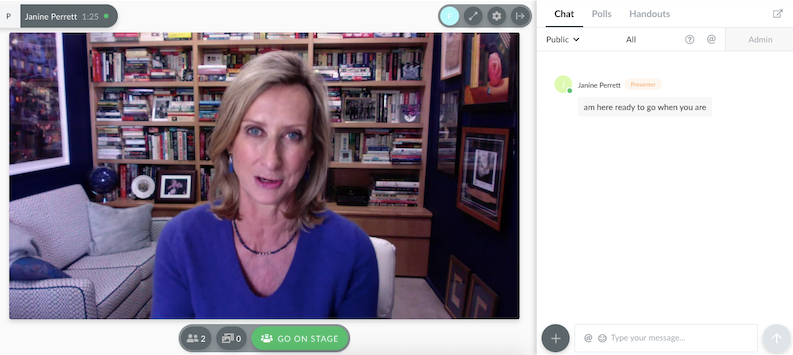
Demio gives agencies a marketing-focused webinar workflow built around attendee engagement, segmentation, and campaign follow-up. It is especially useful when the agency needs more than a registration total to show a client what happened during the session.
A client may not care that 400 people registered if the agency cannot identify which attendees stayed, interacted, or showed genuine buying intent.
Its engagement tracking and integrations give agencies more behavioral context to carry into the next stage of the campaign, while live, series, automated, and on-demand formats support both scheduled and evergreen client programs.
Pros:
- Detailed engagement data supports more targeted campaign follow-up.
- No-download attendance reduces friction for external audiences.
- Automated and on-demand formats support evergreen campaigns.
- Major CRM and marketing automation integrations are available.
- Event Series works for multi-session client programs.
Cons:
- Major CRM integrations require Premium.
- Starter is limited to one host and a smaller room.
Pricing: Starter runs about $42- $63/month for one host and a 50-attendee room, with a 3-hour session limit. Growth starts around $75- $117/month and unlocks automation.
3. Livestorm
Best for Agencies Managing CRM-Heavy B2B Campaigns
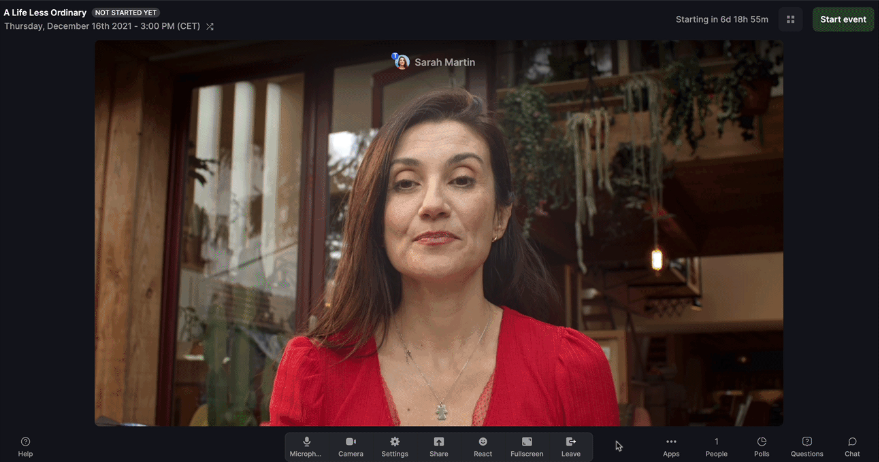
Livestorm combines webinar delivery, CRM connectivity, automation, and Multiple Workspaces for agencies managing B2B client programs. That workspace structure becomes particularly useful when campaigns need greater separation without forcing the agency to manage completely disconnected accounts.
An agency managing several B2B clients needs more than a long list of integrations. It also needs a practical way to keep client programs organized.
Its Pro pricing is based on actual attendee credits rather than registrations, giving agencies another way to manage costs when attendance and no-show rates vary significantly across client campaigns.
Pros:
- Multiple Workspaces can help organize separate programs.
- Unlimited team members suit collaborative agency workflows.
- CRM integrations support B2B campaign operations.
- Browser-based attendance removes download requirements.
- Attendee-credit pricing focuses the cost on actual attendance.
Cons:
- Enterprise integrations require a custom-priced Enterprise plan.
- Credit forecasting becomes important for agencies with fluctuating attendance.
Pricing: Pro starts at €2.50 per attendee, while Enterprise uses custom pricing. A limited free option is available for evaluation.
4. GoTo Webinar
Best for Large, Recurring Client Webinar Programs
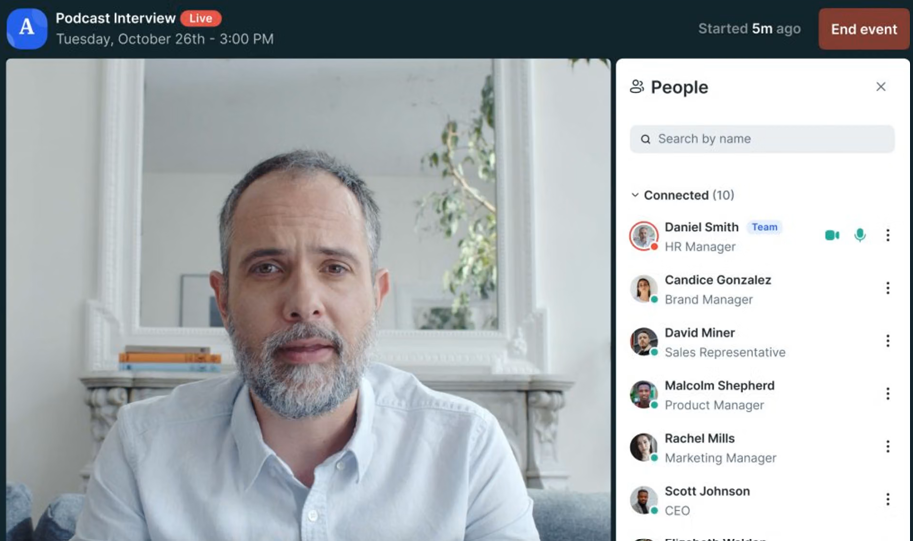
GoTo Webinar is built for repeatable client webinar programs where registration, reminders, engagement, recordings, reporting, and larger attendee capacities need to work consistently across sessions.
An agency running a large client program may care less about novelty and more about whether every session can be produced, measured, and reported consistently.
Higher tiers add capabilities such as custom branding, source tracking, AI summaries, transcripts, simulive delivery, and larger event sizes. That makes GoTo Webinar more relevant when clients expect structured reporting and a dependable process across many events rather than a one-off campaign.
Pros:
- Reporting is built into the webinar workflow.
- Higher tiers support branded recurring programs.
- Source tracking helps agencies understand campaign acquisition.
- Larger capacity suits enterprise-facing client events.
- A free trial gives teams room to test the workflow.
Cons:
- Several useful agency features sit above the entry plan.
- Complete requires a custom package.
Pricing: Starts at $59/month, billed annually. Reach supports up to 500 participants, Elevate up to 1,000, and Complete up to 3,000. Pricing varies by billing configuration, and a free trial is available.
5. Zoom Webinars
Best for Agencies Working With Clients Already Using Zoom
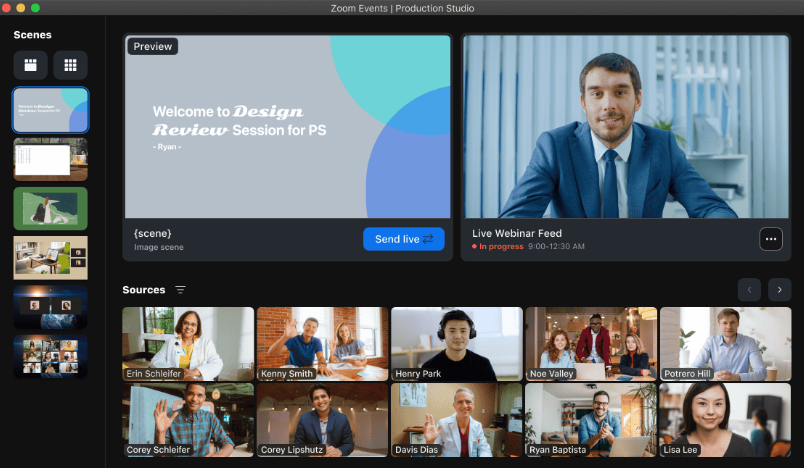
Zoom Webinars gives agencies a familiar one-to-many webinar environment for clients that already use Zoom for meetings, calls, and presentations. Q&A, polls, chat, reactions, recordings, branded registration, and reporting can stay within a system the client’s speakers may already know.
A client that already hosts meetings, internal calls, and presentations in Zoom may not want an agency introducing another event platform unless there is a clear reason to do so.
The trade-off is that Zoom is strongest when the agency needs dependable live webinar delivery. Teams looking for deeper evergreen automation or more elaborate client-specific workflows may find dedicated webinar platforms more flexible.
Pros:
- Familiar interface can simplify speaker preparation.
- Strong choice for live presentations and broadcasts.
- Engagement tools are built into the session.
- Scales across different audience sizes.
- Reports can connect to wider marketing workflows.
Cons:
- Advanced automation is less central than on evergreen-focused platforms.
- Pricing scales with webinar capacity and package requirements.
Pricing: Starts at $83.33/user/month, billed annually, for webinars with up to 500 attendees, or $129/user/month, billed monthly. 7-day free trial
6. eWebinar
Best for Fully Automated Evergreen Campaigns
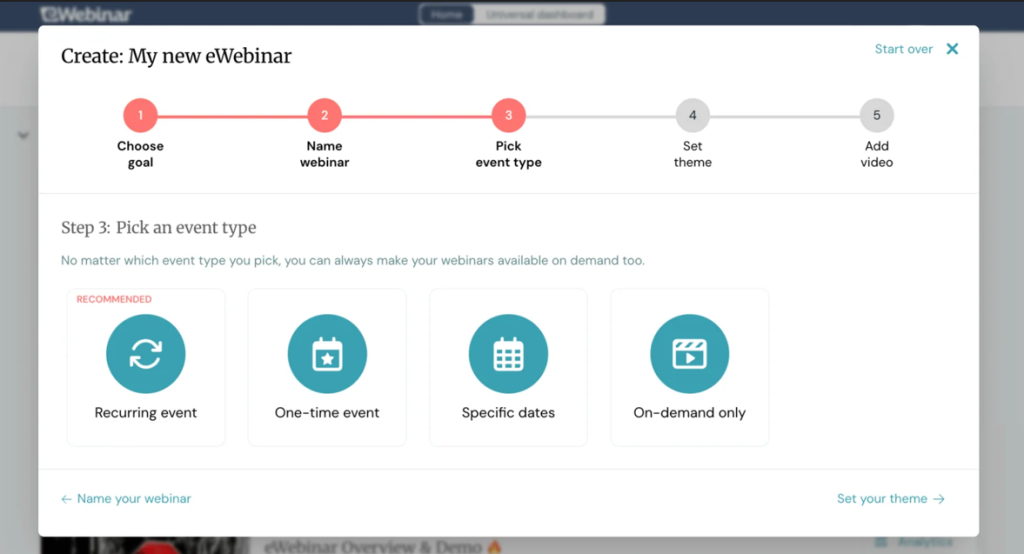
eWebinar turns recorded client content into scheduled or on-demand interactive webinars that can run without requiring a presenter to return for every session.
Some agency webinars are not really events at all. They are campaign assets that need to keep working after the original presenter has moved on.
That makes eWebinar useful for evergreen lead-generation programs, product education, recurring demos, and other campaigns where clients want the same presentation available repeatedly without adding another live production task to the agency calendar.
Pros:
- Removes repeated live-hosting requirements.
- Supports always-on campaign delivery.
- Attendees can choose from more convenient session times.
- Interactive elements make recorded sessions more participatory.
- Unlimited team members are included across standard levels.
Cons:
- Not designed for traditional live webinar programs.
- Interactive automation requires thoughtful setup before campaigns launch.
Pricing: Plans start at $99/month for one active eWebinar and scale to $199/month for five and $299/month for up to 15. A free 14-day trial is available.
7. BigMarker
Best for Deep White-Label Client Experiences
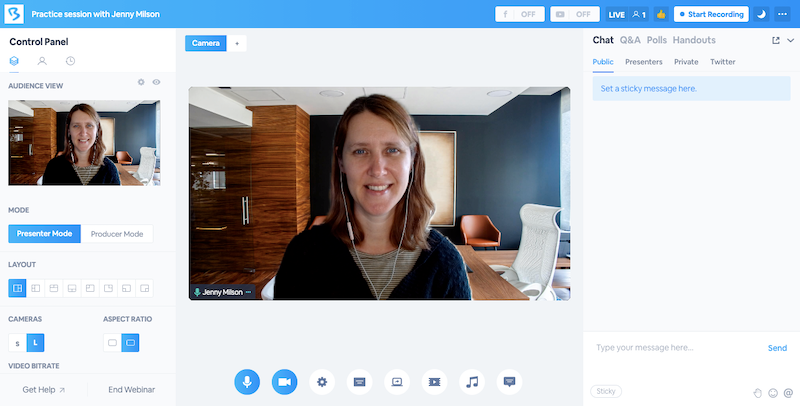
BigMarker gives agencies deeper control over branded webinar and event experiences, including registration, attendee-facing environments, reporting, and enterprise-level customization.
For some agency clients, placing a logo on the registration page is enough. For others, the entire attendee journey needs to feel as though it belongs to the client’s own digital environment.
Its higher tiers also support CRM and marketing automation integrations, embeddable experiences, custom reporting, and larger configurable audiences. That makes it particularly relevant to agencies selling managed webinar or event services under a client’s brand.
Pros:
- Strong fit for agencies with deeper white-label requirements.
- Handles both webinar and larger virtual-event use cases.
- Registration can be customized extensively.
- Enterprise plans support more complex CRM and reporting needs.
- Can scale into larger strategic event programs.
Cons:
- More platform complexity than simple webinar campaigns may need.
- Public self-service pricing is not available.
Pricing: Starts at around $99/month, with pricing that scales significantly based on attendee tiers and features. 7-day free trial
8. ON24
Best for Enterprise Demand-Generation Programs
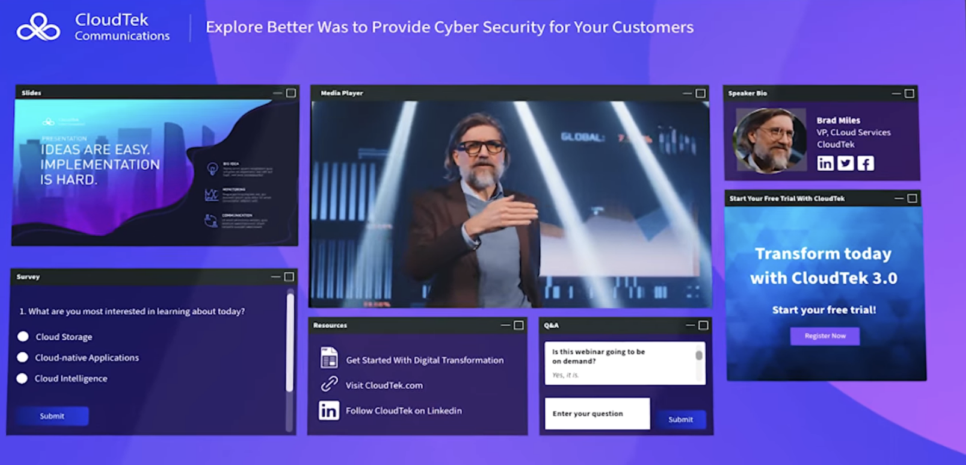
ON24 is built for enterprise demand-generation programs where agencies need detailed first-party engagement data rather than just registration and attendance totals.
An enterprise client may not judge an agency webinar by registrations alone. The marketing team may want to know who asked a question, downloaded content, clicked a CTA, responded to a poll, and showed enough intent to justify sales follow-up.
ON24 captures those interactions and can feed them into larger marketing, lead-scoring, segmentation, and revenue workflows. That makes it more relevant to agencies running sophisticated demand-generation programs than to clients who only need an occasional straightforward webinar.
Pros:
- Detailed engagement data supports enterprise campaign analysis.
- Useful for programs where the attendees’ intent needs to inform follow-up.
- Supports broader digital experiences beyond the live webinar.
- Integrates webinar activity into larger marketing workflows.
- Content tools can extend the life of completed events.
Cons:
- Pricing is not publicly self-service.
- Feature depth may be excessive for smaller agency campaigns.
Pricing: ON24 uses custom pricing for its engagement platform packages. Public self-service pricing and a standard free trial are not currently listed.
9. Airmeet
Best for Networking and Multi-Client Event Programs
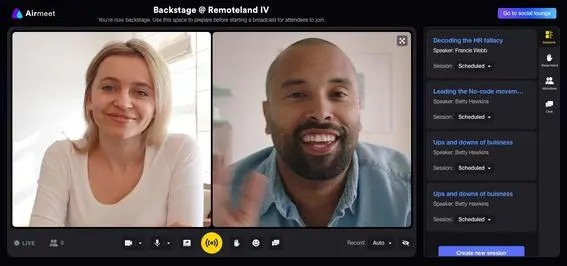
Airmeet is designed for agencies running webinars, summits, and broader client events where networking and attendee-to-attendee interaction are part of the experience.
A client hiring an agency to run a community summit may expect more than a presenter, slides, and a chat box. Attendees may need to meet each other, move through different sessions, network, and participate in a broader event experience.
Premium Webinars includes engagement, analytics, branding, CRM integrations, and advanced networking, while the Events tier adds multi-track and hybrid-event functionality. Airmeet also offers a dedicated Agency Plan for agencies and production partners managing multiple clients.
Pros:
- Dedicated agency offering fits multi-client event work.
- Strong fit for networking-heavy client events.
- Supports webinars as well as larger event programs.
- Detailed reporting helps with post-event client analysis.
- CRM synchronization is available across relevant offerings.
Cons:
- The feature set may be excessive for simple lead-generation webinars.
- Agency Plan pricing requires contacting sales.
Pricing: Premium Webinars start at $167/month when billed annually. A dedicated Agency Plan is available through sales for agencies and event partners managing multiple clients.
10. Zoho Webinar
Best for Clients Already Using the Zoho Ecosystem
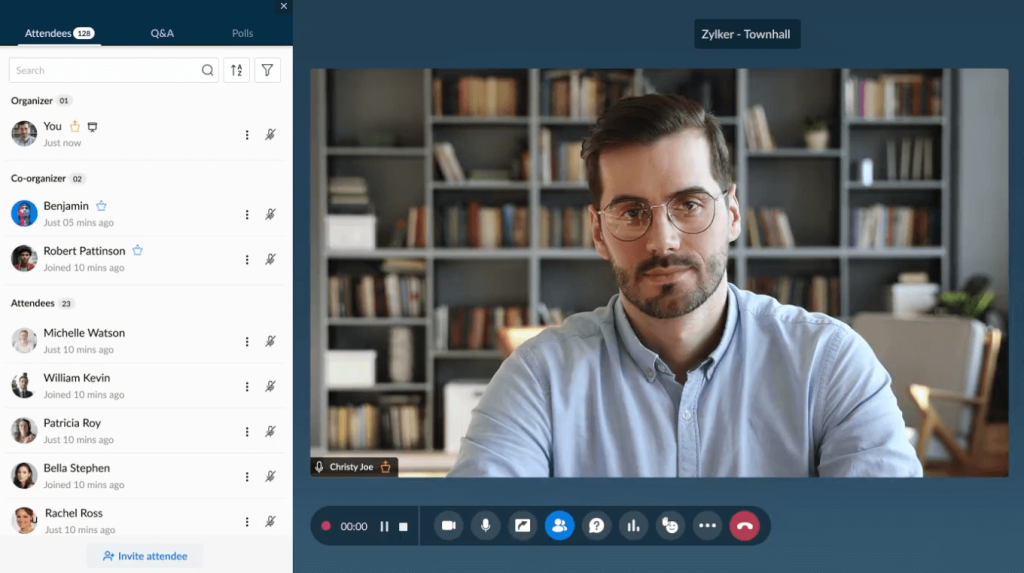
Zoho Webinar keeps webinar registration, engagement, recordings, source tracking, analytics, and reporting close to the wider Zoho ecosystem. That makes it particularly useful for agencies working with clients whose leads, campaigns, and sales workflows already live inside Zoho.
If a client’s leads, campaigns, and sales workflows already live inside Zoho, introducing a separate webinar stack can create integration work the agency does not need.
For agencies with Zoho-centered clients, keeping webinar activity close to Zoho CRM and related marketing tools can reduce unnecessary connector work and make campaign reporting easier to manage.
Pros:
- Fits naturally into an existing Zoho client stack.
- Competitive entry pricing.
- Source tracking helps with campaign attribution.
- Webinar reports can be exported for further analysis.
- Native Zoho connectivity reduces the need for extra connectors in many Zoho-centered workflows.
Cons:
- Less compelling when clients primarily use non-Zoho systems.
- Agency teams managing many different stacks may need additional integrations.
Pricing: Standard is around $8-$9/organizer/month, Professional around $16-$19/month, and Enterprise around $66/month.
Evaluation Criteria
Agencies rarely choose webinar software for a single event type or client. That is why I placed more weight on platforms that can handle changing campaign formats, client stacks, reporting needs, and levels of automation without forcing the agency to rebuild its workflow. I evaluated each option across the following areas:
- User Reviews/Ratings: Every entry here was checked against verified user feedback on G2, Capterra, and TrustRadius, rather than relying on vendor claims alone, including ProProfs WebinarNinja’s own 4.2-star rating across 200+ verified Capterra reviews.
- Essential Features & Functionality: The value of a product is ascertained by its core features and overall functionality. Through an in-depth exploration of these aspects, the tools’ practical usefulness and effectiveness are carefully evaluated.
- Ease of Use: The user-friendliness of a product or service is assessed by focusing on its design, interface, and navigation. This ensures a positive experience for users of all levels of expertise.
- Customer Support: The quality of customer support is assessed, considering its efficiency and how well it supports users across different phases – setup, addressing concerns, and resolving operational issues.
- Value for Money: Value for money is evaluated by comparing the quality, performance, and features. The goal is to help the reader understand whether they will get their money’s worth.
- Industry Analysis & Expert Commentary: Independent analyst coverage and third-party comparisons were used to assess agency-focused webinar workflows, including multi-client management, branding flexibility, automation, reporting, integrations, and the extent to which vendor claims hold up across different client campaign requirements.
Why Do Agencies Need Dedicated Webinar Software?
Running one webinar is easy to organize around. Running five client webinar programs simultaneously is where the cracks start to show. One client may want registrants passed to HubSpot. Another needs Salesforce campaign attribution. A third wants every attendee-facing page customized to its brand. Meanwhile, the agency still has to manage reminders, speakers, recordings, follow-up, reporting, and approvals without crossing one client’s campaign with another.
That is why agency webinar software needs to do more than just host. It should reduce repetitive work across campaigns while leaving enough room to adapt branding, integrations, reporting, and follow-up for individual clients.
Good webinar management becomes especially important as campaign volume grows. Without repeatable workflows, each new client can add another collection of landing pages, spreadsheets, reminders, exports, and reporting tasks for the agency team to maintain.
For agencies, I would pay particular attention to:
- Campaign flexibility: Can different client programs run without having to rebuild the entire workflow?
- Branding: Can attendee-facing pages and communications reflect each client’s identity?
- CRM integrations: Can lead and attendance data be integrated into the client’s existing stack?
- Automation: Can reminders, replays, and follow-up happen without repetitive setup?
- Reporting: Can the agency turn webinar activity into something meaningful for the client?
- Scalability: Will the workflow still make sense when campaign volume or attendee counts increase?
How to Choose the Right Webinar Software for Your Agency
The right platform is less about finding the longest list of features and more about identifying what repeatedly creates work for your team. Start with the client workflow rather than the webinar room itself.
What Types of Campaigns Do You Run Most?
A live demand-generation webinar, an evergreen lead magnet, a networking summit, and a recurring education series put very different demands on the software. If most campaigns are live, production and reporting may matter most. If the agency manages evergreen campaigns, automation becomes more important. If clients hire you for branded event experiences, white-label controls move much higher on the list.
What Does Each Client’s Tech Stack Look Like?
An agency might work with HubSpot on Monday, Salesforce on Tuesday, and Zoho by the end of the week. Before standardizing on a webinar platform, identify which CRMs, email tools, marketing automation systems, and analytics platforms appear most often across your client base. Then check whether those connections are direct, plan-gated, or dependent on middleware.
How Much Branding Control Do Clients Actually Need?
Do not pay for full white labeling if most clients only want their logo, colors, and registration copy changed. On the other hand, if your agency sells webinar production as a fully managed service, check whether you can control the event URL, emails, webinar room, registration experience, replay pages, and visible platform branding.
What Will You Put in the Client Report?
Before choosing software, decide what a useful post-event report looks like. Most agencies will need more than the total registrations. Depending on the campaign, useful metrics may include attendance rate, watch time, poll responses, questions, CTA clicks, source attribution, replay activity, or leads passed into the client’s CRM.
A platform with detailed webinar analytics can reduce manual reporting after every campaign.
My Top 3 Webinar Software Picks
1. ProProfs WebinarNinja
ProProfs WebinarNinja is useful for agencies that want live, automated, hybrid, and series webinars, along with registration, engagement, email follow-up, AI assistance, integrations, recordings, and analytics, all within a single workflow.
2. BigMarker
BigMarker is particularly relevant when client branding and white-label delivery are major requirements, especially for agencies selling managed webinar or event experiences.
3. Airmeet
Airmeet deserves consideration when an agency handles networking-heavy webinars, summits, or broader event programs. Its dedicated Agency Plan also directly addresses the needs of teams managing events for multiple clients.
Ready to Streamline Your Agency Webinar Operations?
An agency should first define its broader webinar management workflow, including client setup, branding, delivery, CRM handoff, reporting, and follow-up, before choosing the software that sits in the middle of that process.
For an agency running enterprise events, that may point toward a platform with deeper white-labeling, networking, or first-party data capabilities. For agencies managing a mix of live, automated, recurring, and evergreen client campaigns, a broader all-in-one platform may be easier to standardize across accounts.
ProProfs WebinarNinja is worth considering when the priority is flexible webinar formats, built-in registration and emails, AI assistance, audience engagement, recordings, analytics, and integrations within a single workflow, all with transparent attendee-based pricing.
Frequently Asked Questions
What Is the Best Webinar Software for Agencies?
The right webinar software depends on the agency's client mix and service model. ProProfs WebinarNinja covers a broad mix of live and automated campaigns, while BigMarker is well-suited for deeper white-labeling, and Airmeet suits networking-heavy or multi-session client events.
Can Agencies Manage Multiple Clients From One Webinar Platform?
Yes, but the level of separation varies. Check whether the software supports separate workspaces, branding, integrations, users, reporting, recordings, and campaign organization before assuming that a single account can cleanly manage multiple client programs.
What Webinar Features Matter Most for Marketing Agencies?
Useful agency features include repeatable campaign setup, branding controls, CRM integrations, automated reminders and follow-up, multiple webinar formats, engagement tools, recordings, and analytics that can be turned into clear client-facing reports.
Which Webinar Platforms Offer White-Label Branding?
ProProfs WebinarNinja lets you create a branded webinar experience by customizing registration pages, webinar rooms, emails, replay pages, logos, and colors. The level of branding available may vary by plan, with more advanced customization typically included in higher-tier plans.
What Webinar Software Works for Automated Client Campaigns?
ProProfs WebinarNinja, Demio, eWebinar, BigMarker, and several other platforms support automated or on-demand webinar workflows. eWebinar focuses specifically on automated delivery, while WebinarNinja combines automated webinars with live, hybrid, and series formats.
Can Webinar Software Connect to Different CRMs for Different Clients?
Yes. Many webinar platforms integrate with multiple CRM and marketing systems, either directly or via automation platforms such as Zapier. Agencies should verify each client's specific CRM, what data the connection transfers, and whether the integration requires a higher plan.
How Should Agencies Report Webinar Performance to Clients?
Start with the client's campaign objective. Useful metrics may include registrations, attendance rate, watch time, poll participation, questions, CTA clicks, replay views, lead handoffs, and acquisition source. The report should explain what happened and what the agency recommends doing next.
Is There Free Webinar Software for Agencies?
ProProfs WebinarNinja offers a 14-day free trial with full-feature access, giving agencies a practical way to test webinar workflows before paying. Agencies can explore live and automated webinars, engagement tools, recording, and follow-up features, then scale based on attendee needs. Paid plans start at $0.30/attendee/month.
Want to host a webinar for free?
Use WebinarNinja to teach, improve marketing, and grow your sales.