
eWebinar makes one big promise: a webinar that runs itself, no host, no calendar, no live-stream nerves, just a smart, interactive replay quietly doing the selling for you.
That promise holds up right until someone in the audience asks a question the recording cannot answer, or you decide you also want to teach a live cohort, or run a real-time Q&A that builds trust in a way a pre-recorded video never quite can.
That gap is exactly why marketers, coaches, and SaaS teams keep searching for an eWebinar alternative. This guide breaks down 10 tools worth considering, what each one does best, and what it actually costs today.
10 Best eWebinar Alternatives & Competitors
Think of eWebinar as a specialist, brilliant at one job, but not built to be everything at once. Every tool below earned its spot on this list by picking up exactly where that specialty ends, whether that means a live host, a built-in course platform, or a CRM that actually remembers your attendees.
Here is how the ten stack up at a glance before we dig into the details
| Tool | Best For | Starting Price |
| ProProfs WebinarNinja | Generating leads, growing sales, and teaching better | $0.30/attendee/month |
| Demio | Simple, no-download webinars | $45/month |
| Livestorm | Sales and customer meetings | €2.50 per attendee credit |
| WebinarGeek | GDPR-compliant European teams | €39/month |
| EverWebinar | Automated evergreen webinar funnels | $79/month |
| WebinarJam | High-attendance live broadcasts | $39/month |
| BigMarker | Enterprise virtual event programs | Custom pricing |
| GoToWebinar | Corporate training at scale | $49/month per organizer |
| EasyWebinar | Blending live and automated funnels | $44/month |
| Zoho Webinars | Budget-conscious small teams | $9/month per organizer |
Now, if you are looking for more detail on what each of these tools actually offers, how they compare on features, and where they fall short, here is the full breakdown.
1. ProProfs WebinarNinja
Best for Generating Leads, Growing Sales, and Teaching Better
ProProfs WebinarNinja is built around one mission: help you generate leads, grow sales, and teach better, all from a single platform, without forcing you to stitch together three or four separate tools just to run one webinar campaign.
It runs live, automated, series, and hybrid webinars from one dashboard, backed by built-in landing pages, automated email sequences for confirmations, reminders, and follow-ups, and CourseNinja, a built-in platform included at no extra cost for selling live or on-demand courses alongside your webinars.
Its AI Webinar Creator layer goes further, adding an AI Sales Coach that reviews your pitch against proven conversion frameworks and flags specific weak points, an AI Content Strategist that repurposes a finished webinar into blog posts, social snippets, and follow-up emails automatically, and an AI Conversion Writer that generates scroll-stopping registration page headlines in seconds.
Unlike eWebinar, which only replays pre-recorded sessions, ProProfs WebinarNinja lets you host a genuinely live webinar with real-time chat, polls, and Q&A, then automate that very same session later without rebuilding anything, which makes it a full replacement for eWebinar rather than a narrower, single-format tool.
Pros:
- Runs live, automated, series, and hybrid webinars from one dashboard, so there is no need for a separate tool like eWebinar for automation
- Built-in landing pages and automated email sequences (confirmations, reminders, follow-ups) without a separate email platform
- CourseNinja is included at no extra cost, letting hosts sell live or on-demand courses alongside their webinars
- Replays are auto-recorded and typically available within seconds of a session ending
- Native integrations with ConvertKit, Mailchimp, HubSpot, Stripe, and 1,000-plus apps through Zapier
- Built-in AI webinar features to ensure assistance before, during, and after your webinars.
Cons:
- No downloadable or on-premise version available.
- Dark user interface option not available.
Pricing: A FREE 14-day trial is available. Paid starts at $0.30/attendee/month (includes CourseNinja worth $1200).
Case Study:
Check how ProProfs WebinarNinja’s ease of use allowed Pacific World Institute to conduct & record sessions seamlessly.
2. Demio
Best for Simple, No-Download Webinars
Demio is best for teams that want a clean, no-download webinar experience for both hosts and attendees, since the entire attendee room loads directly in a browser tab without asking anyone to install anything before a session starts.
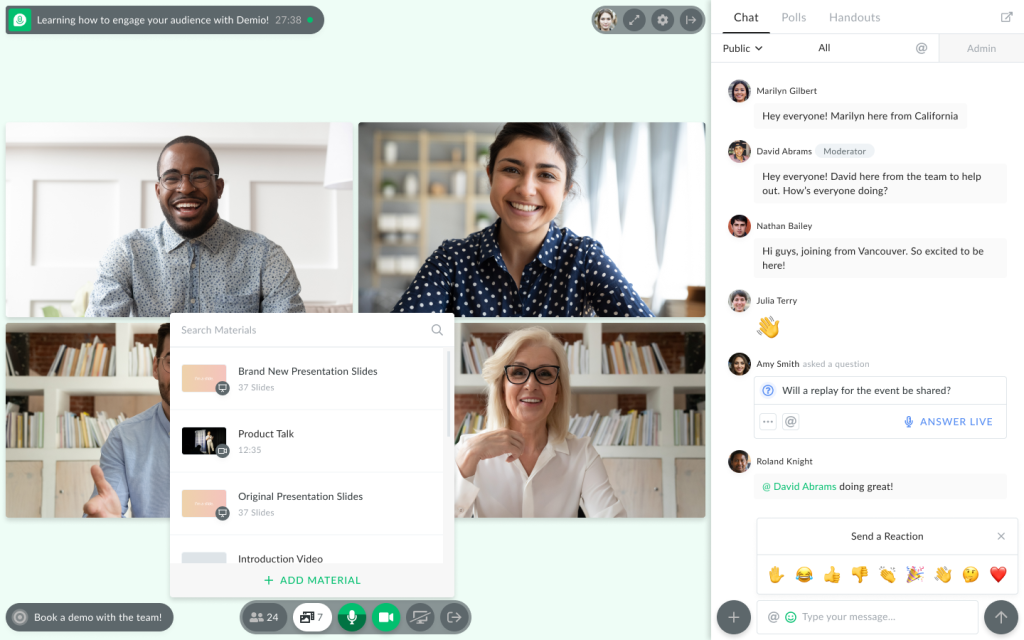
It runs live, automated, and on-demand webinars from a single account, with detailed engagement analytics that show attendance, drop-off points, replay views, and how long each attendee actually stuck around during a session.
Custom room and email branding, plus native integrations with HubSpot, Salesforce, and Marketo, make it a strong fit for marketing teams that want real audience data behind every session rather than a simple attendance count.
It works as a solid eWebinar alternative because it adds genuine live hosting and detailed engagement analytics that a purely automated replay tool cannot offer, while still keeping automated and on-demand formats available for teams that want both without switching platforms.
Pros:
- No-download, browser-based attendee experience that reduces drop-off at the point of registration
- Detailed engagement analytics showing attendance, replay views, and audience behavior during a session
- Automated and on-demand webinar formats available from the Growth tier upward
- Custom room and email branding on paid plans, useful for agencies managing several client brands
- Premium integrations with HubSpot, Salesforce, Marketo, and Pardot on higher tiers
Cons:
- The Starter plan is capped at a single host, so small teams running simultaneous sessions must upgrade quickly
- Premium-tier features such as dedicated customer success support and advanced integrations sit behind a noticeably higher price point
Pricing: Starts at $45 per month for the Starter plan, billed annually.
3. Livestorm
Best for Sales and Customer Meetings
Livestorm is best for sales and customer success teams that run webinars, product demos, and onboarding sessions inside the same browser-based room, without needing a separate tool for internal meetings and external webinars.
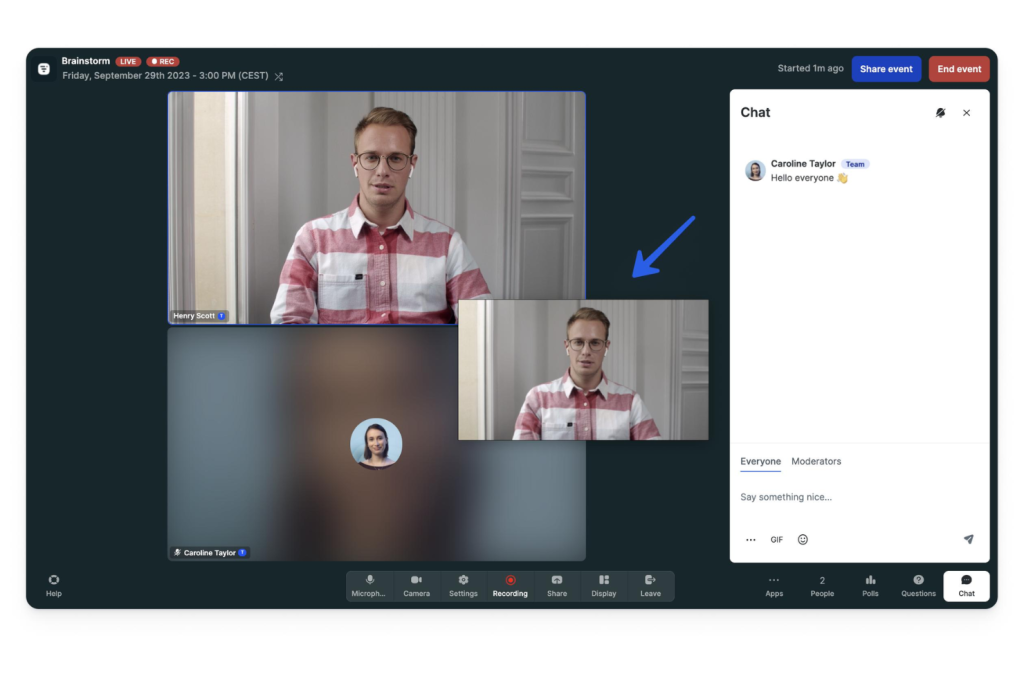
It bills by attendee credit rather than by seat, meaning one credit is used per unique person who actually attends a session, whether live, on replay, or on demand, so no-shows never cost anything and internal team members are always free.
Native integrations with Salesforce, Marketo, and Microsoft Dynamics turn every session into usable pipeline data, while ISO 27001 certification and strong GDPR compliance make it a genuinely safe pick for finance, healthcare, and other regulated industries.
As an eWebinar alternative, it offers real live hosting, CRM-grade lead tracking, and enterprise-level security, three things a purely automated replay tool simply does not provide.
Pros:
- Attendee-credit billing means no charge for no-shows, and internal team members are always free
- Fully browser-based rooms for both attendees and hosts, with no software download required
- Native integrations with HubSpot, Salesforce, Marketo, Pardot, and Microsoft Dynamics for pipeline tracking
- ISO 27001 certified with strong GDPR compliance, a real differentiator for finance and healthcare users
- Unlimited team members included on every plan at no extra per-seat cost
Cons:
- There is no flat monthly price to point to; the entire model runs on attendee credits, which makes budgeting for a high-attendance event trickier to predict
- Advanced features like dedicated customer success support and custom analytics are reserved for the custom-quoted Enterprise tier
Pricing: The Pro plan is priced at €2.50 per attendee credit.
4. WebinarGeek
Best for GDPR-Compliant European Teams
WebinarGeek is best for businesses that need GDPR-compliant webinars with strong branding control, particularly teams selling into European markets where privacy regulation is not optional.
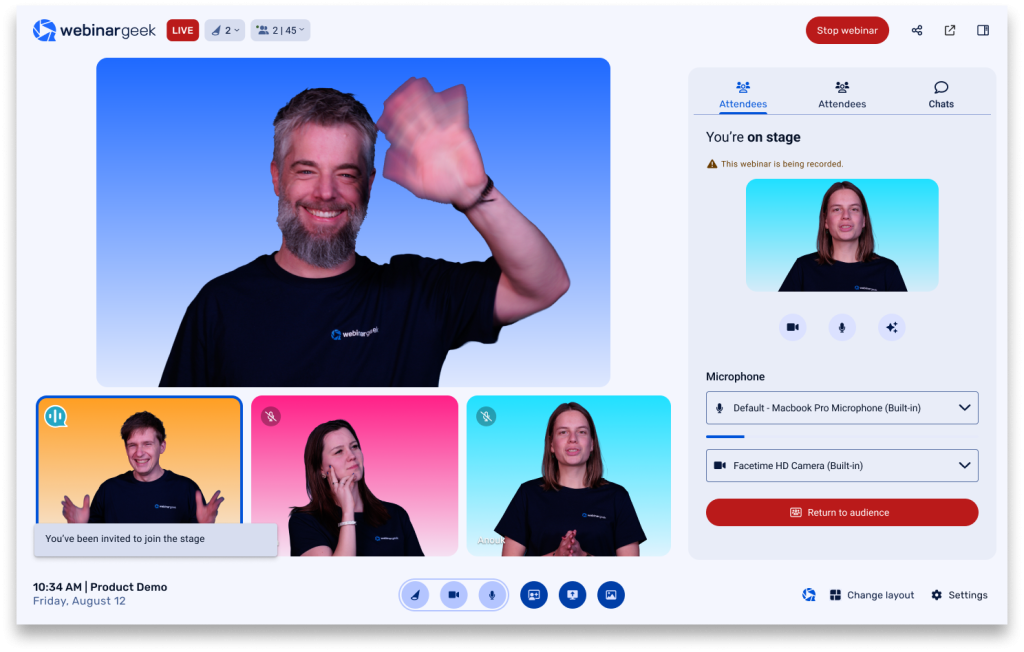
It supports live, automated, on-demand, and Just-in-Time webinars, the last of which starts automatically within minutes of a visitor registering, closely mirroring the always-available feel that eWebinar itself is built around.
Native consent fields, double opt-in, and configurable data lifecycle rules build compliance directly into the account, while an AI Analysis feature summarizes audience feedback and suggests practical improvements after every live session.
It qualifies as a strong eWebinar alternative because it matches that automated convenience through Just-in-Time webinars while also offering full live hosting, deeper compliance tooling, and multi-brand support that a single-format automated tool cannot provide.
Pros:
- Native GDPR tooling, including consent fields, double opt-in, and configurable data lifecycle rules
- AI Analysis feature that summarizes audience feedback and suggests improvements after each webinar
- Just-in-time webinars that start automatically within minutes of registration, blending live and automated formats
- Extensive branding controls, including custom domains and multiple branding profiles for agencies
- Native integrations with HubSpot, Salesforce, ActiveCampaign, Pipedrive, and 6,000-plus tools through Zapier
Cons:
- The entry-level Basic plan limits sessions to a single presenter and a two-hour maximum duration
- Some advanced features, including RTMP streaming and localization, are sold as separate paid add-ons rather than bundled in
Pricing: Starts at €39 per month for the Basic plan, billed annually.
5. EverWebinar
Best for Automated Evergreen Webinar Funnels
EverWebinar is best for course creators and coaches running one core sales presentation on repeat, rather than businesses that need a variety of webinar formats.
It plays a recorded webinar on a schedule with a live countdown, simulated chat activity, and time-sensitive offers that appear to expire, closely matching eWebinar’s own automated-replay concept.

As a direct competitor built on the same underlying idea, its main differentiator is a companion live platform, WebinarJam, for teams that eventually want a real live event alongside the automated one, plus a purely evergreen focus that keeps the setup simple.
For anyone comparing tools built specifically for automated funnels rather than live hosting, EverWebinar is the most direct alternative to evaluate against eWebinar, since both platforms solve essentially the same problem in a similar way.
Pros:
- Purpose-built automated replay engine with scheduled countdowns that mimic live urgency
- Simulated chat and attendee activity designed to recreate the feel of a live audience
- Time-sensitive, expiring offers that can be tied to a specific point in the recorded presentation
- Works alongside WebinarJam for teams that want a live session and an evergreen replay from the same ecosystem
- Straightforward setup aimed at course creators and coaches without a technical team
Cons:
- No live-hosting capability whatsoever, so a business still needs a separate tool for real-time webinars
- The most flexible, month-to-month pricing tier is considerably more expensive than the discounted multi-year commitment
Pricing: Starts at $79 per month on the two-year plan.
6. WebinarJam
Best for High-Attendance Live Broadcasts
WebinarJam is best for businesses running large, live sales webinars with hundreds or thousands of attendees joining a single session at once.
Its Panic Button feature instantly migrates a live session to a backup room if the stream fails, while an Always-On Live Room lets hosts reuse one branded link across recurring live sessions without rebuilding a room each time.
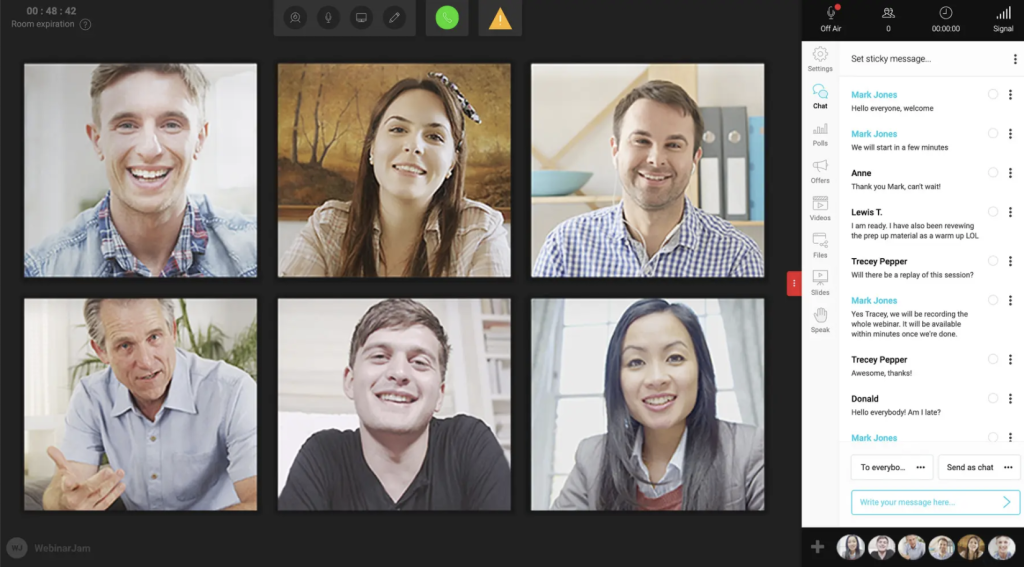
Sticky chat announcements and attendee spotlighting are built specifically for sales-focused live events, giving hosts tools that go beyond basic chat and polls.
It makes a strong eWebinar alternative for any business that needs a real live host in front of a large audience, something eWebinar’s automated-only format cannot provide, and it pairs directly with EverWebinar for teams that also want an automated replay option.
Pros:
- The Panic Button feature instantly migrates a live session to a backup room if the stream fails
- Always-On Live Room option lets hosts reuse one branded URL across recurring live sessions
- Supports up to six presenters and thousands of attendees on higher tiers for large-scale launches
- Sticky chat announcements and attendee spotlight tools built specifically for sales-focused live webinars
- 30-day money-back guarantee offered directly by the company on new subscriptions
Cons:
- There is no on-demand or fully automated webinar format included; that functionality requires pairing it with EverWebinar separately
- Entry-tier plans cap session duration at just two hours, which can feel short for in-depth workshops or trainings
Pricing: Starts at $39 per month for the Starter plan, billed annually.
7. BigMarker
Best for Enterprise Virtual Event Programs
BigMarker is best for large enterprises running fully white-labeled webinars and multi-day virtual events rather than a single recurring webinar.
It supports custom domains, custom page design, and AI-powered lead scoring, alongside formats ranging from a single webinar to large conferences with breakout rooms and multiple concurrent sessions.
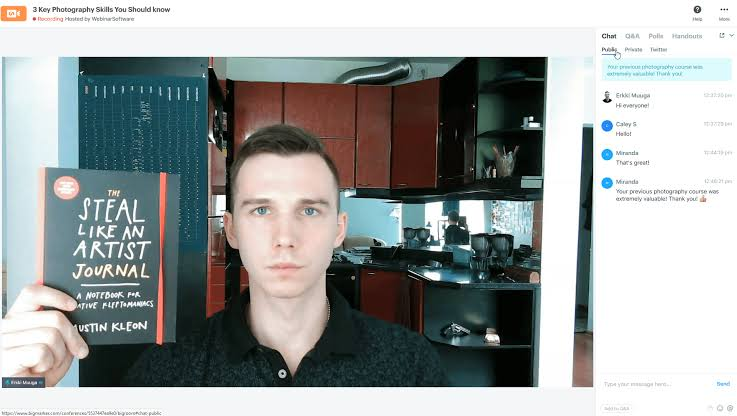
Deep CRM and marketing automation integrations make it a natural fit for enterprise demand-generation teams managing large-scale programs across multiple departments and regions.
It stands out as an eWebinar alternative for organizations that have outgrown small-business tools entirely and need enterprise-grade security, custom branding, and event scale that a single-format automated platform was never designed to support.
Pros:
- Deep white-label capability, including custom domains and fully branded landing pages, for agencies and enterprises
- AI-powered lead scoring and content generation tools built into the platform
- Supports formats ranging from a single webinar up to large multi-day virtual events with breakout rooms
- Scales to very large attendee counts, making it a realistic option for major product launches or summits
- Extensive CRM and marketing automation integrations aimed at enterprise demand-generation teams
Cons:
- No public pricing is listed anywhere on the official site, so every plan requires a sales conversation before you know the cost
- The depth of features and customization options can be more than a small business or individual creator actually needs
Pricing: Uses custom, quote-based pricing; no flat starting price is published.
8. GoToWebinar
Best for Corporate Training at Scale
GoToWebinar is best for corporate training, HR onboarding, and internal communications at established organizations rather than public-facing marketing funnels.
It bundles with GoToMeeting on higher tiers, supports automated email sequences, and integrates with HubSpot, Salesforce, and Microsoft Teams, giving IT and operations teams a familiar, enterprise-approved option.
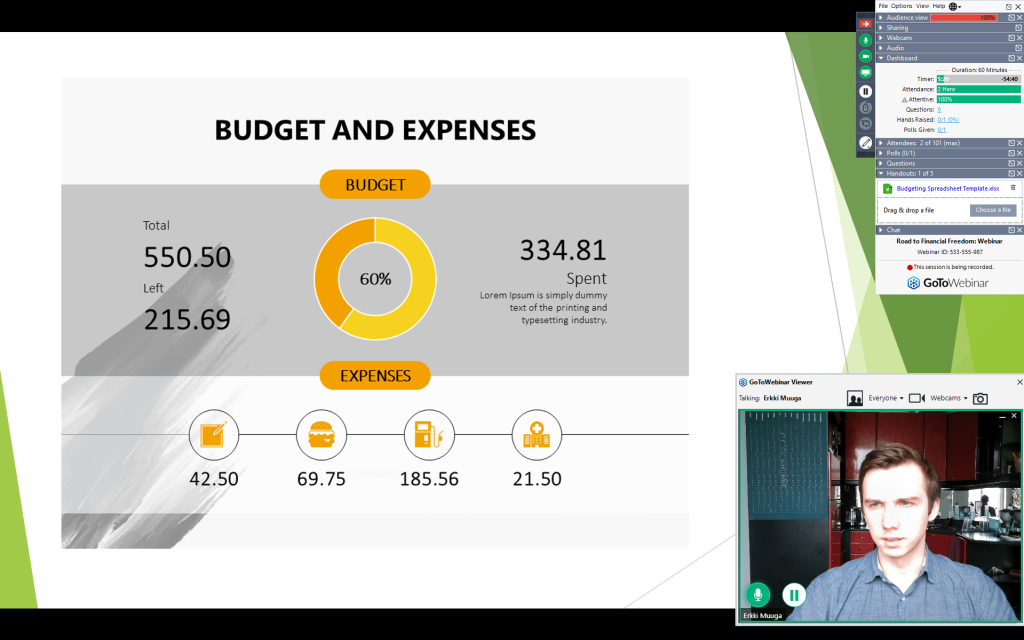
Live streaming and unlimited cloud storage on its Pro and Enterprise plans make it easy to build a searchable library of past training sessions and recorded events.
It works well as an eWebinar alternative for teams whose webinars are internal or training-focused rather than marketing-driven, since it offers real live hosting, established enterprise reliability, and integrations that a marketing-first automated tool like eWebinar does not prioritize.
Pros:
- Bundles with GoToMeeting on Standard tier and above, useful for organizations already using the GoTo ecosystem
- Automated email communication and customizable registration forms out of the box
- Live streaming and unlimited cloud storage for recorded events on the Pro and Enterprise tiers
- Strong integrations with enterprise tools including HubSpot, Salesforce, and Microsoft Teams
- Long-established reputation in corporate and IT procurement circles, easing internal approval processes
Cons:
- Pricing is charged per organizer per month, which adds up quickly for organizations with several people running separate webinars
- The interface and feature set feel geared toward corporate training rather than consumer-facing marketing funnels
Pricing: Starts at $49 per month per organizer for the Lite plan.
9. EasyWebinar
Best for Blending Live and Automated Funnels
EasyWebinar is best for businesses that want live, automated, and Just-in-Time webinars combined with built-in lead tracking under one login.
Its EasyCRM feature scores leads based on replay views, live attendance, and offer clicks, giving hosts a clear picture of who is actually engaged and ready to buy.
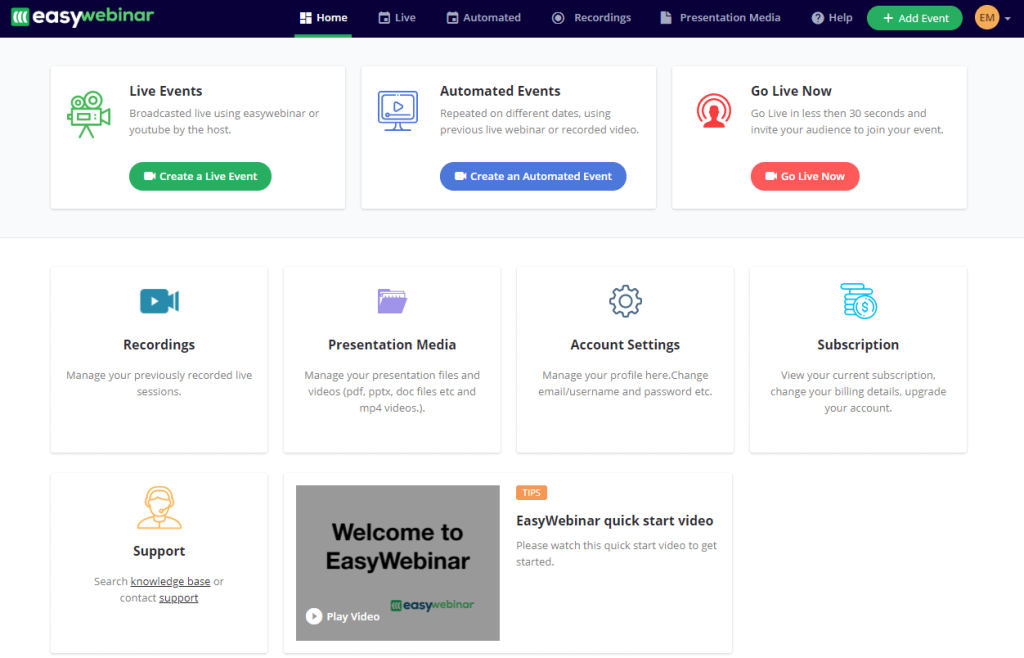
EasyCast pushes live sessions to YouTube, Facebook, and LinkedIn simultaneously, while an AI Webinar Builder helps generate scripts, registration pages, and email sequences from scratch.
As an eWebinar alternative, it covers the same automated-replay ground while adding genuine live hosting, native CRM tracking, and multistreaming, making it a fuller marketing system rather than a single-format webinar tool.
Pros:
- EasyCRM tracks lead behavior across the entire webinar funnel, including replay views and offer clicks
- EasyCast enables native multistreaming to YouTube, Facebook, LinkedIn, and custom RTMP destinations
- Supports live, automated, evergreen, and Just-in-Time webinar formats within one account
- Built-in AI Webinar Builder for generating scripts, registration pages, and email sequences
- A seven-day free trial with full access, letting new users test every format before committing
Cons:
- Pricing is structured per host and scales with attendee count, so costs climb quickly for larger lists
- Several valuable features, including white labeling and custom domains, are gated behind the higher Pro tier or sold as add-ons
Pricing: Starts at $44 per month for the Launch plan, billed annually.
10. Zoho Webinars
Best for Budget-Conscious Small Teams
Zoho Webinars is best for small businesses and solo entrepreneurs on a tight budget, especially those already using other Zoho apps for CRM or email marketing.
Its webinar tier supports up to 3,000 attendees, live streaming to YouTube, source tracking for registrations, and co-organizer roles for teams running sessions together.
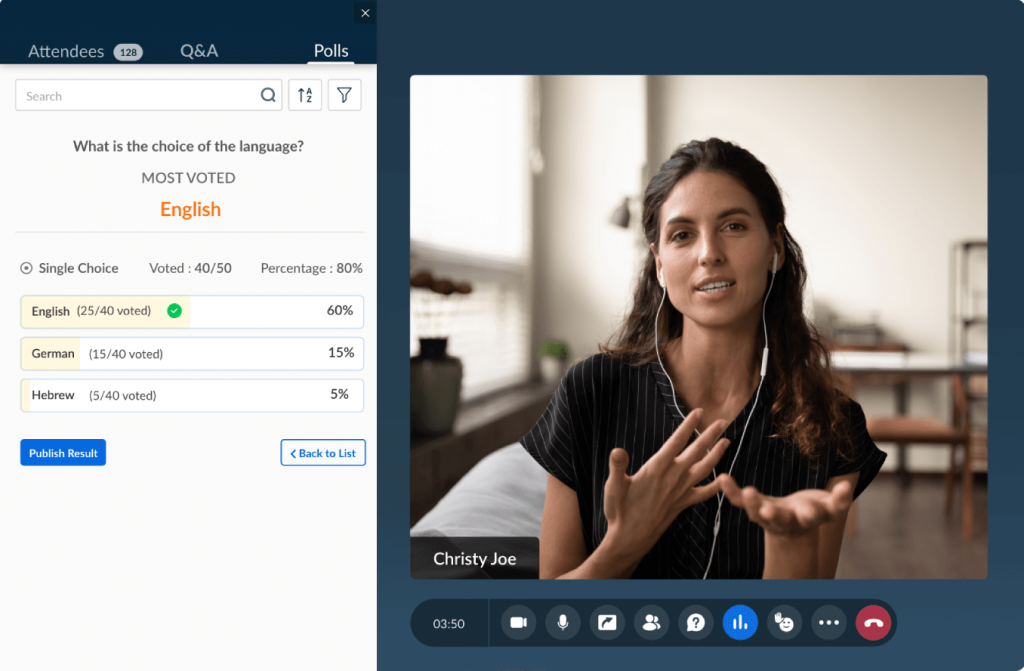
Webinar data flows directly into Zoho CRM and Zoho Campaigns, so a business already inside the Zoho ecosystem does not need to set up any separate integration.
It works as a low-cost eWebinar alternative for teams that want real live hosting and basic automation without paying for marketing features they do not yet need, making it a sensible entry point before upgrading to a more specialized platform.
Pros:
- Extremely low entry price makes it accessible for solo entrepreneurs and very small teams
- Supports webinars for up to 3,000 attendees on higher tiers, with source tracking for registrations
- Live streaming directly to YouTube built into the standard feature set
- Deep native integration with other Zoho apps, including Zoho CRM and Zoho Campaigns
- A genuinely usable free plan covering meetings and webinars up to 60 minutes and 100 participants
Cons:
- The feature set is noticeably lighter on marketing automation compared to purpose-built webinar marketing platforms
- Branding and customization options are more limited than on platforms designed primarily for public-facing marketing webinars
Pricing: The Webinar Standard plan starts at $9 per organizer per month, billed annually, for 25 attendees.
How I Chose These eWebinar Alternatives/My Evaluation Criteria
Picking a webinar platform on gut feeling alone is how businesses end up stuck with a tool that cannot grow with them. Since every entry on this list exists specifically to solve something eWebinar’s automated-only format cannot, we measured each one against six practical factors before it earned a spot.
User Reviews and Ratings
Since eWebinar itself is a niche, automation-only tool, its alternatives had to prove they work for real hosts running real sessions, not just look good on a features page. Ratings and reviews from reputable sites were checked for each platform to see where WebinarNinja, Demio, WebinarJam, and the rest consistently satisfy live-hosting and marketing teams, and where any of them fall short.
Essential Features and Functionality
The whole reason to look beyond eWebinar is that a purely automated replay cannot do everything a growing business needs. So each tool was evaluated on what it actually adds on top of that automated foundation, whether that is WebinarNinja’s live hosting and CourseNinja, Livestorm’s CRM-grade tracking, or WebinarGeek’s GDPR tooling, to confirm it solves a genuine eWebinar limitation rather than repackaging the same idea.
Ease of Use
A tool that promises more than eWebinar only helps if a host can actually use that extra power without a steep learning curve. Each platform’s interface, setup flow, and day-to-day navigation were assessed to see how quickly a marketer, coach, or sales team could get a live or automated webinar running, since added functionality is worthless if it comes wrapped in a confusing dashboard.
Customer Support
Once you add live hosting back into the mix, something eWebinar never has to worry about, things can go wrong mid-session in front of a real audience. So the quality of each platform’s customer support was factored in, looking at how well it helps hosts through setup, troubleshooting, and the live, in-the-moment technical issues that a purely automated tool simply never encounters.
Value for Money
Every tool here costs more thought to evaluate than eWebinar’s single-format pricing, since each one bundles a different mix of live hosting, automation, courses, or CRM tracking. We weighed the pricing against exactly those extra capabilities to judge whether a business gets genuine additional value for stepping up from an automated-only tool, rather than just paying more for the same thing.
Personal Experience and Expert Opinions
Finally, this list draws on hands-on use of these platforms, alongside the opinions of other marketers and webinar hosts who have made the same move away from a purely automated tool, so the picks reflect what actually works once live hosting, teaching, and lead generation enter the picture, not just marketing claims.
My Top 3 eWebinar Alternatives
Out of the 10 tools above, three stand out clearly enough that I would point almost any team toward one of them first, depending on what they actually need to accomplish.
1. ProProfs WebinarNinja
ProProfs WebinarNinja earns the top spot because it solves the exact problem that sends most people looking for an eWebinar alternative in the first place: generating leads, growing sales, and teaching better with live and automated webinars in one account instead of two. Add CourseNinja at no extra cost and a genuinely helpful AI layer, and it covers more ground than almost anything else on this list at a comparable price.
2. Livestorm
Livestorm takes the second spot for any team whose webinars double as sales or customer success meetings rather than pure marketing broadcasts. The attendee-credit billing model is unusual, but it rewards exactly the kind of frequent, internal-plus-external use that a growing revenue team tends to generate.
3. Demio
Demio rounds out the top three for its sheer simplicity. When the priority is a clean, no-download attendee experience and clear engagement analytics without a steep learning curve, Demio delivers on that with minimal friction, making it an easy recommendation for teams running their first few webinars.
Ready to Pick the Best eWebinar Alternatives?
Every tool on this list solves a real limitation of eWebinar, whether that is the need for live hosting, deeper CRM integration, enterprise-grade branding, or simply a lower monthly bill. The right pick depends on whether your webinars sell, train, onboard, or teach, and how large that audience can grow.
If forced to choose one, I lean slightly toward ProProfs WebinarNinja. It is the only platform here that pairs live, automated, series, and hybrid webinars with a full course platform in CourseNinja, built-in landing pages, and an AI layer that writes follow-up content automatically, all without forcing a switch to a second tool once your needs grow past what a purely automated replay can offer.
Frequently Asked Questions
What is the best eWebinar alternative overall?
ProProfs WebinarNinja is the strongest all-around pick because it combines live, automated, series, and hybrid webinars with built-in landing pages, email automation, and a free course platform in CourseNinja.
Is there a free eWebinar alternative?
Zoho offers a genuinely usable free plan covering meetings and webinars up to 60 minutes and 100 participants, making it the closest thing to a free option on this list.
Which eWebinar alternative is best for live webinars?
WebinarJam and ProProfs WebinarNinja are both strong choices for live hosting, with WebinarJam built specifically for large, high-attendance live sales events and WebinarNinja built for teams that want live and automated formats together.
Which eWebinar alternative is best for automated, evergreen webinars specifically?
EverWebinar is the closest direct competitor to eWebinar, since both tools are built purely around automated, scheduled replay webinars rather than live hosting.
Is WebinarNinja cheaper than eWebinar?
ProProfs WebinarNinja's Basic plan starts at $0.30/attendee/month, which is competitive with most webinar platforms in this category, though exact pricing depends on attendee volume and the features each business needs.
Which eWebinar alternative is best for large enterprises?
BigMarker is built specifically for enterprise-scale virtual events, with full white labeling, custom domains, and support for multi-day conferences with breakout rooms, though its pricing is fully custom and quote-based.
Do any of these tools offer a free trial?
Most tools on this list, including WebinarNinja, Demio, WebinarGeek, GoToWebinar, and EasyWebinar, offer a free trial ranging from seven to 14 days, so it is worth testing a platform before committing to an annual plan.
Which eWebinar alternative works best for course creators?
ProProfs WebinarNinja stands out here because CourseNinja is bundled in at no extra cost, letting a coach or educator sell live and on-demand courses directly alongside their webinars.
Which eWebinar alternative is best for GDPR compliance?
WebinarGeek and Livestorm both build strong compliance directly into their platforms, with WebinarGeek offering native consent fields and data lifecycle rules, and Livestorm holding ISO 27001 certification.
Can I run both live and automated webinars on the same platform?
Yes. WebinarNinja, Demio, WebinarGeek, and EasyWebinar all support live, automated, and on-demand formats within a single account, unlike EverWebinar and WebinarJam, which specialize in only one format each.
Which eWebinar alternative integrates best with a CRM?
Livestorm and Zoho both offer particularly strong native CRM integration: Livestorm connects to Salesforce, Marketo, and Microsoft Dynamics, while Zoho syncs directly with Zoho CRM and Zoho Campaigns.
Want to host a webinar for free?
Use WebinarNinja to teach, improve marketing, and grow your sales.