An advisor hosting a retirement-planning seminar is not just running a webinar. They are publishing a communication that may require compliance review, long-term archiving, and retrieval if a regulator requests it later. That is why firms looking for the best webinar software for financial advisors have to think beyond presentation quality and consider how prospect engagement, client education, and record keeping fit together.
FINRA Rule 2210 classifies webinars and event promotions as communications with the public, which generally means recordings must be retained for at least three years and, depending on the firm’s supervisory procedures, may require approval before publication. That requirement changes what “good webinar software” means for an advisory practice compared with a standard marketing team.
For this list, I focused on the questions that matter most to advisory firms: Can the platform support prospect seminars and recurring client education? How easily can recordings fit into an archiving workflow? Does it connect with the compliance and CRM systems the firm already uses? Current pricing, product documentation, and recent buyer feedback were used to validate those practical differences.
What Is Webinar Software for Financial Advisors?

The same webinar can serve very different jobs over its lifecycle. A retirement-planning seminar may begin as a lead-generation event, become an on-demand webinar for prospects who missed it, and later need to remain retrievable as part of the firm’s communication records. That makes repeatability, archiving compatibility, and controlled webinar follow-upjust as important as the live viewing experience.
10 Best Webinar Software for Financial Advisors to Check
The strongest options for financial advisors fall into a few different camps. Some are designed for enterprise financial services, some integrate well with external compliance archives, and others are easier for independent advisors or smaller RIAs that mainly need reliable prospect seminars and client education without an enterprise setup.
Here’s a quick comparison before we look at each platform in detail:
| Tool | Best For | Standout Feature | Attendee Cap | Starting Price | Free Trial |
| ProProfs WebinarNinja | Generating leads, growing sales, and teaching better | AI-powered webinar tools: AI Sales Coach (pitch feedback), AI Engagement Lead (live chat FAQs), AI Editorial Lead (headlines), AI Content Strategist (post-event content) | 1,000 live/unlimited automated | $0.30/attendee/month | 14 days, full features |
| ON24 | Firms wanting a platform with a financial services track record | Dedicated financial services practice and enterprise-scale controls | Enterprise-scale (custom) | Custom ($25K+/yr) | No |
| GoTo Webinar | Firms already using other GoTo products | Basic completion certificates for CE-style sessions | 250 to 3,000 | ~$59/user/month | Yes |
| BigMarker | Firms wanting highly branded seminar experiences | White-label events plus Media Hubs for reusable content | Enterprise-scale (tier-dependent) | ~$79/month | No |
| Livestorm | Advisory teams prioritizing a simple browser-based experience | Native CRM integrations and no-download joining | Tier-dependent (credit-based) | ~$99/month | Free plan only |
| Zoom Webinars | Firms already using Smarsh or Global Relay with Zoom | Meeting and Webinar Archiving API | Varies by plan | ~$66-83/month add-on + license | Free plan (meetings only) |
| Demio | Solo advisors running occasional prospect seminars | Marketing-focused engagement analytics | 50 to 150+ (tier-dependent) | ~$42-63/month | Yes |
| ClickMeeting | Advisors with European or GDPR-bound clients | EU data hosting and live transcription | 25 to 10,000 | ~$25-35/month | Yes (14 days) |
| Zoho Webinar | Advisory teams already using Zoho CRM | Zia AI notes plus RevAI live transcription | Up to 10,000 | ~$8-9/organizer/month | Yes |
| Microsoft Teams Webinar | Firms standardized on Microsoft 365 | Webinar hosting is included in base Microsoft 365 plans | Up to 1,000 | ~$12.50/user/month (bundled) | Depends on license |
Now, here’s how each option fits a financial advisory practice in real use.
1. ProProfs WebinarNinja
Best Webinar Software to Generate Leads, Grow Sales, and Teach Better
ProProfs WebinarNinja gives independent advisors and smaller RIAs a straightforward way to run retirement-planning seminars, educational webinars, and recurring client sessions without needing a large events team. It supports live, automated, and hybrid webinars, with registration pages and email workflows built into the same platform.
For prospecting, the automated webinar format is especially useful because an advisor can record a strong retirement or Social Security seminar once and make it available continuously. Its AI tools add another layer: AI Sales Coach can help improve delivery before a session, while AI Engagement Lead can assist with recurring attendee questions during the webinar. The platform does not replace FINRA-style archiving or supervisory review, so firms should still connect the webinar workflow to the compliance process required by their broker-dealer or RIA.
Pros:
- Use AI-powered webinar tools such as AI Sales Coach and AI Engagement Lead to improve delivery and handle recurring attendee questions
- Built-in landing pages and automated emails manage registration, reminders, and follow-up without extra tools
- Chat, Q&A, polls, offers, and handouts keep prospects engaged throughout financial education sessions
- Auto-records webinars for quick replays while analytics track attendance and participant engagement
- Runs live, series, hybrid, and automated webinars for prospect education and recurring client sessions
- Integrates with Mailchimp, HubSpot, Stripe, and 1,000+ apps via Zapier for connected workflows
Cons:
- No downloadable or on-premise version
- Dark user interface option is not available
Pricing: A FREE 14-day trial is available. Paid starts at $0.30/attendee/month (includes CourseNinja, worth $ 1,200).
Case study:
Pat Marquette, Marketing Director at Relayer Benefits, switched to WebinarNinja to take retirement and tax-strategy presentations online, using live and prerecorded webinars to continue educating clients and maintain sales.
2. ON24
Best for Enterprise Financial Services Programs
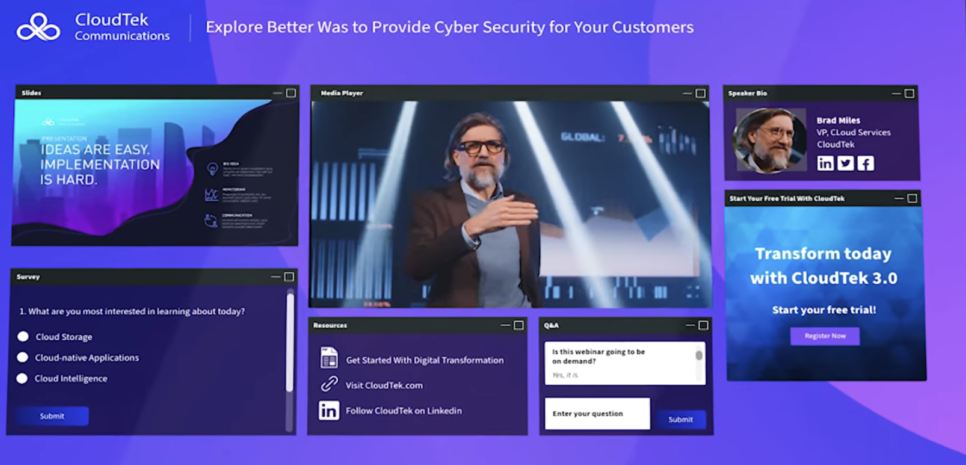
ON24 stands out because it has a dedicated financial services practice rather than treating financial firms as just another webinar audience. According to the vendor, six of the ten largest U.S. wealth management firms and five of the top ten asset managers use the platform, which makes it particularly relevant for larger institutions with mature compliance and event programs.
For advisory firms running frequent client education across business units, ON24’s strength is scale and content reuse. Its ACE engine can repurpose a webinar into additional assets, while Key Moments analytics help teams see where viewers disengage. That makes it more useful for firms that treat webinars as an ongoing client communication program rather than an occasional event.
Pros:
- Dedicated financial services practice with a substantial wealth and asset-management client base
- Enterprise-grade security and compliance controls suited to regulated organizations
- ACE engine repurposes client seminars into reusable follow-up content
- Key Moments analytics show where prospects or clients lose interest during a session
- SOC 2 Type II certified and GDPR compliant
Cons:
- No free trial or public pricing, so evaluating fit requires entering a sales process
- Scale and cost are better suited to large wealth-management firms than solo advisors or small RIAs
Pricing: Custom quotes only across Essentials, Standard, and Advanced tiers. Most organizations pay $25,000 to $100,000+ annually, with a median contract around $38,750.
3. GoTo Webinar
Best for Firms Already Using GoTo Products
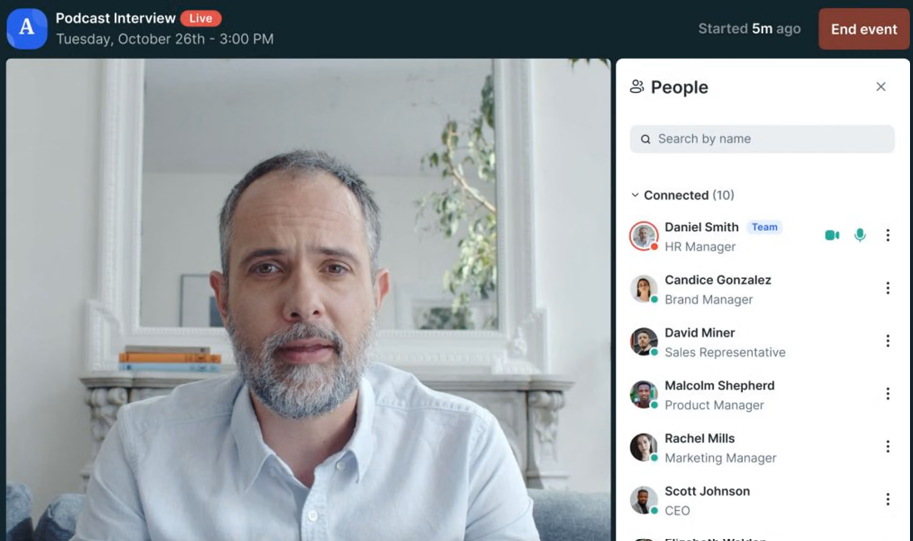
GoTo Webinar is a familiar option for firms that already use the broader GoTo ecosystem. Its predictable attendee tiers, CRM integrations, and basic completion certificates make it suitable for educational events, CE-style sessions, and standard prospect webinars without requiring a highly specialized setup.
For financial advisors, the main limitation is the lack of compliance-specific archiving. Firms must still decide how to retain and review webinar recordings. Higher tiers also unlock automated seminars, which matters for firms that want evergreen prospect webinars to run without a live advisor each time.
Pros:
- Predictable attendee tiers make it easier to plan recurring prospect seminars across different audience sizes
- Basic completion certificates support CE-style education sessions
- Attendee capacity scales from 250 to 3,000 across plans
- CRM integrations are available on Pro and Enterprise tiers
- Free trial allows firms to test the platform before committing
Cons:
- No financial-services-specific recordkeeping or archiving workflow built in
- Automated seminars are available only on Pro and Enterprise tiers
Pricing: Plans start around $59/user/month for the Lite tier and scale to roughly $399-$499/month for Enterprise. A free trial is available.
4. BigMarker
Best for Fully Branded Prospect Seminars
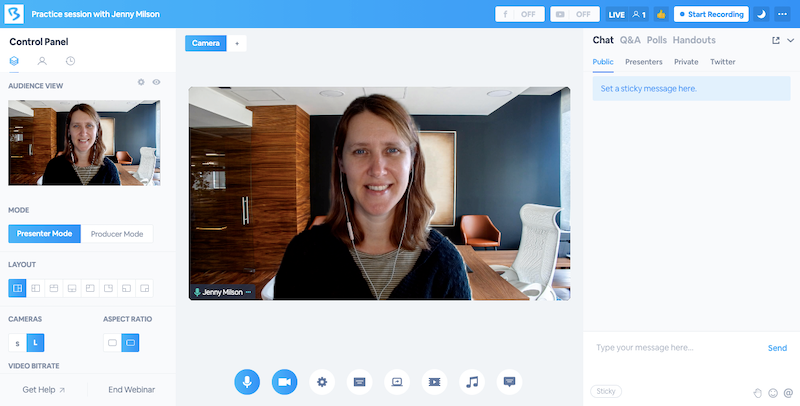
BigMarker is a stronger fit when presentation and branding matter as much as the webinar itself. Its white-label options can make a retirement-planning or investor-education event feel like a fully owned firm experience, while Media Hubs provide a central place to organize webinar recordings and related content.
For larger advisory practices, Media Hubs can also help turn one-off seminars into a persistent education library clients can revisit. That does not automatically make the library a compliant archive, however, so firms still need to distinguish between a convenient content repository and whatever formal recordkeeping system compliance requires.
Pros:
- White-label branding creates a firm-owned experience for prospect seminars
- Media Hubs organize webinars and client-education content in one place
- Supports live, simulive, automated, and on-demand formats
- Enterprise reporting works for larger advisory practices and multi-advisor teams
- On-demand delivery keeps investor-education and retirement seminars available after the live event
Cons:
- No published free trial
- Custom white-label implementations may require more setup than smaller firms expect
Pricing: Starter is around $79/month for 100 attendees, Elite around $299/month for 500 attendees, with custom Enterprise pricing above that.
5. Livestorm
Best for a Low-Friction Client Experience
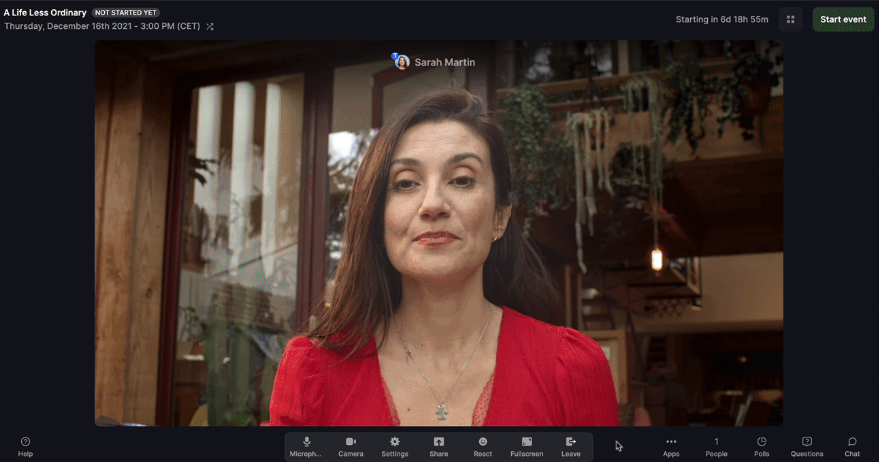
Livestorm runs in the browser, which makes it useful for advisory firms that want to remove technical friction for clients joining from different devices. Its native HubSpot and Salesforce integrations also help keep registration and attendance data connected to the firm’s existing follow-up process.
The platform is especially practical for advisors who want to offer replay or on-demand access after a live seminar. A prospect who misses a retirement-planning session can still watch later without installing software, while built-in email automation can handle reminders and replay follow-up. Formal compliance archiving still needs to be handled separately.
Pros:
- Browser-based joining reduces technical friction for prospects and clients
- Native HubSpot and Salesforce integrations avoid extra middleware
- Detailed attendance and drop-off analytics for seminars and client updates
- Built-in email automation supports reminders and replay follow-up
- On-demand webinars extend the life of prospect seminars
Cons:
- No dedicated financial services archiving integration comparable with Zoom’s archiving API
- Per-attendee credit pricing can become expensive for frequent seminar programs
Pricing: Free plan is limited to 30 attendees and 20-minute sessions. Pro starts around $99/month, Premium around $299/month, and Enterprise is custom-priced above that.
6. Zoom Webinars
Best for Firms Already Using Compliance Archives With Zoom
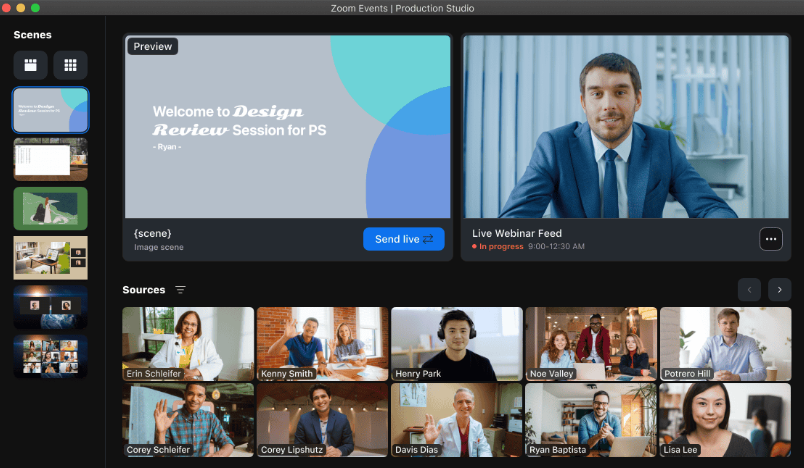
Zoom is notable here because its Meeting and Webinar Archiving API is designed to route webinar content into third-party compliance archives. That makes it especially relevant for firms already using providers such as Smarsh or Global Relay for FINRA and SEC recordkeeping.
This setup gives compliance teams a clearer path than platforms that simply produce a recording and leave the rest to manual handling. The important distinction is that Zoom’s API does not itself satisfy the archive requirement; the firm still needs the separate archiving service, retention policy, and supervisory process around it.
Pros:
- Meeting and Webinar Archiving API supports compliance workflows when paired with vendors such as Smarsh or Global Relay
- AI Companion is bundled with paid Workplace plans
- Familiar attendee experience reduces joining friction
- Zoom for Financial Services includes compliance and security-oriented integrations
- Works well for firms already invested in Zoom Phone or Rooms
Cons:
- Archiving still requires a separate paid compliance service
- Webinar capability is an add-on to a separate Workplace license
Pricing: Requires a paid Workplace license, plus the Webinars add-on starting around $66-$83/month.
7. Demio
Best for Solo Advisors Running Occasional Seminars

Demio keeps the setup simple for solo advisors or small teams that run occasional lead-generation webinars. It’s no-download experience, straightforward registration flow, and marketing-oriented analytics make it easy to see where registrations came from and who attended.
That simplicity is also its main limitation for regulated financial use. Demio does not provide compliance-specific archiving or supervisory workflows, so a firm would need a separate process for retaining webinar communications. Its entry plan also becomes restrictive once several advisors need to host sessions independently.
Pros:
- No-download joining reduces friction for prospects attending retirement or financial education seminars
- Registration-source analytics help advisors see which channels generate seminar signups
- Automatic recording and replay help advisors follow up with prospects who miss the live seminar
- Native HubSpot and Salesforce integrations are available on the Premium tier
- Free trial allows smaller firms to test fit before paying
Cons:
- No dedicated compliance archiving or financial services recordkeeping features
- Starter plan’s one-host and 50-attendee limits can restrict multi-advisor teams
Pricing: Starter runs about $42-$63/month for one host and a 50-attendee room. Growth starts at $75- $117/month and unlocks automation.
8. ClickMeeting
Best for Advisors With European or GDPR-Bound Clients
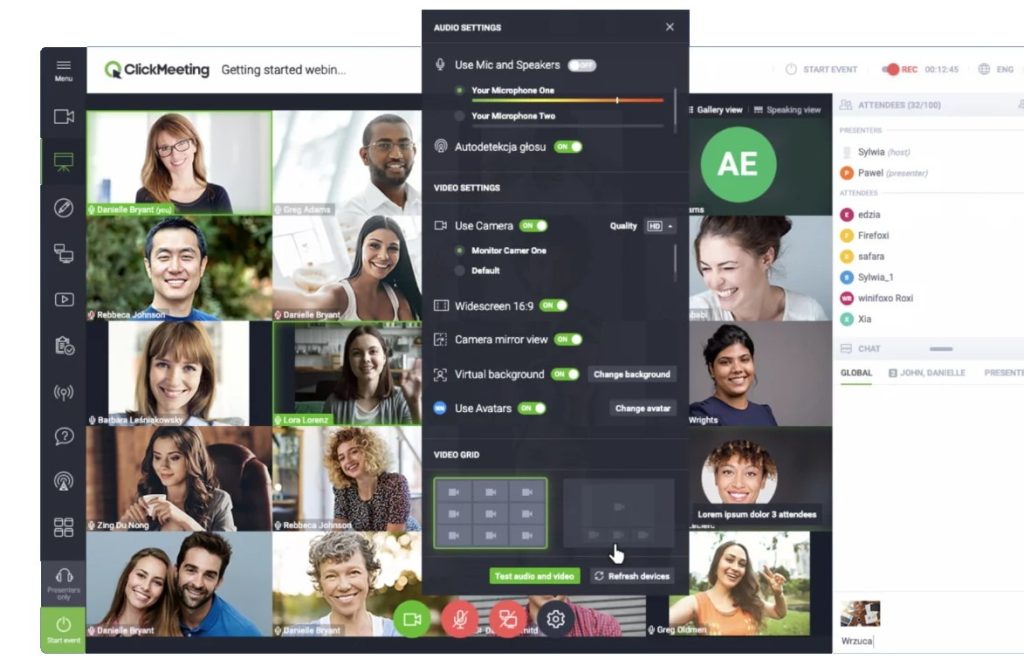
ClickMeeting is most relevant for financial advisors working with European clients because of its EEA-based hosting and GDPR-oriented setup. That addresses a different regulatory concern from FINRA or SEC recordkeeping, but it can still matter for cross-border advisory practices.
The platform also supports automated webinars, which can help advisors keep evergreen educational sessions available to prospects. Those automated formats sit above the entry Live plan, so firms need to compare the actual tier required for continuous prospecting rather than relying on the lowest advertised price.
Pros:
- GDPR compliance and EU data residency are useful for advisors serving European clients
- Enterprise tier supports up to 10,000 attendees
- 14-day free trial lowers the barrier to testing
- Automatic speech-recognition transcription supports accessibility
- Browser-based joining requires no download
Cons:
- No FINRA- or SEC-specific archiving features
- Automated seminar formats require a higher-priced plan
Pricing: Live plans start at $25- $35/month for 25 attendees. Automated plans start around $45/month, while Enterprise is custom-priced.
9. Zoho Webinar
Best for Advisory Teams Already Using Zoho CRM
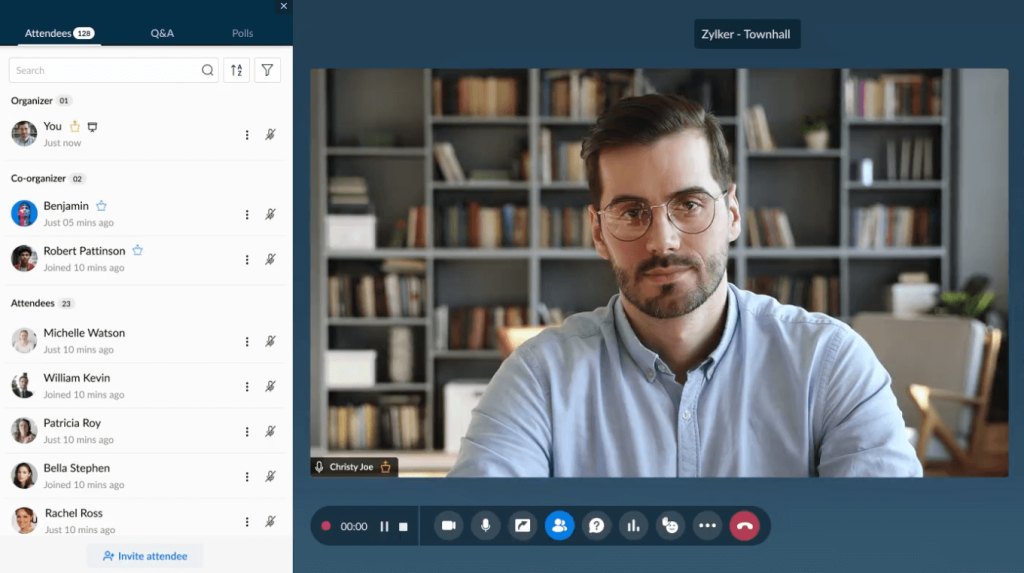
Zoho Webinar is a natural fit for firms already running their prospect and client workflows through Zoho CRM. Zia can generate session notes and key takeaways, while RevAI adds live transcription, giving advisors an additional written record of what happened during a client or prospect session.
Those AI-generated notes are useful operationally, especially when follow-up tasks need to move back into the CRM, but they are not a substitute for a formal compliance archive. The benefit here is workflow continuity: registration, session activity, and follow-up can remain close to the account record instead of being spread across unrelated systems.
Pros:
- Zia AI creates automatic notes and key takeaways from webinar sessions
- RevAI live transcription adds a written record alongside the recording
- Native Zoho CRM integration keeps prospect and client engagement connected
- One of the lower-priced entry points on this list
- Free trial and a limited free tier are available
Cons:
- AI-generated notes and transcripts do not replace FINRA/SEC-compliant archiving
- Some attendee configurations may add more joining friction than fully browser-based alternatives
Pricing: Standard is around $8-$9/organizer/month, Professional around $16-$19/month, and Enterprise around $66/month.
10. Microsoft Teams Webinar
Best for Firms Standardized on Microsoft 365
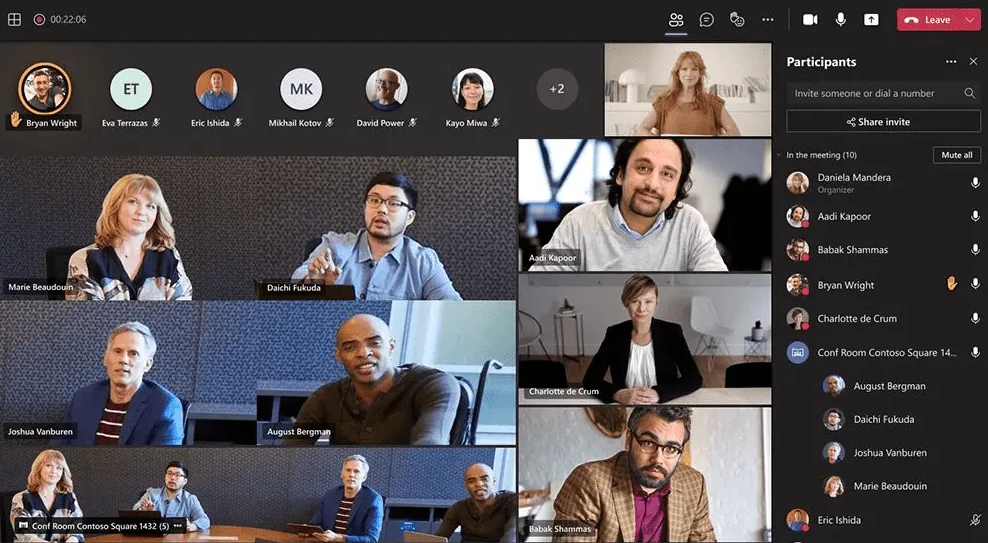
Microsoft Teams Webinar makes the most sense when the advisory firm is already deeply invested in Microsoft 365. Core webinar hosting is now included in base plans, which can reduce procurement overhead for firms that prefer to extend existing infrastructure rather than introduce another event platform.
Its compliance value depends heavily on the firm’s current Microsoft 365 configuration. A firm may already have retention, eDiscovery, or third-party archiving processes around Teams, but compliance and IT still need to confirm that webinar communications are actually covered by those policies rather than assuming the existing setup automatically applies.
Pros:
- Webinar hosting is bundled into Microsoft 365 plans, and many firms already use
- Existing Microsoft 365 compliance infrastructure may simplify adoption
- Supports up to 1,000 attendees with registration and reminders
- Teams Premium adds intelligent recap and advanced production capabilities
- Uses infrastructure that most enterprise IT teams already manage
Cons:
- Firms must verify that their existing archiving and retention policies specifically cover webinar communications
- Advanced production and reporting features still require Teams Premium
Pricing: Core webinar hosting is included in Microsoft 365 Business Standard at around $12.50/user/month. Teams Premium, around $10/user/month, adds intelligent recap and advanced production features.
Evaluation Criteria
Nothing here was scored off a vendor’s own product page. Every entry was checked against its live pricing page, its published documentation, and independent buyer feedback from G2, Capterra, and TrustRadius. Six factors shaped the ranking.
- User Reviews/Ratings: Every entry here was checked against verified user feedback on G2, Capterra, and TrustRadius, rather than relying on vendor claims alone, including ProProfs WebinarNinja’s own 4.2-star rating across 200+ verified Capterra reviews.
- Essential Features & Functionality: The value of a product is ascertained by its core features and overall functionality. Through an in-depth exploration of these aspects, the tools’ practical usefulness and effectiveness are carefully evaluated.
- Ease of Use: The user-friendliness of a product or service is assessed by focusing on its design, interface, and navigation. This ensures a positive experience for users of all levels of expertise.
- Customer Support: The quality of customer support is examined, taking into account its efficiency and how well it supports users in different phases – setting up, addressing concerns, and resolving operational issues.
- Value for Money: Value for money is evaluated by comparing the quality, performance, and features. The goal is to help the reader understand whether they will get their money’s worth.
- Industry Analysis & Expert Commentary: Independent analyst coverage and third-party comparisons specific to financial services technology and compliance requirements, used to check vendor claims against outside opinion.
What Compliance Should Approve Before the First Webinar
Before an advisor schedules a client-facing webinar, the platform itself is only one part of the decision. The bigger question is whether the firm’s compliance process can support the promotion, delivery, recording, storage, and review of the webinar.

Firms should also decide how engagement records, such as chat, Q&A, polls, and attendee activity, will be handled. Reviewing webinar analytics can help teams understand which interaction data the platform captures, while compliance can determine which records need to be retained under the firm’s policies. WebinarNinja’s analytics, for example, include chat, questions, polls, and replay activity.
A compliance review should cover:
- Where archived recordings are stored
- Who can retrieve them if requested later
- How long must records be kept
- How webinar invitations and registration pages are approved
- Whether recordings are automatically retained
- Whether chat, Q&A, polls, and attendee interactions also need to be preserved
- Whether automated or evergreen webinars require separate approval
- Whether third-party archiving software is needed
A platform can be excellent for delivering webinars and still leave recordkeeping entirely to another system. That is why firms should evaluate the webinar tool and the compliance workflow together.
Questions to Take to Your Compliance Team
Before choosing a webinar platform, advisors should confirm how it fits into the firm’s existing compliance and recordkeeping process. This is especially important when the webinar will be used for prospecting, recurring client education, or prerecorded sessions that remain available over time.
The review should also cover how webinar registration and invitation materials are handled before a session goes live. A tool may manage registration, recording, and follow-up well but still require separate processes for approvals, retention, archiving, or retrieval.
Ask:
- Can we use this platform for public-facing seminars under our current policies?
- Do webinar recordings need principal approval before or after the event?
- Does chat or Q&A count as part of the communication record?
- Can the platform connect with our current archiving provider?
- Are automated webinars treated differently from live webinars?
- Can recordings be edited after compliance approval?
- Who owns the retention process, marketing, compliance, or IT?
- What happens if an advisor hosts a session from a personal device?
- Does our existing Microsoft 365 or Zoom archive already cover webinars?
- What evidence would we need to produce during an audit?
These questions also make it easier to compare platforms for operational fit rather than focusing solely on webinar features.
When a General Webinar Platform Is Enough
A financial services-specific platform is not automatically necessary. Many advisory firms can use a general webinar platform successfully when compliance, archiving, CRM, and supervisory processes already exist outside the webinar software.
This is often more practical for smaller RIAs or firms that run webinars occasionally. A general tool can still support registration, follow-up, and webinar engagement while the firm continues using its existing systems for compliance and long-term retention.

A general webinar platform can be perfectly adequate when:
- The firm already has a separate compliant archiving system;
- Supervisory approval happens outside the webinar platform;
- Advisors mainly run occasional prospect seminars;
- The audience size is modest;
- Existing CRM and compliance integrations already work;
- The firm does not need complex multi-advisor workflows.
A more specialized enterprise platform becomes easier to justify when webinars are frequent, multiple advisors are involved, recordings need centralized governance, and compliance teams want fewer disconnected systems.
The right choice depends on the firm’s webinar volume, compliance setup, team size, and existing technology stack.
When It Makes Sense to Change Platforms
Switching tools usually makes sense because the current workflow has become difficult to manage, not because another vendor added one new feature. Repeated manual work, disconnected systems, or gaps in archiving and CRM workflows are stronger reasons to reconsider the platform.
It is also worth looking at the cost of switching. Historical recordings, registration pages, CRM connections, automated sessions, email workflows, and compliance processes may all need to be rebuilt or migrated, so the benefits should outweigh that disruption.
Common signs include:
- Compliance teams manually chase recordings after every session
- Archived webinars are spread across multiple locations
- Advisors cannot easily run automated or evergreen seminars
- Prospect registration data does not reach the CRM
- Clients regularly struggle to join sessions
- Multiple tools are needed for registration, hosting, follow-up, and archiving
- Webinar data does not sync with prospect or client records in the CRM.
- The firm has outgrown the attendee or host limits
- Compliance cannot easily retrieve a historical recording
If the existing setup already handles these jobs reliably, switching platforms may add unnecessary operational risk.
Ready to Build the Right Webinar Workflow?
A financial advisory firm should first define its broader webinar management workflow, including approval, delivery, archiving, and follow-up, before choosing the software that sits in the middle of that process.
For a large firm, that may point toward a platform with a stronger financial services infrastructure. For a smaller RIA, it may make more sense to use an affordable webinar platform alongside an existing compliance archive.
ProProfs WebinarNinja is worth considering when the priority is easy, live, and automated webinar delivery, built-in registration, browser-based attendance, and lead generation, all without enterprise-level pricing. The compliance layer, however, should still be confirmed separately with the firm’s own supervisory and archiving setup.
Frequently Asked Questions
What Is the Best Webinar Software for Financial Advisors?
The best option depends on the firm’s size, webinar volume, and compliance setup. Large wealth management firms may prefer platforms with stronger financial services infrastructure, while smaller RIAs can use tools like ProProfs WebinarNinja alongside a separate archiving solution.
Do Financial Advisor Webinars Need to Be Recorded and Archived?
Generally, yes. Financial firms often need to retain webinar communications for compliance and recordkeeping purposes. The exact process depends on the firm’s supervisory procedures, so advisors should confirm retention and approval requirements with their compliance team.
How Much Does Webinar Software Cost for Financial Advisors?
Pricing varies widely. Smaller platforms may start with affordable monthly plans, while enterprise platforms can require large annual contracts. Firms should also account for archiving, storage, compliance review, integrations, and premium webinar features when calculating total cost.
Can Financial Advisors Use Automated Webinars?
Yes. Automated webinars can work well for repeatable topics such as retirement planning, Social Security, tax education, or introductory seminars. Firms should still confirm how prerecorded sessions are approved, archived, updated, and monitored under their compliance policies.
Does Webinar Software Integrate With Compliance Archiving Tools?
Some platforms offer direct or API-based connections with compliance archiving systems, while others require a separate workflow. Firms already using providers such as Smarsh or Global Relay should verify that webinar recordings and related communications can be captured correctly.
What Should Financial Advisors Look for in Webinar Software?
Prioritize reliable recording, easy attendee access, automated and live webinar options, registration tools, CRM integrations, engagement analytics, security, and compatibility with the firm’s archiving process. Compliance requirements should be evaluated alongside marketing and presentation features.
Can Webinar Software Help Financial Advisors Generate Leads?
Yes. Registration pages, automated seminars, reminder emails, polls, and follow-up workflows can help advisors turn educational webinars into lead-generation campaigns. ProProfs WebinarNinja, for example, supports automated webinars that can continue collecting registrations without requiring the advisor to present every session live.
Is a Financial Services-Specific Webinar Platform Necessary?
Not always. A general webinar platform may be sufficient when the firm already has compliant archiving, supervisory review, CRM, and record-retention processes in place. Specialized platforms become more valuable when firms need centralized governance across many advisors and frequent webinars.
What Webinar Metrics Should Financial Advisors Track?
Useful metrics include registration-to-attendance rate, engagement during the session, replay views, drop-off points, CTA clicks, meeting bookings, and follow-up conversions. Prospecting webinars and client-education sessions should be measured against different goals.
Do Clients Need to Download Software to Join a Webinar?
Not necessarily. Many modern webinar platforms support browser-based attendance, which reduces friction for clients who may be uncomfortable installing unfamiliar software. ProProfs WebinarNinja, Livestorm, and Demio are examples of platforms that support no-download joining.
Can Advisors Reuse the Same Webinar for Multiple Audiences?
Yes, especially for evergreen topics. A recorded session can be reused as an automated or on-demand webinar, but firms should confirm whether changes in regulations, disclosures, tax rules, or product information require the recording to be reviewed or replaced.
What Should Advisors Confirm Before Switching Webinar Platforms?
Confirm how historical recordings will remain archived, whether the new platform works with existing compliance systems, how registration and attendee data will migrate, and whether current CRM and email workflows will continue working before the old platform is retired.
Want to host a webinar for free?
Use WebinarNinja to teach, improve marketing, and grow your sales.