vFairs earns its reputation in specific environments. The immersive 3D virtual venue, career fair job boards, expo booth management, and mobile check-in app are genuinely well-built for virtual job fairs, trade shows, university open days, and conferences. For those programs, the platform delivers an experience that standard webinar tools cannot replicate.
But teams using vFairs for webinars find the same gap: pricing reflects the full event scope, not the webinar program they run. According to The State of Event Marketing 2025, virtual events convert to a qualified pipeline at 6.41%, the highest efficiency across all marketing channels. Reaching that requires registration, per-attendee analytics, and automated follow-up: all webinar capabilities, not virtual ones.
This list covers the 10 best vFairs alternatives and competitors for webinar-focused teams: platforms covering the webinar lifecycle without career fair and expo overhead, drawn from pricing pages, product documentation, and G2 and Capterra reviews.
10 Best vFairs Alternatives
A few of these genuinely surprised me once I looked past the feature page, and a few solve a narrower problem than vFairs ever tries to. That gap between what an immersive virtual event platform delivers and what a webinar-focused program actually needs is exactly what this breakdown is built to close.
Here is a quick look at how these vFairs alternatives and competitors stack up before the full breakdown:
| Tool | Best For | Key Difference From vFairs | Starting Price |
| ProProfs WebinarNinja | Generating leads, growing sales, and teaching better | Webinar lifecycle without 3D event-environment overhead | $0.30/attendee/month |
| Bizzabo | Enterprise event programs | Broader in-person, hybrid, and virtual event management | Custom ($17,999+/yr) |
| Whova | Conferences and attendee engagement | App-led networking and conference workflows | Custom |
| BigMarker | White-label virtual events | Branded webinar and virtual-event experiences | ~$79/month |
| Airmeet | Networking-led events | Attendee networking plus broader event workflows | $167/month annually |
| ON24 | Enterprise demand generation | First-party engagement and content marketing workflows | Custom ($25K+/yr) |
| GoTo Webinar | Large recurring webinars | Structured webinar operations up to 3,000 participants | ~$59/user/month |
| Zoom Webinars | Existing Zoom teams | Familiar registered webinar environment | ~$66-83/month add-on + license |
| Livestorm | B2B webinar programs | Attendee-credit model and connected marketing workflows | ~$99/month |
| Demio | Marketing-led webinars | Browser-based engagement and automation | ~$42-63/month |
Now, here is how each one actually holds up.
1. ProProfs WebinarNinja
Best for Generating Leads, Growing Sales, and Teaching Better
ProProfs WebinarNinja keeps the workflow centered on the webinar itself, from registration and reminders to engagement, replay, analytics, integrations, and follow-up. That becomes useful when a team does not need vFairs’ 3D lobbies, expo booths, career fair workflows, or broader event infrastructure to run the program successfully.
vFairs is built around the immersive virtual event. Its branded lobbies, exhibition halls, auditoriums, and networking spaces make sense when the environment itself is part of the attendee experience. For marketing and training teams whose programs are webinars, the practical question is different. The registration page, email reminders, CRM handoff, and follow-up determine whether the session generates a pipeline. A 3D lobby does not improve those stages.
ProProfs WebinarNinja supports live, automated, series, and hybrid webinars from one account. Registration pages and emails manage the journey before the session. Chat, Q&A, polls, offers, and handouts drive engagement throughout. Automatic recordings, replays, analytics, and integrations keep the webinar useful after it ends.
The AI layer supports that workflow rather than dominating it. AI Conversion Writer helps with registration copy, AI Sales Coach supports presenter preparation, and AI Content Strategist helps turn completed webinars into follow-up content. For teams choosing between different webinar formats, that before-during-after coverage matters more than recreating a virtual expo floor.
Pros:
- AI supports registration copy, presenter prep, attendee questions, and content reuse.
- Supports live, automated, series, and hybrid webinars without immersive event setup.
- Built-in registration pages and emails simplify webinar sign-ups, reminders, and follow-up.
- Chat, Q&A, polls, offers, and handouts keep audiences engaged during sessions.
- Automatic recordings and replays extend value beyond the live webinar.
- Webinar analytics help teams review attendance, engagement, and replay behavior.
- CourseNinja adds structured course delivery for training and education programs.
- HubSpot, Mailchimp, Stripe, and 1,000+ Zapier integrations connect wider workflows.
Cons:
- No downloadable or on-premise version.
- Dark user interface option is not available.
Pricing: A FREE 14-day trial is available. Paid starts at $0.30/attendee/month (includes CourseNinja, worth $ 1,200).
Case study:
Michael Lancto, an entrepreneur and coach, used ProProfs WebinarNinja to deliver professional, interactive training while avoiding the cost of platform features he did not need. Live Q&A, chat, recording, customizable backgrounds, and an easier setup helped him reconnect with his audience while keeping the program cost-effective.
2. Bizzabo
Best for Enterprise Event Programs
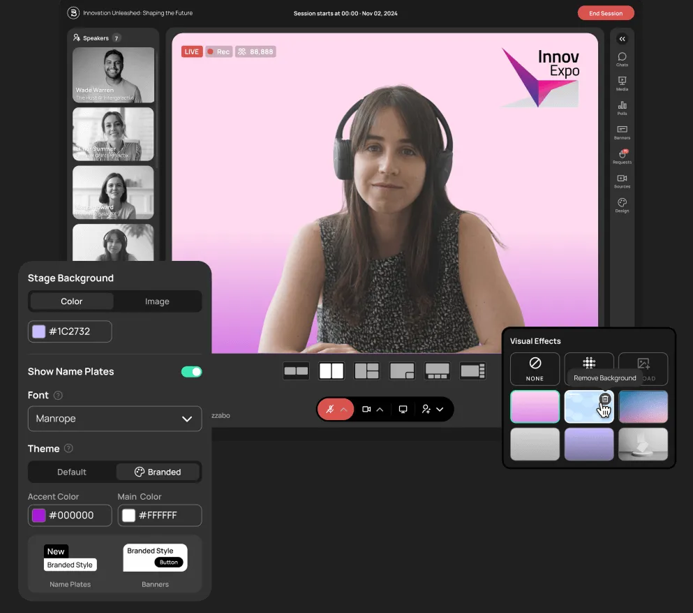
Bizzabo gives enterprise teams a single environment for managing in-person, hybrid, and virtual event programs, making it relevant even when leaving vFairs does not mean abandoning broader event management.
Both platforms go considerably further than standalone webinar software. Registration, attendee management, event marketing, on-site experiences, reporting, and multi-format event operations can remain part of a single technology decision.
The more useful distinction is how the organization wants those events to operate. vFairs places considerable emphasis on immersive digital environments, including virtual venues, booths, and fairs. Bizzabo approaches the problem more broadly as an event management and audience engagement stack.
That makes it worth considering when the organization’s actual problem is not “We need simpler webinars,” but “We still need enterprise events and want a different way to manage them.”
Pros:
- Supports in-person, hybrid, and virtual event programs.
- Registration and attendee management extend beyond standalone webinars.
- CRM and marketing connectivity support wider event-to-revenue workflows.
- Suitable for organizations managing several event formats under one program.
Cons:
- Public self-service pricing is not available.
- Implementation may be heavier than webinar-only teams need.
- Immersive 3D venues are not the center of its product experience.
Pricing: Starts at $499/user/month, billed annually, with a 3-user minimum, or $17,999/year.
3. Whova
Best for Conferences and Attendee Engagement
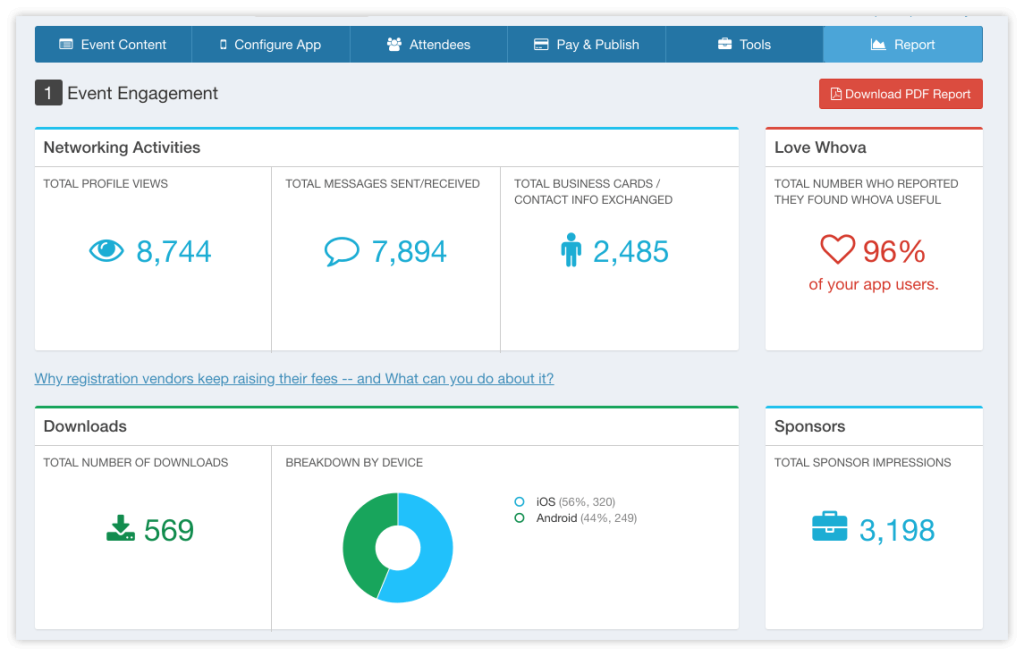
Whova centers much of the attendee experience around its event app, networking, agenda management, exhibitors, speakers, engagement, and onsite event workflows.
That creates a different experience from vFairs’ immersive virtual-world approach.
A conference attendee may care less about walking through a simulated lobby and more about knowing which session starts next, who else is attending, which exhibitor they want to visit, and how to contact someone they met twenty minutes ago.
For associations, conferences, career fairs, and multi-day programs, that app-led model can be more relevant than a traditional webinar platform without requiring the event to revolve around a 3D environment.
Pros:
- Strong mobile-event orientation for conferences and multi-session programs.
- Networking supports attendee-to-attendee interaction beyond individual sessions.
- Exhibitor and speaker workflows support larger event programs.
- Check-in capabilities extend into in-person and hybrid events.
Cons:
- Public self-service pricing is not available.
- Webinar lead generation is not the product’s primary job.
- More event infrastructure than standalone webinar teams normally require.
Pricing: Custom pricing.
4. BigMarker
Best for White-Label Virtual Events
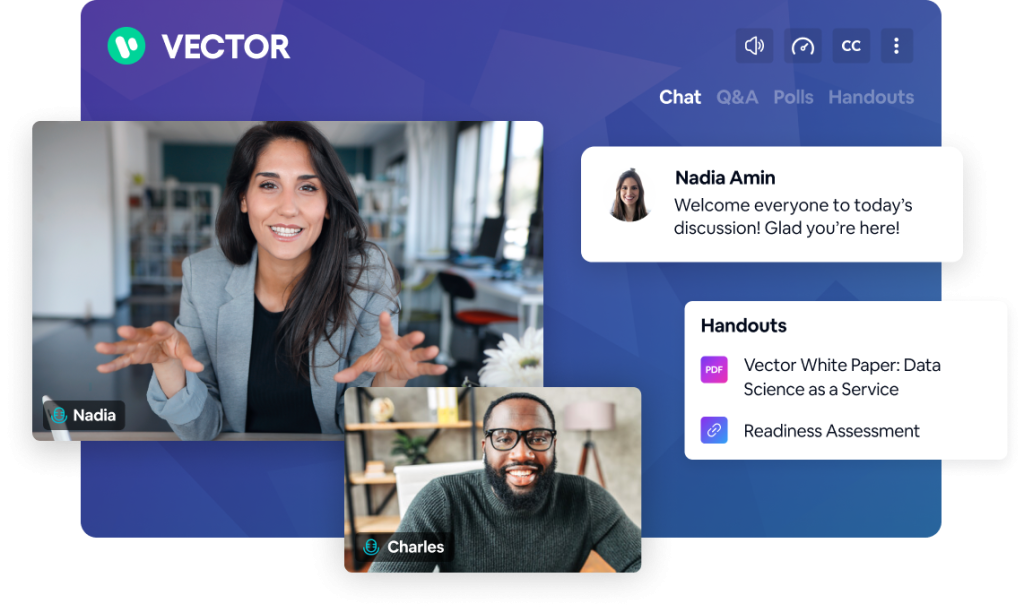
BigMarker gives organizations deeper control over branded webinar and virtual-event experiences, including registration pages, webinar environments, custom domains, emails, and enterprise white-label delivery.
That makes it especially relevant when leaving vFairs does not mean giving up control over the attendee-facing experience. For one organization, adding a logo is enough. For another, every page, room, email, and replay experience has to look like part of its own brand.
BigMarker becomes much more relevant in the second scenario. Its white-label offering can support branded virtual experiences on an organization’s own domain, while its broader event capabilities extend beyond simple standalone webinars.
For teams using vFairs primarily for branded virtual conferences and summits rather than career fairs or trade shows, this can preserve much more of the event experience without recreating the 3D venue itself.
Pros:
- White-label options support deeply branded attendee experiences.
- Supports webinars alongside larger virtual-event programs.
- Custom domains keep experiences closer to the host organization’s brand.
- Multi-session formats suit conference-style virtual programs.
Cons:
- Advanced branding and customization require higher-level packages.
- More platform complexity than a basic webinar program may need.
- Career fair job boards and 3D event environments are outside its core scope.
Pricing: Starter is around $79/month for 100 attendees, Elite around $299/month for 500 attendees, with custom Enterprise pricing above that.
5. Airmeet
Best for Networking and Community-Driven Events
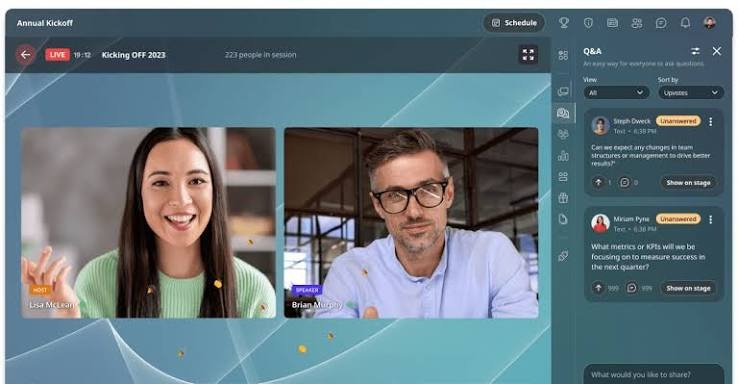
Airmeet puts attendee-to-attendee networking much closer to the center of the event experience. Its Premium Webinars plan combines live, simulive, and on-demand webinars with engagement, analytics, CRM integrations, advanced networking, ticketing, and sponsorship.
That creates a different kind of virtual event from vFairs. vFairs approaches networking through the immersive expo model, where attendees move through event spaces, booths, and auditoriums.
Airmeet approaches the problem more like a live community. For membership events, thought-leadership programs, town halls, and community summits, the important moment may not be someone entering a virtual booth. It may be two attendees finding each other and starting a useful conversation.
Pros:
- Networking features suit community-led events and audience interaction.
- Supports live, simulive, and on-demand webinar formats.
- Analytics and reporting support post-event analysis.
- CRM integrations connect events with surrounding workflows.
- Ticketing and sponsorship support monetized programs.
Cons:
- Networking-heavy functionality can be unnecessary for simple webinars.
- Larger event programs introduce more operational complexity.
- Expo and career-fair workflows differ from vFairs’ immersive environment.
Pricing: Premium Webinars start at $167/month when billed annually.
6. ON24
Best for Enterprise Demand Generation
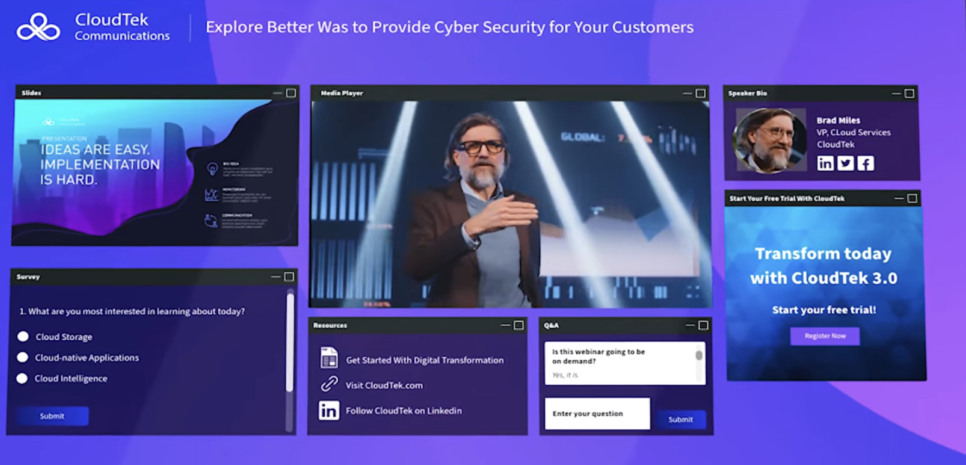
ON24 is built around first-party engagement data, AI-powered webinars, virtual events, content marketing, and enterprise revenue workflows. That matters when the webinar is expected to do more than produce an attendance report.
A marketing team may want to know who interacted, what content caught attention, and which behaviors should influence segmentation or follow-up. ON24 positions engagement data as a way to qualify prospects and understand customers, while its content tools extend completed programs into additional assets and workflows.
vFairs measures interaction inside a broader event environment. ON24 puts revenue-oriented digital engagement much closer to the center of the product. For enterprise teams using vFairs mainly for demand-generation webinars rather than fairs or expos, that difference may matter more than the visual event environment.
Pros:
- First-party engagement data supports enterprise marketing analysis.
- CRM and marketing automation workflows suit complex revenue stacks.
- Content tools extend completed webinars into additional assets.
- Personalized digital experiences support larger nurture programs.
Cons:
- Public self-service pricing is not available.
- Feature depth may be unnecessary for smaller webinar programs.
- Implementation can be more complex than with simpler webinar platforms.
Pricing: Custom quotes only across Essentials, Standard, and Advanced tiers. Most organizations pay $25,000 to $100,000+ annually, with a median contract around $38,750.
7. GoTo Webinar
Best for Large Recurring Webinar Programs
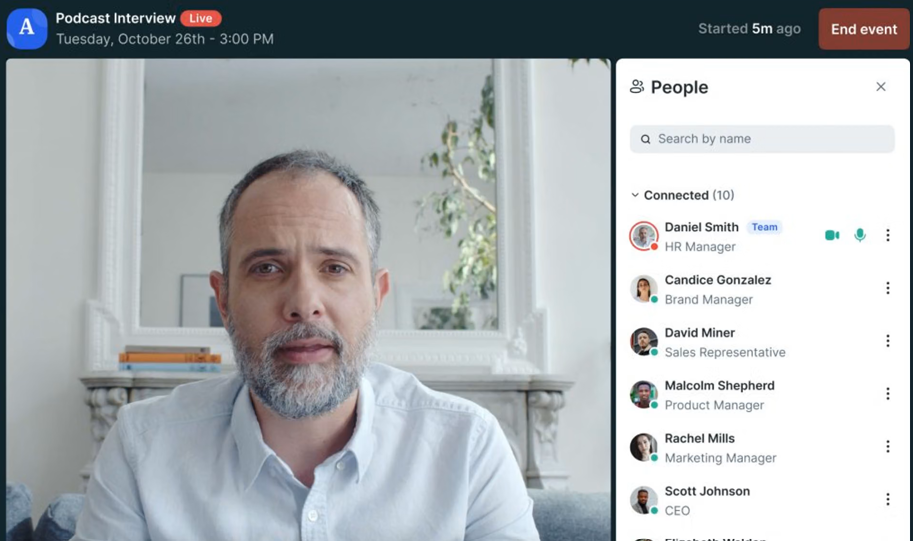
GoTo Webinar focuses on repeatable webinar operations at scale, with reporting, automated reminders and follow-ups, polls, Q&A, recordings, and participant capacity organized around recurring programs.
GoTo’s current Reach plan supports up to 500 participants and includes reporting, automated emails, polls, and live Q&A. Elevate increases capacity to 1,000 and adds capabilities such as branded webinars, cloud recordings, AI summaries and transcripts, and recorded-as-live events. Complete supports up to 3,000 participants and adds broader tracking and event functionality.
Pros:
- Reach supports recurring webinar programs with up to 500 participants.
- Elevate increases capacity to 1,000 participants.
- Complete supports programs with up to 3,000 participants.
- Automated reminders and follow-ups are built into current plans.
- Reporting, polls, Q&A, and recordings support repeatable delivery.
Cons:
- Branding and several advanced capabilities sit above the entry plan.
- Complete requires a customized package.
- Immersive career-fair and expo environments are outside its scope.
Pricing: Plans start around $59/user/month for the Lite tier and scale to roughly $399-$499/month for Enterprise. A free trial is available.
8. Zoom Webinars
Best for Organizations Already Using Zoom
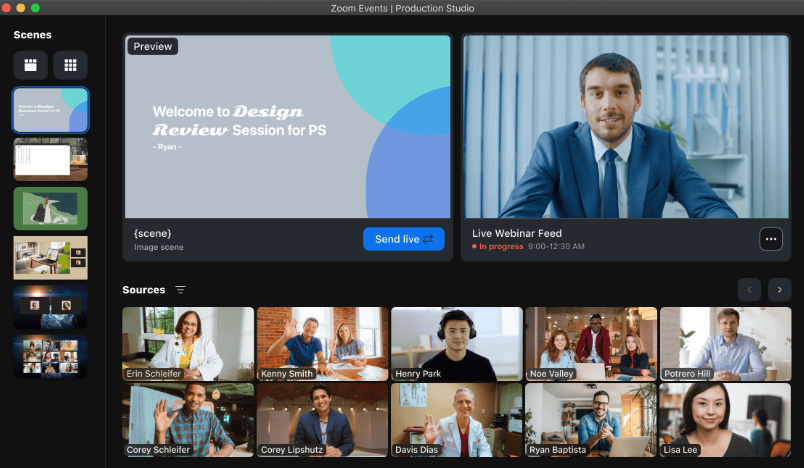
Zoom Webinars gives organizations already using Zoom a familiar registered webinar environment without adding a separate immersive-event platform to the stack.
That familiarity can matter more than it sounds. Presenters already know the controls. Attendees recognize the interface. The Zoom Web App also supports browser-based participation, although the exact joining experience depends on the webinar setup and the device.
For teams using vFairs primarily for webinar sessions inside larger events rather than the 3D environment itself, Zoom strips the experience back to the session. Registration, polls, Q&A, chat, recordings, reports, and webinar emails cover the core workflow. Zoom also supports reminder emails, as well as attendee and absentee follow-up when registration is required.
Pros:
- Familiar environment for teams already standardized on Zoom.
- Registration creates an identified audience before the webinar starts.
- Polls, Q&A, chat, and reactions support live interaction.
- Reminder and follow-up emails can support registered webinar workflows.
- Recordings and reports extend the session beyond the live event.
Cons:
- Webinar licensing sits separately from standard meeting access.
- More advanced event-production needs may require broader Zoom offerings.
- 3D environments and career fair workflows are outside the scope of the webinar product.
Pricing: Requires a paid Workplace license, plus the Webinars add-on starting around $66-$83/month.
9. Livestorm
Best for B2B Webinar Programs
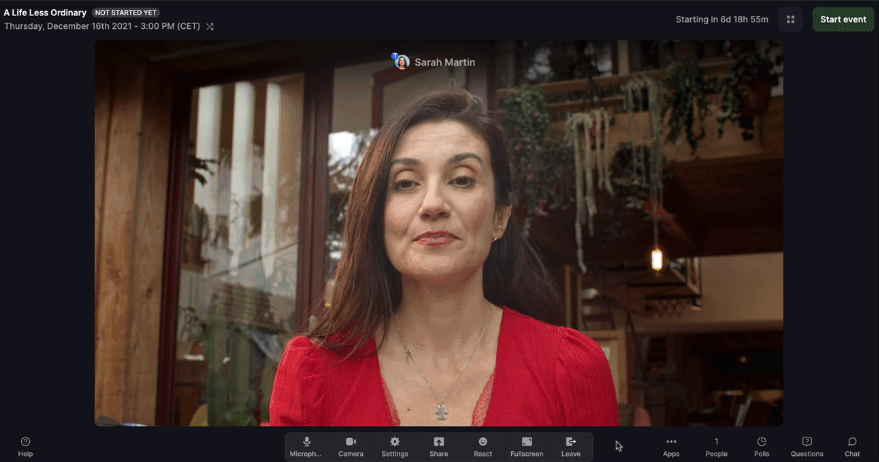
Livestorm is designed for webinar programs where registration and attendee activity need to remain useful after the session ends. Its current Pro pricing uses attendee credits based on actual participation rather than registrations, while events, recordings, and internal team members remain unlimited. People who register but never attend do not consume credits.
For a B2B marketing team, that means the webinar can remain connected to the wider marketing workflow without making no-shows part of the pricing calculation.
And operationally, the attraction is simple: No CSV sitting forgotten in a downloads folder, no manual cleanup before Monday’s pipeline review, and less dependence on rebuilding the webinar workflow after every session.
Pros:
- Pricing is based on actual attendance rather than registrations.
- Unlimited events and team members are included on Pro.
- Browser-based attendance reduces joining friction.
- Standard integrations support wider marketing workflows.
- Enterprise adds deeper integrations and custom analytics.
Cons:
- Credit consumption needs forecasting as participation grows.
- Enterprise integrations require the custom-priced Enterprise plan.
- 3D career fair environments fall outside the product’s core use case.
Pricing: Free plan is limited to 30 attendees and 20-minute sessions. Pro starts around $99/month, Premium around $299/month, and Enterprise is custom-priced above that.
10. Demio
Best for Marketing-Led Webinars
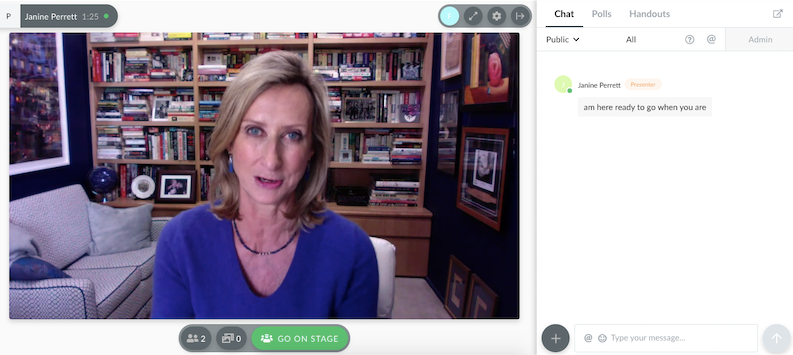
Demio is built around marketing webinars, where audience engagement, registration, and campaign follow-up matter more than managing a broader virtual event environment.
Attendees join via the browser, while polls, featured actions, handouts, chat, and engagement analytics provide marketing teams with useful context on what happened during the session. vFairs builds engagement around the wider event experience: booths, exploration, networking spaces, and session participation.
Demio narrows the job to the webinar itself. For teams evaluating vFairs alternatives because they need a demand-generation webinar tool rather than a virtual expo platform, that narrower scope can remove unnecessary event architecture without removing the marketing workflow.
Demio currently supports Live, Event Series, Automated, and On-Demand formats. Live and Event Series are included on Starter, while prerecorded Automated and On-Demand webinars require Growth or Premium.
Pros:
- Browser-based joining keeps the attendee experience simple.
- Polls and featured actions support marketing-led engagement.
- Engagement analytics provide more context than attendance alone.
- Event Series supports recurring webinar programs.
- Automated and On-Demand formats support evergreen campaigns on higher plans.
Cons:
- The starter is limited to one host.
- Automated and On-Demand webinars require Growth or Premium.
- More advanced integration requirements may require higher plans.
Pricing: Starter runs about $42-$63/month for one host and a 50-attendee room. Growth starts at $75- $117/month and unlocks automation.
My Evaluation Criteria
Every tool in this list was assessed using a consistent framework drawn from analysis of real buyer conversations, verified reviews on G2 and Capterra, and a hands-on review of platform documentation. Here is what went into each review.
User Reviews and Ratings:
Every entry here was checked against verified user feedback on G2, Capterra, and TrustRadius. I used independent buyer feedback to identify recurring themes around usability, setup, support, reliability, and workflow friction rather than treating vendor positioning as user experience.
Essential Features and Functionality:
The value of a product is ascertained by its core features and overall functionality. Through an in-depth exploration of these aspects, the tools’ practical usefulness and effectiveness are carefully evaluated.
Ease of Use:
The user-friendliness of a product or service is assessed by focusing on its design, interface, and navigation. This ensures a positive experience for users of all levels of expertise.
Customer Support:
The quality of customer support is assessed by its efficiency and how well it supports users across the setup, concern-addressing, and operational-issue-resolution phases.
Value for Money:
Value for money is evaluated by comparing the quality, performance, and features. The goal is to help the reader understand whether they will get their money’s worth.
Industry Analysis and Expert Commentary:
Current product documentation and independent research helped establish where each platform meaningfully differs from vFairs’ immersive-event model.
Do You Still Need vFairs’ Event Infrastructure?
Before comparing alternatives, separate the parts of vFairs that your team actually depends on from those that are simply part of the platform. That distinction matters because replacing vFairs with another large event platform makes sense only if you still need the same event infrastructure.
Ask whether your program genuinely relies on:
- 3D virtual venues
- exhibitor booths
- career fair job boards
- attendee networking spaces
- mobile event apps
- onsite check-in
- multi-session conference workflows
If the answer is yes to several of those, you are still solving an event-platform problem. If most of your workflow looks more like this:
Register → attend webinar → engage → watch replay → enter follow-up
Then you are probably solving a webinar platform problem instead. That changes the shortlist immediately. A team running career fairs may still need Bizzabo, Whova, or another broader event platform. A marketing or training team running standalone webinars should spend more time comparing registration, automation, engagement, recordings, analytics, integrations, and follow-up. The useful question is not:
“Which platform replaces every vFairs feature?”
It is:
“Which parts of vFairs would we actually notice if they disappeared tomorrow?”
That answer tells you whether to look for a true vFairs replacement or a more focused webinar platform.
What can’t Break When You Leave vFairs?
Switching platforms usually sounds simple until the first webinar goes live. Registration works differently. Reminder emails fire at the wrong time. The replay does not reach no-shows. Sales cannot see the engagement data that it used before. Suddenly, the “simpler” platform has created three new manual jobs. That is why the migration test should not be:
“Does this platform have the same features as vFairs?”
It should be:
“Can our webinar still move from registration to follow-up without creating new gaps?”
Before switching, test these five parts of a real webinar:
1. Registration reaches the right system: Can the replacement collect the attendee information that marketing, sales, training, or recruiting actually uses? Test the entire webinar registration page journey, not just whether a form exists.
2. Reminders run without manual work: Check whether confirmation emails, reminders, and session updates can follow the same cadence your audience already receives.
3. Engagement remains usable after the session: Run a poll, ask a question, click an offer, and test the other interactions your team actually uses. Then confirm that the resulting data is visible somewhere useful afterward.
4. No-shows still enter a replay journey: Skip the live session with a test contact. Does that person receive the replay automatically? Can the team distinguish a no-show who later watches from someone who never engages again?
5. Follow-up still reaches the right people: An attendee who stayed for the full session should not necessarily receive the same next step as someone who registered and disappeared. Test whether your new setup can support those differences.
If those five stages still work, the team has preserved the webinar workflow that matters. If they do not, the migration is not finished, even if the new platform looks simpler in the demo.
For teams running ongoing webinar engagement programs, the real switching test is to preserve the journey around the webinar, not the virtual environment around it.
My Top 3 vFairs Picks
1. ProProfs WebinarNinja
A broader fit when the program revolves around registration-to-replay webinar workflows rather than immersive virtual venues.
2. Bizzabo
Especially relevant when the organization still needs enterprise in-person, hybrid, and virtual event management after leaving vFairs.
3. Whova
Worth considering when conferences, career fairs, mobile attendee engagement, and networking remain central to the program.
Ready to Simplify Your vFairs Setup?
vFairs earns its place when the immersive environment is part of what attendees came for. Career fairs, trade shows, open days, and multi-session events can genuinely benefit from booths, navigable spaces, networking, and event-specific workflows.
The decision changes when the webinar itself is the program. Start by mapping what happens around one real session: registration, reminders, engagement, recording, replay, analytics, CRM handoff, and follow-up. Then identify which vFairs capabilities actually support those stages and which belong to event formats your team rarely runs.
When several webinar-specific requirements need to work together, ProProfs WebinarNinja provides a more focused workflow across live, automated, series, and hybrid webinars, with registration, engagement, recordings, analytics, integrations, AI assistance, and CourseNinja.
The goal is not to replace a larger platform simply because it is larger. It is to stop spending time, budget, and attention on an event environment that your webinar program does not need.
Frequently Asked Questions
How Much Do vFairs Alternatives Cost?
ProProfs WebinarNinja starts at $0.30 per attendee per month, while other vFairs alternatives use monthly subscriptions, annual attendee-credit packages, per-organizer pricing, or custom enterprise quotes. The true cost depends on attendee volume, event type, automation, integrations, networking, branding, and whether advanced capabilities require higher plans.
What is the Main Difference Between vFairs and Webinar Software?
vFairs is built around broader virtual and hybrid event experiences, including immersive environments, booths, fairs, conferences, and related event workflows. Dedicated webinar platforms focus more heavily on registration, webinar delivery, engagement, replay, analytics, integrations, and follow-up, without requiring the broader event environment.
Do vFairs Alternatives Require Downloads?
Many do not. ProProfs WebinarNinja, Demio, and Livestorm support browser-based attendance. Zoom also supports web app participation, although the exact joining experience depends on the configuration and device.https://support.zoom.com/hc/en/article?id=zm_kb&sysparm_article=KB0058220&utm_source=chatgpt.com
Which vFairs Alternatives Work for Conferences and Career Fairs?
Bizzabo and Whova are relevant when the requirement remains broader than standalone webinars. Bizzabo supports larger multi-format event programs, while Whova emphasizes conference workflows, event apps, networking, exhibitors, and attendee engagement. The better fit depends on which parts of the existing vFairs experience must remain.
Is There a vFairs Alternative With Published Pricing?
Yes. ProProfs WebinarNinja publishes attendee-based pricing, while Demio, Livestorm, and Airmeet also provide public entry pricing. Other enterprise-oriented platforms such as Bizzabo, Whova, BigMarker, and ON24 typically require buyers to request pricing.
Which vFairs Alternative Works for Webinar Lead Generation?
ProProfs WebinarNinja is built around that workflow, combining registration, emails, engagement tools, multiple webinar formats, recordings, replays, analytics, integrations, and AI assistance in a single account.
The important test is whether those attendee interactions can continue into the sales and marketing workflow after the webinar ends. A clearwebinar follow-up process then determines whether that engagement turns into replay views, conversations, or pipeline.
Can vFairs Alternatives Support Automated Webinars?
Yes. Some vFairs alternatives support automated or on-demand webinar formats that can run without a live presenter every time. ProProfs WebinarNinja supports recurring or automated webinar workflows, which can be useful for onboarding, product education, training, and evergreen lead generation.
Can a vFairs Alternative Handle Customer Training and Education?
Yes. Webinar-focused platforms can support live training, recurring education, recorded sessions, and replay access without requiring a full virtual-event environment. ProProfs WebinarNinja also includes CourseNinja, making it more relevant for teams that combine webinars with structured training or ongoing education programs.
Want to host a webinar for free?
Use WebinarNinja to teach, improve marketing, and grow your sales.