Cvent operates at a scale few event platforms match. Its ecosystem covers venue sourcing across nearly 340,000 hotels and venues, room blocks, floor plans, speaker workflows, registration, onsite experiences, virtual, and analytics. For organizations managing hundreds of in-person, hybrid, and virtual events annually, that infrastructure is valuable.
Cvent expanded further by acquiring Goldcast and completing its acquisition of ON24, adding capabilities in webinars and digital engagement. But for teams focused on running webinars, generating leads, and sharing engagement data, that breadth can mean managing more event technology than they need.
MarketsandMarkets projects the event management software market will reach $36.8 billion by 2031. Yet that growth doesn’t mean every team needs venue sourcing, hotel management, or enterprise event operations. A webinar program needs registration, engagement, recordings, replays, follow-up, integrations, and analytics working together. That is what drives effective webinar management, not extra event features.
These 10 Cvent alternatives are evaluated specifically for teams whose webinar program is the primary use case.
10 Best Cvent Alternatives
Here is a quick look before the full breakdown.
| Tool | Best For | Key Difference From Cvent | Starting Price |
| ProProfs WebinarNinja | Generating leads, growing sales, and teaching better | Webinar lifecycle without wider event-management overhead | $0.30/attendee/month |
| Demio | Marketing-led webinars | Marketing-focused engagement and automation | ~$42-63/month |
| Livestorm | B2B CRM workflows | Attendee-credit model and connected marketing workflows | ~$99/month |
| GoTo Webinar | Large recurring programs | Structured webinar operations up to 3,000 participants | ~$59/user/month |
| Zoom Webinars | Existing Zoom teams | Familiar registered webinar environment | ~$66-83/month add-on + license |
| eWebinar | Automated webinar delivery | Interactive prerecorded sessions without a live presenter | $99/month |
| BigMarker | White-label virtual events | Deeper branded event experiences | ~$79/month |
| Airmeet | Networking-led events | Networking plus broader virtual-event workflows | $167/month annually |
| ClickMeeting | Paid webinar programs | Built-in paid webinar workflows | ~$25-35/month |
| RingCentral Events | Multi-session events | Broader virtual, hybrid, and onsite event environment | $99/organizer/month |
Now, here is how each one actually holds up.
1. ProProfs WebinarNinja
Best for Generating Leads, Growing Sales, and Teaching Better
ProProfs WebinarNinja keeps the workflow centered on the webinar itself: registration, communication, engagement, recording, replay, analytics, integrations, and follow-up. That becomes important when a team does not need Cvent’s venue sourcing, floor plans, hotel workflows, or wider event operations to run the program successfully.
Cvent is designed for a much broader event lifecycle. For organizations managing large portfolios of in-person, hybrid, and digital events, that breadth is valuable. But when the entire program lives inside the virtual room, the practical question changes from “How much event infrastructure can the platform manage?” to “How efficiently can this webinar move someone from registration to useful follow-up?”
ProProfs WebinarNinja supports live, automated, series, and hybrid webinars from one account. Built-in registration pages and emails handle the pre-session journey. Chat, Q&A, polls, offers, and handouts generate engagement during it. If you are rebuilding this journey around a more focused platform, a strongwebinar strategy helps connect registration, engagement, follow-up, and conversion instead of treating each stage separately.
The AI layer sits across that workflow rather than becoming the workflow itself. AI Conversion Writer supports registration copy, and AI Content Strategist helps turn completed webinars into follow-up content.
Pros:
- AI tools support registration copy, presenter preparation, attendee questions, and post-webinar content.
- Supports live, automated, series, and hybrid webinars from one account.
- Includes customizable webinar registration pages and automated email communication.
- Provides live chat, Q&A, polls, offers, and handouts for audience engagement.
- Automatically records webinars and supports replay and on-demand viewing.
- Tracks registrations, attendance, engagement, and other webinar performance data.
- CourseNinja adds structured learning for teams using webinars for training or education.
- Browser-based attendance gives participants the low-friction experience expected from browser-based webinar software without requiring a separate download.
Cons:
- No downloadable or on-premise version.
- Dark user interface option is not available.
Pricing: A FREE 14-day trial is available. Paid starts at $0.30/attendee/month (includes CourseNinja, worth $ 1,200).
Case study:
Gavin Tye, founder of Sales Market Fit, saw 200% growth in qualified leads after switching to WebinarNinja, with a single session generating $20,000–$25,000 in revenue.
2. Demio
Best for Marketing-Led Webinars
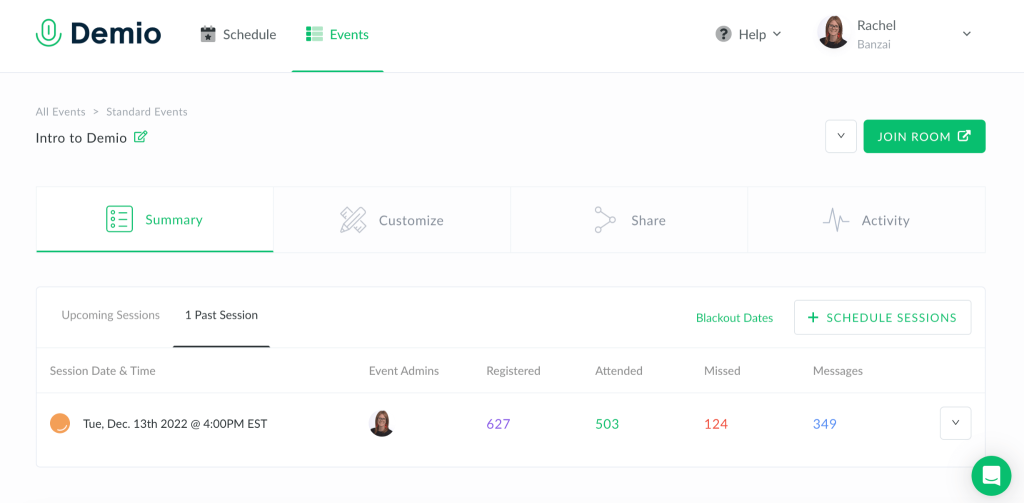
Demio is built around marketing webinars where registration, attendee engagement, and follow-up matter more than managing a wider event portfolio. The browser-based attendee experience keeps the session straightforward, while polls, featured actions, handouts, chat, and engagement analytics give marketers more context than registration and attendance alone.
Cvent can support that webinar within a much larger event program. Demio strips the job back to the campaign itself.
That difference becomes especially useful when webinars are a standalone demand-generation channel rather than one component of an in-person, hybrid, and virtual event portfolio.
Demio also supports Event Series plus prerecorded, automated, and On-Demand webinars, so teams do not have to rebuild every campaign around another live session.
Pros:
- Engagement analytics add context beyond registrations and attendance.
- Browser-based joining keeps the attendee experience simple.
- Event Series supports recurring webinar programs.
- Automated and On-Demand formats support evergreen campaigns.
- Polls, handouts, chat, and featured actions support active participation.
Cons:
- Starter is limited to one host and live/Event Series delivery.
- Automated and On-Demand webinars require Growth or Premium.
- More advanced integration requirements may require higher plans.
Pricing: Starter runs about $42-$63/month for one host and a 50-attendee room. Growth starts at $75- $117/month and unlocks automation.
3. Livestorm
Best for B2B CRM Workflows
Livestorm becomes especially relevant when webinar activity has to continue into the marketing and revenue stack after the session. A B2B team may care less about how many event-management modules exist and much more about whether registration and attendee activity reach the systems where sales and marketing already work.
That is the attraction: no CSV sitting forgotten in a downloads folder, no manual field mapping before Monday’s pipeline review, and less dependence on rebuilding the webinar-to-CRM workflow after every session.
Its current pricing model also changes the calculation. Livestorm Pro uses annual attendee credits rather than charging for registrations or internal team members. A credit is consumed when an external attendee joins live, watches a replay, or attends on demand. No-shows do not use one.
That can work well when webinar volume fluctuates, but it also means teams need to forecast actual participation rather than simply count scheduled events.
Pros:
- Attendee-credit pricing is based on participation rather than registration.
- Unlimited events and team members are included on Pro.
- Browser-based attendance avoids another installation step.
- Standard integrations connect webinars with wider marketing workflows.
- Enterprise adds advanced analytics, governance, and deeper integrations.
Cons:
- Credit consumption needs forecasting as webinar volume increases.
- Advanced integrations and analytics move into Enterprise.
Pricing: Free plan is limited to 30 attendees and 20-minute sessions. Pro starts around $99/month, Premium around $299/month, and Enterprise is custom-priced above that.
4. GoTo Webinar
Best for Large Recurring Programs
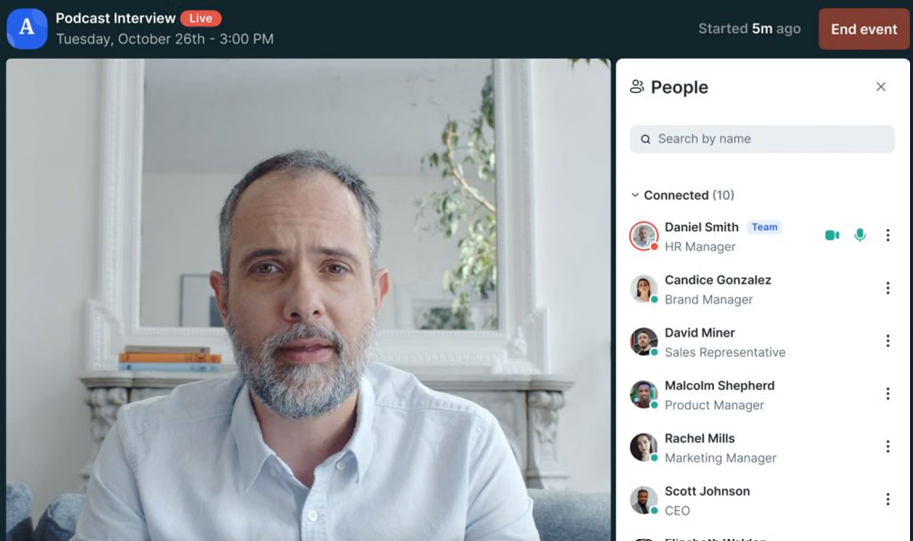
GoTo Webinar focuses on repeatable webinar operations at scale, with reporting, automated reminders and follow-ups, polls, Q&A, recordings, and larger participant capacities organized around recurring programs.
For a team that has been using Cvent mainly to run standard webinars, that changes the center of gravity. Cvent’s broader event infrastructure matters less when the recurring job is registration, delivery, reporting, and follow-up.
A webinar program with hundreds or thousands of attendees and a reporting deadline the next morning creates a very different problem from sourcing a venue. The session has to run reliably, and the numbers need to make sense when leadership opens the report.
GoTo’s current Reach plan supports up to 500 participants and includes reporting, automated reminders and follow-ups, polls, and live Q&A. Elevate increases capacity to 1,000 and adds branded webinars, cloud recordings, AI summaries and transcripts, and recorded-as-live events. Complete supports up to 3,000 participants and adds broader capabilities, including source tracking.
Pros:
- Reach supports recurring programs with up to 500 participants.
- Elevate increases capacity to 1,000 participants.
- Complete supports programs with up to 3,000 participants.
- Automated reminders and follow-ups are built into current plans.
- Reporting, polls, Q&A, and recordings support repeatable operations.
Cons:
- Important branding and recorded-as-live capabilities require Elevate or higher.
- Complete requires a customized package.
Pricing: Plans start around $59/user/month for the Lite tier and scale to roughly $399-$499/month for Enterprise. A free trial is available.
5. Zoom Webinars
Best for Existing Zoom Teams
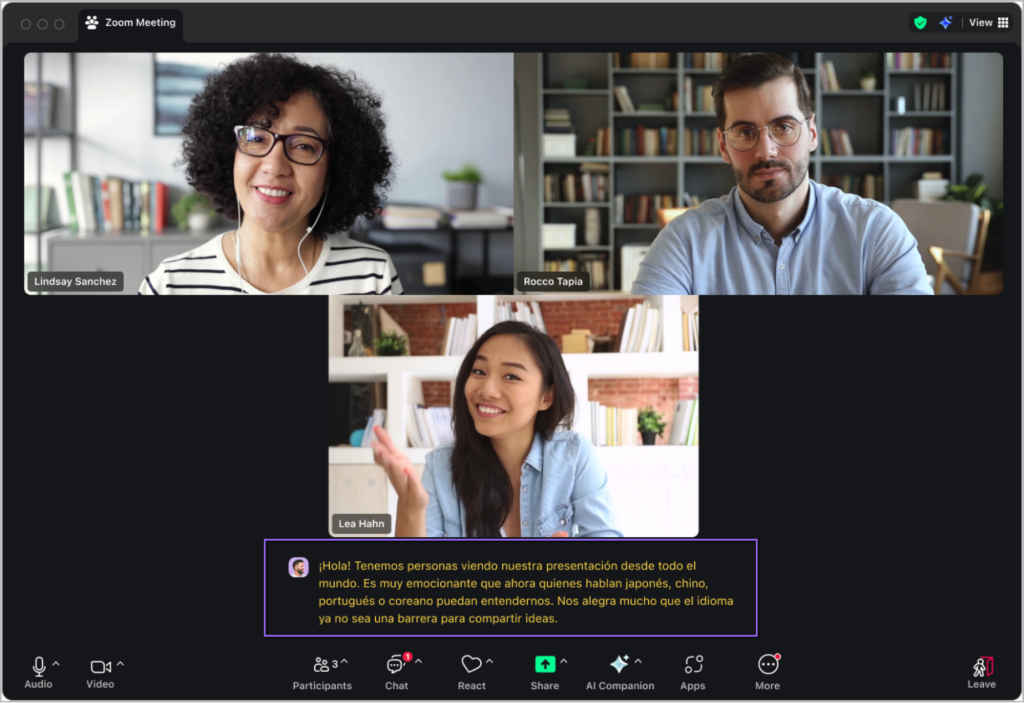
Zoom Webinars gives organizations already using Zoom a registered webinar environment without introducing an unfamiliar host experience into the stack. Presenters know the controls. Internal teams already manage meetings and recordings there. Attendees can also use a browser-based join path in supported webinar experiences rather than necessarily installing a new application first.
That familiarity matters when the alternative is asking every speaker and external attendee to learn another event environment simply because the organization historically standardized on Cvent.
Registration creates an identified audience before the session, while chat, reactions, polls, Q&A, recordings, and performance reporting cover the core webinar experience. Zoom also supports confirmation, reminder, attendee follow-up, and absentee follow-up emails when registration is enabled.
Pros:
- Familiar environment for organizations already using Zoom.
- Registration creates an identified webinar audience.
- Polls, Q&A, chat, and reactions support live interaction.
- Recordings and reports support post-event review.
- Existing Zoom teams may require less presenter retraining.
Cons:
- Webinar licensing is separate from standard Zoom meeting access.
- Higher-end event production and workflow requirements may need broader Zoom offerings.
- Cvent-style venue and onsite event management sit outside the standard webinar product.
Pricing: Requires a paid Workplace license, plus the Webinars add-on starting around $66-$83/month.
6. eWebinar
Best for Automated Webinar Delivery
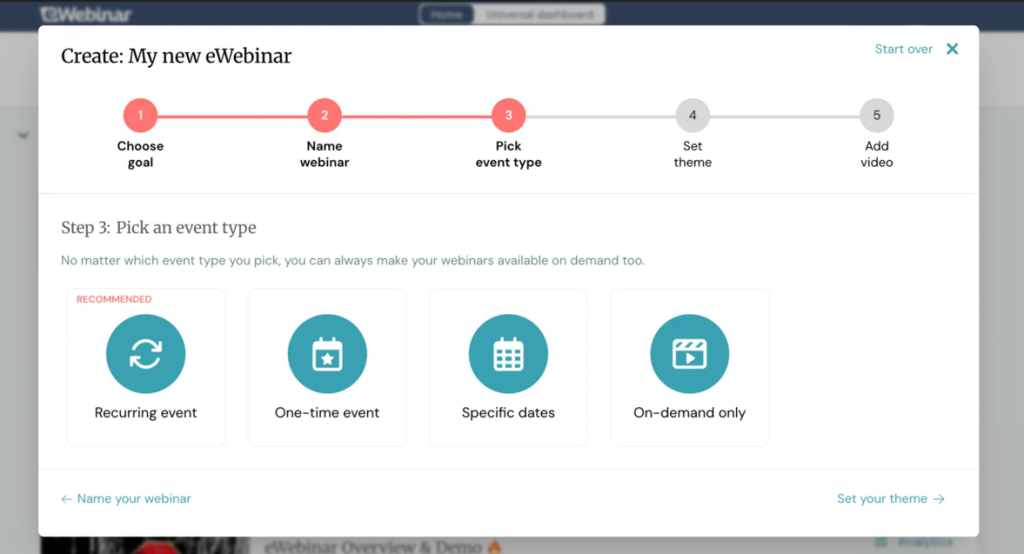
eWebinar turns recorded content into scheduled or on-demand interactive webinars that can run without bringing a live presenter back each time.
For repeatable onboarding, product education, compliance explanations, or evergreen campaigns that solve a problem, Cvent’s broader event-management model was never primarily designed around. The presenter records once. Attendees choose a convenient time. The experience continues to work long after the original live slot disappears from the calendar.
That changes the webinar ROI equation because the same core session can keep delivering without recreating the live event each time.
Pros:
- Removes repeated live-presenter requirements from evergreen webinars.
- Recurring sessions can continue without rebuilding the event each time.
- Attendees can choose more convenient viewing times.
- Interactive elements make prerecorded sessions more participatory.
- Unlimited team members are included on standard levels.
Cons:
- Primarily built around automated rather than traditional live webinars.
- Interactive unattended experiences require thoughtful upfront setup.
Pricing: Starts at $99/month, with higher levels available as the number of active webinar programs increases.
7. BigMarker
Best for White-Label Virtual Events
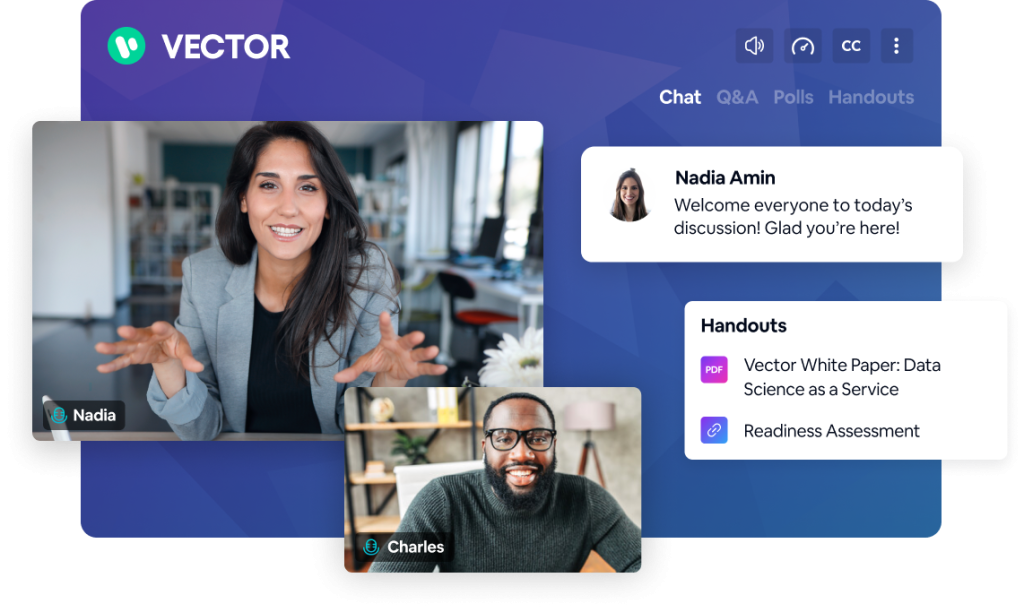
BigMarker gives teams deeper control over branded webinar and virtual-event experiences, including attendee-facing pages, webinar rooms, domains, emails, and broader event environments through higher-level offerings. That becomes especially relevant when leaving Cvent does not mean giving up control over how the event looks and feels.
For one organization, adding a logo is enough. For another, every attendee-facing touchpoint has to feel like part of its own product, service, or client brand.
BigMarker becomes much more relevant in the second scenario. Its white-label offering supports custom-branded webinars, training environments, interactive experiences, and content hosted on an organization’s own domain.
Pros:
- White-label offerings support deeply branded attendee experiences.
- Custom domains keep experiences closer to the organization’s identity.
- Supports webinars alongside broader virtual-event use cases.
- Higher-level packages support deeper customization and integrations.
- Suitable for programs that still need more event structure after leaving Cvent.
Cons:
- White-label and enterprise customization require higher-level packages.
- Extensive configuration can be more than a simple webinar program needs.
Pricing: Starter is around $79/month for 100 attendees, Elite around $299/month for 500 attendees, with custom Enterprise pricing above that.
8. Airmeet
Best for Networking-Led Events
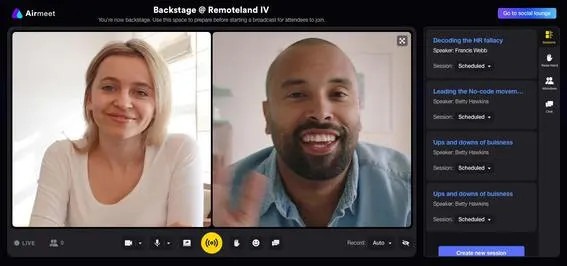
Airmeet is built around virtual events where attendees are expected to interact with each other, not simply watch a presenter.
Social interaction, networking, engagement tools, ticketing, sponsorship, and broader event workflows make more sense when the event itself is supposed to create connections.
A community summit has a different job from a lead-generation webinar.
If attendees are expected to meet each other, move between conversations, and leave feeling as if they attended an event rather than watched one, the platform has to support that behavior.
Airmeet Premium Webinars currently supports live, simulive, and on-demand webinars, in-depth analytics, audience engagement, CRM integrations, networking, ticketing, and sponsorship.
Pros:
- Networking features support community-led webinars and events.
- Supports live, simulive, and on-demand formats.
- Analytics and report building support post-event review.
- CRM integrations connect activity with surrounding workflows.
- Ticketing and sponsorship support monetized events.
Cons:
- Networking-heavy functionality can be excessive for simple webinars.
- Larger event programs introduce more operational complexity.
Pricing: Premium Webinars start at $167/month when billed yearly.
9. ClickMeeting
Best for Paid Webinar Programs
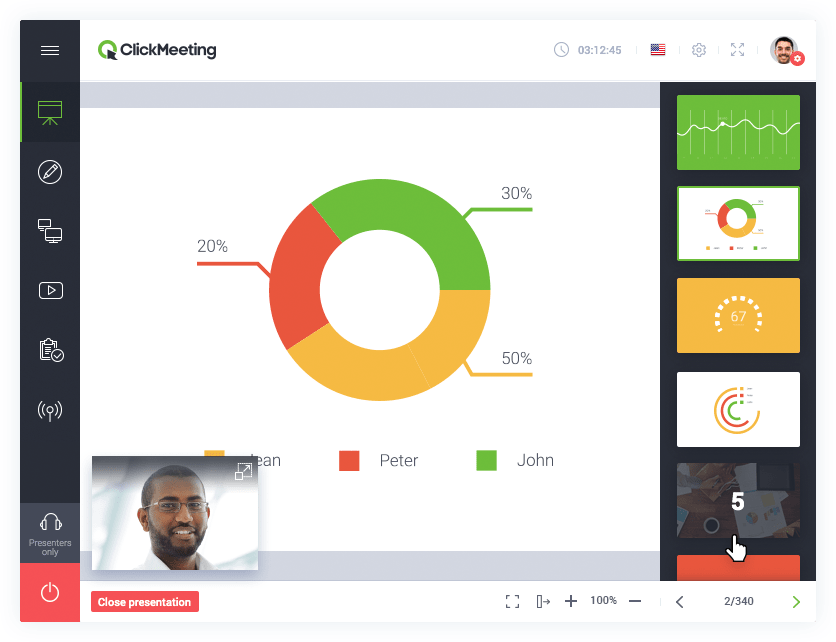
ClickMeeting makes paid webinar delivery the center of the workflow, with built-in support for charging attendees through Stripe and PayPal.
For a team selling premium workshops, certification sessions, or paid educational webinars, that is a much narrower problem than Cvent’s complete ticketing and event-management architecture.
The payment itself should not require the organization to drag venue sourcing, room blocks, procurement workflows, and conference operations into a webinar that will never leave the browser.
ClickMeeting also supports paid live, automated, and on-demand events, with discounted tickets and promo code functionality available for monetized sessions.
Pros:
- Stripe and PayPal support paid webinar registration.
- Automated and on-demand formats can also support monetized programs.
- Browser-based attendance avoids installation for participants.
- Polls, Q&A, CTAs, and reporting support interactive sessions.
- A 14-day trial lets teams test the workflow before paying.
Cons:
- Paid webinars carry a ClickMeeting service charge outside the trial.
- More complex webinar automation still requires setup and workflow planning.
Pricing: Live plans start at $25- $35/month for 25 attendees. Automated plans start around $45/month, while Enterprise is custom-priced.
10. RingCentral Events
Best for Multi-Session Events
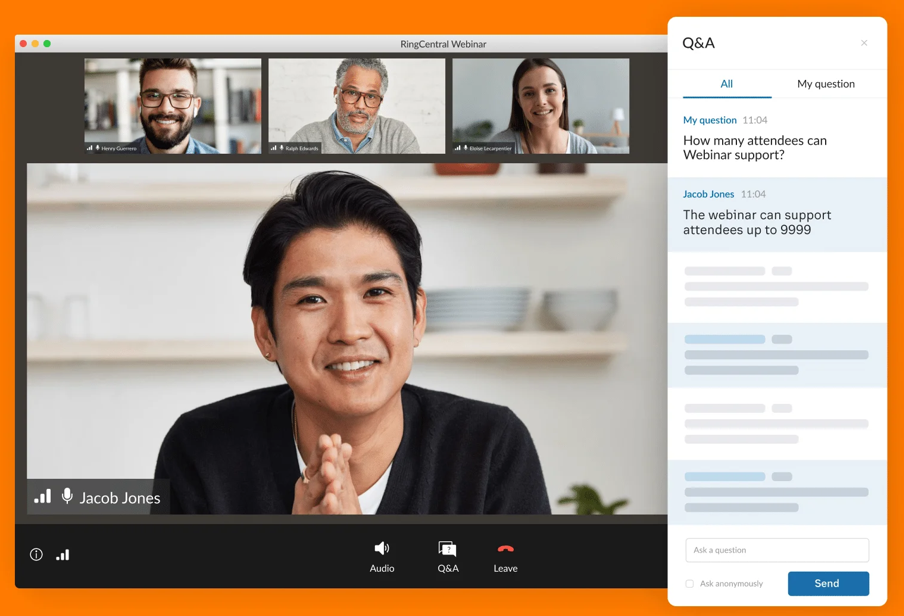
RingCentral Events, formerly Hopin, is designed for organizations that need more than a standalone webinar. Multi-session experiences, networking, branded environments, integrations, and virtual, hybrid, and on-site events can all sit within the same event platform.
That makes it one of the closer alternatives when the Cvent workload genuinely looks like an event program rather than a webinar calendar.
If the annual virtual conference has multiple sessions, networking, sponsors, different attendee journeys, and broader event operations, simplifying all the way down to ordinary webinar software can remove capabilities the program still needs.
This is where RingCentral Events earns its place.
Pros:
- Supports simple webinars through complex multi-session events.
- Handles virtual, hybrid, and onsite event formats.
- Unlimited events and registrations are included in the current paid plans.
- Branding and event customization suit larger programs.
- 30-day trial provides room for realistic pre-purchase testing.
Cons:
- More event infrastructure than a webinar-only program may need.
- Advanced event capabilities can add unnecessary complexity for simple campaigns.
Pricing: Events Pro starts at $99 per organizer per month, with unlimited events and registrations. A 30-day trial is available with a limited number of registrations.
My Evaluation Criteria
Every tool in this list was assessed using a consistent framework drawn from analysis of real buyer conversations, verified reviews on G2 and Capterra, and a hands-on review of platform documentation. Here is what went into each review.
User Reviews and Ratings: Every entry here was checked against verified user feedback on G2, Capterra. I used independent buyer feedback to identify recurring themes in setup, support, reliability, pricing, and day-to-day workflow friction, rather than treating vendor positioning as the user experience.
Essential Features and Functionality: I focused on registration, webinar formats, audience engagement, recordings, replay, analytics, automation, and integrations. A platform was not penalized simply because it does not manage hotel rooms or venue sourcing.
Ease of Use: Both sides matter: how much work the host needs before each webinar and how much friction the attendee encounters when joining.
Customer Support: Live programs leave little margin for delayed troubleshooting, particularly when the session is customer-facing or tied to the pipeline.
Value for Money: I compared the billing model with the workflow the team actually needs, including attendee limits, organizers, automation, integrations, and higher-plan requirements.
Industry Analysis and Expert Commentary: Current product documentation and independent research helped establish where each alternative meaningfully differs from Cvent’s broader event-management model.
Which Cvent Capabilities Do You Actually Need?
Before comparing alternatives, separate the Cvent capabilities your team relies on from those that simply exist on the platform.
Start with your last five or ten events. Did your team actually use Cvent for:
- Venue sourcing, RFPs, or hotel room blocks?
- Floor plans, onsite check-in, badges, or attendee logistics?
- Multi-session conferences, sponsors, exhibitors, or networking?
- Event procurement or a larger portfolio of in-person and hybrid events?
- Or primarily webinar registration, reminders, engagement, recordings, analytics, integrations, and follow-up?
This distinction matters because the replacement category changes with the answer.
If physical-event operations still make up a meaningful part of the program, moving to webinar-only software could remove capabilities you still need. If most of your activity starts with registration and ends with webinar follow-up, however, reproducing Cvent’s entire event-management environment may add complexity without improving the webinar workflow.
The goal is not to find another platform with the longest feature list. It is to identify which parts of Cvent your team would actually notice if they were to disappear.
What Must a Cvent Replacement Preserve?
Once you know what you can leave behind, map the parts of the webinar workflow that cannot break during the switch.
Registration and CRM handoff: Follow a single test registration from the landing page through HubSpot, Salesforce, or your existing system. Check which fields transfer, how quickly they appear, and whether campaign attribution stays intact.
Reminders and attendee communication: Confirm that confirmation emails, reminders, cancellations, and schedule changes can run without having to rebuild the process manually for every webinar.
Live engagement data: If sales or customer teams use poll responses, questions, offers, attendance duration, or other engagement data, verify where that information goes after the session and whether those teams can still use it.
Recording and replay: Check how quickly recordings become available, whether no-shows can automatically receive them, and whether replay activity remains measurable.
Analytics and reporting: Compare the reports your team currently uses. Registration numbers alone may not be enough if stakeholders also expect attendance duration, engagement, source attribution, conversion data, or recurring program reports.
Integrations and automation: Test the workflow, not the integration logo. A platform may technically connect to your CRM or marketing tool, yet still require manual exports, field mapping, or additional automation.
Follow-up: Make sure attendees, no-shows, highly engaged leads, and other segments can continue into the appropriate post-webinar journey without someone having to rebuild the workflow after every session. A structured webinar follow-up email sequence can also separate attendees, no-shows, replays, and higher-intent journeys rather than sending everyone the same message.
A replacement need not reproduce every Cvent capability. It needs to preserve the parts of your existing process that affect attendees, reporting, sales follow-up, and the systems surrounding the webinar.
My Top 3 Cvent Picks
1. ProProfs WebinarNinja
A broader fit when the team primarily needs a registration-to-replay webinar workflow rather than Cvent’s wider in-person event infrastructure.
2. BigMarker
Especially relevant when deeper branding, white-label delivery, and more complex virtual-event experiences still matter after leaving Cvent.
3. RingCentral Events
Worth considering when the program still includes multi-session event experiences, networking, and hybrid or onsite requirements rather than moving entirely to standalone webinars.
Ready to Simplify Your Cvent Setup?
Cvent earns its place when one platform genuinely needs to coordinate in-person, hybrid, virtual, and webinar programs. The decision becomes harder to justify when the webinar team rarely interacts with the rest of that infrastructure.
Start by mapping the workflow around one real webinar: registration, reminders, live engagement, recording, replay, analytics, CRM handoff, and follow-up. Then identify which Cvent capabilities actually support those stages and which belong to event programs your team does not run.
When several webinar-specific requirements need to work together, ProProfs WebinarNinja provides a more focused environment for live, automated, series, and hybrid webinars, with registration, engagement, recordings, analytics, integrations, AI assistance, and CourseNinja.
The goal is not to replace a larger platform with a smaller one simply for the sake of simplification. It is to match the software to the program you actually operate.
Frequently Asked Questions
How Much Do Cvent Alternatives Cost?
ProProfs WebinarNinja starts at $0.30 per attendee per month, while other Cvent alternatives use monthly subscriptions, attendee credits, per-organizer pricing, or custom enterprise contracts. The real cost depends on attendee volume, webinar formats, integrations, automation, event complexity, and whether advanced capabilities require higher plans.
What Is the Difference Between Cvent and Webinar Software?
Cvent is designed to manage a broader event program spanning in-person, hybrid, digital, and webinar experiences. Dedicated webinar platforms focus more heavily on registration, live engagement, automated delivery, replay, analytics, integrations, and follow-up, without the surrounding venue and on-site event-management infrastructure.
Do Cvent Alternatives Require Downloads?
Many do not. ProProfs WebinarNinja, Demio, Livestorm, and ClickMeeting support browser-based attendee experiences. Zoom also supports browser joining in applicable webinar experiences, although the exact join path can vary by configuration and device.https://support.zoom.com/hc/en/article?id=zm_kb&sysparm_article=KB0058220&utm_source=chatgpt.com
Which Cvent Alternative Works for Lead-Generation Webinars?
ProProfs WebinarNinja is built around that workflow, combining registration, emails, engagement tools, multiple webinar formats, recordings, replays, analytics, integrations, and AI assistance in a single account. Teams should still test how attendee and engagement data moves into their own sales and marketing stack before switching. For teams usingwebinar lead generation as an acquisition channel, the important capabilities extend beyond registration to engagement, CRM handoff, follow-up, and conversion tracking.
Is There a Free Cvent Alternative?
Free access varies substantially by platform. Livestorm currently offers a limited free tier with 30 attendee credits per year, while several other platforms provide time-limited trials instead. The important check is whether the free access includes sufficient session time, attendee capacity, recordings, automation, and integrations to test a realistic webinar workflow.
Can a Cvent Alternative Handle Both Webinars and Virtual Conferences?
Yes, but the depth varies. BigMarker offers customizable webinar and virtual-event experiences, while RingCentral Events supports simple webinars as well as multi-session virtual, hybrid, and onsite programs. ProProfs WebinarNinja is more focused on live, automated, series, and hybrid webinar workflows.
Want to host a webinar for free?
Use WebinarNinja to teach, improve marketing, and grow your sales.