Airmeet is built around one core idea: virtual events should feel like being in the same room. Its social lounge, speed networking, virtual tables, and breakout rooms make attendee-to-attendee connection a central part of the experience.
The friction shows up when networking is not the point. Teams running webinars for lead generation, customer education, sales, or recurring content programs may care more about registration, CRM integration, automated follow-up, analytics, and content reuse than a full virtual-event environment.
That distinction matters because engagement can take very different forms. A networking summit may live or die by attendee conversations. A demand-generation webinar may depend on registrations, questions, offer clicks, replay views, and post-session activity.
So, which Airmeet alternative makes sense depends first on what part of Airmeet you are actually trying to replace.
10 Best Airmeet Alternatives
A few of these genuinely surprised me once I looked past the feature page, and a few solve a narrower problem than Airmeet ever tries to. That gap between an attendee-first networking platform and a webinar-focused workflow is exactly what this breakdown is built to close.
If you are still deciding whether you need a full event environment or dedicated webinar software, this comparison of the best webinar platforms provides useful context as you narrow your shortlist.
Here’s how the 10 Airmeet alternatives compare at a glance:
| Tool | Best For | Key Differentiator vs. Airmeet | Starting Price |
| ProProfs WebinarNinja | Generating leads, growing sales, and teaching better | Full webinar lifecycle with AI-assisted workflows and transparent attendee pricing | $0.30/attendee/month |
| Remo | Table-based virtual networking events | Immersive floor plans and free-moving table networking | From $299/month |
| Brella | Matchmaking-driven event networking | Structured attendee matchmaking and scheduled 1:1 meetings | Custom pricing |
| Swapcard | Trade shows and conference networking | Event app, networking, exhibitor tools, and floor plans | From $610/year |
| Webex Events | Enterprise virtual, hybrid, and in-person events | Enterprise event management within the Webex ecosystem | From $14.50/user/month |
| RingCentral Events | Multi-session virtual and hybrid events | Unlimited events and registrations under organizer-based pricing | $99/organizer/month |
| BigMarker | White-label webinars and virtual events | Deep branding and configurable event experiences | ~$79/month |
| Demio | Lead-generation webinars | Engagement and intent data built for marketing workflows | $45/month annually |
| Livestorm | B2B teams with CRM-driven workflows | Attendee-credit pricing with integrations and automation | €2.50/attendee credit |
| eWebinar | Automated and evergreen webinars | Recurring pre-recorded webinars without live hosting | $99/month |
Now, here’s how each one actually holds up.
1. ProProfs WebinarNinja
Best for Generating Leads, Growing Sales, and Teaching Better
ProProfs WebinarNinja takes a different route from Airmeet: it is built around what the event is supposed to produce before, during, and after the session. Registered contacts, engaged prospects, audience data, follow-up opportunities, and measurable pipeline sit at the center of the workflow. That is not a difference in quality. It is a difference in what each platform was designed to optimize.
For community events and networking summits where attendee connection is the primary metric, Airmeet’s architecture serves that goal well. For webinar programs where every session needs to capture registrants, keep them engaged, support follow-up, and feed into a broader webinar lead-generation strategy, networking infrastructure may be secondary to the webinar lifecycle itself.
ProProfs WebinarNinja brings that lifecycle into one workflow. Registration pages capture leads before anyone joins. Automated emails keep registrants connected between sign-up and the session. Chat, Q&A with upvotes, polls, offers, and handouts turn the live session into a two-way experience. Recordings, replays, analytics, and integrations keep the webinar useful after it ends.
The AI layer extends that workflow before, during, and after the webinar. The AI Conversion Writer helps with registration-page headlines, and the AI Content Strategist helps turn session material into additional content.
Pros:
- Runs live, automated, series, and hybrid webinars from one account
- Supports automated webinar workflows when the same content needs to run repeatedly
- Built-in webinar registration pages and email sequences reduce the need for separate tools
- Chat, Q&A, polls, offers, and handouts keep attendees actively involved
- CourseNinja supports live and on-demand course delivery alongside webinars
- Fully browser-based webinar delivery removes attendee download requirements
- Integrates webinar activity with marketing and sales workflows
- Transparent attendee-based pricing makes costs easier to evaluate upfront
Cons:
- No downloadable or on-premise version.
- Dark user interface option is not available.
Pricing: A FREE 14-day trial is available. Paid starts at $0.30/attendee/month (includes CourseNinja, worth $ 1,200).
Case study:
Michael Lancto, an entrepreneur and coach, used ProProfs WebinarNinja to deliver professional, interactive training while avoiding the cost of platform features he did not need. Live Q&A, chat, recording, customizable backgrounds, and an easier setup helped him reconnect with his audience while keeping the program cost-effective.
2. Remo
Best for Table-Based Virtual Networking Events
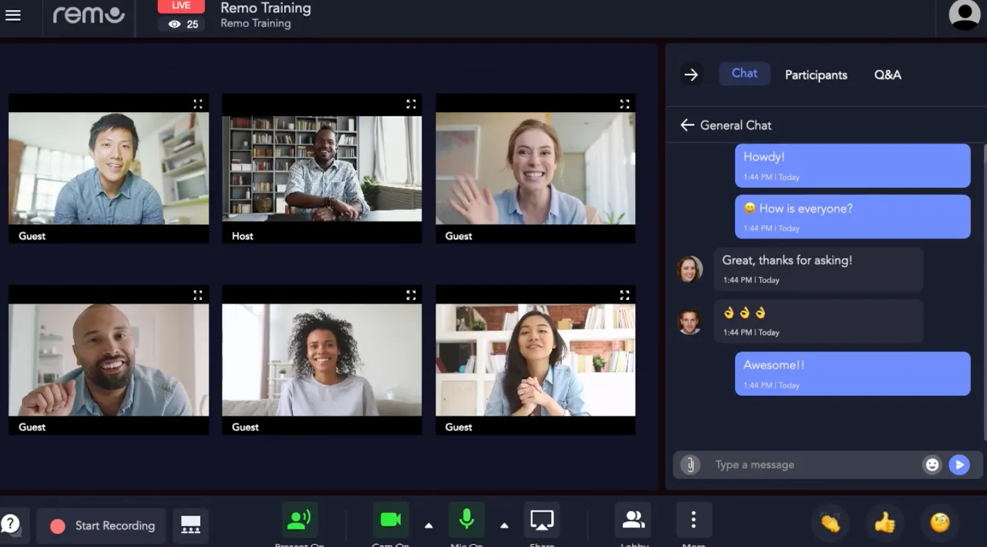
Remo is one of the closest Airmeet alternatives when the virtual-table experience itself is what you want to preserve. Both platforms let attendees move around a digital environment rather than remain passive viewers in a webinar room. Participants can see where conversations are happening, choose a table, and move between groups in a way that feels closer to walking around a physical networking event.
Where Remo stands out is its emphasis on customizable floor plans. Organizers can build branded spaces, sponsor layouts, and table configurations around the event rather than forcing every gathering into the same webinar-room structure.
For teams using Airmeet primarily for table-based networking, that makes Remo a much closer functional comparison than a traditional webinar platform.
Pros:
- Virtual tables and free attendee movement closely match networking-event behavior
- Custom floor plans work well for community, recruiting, and sponsor-driven events
- Polls, Q&A, reactions, and messaging add interaction beyond table conversations
- Browser-based access reduces attendee setup friction
Cons:
- Webinar lead generation and automated follow-up are not its primary design focus
- Better suited to networking events than high-frequency webinar campaigns
- Higher starting cost than many webinar-specific platforms
Pricing: Recurring-event plans start at $299/month. One-time events start at $699. Enterprise pricing is customized.
3. Brella
Best for Matchmaking-Driven Event Networking
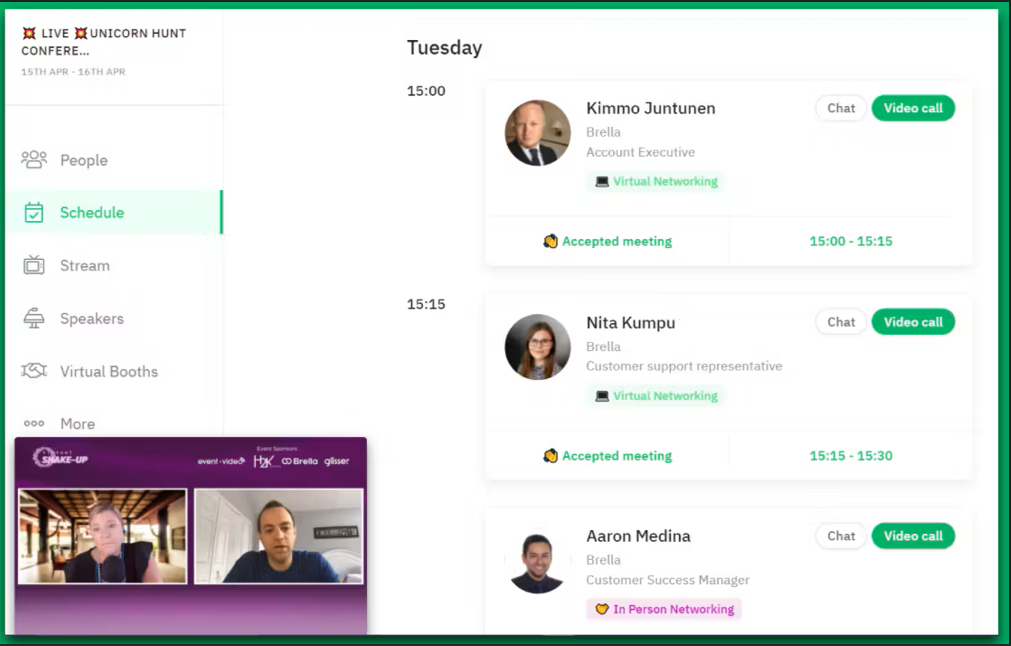
Brella approaches networking differently from Airmeet. Instead of relying mainly on open lounges and attendee-selected tables, Brella puts structured matchmaking and scheduled meetings at the center of the experience. Attendees can discover relevant people, schedule conversations, and arrive at the event with a clearer networking agenda.
That makes it particularly relevant for conferences where the value of networking comes from who someone meets, not simply how much time they spend in a virtual social space.
Pros:
- Structured matchmaking supports more deliberate professional introductions
- Meeting scheduling gives attendees a networking agenda before the event
- Ticketing, registration, and attendee-access controls are built into the platform
- Supports virtual, hybrid, and in-person event experiences
Cons:
- Pricing is not publicly listed
- Less suited to casual community mingling than open-table networking models
- More event infrastructure than webinar-focused teams need
Pricing: Custom pricing based on event size, attendee volume, and required features.
4. Swapcard
Best for Trade Show and Conference Networking
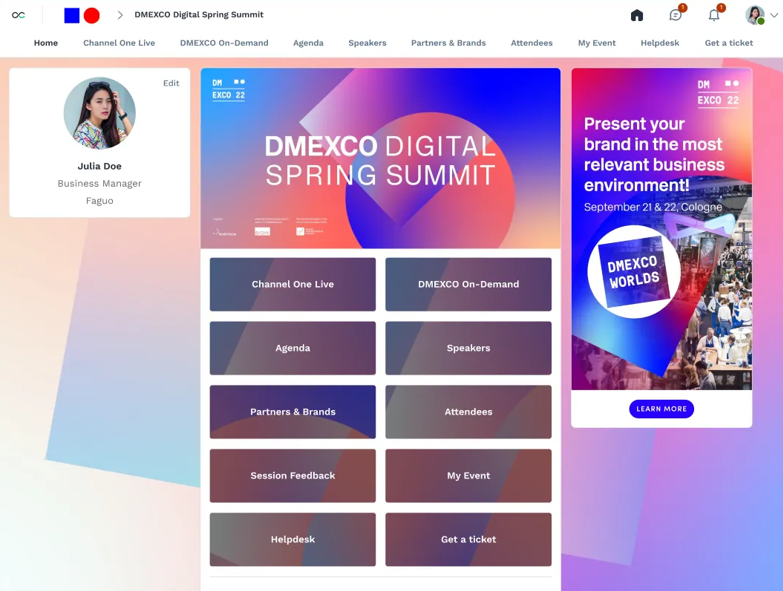
Swapcard is designed for larger conference and trade show programs where networking, exhibitors, schedules, mobile access, and event management all need to work together.
Its event-engagement platform combines attendee networking with an interactive schedule, mobile app, virtual events, floor plans, and optional exhibitor capabilities. That makes it particularly relevant to organizers whose Airmeet use extends well beyond a single webinar room.
For professional associations, exhibitions, and multi-day conferences, Swapcard can therefore replace a broader part of the event stack rather than only the streaming layer.
Pros:
- Combines networking, scheduling, mobile apps, and virtual events
- Exhibitor options suit trade shows and sponsor-supported events
- Interactive floor plans extend the experience beyond virtual sessions
- Supports larger multi-event programs under annual licensing
Cons:
- Annual licensing may be excessive for occasional webinar programs
- Costs increase with attendee/exhibitor volume and add-ons
- More complex than teams need for straightforward webinars
Pricing: From $610/year for the Event Engagement Platform. Registration & Management pricing is custom, and final costs vary by attendee volume, add-ons, and services.
5. Webex Events
Best for Enterprise Virtual, Hybrid, and In-Person Events
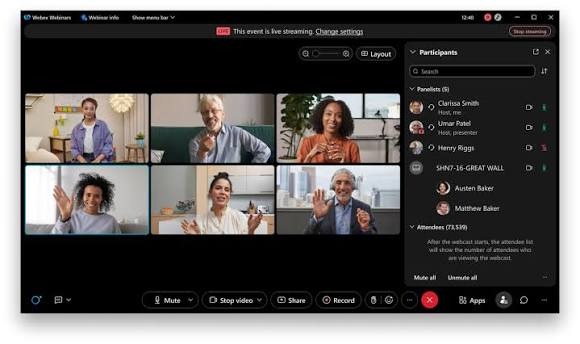
Webex Events is the enterprise-oriented option in this group.
Cisco positions it as an end-to-end platform for virtual, in-person, and hybrid events, with registration, engagement, event management, and broader Webex integration sitting inside the same ecosystem.
That makes it particularly relevant when event software needs to fit existing enterprise infrastructure, security requirements, and administrative processes rather than operate as an isolated marketing tool.
Pros:
- Supports virtual, hybrid, and in-person event programs
- Fits organizations already operating inside the Webex ecosystem
- Handles networking, registration, engagement, and event management
- Enterprise deployment and administration suit larger organizations
Cons:
- Webex Events is tied to select Webex Suite Enterprise Agreements
- Broader enterprise scope can be excessive for straightforward webinars
- Pricing generally requires a sales conversation
Pricing: Plans start at $14.50/user/month for Webex Meet and $68.75/user/month for Webex Webinars with up to 1,000 attendees. Enterprise pricing is custom, and a free plan is available.
6. RingCentral Events
Best for Multi-Session Virtual and Hybrid Events
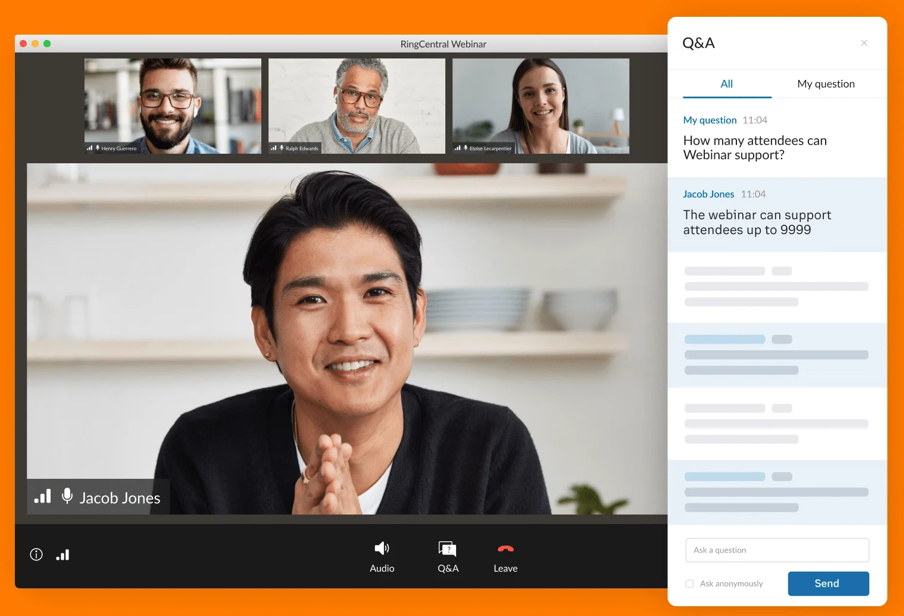
RingCentral Events, formerly Hopin, serves organizations that run webinars, virtual conferences, hybrid programs, and multi-session events from a single environment.
Its current pricing structure is organizer-based rather than registration-based, and paid plans include unlimited events and registrations. That makes the cost model particularly interesting for teams running events frequently rather than paying separately every time attendance increases.
It also combines branding, engagement, analytics, CRM integrations, and AI-assisted event workflows.
Pros:
- Unlimited events and registrations on paid plans
- Supports webinars, virtual events, hybrid programs, and onsite use cases
- Integrates with major CRM and marketing systems
- AI assists with event setup, Q&A, polls, and content reuse
Cons:
- Wider event scope can be unnecessary for webinar-only programs
- Organizer-based pricing becomes more expensive as host teams expand
- Networking and event-management depth may add complexity for simple sessions
Pricing: Starts at $99 per organizer/month. A 30-day free trial is available with a limited number of registrations.
7. BigMarker
Best for White-Label Webinars and Virtual Events
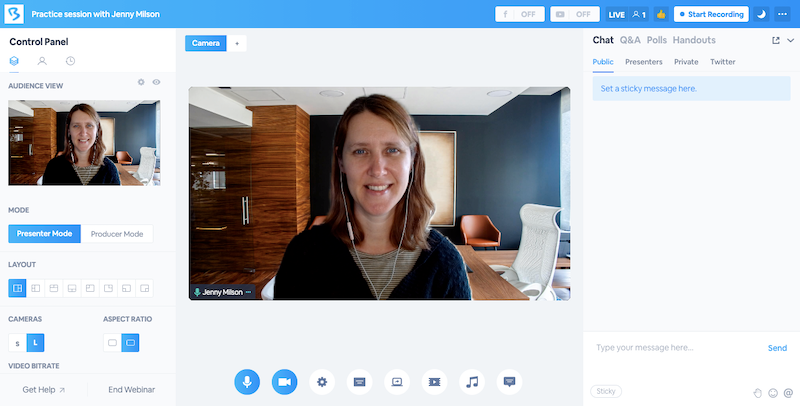
BigMarker suits organizations that prioritize controlling the branded attendee experience.
The platform spans webinars, virtual and hybrid events, registration, ticketing, monetization, analytics, and customizable event experiences. Branding can extend across registration and the event environment, making it useful when the software provider needs to stay in the background.
It also supports formats ranging from straightforward webinars to much larger event programs.
Pros:
- Strong branding and customizable attendee experiences
- Supports live, on-demand, simulive, evergreen, and series formats
- Registration and ticketing support paid and free events
- Handles both standard webinars and larger virtual-event programs
Cons:
- Broader event functionality can increase setup complexity
- Current primary pricing pages require organizations to request a quote
- Social networking is not the main differentiator in the way it is with Airmeet
Pricing: Starter is around $79/month for 100 attendees, Elite around $299/month for 500 attendees, with custom Enterprise pricing above that.
8. Demio
Best for Behavior-Based Lead Generation Webinars
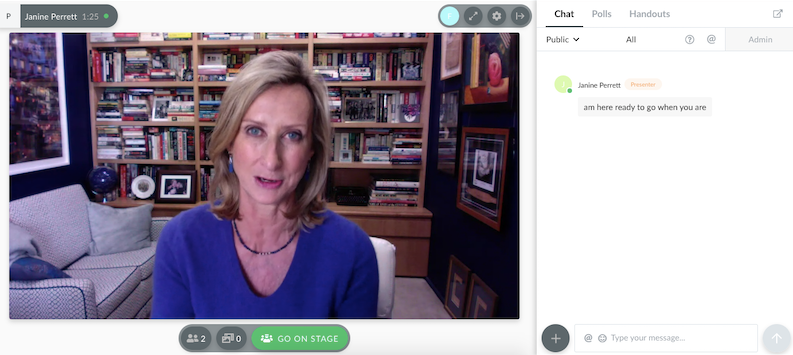
Demio treats attendee engagement as intent data rather than primarily as an attendee-to-attendee connection.
Instead of focusing on who joined which table or lounge, it gives marketing teams ways to understand who stayed, interacted, responded, or took action during the webinar.
That makes it more relevant to B2B teams trying to turn session behavior into follow-up priorities than to organizers trying to recreate a conference lobby online.
Pros:
- Built around marketing and demand-generation webinar workflows
- Tracks attendee engagement and interaction for follow-up
- Browser-based attendee experience removes download requirements
- Integrates with major marketing automation and CRM platforms
Cons:
- Does not replicate Airmeet’s networking lounges or virtual tables
- Higher attendee capacities and advanced features raise plan costs
- Best suited to marketing webinars rather than community networking events
Pricing: Starter pricing begins at $45/month per host when paid annually. A 14-day free trial is available.
9. Livestorm
Best for B2B Teams With Active CRM Workflows
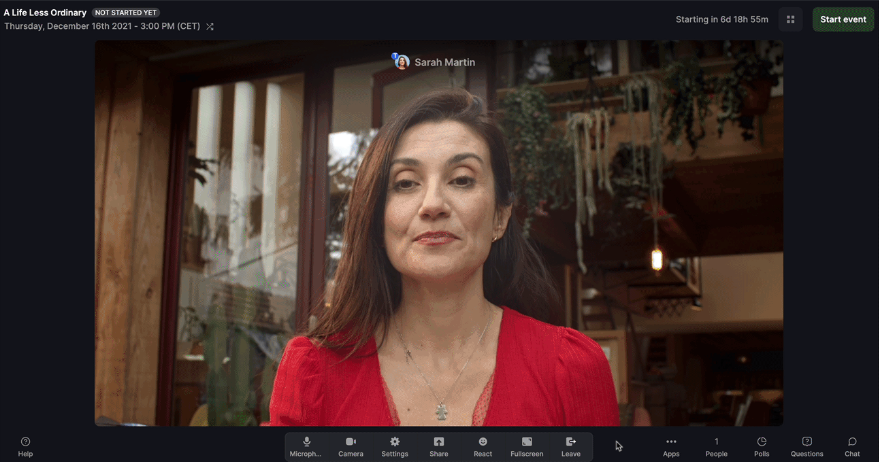
Livestorm centers its workflow on what happens from registration onward.
It combines browser-based webinar delivery with event automation, integrations, recording, team collaboration, and attendee-credit pricing. That can make it useful for B2B teams that view webinars as part of a broader marketing or CRM workflow.
Rather than paying for a fixed attendee room each month, Pro plans use annual attendee credits that can be distributed across events.
Pros:
- Attendee-credit system can be spread across multiple events
- Unlimited team members and events are included on Pro
- Standard integrations connect webinar activity to broader workflows
- Browser-based delivery keeps the attendee join process simple
Cons:
- Credit consumption requires forecasting attendance across the year
- Enterprise integrations and custom analytics require Enterprise
- Does not provide Airmeet-style social lounges or virtual tables
Pricing: Pro starts at €2.50 per attendee credit at the 400-credit tier. The free plan includes 30 attendee credits per year.
10. eWebinar
Best for Automated and Evergreen Webinar Programs
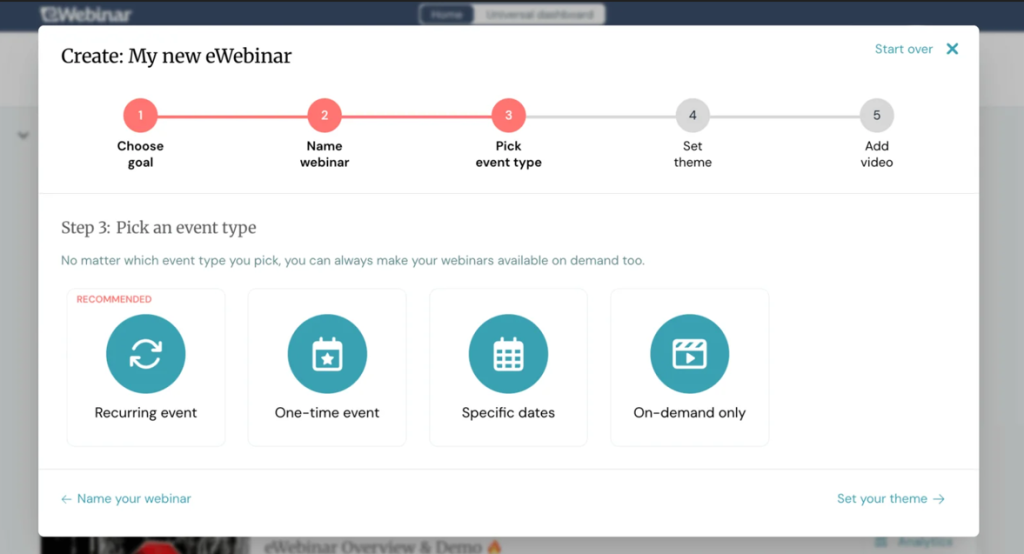
eWebinar removes the live-host requirement for content that does not need a presenter every time it runs.
A recorded presentation becomes a scheduled, interactive webinar that can run repeatedly. Attendees select a convenient session, engage in timed interactions, and use chat without requiring the presenter to repeat the same material.
For product education, recurring onboarding, evergreen lead nurturing, and other repeatable content, that solves a very different problem from Airmeet’s live-event networking environment.
Pros:
- Turns recorded content into recurring interactive sessions
- Unlimited recurring sessions are included
- Scheduling lets attendees choose a convenient time
- Plans scale according to the number of active eWebinars
Cons:
- Not designed for live networking events or conference-style interaction
- One active eWebinar limit applies to the entry plan
- Automated chat experiences require preparation before launch
Pricing: Level 1 starts at $99/month and supports one active eWebinar with up to 1,000 registrants per month. A 14-day free trial is available.
How I Chose These Airmeet Alternatives
Every platform here was assessed against two different jobs: replacing Airmeet’s networking and event capabilities or moving to a more focused webinar workflow. That distinction matters because evaluating both groups against the same checklist would produce a misleading comparison. I looked at:
- User Reviews and Ratings: Every entry here was checked against verified user feedback on G2, Capterra, and TrustRadius, rather than relying on vendor claims alone, including ProProfs WebinarNinja’s own 4.2-star rating across 200+ verified Capterra reviews.
- Essential Features and Functionality: Networking-first platforms were assessed on areas such as attendee interaction, matchmaking, floor plans, event management, and multi-session experiences. Webinar-focused platforms were assessed on registration, engagement, automation, recordings, analytics, and follow-up.
- Ease of Use: Both organizer setup and attendee entry matter. A feature-rich platform loses value quickly if external audiences need excessive guidance just to join or participate.
- Customer Support: Live events do not leave much room for troubleshooting delays, so access to reliable support during setup and delivery matters.
- Value for Money: I looked beyond the headline number to consider how each vendor bills: per attendee, attendee credit, organizer, active webinar, annual license, or custom quote.
- Industry Analysis & Expert Commentary: Current product documentation, user feedback, and independent research helped assess where each alternative differs from Airmeet in areas such as webinar delivery, audience engagement, automation, event marketing, and scalability.
My Top 3 Airmeet Alternative Picks
ProProfs WebinarNinja: If networking infrastructure is secondary to turning webinars into registrations, engagement, follow-up, content, and pipeline, its broader webinar lifecycle and expanding AI webinar capabilities make it particularly relevant.
Remo: A closer fit when Airmeet’s table-based networking experience is exactly what you want to preserve as you switch platforms.
Brella: Worth considering when structured professional matchmaking matters more than an open social lounge or general webinar workflow.
Ready to Choose Your Airmeet Alternative?
Airmeet makes sense when networking is part of the product you are delivering. If attendees register specifically for social lounges, virtual tables, structured meetings, and community interaction, replacing that environment with standard webinar software can create a real gap.
But if your program lives or dies by registrations, engagement, follow-up, content reuse, and pipeline, evaluate the webinar lifecycle separately from the networking layer.
ProProfs WebinarNinja brings live, automated, series, and hybrid webinars together with registration, engagement, recordings, analytics, AI-assisted workflows, and CourseNinja. It fits particularly well when the webinar itself needs to keep working before and after the live session.
That end-to-end approach is also what separates simply hosting a session from effective webinar management. Test the complete workflow, not just the live room. That will tell you far more about which Airmeet alternative actually fits.
Frequently Asked Questions
How Much Do Airmeet Alternatives Typically Cost?
Pricing varies because these platforms use very different billing models. ProProfs WebinarNinja starts at $0.30 per attendee/month, Remo at $299/month, Swapcard at $610/year, RingCentral Events at $99 per organizer/month, Demio at $45/month annually, Livestorm at €2.50 per attendee credit, and eWebinar at $99/month. Others use quote-based enterprise pricing.
What Is the Main Difference Between Airmeet and a Dedicated Webinar Platform?
Airmeet is designed around a broader event and networking experience, including attendee-to-attendee interaction. Dedicated webinar platforms put more emphasis on the webinar lifecycle itself: registration, presentation, audience interaction, recordings, analytics, and follow-up. The better fit depends on whether attendee networking or webinar outcomes are central to the program.
Do Airmeet Alternatives Require Attendees to Download Software?
Many do not. Browser-based platforms allow attendees to join from a link rather than installing dedicated software. This matters particularly for external audiences who use corporate devices, where software installations may be restricted.
Can I Replace Airmeet Without Losing Networking?
Not always feature for feature. If social lounges, virtual tables, or structured matchmaking are central to the event, choose a platform built specifically for networking. If those features see limited use, you may be able to move the connection into Q&A, polls, recurring sessions, follow-up, and external community spaces.
What Should I Do With People Who Miss the Live Webinar?
Make the replay part of the workflow rather than treating it as an archive. Send it promptly to no-shows, track engagement where your platform allows it, and give viewers a clear next step. A strongwebinar replay strategy can keep the session generating engagement after the live event has ended.
Which Airmeet Alternative Works for Community Events and Networking?
It depends on the networking format you want to preserve. Remo focuses on free-moving, table-based interaction; Brella emphasizes structured 1:1 matchmaking; and Swapcard supports larger conference and trade-show networking. When networking is secondary to webinar lead generation, a webinar-focused platform may be a better fit.
Which Airmeet Alternative Works for Webinar Lead Generation?
ProProfs WebinarNinja is designed around that use case, combining registration, live engagement, email workflows, recordings, analytics, multiple webinar formats, and AI-assisted tasks into a single platform. The important distinction is whether you need an event environment around the session or a webinar workflow that continues to deliver value after the session ends.
Want to host a webinar for free?
Use WebinarNinja to teach, improve marketing, and grow your sales.