Contrast’s 4.8-star G2 rating, HubSpot Leading Technology Partner designation, branded registration pages, AI-powered content repurposing, and optional 1080p local recording suit B2B teams whose sessions need to look and feel like branded marketing assets rather than video calls.
The gap appears at two specific points. First, Contrast’s pricing scales with unique registrants, making it affordable for small programs but more expensive as volume grows. Second, although Contrast supports automated, prerecorded webinars, teams should compare its scheduling and engagement options with those of dedicated evergreen platforms.
TwentyThree’s 2026 webinar research found that 48.5% of surveyed companies integrate webinar tools with their marketing stack. For teams spending time on a tool whose primary value is HubSpot integration depth, that adoption gap represents a meaningful opportunity.
The question most teams searching for Contrast alternatives are asking is whether the specific HubSpot depth Contrast provides is the right solution for their program, or whether a platform that covers more of the webinar lifecycle at a more predictable price point delivers better outcomes for their specific use case.
This list covers 10 Contrast alternatives and competitors, from comparable replacements to platforms better suited to growing programs.
10 Best Contrast Alternatives
A few of these genuinely surprised me once I looked past the feature page, and a few solve a narrower problem than Contrast ever tries to. That gap between what an engagement-first branded webinar platform delivers and what a full-lifecycle webinar program actually needs is exactly what this breakdown is built to close.
Here is a quick look at how these Contrast alternatives and competitors stack up before the full breakdown:
| Tool | Best For | Key Differentiator vs. Contrast | Starting Price | Free Trial |
| ProProfs WebinarNinja | Generating leads, growing sales, and teaching better | Four webinar formats, built-in marketing tools, AI assistance, and CourseNinja in one account | $0.30/attendee/month | 14 days |
| Univid | Branded B2B webinars with fast setup | A streamlined branded setup, engagement tools, and a Swedish platform with GDPR-focused documentation | Free; Growth €99/month | Free plan |
| HeyStream | Live-first B2B webinars with in-platform CTA workflows | Built-in audience CRM, live/replay CTAs, and follow-up tools on eligible plans | $49/month, billed annually | 7 days |
| WebinarGeek | EU-based branded webinars with flexible formats | Viewer-capacity subscriptions covering live, automated, on-demand, and hybrid delivery | €59/month, billed annually | 14 days |
| Sequel | B2B pipeline-focused webinars on your website | Website-centered live, simulive, and on-demand experiences with attribution and repurposing tools | Custom | Demo available |
| Livestorm | B2B teams with CRM pipelines beyond HubSpot | Native CRM connectors with different field coverage and Enterprise requirements | €2.50/attendee credit; annual bundle | Free testing available |
| Demio | Behavior-based lead generation with live and automated formats | Engagement reporting and per-host plans, with automation available above Starter | $45/host/month, billed annually | 14 days |
| BigMarker | White label and enterprise multi-session events | Configurable branded event experiences, multi-track programs, and virtual summits | Custom | Demo available |
| eWebinar | Automated and evergreen webinar programs | A dedicated recorded webinar workflow with flexible scheduling and attendee chat | $99/month | 14 days |
| GoTo Webinar | Teams wanting published organizer-seat plans | Organizer-seat and participant-capacity plans for recurring webinar programs | $59/organizer/month, billed annually | Trial available |
Now, here is how each one actually holds up:
1. ProProfs WebinarNinja: Best for Generating Leads, Growing Sales, and Teaching Better
ProProfs WebinarNinja brings lead generation, sales webinars, and teaching into one account. For teams comparing Contrast alternatives, its appeal is combining the webinar workflow with course delivery.
Registration pages capture leads; automated emails handle confirmations, reminders, and follow-up. Chat, Q&A with upvotes, polls, offers, and handouts give attendees ways to participate and take the next step while their interest is high.
The workflow continues after the session. Automatic recordings provide replays, while analytics track registrations, attendance, watch time, and engagement. Your broader webinar email marketing workflow depends on the sequences and integrations you configure, so test the specific CRM handoff your sales team needs.
AI supports preparation, delivery, and reuse. AI Conversion Writer suggests registration headlines; AI Webinar Co-Host helps answer recurring chat questions; and AI Sales Coach reviews sessions for improvements. For teams looking to repurpose webinar content, this makes reuse part of the workflow rather than another task that requires starting from scratch.
Pros:
- Covers live, automated, series, and hybrid webinar formats from one account
- AI Conversion Writer, Sales Coach, Webinar Co-Host, and Content Strategist support preparation, delivery, and reuse
- Built-in registration pages and confirmation, reminder, and follow-up emails keep setup together
- Chat, Q&A with upvoting, polls, offers, and handouts support participation and next-step actions
- Automatic recordings and replays pair with registration, attendance, watch-time, and engagement analytics
- HubSpot and marketing connections, Stripe payments, Zapier, and API workflows support configured follow-up
- Browser-based attendee access and CourseNinja live/on-demand courses come without a separate course-platform subscription
Cons:
- No downloadable or on-premise version
- Dark user interface option is not available
Pricing: A FREE 14-day trial is available. Paid starts at $0.30/attendee/month (includes CourseNinja, worth $ 1,200).
Case study:
Pat Marquette, Marketing Director at Relayer Benefits, used ProProfs WebinarNinja to take retirement and tax-strategy presentations online through live and prerecorded webinars. The company reports that this shift helped it maintain sales during the pandemic while continuing to educate clients.
2. Univid: Best for Branded B2B Webinars With Fast Setup
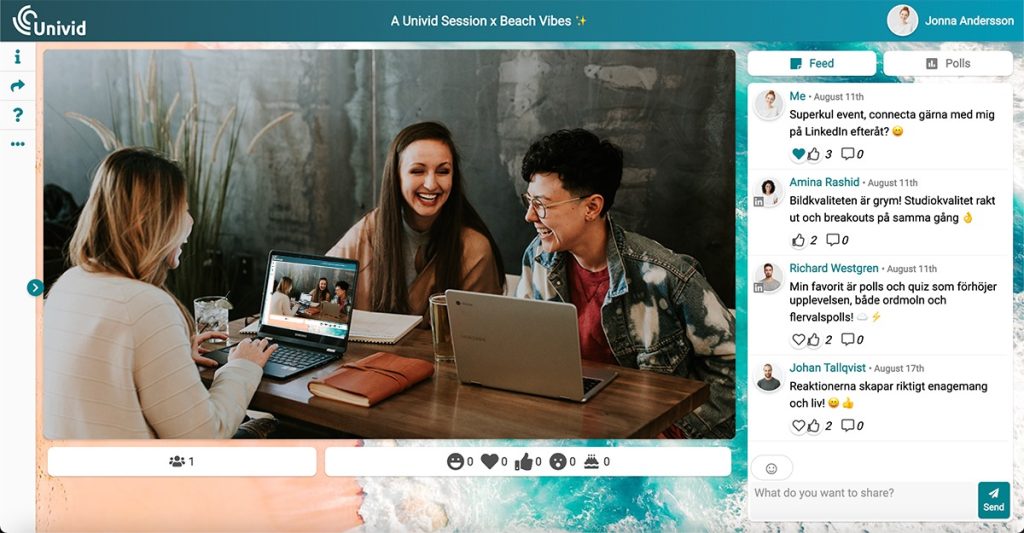
Univid serves B2B marketing teams running modern, branded external webinars. Both Univid and Contrast emphasize a clean studio experience and an attendee journey that feels like a marketing asset rather than a video call. If that is the part of Contrast your team values most, Univid belongs on the shortlist.
Univid’s emphasis is on setup speed and a streamlined engagement workflow. Its advertised as a 60-second setup, reusable brand templates, chat, polls, Q&A, CTAs, and lead scoring suits teams that want to get a polished session ready quickly. The 60-second claim describes the vendor’s setup promise; preparing the content, emails, and CRM rules still takes work.
Univid is a Swedish company with GDPR-focused documentation and a published data processing agreement. That gives European teams useful material to review with their privacy team. It also supports on-demand viewing and simulated live webinars on eligible plans, so the choice should come down to the experience and workflow your program needs, rather than assuming it only handles live sessions.
Pros:
- A close fit for the modern branded B2B webinar use case
- Advertised 60-second setup and reusable templates help teams prepare repeat sessions
- Chat, polls, Q&A, CTAs, and lead scoring connect participation with follow-up priorities
- Free plan lets teams test a small session before choosing a paid tier
Cons:
- Free plan is restricted to 10 live participants, 20 monthly registrants, and 20-minute sessions
- Simulated live delivery requires a paid plan
- Salesforce, API access, and some enterprise requirements sit in the Custom offering
Pricing: Free plan available. Growth starts at €99/month for 100 unique registrants per month and up to 100 live participants. Larger Growth options and Custom plans cover higher requirements.
3. HeyStream: Best for Live-First B2B Webinars With In-Platform CTA Workflows
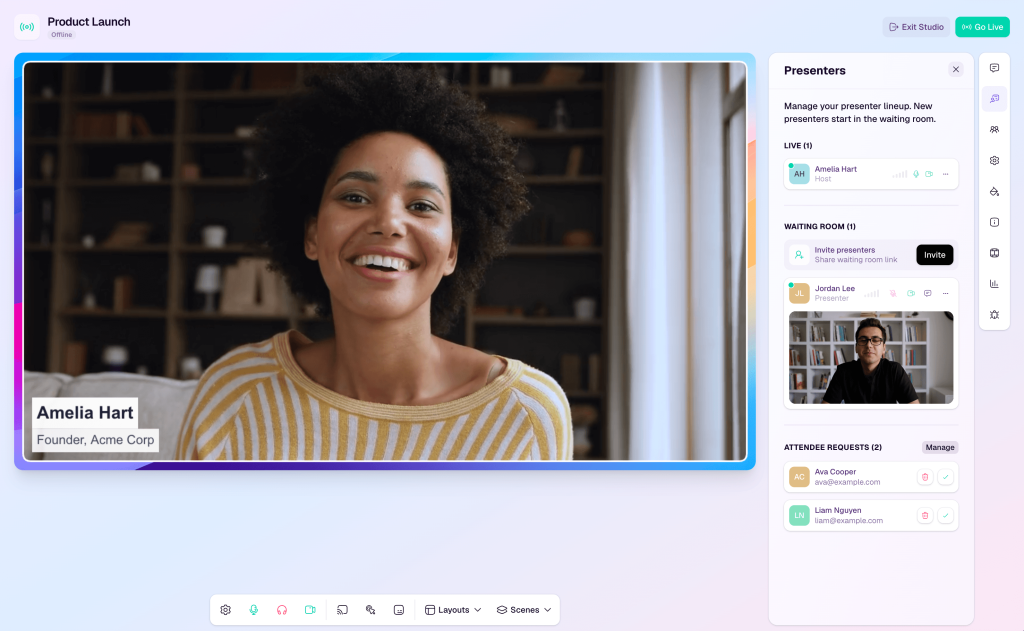
HeyStream brings branded live delivery, audience CRM records, CTA activity, replays, and follow-up tools into one operational environment. For teams that want to see who watched and what they clicked without having to start every follow-up task in an external CRM, that in-platform approach is worth testing.
Both HeyStream and Contrast serve marketing teams running branded live webinars for B2B audiences. HeyStream’s built-in audience CRM and live/replay CTAs give it a clear place in that comparison. Growth and Scale add integrations and outbound automations, so the plan matters when you move from hosting a session to running the follow-up process.
For recurring demos, launches, and educational broadcasts, the benefit is that it keeps more of the operational context together. It does not make an external sales CRM unnecessary, but it can reduce the switching overhead for teams whose immediate needs are audience records, viewing activity, and next-step actions.
Pros:
- Built for live-first B2B webinar and product demo programs
- Built-in audience CRM keeps contact records alongside the broadcast workflow
- Live and replay CTAs give viewers a next step during both viewing experiences
- Published plans make it possible to compare costs before a demo call
Cons:
- CRM/email integrations and outbound automations require Growth or Scale
- Launch is limited to 100 live attendees and one concurrent broadcast
- Its live-first workflow is a narrower fit than a dedicated recorded webinar system
Pricing: Launch starts at $49/month, billed annually. Growth is $149/month, and Scale is $399/month on annual billing, with higher capacities and additional operational features. A 7-day free trial is available.
4. WebinarGeek: Best for EU-Based Branded Webinars With Flexible Formats
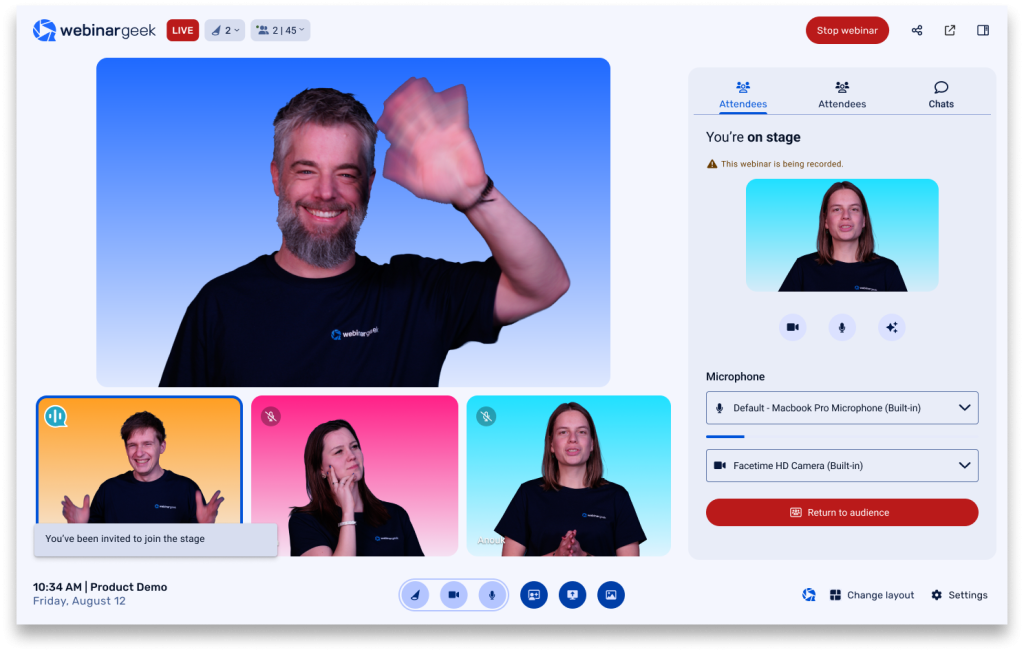
WebinarGeek is an EU-based branded webinar platform for teams that need live, automated, on-demand, and hybrid sessions under one subscription. It competes with Contrast in the modern B2B marketing use case, while offering buyers a viewer-capacity pricing structure for comparison against Contrast’s registrant-based plans.
Where WebinarGeek becomes interesting is the combination of formats, branding, and attendee reporting. Viewing data, poll responses, CTA activity, and evaluations helps teams understand how people engaged with a session. Those are useful inputs for follow-up, but the comparison should be based on the fields your team needs, rather than on an unsupported claim that your analytics are deeper than Contrast’s.
For teams running high-frequency webinar programs, a subscription built around viewer capacity may be easier to forecast than a monthly unique-registrant allowance. That depends on the audience size and add-ons you select. HubSpot and Salesforce connections, additional users, and certain branding or production options can increase the base cost.
Pros:
- Covers live, automated, on-demand, and hybrid delivery in one platform
- Custom branding helps teams maintain a consistent registration and viewing experience
- Attendee reporting supports analysis of viewing behavior, interactions, and CTAs
- Viewer-capacity tiers offer a different budgeting model from monthly registrant allowances
Cons:
- HubSpot and Salesforce integrations can require add-ons
- Larger viewer tiers and extra account users increase the subscription cost
- Advanced production and branding requirements can add to the base package
Pricing: Premium starts at €59/month (billed annually) for the selected 75-viewer tier. Monthly billing, larger viewer capacities, and add-ons cost more. Enterprise pricing is custom. A 14-day free trial is available.
5. Sequel: Best for B2B Pipeline-Focused Webinars on Your Website
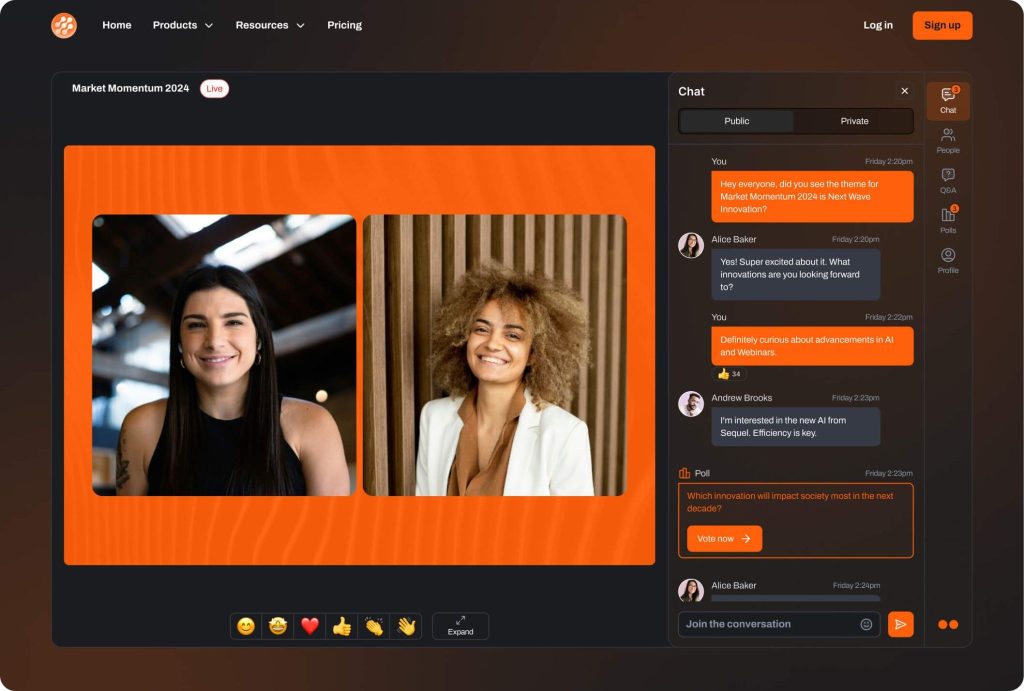
Sequel puts the webinar experience on your own website, keeping registration, live sessions, and on-demand content close to the product pages and conversion paths your buyers already use. It approaches the B2B marketing pipeline use case from a website-centered direction.
For teams whose attribution model needs to link webinar engagement to activity before and after the session, this architecture provides the program with a useful home. Contrast also provides registration and replay embeds, plus custom-domain options on eligible plans. Sequel’s distinction lies in making the website the center of the broader event and content program, rather than serving as the only platform for embedding webinar content.
Sequel supports live, simulive, and on-demand experiences, and its AI Studio can turn recordings into clips and written assets. The value is keeping the session, its reusable content, and the next conversion step connected. A complete attribution picture still depends on your tracking, consent choices, CRM integration, and field mapping.
Pros:
- Website-centered delivery keeps webinars close to your existing conversion paths
- Live, simulive, and on-demand formats support both scheduled and self-directed viewing
- Analytics and CRM connections help relate session participation to pipeline activity
- AI Studio turns session recordings into clips and editable written content
Cons:
- Custom pricing makes a quote necessary for a meaningful cost comparison
- Website integration adds setup work compared with using a hosted webinar page
- Attribution and CRM reporting require the right tracking and integration configuration
Pricing: Custom quotes. Confirm the formats, audience capacity, integrations, and AI capabilities included in the proposed package. A demo is available.
6. Livestorm: Best for B2B Teams With CRM Pipelines Beyond HubSpot
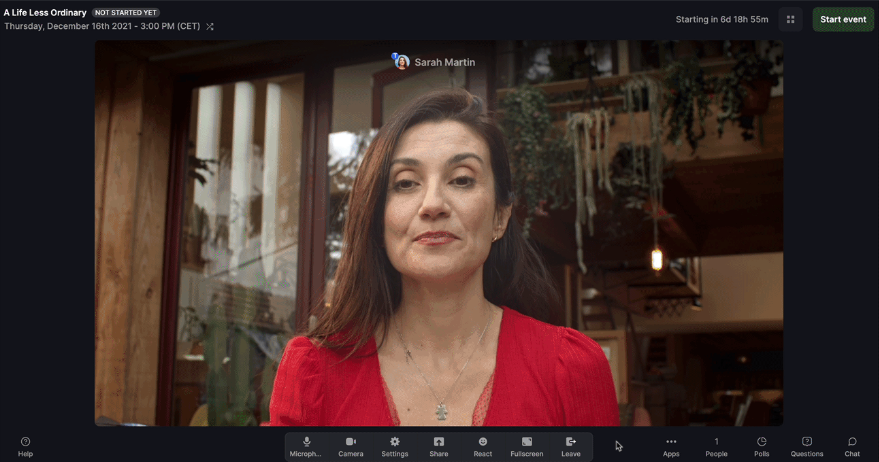
Livestorm connects webinar registration and participation with CRM workflows across HubSpot, Salesforce, and Pipedrive. For teams running a mixed CRM environment, the useful question is what each connector actually transfers and which plan includes it.
The connectors do different jobs. Pipedrive can use registration and attendance triggers to create contacts, deals, or activities through configured rules. Salesforce can create webinar Campaigns, update Campaign Member participation, and pass mapped registration and engagement fields. Salesforce is an Enterprise-level paid add-on, so it should not be assumed to be included in the entry price.
Contrast also offers a Salesforce integration through an Enterprise add-on. Livestorm, therefore, earns its place through the workflow your team can build with its connectors, rather than a claim that Contrast only works with HubSpot. For sales teams, the practical benefit is having the right session context available before outreach begins.
Pros:
- Native CRM connectors cover HubSpot, Salesforce, and Pipedrive, with different supported actions
- Salesforce Campaigns can distinguish registration, live attendance, and replay participation
- Browser-based attendance reduces joining friction
- Attendee-credit pricing supports usage across multiple webinar sessions
Cons:
- Salesforce requires the Enterprise plan and a paid add-on
- Attendee-credit costs grow as participation increases
- Enterprise integrations and some production or security features require additional budget
Pricing: Pro is advertised at €2.50 per attendee credit, purchased as an annual credit bundle. Enterprise pricing is custom. Free testing is available.
7. Demio: Best for Behavior-Based Lead Generation With Live and Automated Formats
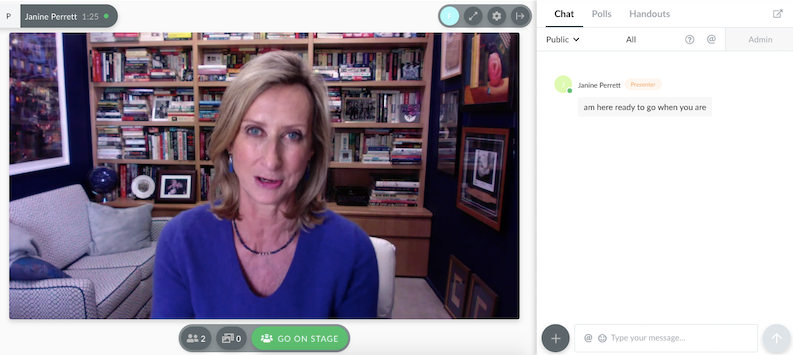
Demio covers live webinars and, on eligible plans, automated and on-demand delivery for marketing teams running demand-generation programs. That lets a team use live sessions for high-touch prospects and recorded sessions for repeatable top-of-funnel content without maintaining separate webinar platforms.
What an attendee does during a session matters to the follow-up. Answering a poll, clicking a featured action, or staying for the full duration gives your team context for segmentation. Demio’s engagement reporting and supported integrations can help put that context to work, with the actual tags, fields, and automations depending on the connection and rules you configure.
Contrast also supports prerecorded and recurring sessions and HubSpot-based segmentation. Demio is worth comparing for its attendee experience, reporting workflow, and per-host pricing at the room size you need. The entry plan is for live delivery; automated and on-demand webinars require Growth or Premium.
Pros:
- Live and recorded formats can support different stages of a demand-generation program
- Engagement reporting helps teams distinguish active attendees from passive viewers
- Chat, polls, featured actions, and handouts give attendees clear ways to participate
- Per-host plans make organizer costs visible before the program expands
Cons:
- Automated and on-demand delivery are not included in Starter
- Premium integrations and advanced production features require higher plans
- Starter covers one host and a 50-attendee room
Pricing: Starter begins at $45/month for one host, billed annually, or $63/month on monthly billing. Growth and Premium pricing depend on hosts and room capacity. A 14-day free trial is available.
8. BigMarker: Best for White Label and Enterprise Multi-Session Events
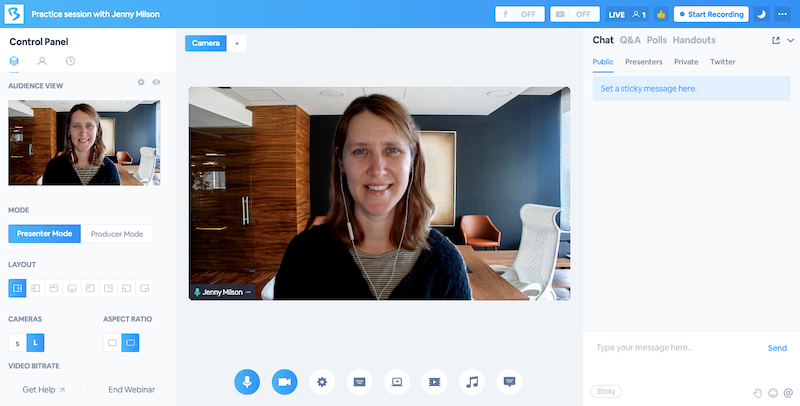
BigMarker supports configurable branded experiences alongside multi-session events, virtual summits, and conference-style programs. For agencies running webinars on behalf of clients, or enterprises building a larger event program, that scope can matter more than the studio used for a single session.
Registration pages, webinar rooms, emails, and event navigation can be configured around the host’s brand and event structure. Contrast also offers custom domains and removal of its platform badge through eligible add-ons. The useful comparison is the full attendee journey and multi-track program you need, rather than a blanket claim that Contrast cannot remove its branding.
BigMarker becomes especially relevant when the webinar is one part of a larger event: several tracks, different sessions, sponsor requirements, or paid access. That additional scope entails setup decisions, so teams running straightforward single-session webinars should weigh the operational work against the features they will actually use.
Pros:
- Configurable branding supports client-facing and enterprise event experiences
- Handles single webinars alongside multi-session virtual events and summits
- Paid-event and monetization options support premium programs
- Multi-track event structure suits conference-style programs
Cons:
- Custom pricing requires a sales conversation before a cost comparison
- A broader event platform can add complexity to straightforward webinar programs
- Branding, registration, and multi-session configuration require upfront setup work
Pricing: Custom quotes. Confirm white label scope, attendee capacity, integrations, and event formats in the proposed package. A demo is available.
9. eWebinar: Best for Automated and Evergreen Webinar Programs
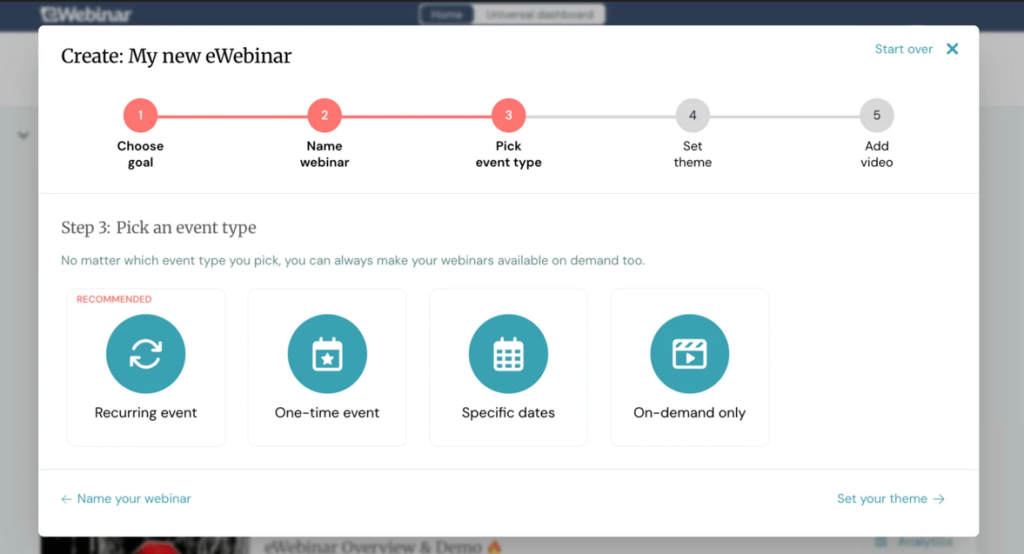
eWebinar turns recorded sessions into interactive webinars that can run repeatedly without a host having to present the same material each time. For training content, product walkthroughs, and recurring lead-nurturing presentations, that repeat-presentation load is the work it is built to remove.
Attendees choose an available time, watch the recorded presentation, and interact through scheduled elements and chat. Your team can handle live chat or respond later via the supported workflow. The presentation can run without a live presenter, but questions still need a coverage plan.
Contrast already supports prerecorded webinars that start and end automatically, including recurring schedules. eWebinar’s appeal is its dedicated recorded-webinar workflow: how scheduling, interactions, chat, and follow-up fit together when evergreen delivery is the main program rather than an occasional format.
Pros:
- Removes the need to present unchanged evergreen material live each time
- Scheduled interactions give recorded sessions structure beyond a standalone video
- Flexible scheduling helps attendees find a session that suits them
- Live and asynchronous chat let teams support viewers without presenting every session
Cons:
- It does not replace a platform for live presenter-led webinars
- Questions and exceptions still need a response workflow
- Active webinar and monthly registrant limits affect the subscription tier
Pricing: Level 1 starts at $99/month for one active webinar and 1,000 registrants per month. Level 2 is $199/month for up to five active webinars and 3,000 monthly registrants; Level 3 is $299/month for up to 15 active webinars and 5,000 monthly registrants.
10. GoTo Webinar: Best for Teams Wanting Published Organizer-Seat Plans
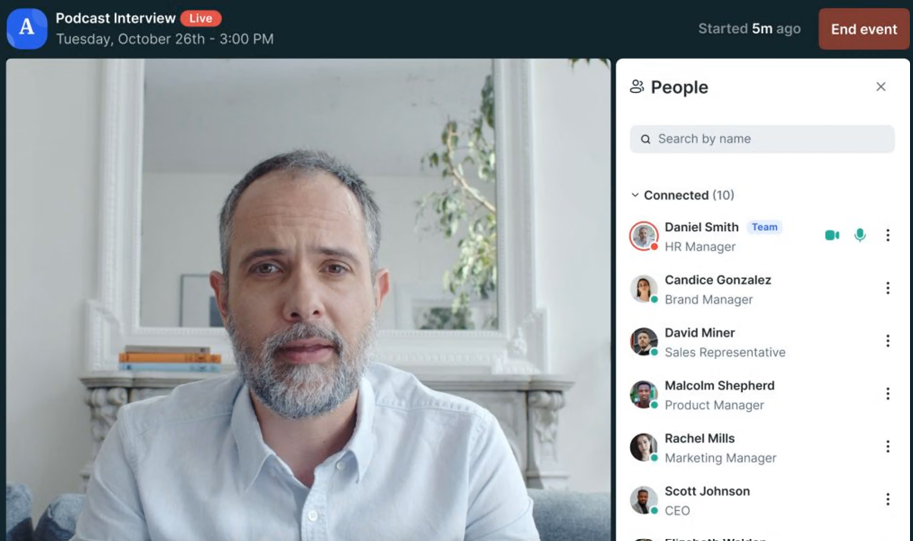
GoTo Webinar organizes its plans around organizer seats, participant capacity, and included features. For teams whose webinar program operates on a fixed annual budget, that structure offers a different cost calculation from a monthly unique-registrant allowance.
The Reach plan includes one organizer seat and up to 500 participants. Elevate adds capacity for up to 1,000 participants, along with additional branding, recording, and production features. Complete covers larger requirements, including up to 3,000 participants, through a sales conversation. The largest capacity is not included in the entry price.
For teams running multiple sessions each month, the pricing model can make forecasting simpler once the organizer count and required tier are clear. The comparison still needs to include integrations, recording, branding, and source tracking, since those requirements can move the program beyond the starting plan.
Pros:
- Organizer-seat and capacity-based plans make the main budgeting variables visible
- Entry tier supports up to 500 participants; higher packages serve larger audiences
- Reporting, reminders, polls, and Q&A support recurring webinar operations
- Higher plans add branding, recordings, and broader event capabilities
Cons:
- The starting plan does not include every recording, branding, or integration feature
- Advanced source tracking and paid-event requirements can require a larger package
- Additional organizer seats and higher participant capacities change the total cost
Pricing: Reach starts at $59/month for one organizer, billed annually, or $69/month with monthly billing. A free trial is available.
My Evaluation Criteria
This comparison uses official pricing pages, product documentation, and published integration guides. Here is the framework behind the recommendations, with customer review sites providing a separate place to assess day-to-day experience rather than as proof of a feature or price.
- User Reviews/Ratings: G2 and Capterra are useful for checking recurring comments about setup, support, reliability, and usability. A single review does not establish a product limitation, and changing scores should not be treated as permanent rankings.
- Essential Features and Functionality: Each platform was compared against two use cases: replacing Contrast’s modern branded B2B webinar workflow, and supporting a broader program with courses, dedicated evergreen delivery, or multi-session events. The relevant webinar features include registration, emails, interaction, recordings, analytics, and the precise CRM actions supported.
- Ease of Use: Both the host-side setup process and attendee joining requirements matter. Published setup instructions help reveal the work involved; they are not a substitute for trying your own session and comparing the experience.
- Customer Support: Published support channels, onboarding options, and plan conditions matter when setting up a program or handling issues. Actual response quality during a live event needs to be tested rather than assumed from a feature page.
- Value for Money: Feature coverage was compared with the actual billing model: attendee capacity, monthly registrants, credits, hosts, organizer seats, or custom packages. A low starting price is useful only when it covers the workflow and audience size you need.
- Industry Analysis and Expert Commentary: The comparison considers the work around the session as well as the delivery itself. Effective webinar management includes repeatable setup, question coverage, CRM handoff, replay access, and follow-up, with clear ownership for each step.
What Does Contrast’s HubSpot Integration Actually Do?
Contrast connects registration, viewing activity, UTM attribution, and engagement with HubSpot contacts. It’s documented that real-time sync supports timeline activity, properties, lists, and app events, bringing webinar data closer to the people responsible for follow-up.
The distinction is what your team can do with that information.
- Timeline visibility: A poll response on a contact’s timeline does not automatically become a property available for personalization or lead scoring.
- Workflow actions: Contrast documents how HubSpot workflows can copy app-event data into properties. That setup requires HubSpot Professional or Enterprise.
- Follow-up timing: Teams that act quickly on session behavior may value this depth. Next-day follow-up may only need a reliable registration or attendance handoff.
A partner designation alone does not prove faster follow-up. Test the event, field, permission, and workflow your team needs. For webinar lead generation, the right question is whether the data helps sales take a useful next step. Contrast also offers Salesforce through an Enterprise add-on; compare the connection and cost for your CRM.
What Should You Test After Contrast?
Moving from Contrast means identifying the parts of your current workflow that must survive the transition. Run one complete session, then check four things:
- Follow the data into HubSpot. Use a test contact and inspect registration and engagement events: what arrives, where it appears, and when. Check whether your required trigger runs during the session, at its close, or later. That timing determines whether you can keep the current follow-up process.
- Compare the full branded experience. Review the live output, recording, registration page, and replay. Test local recording separately from streaming quality, and check production add-ons. Your webinar branding needs to hold up across the whole attendee journey.
- Price your actual usage. Calculate monthly unique registrants, peak attendance, and organizer count. Compare equivalent plans, including add-ons, before the trial ends. A strong feature test should not unravel when the pricing conversation starts.
- Run a recorded session through follow-up. Contrast already supports automatically starting and ending prerecorded webinars, including recurring schedules. Test available times, time zones, interaction timing, chat coverage, replay access, and content updates. A prerecorded webinar running on schedule is only one part of the experience; the trial should confirm what happens when someone asks a question or takes the next step.
My Top 3 Contrast Alternative Picks
1. ProProfs WebinarNinja
My all-in-one pick for lead generation, sales, and teaching, with four webinar formats, AI assistance, built-in marketing tools, and live or on-demand courses in one account.
2. WebinarGeek
A strong fit for branded B2B delivery when viewer-capacity pricing, including required add-ons, suits your usage better than monthly registrant allowances.
3. eWebinar
The right call when evergreen webinars are the main program, and you want dedicated scheduling, interactions, and chat around recorded sessions.
Ready to Choose Your Next Platform?
Choose the workflow you need to run next month. Keep Contrast in consideration when it’s a branded studio and a HubSpot handoff fit. If you also need teaching, repeatable sales sessions, and built-in follow-up, the broader combination matters.
ProProfs WebinarNinja is my top pick for that combination. It brings four webinar formats, registration, emails, engagement tools, recordings, analytics, AI assistance, and CourseNinja into one account. It’s published, and attendee-capacity pricing gives you a clear basis for comparison. Start your free trial or watch a demo with your actual workflow in mind. Test the session, the follow-up, and the cost before you decide.
Frequently Asked Questions
What Is the Difference Between Contrast and an All-in-One Webinar Platform?
Contrast already covers registration, emails, live and prerecorded delivery, replays, analytics, and repurposing. The practical differences are the workflow, course capabilities, integration behavior, and pricing. ProProfs WebinarNinja combines four webinar formats with CourseNinja and built-in marketing tools for teams whose program includes lead generation, sales, and teaching.
How Much Do Contrast Alternatives Typically Cost?
The billing model matters as much as the price. WebinarNinja advertises $0.30/attendee/month on annual promotional terms. HeyStream starts at $49/month annually; Demio at $45/host/month annually. Univid starts at €99/month; WebinarGeek at €59/month annually. Livestorm uses attendee credits, while larger event packages may require quotes.
Do Contrast Alternatives Require Attendees to Download Software?
Many offer browser-based attendance, including ProProfs WebinarNinja, Livestorm, Demio, WebinarGeek, and Univid. Check the actual device and joining flow during a trial rather than assuming every feature works identically in every browser. Contrast also supports browser-based attendance, so a download-free experience is not exclusive to its alternatives.
Which Contrast Alternative Works Best for Automated and Evergreen Webinars?
eWebinar is a focused option for recorded sessions with scheduling, interactions, and chat. ProProfs WebinarNinja combines automation with live, series, and hybrid delivery. Contrast also supports automated prerecorded sessions. Choose around your question coverage and follow-up needs when planningautomated webinar delivery.
Is There a Contrast Alternative With a Free Plan and HubSpot Integration?
Univid’s published Free plan lists HubSpot, with limits of 10 live participants, 20 monthly registrants, and 20-minute sessions. Test the fields and actions your follow-up needs. WebinarNinja offers a 14-day trial; its documented HubSpot connection builds registrant lists rather than promising identical engagement-timeline behavior to Contrast.
Which Alternative Fits Teams Using Salesforce or Pipedrive?
Livestorm is worth testing: Salesforce is an Enterprise paid add-on, while Pipedrive supports configured registration and attendance workflows. Contrast also offers Salesforce through an Enterprise add-on. Verify registration, live attendance, andon-demand webinar data separately; connectors do not necessarily transfer the same fields or events.
Want to host a webinar for free?
Use WebinarNinja to teach, improve marketing, and grow your sales.