

I’ve seen it happen hundreds of times. A coach, consultant, or small business owner spends three weeks preparing a webinar, including slides, research, practice runs, and promotion. The live session goes well. Fifty people show up. And then the recording gets downloaded into a folder and never touched again. That’s not a webinar marketing strategy. That’s a content graveyard.
When I started working with webinar hosts on how to repurpose webinar content, most of them assumed repurposing meant extra work on top of an already exhausting production process. It doesn’t. A study by Contrast in 2025 stated that AI-powered repurposing saved marketers an estimated 13,000 hours and $650,000 in a single year because the content is already made. You just need to know where to look and what to do with it.
By the end of this guide, you’ll have a clear picture of the 10 formats that get the most mileage from a single webinar, a simple workflow you can spread across the week following every session, and a way to match each format to the right stage of your funnel, so you’re not just creating more content, you’re creating the right content for the right audience.
What Is Webinar Content Repurposing?
Webinar content repurposing means taking a single recorded or live webinar and transforming it into multiple content formats such as blog posts, short video clips, email sequences, podcasts, and on-demand replays so the same ideas reach more people across more channels without requiring new research or production work.
It is different from simply reposting a recording. Repurposing adapts and reframes the content so it works natively on each platform and for each audience. A blog post written from a webinar transcript reads like a blog post which is structured, scannable, and searchable on Google. A social clip from the same webinar is 30 seconds, captioned, and optimized for a fast-moving feed. Same source material. Completely different experience.
The reason this matters: A study by BrightTALK in 2024 showed that 36% of webinar attendees prefer on-demand formats over attending live, meaning a large portion of your audience will only engage with your content after the live session ends. And the people who didn’t register at all? They outnumber your attendees by a wide margin. Repurposing is how you reach everyone else on their schedule, in their preferred format, on the channels they already use. It’s also one of the most underrated webinar lead generation tactics available.
The most common worry is that repurposing feels like repeating yourself. It doesn’t, because each format reaches a different person on a different platform. The person who finds your blog post on Google has never seen your Instagram clip. The person who downloads your replay from a registration page attended none of your live sessions. You’re not repeating yourself. You’re distributing.
How Do You Know Which Webinar Moments Are Worth Repurposing?
Most people sit down with their webinar recording and feel overwhelmed. An hour of content, and they don’t know where to start. The good news is you don’t need to repurpose the whole thing. You just need to find the three or four moments that did the most work and build from there.
Look for three types of moments in your recording:
1. Retention Spikes
These are the parts of your webinar where people stayed, rewatched, or paid the most attention. If you’re using a platform with analytics, check your webinar analytics dashboard. It’ll show you a graph of viewer drop-off over time. Wherever the line stays flat or goes back up, that’s a retention spike. That’s where your audience leaned in.
That section is your best clip, your best blog topic, your best email hook. If you don’t have analytics, just think back, what part of the session got the most chat activity or the most questions? That’s your spike.
2. Repeated Questions
Go through your Q&A or chat log and look for questions that came up more than once, even if they were worded differently. If three people asked some version of “how do I get started with X,” that’s not a coincidence. That’s a gap your audience has that you happen to know how to fill.
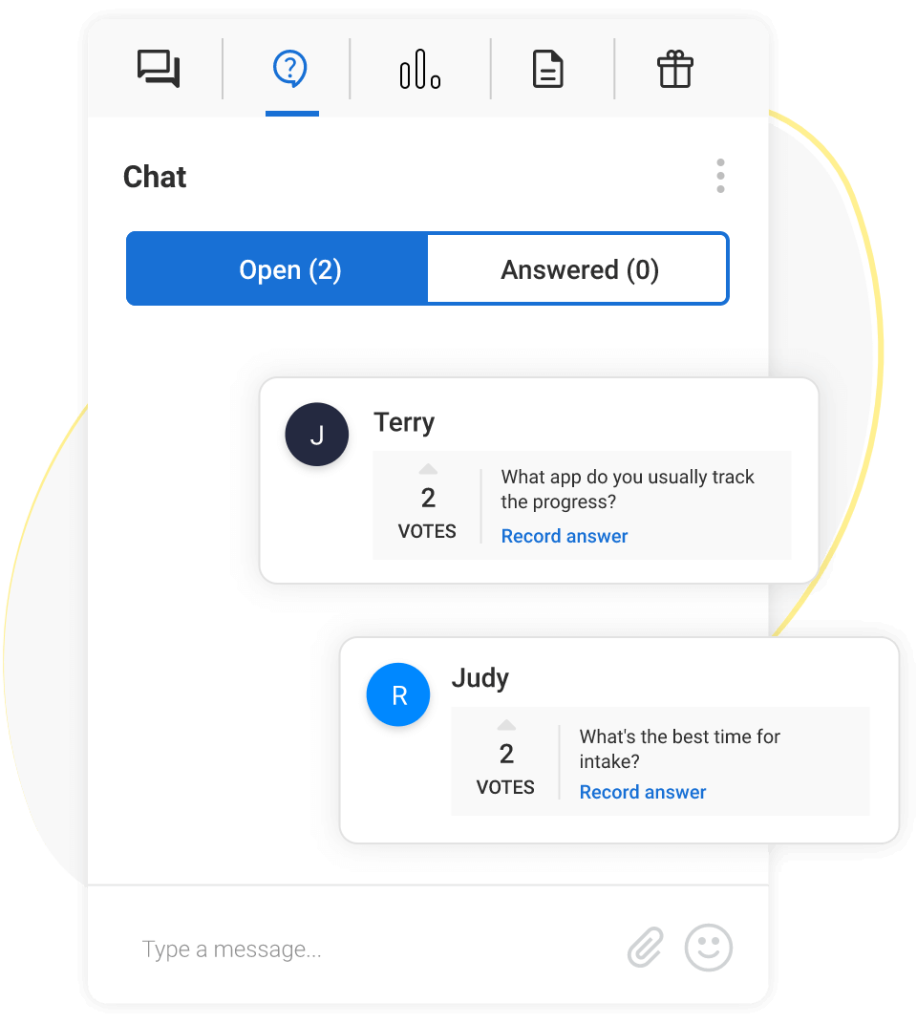
Each repeated question is a standalone piece of content waiting to happen. Turn it into a blog post, a short video answer, or an FAQ on your landing page. The fact that multiple people asked it live means even more people have the same question but didn’t bother asking.
3. Objections Handled Live
These are the “but what about…” moments, the pushback, the hesitation, the “does this work if I’m a small team?” type of questions. These are gold, especially for people who are close to buying but not quite there yet.
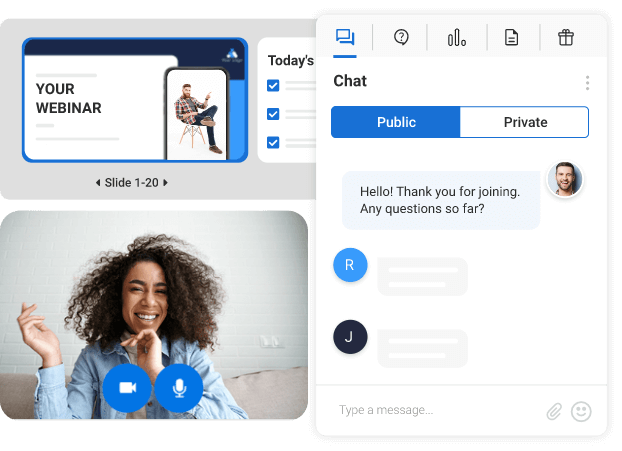
When you answer an objection live and the person asking goes quiet or says “okay that makes sense,” you’ve just created a piece of content that will do the same thing for every skeptic who comes after them. Pull those moments out and turn them into short clips, FAQ answers, or a dedicated blog post addressing that concern head-on.
Pro Tip: The easiest way to capture these moments is to keep a notepad open during your webinar and jot down timestamps as you go. After the session, you have a map of your best content without watching the whole thing back. You don’t need to cut any video.
What Are the 10 Best Ways to Repurpose Webinar Content?
Not all repurposing formats are created equal. Some will fill your top-of-funnel, others will close leads who are almost ready to buy. Here are 10 ways to get more mileage from every webinar you host, and if you are still refining how you host a webinar, these ideas will also make your live sessions more strategic.
1. Convert Your Live Webinar Into an On-Demand Webinar
This is the #1 repurposing move and the easiest one to execute. An on-demand webinar is simply your recorded session published behind a registration page, so new viewers can sign up, watch at their own time, and get automatically added to your email list.
Why it works: A study by Livestorm‘s Webinar Marketing Report in 2024, 17% of people who register for a live webinar go back and watch the replay later. And according to a study by BrightTALK in 2024, 36% of all webinar viewers prefer on-demand formats over attending live. That means your audience is already looking for this.
If you want to keep the interaction feel of a live session, WebinarNinja’s hybrid format lets you play the pre-recorded video while you’re available in the background to answer questions in real-time chat — giving your replay the energy of a live event without requiring a full re-presentation.
Pro Tip: Include interactive elements like quizzes or polls in the on-demand version to keep viewers engaged and gather additional insights.
2. Write a Blog Post From the Transcript
A 60-minute webinar contains enough material for 3–5 blog posts. You don’t need to summarize the whole thing; pick one topic, one question, or one key insight from the session and build a post around it.
How to do it:
- Export your webinar transcript (most modern webinar platforms generate this automatically) or use an online tool to convert audio to text easily.
- Identify one strong theme: ideally, one that answers a specific Google search query.
- Rewrite it in blog format: add headings, short paragraphs, and practical examples.
- Embed the webinar replay inside the blog post for people who want to watch instead of read.
Why it works: Blogs indexed by Google keep generating traffic for months or years. A webinar blog post that ranks for a relevant keyword can bring in more leads than the original live session ever did.
Pro Tip: Create a series of blog posts that build on one another. At the end of the series, include a downloadable PDF compiling all the posts as a freebie!
3. Share Short Social Media Clips
Social media platforms favor native video and short clips from your webinar are exactly that. You don’t need professional editing. A 30–60 second clip of a key insight, a surprising stat, or a question you answered live is all you need. Pair them with captivating captions and hashtags to reach your audience in their digital playground.
Platform guide:
- LinkedIn: Expert quotes, data points, and professional insights (60–90 seconds)
- Instagram Reels / TikTok: High-energy moments, quick tips, behind-the-scenes (15–30 seconds)
- YouTube Shorts: Educational tips that stand alone without context (under 60 seconds)
Why it works: Goldcast’s 2025 B2B Webinar Benchmark Report found that companies created 131,296 video clips from webinars in 2024, a 2,903% year-over-year increase, as more teams adopted AI tools to turn webinar recordings into short-form clips. That’s platform-adoption data from a low base rather than an industry-wide benchmark, but it points in the same direction: clip creation from webinars is accelerating fast.
Pro Tip: Repurpose snippets differently for each platform: short, casual clips for TikTok, more professional insights for LinkedIn, and high-energy moments for Instagram.
4. Build an Email Nurture Sequence
The people who registered but didn’t attend your live webinar are your warmest leads, they already raised their hand. An email nurture sequence built from your webinar content re-engages them without requiring them to sit through an hour-long replay. If you’re new to this, a solid webinar follow-up email strategy makes the whole sequence nearly automatic.
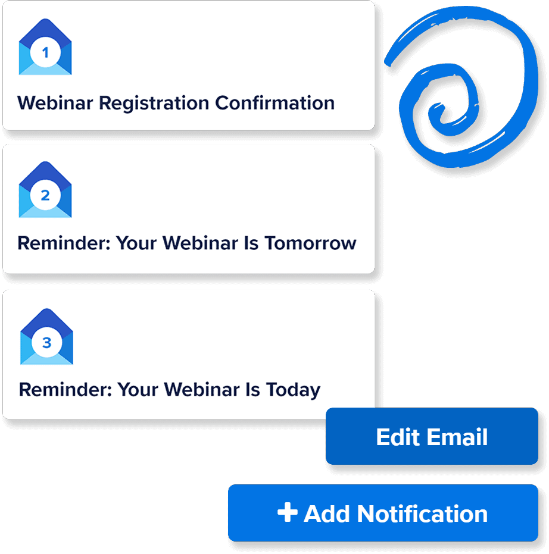
A simple 3-email sequence:
- Email 1 (Day 1): “Here’s what you missed” — 3 key takeaways from the webinar + replay link
- Email 2 (Day 3): Deep dive on the most-discussed topic from the Q&A
- Email 3 (Day 7): A related resource (blog post, downloadable guide, or invite to the next webinar)
Pro Tip: Segment your follow-up by behavior. People who watched 80%+ of the replay get a more conversion-focused email. People who only opened the registration confirmation get the full replay link.
5. Turn the Audio Into a Podcast Episode
If your webinar has solid audio quality, you’re 80% of the way to a podcast episode. Strip the audio, add a short intro that explains the context, and you have a standalone episode.
How to do it:
- Export the audio file from your webinar recording.
- Use a free tool like Audacity or Descript to clean up background noise and trim the intro.
- Write a short episode description with the key topics and timestamps.
- Upload to Spotify, Apple Podcasts, or your RSS feed.
Why it works: Podcast listeners are a different audience from webinar viewers. You’re not repeating yourself, you’re reaching someone new.
6. Create an Infographic From the Key Data Points
If your webinar included statistics, a step-by-step process, or a comparison framework, those elements translate directly into an infographic. Infographics are highly shareable and work well on Pinterest, LinkedIn, and as email attachments.
What to turn into an infographic:
- A process or framework you walked through (e.g., “The 5-Step Webinar Repurposing Workflow”)
- A comparison of two approaches (e.g., “Live vs. On-Demand Webinars: What the Data Says”)
- A list of statistics you cited during the session
7. Send a Webinar Highlight to Your Email Newsletter
Your newsletter subscribers already trust you. Give them a curated highlight, not a recap. Instead of sending “here’s the replay link,” pull out the one best moment and write 2–3 sentences about why it matters. Then link to the full replay.
Example subject line: “The question from our last webinar that surprised everyone”
Why it matters: Email that contains a specific insight from a recent webinar sees higher click-through rates than generic “watch the replay” emails, because the reader gets value before they even click. This is also a low-effort way to grow your email list with webinars over time, every replay link you share is a re-subscription touchpoint.
Pro Tip: Use an eye-catching subject line like “Missed the webinar? Here’s the highlight reel!” to boost open rates.
8. Build an Online Course or Mini-Course
If you run recurring webinars on related topics, those recordings are already the modules of a course. A series of 4–6 webinars on a connected topic can become a structured learning path with the same recordings, a new syllabus, and a registration page. This works especially well if your webinar content is built around evergreen webinar topics that don’t date quickly.
How to structure it:
- Pick 4–6 webinars on a related theme
- Arrange them in a logical learning sequence (beginner → advanced)
- Add a short intro video explaining the course structure
- Publish as a paid or gated course behind a registration form
Why it works: High-ticket coaching webinars are widely reported to convert a meaningful share of attendees into paying clients, often in the 5-20% range depending on price point and audience fit. A structured course format increases perceived value and completion rates. A structured course format increases perceived value and completion rates.
Pro Tip: Bundle a series of webinars into a mini-course, and offer it as an exclusive deal for early adopters to generate buzz.
9. Create a Dedicated Landing Page for the Webinar Recording
A landing page for your webinar replay acts as a permanent lead capture asset. It ranks on Google, collects registrations 24/7, and keeps your webinar working long after you’ve moved on to the next one. If you want inspiration, there are some strong webinar landing page examples worth looking at before you build yours.
What to include on the landing page:
- A clear headline that explains what the viewer will learn
- 3–5 bullet points of key takeaways (these should be scannable and specific)
- A registration or access form
- One social proof element (attendee count, a quote from a live participant, or a company logo)
- A replay embed or gated link
Pro Tip: Incorporate a countdown timer to create urgency for limited-time offers or upcoming webinars.
Why it works: A landing page with a registration form turns your webinar replay into an ongoing lead generation machine. WebinarNinja automatically generates a registration page for every automated webinar you publish, no separate tool required.
10. Turn Your Q&A Log Into an Objection-Handling Content Hub
After every webinar, you have a raw document sitting in your chat log that most hosts ignore: a live record of every hesitation, concern, and question your real audience had in real time. That Q&A log is one of the most underused repurposing assets available to coaches, consultants, and small B2B teams.
The process is simple. Export the chat log from your webinar platform. Go through it and group questions by theme — pricing concerns, implementation doubts, “does this work for my situation” queries, and comparison questions. You’ll typically find three to five recurring clusters. Each cluster becomes a piece of content.
What you can build from the Q&A log:
- A dedicated FAQ page on your website that targets long-tail search queries (“does X work for small teams,” “how long does X take”)
- A pillar blog post structured around the top objection from the session, with your live answer as the core argument
- A LinkedIn carousel where each slide addresses one question, using the exact language your audience used
- A “pre-answer” section on your next webinar landing page, so prospects see their objections handled before they even register
Why this works especially well for bottom-of-funnel prospects: the people asking these questions live were close to a decision. Every skeptic who visits your site after the session has the same questions but didn’t bother raising them. An objection-handling content hub answers those questions at the moment they’re searching, not during a session they never attended.
Pro Tip: Tag questions in your chat log as they come in during the live session — one word per question is enough (e.g., “pricing,” “timeline,” “team size”). By the time the webinar ends, you already have a sorted content map without reviewing the full log afterward.
Which Webinar Repurposing Formats Should You Prioritize?
Not every repurposing format deserves equal time. The table below ranks all 10 formats by funnel stage, production time, and lead generation impact, so you know exactly where to start after each session and which formats to build toward as your workflow matures.
| Format | Primary Funnel Stage | Time to Produce | Lead Gen Impact |
|---|---|---|---|
| On-Demand Webinar (gated replay) | TOFU / MOFU | 30–60 min | ⭐⭐⭐⭐⭐ Highest — captures registrant data 24/7 |
| Email Nurture Sequence | MOFU | 1–2 hours | ⭐⭐⭐⭐⭐ Re-engages warm leads who didn't attend |
| Blog Post (from transcript) | TOFU | 2–3 hours | ⭐⭐⭐⭐ Drives organic search traffic for months |
| Dedicated Landing Page for the Replay | TOFU / MOFU | 1–2 hours | ⭐⭐⭐⭐ Evergreen lead capture; indexes on Google |
| Short Social Media Clips | TOFU | 30–60 min | ⭐⭐⭐ Drives awareness; low direct conversion |
| Email Newsletter Highlight | MOFU | 20–30 min | ⭐⭐⭐ Re-engages existing subscribers |
| Q&A Log → Objection-Handling Content Hub | BOFU | 1–2 hours | ⭐⭐⭐⭐ Converts near-ready prospects searching objections |
| Infographic (key data / frameworks) | TOFU | 1–2 hours | ⭐⭐ High shareability; indirect lead gen |
| Podcast Episode (audio strip) | TOFU | 1 hour | ⭐⭐ Reaches new audience; long-term brand building |
| Online Course / Mini-Course | MOFU / BOFU | 4–8 hours | ⭐⭐⭐⭐ High value; best for repeat webinar series |
How to read this table: If you have 2 hours after a webinar, start with the on-demand replay and one nurture email. If you have a full day, add the blog post and landing page. Social clips and the newsletter highlight are best for maintaining momentum between longer-form assets — not as your primary lead generation play.
How Do You Build a Repeatable Webinar Repurposing Workflow?
The goal is a system, not a one-off effort. The biggest reason most people don’t repurpose their webinars isn’t laziness; it’s that they sit down afterward with no plan and no idea where to start. By the time they figure it out, the moment has passed, and the recording is buried in a folder.
The fix is simple: decide what you’re going to do before the webinar ends. Here’s a six-step workflow you can run over the following week, no content team, no editing software, no guesswork.
Step 1: During The Webinar: Jot Down Timestamps
Keep a notepad open while you’re presenting. Every time something good happens like a great question from the audience, a moment you explain something really clearly, a pushback you handled well, write down the time. Something as simple as “22:14 — pricing objection, good answer” is enough. You don’t need to watch the whole recording back later. You already know where the gold is.
Step 2: Within 24 Hours: Export The Recording And Transcript
Do this while the session is still fresh. Most webinar platforms generate a transcript automatically. Download both the video and the transcript and save them somewhere easy to find. This is your raw material for everything that follows.
Step 3: Day 1–2: Publish The On-Demand Webinar
This is the fastest win. Take the recording, upload it behind a registration page, and publish it as an on-demand webinar. From this point on, anyone who finds it can register, watch, and enter your email list automatically, while you sleep. This step alone justifies the whole workflow.
Step 4: Day 2–3: Write One Blog Post From The Transcript
Go back to your timestamp notes and pick the single best moment from the session. Open the transcript, find that section, and use it as the spine of a blog post. You’re not rewriting the whole webinar, just one topic, one question, or one idea that stands on its own. Add a heading structure, clean up the language, and you have a piece of content that can rank on Google for months.
Step 5: Day 3–5: Pull 2–3 Short Clips For Social Media
Again, your timestamp notes do the work here. Find two or three moments that are punchy, clear, and under 60 seconds. You don’t need to edit them dramatically; trim the start and end, add captions if you can, and post natively to LinkedIn, Instagram, or YouTube Shorts. These clips drive people back to your on-demand replay and keep your brand visible between webinars.
Step 6: Day 5–7: Send Your Follow-Up Email Sequence
By now, your registrants have had a few days to forget about the session. This is the right moment to re-engage them. Send a 3-email nurture sequence, the first with the replay link and key takeaways, the second with a deeper dive on the top question from Q&A, and the third with a related resource or your next webinar invite. Keep each email short. One idea per email.
That’s it. Six steps, one webinar, multiple assets, and most of the work is just deciding in advance what you’ll do.
Start Getting More From Every Webinar You Repurpose
You’ve already done the hard part. You planned the session, showed up, and delivered value to a live audience. Everything after that, the blog post, the clips, the email sequence, the on-demand replay is, just making sure that same value reaches the people who couldn’t be in the room.
Repurposing isn’t about working more. It’s about letting your existing content work longer. A single webinar, handled with a simple post-session routine, can generate leads for months, keep your audience engaged between sessions, and build your authority on channels you haven’t even tapped yet. Most hosts never get there, not because they lack the content, but because they don’t have a plan for the hour after they click “end.”
That changes now. Start with one format. Turn your next recording into an on-demand replay and send a follow-up email to no-shows. See what happens. If you want a platform that makes this process as friction-free as possible, WebinarNinja handles the recording, the registration page, and the automated email sequence in one place, so you spend less time on setup and more time on the content that actually matters.
Frequently Asked Questions
Do I Need Video Editing Skills to Repurpose Webinar Content?
No. Most repurposing formats require no editing at all. You can share a timestamped link to a specific moment in the replay, export the audio as-is for a podcast, write a blog post from the auto-generated transcript, or publish the full recording as an on-demand webinar. If you do want to create short clips, tools like Descript or CapCut let you cut video without any technical background.
How Soon After the Live Webinar Should I Start Repurposing?
Start within 24–48 hours. The topic is still relevant, your memory of the key moments is fresh, and your registrants' attention is still on the session. The on-demand webinar should go live within 24 hours. The email follow-up sequence should send within 48 hours. Blog posts and social clips can follow over the next 1–2 weeks.
Which Repurposing Format Generates the Most Leads?
The on-demand webinar with a registration page generates the most consistent leads because it captures viewer data every time someone watches. A study by Livestorm in 2024 states that 36% of webinar viewers prefer on-demand formats, meaning a gated replay actively converts people who missed the live session. Blog posts that rank on Google also generate steady inbound leads over time.
Is It Okay to Share the Same Content in Multiple Formats?
Yes, because each format reaches a different person on a different channel. The person who watches your YouTube Short has probably never seen your LinkedIn post. The person who finds your blog post on Google did not attend your live webinar. Repurposing is not repetition, it is distribution.
How Do I Find the Best Moments to Clip From My Webinar?
Look for three signals: sections where viewers replayed or stayed the longest (check platform analytics), questions that came up more than once in the chat (repeated questions signal unmet audience needs), and moments where you handled a common objection or gave a surprising answer. Those moments will perform best as short clips and social posts.
Can Repurposed Webinar Content Help With SEO?
Yes. Blog posts written from webinar transcripts can rank on Google for relevant keywords, driving organic traffic for months or years after the session. Landing pages for on-demand webinars also index and attract search traffic. Transcripts embedded on your site give search engines additional text to crawl, improving your overall topical authority.
Want to host a webinar for free?
Use WebinarNinja to teach, improve marketing, and grow your sales.