A coaching business runs on trust. Prospects need to experience your methodology, your style, and your results before they hand over money for a program or a retainer. The best webinar software for coaches helps deliver that experience at scale: one session, dozens or hundreds of qualified prospects, and a clear next step for those who are ready to move forward.
ON24’s 2026 benchmark analysis reports a 60% registration-to-attendance rate across its platform’s 2025 webinar data. That measures attendance, not coaching-program sales. A clear webinar strategy connects the session with the next step your coaching business needs.
The platform a coach chooses determines more than just the session’s technical quality. It affects registration-to-CRM handoffs, replay access, integrated paid registration, and whether recorded content can run without the coach presenting it each time.
This list covers 10 of the best webinar platforms for coaches, evaluated for client acquisition, program delivery, paid workshops, and automated content that scales the coaching model without scaling the hours.
What Is Webinar Software for Coaches?
The same webinar can serve different purposes throughout a coaching business. A free introductory workshop may attract prospective clients, lead to a paid group coaching program, and later become an on-demand resource for future participants. That makes repeatability, audience engagement, and the ability to turn webinar attendees into coaching clients just as important as the live session experience.
10 Best Webinar Software for Coaches to Check
The strongest webinar software options for coaches fall into a few different camps. Some are built for coaching businesses that need to deliver structured programs at scale, some offer automation and evergreen webinars to generate leads and attract clients, and others are better suited to independent coaches who mainly need reliable live sessions, audience engagement, and client education without a complex setup.
Here’s a quick comparison before we look at each platform in detail:
| Tool | Best For | Standout Feature | Attendee Cap | Starting Price |
| ProProfs WebinarNinja | Generating Leads, Growing Sales, and Teaching Better | Four formats, AI assistance, and included CourseNinja | Selected session capacity; 1,000+ via sales | $0.30/attendee/month |
| EasyWebinar | Automated coaching sales funnels | Checkout and EasyCRM on Growth+ | Growth: 200 live; 1,000 automated viewers/session | $116/month for Growth |
| Kajabi | Courses, coaching, community, and marketing | Business tools alongside coaching video and webinar funnels | Built-in coaching video: up to 200; Zoom capacity separate | $143/month, billed annually |
| WebinarJam | Live program launches and sales presentations | In-session offers; EverWebinar included on Basic+ | Starter: 100; higher tiers up to 5,000 | $39/month, billed annually |
| Demio | Engagement-informed lead follow-up | Reporting and supported marketing connections | Starter: 50; larger rooms on higher plans | $45/host/month, billed annually |
| Livestorm | Browser-based coaching presentations | Live, recorded, and automated delivery | Confirm room capacity separately from credit allowance | €2.50/attendee credit in a yearly pack |
| eWebinar | Repeatable recorded coaching content | Flexible scheduling with human or optional AI chat | Level 1: 1 active webinar; 1,000 registrants/month | $99/month |
| Zoom Webinars | Audiences already familiar with Zoom | Familiar delivery plus reporting and registration options | Purchased capacity tier; confirm entry allowance | $66.67/month, billed annually |
| Crowdcast | Recurring workshops and community sessions | Multi-session events under one registration | Lite: 100 live attendees before overage charges | $49/month |
| GoTo Webinar | Established coaching programs | Structured reporting and larger capacity tiers | Reach: 500; higher tiers up to 3,000 | $62/organizer/month, billed annually |
Now, here is how each one actually holds up:
1. ProProfs WebinarNinja
Best for Generating Leads, Growing Sales, and Teaching Better
ProProfs WebinarNinja combines lead generation, paid workshops, and teaching, making it my top pick among the best webinar platforms for coaches. Coaching businesses live or die on two things: attracting qualified prospects and delivering programs that produce results clients talk about.
Registration pages capture leads; emails handle confirmations, reminders, and follow-up. Chat, upvoted Q&A, polls, offers, and handouts encourage participation. Automatic recordings provide replays, while analytics track registrations, attendance, watch time, and engagement.
This webinar software for coaches supports live questions, automated presentations, series enrollment, and hybrid delivery. Included CourseNinja adds live and on-demand courses for a growing group coaching business.
AI Conversion Writer suggests headlines; AI Webinar Co-Host answers recurring questions; AI Sales Coach reviews sessions; and AI Content Strategist drafts blogs, emails, and social posts. Coaches control the teaching and final content.
Pros:
- Live, automated, series, and hybrid formats support prospect education, workshops, and recurring coaching programs.
- Registration pages and confirmation, reminder, and follow-up emails keep enrollment communication together.
- Chat, Q&A with upvoting, polls, offers, and handouts give clients ways to participate.
- Automatic recordings, replays, and registration, attendance, watch-time, and engagement analytics support session review.
- HubSpot, Mailchimp, Stripe, Zapier, and API connections extend workflows based on their supported configurations.
- Browser-based access and included CourseNinja support live and on-demand teaching without another platform subscription.
- AI Conversion Writer suggests headlines; AI Webinar Co-Host helps answer recurring questions.
- AI Sales Coach reviews sessions; AI Content Strategist creates editable drafts for content reuse.
Cons:
- No downloadable or on-premise version
- Dark user interface option is not available
Pricing: A FREE 14-day trial is available. Paid starts at $0.30/attendee/month (includes CourseNinja, worth $ 1,200).
Case study:
Michael Lancto, an online-business coach, used ProProfs WebinarNinja to rebuild his training programs with live Q&A, chat, and recordings. He reported easier setup, lower costs, and more engaging sessions, giving him more time to focus on teaching and connecting with his audience.
2. EasyWebinar
Best for Coaches Building Automated Sales Funnels
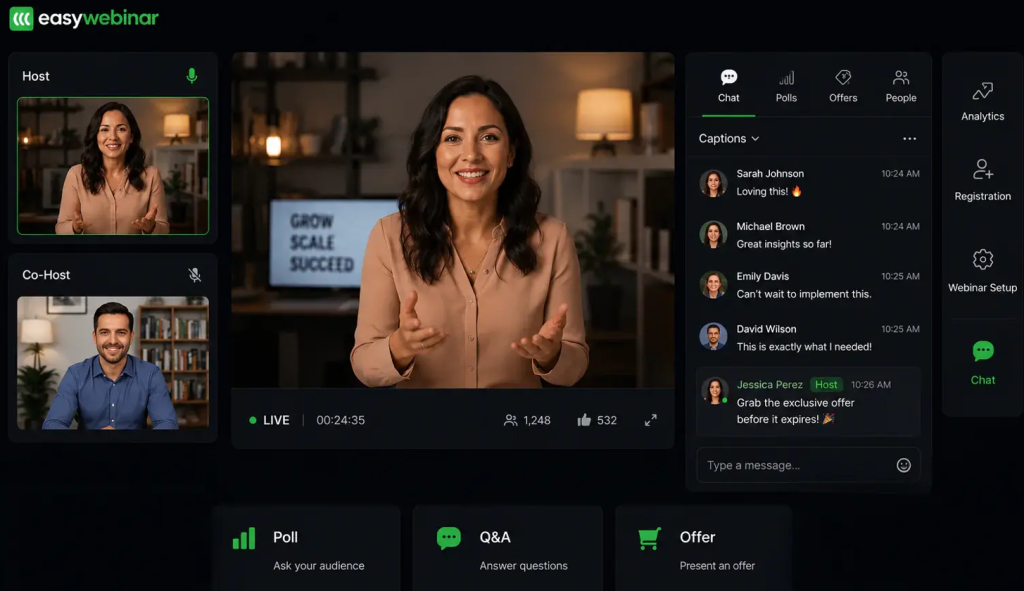
EasyWebinar combines live delivery with automated, simulive, and evergreen options on eligible plans. Built-in checkout and EasyCRM make Growth and higher tiers relevant when a coaching presentation needs to be turned into a repeatable webinar funnel.
The in-webinar checkout is the specific differentiator for coaches: attendees can purchase during the session without opening a separate payment page. Booking a discovery call or joining a waitlist is a separate action from configuring and testing. Automated delivery can reuse a proven presentation while the coach works with existing clients; questions and content updates still need an owner.
The AI Webinar Builder helps prepare scripts, registration pages, emails, polls, and calls to action. Check the generated material, credit allowance, CRM fields, and paid-tier requirements before relying on the complete funnel.
Pros:
- Growth+ combines live, automated, simulive, and evergreen delivery for different coaching sessions.
- Built-in checkout lets prospects purchase during an eligible live or automated session.
- EasyCRM adds lead scoring, sequences, and follow-up on Growth and higher plans.
- Timed webinar calls to action can connect teaching to a relevant program offering.
Cons:
- Launch excludes automated delivery, paid webinars, and EasyCRM, so its price does not cover this use case.
- AI credits, live capacity, and automated-viewer allowances vary by tier.
- Native HubSpot and Salesforce Pardot sync require Pro or higher.
Pricing: Growth starts at $116/month, billed monthly, with 200 live attendees and 1,000 automated viewers per session. Launch starts at $44/month for 50 live attendees, with fewer capabilities. A 7-day full-access trial is offered.
3. Kajabi
Best for Coaches Who Want Courses, Community, and Marketing Together
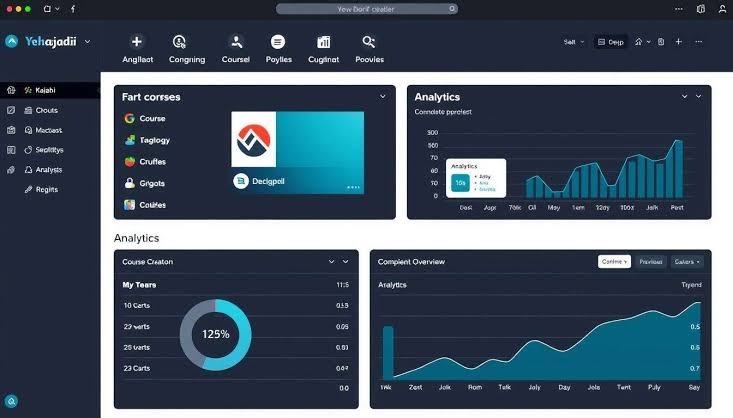
Kajabi brings courses, coaching, community, email, and sales funnels into one platform. For coaches who pay separately for several business tools, that consolidation is worth comparing with the total cost of their current webinar marketing setup.
For coaches whose webinars lead into a longer program, the useful advantage is keeping enrollment, payments, community, and learning content together. Compare scheduled broadcasts, recordings, and live coaching separately rather than assuming every format works the same way.
Pros:
- Courses, coaching, community, email, and funnels share one business environment.
- Built-in coaching video supports interactive group sessions without a separate browser app installation.
- Payment and subscription tools support one-time workshops and recurring programs.
- Course content and on-demand webinars can support clients between live sessions, using the appropriate setup.
Cons:
- Zoom-based webinar delivery can add a separate subscription and workflow.
- Product, contact, and administrator allowances differ by plan.
- A broader business subscription may be unnecessary for coaches who only need webinars.
Pricing: Basic starts at $143/month (billed annually) or $179/month (billed monthly). The standard trial is 14 days.
4. WebinarJam
Best for Coaches Running Live High-Ticket Sales Webinars
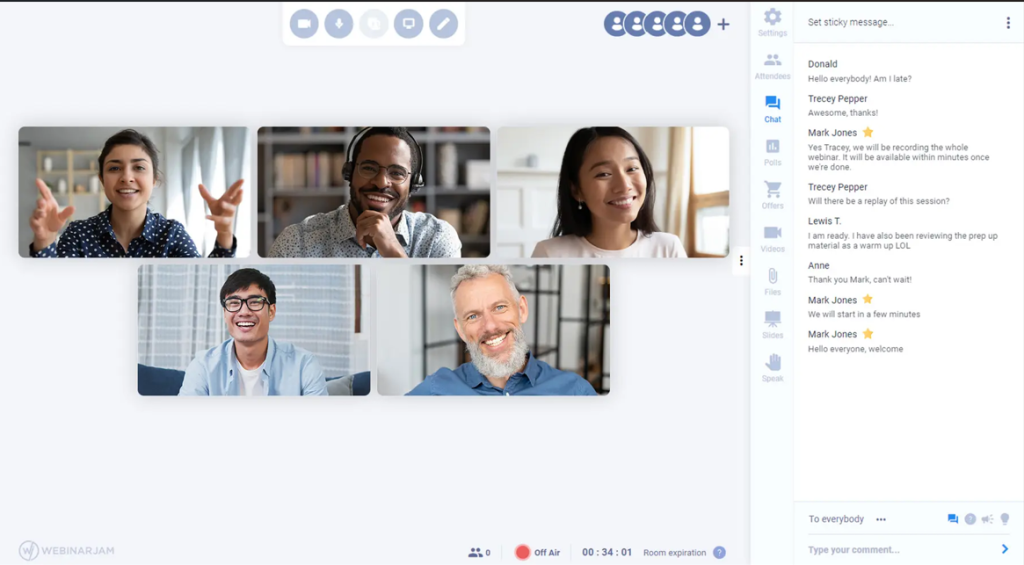
WebinarJam is purpose-built for live sales webinars at scale. Its offer displays, polls, attendee spotlight, and webinar presentation tools suit coaches running a signature session, launch event, or program introduction where prospects can act during the broadcast.
Capacity ranges from 100 attendees on the Starter plan to 5,000 on the Enterprise plan. The panic button provides a backup-room recovery option, where included; confirm the selected plan’s production features rather than treating recovery tools as a guarantee against disruption.
For recorded delivery, WebinarJam’s current pricing page includes its companion EverWebinar, with Basic, Professional, and Enterprise plans. Compare the eligible bundle instead of assuming automation always requires another purchase.
Pros:
- In-session offers and polls connect coaching content with the next enrollment step.
- Capacity tiers support small launches through larger audiences of up to 5,000.
- Eligible packages include EverWebinar for scheduled, recorded presentations.
- Customizable pages and presentation options support consistent webinar branding.
Cons:
- Starter’s 100-attendee capacity and one-hour duration may limit the feasibility of longer coaching workshops.
- Larger rooms, additional hosts, and the included EverWebinar bundle require the relevant tier.
- Course delivery and a persistent coaching community require separate arrangements.
Pricing: Starter begins at $39/month (billed annually) for 100 attendees, or $49/month (billed monthly). The advertised 14-day trial costs $1.
5. Demio
Best for Coaches Running Lead Generation Webinars With Behavioral Segmentation
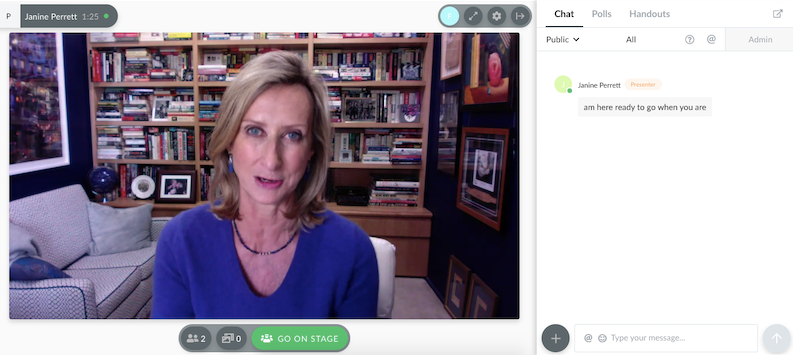
Demio helps coaches turn webinar participation into more relevant follow-up. Coaches who run free webinars to attract clients need a follow-up list that is actionable rather than just large. Attendance, polls, and offer activity can help nurture webinar leads, provided the selected integration transfers the information your sequences use.
For a coach who wants to know who stayed, who clicked a discovery-call link, and who answered a qualifying poll, the practical test is the resulting contact record. Do not assume every action automatically becomes an email tag. Demio also supports automated and on-demand events on eligible plans, as well as live and series delivery.
Starter’s single host can still invite guest presenters and moderators. Additional hosts who can start and stop sessions are a separate plan consideration.
Pros:
- Engagement reporting helps coaches compare attendance, participation, and responses to program offers.
- Browser-based attendance simplifies access for the first webinar audience.
- Live, series, and eligible automated events support different delivery needs.
- Supported integrations can inform webinar lead scoring, subject to plan and configuration.
Cons:
- Starter limits the room to 50 attendees and one account host.
- Automated delivery and premium CRM integrations require the applicable paid tier.
- Follow-up segmentation depends on the exact data and actions the chosen connector supports.
Pricing: Starter begins at $45/host/month, billed annually, or $63/month billed monthly, for 50 attendees. Larger rooms and advanced capabilities cost more. The 14-day trial includes Growth features.
6. Livestorm
Best for Coaches Who Want Straightforward Browser Access
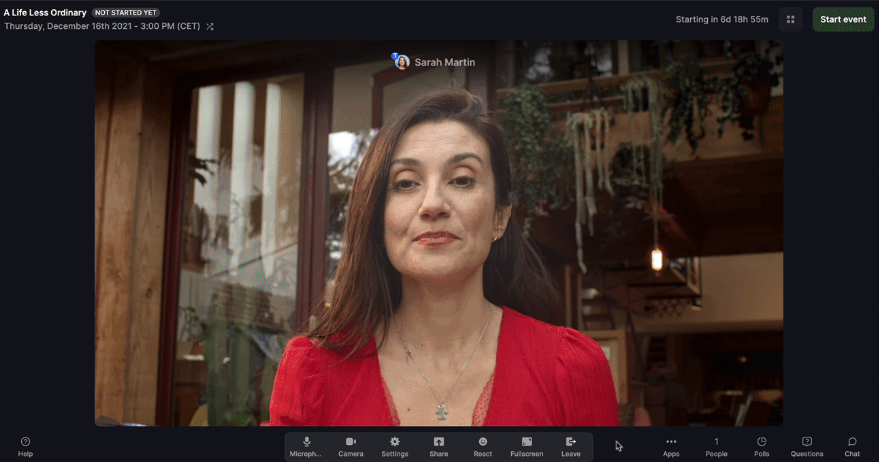
Livestorm provides coaching clients with browser-based access without requiring them to install webinar software. A clear webinar invitation takes them from registration to the session, although permissions, supported browsers, and workplace networks still deserve a real guest test.
The platform supports live and on-demand delivery, plus automations that start or end an event and play recorded video. That makes it relevant to coaches who combine presentations with repeatable content. Its current pricing uses annual attendee-credit packs, so recurring client attendance belongs in the cost calculation.
Pros:
- Browser-based access removes an installation step for coaching clients.
- Event automation can handle scheduled starts and endings, as well as prerecorded video playback.
- Live and replay participation are counted once for the same person in the same session.
- Analytics and supported connections keep useful webinar data available for follow-up.
Cons:
- Recurring external attendance across different sessions consumes additional credits.
- Enterprise CRM connections require the appropriate agreement.
- Room capacity and annual credit allowance are separate buying questions.
Pricing: Pro currently displays €2.50/attendee credit for a yearly pack, with 400 credits selected on the public page. Enterprise requires a quote. Free testing is offered.
7. eWebinar
Best for Coaches Who Want to Generate Leads Around the Clock
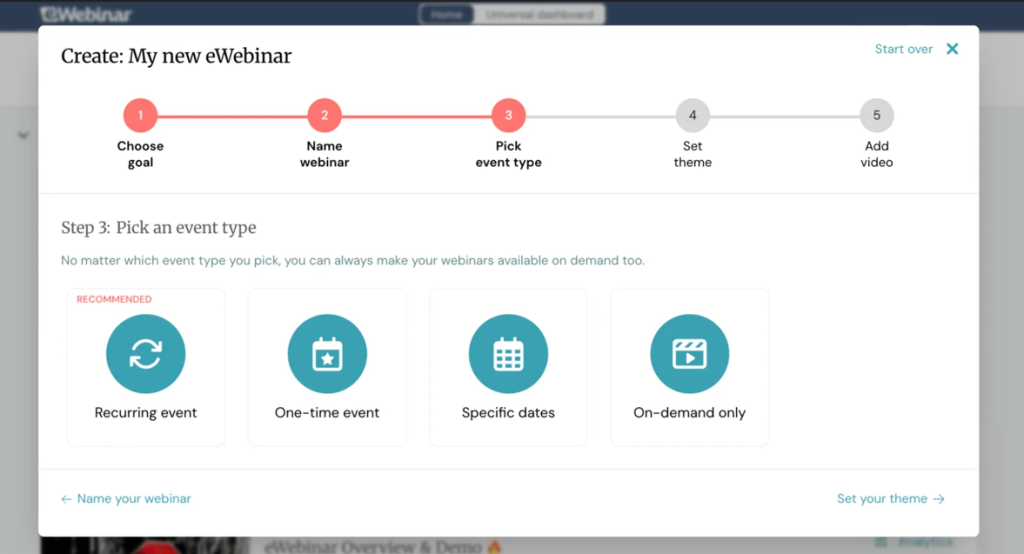
eWebinar turns prerecorded coaching presentations into scheduled, interactive sessions. The time-for-money trap is the central challenge every coaching business eventually faces. eWebinar addresses one specific version of that trap: the requirement to show up live every time a coach wants to attract new prospects through a webinar.
For a coach who has already run the same introduction session 20 times and knows the content works, automation makes it available on Tuesday at 3am without the coach having to set an alarm. Recurring, on-demand, and just-in-time scheduling give viewers options without another presentation.
Chat is the important distinction. Coaches or moderators can respond during viewing or later by email; automated greetings and acknowledgments are separate from substantive answers. The optional eChat AI moderator can answer from session content. G2 currently shows 4.3/5 from 16 reviews.
Pros:
- Recorded presentations run without requiring the coach to present live each time.
- Flexible schedules include recurring sessions and just-in-time access.
- Human chat and later email replies give viewers a path to personal answers.
- Repeatable presentations can support business growth through automated webinars, provided the content remains useful.
Cons:
- It does not provide live presenting for adaptive workshops or real-time demonstrations.
- Active webinar and monthly registrant allowances affect the cost of a growing content library.
- Optional AI moderation incurs an additional cost and still requires configuration and oversight.
Pricing: Level 1 starts at $99/month for one active webinar and 1,000 monthly registrants. Level 2 is $199/month for five active webinars and 3,000 registrants; Level 3 is $299/month for 15 active webinars and 5,000 registrants. A 14-day free trial is available.
8. Zoom Webinars
Best for Coaches Whose Clients Already Use Zoom
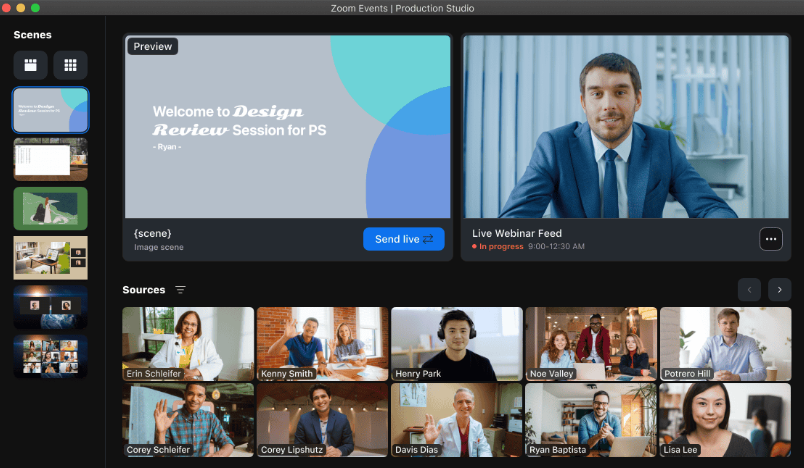
Zoom Webinars suits coaches whose audiences already know Zoom and want a familiar environment for larger presentations. Familiarity can simplify instructions, but the actual webinar management workflow still depends on registration settings, browser or app access, and the purchased capacity.
Registration-enabled webinars can send confirmation, reminder, attendee follow-up, and absentee emails. Reports support post-event review, but attendee identity and the information collected depend on configuration. Webinars Plus and Events add simulive prerecorded delivery, so automation is a tier comparison rather than a product-wide absence.
For an established coach with an audience already using Zoom, compare the webinar package to their current meeting workflow. Include any required underlying license and the capacity needed for the actual launch.
Pros:
- A familiar interface can reduce the amount of guidance on joining that existing Zoom users need.
- Registration settings, engagement tools, and reports support planned coaching presentations.
- Built-in reminders and separate attendee or absentee follow-ups support event communication.
- Recording options support a webinar replay, subject to storage and access settings.
Cons:
- The purchased attendee tier and any underlying license affect the total cost.
- Simulive requires Webinars Plus or an appropriate Events package.
- Courses and ongoing coaching program delivery need additional tools or configuration.
Pricing: Zoom Webinars starts at $66.67/month, billed annually, or $89/month billed monthly. Webinars Plus starts at $82.50/month billed annually or $99/month.
9. Crowdcast
Best for Coaches Building a Recurring Community Audience
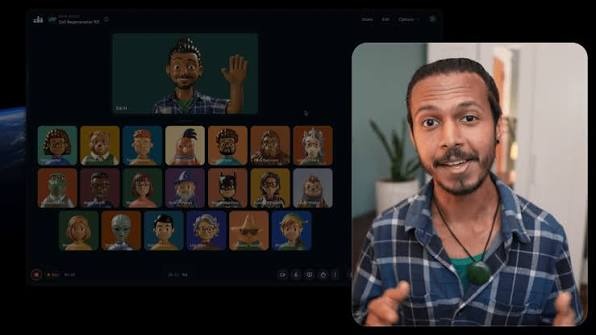
Crowdcast supports coaching workshops, office hours, and multi-session events built around an ongoing conversation. Its audience participation tools support webinar engagement strategies that make questions and discussion integral to the teaching.
A multi-session event lets attendees register once and access the sessions within that event. Each session has its own chat, replay, and analytics. This is useful for a coaching series, but it is different from automatically enrolling every channel follower in all future events.
For coaches who run regular Q&A sessions, office hours, or community calls alongside their paid programs, that structure can support a returning audience. Ticketing and Stripe integration also make it relevant for paid workshops, with platform and processing fees included in the cost calculation.
Pros:
- Multi-session events keep a coaching series under one registration page.
- Q&A, chat, and polls support participation during workshops and office hours.
- Ticketing and Stripe integration support paid events on eligible subscriptions.
- Session replays and analytics help with the next round of webinar planning.
Cons:
- Live-attendee overages and extra streaming hours can raise the subscription cost.
- Lite and Pro list platform ticket fees in addition to payment-processing charges.
- The trial’s small registration allowance is insufficient for a normal public launch.
Pricing: Lite starts at $49/month with monthly billing, including 100 live attendees before overages and 10 streaming hours per month. Pro is $89/month, and Business is $195/month; annual billing offers a discount.
10. GoTo Webinar
Best for Established Coaching Businesses Running Large Programs
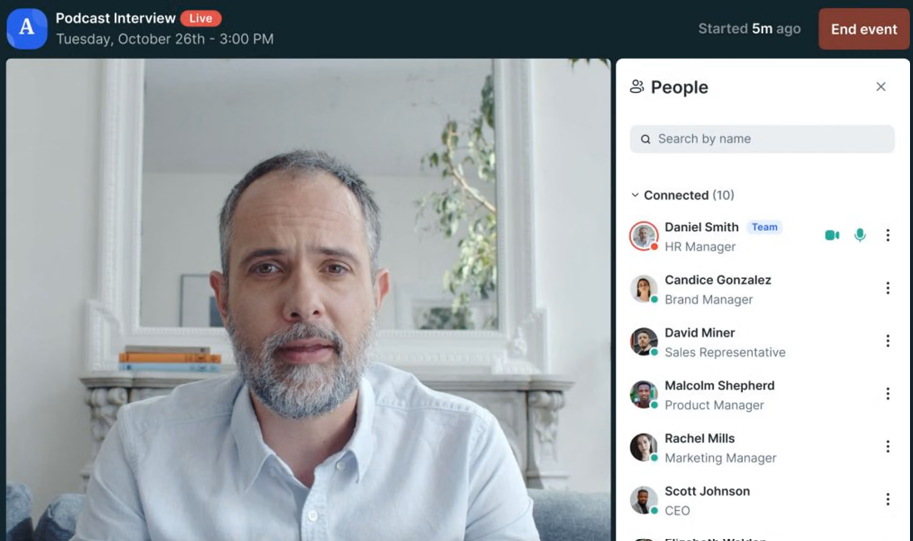
GoTo Webinar serves established coaches running larger programs that need organized registration, event communication, and reporting. Its webinar analytics help review attendance and participation across repeated sessions rather than treating every event as an isolated presentation.
Reach includes one organizer and up to 500 participants. Higher plans add capabilities such as branding, cloud recordings, and the ability to run recorded presentations as live events. Source tracking, paid events, and the exact CRM connection need their own plan check.
That data layer matters more to a coaching business running twelve sessions per year than to one running its first free webinar. Compare the reports and supported handoffs your team will use, including the recurring work needed after each session.
Pros:
- Capacity tiers support 500 to 3,000 participants, depending on the selected package.
- Automated emails and reporting support recurring coaching presentations.
- Eligible plans can run recordings as live events and support paid training.
- Repeated-session reports can inform webinar ROI and future topic choices.
Cons:
- Advanced branding, recording, and monetization features depend on the package.
- Larger programs may need a quote and additional organizer seats.
- The live room, recorded-event workflow, and CRM handoff need separate trial checks.
Pricing: Reach starts at $62/organizer/month, billed annually, with one organizer and up to 500 participants. Higher tiers cover larger audiences and additional features. A free trial is offered.
My Evaluation Criteria
The comparison uses public product documentation, pricing pages, and review pages as sources. The criteria focus on coaching workflows; they do not imply that every platform was tested hands-on or that a coach-only review dataset was collected.
- User Reviews/Ratings: Public feedback on G2 and Capterra provides context for setup, attendee experience, and support. Product capabilities and plan conditions are checked against official documentation rather than inferred from a rating alone.
- Essential Features for Coaches: Client acquisition, paid workshops, automated presentations, course delivery, recordings, replays, and group-session participation. A feature matters when it serves the coaching program’s actual job.
- Ease of Use: Host setup and client access both matter. These webinar best practices provide a useful starting point for testing invitations, audio, mobile access, and recovery after a dropped connection.
- Customer Support: Compare published support channels, hours, and plan conditions. A support route listed on a feature page is not proof of response speed during a live problem.
- Value for Money: Calculate the relevant webinar costs, including capacity, credits, hosts, required upgrades, processing fees, and billing commitments. Compare equivalent coaching workflows rather than just headline prices.
- Industry Analysis & Expert Commentary: Independent analyst coverage and third-party comparisons focused on coaching platforms, online learning, and webinar tools, used to evaluate vendor claims against external insights and coaching business needs.
Which Webinar Format Suits Your Coaching Style?
The right format depends on what the webinar is supposed to accomplish in the coaching business model. Comparing live and automated webinars helps separate sessions that need the coach’s judgment from material that can be delivered repeatedly.
| Coaching job | Suitable format | What to check |
| Introduce your method and answer prospective questions | Live | Q&A, screen sharing, audience participation, and the next enrollment step |
| Reuse a stable signature presentation | Automated or evergreen webinars | Scheduling, content updates, timed interactions, and who answers questions |
| Run a six-week group coaching program | Series | Whether clients enroll once, how session access works, and where replays live |
| Combine a polished lesson with real-time discussion | Hybrid | The handoff between the recording and live Q&A, plus host controls |
A signature presentation that a coach has delivered fifty times and knows converts reliably does not need the coach to show up for session fifty-one. Automating that content can free time for existing clients or program development. A changing client problem, however, may need a live response that a recording cannot provide.
A six-week group coaching program where participants enroll once and attend six sessions is the natural use case for the series format. Confirm the enrollment workflow rather than assuming that every platform’s “series” means the same thing.
Hybrid delivery suits a coach who wants a consistent recorded lesson and a live discussion afterward. The recording handles the repeatable explanation; the coach addresses the specific questions it raises. Test that transition with real participants before using it for a paid cohort.
What Should Coaches Test Before Committing?
Coaches who switch platforms mid-program or mid-funnel lose momentum in the worst possible moment. Run one small workshop covering the entire client journey before committing, including an external guest and, when supported, a test payment.
- Register and pay as a client. Build the webinar registration page, select the paid or free option, and test it on a phone. Check receipts, confirmation emails, time zones, cancellation handling, and any processing fees.
- Teach a realistic lesson. Share slides, ask a poll, answer a question, and invite participation if your format requires it. Test supported browsers, captions, permissions, and reconnection. A broadcast room and a group coaching room may offer different participation controls.
- Follow a learner into the program. Open the course or series using a client account. Check access to the next session, handouts, recordings, and the replay expiry. Confirm permissions before sharing sensitive coaching discussions or recording client participation.
- Run the automated version. Use a short recording and inspect available times, time zones, timed offers, and question handling. Confirm what viewers see when no moderator is available and who owns later replies. Change one lesson to check how updates reach future sessions.
- Inspect the result and follow-up. Review a webinar report and compare registrations, attendance, watch time, and available activity. Check the actual CRM record, contact duplicates, email timing, replay permissions, and the next action for attendees and non-attendees.
The trial succeeds when a client can enroll, participate, catch up, and take the next step without the coach rebuilding the process after every session.
My Top 3 Webinar Platforms for Coaches
1. ProProfs WebinarNinja
My first pick for coaches combining prospect education, paid workshops, four webinar formats, and live or on-demand courses in one account. Coaches can use live sessions to connect with prospective clients and automated webinars to deliver repeatable presentations. CourseNinja is included for coaches who want to extend their offerings into structured learning programs.
2. EasyWebinar
A strong shortlist option when a proven presentation needs an automated webinar funnel, built-in checkout, and connected follow-up on an eligible plan. Its live and automated webinar capabilities can help coaches attract prospects and guide them toward paid programs. Check the available integrations and plan limits to ensure they fit your enrollment process.
3. Kajabi
Worth considering when courses, coaching, community, and marketing need consolidation, with the webinar delivery method and additional subscriptions checked separately. Its broader business tools can help coaches manage digital products, email campaigns, and client learning experiences in one ecosystem. Evaluate how it handles live webinar delivery and whether any third-party tools are needed for your preferred format.
Ready to Choose Your Webinar Tool?
The best webinar platform for coaches is not the one with the most features. It is the one that fits the specific stage of the coaching business, the format the content requires, and the conversion outcome the webinar is supposed to produce.
ProProfs WebinarNinja is my top pick for combining prospect education, paid workshops, group programs, and repeatable presentations, with CourseNinja included for longer learning programs. Its live, automated, and hybrid webinar formats give coaches flexibility in how they deliver sessions and engage prospective clients. Coaches can also repurpose webinar content to extend the value of their presentations beyond a single event.
Compare the platform’s capabilities with your business needs before deciding. Start your free trial or watch a live demo before you decide. Test one complete coaching session, from registration through replay and follow-up.
Want to host a webinar for free?
Use WebinarNinja to teach, improve marketing, and grow your sales.