
Most teams pick a webinar platform the wrong way. They focus on the studio interface and overlook how the tool will actually help them host a webinar that captures, qualifies, and follows up with leads automatically. I’ve made that mistake too, and it cost me leads I didn’t even know I was losing. Your platform choice decides how much pipeline you walk away with. If the trusted webinar software for lead generation you’re using can’t qualify registrants, sync to your CRM, and trigger follow-up automatically, you’re leaving money on the table before the session even ends.
A study by Cvent in 2025 states that 89% of marketers say webinars outperformed every other channel in creating qualified leads. But that stat hides a problem nobody talks about: most platforms stop working the moment the session ends, registrants fall into a data black hole, follow-up emails go out too late, and engagement signals disappear. That’s a platform problem, not a content problem. Our guide on webinar lead generation covers the full strategy if you want to go deeper.
By the end of this guide, you’ll know which top webinar software for lead generation actually closes the loop between registration and revenue, and how to pick the right tool for your use case.
What Is Webinar Software for Lead Generation?
Webinar software for lead generation is a platform that combines live or automated video sessions with tools to capture, qualify, engage, and nurture prospects, turning attendees into pipeline. Unlike basic video conferencing tools, lead generation webinar platforms include branded registration pages, custom lead forms, CRM integrations, in-session engagement tools (polls, Q&A, offers), and post-event analytics that track buyer intent.
The distinction matters: a meeting tool streams video. A lead generation webinar platform runs a connected system from first registration all the way to your CRM.
What Makes Webinar Software “Trusted” for Lead Generation?
The word “trusted” in this context isn’t about brand recognition, it’s about whether a platform holds up across five dimensions that matter when your pipeline depends on it. Here’s what to evaluate, and the failure mode each lens is designed to catch.
| Lens | What it means | The failure mode to watch for |
|---|---|---|
| Pricing stability | Transparent, published pricing that doesn't change mid-contract | Platforms that start cheap and raise rates 80–140% after you've built funnels around them — sunk-cost traps that force a painful migration |
| Reliable support | Responsive help when something breaks during a live session with prospects on the call | Support that's fast pre-sale and invisible post-sale; no live chat when a stream drops at the 30-minute mark |
| No workarounds required | Native CRM integrations and post-event automation built in, not patched through Zapier | Zapier-dependent workflows that break silently — leads stop flowing to your CRM and you don't know for three days |
| Works for non-technical users | A marketer or solo operator can build a full registration-to-follow-up workflow independently | Platforms that require developer setup for branded pages, custom domains, or email sequences — fine for enterprises, a blocker for everyone else |
| Data ownership | You own your registrant and attendee data; it exports cleanly and isn't locked in the platform | Platforms that make data export difficult or charge for it — a real risk if you ever switch tools or need historical lead data for reporting |
WebinarNinja addresses all five: pricing is published and stable, support is available via live chat, CRM integrations with HubSpot and Salesforce are native (not Zapier-dependent), the full workflow from registration page to automated follow-up can be configured by a non-technical marketer in under an hour, and attendee data exports in full at any time. That’s what a platform built for lead generation actually looks like when you hold it against these criteria.
Why Does Your Business Need Trusted Webinar Software for Lead Generation?
Most teams underestimate how much their platform choice shapes their lead quality. Here are three specific problems that show up again and again, and what purpose-built webinar software for lead generation actually solves:
Problem 1: You’re Getting Registrants But Losing Them After The Session
No automated follow-up means no pipeline. The best platforms trigger personalized email sequences immediately after the webinar ends, segmented by how long each attendee stayed and whether they clicked your offer.
Problem 2: Your Registration Form Collects Name And Email, And Nothing Else
That’s not a lead qualification; that’s a mailing list. Platforms built for lead gen let you add custom questions to the registration form (industry, company size, budget range) so your sales team isn’t calling cold.
Here’s a quick video on how to beat cold calling with webinars:
If you haven’t optimized this step yet, here’s a practical guide on how to create a webinar registration page that actually converts.
Problem 3: You Have No Idea Who In Your Audience Is Actually A Buyer
Attendance ≠ intent. Purpose-built platforms track engagement at the individual level, poll responses, questions asked, offers clicked, replay views and feed that data into your CRM so you can score leads properly.
Top 7 Trusted Webinar Software for Lead Generation
Here’s a comparison of the best webinar software for lead generation available right now, covering tools that suit different team sizes, budgets, and funnel goals.
| Tool | Best For | Pricing |
|---|---|---|
| WebinarNinja | Automated Lead-generation Webinars and Marketing | A FREE 14-day trial is available. Paid starts at $0.30/attendee/month (includes CourseNinja worth $1200). |
| Demio | Browser-based marketing webinars | Starts at $49/month |
| Livestorm | Browser-first automation | Starts at $79/month |
| GoToWebinar | Reliable structured events | Starts at $49/month |
| BigMarker | White-label hybrid events | $99/month |
| ClickMeeting | Meetings and Conferences | Starts at $30/month |
| Zoom Webinars | Large-Scale Virtual Conferences | Starts at $79/month |
1. WebinarNinja – Best for Automated Lead-Generation Webinars and Marketing
I’ve been using WebinarNinja as part of a complete B2B lead generation setup, and what stands out most is how it treats the entire webinar journey as one connected system. The moment someone lands on a branded registration page and fills out a custom form including qualification questions we’ve added to pre-screen for intent, they’re already inside a lead nurture track. Automated reminders go out at the right intervals, attendance gets tracked, and when the session ends, CRM sync kicks in before I’ve even looked at the replay.
What makes it particularly useful for lead gen is the automated webinar feature. Once a session is recorded, I can set it to run on-demand or on a scheduled loop, so the pipeline keeps filling even when no one on the team is live. If you’re weighing whether this format fits your goals, this breakdown of live vs. automated webinars is worth a read. The hybrid format is equally useful – pre-recorded content plays while I’m available in the background to answer questions in real time through chat.
The engagement tools like polls, Q&A, timed offers, and handouts aren’t just nice-to-haves here. They’re the mechanism for surfacing buyer intent during the session. When someone clicks the offer at the 35-minute mark, that signal flows and changes how the follow-up sequence behaves. That’s what a platform built for lead generation actually looks like.
Pros:
- Captures higher-intent leads with branded registration pages and custom qualification forms that improve sign-up quality and data depth.
- Moves prospects through the funnel faster with two-way CRM sync and automated email follow-up sequences triggered by attendance behavior.
- Keeps attendees engaged through live chat, Q&A, polls, handouts, and timed offers that surface real buyer intent.
- Runs automated and hybrid webinars around the clock so the lead-generation engine keeps working beyond live sessions.
- Tracks registrations, attendance, engagement, offer clicks, and replay views to give sales teams actionable, intent-scored leads.
Cons:
- No on-premise or downloadable version is available; the platform is fully cloud-based.
- Dark mode is not currently supported on the web interface.
Pricing:
A FREE 14-day trial is available. Paid starts at $0.30/attendee/month (includes CourseNinja worth $1200).
2. Demio – Best for Browser-Based Marketing Webinars
The first thing I noticed when I tested Demio was how clean the setup process was. For a marketing team that wants to get a lead generation webinar live without a long onboarding curve, it delivers. I had registration pages built, automated email sequences configured, and engagement tools ready in a fraction of the time I’d spent on heavier platforms.
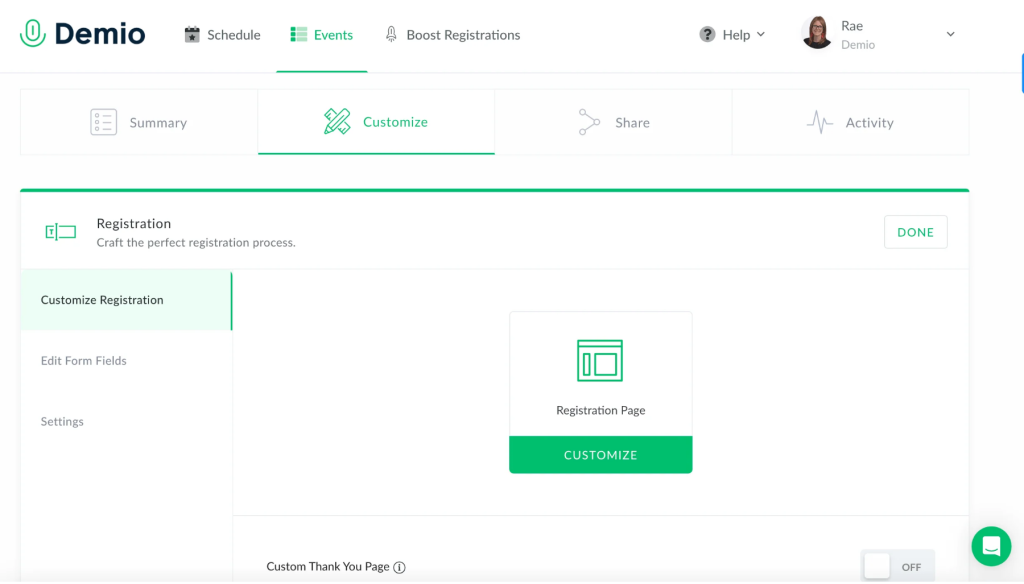
Where Demio earns its reputation is in individual-level engagement tracking. It doesn’t just tell you how many people attended, it tells you which registrants stayed for 80% of the session, who engaged with polls, and who clicked a CTA. That data feeds directly into its HubSpot and Salesforce integrations, which means sales teams can prioritize follow-up based on actual behavior rather than gut feel. If you haven’t thought through your post-session workflow yet, this guide on webinar follow-up emails covers what to send and when.
The Growth plan unlocks automated webinars, which is where Demio becomes genuinely useful for lead gen at scale. The trade-off is that higher-tier features including premium integrations and Demio AI sit behind the more expensive Premium plan, so teams with complex CRM workflows may need to budget accordingly.
Pros:
- Tracks attendee engagement at the individual level, including poll responses, CTA clicks, and session duration, to enable intent-based lead scoring.
- Delivers a fully browser-based experience with no app download required for attendees, reducing drop-off before sessions begin.
- Offers native integrations with HubSpot, Salesforce, and Pipedrive for automatic lead data routing and follow-up workflows.
- Supports in-session CTAs and offers to capture buying signals at the moment of highest engagement.
Cons:
- Automated webinars are only available on the Growth plan and above, not on the entry-level Starter plan.
- Advanced integrations, Demio AI, and custom domain support require the premium-tier plan, which significantly increases the monthly cost.
Pricing:
Starts at $49/month.
3. Livestorm – Best for Browser-First Automation
Going into my evaluation of Livestorm, I expected a solid platform, I didn’t expect the CRM integration to be as tight as it turned out to be. Every registration, attendance event, and poll response flows automatically into HubSpot and Salesforce without any Zapier workarounds. For a team running high-volume lead gen programs where data hygiene matters, that native sync is a meaningful advantage.
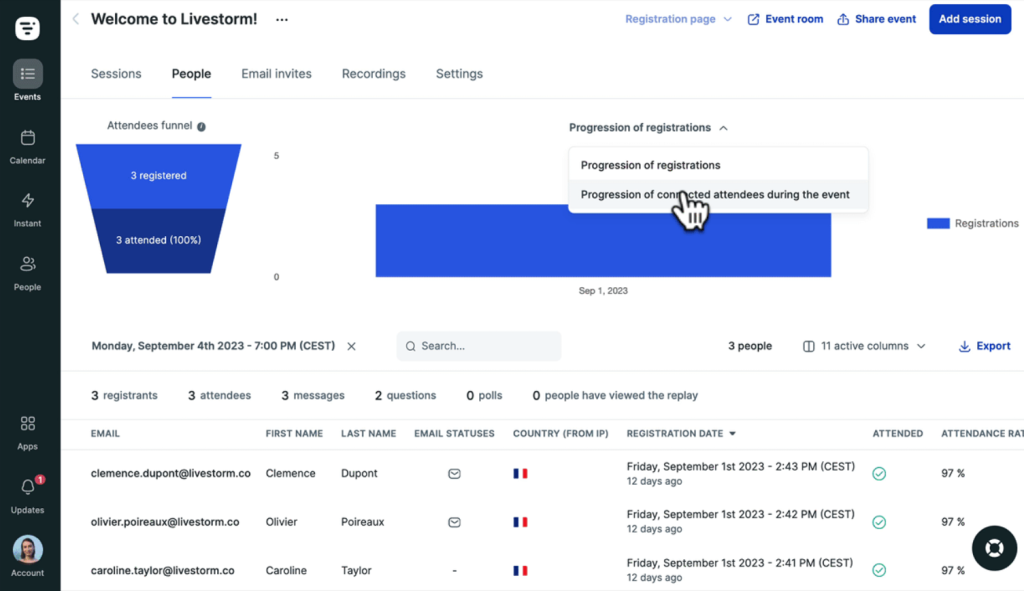
The browser-based architecture means zero friction for attendees. No app, no plugin, just a link. That might seem minor, but in my experience, every extra step between registration and attendance costs you a percentage of your audience and those are qualified leads you already paid to acquire. Livestorm’s AI tools (auto-generated clips, transcriptions, content repurposing) also make it easy to extend the shelf life of each webinar session beyond the live event, which feeds on-demand lead gen without additional work. If you’re thinking about how to get more mileage from each recording, our guide on repurposing webinar content is a useful starting point.
Where Livestorm falls short for some teams is price. The credit-based model can get expensive quickly for high-volume programs, and the Pro plan adds up at scale. Teams running frequent webinars with large audiences should model out the total cost carefully before committing.
Pros:
- Offers native two-way integration with HubSpot, Salesforce, and other enterprise CRMs without requiring third-party connectors.
- Provides a fully browser-based experience for all participants, eliminating download friction that reduces attendance rates.
- Uses an attendee-based pricing model where no-shows are not counted, so teams only pay for actual engagement.
- Includes AI-powered tools for automatic clip creation, transcript generation, and content repurposing for post-event lead gen.
Cons:
- Credit-based pricing can become expensive quickly for teams running frequent, large-audience webinar programs.
- Some advanced marketing automation features require the enterprise tier, making mid-market pricing less predictable.
Pricing: Starts at $79/month (Pro plan, credit-based).
4. GoToWebinar – Best for Reliable Structured Events
GoToWebinar is the platform I’d recommend to anyone who has been burned by a technical failure during a live event with 500 people on the call. During my testing, the video quality was consistent and the registration system handled capacity without issue.
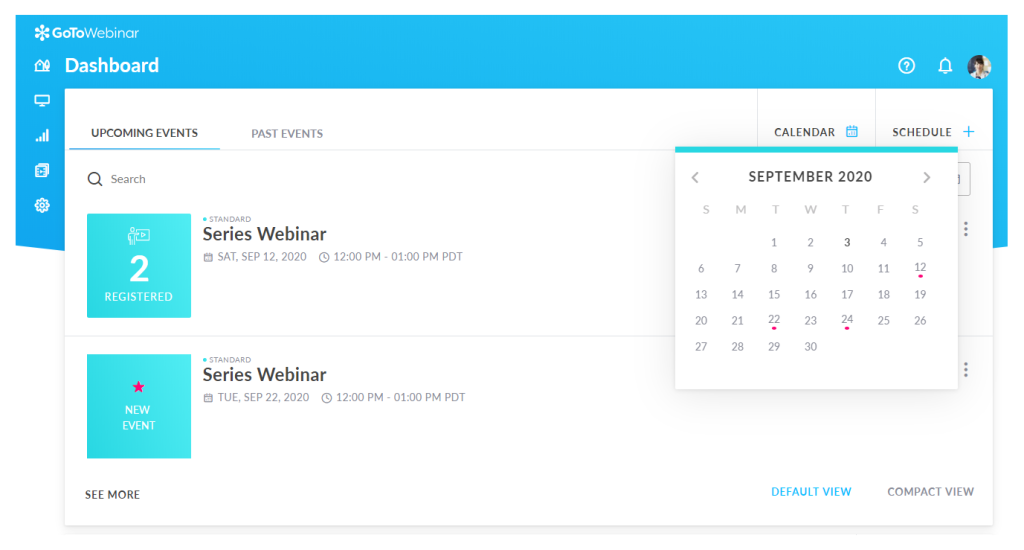
On the lead generation side, GoToWebinar supports customizable registration pages, email reminders, polls, Q&A, handouts, and integration with HubSpot and Salesforce. The analytics are solid for an established platform: you can see who registered, who attended, how long they stayed, and how they engaged. What it doesn’t do is match the modern lead gen workflow depth of newer platforms. The automated webinar features sit behind higher pricing tiers, and the interface shows its age compared to Demio or Livestorm.
For large organizations running occasional high-attendance webinars as part of a broader demand generation program, GoToWebinar is a dependable choice. For growth-focused B2B teams running daily or weekly automated lead gen funnels, the per-event pricing model and older interface may feel limiting.
If you’re still mapping out your broader webinar marketing approach before picking a platform, that’s worth sorting first.
Pros:
- Supports audiences of up to 3,000 attendees with consistent video and audio quality built on a proven, enterprise-grade infrastructure.
- Offers customizable registration forms, branded landing pages, and automated email reminders across all paid plans.
- Provides detailed post-event analytics including attendance duration, engagement rates, and downloadable attendee reports.
- Includes polls, Q&A, handouts, and downloadable resources to support attendee engagement during live sessions.
Cons:
- Automated and pre-recorded webinar features are only available on higher-tier Standard and Pro plans.
- The interface and user experience feel dated compared to newer, marketing-focused platforms.
Pricing:
Starts at $49/month (Lite plan, up to 250 attendees, billed annually). 7-day free trial available.
5. BigMarker – Best for White-Label Hybrid Events
BigMarker was the most feature-rich platform I tested, and also the most complex to set up. What it offers in return for that complexity is a genuinely end-to-end webinar marketing system: live, simulive, automated, and on-demand webinars all run from the same interface, with a broadcast-quality production studio, white-label customization, AI-powered matchmaking for large events, and integrations across Salesforce, HubSpot, Marketo, and more.
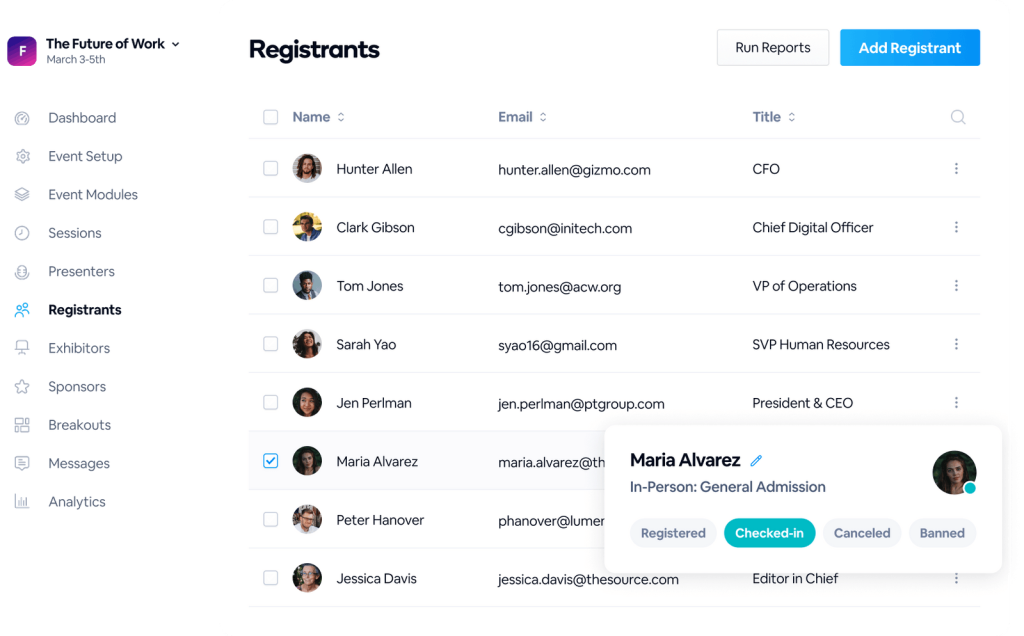
The evergreen webinar capability is particularly strong. BigMarker supports always-on lead generation: sessions run on autopilot, engagement tools fire automatically at set timestamps, and all interaction data feeds back into connected CRM workflows.
The trade-off is access and cost. BigMarker doesn’t publish transparent pricing for its enterprise plans, which makes budgeting harder during evaluation. It’s also significantly more platform than a small or mid-sized team needs, the learning curve and feature set are sized for organizations with dedicated marketing ops resources.
Pros:
- Supports live, simulive, automated, and on-demand webinar formats from a single platform with consistent branding across all formats.
- Provides a broadcast-quality production studio, white-label capabilities, and deep customization for enterprise-brand experiences.
- Enables truly evergreen lead generation with automated engagement tools like polls, chat, offers which are triggered at set timestamps during recorded sessions.
- Scales to 50,000 attendees and supports AI-driven features including matchmaking, content repurposing, and automated attendee insights.
Cons:
- Pricing is not publicly available for enterprise plans, making it difficult to evaluate cost-effectiveness without a sales conversation.
- Better suited to organizations with dedicated marketing ops or event management resources than to small teams managing webinars independently.
Pricing:
Starts at $99/month.
6. ClickMeeting – Best for Meetings and Conferences
ClickMeeting surprised me. I went in expecting a basic tool and found a browser-based platform that covers live webinars, automated webinars, paid events, and on-demand replays without the pricing complexity of heavier alternatives.
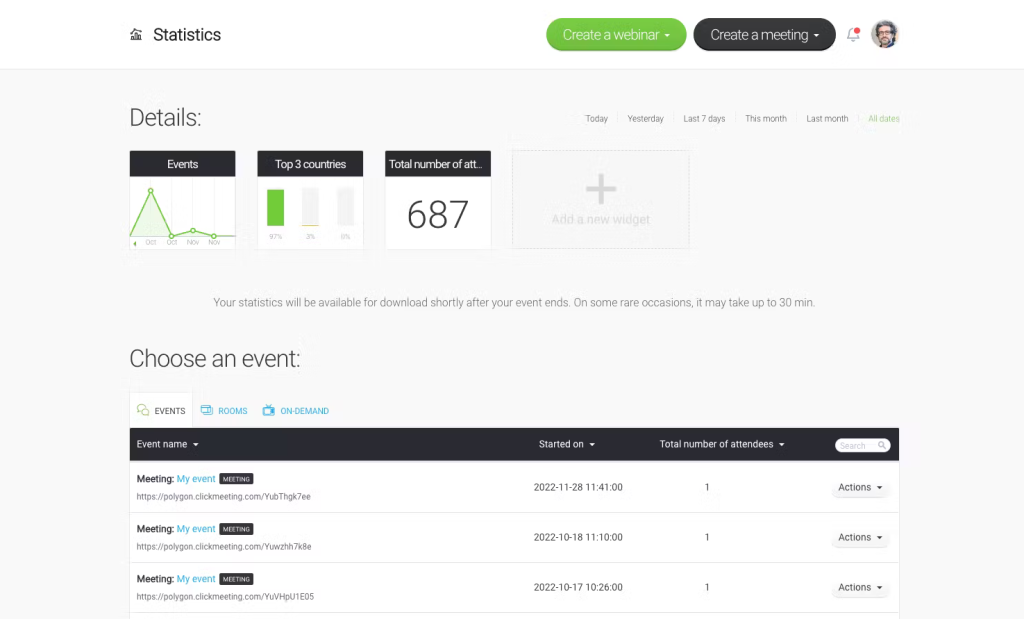
The setup is genuinely straightforward: schedule the webinar, set up a customizable registration page, configure automated email reminders, and you’re live. The engagement tools (polls, surveys, chat, Q&A, whiteboards) are functional and easy to use during sessions. The analytics suite gives you attendance duration, engagement rates, and downloadable attendee reports that feed into lead qualification workflows. Integration with YouTube and Facebook adds distribution reach for teams that promote webinars across social channels.
The main limitation is integration depth. ClickMeeting doesn’t offer the same level of native CRM connectivity as other webinar platforms. HubSpot and Salesforce connections typically require Zapier, adding a workaround that some teams find inconvenient. For teams with complex CRM workflows, that gap matters. For those running simpler lead gen setups, it’s manageable.
Pros:
- Supports live, automated, on-demand, and paid webinar formats within a single platform, covering most lead gen use cases without requiring additional tools.
- Provides a fully browser-based experience with no software installation required for hosts or attendees.
- Offers a timeline-based interaction system that allows hosts to pre-schedule polls, surveys, and video content during sessions.
- Includes YouTube and Facebook integration for multi-channel webinar promotion and live distribution.
Cons:
- Branding and registration page customization options are more limited compared to enterprise-focused platforms.
- Attendee limits scale with pricing tiers, so rapidly growing programs may face frequent plan upgrades.
Pricing:
Starts at $30/month (Live plan, 25 attendees, billed annually).
7. Zoom Webinars – Best for Large-Scale Virtual Conferences
Zoom Webinars comes up in almost every platform conversation, and for one simple reason: everyone already knows how it works. We’ve covered Zoom Webinars in detail separately, including where it holds up and where it doesn’t for lead gen specifically. For teams that have been running internal meetings on Zoom and want to extend that into basic lead generation webinars, the familiar interface and existing account structure lower the onboarding barrier significantly.
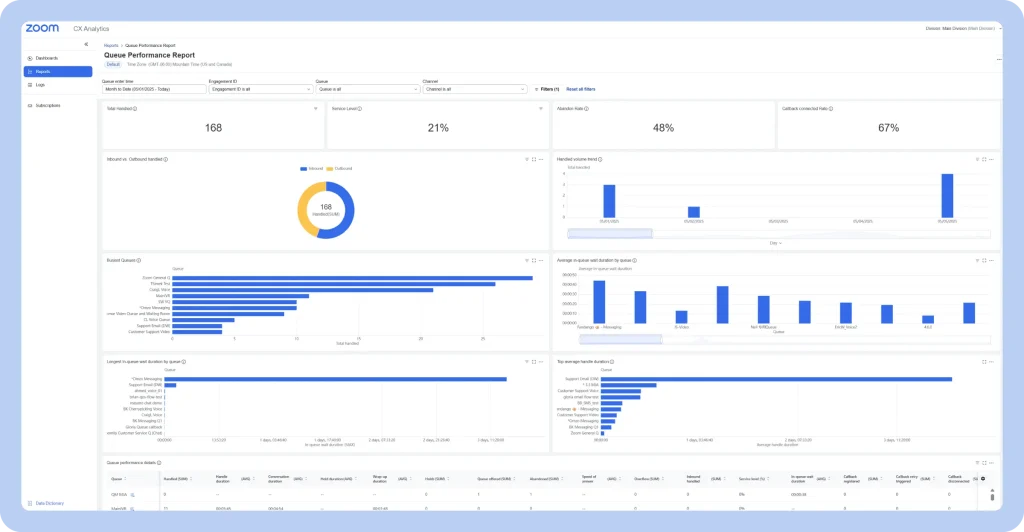
What it doesn’t do well, and this matters for lead generation is provide the connected, post-session follow-up depth that purpose-built platforms offer. The analytics are less granular on lower-tier plans, the registration page customization is limited, and automated webinar capability requires a separate Zoom Events setup with additional configuration. Teams that have moved from Zoom to a dedicated platform consistently cite the same gap: Zoom is built for meetings, and lead generation workflows feel like add-ons rather than native features.
For teams with 10,000+ attendees or an existing enterprise Zoom contract, it’s a pragmatic choice. For everyone else evaluating webinar software for lead generation from scratch, purpose-built platforms will serve the goal more directly.
Pros:
- Scales to 50,000 attendees with a familiar interface that requires minimal onboarding for teams already using Zoom Meetings.
- Integrates with Salesforce, HubSpot, and other CRM tools for basic registration data sync and attendee reporting.
- Includes polls, Q&A, chat, and panellist management features for interactive lead generation sessions.
- Supports on-demand and automated webinars through Zoom Events for teams wanting evergreen content options.
Cons:
- Webinar functionality is sold as an add-on to Zoom Meetings subscriptions, not as a standalone product, adding cost complexity.
- Lead generation-specific features (registration qualification, engagement scoring, CRM follow-up automation) are less developed than purpose-built webinar platforms.
Pricing:
Starts at $79/month (500 attendees, billed annually).
How Did I Select These Tools? – Evaluation Criteria
I approached this evaluation the same way I approach any platform decision with real revenue at stake: systematically, with a clear set of criteria applied consistently across every tool I tested and researched.
- User Reviews and Ratings: I started with what actual users say. I cross-referenced G2, Capterra, Reddit discussions, and community forums to understand where each platform earns trust and where it frustrates people, particularly for lead generation use cases, not just general webinar hosting.
- Core Features and Lead Gen Functionality: I tested each platform’s registration system, engagement tools, automated webinar capability, and CRM integrations directly. A platform that can’t qualify leads at registration or sync data to a CRM after the session isn’t doing lead generation, it’s just broadcasting.
- Ease of Use: I paid attention to how long it takes to go from an idea to a live webinar with a working registration page, reminder sequences, and post-event follow-up configured. The best platforms let non-technical marketers run the whole workflow independently.
- Customer Support Quality: Reliability and support matter most when something breaks during a live session with 200 prospects on the call. I evaluated response times, support channel availability, and how quickly documented issues get resolved.
- Value for Money: I compared pricing against the specific lead generation features you actually get, not the feature list in marketing copy, but what’s available at each tier a typical team would realistically use.
- Personal Experience and Expert Perspectives: My hands-on testing informed much of the comparison. I also drew on community discussions, B2B marketing practitioner forums, and documented customer experiences to fill in the gaps that short-term testing can’t cover.
Which Platform Setup Is Right for You?
The tools above serve the same lead generation goal but from very different starting points. Here’s how the platform choice plays out depending on who you are and how you run webinars.
1. If You’re A B2b Marketing Agency Running Webinars For Multiple Clients
You need a platform that handles multiple branded registration pages, separate CRM integrations per client, and automated webinars that run without your team present. WebinarNinja’s automated and hybrid formats let you record once and run on loop for each client’s audience, with CRM sync going to each client’s own HubSpot or Salesforce account.
Demio’s per-event engagement tracking is also worth evaluating if individual attendee scoring is deliverable in your client reports.
2. If You’re A Consultant Or Coach Selling High-Ticket Services
Your webinar is typically your primary sales event, one session, one offer, one conversion window. What matters most is the quality of the registration form (qualifying leads before they show up), in-session offer delivery (timed CTAs at peak engagement), and the follow-up sequence that goes out to no-shows.
WebinarNinja handles all three natively, and the hybrid format is particularly useful here: you deliver the presentation from a recording while staying live in chat to answer questions in real time, which keeps the experience personal without requiring a perfect live run every time.
3. If You’re A Sales Team Using Webinars For Pipeline Acceleration
You’re not hosting webinars for brand awareness, you’re using them to move specific accounts through a buying decision. Individual-level engagement data matters more than aggregate attendance stats.
Demio’s per-registrant tracking (who stayed 80%+, who clicked the CTA, who asked a buying question) feeds directly into HubSpot and Salesforce so your reps know exactly who to call first and what they already know. Livestorm is the stronger call if your CRM stack is more complex and you need native enterprise integrations without Zapier.
4. If You’re A Solo Operator Or Small Team Just Starting With Webinar Lead Gen
You need a platform that doesn’t require a tech team to configure. The full workflow — registration page, custom qualification fields, automated reminder emails, session delivery, and follow-up sequence — should be set up by one person in under an hour.
WebinarNinja is built for this; ClickMeeting is a lower-cost alternative if your audience is small and your CRM needs are straightforward. Avoid platforms with Zapier-dependent CRM connections at this stage, a broken zap means leads disappearing silently, and you won’t have the bandwidth to debug it mid-campaign.
My Top 3 Picks for the Best Trusted Webinar Software for Lead Generation
If I had to cut the list to three and make a recommendation to a team evaluating these tools today, here’s where I’d land.
1. WebinarNinja
WebinarNinja is the platform I’d start with for most lead generation use cases. It handles the entire workflow in one place: branded registration with custom qualification fields, automated reminders, four webinar formats (live, automated, hybrid, series), in-session engagement tools that surface buyer intent, and CRM integrations that keep leads moving after the session ends. The automated webinar feature alone changes the economics of lead gen, run a session once, and it keeps filling your pipeline around the clock.
2. Demio
Demio earns its place for marketing teams that prioritize simplicity and individual-level engagement data. The platform tracks exactly who engaged with what during the session, routes that data into HubSpot or Salesforce automatically, and gives sales teams a clear picture of which leads are worth following up with first. It’s the cleanest path from webinar attendance to CRM-qualified lead among the tools I tested.
3. Livestorm
Livestorm is the right call for teams with mature CRM stacks and a strong aversion to Zapier workarounds. Its native HubSpot and Salesforce integrations are genuinely tight, the browser-based architecture removes attendee friction, and the attendee-only pricing model means you’re paying for real engagement, not no-shows.
What Should You Look for in Trusted Webinar Software for Lead Generation?
Not every webinar platform is built for lead generation. Here’s a practical decision framework with six criteria that separate lead generation tools from generic webinar software:
1. Custom Registration And Qualification Forms
The registration page is the first lead capture touchpoint. Look for platforms that let you add custom fields beyond name and email like company size, role, budget, use case, so you’re qualifying leads before the session even starts.
2. Native CRM Integrations
If attendee data doesn’t flow into your CRM automatically, your sales team is doing manual data entry after every session. Prioritize platforms with native connections to your CRM, not just Zapier workarounds but for reliable, real-time data sync.
3. Automated Webinar Capability
Lead generation shouldn’t depend on your calendar. Platforms that support automated, evergreen, and hybrid webinar formats let your lead gen engine run while your team focuses on closing and nurturing. If you want to see how this fits into a full funnel structure, our webinar funnel guide breaks it down step by step.
4. Engagement Tools That Signal Buyer Intent
Polls, Q&A, timed offers, and handouts do more than keep people interested. They tell you who in the room is a serious buyer. Look for platforms that track engagement at the individual level and make that data available for lead scoring.
Our breakdown of webinar engagement strategies covers what works and what’s just noise.
5. Post-Event Analytics And Follow-Up Automation
The session ends; the follow-up is where leads convert. Your platform should trigger automated follow-up emails based on attendance behavior, segment leads by engagement level, and give you replay analytics to identify late-arriving buyers.
6. Pricing Stability And Platform Reliability
A platform that doubles its pricing mid-contract isn’t a trusted partner, it’s a liability. Choose platforms with transparent, published pricing and a track record of stability, particularly if you’re building evergreen lead gen funnels that depend on consistent costs.
Pick the Right Webinar Software and Watch Your Lead Pipeline Grow
Picking the right platform is less about features and more about what happens after your webinar ends. The best webinar software for lead generation doesn’t just host your session, it makes sure every registrant is captured, every attendee is followed up with, and every engagement signal lands in your CRM where your sales team can actually use it.
The tools in this list serve different needs. Some are better for large teams with complex CRM stacks. Others work well if you’re just starting out and need something simple that doesn’t cost a fortune. The right pick depends on your audience size, how often you run webinars, and how much of the post-session workflow you want automated.
If you want one place to handle registration, engagement, automated webinars, and follow-up without stitching together five different tools, WebinarNinja is worth a look. It’s not flashy, it just works, and it keeps working even when you’re not online. Start with the free trial and see how your next webinar feels when the pipeline builds itself.
Frequently Asked Questions
What Makes a Webinar Platform "Trusted" for Lead Generation?
A trusted webinar platform for lead generation combines four things: pricing stability (no surprise rate increases mid-contract), reliable technical performance during live sessions, a complete lead capture and follow-up workflow, and transparent data ownership. Platforms that require Zapier workarounds for basic CRM sync or that lack post-event follow-up automation are not fully built for lead generation, regardless of their marketing claims.
Is Zoom Good for Lead Generation Webinars?
Zoom Webinars covers basic lead generation like registration pages, polls, Q&A, and CRM integrations, but it was built for meetings, not marketing funnels. Its registration customization is limited, automated webinar support requires separate configuration through Zoom Events, and the engagement analytics are less granular than purpose-built lead gen platforms. Teams running serious webinar-based demand generation programs consistently switch from Zoom to dedicated tools for this reason.
What Is an Automated Webinar and How Does It Help with Lead Generation?
An automated webinar is a pre-recorded session that plays on a set schedule or on-demand, as if it were live. It keeps lead generation running 24/7 without requiring a live host for every session. Platforms like WebinarNinja and BigMarker support automated webinars with simulated engagement tools like polls, chat, offers — that maintain the interactive experience. This format is especially effective for evergreen content like product demos and educational series. For a full comparison of formats, see our guide on best automated webinar platforms.
What CRM Integrations Should I Look for in Webinar Software?
The most important integrations for B2B lead generation are HubSpot, Salesforce, GoHighLevel, ActiveCampaign, and Marketo, depending on your existing stack. Prioritize native integrations over Zapier-based connections — native syncs are faster, more reliable, and less likely to break during high-volume campaigns. WebinarNinja, Demio, and Livestorm all offer strong native CRM connectivity.
How Many Attendees Do I Need to Justify a Paid Webinar Platform?
You don't need a large audience to justify a paid platform, you need a lead generation goal. A 50-person webinar with a qualified, engaged audience of decision-makers is worth more than 500 passive viewers. The ROI of webinar software for lead generation depends on the quality of leads it produces and how well the platform nurtures them after the session, not headcount.
Can I Use Webinar Software for Both Live and Automated Lead Gen?
Yes, and for most B2B teams, a hybrid approach works best. Run live webinars for new topics, product launches, or high-intent audiences where real-time Q&A matters. Convert those recordings into automated or on-demand webinars for ongoing evergreen lead gen. Platforms like WebinarNinja, Demio, BigMarker, and ClickMeeting all support both formats within a single account.
Want to host a webinar for free?
Use WebinarNinja to teach, improve marketing, and grow your sales.