Hubilo positions itself around one idea: webinars should generate pipeline, not just views. The Account Intelligence Dashboard, 1-click login, content repurposing in under 20 minutes, and interactive CTAs are built around that premise. For enterprise B2B teams where ABM and pipeline attribution are the primary metrics, this focus is well-suited. The problem is the price: $10,000 per year places Hubilo beyond what most mid-market teams can justify.
Future B2B’s 2026 Webinar Benchmark Report, drawing on 517 webinars and 151,902 registrations, found 68% of a B2B buying decision is complete before a prospect speaks to a vendor. That is the gap teams searching for the best Hubilo alternatives and Hubilo competitors are trying to close: the same pipeline outcome, on a platform that publishes its pricing.
This comparison draws on pricing pages, product documentation, and G2 and Capterra reviews.
10 Best Hubilo Alternatives
Here is a quick look at how these Hubilo alternatives and competitors compare before the full breakdown:
| Tool | Best For | Key Differentiator vs. Hubilo | Starting Price |
| ProProfs WebinarNinja | Generating leads, growing sales, and teaching better | Built-in registration, engagement, follow-up, AI assistance, and published attendee-based pricing | $0.30/attendee/month |
| ON24 | Enterprise demand generation and content repurposing | Enterprise-focused engagement data, content repurposing, and CRM/MAP workflows | Custom ($25K+/yr) |
| Contrast | Modern B2B webinar delivery | Browser-based B2B webinar studio with published pricing and a free plan | $49/month |
| Sequel | ABM-driven webinar series | Recurring webinar-series workflows with an ABM and pipeline focus | $833+/mo |
| BigMarker | White-label webinars and multi-session events | Extensive branding control alongside multi-session and virtual-event capabilities | ~$79/month |
| Demio | Behavior-based lead generation | Attendee behavior can feed segmented marketing and follow-up workflows | ~$42-63/month |
| Livestorm | B2B teams with active CRM pipelines | Native CRM integrations and attendee-level engagement profiles | ~$99/month |
| GoTo Webinar | Enterprise webinar infrastructure with published pricing | Large-session webinar infrastructure with transparent pricing | ~$59/user/month |
| eWebinar | Automated and evergreen webinar programs | Interactive prerecorded webinars that can run without a live presenter | $99/month |
| Zoom Webinars | Teams already standardized on Zoom | Familiar attendee experience and large-event capacity | ~$66-83/month add-on + license |
Now, here is how each one actually holds up.
1. ProProfs WebinarNinja
Best for Generating Leads, Growing Sales, and Teaching Better
ProProfs WebinarNinja takes Hubilo’s “webinars should drive pipeline” idea and makes it accessible without starting with a $10,000 annual contract. It covers the full webinar lifecycle in one platform, from capturing a lead before the session to engaging them live, following up afterward, and turning the recording into new content.
Registration pages capture leads before anyone joins. Automated email sequences keep registrants engaged between registration and the session. In-session engagement tools generate behavioral data while the webinar is running. Post-session automation delivers replays and continues follow-up without requiring the host to rebuild the workflow somewhere else.
The AI layer maps directly to work teams normally handle before, during, and after a webinar. The AI Conversion Writer helps with registration page copy. The AI Content Strategist turns recordings into blog posts, emails, and social content. The AI Sales Coach reviews pitch quality before the next session goes live.
For teams building webinar engagement strategies around the pipeline rather than views, those AI roles cover different stages of the session lifecycle rather than serving as a generic AI add-on.
Pros:
- AI supports registration copy, pitch feedback, live attendee questions, and post-webinar content repurposing
- Supports live, automated, series, and hybrid webinars for different lead-generation and education workflows
- Offers live chat, Q&A, polls, offers, and handouts to keep attendees actively engaged
- Automatically records webinars for replays, evergreen use, follow-up, and content reuse
- Provides webinar analytics to track registrations, attendance, engagement, and overall session performance
- HubSpot, Mailchimp, Stripe, and 1,000+ Zapier integrations connect wider workflows.
Cons:
- No downloadable or on-premise version.
- Dark user interface option is not available.
Pricing: A FREE 14-day trial is available. Paid starts at $0.30/attendee/month (includes CourseNinja, worth $ 1,200).
Case study:
Kate Toon, a digital marketing coach, highlights how quickly she can get a webinar running with ProProfs WebinarNinja, saying she can set one up in about two minutes.

2. ON24
Best for Enterprise Demand Generation and Content Repurposing at Scale
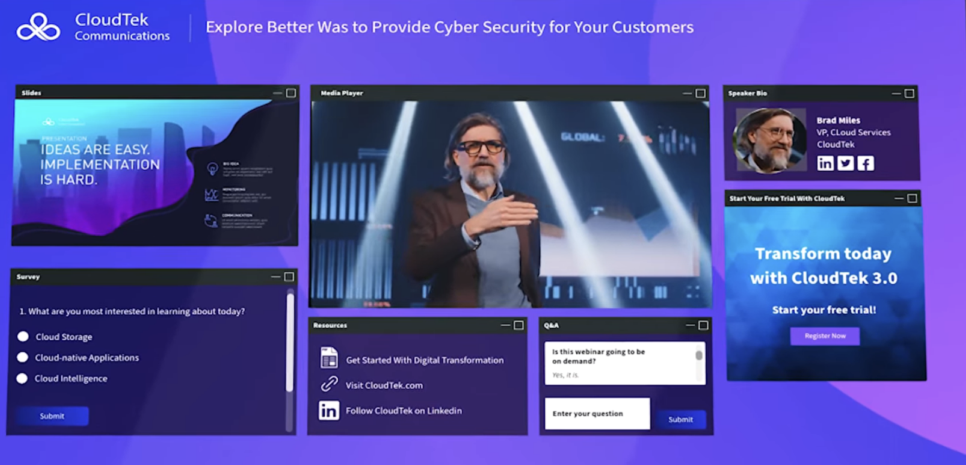
ON24 competes with Hubilo in the enterprise market, particularly for B2B teams that prioritize first-party engagement data, content repurposing, CRM attribution, and pipeline measurement. Both platforms target marketing teams running pipeline-focused webinar programs and emphasize engagement data, downstream content, and integrations beyond basic live delivery.
ON24 captures detailed attendee activity, including what content people engaged with, how long they stayed, which CTAs they clicked, and which resources they downloaded. That information can flow into systems such as Salesforce, HubSpot, Marketo, or Eloqua for lead scoring and follow-up.
For enterprise teams comparing ON24 with Hubilo, the practical question is less about whether engagement data exists and more about where that data needs to go next. ON24 is designed around moving webinar activity into the broader enterprise marketing and revenue stack.
Pros:
- Captures detailed first-party attendee engagement data for downstream attribution
- Includes tools for turning webinar content into additional marketing assets
- Connects webinar activity with Salesforce, HubSpot, Marketo, and Eloqua workflows
- Supports enterprise programs that need established compliance and governance processes
Cons:
- Pricing typically sits in the same enterprise range as Hubilo
- Requires significant onboarding and configuration before teams use the full platform
- Custom pricing makes early-stage cost comparison harder
Pricing: Custom quotes only across Essentials, Standard, and Advanced tiers. Most organizations pay $25,000 to $100,000+ annually, with a median contract around $38,750.
3. Contrast
Best for Modern B2B Webinar Delivery
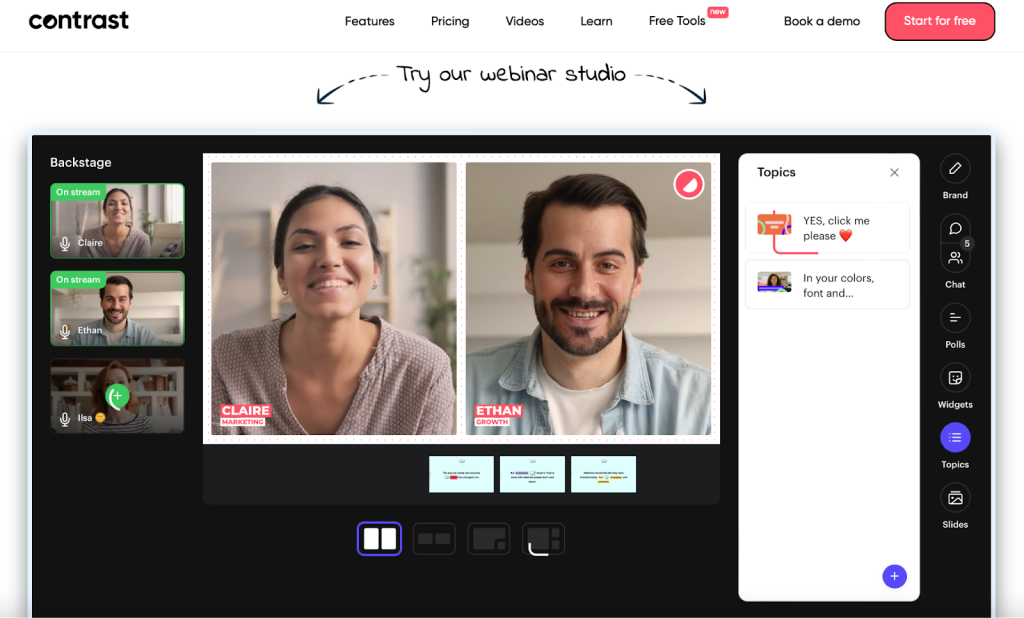
Contrast gives B2B marketing teams a simpler, browser-based alternative to Hubilo’s enterprise webinar setup. It was built by a team that had used Hubilo themselves and wanted a faster, less cumbersome webinar experience.
The studio is designed to reduce setup friction for hosts. Attendees can join in one click without downloading software, while polls, Q&A, and CTAs are built into the core webinar experience. Published pricing starts at $49 per month, and a free plan is available for up to 30 registrants. That makes Contrast considerably more accessible for teams that like Hubilo’s B2B webinar focus but cannot justify its annual price floor.
Pros:
- Provides a streamlined browser-based webinar studio for B2B teams
- Requires no attendee or host software download
- Publishes pricing for easier early-stage comparison
- Offers a free plan for initial testing
Cons:
- Does not match Hubilo’s native account-level ABM intelligence
- Offers fewer integrations than broader enterprise platforms
- Has a smaller review base than long-established webinar vendors
Pricing: Plans start at $49/month. Free plan available for up to 30 registrants.
4. Sequel
Best for ABM-Driven Webinar Series
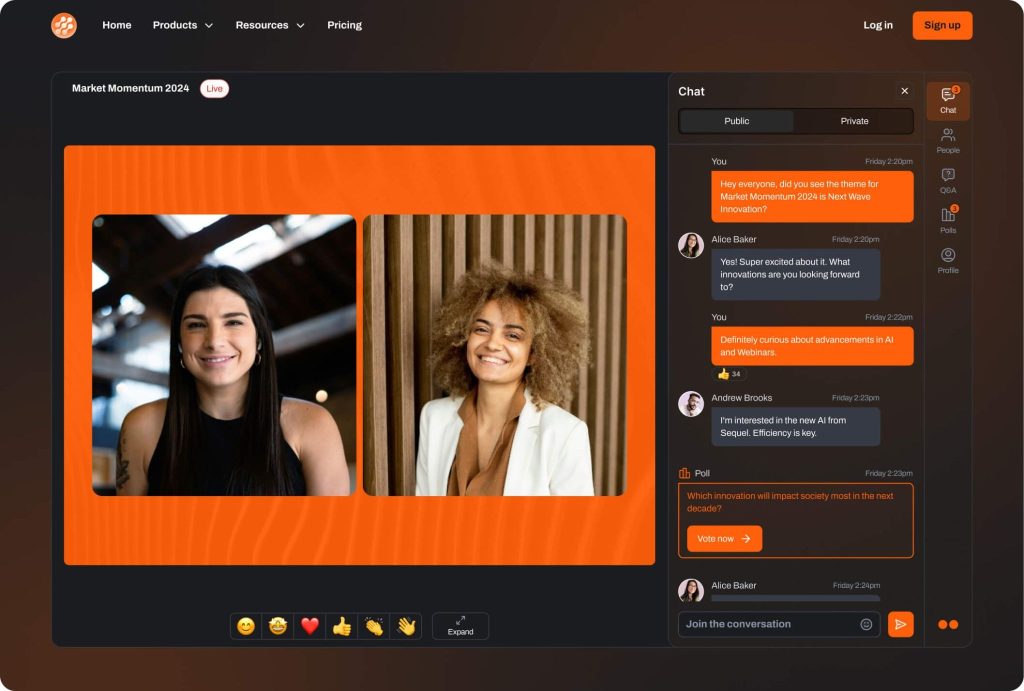
Sequel is built for recurring, pipeline-focused webinar series, making it particularly relevant to ABM teams that do not treat webinars as one-off campaigns. Its platform is designed around multi-session programs in which engagement can build over time. Instead of treating each webinar as an isolated event, teams can use a continuing series to deepen relationships with target accounts across several sessions.
Hubilo itself includes Sequel in its competitive comparison content, reflecting the overlap between the two platforms’ B2B webinar use cases. Sequel’s emphasis on recurring series makes it especially relevant to teams running quarterly or ongoing programs for defined target accounts.
Pros:
- Supports recurring webinar series for long-cycle B2B campaigns
- Tracks engagement across multiple sessions
- Fits ABM teams using webinars as an ongoing account-engagement channel
- Focuses specifically on pipeline-oriented webinar programs
Cons:
- Does not publish standard pricing
- Requires a demo before teams can evaluate the complete cost
- May be less suitable for teams running occasional one-off webinars
Pricing: Sequel’s Growth plan starts at $833/month when billed annually for up to 500 attendees per session. The monthly rate is $950/month.
5. BigMarker
Best for White-Label Webinars and Multi-Session Events
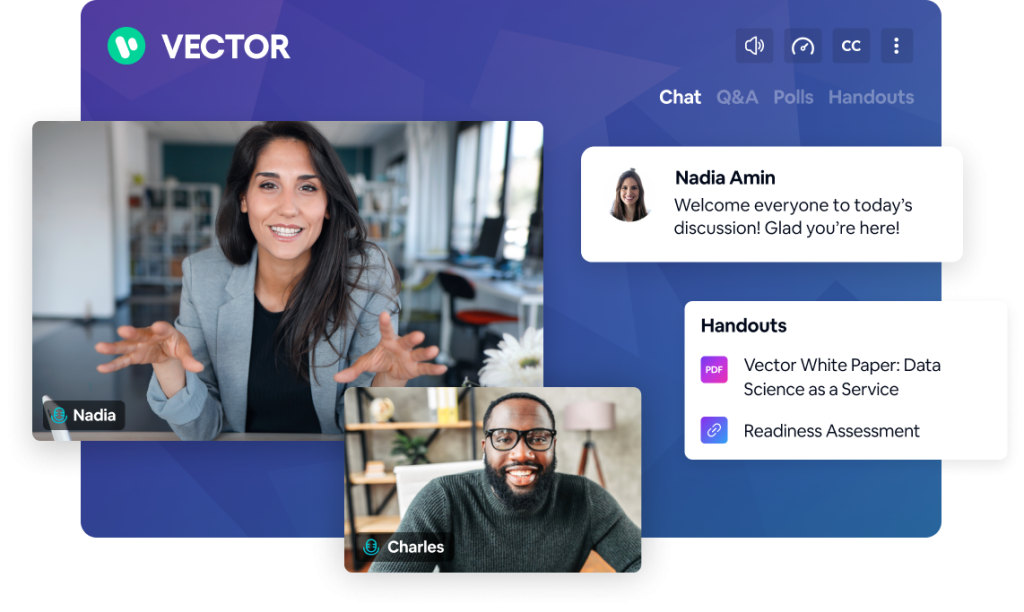
BigMarker is designed for teams that need highly branded webinars alongside larger multi-session or virtual-event programs. Its standout difference here is white-label delivery across the attendee journey. Registration pages, webinar rooms, confirmation emails, and post-event follow-up can all reflect the host’s brand rather than putting the webinar platform at the center of the experience.
That makes BigMarker relevant to companies running client-facing webinar programs or embedding webinar delivery into a broader branded experience. It also supports multi-track events, summits, multi-session conferences, and standard webinars.
Pros:
- Provides extensive white-label control across the attendee experience
- Supports both individual webinars and larger multi-session events
- Includes monetization capabilities for paid events and premium programs
- Handles multi-track formats for conference-style programs
Cons:
- Uses custom pricing instead of published standard plans
- Can feel unnecessarily complex for straightforward single-session webinars
- White-label setup may require additional configuration upfront
Pricing: Starter is around $79/month for 100 attendees, Elite around $299/month for 500 attendees, with custom Enterprise pricing above that.
6. Demio
Best for Behavior-Based Lead Generation
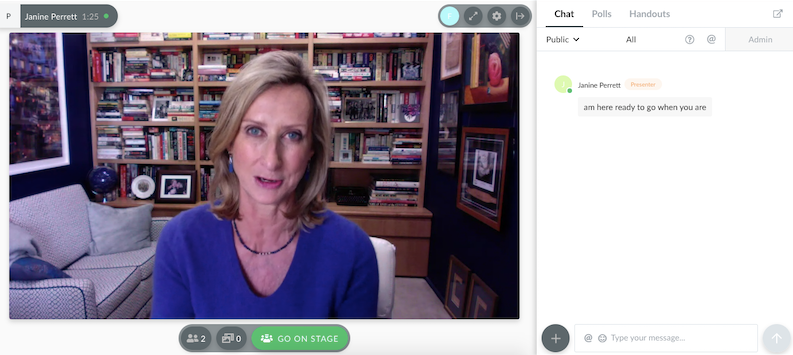
Demio turns individual attendee behavior into follow-up data without asking marketing teams to manage Hubilo’s broader enterprise event stack.
Its engagement model focuses on what each attendee does during a session and how that activity can feed into later marketing workflows. That approach is useful for teams more interested in segmented lead follow-up than native account-level ABM aggregation.
Attendees can join through a browser without downloading software, and the interface keeps the webinar itself relatively simple. Compared with Hubilo’s broader emphasis on branded experiences and account intelligence, Demio focuses on making individual attendee behavior easier to act on.
Pros:
- Uses attendee behavior to support segmented follow-up workflows
- Provides a clean attendee-facing webinar experience
- Runs in the browser without requiring downloads
- Connects with platforms such as HubSpot, Marketo, and ActiveCampaign
Cons:
- Does not provide Hubilo-style native account-level ABM intelligence
- Some integrations, including Salesforce, may require higher-tier plans
- May not fit teams needing Hubilo’s broader enterprise event functionality
Pricing: Starter runs about $42-$63/month for one host and a 50-attendee room. Growth starts at $75- $117/month and unlocks automation.
7. Livestorm
Best for B2B Teams With Active CRM Pipelines
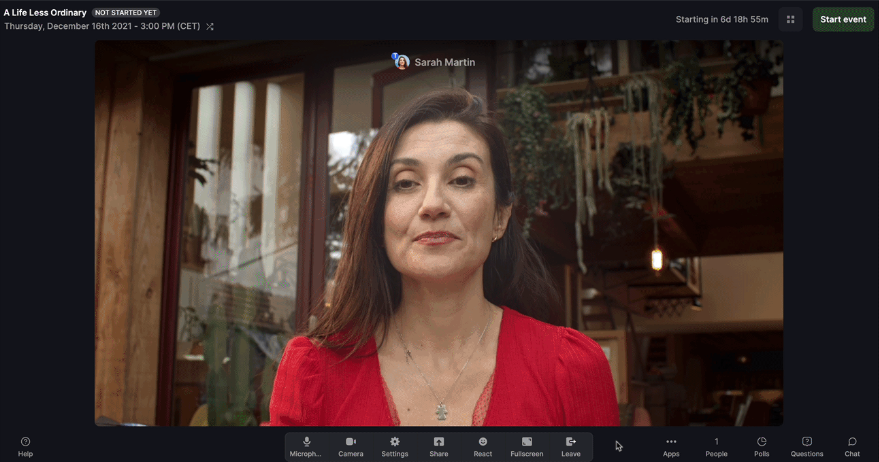
Livestorm is particularly useful when the webinar does not end in the webinar room, and attendee activity needs to flow directly into the CRM. Its native connections with platforms such as HubSpot, Salesforce, and Pipedrive make that handoff central to the workflow.
Per-attendee profiles can be built from registration through attendance and replay activity, giving marketing and sales teams more context than a basic attended/did n’t-attend field.
Hubilo also integrates with major CRM and marketing systems, but Livestorm places greater emphasis on integrating the individual attendee record into the wider CRM workflow without requiring an enterprise contract.
Pros:
- Connects natively with major CRM platforms
- Builds attendee profiles across registration, attendance, and replay activity
- Runs entirely in the browser
- Supports workspaces for teams managing multiple programs or campaigns
Cons:
- Free-plan limits restrict many active B2B campaign use cases
- Credit-based pricing can rise as webinar volume increases
- Does not provide Hubilo’s native account-level ABM dashboard
Pricing: Free plan is limited to 30 attendees and 20-minute sessions. Pro starts around $99/month, Premium around $299/month, and Enterprise is custom-priced above that.
8. GoTo Webinar
Best for Enterprise Webinar Infrastructure With Published Pricing
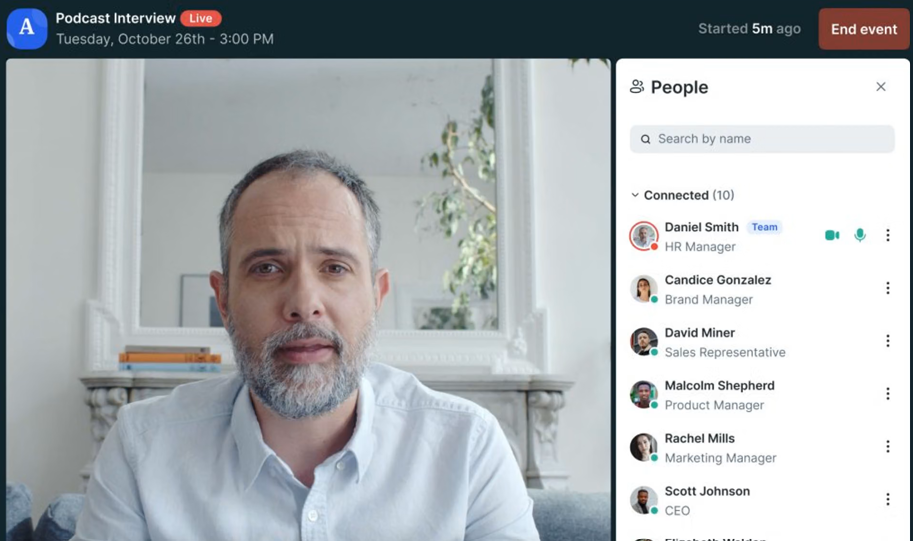
GoTo Webinar offers enterprise teams something Hubilo does not provide up front: a published price they can evaluate before entering a sales conversation. That matters when webinar software must pass a fixed-budget or procurement review before the team can seriously compare vendors.
Beyond pricing transparency, GoTo Webinar provides large-session infrastructure, structured post-event reporting, and an established integration ecosystem.
For teams that need dependable webinar delivery and reporting but do not require Hubilo’s account-level intelligence or branded virtual-studio positioning, GoTo Webinar offers a more conventional enterprise webinar setup.
Pros:
- Publishes pricing without requiring a sales conversation first
- Supports large attendee counts
- Provides post-event reporting across attendance and engagement
- Integrates with established sales and marketing platforms
Cons:
- Interface feels less modern than newer browser-first platforms
- Does not offer Hubilo-style native account-level ABM intelligence
- Provides less marketing automation depth than specialized webinar platforms
Pricing: Plans start around $59/user/month for the Lite tier and scale to roughly $399-$499/month for Enterprise. A free trial is available.
9. eWebinar
Best for Automated and Evergreen Webinar Programs
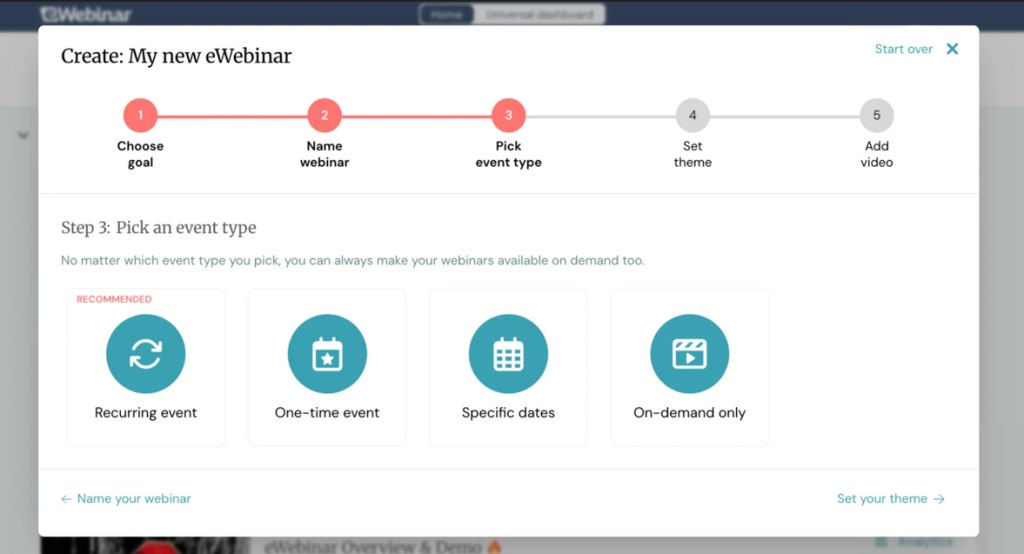
eWebinar is built around a very different webinar model: turning recorded content into interactive sessions that can run repeatedly without a live presenter. Attendees can choose a convenient session time, join an experience designed to feel live, ask questions via chat, and receive automated or manually written responses during the presentation.
That makes it relevant to B2B teams running product education, onboarding, recurring demos, or lead-nurture sessions that do not need a host to repeat the same presentation every time.
Hubilo focuses much more heavily on live, branded B2B webinar experiences. eWebinar addresses the other side of the problem: making repeatable webinar content available continuously without adding live-hosting overhead.
Pros:
- Turns recorded presentations into recurring interactive webinar sessions
- Reduces the need to host repetitive live sessions
- Gives attendees flexible scheduling options
- Supports chat interactions during automated presentations
Cons:
- Is not designed for live-event-heavy webinar programs
- Does not provide Hubilo’s account-level ABM intelligence
- Requires setup time to create effective automated interactions
Pricing: Plans start at $99/month. 14-day free trial available.
10. Zoom Webinars
Best for Teams Already Standardized on Zoom
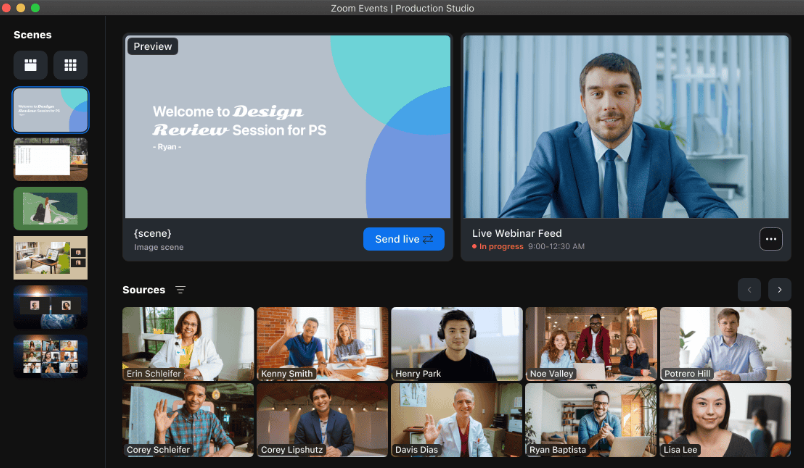
Zoom Webinars makes the most sense when your audience already knows Zoom and your organization already uses it. Familiarity reduces the amount of explanation required before a session and gives attendees a joining experience they are likely to recognize immediately.
Every attendee can be registered and identified before the webinar begins, and the platform supports large-scale events for organizations with significant capacity needs.
By comparison, Hubilo places attendees inside its own branded webinar environment. Zoom reduces that unfamiliarity at the join step but does not try to replicate Hubilo’s account-level ABM intelligence or dedicated branded virtual-studio experience.
Pros:
- Gives attendees a familiar webinar environment
- Supports registration and individual attendee records
- Scales to large enterprise webinar audiences
- Provides recording, replay, and transcription capabilities
Cons:
- Does not provide Hubilo’s Account Intelligence Dashboard
- Requires additional tools for some email and marketing automation workflows
- Webinar functionality requires an add-on to the underlying Zoom plan
Pricing: Requires a paid Workplace license, plus the Webinars add-on starting around $66-$83/month.
My Evaluation Criteria
I compared these tools using current product documentation, pricing information, and verified user feedback from sources such as G2 and Capterra. The goal was not to find platforms that simply host webinars, but to assess how well each addresses the workflows that teams typically evaluate when moving away from Hubilo.
User Reviews and Ratings:
I reviewed verified reviewer feedback on G2 and Capterra to identify recurring themes in setup, usability, support, webinar delivery, and overall value.
Essential Features and Functionality:
I compared registration, attendee engagement, analytics, follow-up workflows, and CRM integration. For enterprise-focused platforms, I also considered account intelligence and content repurposing where relevant.
Ease of Use:
I considered both the host setup experience and the attendee join experience, especially where a simpler workflow could reduce the operational overhead of running recurring webinars.
Customer Support:
Support quality matters before, during, and after a webinar, particularly when teams run high-value sessions that cannot easily be rescheduled.
Value for Money:
I compared feature coverage with the platform’s pricing model and considered whether teams would need additional tools to reproduce workflows currently handled inside Hubilo.
Industry Analysis and Expert Commentary:
I also reviewed publicly available comparisons and product documentation across the B2B webinar software market, including Hubilo’s own competitor content where relevant.
What Do You Get for Hubilo’s $10,000 Price Floor?
Understanding what Hubilo charges for helps teams decide whether a lower-priced alternative genuinely covers their needs or simply removes capabilities they were using.
The Account Intelligence Dashboard provides real-time visibility into engagement at both the lead and account levels. For ABM teams trying to understand how several stakeholders from the same company interact across webinar activity, account-level aggregation goes beyond basic individual attendee analytics.
Branded 1080p virtual studio capabilities support teams that want a highly controlled attendee experience with minimal platform branding.
Content repurposing in under 20 minutes through Hubilo’s Content Hub turns session recordings into clips, blog content, and social assets with AI assistance.
Dedicated customer success and onboarding support can also matter when webinars are high-stakes programs rather than occasional marketing events.
If your team actively uses all four capabilities, Hubilo’s enterprise pricing covers functionality that can be difficult to reproduce cleanly across several lower-priced tools. But if your core workflow is registration, live engagement, replay delivery, follow-up, and CRM handoff, you may not need the full enterprise stack to achieve it.
What Should You Test Before Leaving Hubilo?
A cheaper subscription does not automatically make a platform cheaper to operate. Before leaving Hubilo, test the workflows that would otherwise move into your CRM, email platform, landing page software, or manual processes.
Account-level data in the CRM. Hubilo natively aggregates engagement at the account level. Most alternatives instead send individual attendee data downstream. During a trial, connect the platform to your CRM and run a test session with several attendees from the same company. Does your sales team get a usable account-level picture afterward, or does someone have to manually group and interpret the data?
Registration to follow up in one workflow. Run the entire journey from registration through attendance, replay delivery, and follow-up. If the alternative requires a separate landing-page tool, email system, or automation platform to reproduce the workflow, include those tools in the real cost comparison.
Content repurposing speed. Record a session and test how quickly you can turn it into the downstream assets your team actually produces. Hubilo positions fast AI-assisted repurposing as part of its value, so compare the workflow rather than simply checking whether another vendor has an “AI content” feature.
Session engagement data depth. Review the post-session analytics. Can you see poll responses, CTA clicks, Q&A participation, viewing duration, and replay behavior at the attendee level? More importantly, does that information reach the system where sales or marketing will act on it?
For teams building webinar programs that convert, the difference between having engagement data and being able to use it in follow-up is often more important than the size of the analytics dashboard.
My Top 3 Hubilo Alternatives
1. ProProfs WebinarNinja
If your priority is turning webinars into leads and follow-up opportunities without Hubilo’s enterprise commitment, its built-in lifecycle workflow and AI assistance make it particularly relevant.
2. ON24
Consider it when enterprise engagement data, CRM, and marketing automation integration, and content repurposing matter more than lowering the software budget.
3. Contrast
A practical option when you like Hubilo’s B2B webinar focus but want a lighter browser-based experience and published pricing.
Ready to Choose Your Hubilo Alternative?
Replacing Hubilo is less about finding another platform with the longest feature list and more about identifying which parts of Hubilo your webinar program actually depends on.
If account-level ABM intelligence, high-volume content repurposing, and enterprise event operations drive the program, those requirements should lead the decision. If registration, engagement, automated follow-up, content reuse, and pipeline contribution matter more, you have considerably more room to choose.
ProProfs WebinarNinja brings those stages into one workflow with live, automated, series, and hybrid webinars, built-in registration and email tools, engagement features, AI assistance, analytics, and CourseNinja. It also keeps the workflow accessible with browser-based joining, automated recordings and replays, and integrations that connect webinar activity with the rest of your marketing stack. Start a free trial or watch a live demo to see how the workflow fits your webinar program.
Frequently Asked Questions
How Much Do Hubilo Alternatives Typically Cost?
Pricing varies widely because the tools use different billing models. ProProfs WebinarNinja starts at $0.30 per attendee per month, while platforms such as Contrast, Demio, GoTo Webinar, and eWebinar use monthly plans. ON24, BigMarker, and Sequel use custom enterprise pricing.
What Is the Main Difference Between Hubilo and a Standard Webinar Platform?
Hubilo places more emphasis on account-level engagement through its Account Intelligence Dashboard. Many webinar platforms track individual attendee behavior and send that information to a CRM, where several contacts can then be grouped at the account level. The difference is largely where that aggregation happens and how much setup it requires.
Do Hubilo Alternatives Require Attendees to Download Software?
Many do not. ProProfs WebinarNinja, Livestorm, Demio, Contrast, and other browser-based webinar platforms allow attendees to join without installing dedicated software. Download requirements can still vary by platform, device, and webinar configuration, so test the attendee journey before switching.
Which Hubilo Alternatives Support ABM Webinar Programs?
ON24 and Sequel are designed around enterprise or account-focused webinar workflows in different ways. ProProfs WebinarNinja focuses more on lead generation and lifecycle engagement at the individual attendee level, so teams that require native account-level aggregation should verify how that requirement would be handled before switching.
Which Hubilo Alternatives Support Webinar Content Repurposing?
ON24 includes enterprise content-repurposing capabilities, while ProProfs WebinarNinja uses its AI Content Strategist to turn webinar recordings into assets such as blog posts, emails, and social content. When comparing platforms, test both output quality and the amount of editing required before your team can publish the resulting content.
Want to host a webinar for free?
Use WebinarNinja to teach, improve marketing, and grow your sales.