

Running a webinar for 50 people is easy. Running one for 5,000, across multiple time zones, with your CRM syncing in real time and your brand front and center? That is where most platforms fall apart.
Large companies have a completely different set of needs than small businesses. You need reliability at scale, deep integrations with tools like Salesforce and HubSpot, granular analytics, and the ability to run everything without a five-person tech team on standby.
A study by SkyQuest in 2026 found that the global webinar software market is projected to grow from $10.73 billion in 2025 to $31.05 billion by 2033, growing at a CAGR of 14.2%. Enterprises are not just experimenting with webinars anymore. They are building entire revenue and training pipelines around them.
By the end of this guide, you will know which enterprise webinar platforms are worth your budget in 2026, what features actually matter at scale, how to evaluate them against your specific use case, and which tool fits which type of large organization.
What Is an Enterprise Webinar Platform?
An enterprise webinar platform is cloud-based software designed to host large-scale virtual events, from live broadcasts and product demos to company-wide training and demand generation webinars, for audiences of hundreds to tens of thousands of attendees.
Unlike basic video conferencing tools, enterprise webinar platforms are built for one-to-many delivery. They include audience management controls, registration and lead capture, CRM and marketing automation integrations, branded experiences, detailed analytics, and security features like SSO, role-based permissions, and data compliance controls.
The question enterprise buyers are asking in 2026 is not “which tool streams video?” It is “which platform supports our full event-to-revenue workflow at scale?”
Why Do Large Companies Need a Dedicated Enterprise Webinar Platform?
Large organizations run webinars for multiple goals at once: generating leads, training employees, communicating with customers, launching products, and onboarding new clients. A consumer-grade or SMB webinar tool simply cannot keep up.
Here are the three core pain points that drive large companies to search for a dedicated enterprise solution:
Pain Point 1: Broken Integrations Create Manual Work And Lost Data
A webinar generates attendee data, engagement signals, and lead scores. If your platform cannot push that data directly into Salesforce, HubSpot, or Marketo, your sales team flies blind during follow-up. According to research by Guideflow in 2026, only 1 in 5 enterprises have fully integrated their event technology with their marketing stack.
Pain Point 2: Scaling Attendee Capacity Without Degrading Quality
Most basic platforms cap out at a few hundred attendees before performance degrades. Enterprise events, town halls, and global product launches require a platform that handles thousands of concurrent viewers without lag, audio drops, or registration failures.
Pain Point 3: No Visibility Into What Actually Happened
Knowing who attended is not enough. Enterprise teams need to know who watched for how long, which polls they answered, which CTAs they clicked, and how their engagement score maps to purchase likelihood. Without this, webinars are a cost center, not a revenue driver.
Strong webinar analytics and reporting are what separate enterprise platforms from basic tools.
7 Best Enterprise Webinar Platforms for Large Companies in 2026
Not every platform on this list is built for the same job. Some are built for broadcast scale. Others are built for marketing automation. A few are built to handle your entire webinar program across multiple teams without needing extra tools. The 7 platforms below represent the strongest options available in 2026 for large organizations, evaluated across attendee capacity, integration depth, ease of use, and total cost of ownership.
| Tool | Best For | Pricing |
| WebinarNinja | Improving Marketing, Growing Sales, and Teaching Better | FREE 14-day trial. Paid starts at $0.30/attendee/month (includes CourseNinja worth $1200). |
| ON24 | Data-heavy enterprise training with deep analytics | Custom enterprise pricing |
| Zoom Webinars | Teams already on Zoom that need basic training broadcasts | Starts at ~$79/month |
| Cisco Webex Webinars | Security and compliance in regulated industries | Custom enterprise pricing |
| BigMarker | Marketing-led training and demand generation | Starts at ~$99/month |
| GoTo Webinar | Enterprise compliance training with large attendee capacity | Starts at $49/user/month |
| Livestorm | Browser-based training with no downloads required | Starts at ~$79/month |
1. WebinarNinja – Best Webinar Software to Improve Marketing, Grow Sales, and Teach Better
What I use WebinarNinja for right now is exactly what most large teams are trying to build: a system that handles the full webinar lifecycle, from registrant signup to post-session replay delivery, without requiring a separate email tool, a separate landing page builder, or a separate analytics dashboard.
The moment I set up our first training series on WebinarNinja, the difference was immediate. One registration link, automatic reminders at 24 hours and 1 hour before the session, and the replay lands in every registrant’s inbox automatically, regardless of whether they attended. For onboarding webinars that run the same content every week, the automated webinar format is a genuine time-saver: record once, run forever, keep your calendar clear.
The series feature is what sets it apart for multi-week programs. Attendees register once and get access to every session in the sequence, with a single consistent link that never changes. The engagement tools, chat, Q&A, polls, and handouts, are built for instructional delivery, not just presentations. And the webinar analytics show attendance time, engagement rate, and click-through on in-session offers, which gives marketing, HR, and L&D managers the data they need to prove program effectiveness.
For teams running lead generation or sales webinars alongside internal training, the platform covers both without switching tools. That is rare at this price point.
Pros:
- Supports four webinar formats (live, automated, series, hybrid), the only platform at this price point that covers all four
- Built-in registration pages, email reminders, and recording and replay delivery require no third-party tools
- Series webinars allow single registration for multi-session programs, eliminating admin overhead
- Real-time analytics track attendance duration, poll responses, and CTA clicks per attendee
- Integrates natively with HubSpot, Mailchimp, ConvertKit, and Zapier for CRM-connected webinar funnels
Cons:
- No on-premise or downloadable version available.
- Dark mode support is not available on the web.
Pricing:
FREE 14-day trial. Paid starts at $0.30/attendee/month (includes CourseNinja worth $1200).
2. ON24 – Best for Data-Heavy Enterprise Training With Deep Analytics
What drew me to ON24 is its AI-powered engagement engine, called ACE, which analyzes attendee behavior in real time and routes intent data directly into CRM systems. If your team runs high-frequency enterprise demand generation webinars and your goal is to feed Salesforce with buyer-ready signals, ON24 is built for that workflow.
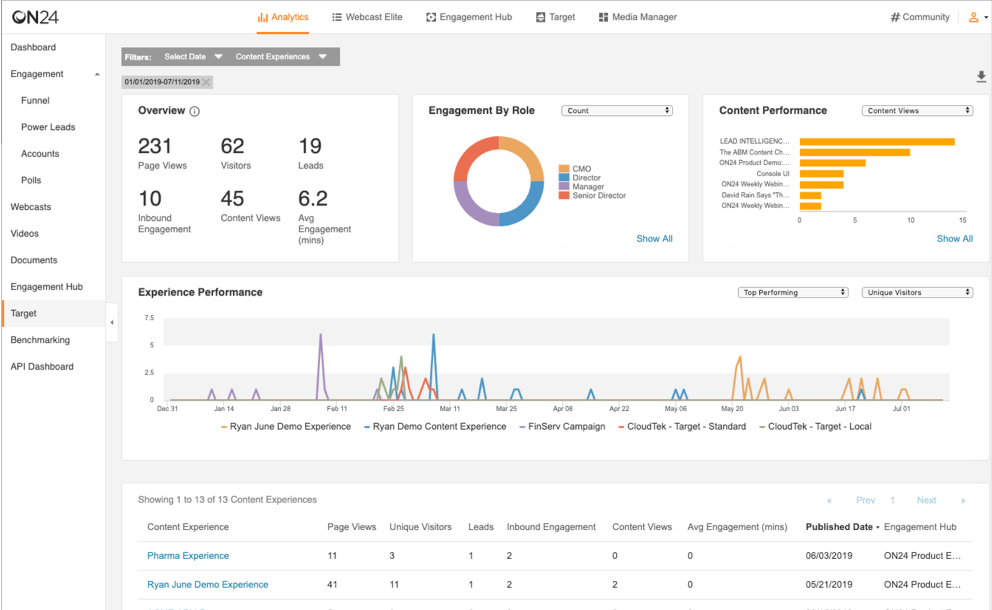
In practice, every poll response, resource download, and CTA click during a webinar is captured, scored, and pushed to your CRM before your sales rep even opens their follow-up tab. The content hub feature is another genuine differentiator: live sessions are automatically converted into always-on libraries that capture leads around the clock, not just during the event window.
That said, the platform assumes you have a marketing operations team behind it. Setup requires vendor onboarding, and the interface has not kept pace with newer platforms visually.
Pros:
- Best-in-class CRM data depth with AI-powered prospect engagement profiles
- Content hub feature turns every live session into a 24/7 lead capture asset
- Deep native integrations with Salesforce and Marketo, including bidirectional data sync
- Global content localization and translation for multinational campaigns
Cons:
- Steep learning curve; requires dedicated platform training and a marketing operations resource to fully utilize
- High cost makes it impractical for mid-market teams or organizations without a large event budget
Pricing:
Custom pricing.
3. Zoom Webinars – Best for Teams Already on Zoom That Need Basic Training Broadcasts
Zoom Webinars is the enterprise add-on to Zoom’s core meetings platform. When I ran a company-wide all-hands for a 4,000-person organization, the fact that everyone already had the Zoom client installed removed every attendee-side friction point. No download prompts, no browser compatibility issues, no one calling IT because they cannot join.
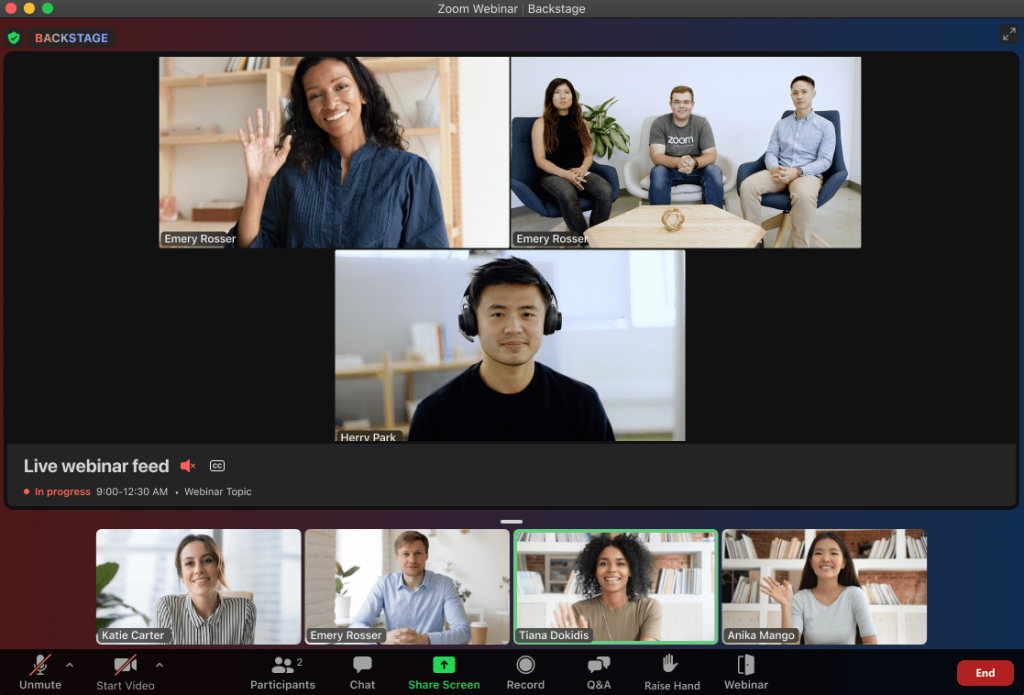
The scale is real: up to 1,000,000 view-only attendees on special event licenses. For government webcasts, investor days, and global product launches where headcount dwarfs typical webinar sizes, nothing else on this list matches that capacity.
The trade-off is that Zoom Webinars was designed as a broadcast tool, not a marketing tool. Engagement features are functional but shallow, and automated webinars are not natively supported. If your team needs more than a live broadcast, you will need to layer on additional tools.
Pros:
- Proven reliability at very large attendee counts, up to 1,000,000 on special event licenses
- Near-zero attendee friction because Zoom is already installed across most organizations
- SSO support and enterprise-grade security controls already in place for most enterprise Zoom accounts
- AI Companion (on Zoom One plans) assists with event planning and post-session summaries
Cons:
- Webinar features feel like an add-on rather than a core product; engagement tools are limited compared to dedicated webinar platforms
- No native automated webinar format; limited marketing automation support
Pricing:
Starts at $79/month/host (webinar add-on, base Zoom license required).
4. Cisco Webex Webinars – Best for Security and Compliance in Regulated Industries
Cisco Webex Webinars is part of the broader Webex collaboration suite and is built with enterprise security as a foundation. When I evaluated platforms for a healthcare client running HIPAA-sensitive training sessions, Webex was the only option that checked every compliance box without requiring a custom security review.
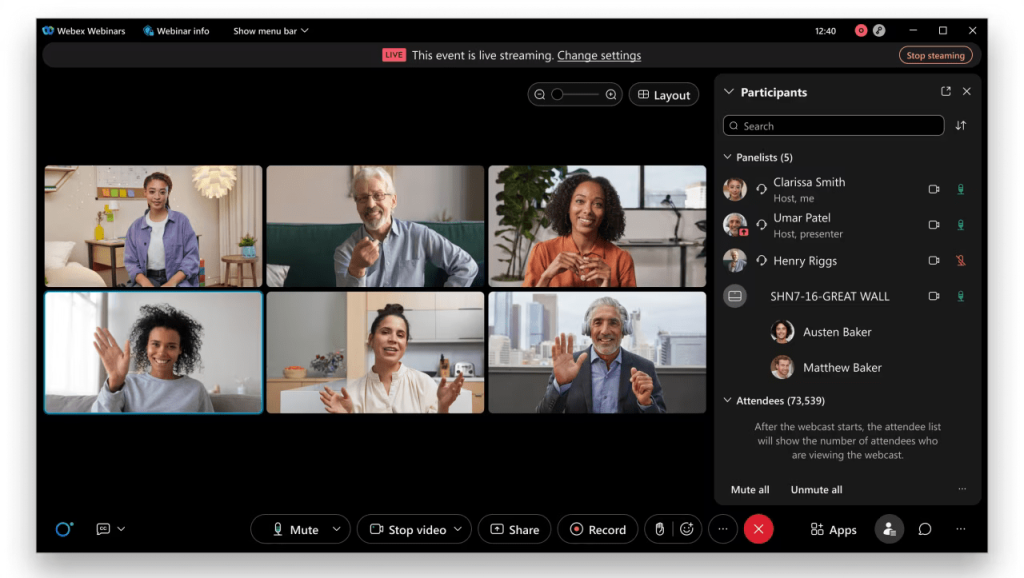
End-to-end encryption, compliance-grade recording, and active directory integration are built in, not bolted on. For organizations already running on Cisco infrastructure, the ecosystem fit is seamless, and IT teams find the admin controls familiar.
The limitation is that Webex is an IT-led platform. Marketing teams find the registration customization limited, and the attendee experience lags behind browser-native alternatives.
Pros:
- Industry-leading security with end-to-end encryption and compliance-grade recording
- Deep Cisco ecosystem integration for organizations already on Webex infrastructure
- Attendee capacity up to 100,000 participants
- Multilingual support and SSO, LDAP, and active directory integration
Cons:
- Setup and administration require IT involvement; not self-serve for marketing or L&D teams
- Attendee and host experience lags behind modern, browser-native platforms
Pricing:
Custom pricing.
5. BigMarker – Best for Marketing-Led Training and Demand Generation
BigMarker positions itself as the most customizable webinar platform available, and in my testing, that claim holds up. Every attendee-facing touchpoint, from the registration page to the event room to the post-event email, carries your brand with no BigMarker branding visible anywhere.
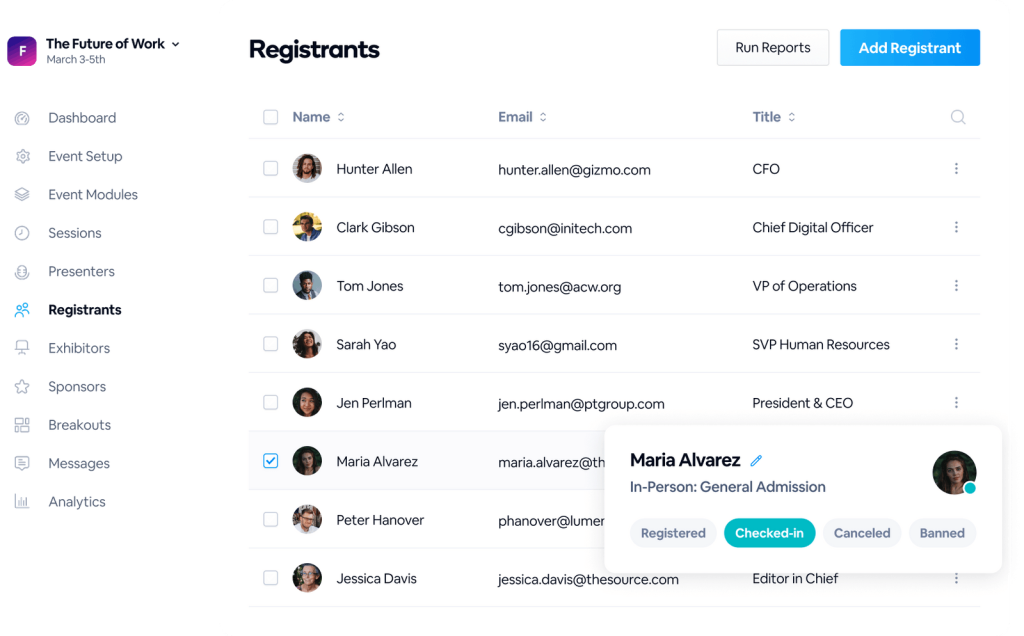
The automation depth is the other standout. Drip sequences, behavior-triggered follow-ups, and multi-session webinar funnels can all be configured natively inside the platform, which reduces the number of tools your marketing team needs to manage separately.
Where BigMarker stumbles is complexity. For teams that just want to run a clean live webinar, the interface offers more options than most people need, and that overhead slows things down.
Pros:
- Full white-labeling including custom domain and branding throughout the entire attendee journey
- Advanced native automation for webinar sequences, drip campaigns, and follow-up triggers
- Attendee capacity up to 100,000
- Native integrations with Salesforce, HubSpot, Marketo, and 1,000+ tools via Zapier
Cons:
- Interface can feel overwhelming for teams that simply need to run a straightforward live webinar
- Customer support response times have been flagged in G2 reviews as inconsistent for high-volume users
Pricing:
Plans start at ~$99/month; enterprise pricing is custom.
6. GoTo Webinar – Best for Enterprise Compliance Training With Large Attendee Capacity
GoTo Webinar is one of the oldest players in the webinar space. When I ran a compliance training series for a financial services team using GoTo Webinar, the stability of the platform stood out. Sessions with 500-plus attendees ran without a hiccup.
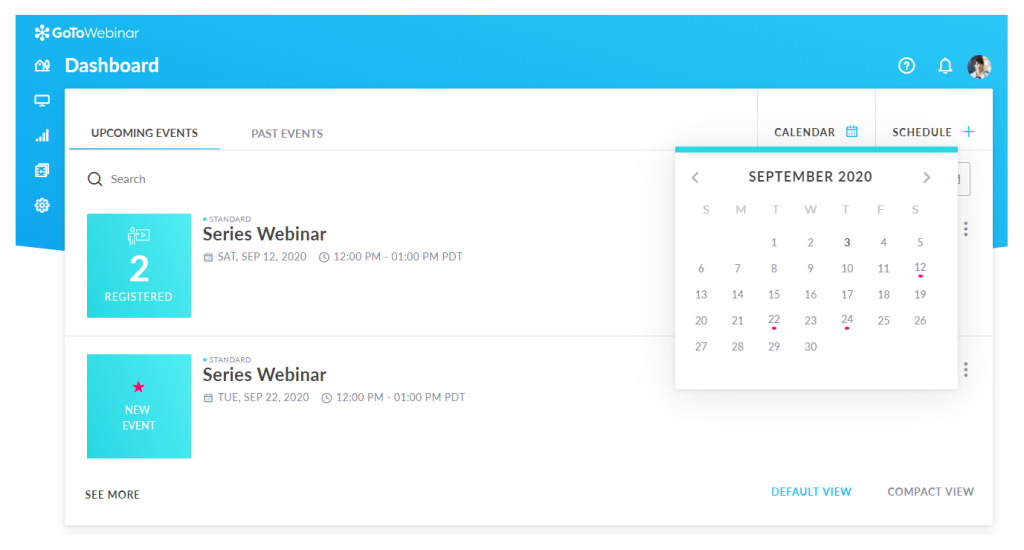
The automated email workflows are baked in, no Zapier required, and the handout delivery feature made distributing policy documents during the session seamless.
For regulated industries where attendance records matter for audit purposes, the detailed attendee export is genuinely useful. That said, GoTo Webinar’s interface feels dated compared to newer platforms, and the registration page customization is limited to basic color and logo changes.
Pros:
- Supports up to 3,000 attendees, suitable for enterprise-wide compliance and all-hands sessions
- Automated email workflows for registration confirmation, reminders, and follow-ups built natively
- Handout delivery feature lets hosts distribute documents and PDFs during live sessions
- Detailed attendance and engagement reports with exportable data for compliance record-keeping
Cons:
- Registration page design options are limited and difficult to brand for customer-facing or marketing events
- No hybrid webinar format; cannot combine pre-recorded video with a live host in a single session
Pricing:
Starts at $49/user/month.
7. Livestorm – Best for Browser-Based Training With No Downloads Required
Livestorm runs entirely in the browser for both hosts and attendees. In practice, that eliminates the single biggest cause of attendee drop-off on other platforms: the “please download the app” prompt that costs you 10 to 15 percent of registrants before the event even starts.
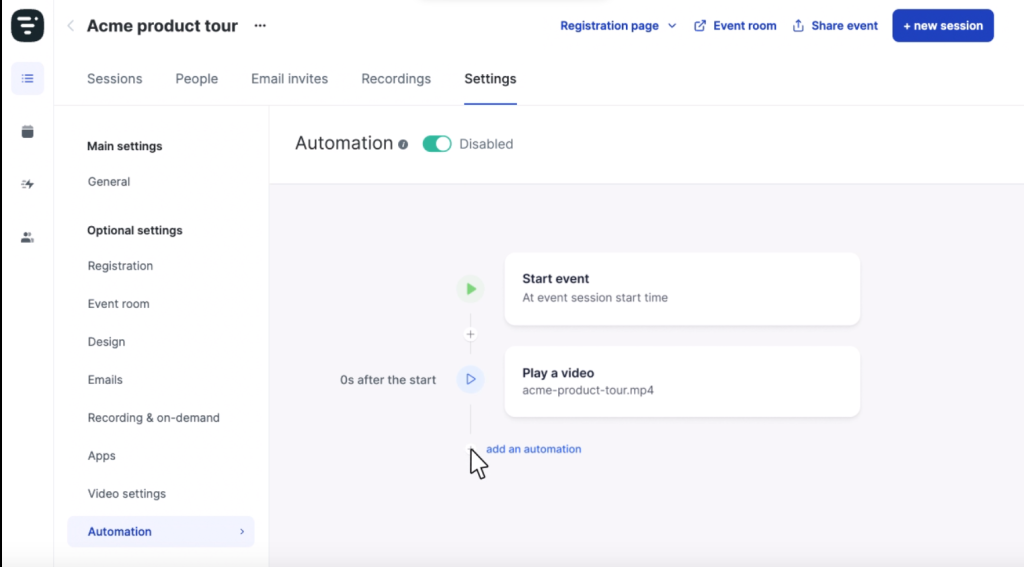
For SaaS companies running customer education webinars, product walkthroughs, and onboarding sessions, the browser-native experience combined with a clean, modern interface makes Livestorm a strong fit. The analytics include engagement timeline heatmaps that show exactly where in a session audiences engage most or start to drop off.
The limitation is capacity and customization. Standard plans cap out lower than enterprise alternatives, and white-labeling options are more restricted than BigMarker or WebinarNinja.
Pros:
- 100% browser-based; no download required for host or attendee, which reduces drop-off significantly
- Built-in analytics with visual engagement timelines and heatmaps
- Integration with HubSpot, Salesforce, Intercom, and 1,000+ tools
- GDPR compliance and multilingual support for global teams
Cons:
- Attendee capacity on standard plans is lower than enterprise-focused alternatives
- White-labeling and deep registration customization are limited
Pricing:
Free plan available for small events; paid plans start at ~$79/month.
Evaluation Criteria
The evaluation of platforms in this article follows a systematic, hands-on approach rather than relying on feature checklists alone. Here is how I approached each review:
- Essential Features and Functionality: I evaluated each platform against the specific features that matter for large organizations: attendee capacity, webinar format variety, CRM integration depth, branding control, and analytics granularity.
- Ease of Use: I assessed how quickly a non-technical host, not just an admin, can set up and run a webinar. For enterprise teams where the host is often a marketer, trainer, or HR manager, this matters as much as raw feature count.
- Customer Support: I looked at how platforms handle setup questions, mid-event technical issues, and ongoing account management, particularly for teams without a dedicated IT resource to call on.
- Value for Money: I compared what each platform delivers relative to its price tier. A platform that costs three times as much but requires a full-time admin to operate is not better value for most enterprise teams.
- Personal Experience and Expert Opinion: Where I have directly used or tested a platform, I drew on that experience rather than relying solely on vendor documentation. For platforms I evaluated secondhand, I sourced specific feedback from marketing, L&D, and IT professionals who have run enterprise webinar programs at scale.
My Top 3 Picks for the Best Enterprise Webinar Platform
After evaluating all seven platforms, here are the three I would recommend depending on your primary use case.
1. WebinarNinja
WebinarNinja is my top pick for most large companies. It is the only platform at its price point that covers all four webinar formats, live, automated, series, and hybrid, without requiring additional tools for registration, email, or analytics. Teams running webinars across multiple departments, marketing, training, sales, and customer success, get a single platform that handles all of it. The ease of setup and the depth of the analytics make it the most practical all-around choice for organizations that want to build a serious webinar program without a heavy IT lift.
2. ON24
ON24 is the right call for global B2B enterprises with a dedicated marketing operations function. If your primary goal is feeding buyer intent data into a Salesforce pipeline and your team has the resources to configure and manage a complex platform, ON24’s AI-powered engagement scoring and content hub capabilities are unmatched. The cost is high, but for mature demand generation programs, the data output justifies it.
3. Zoom Webinars
Zoom Webinars earns the third spot specifically for organizations running very large, one-directional broadcast events, town halls, investor days, or government webcasts where attendee counts run into the tens of thousands. The near-zero attendee friction from universal Zoom familiarity is a real operational advantage. Just do not expect it to run your entire webinar program; it is a broadcast tool, not a marketing platform.
What Are the Key Features to Look for in an Enterprise Webinar Platform?
An enterprise webinar platform needs to deliver across five feature categories to support large company operations at scale. Here is what each one actually means in practice.
1. Scalable Attendee Capacity
The platform must handle your peak event size without performance degradation. Always pressure-test the capacity limit of any plan you consider against your actual peak event size, not your average.
A platform that lists “10,000 attendee capacity” based on theoretical limits is a different thing from one that has delivered it repeatedly under real load. Request references or case studies for events close to your expected size before committing.
2. CRM and Marketing Stack Integration
Native integrations with Salesforce, HubSpot, Marketo, or Pardot eliminate manual data work and ensure that attendee engagement data flows directly into your lead scoring and follow-up workflows. The distinction between a native integration and a Zapier connector matters: native integrations sync in real time and rarely break; Zapier connectors require maintenance and can fail silently.
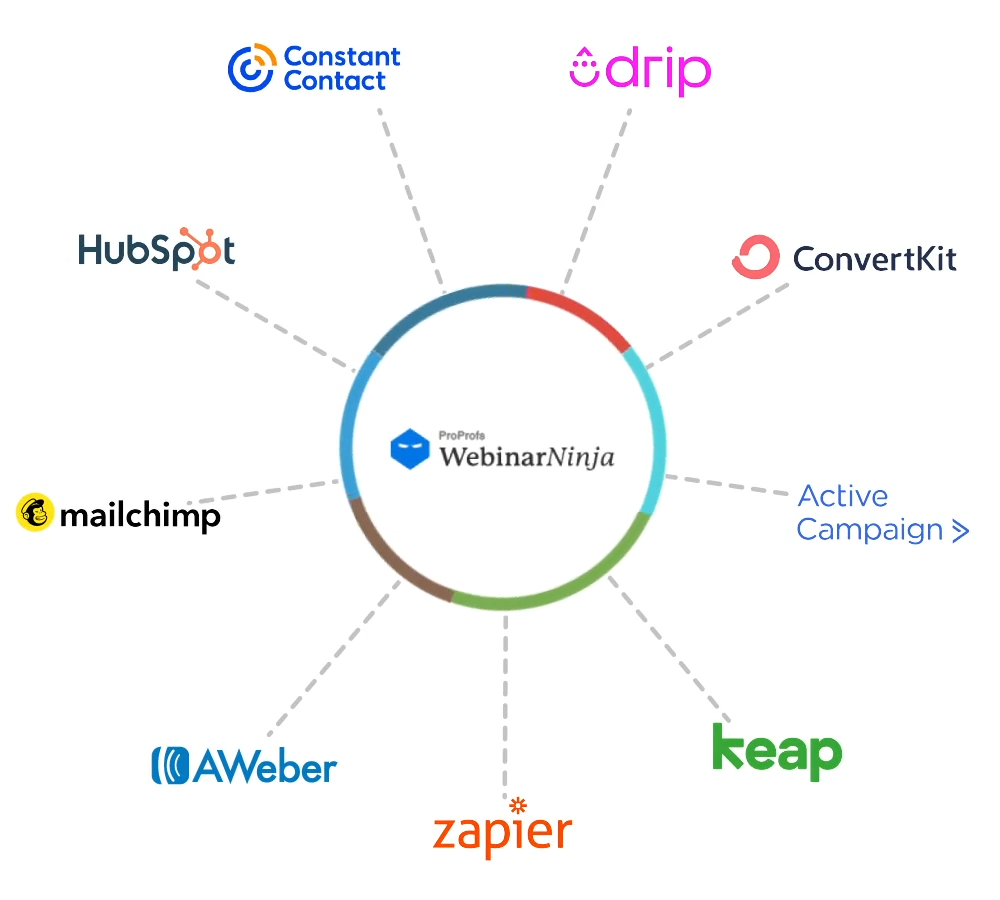
Map your current tech stack before evaluating platforms and confirm the integration depth, not just whether the integration exists.
3. Multiple Webinar Formats
Live, automated, hybrid, and series formats give your team the flexibility to run every type of webinar program from a single platform. A platform that only supports live webinars forces you to use a separate tool for automated training replays or on-demand lead generation content.
Look at whether all four formats are available on your plan tier, not just in the enterprise tier. For a full breakdown of what each format covers, see WebinarNinja’s webinar formats guide.
4. Engagement and Analytics Tools
Polls, Q&A, CTAs, and chat keep audiences active during sessions. But the analytics layer is where enterprise platforms truly differentiate from basic tools. Post-event data should cover attendance duration per attendee, poll response rates, CTA click-through, Q&A participation, and replay views.
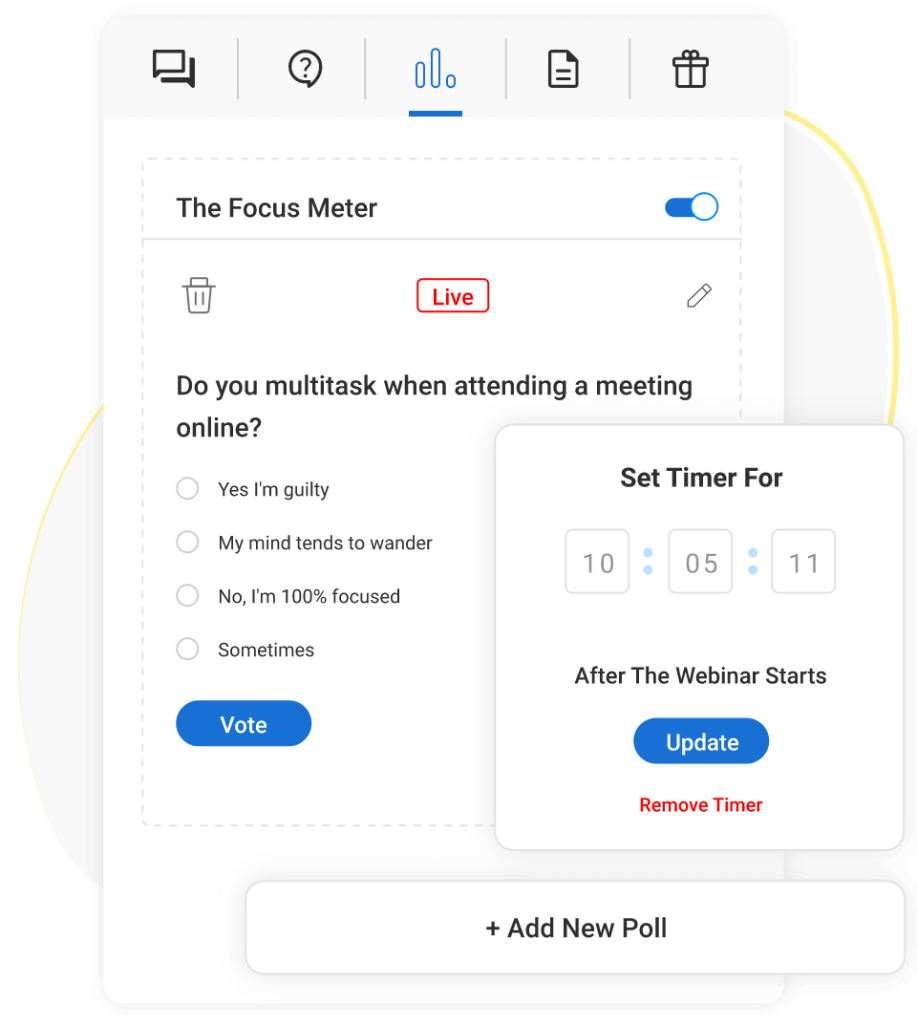
That data needs to flow into your CRM to close the loop between webinar engagement and pipeline outcomes. Platforms that only report aggregate attendance numbers leave your marketing and sales teams working with incomplete information.
For a deeper look at what strong webinar analytics cover, see WebinarNinja’s analytics and reports overview.
5. Security and Compliance Controls
Enterprise teams need SSO, role-based access, data residency options, and GDPR compliance as baseline requirements. For regulated industries including healthcare, financial services, and government, look beyond the baseline: end-to-end encryption, compliance-grade recording retention policies, HIPAA readiness, and SOC 2 Type II certification are non-negotiable in those environments.
6. Branding and Customization Control
Enterprise brands expect a consistent experience at every attendee touchpoint. Check whether the platform lets you fully brand the registration page, the event room, the follow-up emails, and the replay page without displaying the platform’s logo.
Full white-labeling should be available without requiring the highest-tier enterprise contract. For a look at how branded webinar experiences work in practice, see WebinarNinja’s webinar branding guide.
Choose the Best Enterprise Webinar Platform for Your Company
Most large companies do not have a webinar problem. They have a scattered tools problem: one platform for live events, another for training replays, a third for registration pages, and a fourth for the email follow-ups. The result is data that never connects, admin overhead that never shrinks, and a webinar program that feels harder to run than it should be.
The platforms in this guide are the ones that solve that problem at scale. Choosing comes down to a few honest questions: How many attendees do you need to reach? Do you need live-only, or do you also need automated and series formats? How deeply does your CRM integration need to go? And how much admin overhead can your team realistically manage?
For most large organizations that want a platform covering all four webinar formats, clean integrations, and analytics that actually show you what happened, tools like WebinarNinja are worth starting with. The setup is straightforward, the free trial removes the commitment risk, and the feature set holds up as your program grows.
Frequently Asked Questions
How many attendees can an enterprise webinar platform handle?
Attendee capacity varies significantly by platform and plan. Most enterprise-grade platforms support between 1,000 and 100,000 attendees on standard plans. Zoom Webinars offers capacity up to 1,000,000 attendees on special event licenses. WebinarNinja scales with your plan and is designed for teams running regular, high-frequency webinar programs with professional-grade engagement tools.
Which enterprise webinar platform has the best crm integration?
WebinarNinja provides native HubSpot and Mailchimp integrations plus 1,000+ tool connections through Zapier, making it a strong fit for marketing teams already running on those platforms. GoTo Webinar and Livestorm also offer native integrations with major CRMs.
What is the best webinar platform for employee training in enterprises?
WebinarNinja is well-suited for enterprise employee training because it supports automated webinars and multi-session webinar series, which allow L&D teams to build training programs that employees can access on demand without requiring a live host for every session. The analytics track engagement and completion per attendee, not just attendance registration.
How much does an enterprise webinar platform cost?
Pricing varies widely by platform and scale. WebinarNinja starts at $29/month with a free trial. GoTo Webinar starts at $49/user/month. Zoom Webinars starts at around $79/month. ON24 and Webex Webinars require custom enterprise pricing through a sales conversation. Most platforms charge more as attendee capacity increases, so confirm whether pricing is flat-rate or per-attendee before committing.
What security features should an enterprise webinar platform have?
At minimum, enterprise webinar platforms should offer single sign-on (SSO), role-based access controls, GDPR compliance, and encrypted data transmission. For regulated industries like healthcare and financial services, look for end-to-end encryption, compliance-grade recording retention, data residency options, and certifications like SOC 2 Type II and HIPAA readiness.
Can enterprise webinar platforms run automated webinars?
Yes. Platforms including WebinarNinja, BigMarker, GoTo Webinar, and Livestorm support automated webinars that run on a set schedule and replay without a live host. This is particularly valuable for enterprise teams running always-on demand generation programs or continuous employee training.
What is the difference between a webinar platform and a virtual event platform?
A webinar platform focuses on one-to-many broadcasts with audience engagement tools, registration, and lead capture, typically for events up to 10,000 attendees. A virtual event platform is broader and supports multi-track conferences, virtual expos, and networking events with more complex session management. For most enterprise marketing, training, and sales use cases, a dedicated webinar platform covers the full requirement.
How do enterprise webinar platforms handle lead capture?
Enterprise webinar platforms capture lead data through the registration form before the event, and through in-session engagement signals like poll responses, CTA clicks, and Q&A submissions during the event. The best platforms sync all of this data directly to your CRM so sales teams receive fully enriched lead records with engagement context, not just a name and email address.
How long does it take to set up an enterprise webinar platform?
Setup time varies significantly by platform. Self-serve platforms like WebinarNinja and Livestorm can be configured in a few hours, with a first webinar launched the same day. Platforms like ON24 and Webex Webinars typically require onboarding calls, admin configuration, and IT involvement, extending the timeline to weeks. For large companies with limited IT bandwidth, ease of setup is a real factor in total cost of ownership.
How to choose the right enterprise webinar platform for your large company?
Choosing comes down to six questions: How large are your peak events? Do you need live-only or also automated, series, and hybrid formats? Which CRM and marketing tools do you need it to integrate with natively? How much branding control do you require? What level of analytics do you need post-event? And is pricing flat-rate or per-attendee? Platforms that cover all four webinar formats, like WebinarNinja, give large companies the most flexibility as their program grows.
Is WebinarNinja suitable for large companies?
Yes. WebinarNinja is used by 30,000+ businesses, including teams at large organizations running marketing webinars, customer onboarding sessions, employee training programs, and product demos. Its four webinar formats, branded registration, built-in analytics, and integrations with HubSpot, Mailchimp, and other tools make it a practical platform for enterprise teams that want speed and flexibility without heavy IT reliance.
Want to host a webinar for free?
Use WebinarNinja to teach, improve marketing, and grow your sales.