
If you have ever tried to run a continuing medical education (CME) webinar on a tool designed for sales calls, you already know what I mean. The attendee couldn’t find the recording. Your registration form collected emails, but not medical specialties. The replay took three days to appear. And the compliance team had questions about where the data was stored.
I’ve spent years evaluating webinar platforms across industries, and healthcare is the one sector where platform choice genuinely matters beyond convenience.
A study by SkyQuest in 2025 found that the global webinar software market is projected to grow from $10.73 billion in 2025 to $31.05 billion by 2033, growing at a CAGR of 14.2%, with healthcare consistently cited as a key vertical driving adoption. The demand is real. The platforms, however, are not all built equally for medical and clinical contexts.
By the end of this guide, you’ll know the best webinar platform for healthcare professionals, from solo practitioners running health coaching webinars to hospital systems delivering large-scale staff training.
What Makes a Webinar Platform Right for Healthcare Professionals?
Each of those use cases demands something different from a webinar platform. But across all of them, five needs consistently surface:
- Compliance and data security: GDPR compliance at minimum, with HIPAA considerations for any PHI-adjacent content.
- No-download attendee access: Clinicians will not install apps. Browser-based is non-negotiable.
- Automated and on-demand playback: Healthcare schedules are unpredictable, so your content must be available 24/7.
- Engagement tools: Polls, Q&A, and assessments that let you verify understanding and support CME credit documentation.
- Reliable analytics: Attendance tracking, engagement data, and replay views that feed your reporting and follow-up workflows.
With that framework in mind, here are the 10 best webinar platforms for healthcare professionals.
10 Best Webinar Platforms for Healthcare Professionals
Before diving into each tool, here’s a quick comparison to help you orient your decision:
| Platform | Best For | Attendee Cap | GDPR | Automated Webinars | Starting Price |
| WebinarNinja | Health coaches, wellness educators, CME providers | 1,000 live / Unlimited automated | Yes | Yes | FREE 14-day trial. Paid starts at $0.30/attendee/month |
| Zoom Webinars | Large hospital systems | 50,000 | Yes | No | Add-on to base plan |
| ON24 | Enterprise pharma, CME programs | Custom | Yes | Yes | Custom |
| Cisco Webex | Enterprise compliance, all-staff events | 100,000 | Yes | Yes | ~$225/mo/user |
| GoTo Webinar | Mid-market practices, associations | 3,000 | Yes | Limited | ~$49/month |
| Demio | Health tech marketing teams | 1,000 | Yes | Yes | ~$59/month |
| BigMarker | Branded pharma events, conferences | 10,000 | Yes | Yes | ~$29/month |
| Livestorm | European healthcare teams | 3,000 | Yes | Limited | ~$79/month |
| WebinarGeek | CME providers, certification programs | Custom | Yes | Yes | Free trial |
| ClickMeeting | Solo practitioners | 1,000 | Yes | Limited | ~$26/month |
Let’s check out these healthcare webinar platforms in detail to get a better idea:
1. WebinarNinja: Best Webinar Software to Generate Leads, Grow Sales, and Teach Better
WebinarNinja is built for healthcare professionals who need a reliable webinar platform without the operational overhead. Trusted by 30,000+ businesses across domains, it consolidates landing pages, email automation, and webinar hosting into a single interface that can be configured in under an hour.
The platform supports four formats: live, automated, series, and hybrid. This covers the full range of healthcare use cases, from interactive CME sessions and grand rounds to patient education webinars running on repeat around the clock. Every webinar includes built-in registration pages, automated reminders, and post-session follow-ups. Attendees join from any browser with no downloads required.
AI tools streamline follow-up drafting, generate session summaries, and surface engagement insights, reducing administrative load for clinical educators and CME coordinators. The analytics dashboard tracks attendance, replay views, and participation data without manual record-keeping.
WebinarNinja integrates with HubSpot, Mailchimp, ConvertKit, and 1,000+ apps via Zapier and is fully GDPR compliant.
Pros:
- All-in-one AI webinar platform that brings together webinar registration, email, marketing, and hosting.
- Sessions go live in minutes, not hours, with no technical team required
- Built-in landing pages and automated email sequences included at every pricing tier
- All four webinar formats cover every healthcare education use case from CME to patient onboarding
- AI-powered tools handle follow-up email drafting, session summaries, and engagement insights
- Browser-based attendee access with no downloads and no friction for clinicians on restricted workstations
- 24/7 awesome customer support, along with an extensive knowledge base and video tutorials.
Cons:
- No downloadable or on-premise version.
- Dark user interface option not available.
Pricing: A FREE 14-day trial is available. Paid starts at $0.30/attendee/month (includes CourseNinja worth $1200).
What Customers Say:
Check how Michael Lancto switched to WebinarNinja and found what he was looking for: flexible pricing, built-in Q&A and chat, session recording, and an interface simple enough for teaching.
2. Zoom Webinars: Best Option for Large-Scale Hospital System Events
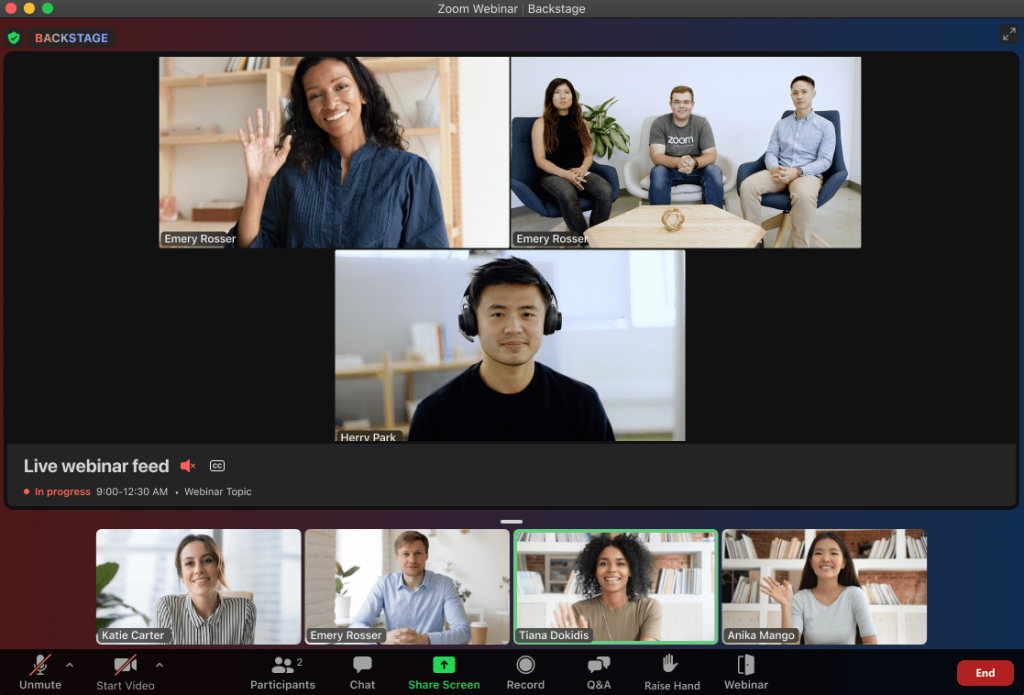
Zoom Webinars is the platform most healthcare teams already have access to, and for large-scale internal communications, it earns its place. It scales to 50,000 attendees on enterprise plans, integrates with EHR-adjacent tools through its marketplace, and for organizations already running on Zoom Meetings, the webinar add-on is the path of least resistance.
Zoom also offers a Healthcare plan with HIPAA BAA support, making it one of the few widely adopted platforms where PHI-adjacent webinar workflows come with a compliance framework.
That said, Zoom Webinars is primarily a meeting tool stretched into webinar format. Dedicated webinar capabilities, such as built-in landing pages, automated email sequences, and evergreen replay workflows, either require additional tools or simply don’t exist natively. The webinar add-on also stacks on top of your existing Zoom plan, making the total cost higher than it appears at first glance.
For healthcare teams whose primary use case is patient education or CME delivery rather than all-staff communication, a purpose-built platform will typically outperform Zoom in both functionality and attendee experience.
Pros:
- Scales to 50,000 attendees, making it viable for health system-wide events and town halls
- HIPAA BAA available on eligible plans for PHI-adjacent webinar workflows
- Universal attendee familiarity means no learning curve for clinical staff joining sessions
- Broad integration marketplace connects with EHR-adjacent tools and major CRM platforms
- Reliable infrastructure with high uptime that healthcare organizations can depend on for critical events
Cons:
- Webinar add-on stacks on the base Zoom subscription, making the true total cost significantly higher than advertised
- No native automated or evergreen webinar capability, requiring separate tools for on-demand content delivery
Pricing: Webinar add-on starts at approximately $149/year on top of your existing Zoom plan.
3. ON24: Best for Enterprise Healthcare Marketing and CME Programs
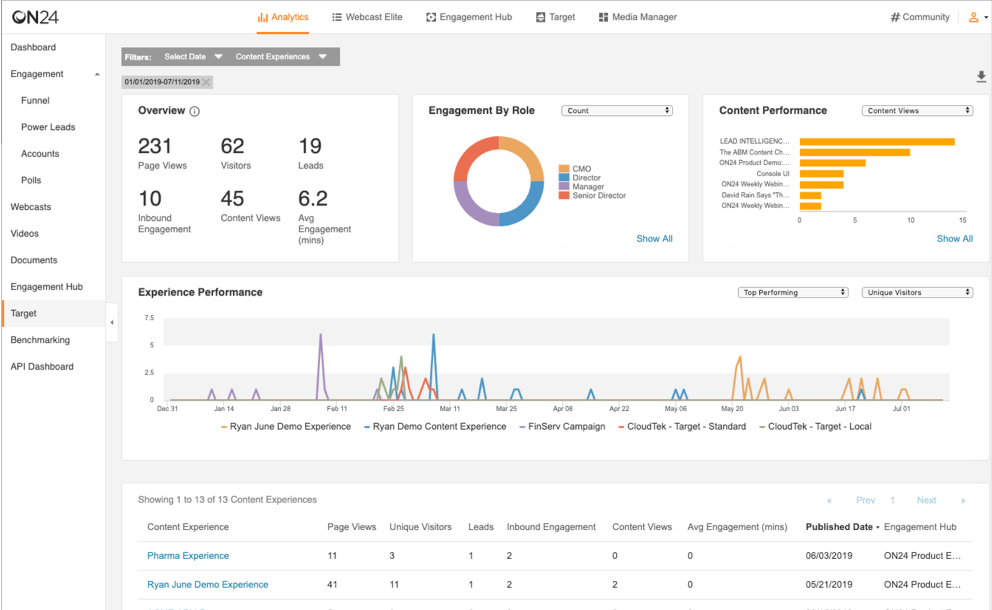
ON24 is the analytics-first webinar platform in this category. Where most tools tell you who attended and for how long, ON24 tracks every interaction, including poll responses, resource downloads, Q&A activity, and CTA clicks, then translates that into an engagement score you can push directly into Salesforce, Marketo, Veeva, or HubSpot.
For healthcare marketers and CME program managers who need to document participation for accreditation and feed attendee behavior into downstream CRM workflows, that depth of data is genuinely unmatched on this list.
The trade-off is price and complexity: ON24 doesn’t publish pricing, setup requires real onboarding time and internal resources, and there’s no self-serve trial. It’s not a platform you launch in an afternoon, and it’s not priced for independent practitioners or small clinical teams. But for enterprise healthcare organizations where engagement documentation and CRM integration are core requirements, the investment is often justified.
Pros:
- Best-in-class engagement analytics with first-party data capture for every individual attendee interaction
- Deep native integrations with Salesforce, Marketo, HubSpot, and Veeva CRM for life sciences teams
- Simulive format enables polished CME delivery using pre-recorded clinical content that runs like a live session
- LinkedIn Audience integration lets you build physician retargeting lists directly from webinar engagement data
- Supports live, simulive, and on-demand formats within a single platform and content hub
Cons:
- No published pricing tiers, meaning you must engage a sales team before you can evaluate total cost
- Steep setup and onboarding curve requires dedicated internal resources most small healthcare teams don’t have
Pricing: Custom enterprise pricing.
4. Cisco Webex Webinars: Best for Enterprise Compliance and Large Healthcare Audiences
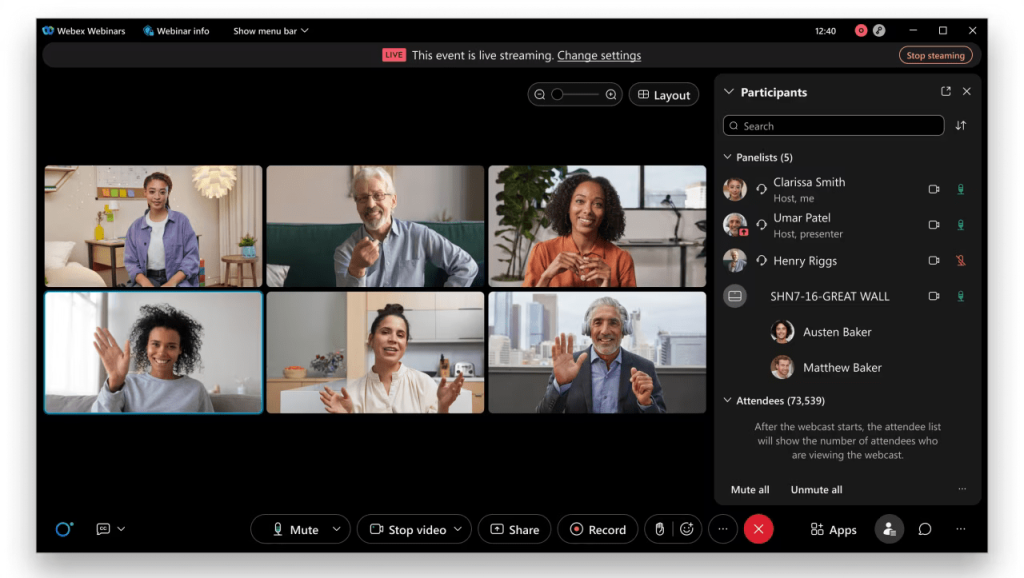
Webex Webinars is the enterprise compliance workhorse on this list. Built within Cisco’s broader collaboration ecosystem, it supports end-to-end encryption, SSO, detailed audit logs, and attendee capacities that reach 100,000 on enterprise plans.
For a large hospital system or health insurer running an all-staff town hall or a national clinical conference, Webex handles the scale without flinching. For healthcare organizations already paying for Cisco’s collaboration suite, the webinar functionality integrates natively with no extra configuration required.
Where Webex becomes a harder sell is for teams outside of large enterprise environments. Pricing starts at approximately $225 per user per month, and the platform’s complexity generally requires IT involvement to configure and maintain. If your healthcare team doesn’t already live inside the Cisco ecosystem, there are more accessible platforms that deliver comparable functionality at a fraction of the cost.
Pros:
- Scales to 100,000 attendees on enterprise plans, covering the largest healthcare events without capacity concerns
- End-to-end encryption, SSO, and detailed audit logs meet the data governance standards of regulated healthcare environments
- AI-powered meeting summaries and engagement analytics reduce post-session administrative work for clinical teams
- Integrates natively with the broader Cisco collaboration suite for organizations already standardized on Cisco infrastructure
- Supports live, automated, on-demand, and hybrid event formats within a single enterprise platform
Cons:
- Per-user pricing starting around $225 per month makes it financially inaccessible for independent practitioners and small clinical teams
- Platform complexity typically requires dedicated IT involvement to configure, deploy, and maintain for healthcare use
Pricing: Webex Webinars starts at approximately $225 per user per month.
5. GoTo Webinar: Best for Mid-Market Healthcare Organizations
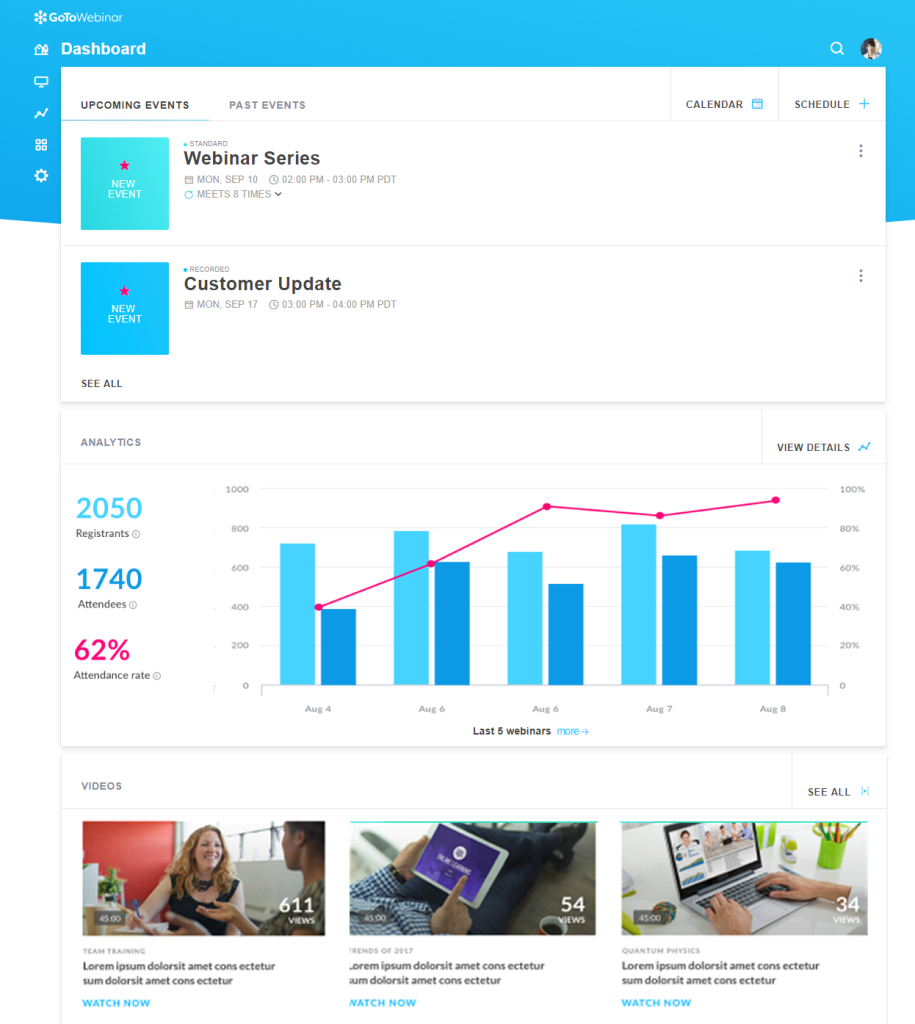
GoTo Webinar has been in market longer than most webinar tools on this list, and in healthcare, where vendor stability matters for procurement and compliance reviews, that track record carries real weight. It’s not the flashiest option, but it delivers reliable live and recorded sessions, solid attendee management, and a familiar interface that most clinical administrators can navigate without a training session.
Polling, Q&A, handouts, and basic analytics cover the core needs of a specialty practice or professional association running quarterly webinars for members.
Where GoTo Webinar starts to show its age is in the features that now define modern webinar platforms. Automated and evergreen webinar capabilities are limited compared to tools like WebinarNinja or Demio. For those who need their platform to also drive lead generation or power CME content around the clock, it will show its limitations quickly.
Pros:
- Long market track record carries weight in regulated healthcare procurement and vendor vetting processes
- Built-in polling, Q&A, and attendee management cover the core needs of standard live clinical sessions
- Scales to 3,000 attendees on higher-tier plans, covering most mid-market healthcare event requirements
- Reliable session performance with consistent uptime that clinical administrators can count on
- Integrates with Salesforce, HubSpot, and Zapier for basic post-session CRM and follow-up workflows
Cons:
- Automated and evergreen webinar functionality is limited compared to modern purpose-built alternatives
- Interface design lags noticeably behind newer platforms, which can affect usability for less tech-savvy clinical staff
Pricing: Plans start at approximately $49 per month for 250 attendees, with higher-capacity tiers available up to 3,000 participants.
6. Demio: Best for Demand Generation Webinars
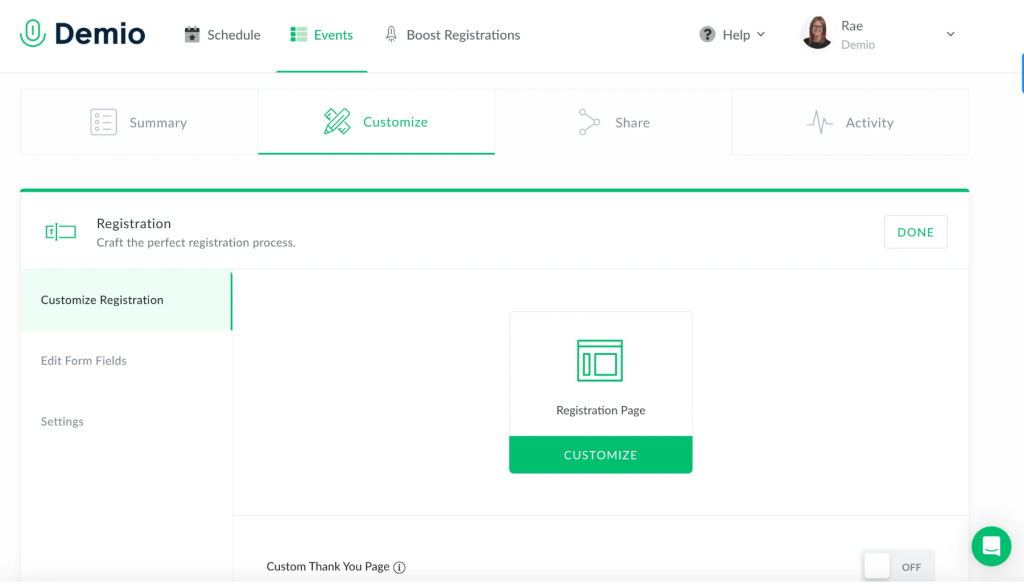
Demio is purpose-built for marketing-led webinar programs with custom registration forms, in-event CTAs, and individual-level engagement tracking. For a health tech company running product demos for physicians or a medical device firm capturing HCP leads through educational webinars, Demio’s marketing-first design gives you tools that general-purpose platforms simply won’t match.
The interface is browser-based, clean, and built to minimize setup time. Attendees join without downloads, which matters in healthcare environments where software installation on clinical workstations is restricted. The platform tracks engagement at the individual level, meaning your post-session follow-up can prioritize the physicians who watched 80% of the content over those who dropped off in the first five minutes.
That kind of segmentation is what turns a webinar list into a qualified lead pipeline. Where Demio falls short for healthcare teams is in scale and enterprise compliance: the attendee cap maxes out at 1,000, and HIPAA BAA support isn’t a primary feature.
Pros:
- Built-in lead scoring and individual-level engagement tracking let you prioritize follow-up based on actual watch behavior
- Clean, marketing-friendly interface with fast setup that requires no technical background to configure
- Automated webinar capabilities enable always-on lead generation between scheduled live sessions
- Custom registration forms and in-event CTAs are baked in rather than requiring third-party integrations
- Browser-based attendee access removes the download barrier common in restricted hospital IT environments
Cons:
- Attendee cap of 1,000 on the highest self-serve plan rules it out for large-scale healthcare events
- Enterprise compliance features and HIPAA BAA support are not a primary offering, limiting regulated workflow use
Pricing: Plans start at $59 per month for up to 50 attendees on the Starter plan.
7. BigMarker: Best for Custom-Branded Healthcare Virtual Events
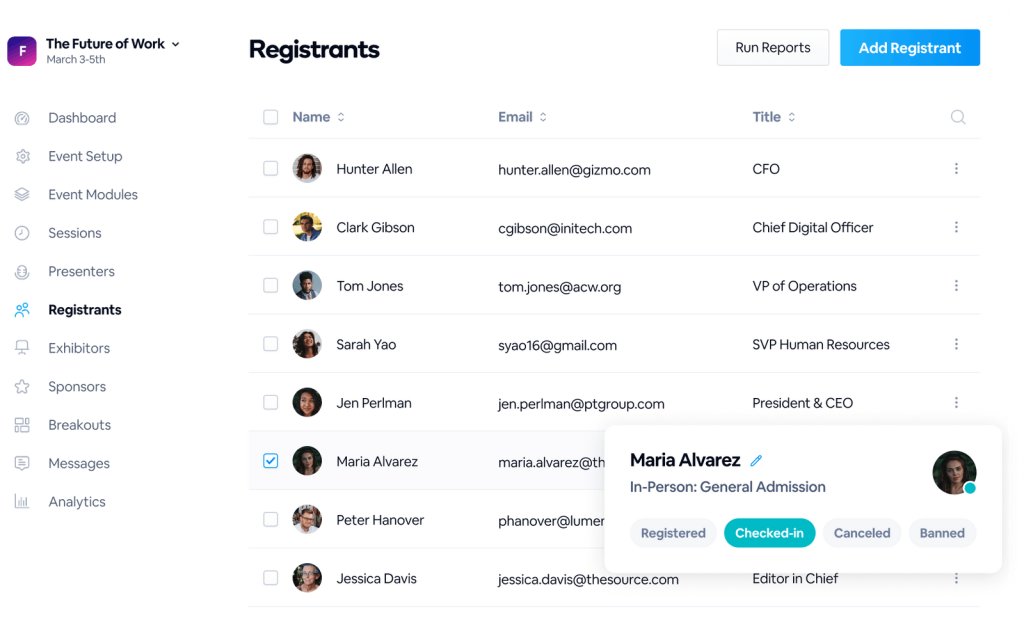
BigMarker is the white-label webinar platform of choice for organizations where the event needs to look like it was built on their own infrastructure rather than a third-party tool. Your domain, your colors, your branding, with no BigMarker logos visible anywhere.
For pharmaceutical companies hosting advisory boards, healthcare associations running annual conferences online, or health systems delivering branded patient education content, that level of customization is often the feature that closes the decision.
The limitation worth knowing before you commit is the learning curve. G2 reviewers consistently describe BigMarker as feature-rich but complex, with one user noting “a week of real effort before things clicked.” For organizations with lean admin teams or infrequent event needs, that onboarding investment is real and worth factoring into your evaluation.
Pros:
- Full white-label customization puts your branding and domain front and center throughout the entire attendee experience
- Scales to 10,000-plus attendees with native support for hybrid event formats blending in-person and virtual participation
- Strong automation tools for evergreen and recurring healthcare content programs that run without a live presenter
- Built-in landing pages, automated email sequences, and pop-up CTAs handle the marketing workflow within one platform
- Browser-based attendee access removes download friction for clinicians joining from restricted hospital workstations
Cons:
- Steep learning curve requires dedicated event staff or significant time investment before the platform feels manageable
- Support response times receive mixed reviews on G2, which is a meaningful risk for live clinical education events
Pricing: Self-serve plans start at approximately $29 per month.
8. Livestorm: Best for Browser-Based Healthcare Webinars
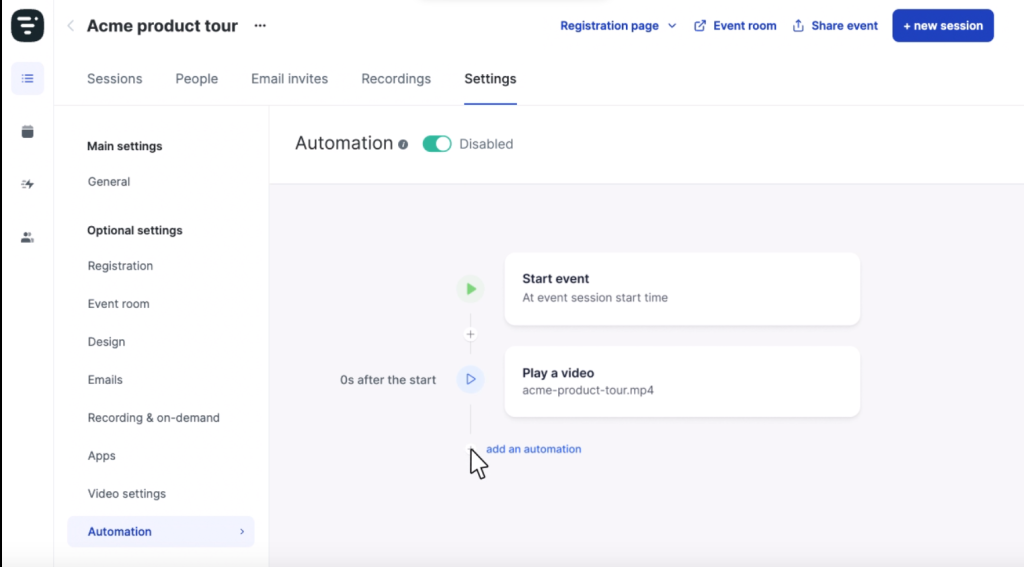
Livestorm is built around one core promise: no one has to download anything. Attendees, presenters, and panelists all access sessions entirely through their browser.
For healthcare environments where IT policies restrict software installations on clinical workstations, a constraint that is common across hospital systems worldwide, the zero-install architecture removes a real and recurring barrier to participation.
The platform is GDPR-compliant with EU data hosting, which makes it a natural choice for European healthcare organizations or any team with international data residency requirements.
Livestorm’s free plan is limited in practical terms, and the paid tiers scale in cost relative to what they deliver at entry level. The platform also doesn’t support the depth of automated or evergreen webinar workflows that dedicated tools like WebinarNinja provide, which means teams with a strong content automation strategy may find it limiting over time.
Pros:
- Fully browser-based for both hosts and attendees with zero downloads required at any tier of access
- GDPR-compliant with EU data hosting, making it a strong fit for European healthcare organizations with data residency requirements
- Clean, professional interface that performs consistently across devices including clinical tablets and mobile phones
- Connects natively to Salesforce, HubSpot, and Zapier for post-session CRM and follow-up automation
- Free plan available for small teams testing the platform before committing to a paid tier
Cons:
- Automated and evergreen webinar workflows are less robust than dedicated platforms built specifically for on-demand content
- Paid plan costs scale quickly as attendee volume and event frequency grow, making it less cost-efficient at higher usage
Pricing: Starts at approximately $79 per month for up to 3,000 attendees.
9. WebinarGeek: Best for Healthcare Providers With Assessment Requirements
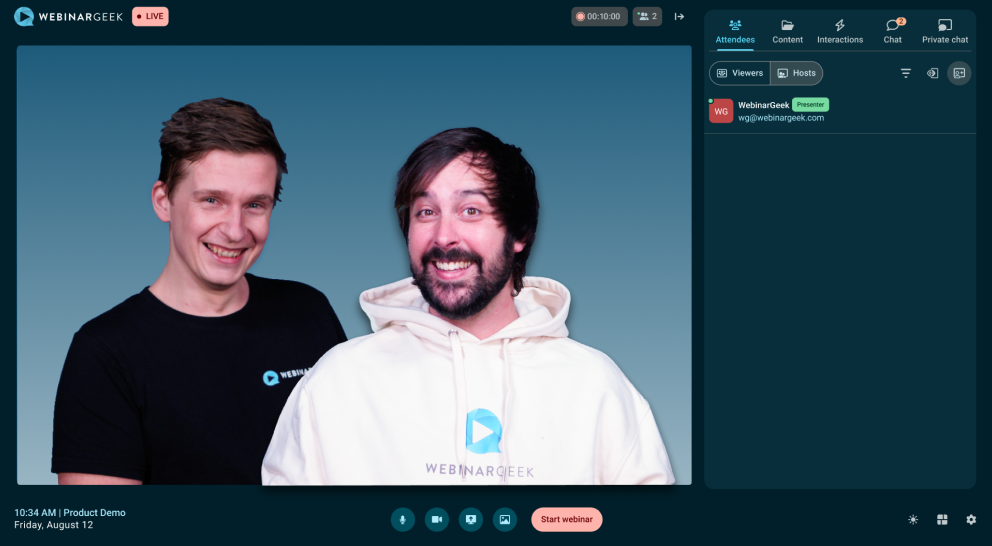
WebinarGeek is one of the more underappreciated platforms for healthcare education, specifically. The built-in assessment tools let you verify understanding after sessions and automatically issue certificates to attendees who pass, which is exactly what formal CME credit delivery programs require.
That combination of assessment, certification, and compliance documentation in a single platform saves CME coordinators significant administrative overhead compared to managing those workflows across multiple tools.
The important caveat for US-based healthcare organizations is that WebinarGeek is a European platform built around GDPR rather than HIPAA. Teams handling US patient data in a HIPAA-covered context should verify the platform’s compliance posture before adopting it as their primary tool.
Pros:
- Built-in assessment tools and automated certificate generation make it purpose-fit for formal CME credit delivery programs
- Healthcare webinars on the platform average a 48% live attendance rate, one of the highest figures across any vertical
- GDPR-compliant with a strong EU data security architecture suited to European healthcare organizations
- Co-hosting, video injection, and live polling enable interactive sessions that replicate the feel of in-person grand rounds
- Assessment and certification workflow is managed within the platform, removing the need for separate documentation tools
Cons:
- US HIPAA BAA is not a primary compliance offering, requiring additional verification before use in US clinical data workflows
- Primarily serves a European user base, which can complicate vendor procurement reviews for US-based healthcare organizations
Pricing: Custom pricing.
10. ClickMeeting: Best for Independent Healthcare Practitioners
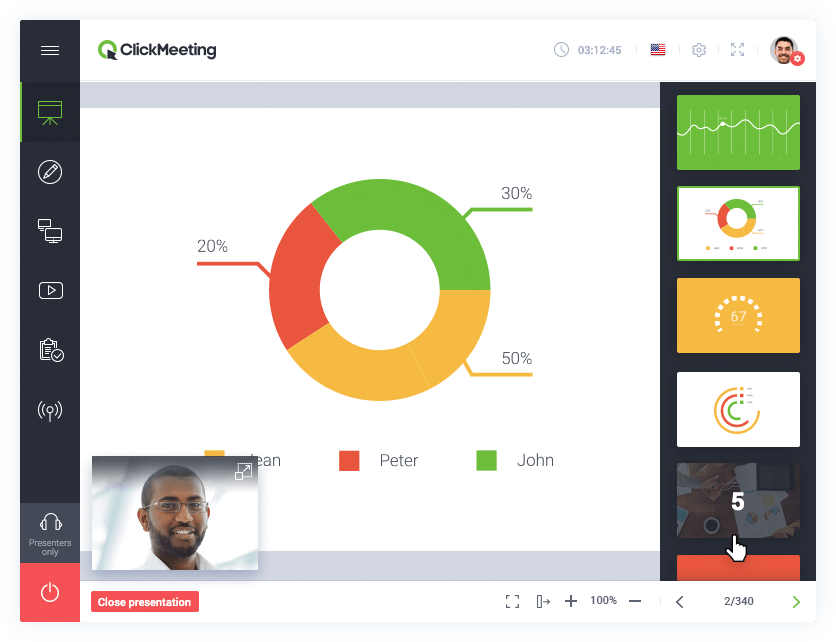
ClickMeeting delivers a practical range of webinar features at a price point that makes genuine sense for individual practitioners.
Polls, Q&A, breakout rooms, session recording, and a 30-day free trial, which is longer than most competitors offer, give solo healthcare professionals the tools to run patient education sessions, peer consultations, and marketing webinars without requiring a significant monthly investment.
Where ClickMeeting shows its limits is in marketing automation and analytics depth. Lead scoring, individual-level engagement tracking, and CRM integrations are either absent or limited compared to platforms like WebinarNinja or Demio. For a dietitian running monthly webinars on nutrition programs or a therapist hosting group sessions for community mental health, ClickMeeting covers everything required.
For a healthcare professional who needs their webinar program to also generate leads, capture detailed attendee behavior, or support complex CME documentation, a more capable platform will serve them better.
Pros:
- Most affordable full-featured option on this list, with a 30-day free trial that outlasts most competitors’ offers
- Covers all core webinar needs for solo practitioners including recording, polling, Q&A, and breakout rooms
- Browser-accessible with no download required for attendees joining from clinical workstations or personal devices
- Automated email reminders and a built-in registration page builder handle the basics without requiring third-party tools
- Supports up to 1,000 attendees, giving solo practitioners and small practices room to grow their audience over time
Cons:
- Marketing automation, lead scoring, and individual engagement tracking are absent, limiting its use for demand generation programs
- Analytics are too basic to support CME documentation, multi-session engagement tracking, or complex reporting requirements
Pricing: Plans start at approximately $26 per month.
How I Chose These Webinar Platforms for Healthcare Professionals/My Evaluation Criteria
The evaluation of tools chosen for this article follows an unbiased, systematic approach designed to give you a fair and well-rounded picture of each platform. Here’s the framework applied across all 10 options:
User Reviews and Ratings:
Direct experiences from verified users, including ratings and feedback from G2, Capterra, and Trustpilot, provide a ground-level perspective that goes beyond marketing copy. This feedback is critical for understanding real-world satisfaction and recurring issues that don’t show up in demo calls.
Essential Features and Functionality:
The value of any webinar platform is anchored in what it can actually do. I examined each tool’s core capabilities in depth, including webinar formats supported, engagement tools, automation workflows, and whether features marketed on pricing pages actually work in healthcare contexts.
Ease of Use:
Healthcare teams are time-strapped. A platform that requires three hours of onboarding or a dedicated IT resource to launch a session loses its value quickly. I assessed interface design, setup complexity, and how intuitive the experience is for non-technical users, including clinicians who just need to show up and present.
Customer Support:
The quality of support matters especially in healthcare, where a session going down at 2pm on a Tuesday directly affects a clinical team’s schedule. I evaluated responsiveness, available support channels, and how well each platform supports users through setup, troubleshooting, and live event issues.
Value for Money:
A feature-rich platform that prices out a solo practitioner or a small clinic isn’t delivering value. I compared the features available at each pricing tier against what healthcare teams at different scales actually need, so you can judge whether a platform’s cost is justified for your specific situation.
Personal Experience and Expert Observations:
This evaluation draws on years of hands-on testing across webinar platforms in healthcare, education, and professional services contexts. Where relevant, I’ve incorporated published reviews, user sentiment from community discussions, and platform-specific data from independent sources.
My Top 3 Webinar Platform Picks for Healthcare Professionals
After years of evaluating these platforms across clinical, coaching, and enterprise healthcare contexts, here are the three I’d direct most healthcare professionals toward, and why each one made the cut.
1. WebinarNinja
WebinarNinja earns the top spot because it’s the only platform on this list that covers every major healthcare webinar use case in a single interface, without requiring a tech team to run it. The combination of four webinar formats, built-in email automation, AI-powered engagement tools, instant replays, and zero-download attendee access makes it the most complete all-in-one solution for health coaches, CME providers, wellness educators, and healthcare consultants who need to get a program running without a lengthy implementation process.
2. ON24
ON24 earns its place for enterprise healthcare organizations where engagement data needs to flow directly into Salesforce, Veeva, or Marketo, and where CME documentation requires first-party interaction tracking at the individual level. For pharmaceutical companies and large health systems running global programs, that analytics infrastructure justifies the investment.
3. Zoom Webinars
Zoom Webinars belongs in the top three for one reason: scale combined with familiarity. For hospital systems that need to reach tens of thousands of clinical staff, the 50,000-attendee capacity, HIPAA BAA availability on eligible plans, and the fact that every clinician already knows how to join a Zoom session make it the pragmatic default for large-scale healthcare communication.
Run Your First Healthcare Webinar Without the Complexity
Healthcare professionals use webinars to train clinical teams, deliver CME, educate patients, and build their practices. But none of that works if the platform gets in the way.
The decision that matters most isn’t which platform has the most features. It’s the platform your attendees can join without friction, the one your team can operate without a technical background, and the one that turns your content into an asset that keeps working after the live session ends.
If you’re a health coach, CME provider, wellness educator, or healthcare consultant who needs to get a webinar program running without a three-month implementation project, start your evaluation with WebinarNinja. The automated webinar format alone, delivering your clinical content on repeat to an audience that registers at their own convenience, is worth testing. Pair that with built-in landing pages, AI-powered email follow-up, and instant replays, and you have a program that scales without scaling your workload.
Frequently Asked Questions
What is the best webinar platform for healthcare professionals in 2026?
The best webinar platform for healthcare professionals depends on your use case and scale. For health coaches, CME providers, and small clinical teams, WebinarNinja offers the most complete all-in-one solution with live and automated formats, built-in email automation, AI-powered tools, and zero-download attendee access. For hospital systems running large-scale events, Zoom Webinars scales to 50,000 attendees. For enterprise pharmaceutical and CME programs with deep CRM requirements, ON24 delivers the most advanced analytics and integration depth.
Do healthcare webinar platforms need to be HIPAA compliant?
Not all healthcare webinars require HIPAA compliance. It depends on whether the session involves Protected Health Information. Public-facing patient education webinars, CME programs, and wellness coaching sessions typically don't involve PHI and don't require a HIPAA Business Associate Agreement. Any session where identifiable patient information is visible or discussed does require a platform that will sign a BAA. Zoom Healthcare is one of the most widely adopted options with BAA support for eligible enterprise plans.
Can I use WebinarNinja for continuing medical education delivery?
WebinarNinja supports the formats most commonly used for CME delivery, including live webinars with Q&A, automated on-demand replays, and multi-session series webinars where attendees register once for a full program. Its analytics dashboard tracks attendance and replay views, which supports documentation needs. For formal CME accreditation that requires built-in assessment and automated certificate generation, WebinarGeek offers dedicated tools for that workflow. WebinarNinja also connects to external CME tracking platforms through its Zapier integration.
What is the difference between a live and automated webinar for healthcare?
A live webinar runs in real time, with the presenter on screen, attendees joining at a scheduled hour, and Q&A happening live. An automated webinar uses a pre-recorded session delivered on a set schedule or on demand. For healthcare, automated webinars are particularly valuable for patient education programs, staff onboarding sequences, and CME content that needs to reach audiences across multiple time zones without requiring the presenter to repeat the same session. Platforms like WebinarNinja support both formats within the same account.
How do I choose between Zoom Webinars and a dedicated webinar platform for healthcare?
Zoom Webinars is the right choice when your organization already runs on Zoom, your events regularly exceed 5,000 attendees, or you need HIPAA BAA support for PHI-adjacent content. Dedicated webinar platforms like WebinarNinja, Demio, or Livestorm are better choices when you need built-in landing pages, automated email sequences, evergreen replay workflows, and marketing automation tools that Zoom doesn't offer natively. Most healthcare marketing and education teams find that dedicated platforms deliver better results for lead generation and CME content delivery.
Is browser-based access essential for healthcare webinar platforms?
For most clinical environments, yes. Hospital IT policies frequently restrict software installations on workstations used for patient care. A platform requiring attendees to download and install software before joining will lose a significant portion of your clinical audience before the session even begins. Browser-based platforms including WebinarNinja, Demio, and Livestorm require nothing beyond a standard internet browser, removing the single biggest barrier to healthcare attendee participation.
What webinar features are most important for patient education programs?
Patient education webinars benefit most from automated delivery so patients can access content at their own pace, easy browser-based access with no technical barriers, recorded replays available on demand, and engagement tools like polls and Q&A to verify understanding. A platform that handles registration, automated reminder emails, and post-session follow-up in one place, as WebinarNinja does, reduces the administrative burden on clinical teams and ensures patients receive consistent communication without manual effort.
How much should healthcare professionals expect to pay for a webinar platform?
Pricing varies widely based on attendee capacity and feature depth. Solo practitioners and small clinical teams can expect to pay between $26 and $59 per month for platforms like ClickMeeting or Demio. Mid-market options like GoTo Webinar start around $49 per month. All-in-one platforms like WebinarNinja offer competitive pricing with a free trial available. Enterprise platforms like ON24 and Webex are custom-priced, typically requiring significant monthly investment, and are designed for healthcare organizations with complex requirements and corresponding budgets.
Can webinar platforms integrate with healthcare CRM systems?
Most leading webinar platforms integrate with major CRM and marketing automation tools. WebinarNinja connects with HubSpot, Mailchimp, ConvertKit, AWeber, Drip, Keap, and 1,000-plus apps via Zapier. ON24 integrates natively with Salesforce, Marketo, and Veeva CRM, a key differentiator for pharmaceutical and life sciences organizations. GoTo Webinar, Demio, and Livestorm also offer Salesforce and HubSpot connections. Before selecting a platform, verify that your specific CRM version is supported rather than just the brand name.
What is the average attendance rate for healthcare webinars?
According to data from ON24, GoTo, and BrightTALK covering approximately 12,400 B2B webinars analyzed through early 2026, the median registration-to-attend rate is 41.6% across industries. Healthcare webinars specifically achieve a 44.3% average live attendance rate, one of the highest across all verticals. Replay viewership generates 2.4x the unique viewers of the live session on a rolling 30-day window, meaning the total reach of a healthcare webinar significantly exceeds the live attendance figures alone.
How do automated webinars benefit healthcare training programs?
Automated webinars let healthcare teams record clinical content once and deliver it on repeat, on a fixed schedule or on demand, without requiring the presenter each time. For onboarding new clinical staff, delivering recurring compliance training, or running patient education programs across multiple time zones, automated webinars reduce presenter workload while increasing reach. Platforms like WebinarNinja support unlimited attendees on automated plans, meaning your patient education or staff training content can scale without proportionally scaling your costs.
Are there free webinar platforms suitable for healthcare professionals?
Yes, with important caveats. Livestorm offers a free plan suitable for very small sessions. ClickMeeting provides a 30-day free trial. WebinarNinja also offers a free trial to get you started. YouTube Live is free but provides no registration, lead capture, or replay analytics. For healthcare professionals who need attendee data, automated reminders, and post-session follow-up, free platforms are typically inadequate for anything beyond occasional use. The investment in a paid platform generally pays for itself within the first few sessions through reduced administrative time and better lead capture.
Want to host a webinar for free?
Use WebinarNinja to teach, improve marketing, and grow your sales.