Riverside built its reputation as a recording studio first. The local 4K recording, separate audio tracks, and AI clip generation are genuinely good for creators who need a polished file at the end of a session. But the webinar market is where Riverside has been pushing lately, and that is where the gap shows.
Running a webinar is not the same as recording a podcast. Webinar-focused teams also need registration pages, reminders, automated follow-up, replay delivery, CRM sync, and attendee analytics. Riverside’s webinar workflow remains narrower, focusing on automated delivery and multi-format webinars, often leaving teams to connect additional tools.
That is the gap this list is built to close. These 10 Riverside alternatives cover the full webinar lifecycle from registration to revenue, not just a clean recording at the end.
10 Best Riverside Alternatives
Here is a quick look at how these Riverside alternatives and competitors stack up before the full breakdown:
| Tool | Best For | Key Differentiator vs. Riverside | Starting Price |
| ProProfs WebinarNinja | Generating leads, growing sales, and teaching better | AI-powered webinar tools: AI Sales Coach (pitch feedback), AI Engagement Lead (live chat FAQs), AI Editorial Lead (headlines), AI Content Strategist (post-event content), AI Funnel Builder (set up a webinar workflow) | $0.30/attendee/month |
| Contrast | B2B marketing webinars | Registration, CRM-tracked engagement, automated reminders, and AI content repurposing in one webinar workflow | $99/month annually |
| Sequel | Recurring B2B webinar series | Advanced registration, email cadences, engagement, simulive, and branded webinar programs | $833/month annually |
| Demio | Behavior-based lead generation | Attendee segmentation and marketing automation | ~$42-63/month |
| Livestorm | CRM-heavy B2B webinars | Broader CRM ecosystem and attendee-credit pricing | ~$99/month |
| GoTo Webinar | Large recurring webinar programs | Structured reporting and larger event programs | ~$59/user/month |
| Zoom Webinars | Existing Zoom environments | Familiar broadcast workflow and scalable capacity | ~$66-83/month add-on + license |
| eWebinar | Evergreen campaigns | Always-on interactive automated webinars | $99/month |
| BigMarker | White-label webinar programs | Deeper branding and customizable event experiences | ~$79/month |
| ON24 | Enterprise demand generation | First-party engagement data and enterprise content programs | Custom ($25K+/yr) |
Now, here is how each one actually holds up.
1. ProProfs WebinarNinja
Best for Generating Leads, Growing Sales, and Teaching Better
ProProfs WebinarNinja supports live, automated, series, and hybrid webinars from one platform, with built-in registration pages, email workflows, engagement tools, recordings, replays, and analytics around the session. That makes it a stronger fit for teams that want webinars to work as a complete campaign rather than just a recording session.
Its AI-powered webinar tools extend that workflow before, during, and after the session. AI Conversion Writer helps with registration-page messaging; AI Sales Coach reviews the pitch; AI Engagement Lead handles recurring attendee questions; and AI Content Strategist turns completed webinars into ready-to-edit blog posts, emails, and social content.
That broader workflow is where ProProfs WebinarNinja separates itself from Riverside. Riverside remains more recording-focused, while ProProfs WebinarNinja goes deeper into automated and evergreen delivery, multiple webinar formats, engagement workflows, follow-up, analytics, and broader campaign management.
Pros:
- AI supports registration copy, presenter improvement, live engagement, and post-webinar content reuse.
- Runs live, hybrid, series, and automated webinars for different campaigns and audience needs.
- Built-in registration and email reduce the number of tools required for each webinar campaign.
- Chat, Q&A, polls, offers, and handouts support more interactive lead-generation and teaching sessions.
- Automatic recordings and analytics connect webinar delivery with replay and performance tracking.
- HubSpot, Mailchimp, Stripe, and 1,000+ Zapier connections extend the webinar into wider workflows.
Cons:
- No downloadable or on-premise version.
- Dark user interface option is not available.
Pricing: A FREE 14-day trial is available. Paid starts at $0.30/attendee/month (includes CourseNinja, worth $ 1,200).
Case study:
Michael Lancto, an entrepreneur and coach, chose ProProfs WebinarNinja to deliver interactive training without paying for features he did not need. He used live Q&A, chat, customizable backgrounds, and session recording to create professional training experiences while keeping costs manageable.
2. Contrast
Best for Modern B2B Webinar Campaigns
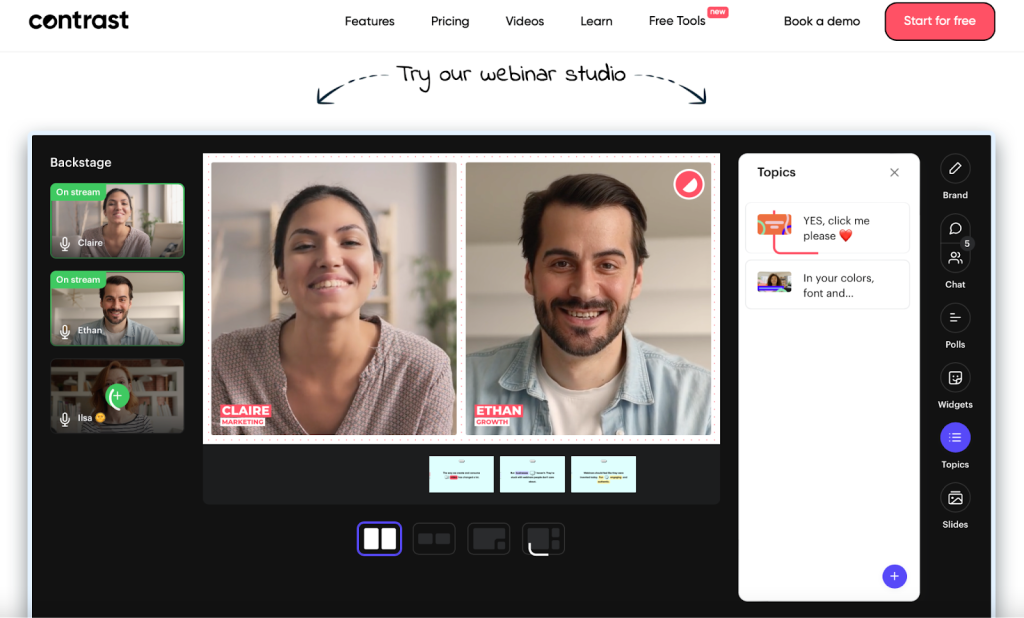
Contrast is built for B2B marketing teams that want webinars to feel modern without carrying the weight of a large enterprise event platform. Registration, branded emails, live engagement, CTAs, CRM-connected attendee activity, prerecorded delivery, and AI-assisted repurposing all sit close to the webinar itself.
That makes it more webinar-marketing focused than Riverside. Riverside gives creators a stronger recording environment, while Contrast puts more attention on what happens around the session: getting people registered, keeping them engaged, and moving their activity into the marketing stack afterward.
The tradeoff is breadth. Contrast handles the B2B webinar campaign well, but teams that also need several webinar formats, broader education workflows, or course delivery may need to look beyond its core use case.
Pros:
- Browser-based access keeps the webinar experience simple for attendees.
- Registration and branded emails support structured B2B webinar campaigns.
- Polls, Q&A, and CTAs add useful interaction during live sessions.
- CRM-connected engagement data can support sales and marketing follow-up.
- AI repurposing helps extend webinar content after the event.
Cons:
- Registrant limits depend on the selected plan
- Less suited to teams that need course delivery or broader learning workflows
Pricing: Pro starts at $99/month, billed annually for 100 registrants per month.
3. Sequel
Best for Recurring B2B Webinar Series
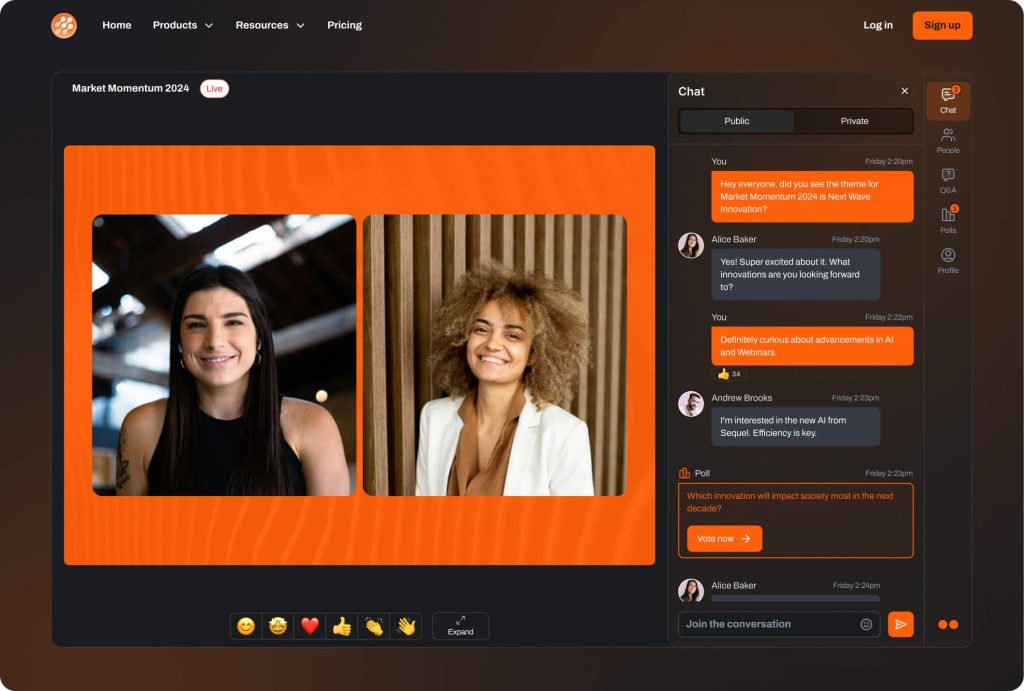
Sequel is built around the idea that webinars should work as an ongoing program rather than a collection of one-off events. Advanced registration, email cadences, branded webinar stages, engagement tools, simulive delivery, instant replays, lead scoring, and CRM integrations support teams running recurring B2B series.
That goes further than Riverside when webinar activity needs to feed directly into a pipeline workflow. Riverside is strong at producing polished recordings. Sequel puts more structure around the audience journey before and after each recurring session.
The trade-off is that Sequel is designed for organizations that already treat webinars as a serious growth channel. Smaller teams or those running occasional webinars may not need the level of infrastructure or investment it brings.
Pros:
- Recurring webinar workflows suit teams running ongoing B2B series.
- Advanced registration supports more structured audience management.
- Email cadences help automate reminders and post-event communication.
- Simulive delivery supports repeatable sessions with live interaction.
- CRM integrations connect webinar activity with broader revenue workflows.
Cons:
- Higher starting price makes it less practical for occasional webinar programs
- Larger programs and advanced requirements move teams into higher-priced plans
Pricing: Growth starts at $833/month billed annually for up to 500 attendees per session. Business and Enterprise pricing depends on attendee volume.
4. Demio
Best for Behavior-Based Lead Generation
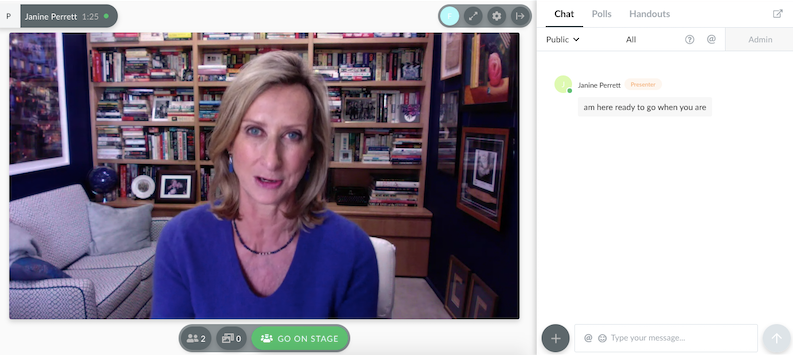
Demio’s entire design philosophy is built around the attendee experience and the marketing automation layer beneath it. Attendees join from a browser, while engagement activity can feed directly into segmentation and downstream follow-up.
That behavioral data layer is what separates Demio from Riverside for webinar-focused teams. Riverside produces polished recordings, while Demio puts attendee activity and marketing follow-up much closer to the center of the webinar workflow. Its current Starter plan starts at $45/month.
Pros:
- Clean attendee-facing experience keeps joining relatively straightforward.
- Behavior and engagement data support more targeted post-event follow-up.
- Event Series support works for recurring or multi-session programs.
- Automated and On-Demand webinars support evergreen campaigns.
- Marketing integrations connect attendee activity with broader campaign workflows.
Cons:
- Starter supports only one host.
- Several premium integrations and deeper capabilities require higher plans.
Pricing: Starter runs about $42-$63/month for one host and a 50-attendee room. Growth starts at $75- $117/month and unlocks automation.
5. Livestorm
Best for B2B Teams With Deep CRM Stacks
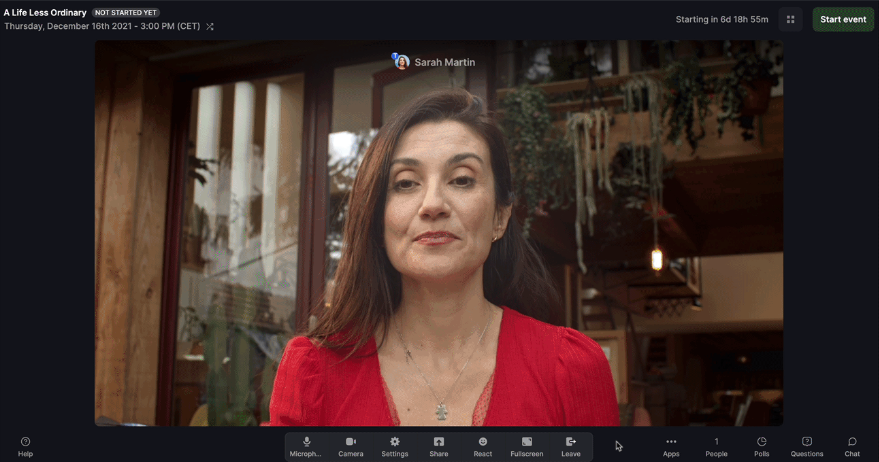
Livestorm puts CRM-connected webinar workflows much closer to the center of the platform. For B2B teams whose entire marketing operations run through a CRM and marketing automation stack, this can eliminate much of the manual work after each event. No CSV exports, no manual field mapping, no broken Zapier chains on a Friday afternoon before a Monday client debrief.
That is where Riverside starts to look narrower. A direct HubSpot connection may be enough for some teams, but businesses operating across multiple revenue systems often need a broader integration ecosystem and greater flexibility in how webinar data moves after the event.
Livestorm has also shifted to attendee-credit pricing. Credits apply to actual attendees rather than registrations, while events, recordings, and team members remain unlimited on Pro.
Pros:
- Browser-based attendance avoids download friction.
- Pro includes unlimited events, recordings, and team members.
- CRM and marketing integrations support B2B campaign workflows.
- Credits apply to attendees rather than registrations.
- Enterprise adds deeper integrations, analytics, and support.
Cons:
- Several deeper integrations require Enterprise.
- Credit forecasting becomes important as webinar volume grows.
Pricing: Free plan is limited to 30 attendees and 20-minute sessions. Pro starts around $99/month, Premium around $299/month, and Enterprise is custom-priced above that.
6. GoTo Webinar
Best for Large, Recurring Webinar Programs
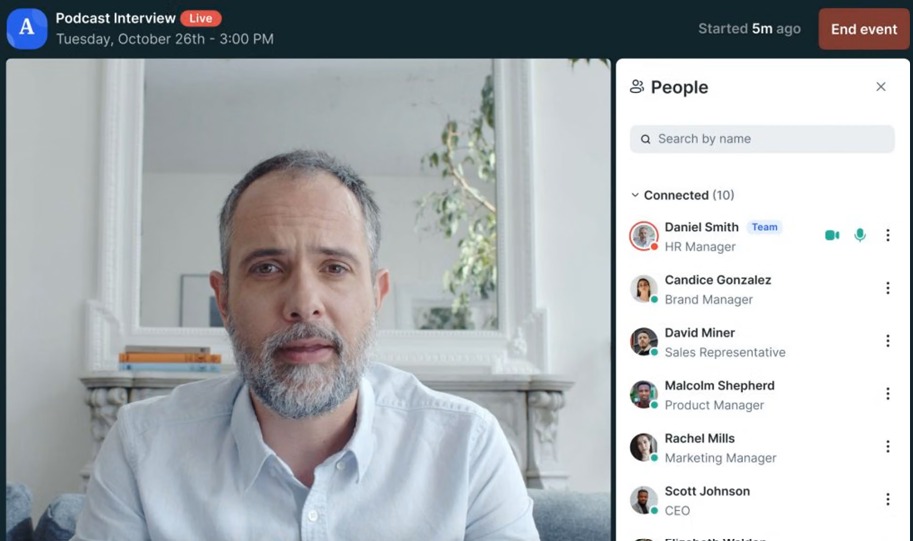
GoTo Webinar is one of the most established platforms in this category, with infrastructure built around repeatable webinar delivery rather than recording production alone. For teams running webinars with hundreds or thousands of attendees, the difference becomes clearer after the event. Reporting, automated reminders and follow-up, polls, Q&A, source tracking, and larger audience capacities all sit directly inside the webinar workflow.
Riverside’s recording-first approach becomes less useful when the real job is managing a repeatable webinar program with structured reporting and stakeholder visibility.
GoTo currently offers Reach for up to 500 participants, Elevate for up to 1,000, and Complete for up to 3,000. Complete also adds registration-source tracking and broader event capabilities.
Pros:
- Established infrastructure supports larger recurring webinar programs.
- Built-in reporting gives teams structured attendee and event data.
- Automated reminders and follow-ups reduce the administrative burden of repetitive events.
- Polls and live Q&A support audience participation.
- Complete adds registration-source tracking and larger capacity.
Cons:
- Several advanced capabilities sit above the entry-level Reach plan.
- Complete requires a customized package.
Pricing: Plans start at $49/month per organizer. 7-day free trial available.
7. Zoom Webinars
Best for Teams Already Standardized on Zoom
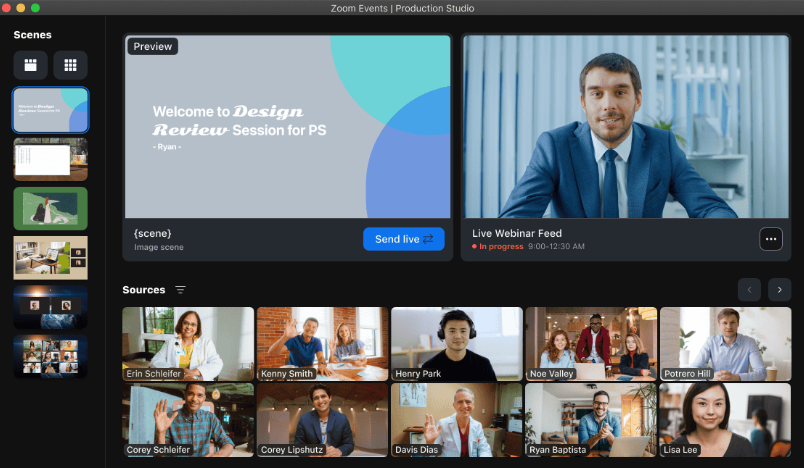
Zoom Webinars sit inside an environment many presenters and internal teams already use. If the organization already manages meetings, speakers, recordings, and permissions through Zoom, adding webinars there can reduce the number of unfamiliar systems the team needs to manage.
But that advantage is most relevant when the Zoom ecosystem itself is the priority. For teams looking specifically for deeper webinar automation, evergreen delivery, campaign workflows, or marketing-led follow-up, other platforms on this list go further.
Zoom Webinars supports chat, reactions, polls, Q&A, recordings, branding, and performance reports that can connect to marketing tools. Its standard webinar product starts at a 500-attendee capacity.
Pros:
- Familiar environment for teams already standardized on Zoom.
- Chat, reactions, polls, and Q&A support live interaction.
- Webinar capacity scales well beyond small events.
- Recordings support post-event viewing and reuse.
- Performance reports help teams analyze webinar activity.
Cons:
- More advanced event workflows may require additional Zoom products.
- Costs rise as capacity and event requirements increase.
Pricing: Requires a paid Workplace license, plus the Webinars add-on starting around $66-$83/month.
8. eWebinar
Best for Evergreen and Automated Webinar Campaigns
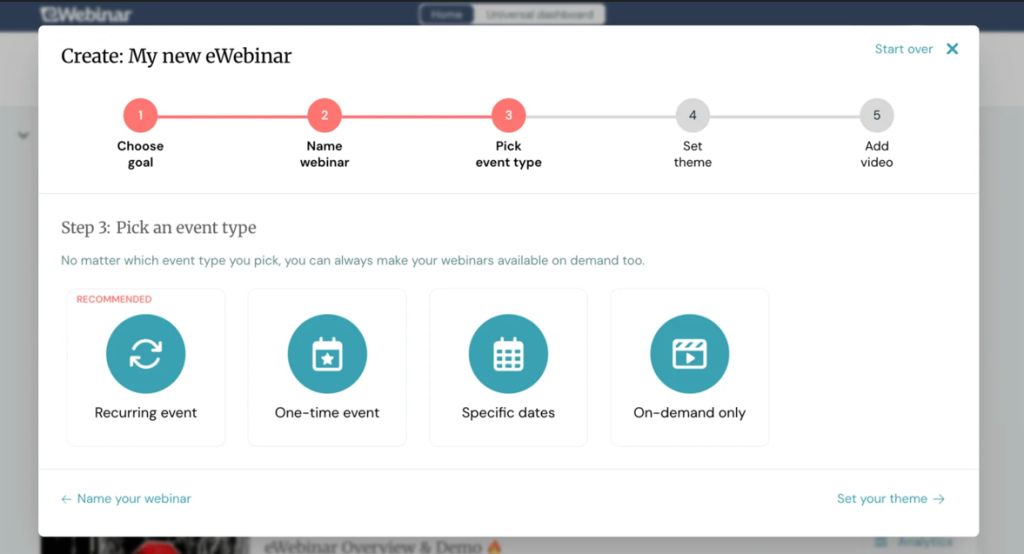
eWebinar turns recorded content into scheduled or on-demand interactive webinars that run without a live host present. Attendees choose a convenient time, join the session, and interact with elements placed throughout the recording.
Riverside does not specialize in turning recorded content into an always-on interactive webinar that runs repeatedly without a live host. That is the gap eWebinar is designed to fill.
One recording setup can continue generating registrations and delivering the presentation without requiring someone to show up and repeat the same session.
Pros:
- Removes repeated live-hosting requirements from evergreen campaigns.
- Unlimited recurring sessions are included on standard plans.
- Attendees can choose more convenient viewing times.
- Interactive elements make prerecorded experiences more participatory.
- Unlimited team members support collaborative webinar operations.
Cons:
- Built primarily for automated rather than traditional live webinars.
- Interactive and chat automation requires preparation before running unattended.
Pricing: Level 1 costs $99/month for one active eWebinar, Level 2 costs $199 for up to five, and Level 3 costs $299 for up to 15. A 14-day free trial is available.
9. BigMarker
Best for Deep White-Label Webinar Delivery
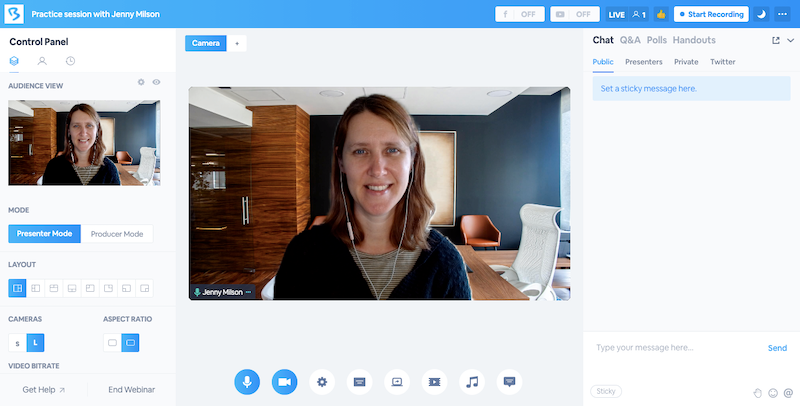
BigMarker becomes relevant when adding a logo and changing a few colors is not enough. Agencies, SaaS businesses, and enterprise teams may need the webinar environment to feel like part of their own product or brand rather than a third-party event room.
That is where Riverside’s branding flexibility can start to feel limited. BigMarker goes further into custom event experiences, branded environments, white-label delivery, and larger webinar and event programs.
The tradeoff is complexity. Teams running straightforward lead-generation webinars may not need the amount of configuration BigMarker offers.
Pros:
- Extensive white-label options support deeply branded webinar programs.
- Supports live, on-demand, simulive, evergreen, and series formats.
- Handles both webinars and larger event experiences.
- Enterprise packages support more customized audience journeys.
- Strong fit for agencies and embedded webinar experiences.
Cons:
- More configuration than many standard webinar campaigns require.
- Public self-service pricing is not available.
Pricing: Starter is around $79/month for 100 attendees, Elite around $299/month for 500 attendees, with custom Enterprise pricing above that.
10. ON24
Best for Enterprise Demand Generation
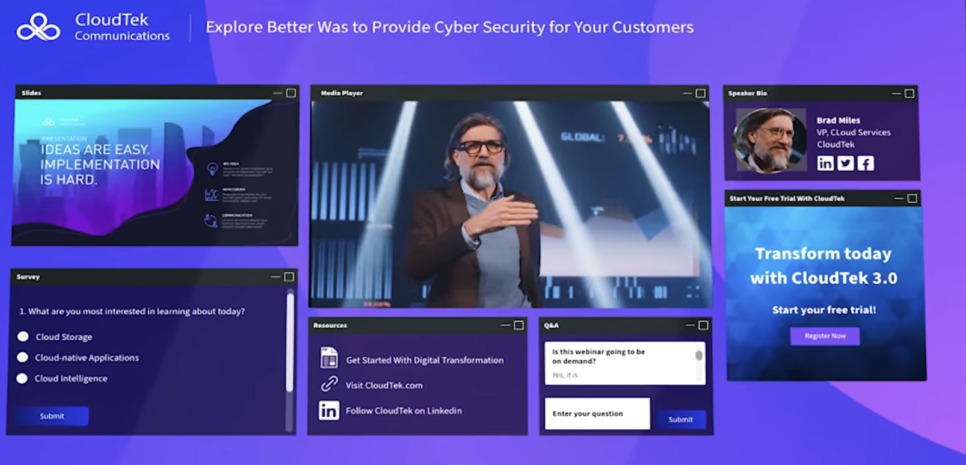
ON24 targets a different limitation in the Riverside workflow: what happens when attendee engagement data needs to become part of a larger enterprise demand-generation program.
Riverside can produce and repurpose content, but enterprise marketing teams may need much more from the webinar itself: first-party engagement data, prospect qualification, content experiences, workflow automation, and tighter links between engagement and revenue programs.
ON24 positions its platform around scaling engagement, repurposing webinar programs, automating workflows, and using first-party data to understand and qualify prospects. That level of infrastructure will be excessive for some teams. But when webinars sit inside a large B2B demand-generation operation, the additional depth becomes the point.
Pros:
- First-party engagement data supports detailed prospect analysis.
- Content tools extend webinar programs beyond the live date.
- Designed for enterprise marketing and revenue workflows.
- Supports broader digital-content experiences alongside webinars.
Cons:
- Pricing requires a sales conversation.
- Platform depth can be excessive for smaller webinar programs.
Pricing: Custom quotes only across Essentials, Standard, and Advanced tiers. Most organizations pay $25,000 to $100,000+ annually, with a median contract around $38,750.
My Evaluation Criteria
Nothing here was ranked on vendor claims alone. Every entry was checked against its live pricing page, published documentation, and independent buyer feedback from G2, Capterra, and TrustRadius. Six factors shaped the ranking.
User Reviews & Ratings:
I considered verified feedback from G2, Capterra, and other independent review sources to understand recurring usability, support, reliability, and workflow concerns.
Essential Features & Functionality:
Registration, webinar formats, automation, engagement, recordings, analytics, integrations, and follow-up mattered more here than simply producing a polished video.
Ease of Use:
I considered both the host workflow and the attendee experience. More functionality does not help if the basic webinar setup becomes unnecessarily difficult.
Customer Support:
Live webinars leave little room for delayed assistance, so support quality around setup and event delivery matters.
Value for Money:
I compared the pricing model alongside attendee limits, hosts, integrations, automation, and major plan restrictions rather than relying on the headline starting price.
Industry Analysis & Expert Commentary:
Current product documentation, independent comparisons, and broader webinar-market analysis were used to check how each platform’s positioning holds up against Riverside’s recording-first approach.
Why Look for a Riverside Alternative?
Teams usually start looking for a Riverside alternative when the recording itself is no longer the problem. The friction shows up around everything surrounding the session: repeat delivery, CRM handoff, attendee follow-up, deeper analytics, and keeping the webinar working after the live event ends.
That is where a recording-first setup can start creating extra operational work around the webinar itself.
Three problems become more noticeable when teams try to make Riverside the center of a broader webinar program
Problem 1: The Webinar Formats and Automation Can Start to Feel Narrow
A one-off live session is one thing. Running evergreen webinars, recurring programs, series, automated campaigns, or different webinar formats from the same workflow is another.
That is where Riverside starts to feel less complete. A platform such as ProProfs WebinarNinja brings live, automated, series, and hybrid webinars into one environment. That means the team can choose the format around the campaign rather than rebuild the workflow every time the delivery model changes.
And when a successful session needs to keep working without the host returning every week, evergreen webinar automation becomes much more important than recording quality alone.
Problem 2: CRM Requirements Quickly Get Bigger
A direct CRM connection can solve the immediate handoff problem.
But webinar programs often grow into something more complicated: different lead segments, several marketing platforms, CRM automation, campaign attribution, follow-up sequences, and actions triggered by what someone did during the webinar.
That is where a narrower integration setup starts creating extra work. ProProfs WebinarNinja connects directly with tools such as HubSpot and Mailchimp and can extend the workflow to 1,000+ apps through Zapier. More importantly, those integrations sit alongside registration, email automation, live engagement, and follow-up rather than functioning as an isolated data export.
Problem 3: Attendee Data Needs to Tell You What to Do Next
Knowing that someone registered or attended is useful.
Knowing that they stayed until the offer, answered a poll, asked a question, clicked a CTA, or watched the replay gives the next team much more to work with.
That is where webinar-specific analytics become more important. A useful webinar lead-scoring process should help sales and marketing decide who deserves immediate follow-up, who needs nurturing, and who has not engaged enough to warrant the same treatment. Once the webinar becomes part of the pipeline, basic attendance data is no longer the whole story.
When Does Recording Software Stop Being Enough?
A recording tool can work perfectly well when the main job is capturing a great conversation, editing the final file, and turning it into content.
The breaking point usually comes when the webinar itself becomes a repeatable business process. The warning signs show up in the work around the recording: the same presentation keeps getting delivered, attendee behavior starts affecting follow-up, one webinar creates several downstream tasks, and the surrounding tool stack keeps growing.
When the Same Webinar Needs to Keep Running
If someone has to deliver the same presentation every Tuesday, another polished recording does not remove that work.
This is where automated delivery starts to matter. Product demonstrations, onboarding sessions, educational webinars, and lead-generation presentations can continue after the original live event, rather than requiring a different presenter each time.
A well-planned webinar replay can also turn the original recording into something that keeps attracting and nurturing viewers, rather than a file that gets shared once and forgotten.
When Attendee Behavior Changes the Follow-Up
The moment sales start asking:
- Who stayed until the end?
- Who answered the poll?
- Who clicked the offer?
- Who asked a buying question?
- Who came back for the replay?
The recording is no longer the most important output.
The engagement data is. Detailed webinar analytics help turn that behavior into something marketing and sales can act on, rather than another report nobody opens.
When One Webinar Creates More Work After It Ends
A finished webinar may still need to become a replay, a follow-up email, social content, a blog, another automated session, or the starting point for a sales conversation.
That is where the workflow starts to matter as much as the recording itself. Teams need a repeatable way to move from the live session to webinar content repurposing without having to rebuild the process each time.
When the Stack Becomes Bigger Than the Webinar
This is often the clearest sign. If every webinar requires one setup for registration, another process for follow-up, another system for analytics, another workflow for CRM handoff, and another tool for evergreen delivery, the problem is no longer the quality of the recording.
It is everything surrounding it. That is the point where a broader webinar platform can save more work than another improvement in recording production.
My Top 3 Riverside Alternative Picks
If you do not want to read the full comparison, here is the short version.
1. ProProfs WebinarNinja
My broadest pick for teams moving beyond Riverside’s recording-first workflow. It combines multiple webinar formats with AI assistance, registration, emails, audience engagement, replays, analytics, and integrations, making it especially relevant when several Riverside limitations need to be addressed simultaneously.
2. eWebinar
If the recording is already good and the main problem is turning it into an always-on interactive webinar without repeatedly bringing a host on live, eWebinar is built specifically for that job.
3. ON24
If the real requirement is enterprise demand generation, first-party engagement data, and larger content programs, ON24 provides the deeper infrastructure that those workflows require.
Ready to Build Beyond Recording?
The right Riverside alternative depends on where the gap actually is. If you need one specialist capability, the decision can be straightforward. eWebinar fits always-on automation, Airmeet goes further in webinar event marketing, and ON24 suits enterprise demand-generation programs built around first-party engagement data.
But teams looking beyond Riverside often find the problem is bigger than one missing feature. They need webinar formats, registration, emails, engagement, automation, replays, analytics, integrations, and content reuse to work together.
That is where ProProfs WebinarNinja becomes the broader fit. It brings those parts of the webinar lifecycle into one workflow while adding AI support before, during, and after the session. The goal is not simply to replace Riverside’s recording room. It is to choose a platform that can carry the webinar from registration through engagement, follow-up, replay, and the next campaign.
Frequently Asked Questions
How Much Do Riverside Alternatives Typically Cost?
Pricing ranges from attendee-based models to monthly subscriptions and custom enterprise packages. ProProfs WebinarNinja starts at 0.30/attendee/month; Demio starts at $45/month annually; eWebinar starts at $99/month; and platforms such as ON24 and BigMarker use custom pricing.
What Should I Look for in a Riverside Alternative?
Start with the workflow Riverside is not handling deeply enough. Compare webinar formats, automation, CRM flexibility, audience engagement, analytics, replay delivery, attendee limits, branding, and pricing. The right alternative should remove recurring work rather than simply add more features.
Which Riverside Alternative Is Best for a Broader Webinar Workflow?
ProProfs WebinarNinja offers one of the broadest combinations in this list, including live, automated, series, and hybrid webinars, along with registration, emails, engagement, AI assistance, recordings, analytics, and integrations. Specialist platforms may fit better when one narrower requirement dominates.
Which Riverside Alternatives Support Automated Webinars?
ProProfs WebinarNinja, Demio, eWebinar, GoTo Webinar, BigMarker, and other platforms support automated, prerecorded, on-demand, or simulive delivery. ProProfs WebinarNinja combines automated delivery with live, series, and hybrid formats, while eWebinar specializes almost entirely in evergreen automation.
Which Riverside Alternative Works for Paid Webinars?
ProProfs WebinarNinja is a strong option for teams that want to run paid webinars while keeping registration, attendee management, and webinar delivery in one workflow. ClickMeeting also supports paid webinar access through Stripe and PayPal, while Airmeet offers monetization features for teams running broader event programs.
Which Riverside Alternative Works for CRM-Heavy Teams?
ProProfs WebinarNinja works well for CRM-heavy teams that need webinar integrations alongside registration, automation, attendee engagement, and follow-up workflows. Livestorm is also relevant when webinars need to connect with a broader B2B marketing stack. Compare each platform based on your CRM, required data fields, automation needs, and plan-level integration access rather than integration count alone.
Do Riverside Alternatives Require Attendees to Download Software?
Many do not. ProProfs WebinarNinja, Demio, Livestorm, ClickMeeting, and several other modern webinar platforms support browser-based attendance. The exact joining experience can still depend on the platform, device, and event configuration.
When Should I Actually Replace Riverside?
Consider switching when recording quality is no longer the main problem. If repeated hosting, evergreen delivery, CRM workflows, engagement data, lead qualification, follow-up, paid access, networking, or multi-format webinar delivery creates more work than the recording itself, a webinar-first platform may fit the program better.
Want to host a webinar for free?
Use WebinarNinja to teach, improve marketing, and grow your sales.