A free-trial signup happens at 11 p.m. on a Sunday, and by the time a customer success rep could book an onboarding call, the account has already gone quiet. A product marketer invites 400 existing accounts to a feature adoption session, and most of them register because the live slot never aligns with their calendars. Finding the best webinar software for SaaS means finding a platform built around exactly this kind of timing mismatch, one that shows up at every stage of a subscription business, not just the sales demo.
According to Gartner’s survey, 67% of B2B buyers now prefer a rep-free evaluation experience, and for a SaaS company, that preference doesn’t stop at the demo. It follows the same account through onboarding, feature adoption, and renewal, all of which now compete for the same self-serve attention a trial signup already expects.
I compared these platforms based on the workflows SaaS teams actually need across acquisition, onboarding, customer education, and retention, including automation, integrations, analytics, and pricing.
What Is Webinar Software for SaaS?
What separates it from a generic meeting tool is the connective tissue underneath: integrations with billing and product systems, automation that doesn’t require a rep to show up live every time, and a registration and follow-up layer built for a funnel rather than a single meeting.
A SaaS company’s webinar rarely stops at the sales demo. The same underlying problem, reaching someone at the moment that matters without a human repeating the same session by hand, shows up again during onboarding and again at renewal time, which is why a platform’s real value here depends on covering more than one of these moments well.
10 Best Webinar Software for SaaS to Check
A handful of the platforms below have built real products and content specifically around SaaS’s acquisition-activation-retention cycle. A couple of others are strong general-purpose tools that happen to work, without anything built specifically for a subscription business’s funnel. What’s hard to judge from a features page alone is integration depth: whether a platform actually connects to the billing and product tools a SaaS team already runs on, or whether that connection has to be built manually.
Here’s a quick look at how they stack up before we get into specifics:
| Tool | Best For | Standout Feature | Starting Price |
| ProProfs WebinarNinja | Generating leads, growing sales, and teaching better | AI-powered webinar tools: AI Sales Coach (pitch feedback), AI Engagement Lead (live chat FAQs), AI Editorial Lead (headlines), AI Content Strategist (post-event content) | $0.30/attendee/month |
| Demio | Marketing-led trial conversion for SaaS teams | Clean, no-download registration and engagement analytics | ~$42-63/month |
| Livestorm | Product-led growth teams running onboarding and retention | 1,000+ app marketplace integrations | ~$99/month |
| ON24 | Churn reduction and enterprise customer marketing | Published content and tooling built around onboarding-driven activation | Custom ($25K+/yr) |
| Goldcast | AI-driven content repurposing for B2B marketing teams | Agentic video workflows that auto-generate clips, blogs, and social posts | Custom ($12K+/yr) |
| BigMarker | Embedding or reselling webinars inside a SaaS product | Public API and white-label widgets | ~$79/month |
| eWebinar | Fully asynchronous, always-on onboarding and demos | Simulated live interaction inside a 100% automated session | $99-299/month |
| Zoom Webinars | Teams already standardized on Zoom internally | AI Companion bundled with Workplace | ~$66-83/month add-on + license |
| GoTo Webinar | IT-familiar live demos for corporate buyers | Broad attendee-capacity tiers | ~$59/user/month |
| Zoho Webinar | Small SaaS teams already on Zoho CRM | Zia AI notes plus RevAI live transcription | ~$8-9/organizer/month |
Now, here’s how each one actually holds up for a SaaS webinar program:
1. ProProfs WebinarNinja
Best Webinar Software to Generate Leads, Grow Sales, and Teach Better
ProProfs WebinarNinja runs live, automated, hybrid, and series webinars from one account, with a native Stripe integration and Zapier access to more than 1,000 apps, including webhook triggers. For a SaaS business, that matters specifically: a webinar can be gated behind a Stripe payment for a premium onboarding track, or a Zapier webhook can fire a webinar invite when an event occurs elsewhere in the stack, without requiring a developer to write custom integration code.
Its AI webinar creator capabilities work before, during, and after a webinar. The AI Conversion Writer helps create registration copy, the AI Sales Coach reviews the presentation pitch, the AI Webinar Co-Host responds to recurring attendee questions, and the AI Content Strategist turns completed webinars into editable follow-up content. For onboarding specifically, the automated webinar is the one that matters most day-to-day: a single recorded session can run for every new trial signup with no live host required.
Pros:
- Use AI-powered webinar tools such as AI Sales Coach and AI Engagement Lead to improve delivery and handle recurring attendee questions
- Built-in landing pages and emails manage registration, reminders, and follow-up.
- Chat, Q&A, polls, offers, and handouts keep audiences actively involved.
- Automatic recordings make webinars reusable across marketing and customer education.
- Live, series, hybrid, and automated webinars support different SaaS webinar programs.
- HubSpot, Mailchimp, Stripe, and Zapier connect webinars with existing SaaS workflows.
Cons:
- No downloadable or on-premise version
- Dark user interface option is not available
Pricing: A FREE 14-day trial is available. Paid starts at $0.30/attendee/month (includes CourseNinja, worth $ 1,200).
Case study:
Pat Marquette, Marketing Director at Relayer Benefits, switched to WebinarNinja to take retirement and tax-strategy presentations online, using live and prerecorded webinars to continue educating clients and maintain sales.
2. Demio
Marketing-Led Trial Conversion for SaaS Teams
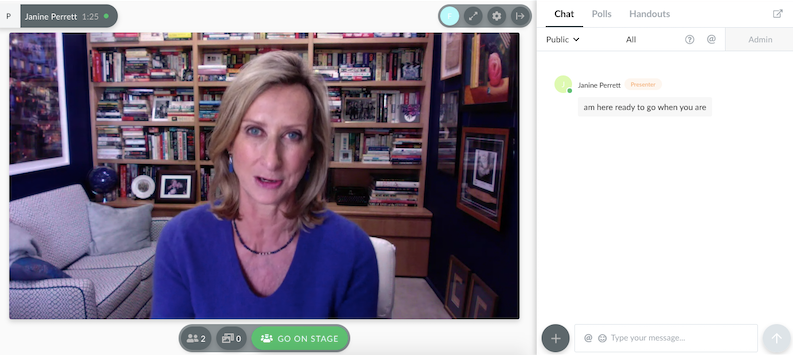
Demio is built around marketing-focused webinar workflows. Its browser-based attendee experience, registration-source tracking, audience engagement tools, and automated follow-up make it useful when webinars are part of a larger lead-generation or nurture campaign.
Its host-based pricing can also make budgeting easier for SaaS marketing teams whose audience sizes vary from one campaign to another.
Pros:
- No-download joining keeps the attendee experience simple.
- Registration-source analytics help identify which campaigns generated webinar interest.
- Automatic recordings make post-event follow-up easier.
- HubSpot and Salesforce integrations are available on higher plans.
- Automated webinars can extend recurring campaigns beyond a single live session.
Cons:
- Starter allows only one host and may restrict teams running parallel programs.
- Automated webinars require the Growth plan, not the entry-level subscription.
Pricing: Starter runs about $42- $63/month for one host and a 50-attendee room, with a 3-hour session limit. Growth starts around $75- $117/month and unlocks automation.
3. Livestorm
CRM-connected SaaS marketing and education
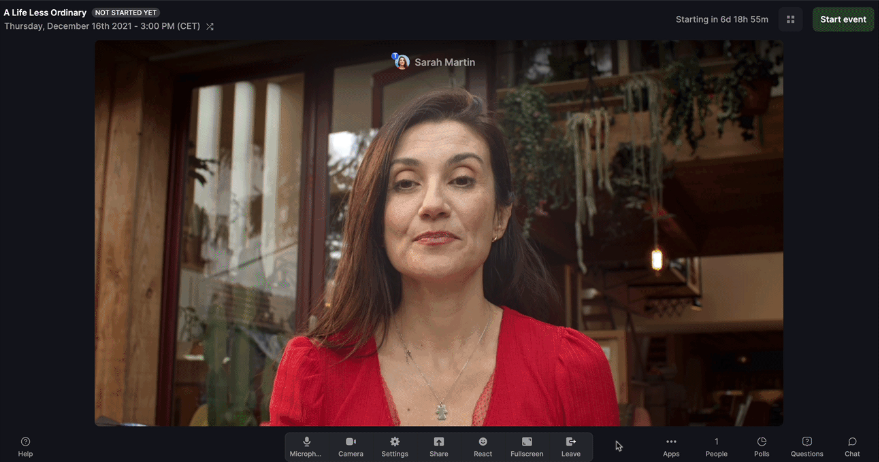
Livestorm is particularly useful when webinar activity needs to move into the same systems that marketing and revenue teams already use.
Its integration ecosystem includes HubSpot and Salesforce, while its browser-based experience reduces friction for external audiences to join. SaaS teams can use the same environment for marketing campaigns, customer education, and recurring programs while keeping webinar activity connected with CRM workflows.
Pros:
- CRM integrations connect webinar activity with existing marketing and revenue workflows.
- Browser-based joining avoids the need for attendees to install additional software.
- Integration options extend beyond basic email-marketing connections.
- Webinar analytics help teams review attendance and participant engagement.
- Live and automated formats support different recurring SaaS programs.
Cons:
- Per-attendee credit pricing, around $3/attendee, adds up quickly for a SaaS company onboarding every new signup
- No unlimited white-label branding, which rules it out for some larger enterprise deployments
Pricing: Free plan limited to 30 attendees and 20-minute sessions. Pro starts around $99/month, Premium reaches around $299/month, and Enterprise is custom above $500/month.
4. ON24
Churn Reduction and Enterprise Customer Marketing
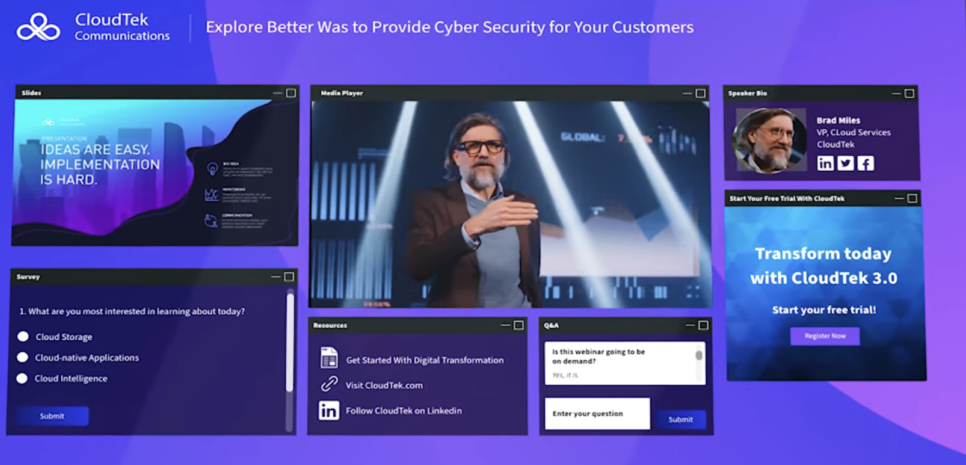
ON24 makes the most sense when webinars are part of a mature enterprise demand-generation operation. The platform focuses on first-party engagement data, personalized attendee experiences, account-level insights, and integrations with systems such as Salesforce, HubSpot, and Marketo.
Its ACE functionality can also turn completed webinars into additional content assets, helping enterprise SaaS marketing teams extend the value of each session beyond the original event.
Pros:
- First-party engagement data supports deeper B2B campaign analysis.
- CRM and marketing automation integrations are well-suited to complex enterprise stacks.
- Personalized content and CTAs support segmented audience programs.
- AI-assisted repurposing turns webinars into additional marketing assets.
- Designed for larger webinar and digital-event programs.
Cons:
- No free trial and no published pricing, so a team enters a sales process before seeing real numbers
- CRM and product-data integration is available at the entry tier, but reviewers report that it needs real engineering effort to configure
Pricing: Custom quotes only, across Essentials, Standard, and Advanced tiers. Most organizations pay $25,000 to $100,000+ annually.
5. Goldcast
AI-Driven Content Repurposing for B2B Marketing Teams
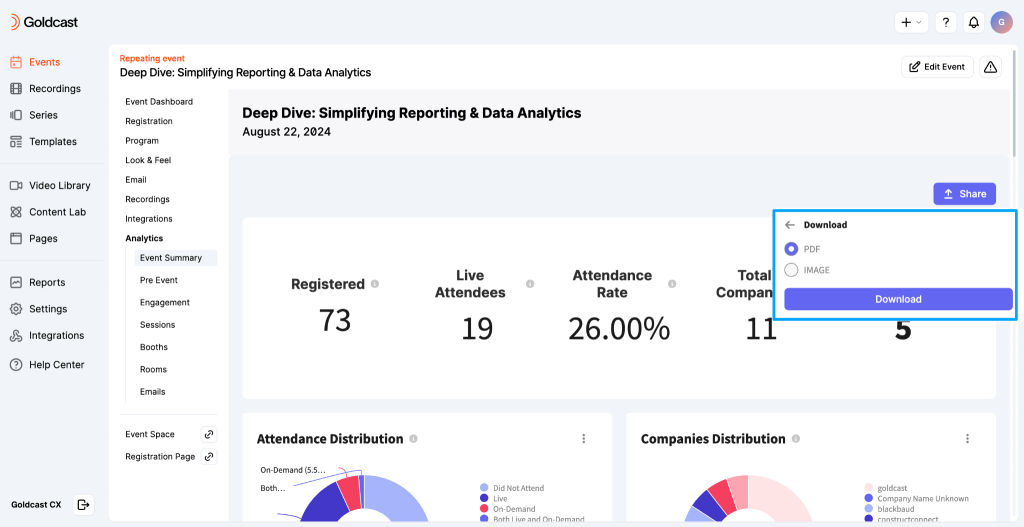
Goldcast is a strong fit when webinars are expected to produce more than a recording. This platform combines webinar and event delivery with content repurposing, allowing B2B SaaS marketing teams to turn sessions into clips, written content, social posts, follow-up materials, and other assets.
That makes it particularly useful when the webinar calendar and content calendar are closely connected.
Pros:
- Agentic AI workflows turn one webinar into clips, blog posts, and social content automatically
- G2 reviewer base skews heavily toward software and IT companies, a genuine peer signal for a SaaS marketing team
- Native integrations with Salesforce, HubSpot, and Marketo sync engagement data for immediate follow-up
- Netflix-style branded attendee experience with full customization
- Documented case results: Hootsuite saw attendance jump 62% and organic traffic to webinar landing pages grow 150% after switching
Cons:
- Custom, event-based pricing with no published rate, and G2 reviewers specifically flag cost as a concern for smaller teams
- Built around a marketing team running a content program, not a solo operator hosting an occasional webinar
Pricing: Custom annual contracts across Essentials, Growth, and Enterprise tiers. Essentials typically run $12,000 to $30,000 annually; Enterprise contracts can exceed $100,000.
6. BigMarker
Embedding or Reselling Webinars Inside a SaaS Product
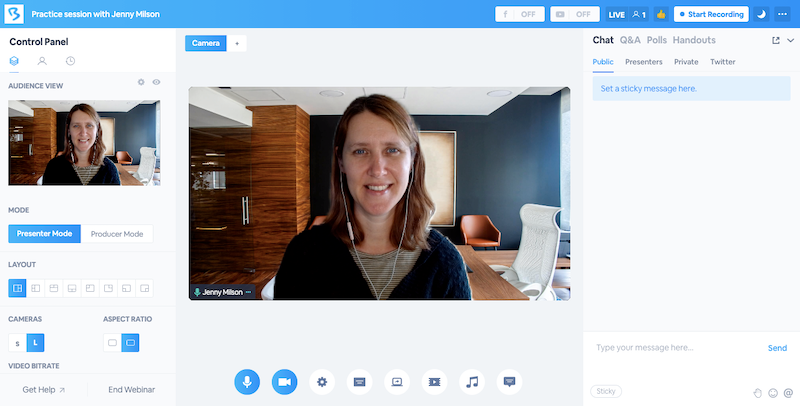
BigMarker is relevant to SaaS companies that need the webinar experience to sit more closely inside their own branded environment. Its white-label capabilities and API options can support custom domains, branded registration experiences, embedded event workflows, and other scenarios where exposing a separate webinar vendor is undesirable.
That also makes it worth considering for SaaS businesses exploring webinar functionality as part of a wider partner or resale offering.
Pros:
- API and embedding options support more customized SaaS experiences.
- White-label controls reduce visible third-party branding.
- Supports live, automated, simulive, and on-demand formats.
- Enterprise reporting supports larger webinar programs.
- Branding options suit customer-facing or partner-facing environments.
Cons:
- Advanced API and white-label deployments may require more implementation work.
- Higher-end branding and customization require enterprise-level plans.
Pricing: Starter around $79/month (100 attendees), Elite around $299/month (500 attendees), custom Enterprise and API/white-label pricing above that.
7. eWebinar
Fully Asynchronous, Always-On Onboarding and Demos
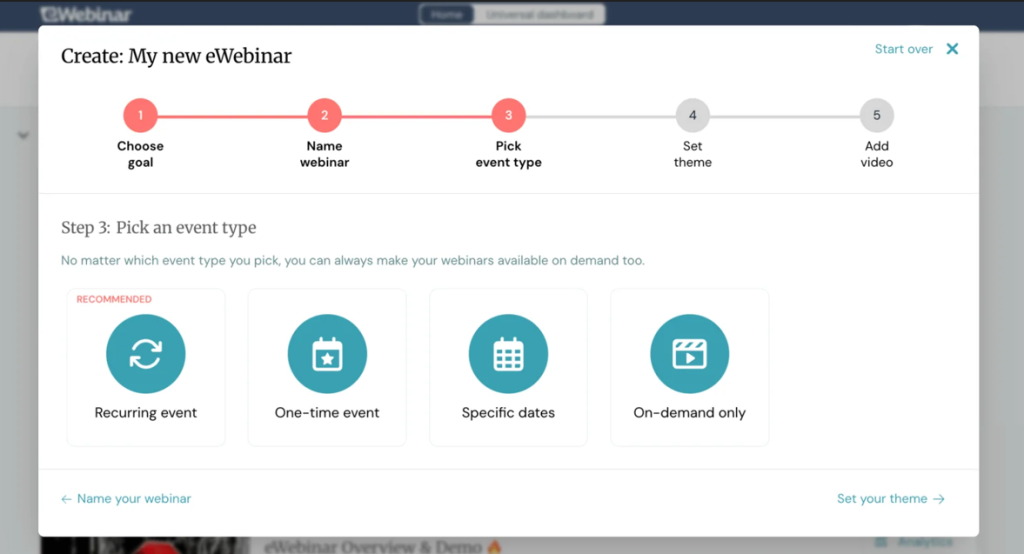
eWebinar specializes in prerecorded, automated webinar experiences rather than traditional live hosting. That makes it especially relevant when evaluating webinar software used by SaaS companies for customer onboarding. A company can make a recurring onboarding session available on a scheduled, just-in-time, or on-demand basis, without requiring a customer success rep to repeat the presentation each time.
Interactive elements such as chat, polls, questions, and CTAs help make the experience more active than simply sending customers a video link.
Pros:
- Purpose-built for automated webinar delivery.
- Well-suited to repeatable SaaS customer onboarding.
- Flexible scheduling accommodates users across different time zones.
- Interactive elements make prerecorded sessions less passive.
- Analytics help teams understand participation and drop-off.
Cons:
- No traditional live webinar mode for sessions requiring a live presenter.
- Pricing increases as teams need more active webinar programs.
Pricing: Starts at $99/month for a single published webinar, scaling to $299/month for unlimited webinars.
8. Zoom Webinars
Already the Internal Tool Most SaaS Teams Have Approved
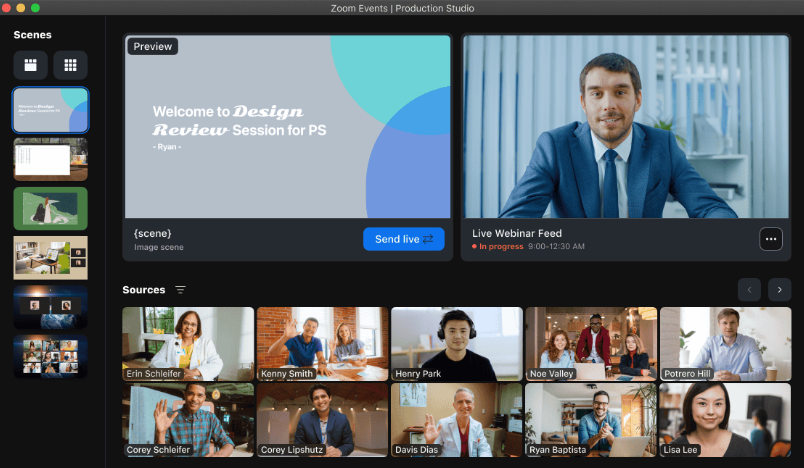
Zoom Webinars is a natural option when the company already uses Zoom for internal and external communication. Existing users benefit from a familiar host interface, while many attendees already understand the joining experience. That can reduce adoption work compared with introducing an entirely new webinar environment.
Pros:
- Familiar interface for teams already using Zoom.
- Established infrastructure for larger live events.
- Q&A, polls, reactions, recordings, and reporting are available.
- Existing Zoom customers may face less internal adoption work.
- Higher offerings add more advanced production capabilities.
Cons:
- Webinar functionality requires separate licensing from standard meetings.
- More specialized marketing workflows may require additional tools.
Pricing: Requires a paid Workplace license (Pro around $14/user/month or Business around $18/user/month), plus the Webinars add-on starting around $66-83/month.
9. GoTo Webinar
The Enterprise-Trusted Choice for Buyers Who Already Vetted It
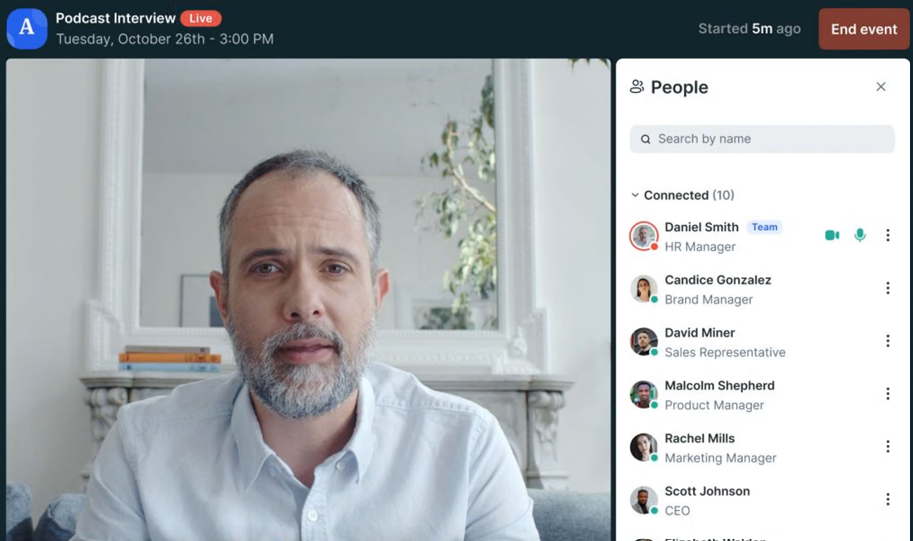
GoTo Webinar is a traditional dedicated webinar platform built around repeatable business events. For SaaS companies with an established schedule of recurring webinars, it offers registration, automated communication, engagement features, recordings, analytics, and CRM connectivity without requiring the event program to run through a general-purpose meeting product.
Pros:
- Wide brand recognition speeds up vendor security reviews with cautious enterprise buyers
- Attendee capacity scales predictably from 250 to 3,000 across tiers
- CRM integrations available on Pro and Enterprise tiers
- Unlimited cloud storage on Pro and Enterprise tiers
- Free trial lets a team test it before committing
Cons:
- Some automation and advanced capabilities require higher plans.
- Per-organizer pricing can increase as more departments host webinars.
Pricing: Plans start around $59/user/month for the Lite tier (250 to 300 participants) and scale to roughly $399-$499/month for Enterprise (3,000 participants).
10. Zoho Webinar
Affordable for a Small SaaS Team Already on Zoho
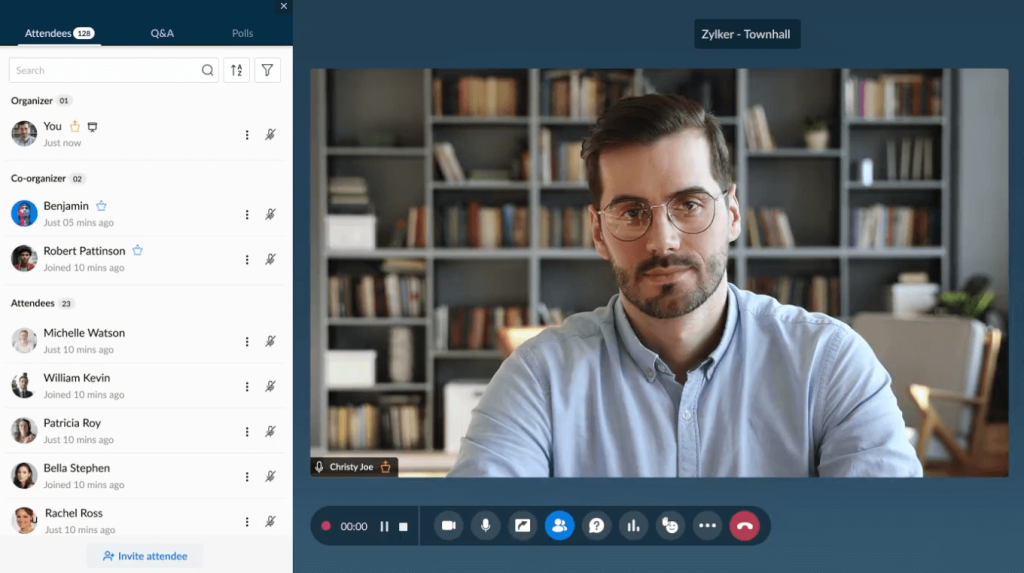
Zoho Webinar is most attractive when the SaaS company already manages leads, campaigns, and customer information through Zoho. Its integration with Zoho CRM and other Zoho applications keeps registration, webinar activity, and follow-up closer to the systems teams already use, rather than introducing another disconnected data source.
Pros:
- Zia AI now generates automatic session notes and key takeaways, with RevAI adding live transcription
- Deep native integration with Zoho CRM and Campaigns, useful for a team also running Zoho Desk for support
- Scales to 10,000 participants on higher tiers
- Free trial and a limited free tier both available
Cons:
- No integration flexibility comparable to Zapier or an open API, so connecting it to anything outside the Zoho ecosystem is limited
- Attendees on lower tiers may need to download the Zoho app, adding friction for a trial user who hasn’t committed to the product yet
Pricing: Standard around $8-9/organizer/month, Professional around $16-19/month, Enterprise around $66/month.
Evaluation Criteria
I evaluated these platforms using current product documentation, pricing information, integrations, independent buyer feedback, and their practical fit for SaaS webinar programs. The comparison focused on the following factors:
- User Reviews/Ratings: Every entry here was checked against verified user feedback on G2, Capterra, and TrustRadius, rather than relying on vendor claims alone, including ProProfs WebinarNinja’s own 4.2-star rating across 200+ verified Capterra reviews.
- Essential Features & Functionality: The value of a product is ascertained by its core features and overall functionality. Through an in-depth exploration of these aspects, the tools’ practical usefulness and effectiveness are carefully evaluated.
- Ease of Use: The user-friendliness of a product or service is assessed by focusing on its design, interface, and navigation. This ensures a positive experience for users of all levels of expertise.
- Customer Support: The quality of customer support is assessed, considering its efficiency and how well it supports users across phases, such as setup, addressing concerns, and resolving operational issues.
- Value for Money: Value for money is evaluated by comparing the quality, performance, and features. The goal is to help the reader determine whether they would get their money’s worth.
- Industry Analysis & Expert Commentary: This part of the evaluation draws on publicly available analyst commentary and expert-authored comparisons across SaaS marketing, customer success, and retention tooling.
Webinars for PLG vs. Sales-Led SaaS
SaaS companies do not always follow a single growth motion. Some rely heavily on product-led growth, where buyers prefer to explore and learn independently. Others use a sales-led approach, where webinars help generate demand, identify interest, and give sales teams more context before a conversation.
For a PLG motion, automated, on-demand webinars can make educational content available without requiring a host each time. Teams can use them for recurring customer onboarding, feature education, or other repeatable sessions, then automatically share recordings and follow-up resources.
For a sales-led motion, live webinars make it easier to engage prospects directly through Q&A, polls, offers, and other interactive elements. Registration and attendee activity can also flow into CRM and marketing systems, giving revenue teams more context for follow-up.
ProProfs WebinarNinja supports both motions with live, automated, series, and hybrid webinars on a single platform. Built-in registration, engagement, recordings, analytics, AI assistance, and integrations help teams adapt the webinar format without rebuilding the workflow elsewhere.
How Your Webinar Data Moves Through SaaS?
Registration is useful, but it is only the beginning. Webinar activity becomes more valuable when it moves into the systems where marketing, sales, and customer teams already make decisions.
That can include updating CRM records, triggering follow-up, segmenting leads by engagement, and using attendee behavior to nurture webinar leads more intelligently. The more context teams retain from the session, the easier it becomes to send a relevant webinar follow-up email instead of treating every registrant the same.
| Webinar Activity | Possible Next Step |
| Registration | Create or update CRM contact |
| Attendance | Add campaign activity |
| Poll response | Update segmentation or interest |
| Question asked | Give revenue teams additional context |
| CTA click | Trigger relevant follow-up |
| Replay activity | Add to engagement history |
The important thing to test is what the integration actually transfers. A HubSpot or Salesforce logo does not tell you whether a platform synchronizes only registrations or also attendance, questions, replay activity, engagement, and other useful data.
For B2B SaaS in particular, several people from the same account may engage with different webinars. That activity becomes more useful when teams apply webinar lead scoring to distinguish passive attendance from stronger buying intent.
What Does SaaS Webinar Resale Require?
Webinar software for SaaS resale can mean using webinars to support resellers and channel partners, or embedding and reselling webinar functionality as part of your own SaaS offering. The second use case requires more careful evaluation because branding controls alone do not determine whether the technology can be legally or technically resold.
Before choosing a platform for this purpose, SaaS teams should check both the technical setup and the commercial terms. These are the areas that can determine whether the webinar experience can actually become part of your own product offering.
For Embedded or Resold Webinar Technology, Check:
- Can the experience be white-labeled?
- Can it operate under your domain?
- Can webinar functionality be embedded?
- Can separate customers have controlled access?
- Who owns attendee data?
- Who provides support?
- How is usage billed?
- Does the agreement explicitly permit resale?
White-label branding alone does not establish resale rights. Confirm contractual resale and embedding permissions directly with the vendor before making the webinar experience part of your own product or partner offering.
My Top 3 Webinar Software Picks
1. ProProfs WebinarNinja
Choose WebinarNinja when you want one AI webinar platform for live and automated webinars, customer onboarding, audience engagement, recurring education, AI assistance, recordings, and integrations without building a separate workflow for every program.
2. Goldcast
Choose Goldcast when your B2B SaaS marketing team wants every webinar to feed a larger content engine through video clips, written content, social assets, and campaign materials.
3. eWebinar
Choose eWebinar when the main requirement is to deliver recurring onboarding or educational sessions without a live presenter each time.
Ready to Build a SaaS Webinar Program?
The right webinar platform depends on what your SaaS team needs to repeat efficiently. That could be a demand-generation campaign, automated customer onboarding, recurring product education, partner enablement, or a webinar that needs to be turned into several follow-up content pieces afterward. Start by identifying the workflows you run most often. Then compare automation, integrations, engagement, recordings, analytics, content reuse, and the real cost of scaling those programs.
ProProfs WebinarNinja is particularly relevant when several of those requirements overlap, as it combines multiple webinar formats, AI assistance, registration, engagement, recordings, and integrations into a single environment. The goal is not simply to host more webinars. It is to build a repeatable SaaS webinar program that fits the rest of your stack.
Frequently Asked Questions
What is the best webinar software for B2B SaaS?
The best webinar software for B2B SaaS depends on how webinars fit into the customer lifecycle. Teams should compare automation, CRM connectivity, engagement data, follow-up, product demos, and content reuse rather than attendee capacity alone. ProProfs WebinarNinja is one option when several of these needs overlap, with live, automated, series, and hybrid webinars alongside integrations, engagement, recordings, and analytics.
Can a SaaS company resell or white-label webinar software under its own brand?
Yes, on platforms built with a public API and white-label widgets. BigMarker is the clearest example on this list, allowing a SaaS company to embed a fully branded webinar experience within its product and offer it to its customers as a feature, rather than sending users to a separate third-party page.
How much does webinar software cost for a SaaS company?
Pricing varies by session volume, integration needs, and whether onboarding runs for every new signup or only occasionally. A small SaaS team testing onboarding webinars has very different needs than an enterprise company running retention programs across thousands of accounts.
Can automated onboarding webinars actually reduce churn?
They can help specifically with the earliest stage of churn, when a new signup never reaches first value. They don't replace a customer success team's relationship-building work, but a recorded onboarding session available the moment someone signs up closes a gap that a scheduled call, hours or days later, cannot.
Does webinar software for SaaS work for a product-led growth motion?
Yes, provided the platform supports automated, self-serve formats and integrates with the product or billing events that trigger them. ProProfs WebinarNinja, Livestorm, and eWebinar all fit a PLG motion better than platforms built primarily around scheduled, rep-led sessions.
What metrics should a SaaS company track from webinar software?
Track trial-to-attendance rate for onboarding sessions, the point where new users drop off during a walkthrough, and follow-up engagement in the days after. Acquisition, activation, and retention webinars should each be measured against different benchmarks.
Does webinar software integrate with SaaS billing tools like Stripe?
Some do natively; most require a middleware layer like Zapier. ProProfs WebinarNinja has a direct Stripe integration for gating paid content, while several other platforms on this list would require a Zapier or custom API integration to achieve the same.
Is enterprise webinar software worth it for an early-stage SaaS company?
Usually not yet. Enterprise platforms like ON24 and Goldcast make sense once churn reduction or content repurposing at scale becomes more expensive than acquisition. Earlier-stage teams typically get more value from an affordable, integration-flexible platform like ProProfs WebinarNinja.
Which webinar software is best for a fully asynchronous onboarding flow?
eWebinar is built specifically for this; it has no live-hosting mode at all, so every session runs on autopilot with simulated chat and interaction layered on top. That's a real limitation for anything requiring a live rep, but a strength for a self-serve SaaS onboarding sequence.
Do trial users need to download anything to join a SaaS onboarding webinar?
Most 2026-era platforms, including ProProfs WebinarNinja, Livestorm, and Demio, run entirely in the browser with no downloads required. Zoho Webinar's lower tiers may still prompt an app download, adding friction for a user who hasn't fully committed yet.
Which webinar software works best for a customer marketing team focused on retention?
ON24 is the strongest fit for a dedicated customer marketing function running recurring feature-adoption and retention content at scale, given its published churn-reduction methodology built for exactly that audience.
How do I migrate SaaS onboarding content from one webinar platform to another?
Start by exporting registrant lists, past recordings, and email automation sequences from the current tool. Most platforms, including ProProfs WebinarNinja, offer onboarding support and import tools, so confirm the new platform's billing and CRM integrations cover the existing setup before canceling the old subscription.
Want to host a webinar for free?
Use WebinarNinja to teach, improve marketing, and grow your sales.