Webinar platforms in 2026 are increasingly judged on more than the live session itself, it’s what happens to that recording afterward that matters just as much. Goldcast built its entire platform around that shift, positioning itself as an AI-powered B2B video content platform where every webinar becomes reusable content. But pricing, flexibility, and use-case limitations push many teams to look elsewhere, and this list of Goldcast alternatives is built to help with exactly that.
That’s a specific bet, and not every team needs to make it. A training team running internal onboarding sessions has no use for content repurposing. A small marketing team may want something simpler to set up than a full video-content operation. Grand View Research projects the global virtual events market will reach $297.16 billion by 2030, exactly why the list of legitimate alternatives to Goldcast keeps getting longer, and why so many teams are actively comparing Goldcast competitors before committing to a single platform’s roadmap.
This comparison draws on each platform’s pricing pages, product documentation, and independent reviews on G2 and Capterra.
10 Best Goldcast Alternatives
A couple of these genuinely surprised me once I looked past the pricing page, and a few solve a narrower problem than Goldcast ever tries to. That gap between what a features list promises and what actually holds up during a live session is exactly what the breakdown below is built to close.
Here’s a quick look at how these Goldcast alternatives and competitors stack up before we get into specifics:
| Tool | Best For | Key Differentiator vs. Goldcast | Starting Price | Free Trial |
| WebinarNinja | Generating leads, growing sales, and teaching better | Simpler setup, transparent pricing, built for lead gen and sales, not just video repurposing | $0.30/attendee/month | 14-day trial |
| ON24 | Enterprise demand gen teams | Deeper first-party engagement data, but a much higher price floor | Custom (typically $25K+/yr) | No Free Trial |
| BigMarker | Agencies and white-label resellers | Fully brandable, embeddable player | ~$99/month (scales into thousands for enterprise) | 7-days |
| Zoom Events and Webinars | Teams already standardized on Zoom | Familiar interface, strong video quality | $83.33/user/month | 7-days |
| Livestorm | Small-to-mid teams wanting a free tier | Real free plan (capped), no download required for attendees | €2.50/attendee | Free plan available |
| Demio | Marketers who want a clean, distraction-free room | Simple, no-download attendee experience | $59/month | 14 days |
| GoToWebinar | Teams needing an established, mid-market standby | Long track record, broad integration library | $59/month (billed annually) | 7-days |
| WebinarJam | Budget-conscious solo marketers | Cheapest paid entry point on this list | $39/mo | No free trial |
| RingCentral Events | Larger virtual conferences and multi-session events | Built for bigger, multi-track virtual events, not single webinars | ~$1,490/yr | 30-day free trial |
| Airmeet | Community-led and networking-heavy events | Attendee-to-attendee networking features | $167/month | Free trial |
Now, here’s how each one actually holds up:
1. WebinarNinja – Best for Generating Leads, Growing Sales, and Teaching Better
Most Goldcast alternatives ask you to trade something away: fewer formats, no AI, or a steeper price floor. WebinarNinja is the one on this list that doesn’t. It matches Goldcast’s AI ambitions while staying built around a different goal entirely, turning attendees into paying customers rather than raw material for a content calendar.
The platform covers live, automated, series, and hybrid webinar formats from one account, with course delivery bundled in for free, browser-based streaming that skips downloads entirely, SOC 2 Type II-certified hosting, and integrations with Mailchimp, HubSpot, and 1,000+ other apps via Zapier. All of it sits under one flat, published price, no sales call required to see a number.
This is where WebinarNinja actually earns the Goldcast comparison. AI runs through the account as four built-in roles, not an add-on: an AI Conversion Writer for registration headlines, an AI Sales Coach for pitch review, an AI Engagement Lead for live chat FAQs, and an AI Content Strategist that turns the recording into blog posts, emails, and social content (see the AI Webinar Creator page). That last one is Goldcast’s whole pitch; here, it’s just one feature among several.
The scale behind it is real, too: per WebinarNinja’s own site, over 30,000 businesses have used the platform to run more than 3 million webinars and capture over 10 million leads.
Pros:
- AI writes high-converting headlines, reviews your session, answers live chat messages, and repurposes the session into content afterward.
- Runs live, automated, series, and hybrid webinars to fit any teaching or selling style.
- Built-in landing pages and automated email sequences handle registration and follow-up without extra tools.
- Chat, Q&A with upvotes, polls, offers, and handouts keep attendees engaged throughout the session.
- Auto-records every webinar with replays ready within seconds and detailed attendance analytics.
- Integrates with Mailchimp, HubSpot, Stripe, and 1,000+ apps via Zapier for full workflow automation.
Cons:
- Fewer public reviews than category giants like Zoom, so there’s less of a paper trail to lean on
- Not the tool for a 3,000-person multi-track virtual conference; RingCentral Events and Airmeet are built for that scale
Pricing: A FREE 14-day trial is available. Paid starts at $0.30/month.
Case study:
Gavin Tye, founder of Sales Market Fit, saw 200% growth in qualified leads after switching to WebinarNinja, with a single session generating $20,000–$25,000 in revenue.
2. ON24 – Best for Enterprise-Grade Content Repurposing
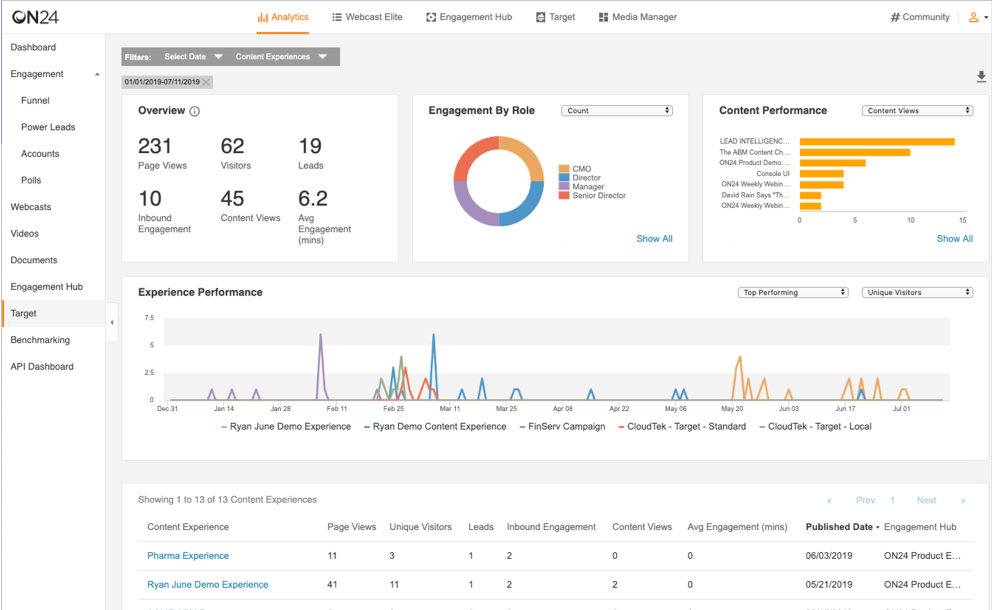
ON24 is built around a specific idea: the webinar isn’t the product; the data it generates is. Attendee behavior, like which slide someone lingered on or which link they clicked, flows into Salesforce or Marketo for lead scoring, feeding a content-repurposing engine not unlike Goldcast’s own pitch.
That depth costs something, and not just money. Getting a webinar out of ON24 takes real production time compared to lighter tools, and the price tag, north of $10,000 a year to start, puts it out of reach for most teams below enterprise scale. Worth knowing too: ON24 is currently the subject of a pending acquisition, so platform stability over the next few years is a live variable, not a hypothetical one.
Pros:
- Genuinely deep, first-party engagement analytics tied to individual attendee behavior
- Built for heavy CRM and marketing automation integration at enterprise scale
- Proven track record running large, always-on webinar programs
- Attendee behavior data (slide views, link clicks) flows directly into Salesforce or Marketo for lead scoring, cutting out manual data handoffs
- Widely recognized as an established, long-standing category leader for enterprise webinar programs
Cons:
- Entry pricing around $10,000/year rules it out for most small and mid-sized teams
- Currently mid-acquisition, which adds uncertainty to its longer-term roadmap
Pricing: Custom quotes only; Essentials, Standard, and Advanced tiers.
3. BigMarker- Best for Agencies
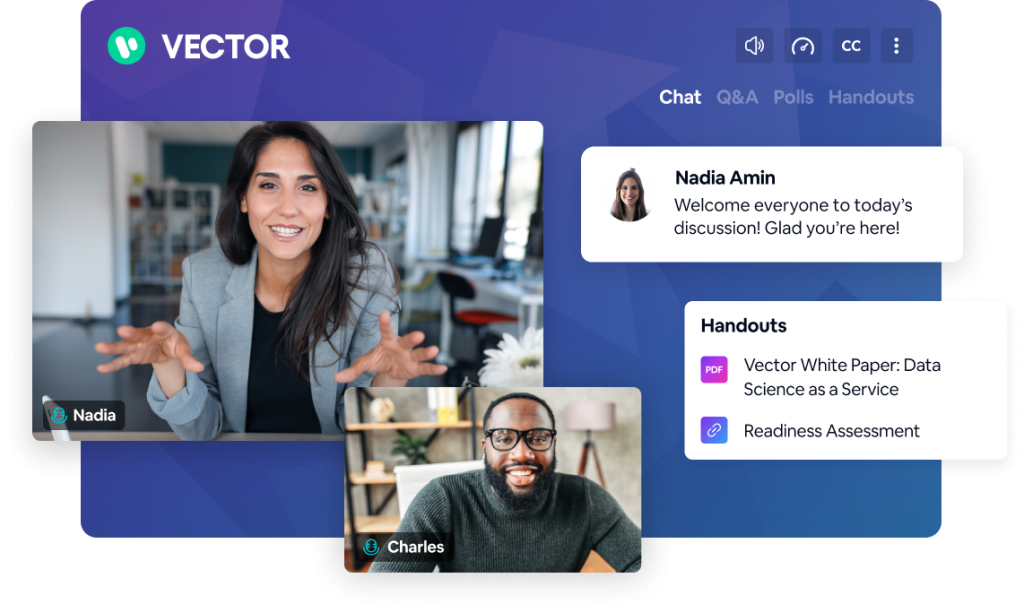
BigMarker’s whole appeal comes down to one thing: how invisible it can make itself. Agencies running webinars on behalf of clients, or SaaS companies embedding a webinar player inside their own product, land here specifically because almost nothing in the experience says “BigMarker” anywhere.
Reviewers back this up with strong marks for integration depth and support responsiveness. What they don’t get is a price on the page. Every quote starts with a sales call, a fine tradeoff if white-labeling is genuinely the priority, and a frustrating one if you just want a number before you commit time to a demo.
Pros:
- Extensive white-label and custom branding options
- Strong integration library, frequently cited by reviewers as a differentiator
- High marks for customer support responsiveness
- Nearly invisible branding lets agencies and SaaS teams embed a webinar experience that reads as entirely their own
- Flexible enough to support both agency-reselling and in-product embedding use cases
Cons:
- No published pricing anywhere; every quote requires a sales call
- Reviewers describe a steeper learning curve than simpler tools on this list
Pricing: Starts around $99/month, scaling significantly with attendee tiers and features. 7-day free trial
4. Zoom Events and Webinars – Best for Strong Analytics and Reporting
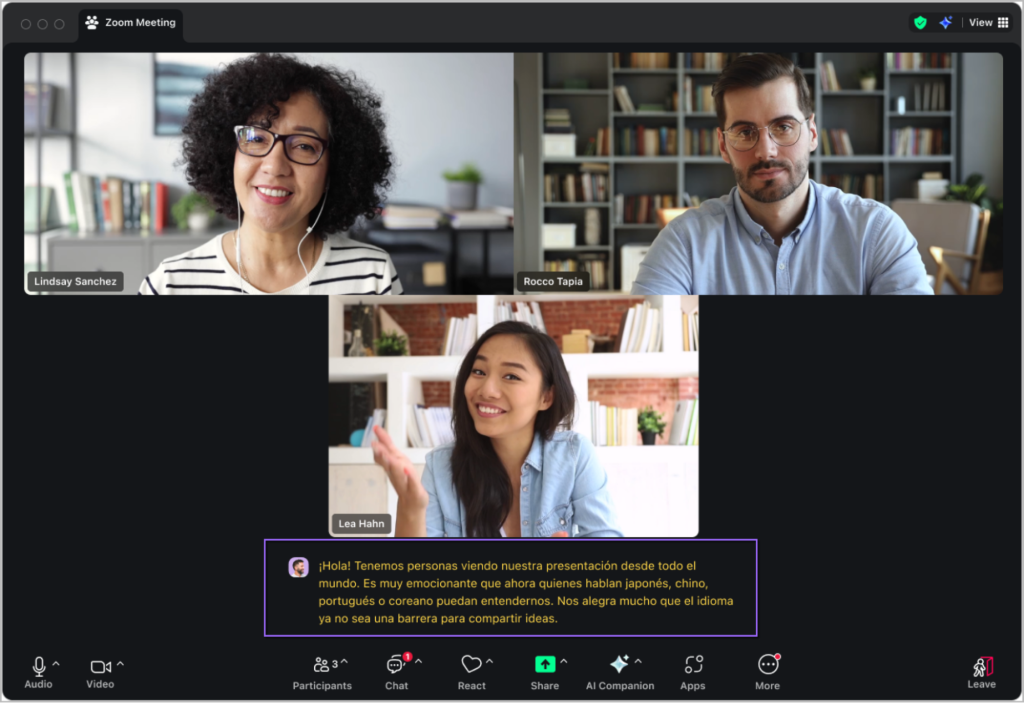
Zoom Events and Webinars stand out less for the live experience itself and more for what happens after the session: the reporting layer. Reviewers consistently rate its post-event analytics and reporting well, which matters most for teams that need to prove attendance and engagement numbers to stakeholders, not just run a clean session.
What you’re also paying for, whether you use it or not, is a conference platform. The Events tier starts around $500 a month, and a good chunk of that covers expo halls and networking lounges that a team running a single monthly webinar will never open.
Pros:
- Strong analytics and reporting, backed by high reviewer scores
- Reliable video and audio quality at scale
- Familiar interface for hosts and attendees who already use Zoom
- Backed by Zoom’s broader video infrastructure, which reviewers consistently rate well for reliability at scale
- Near-zero learning curve for teams and attendees who already use Zoom day to day
Cons:
- Starting price around $500/month is steep for occasional single webinars
- Much of the Events tier is built for multi-session conferences, not simple webinars
Pricing: Starts at $83.33/user/month, billed annually, for webinars with up to 500 attendees, or $129/user/month, billed monthly. 7-day free trial
5. Livestorm – Best for small- to mid-sized teams
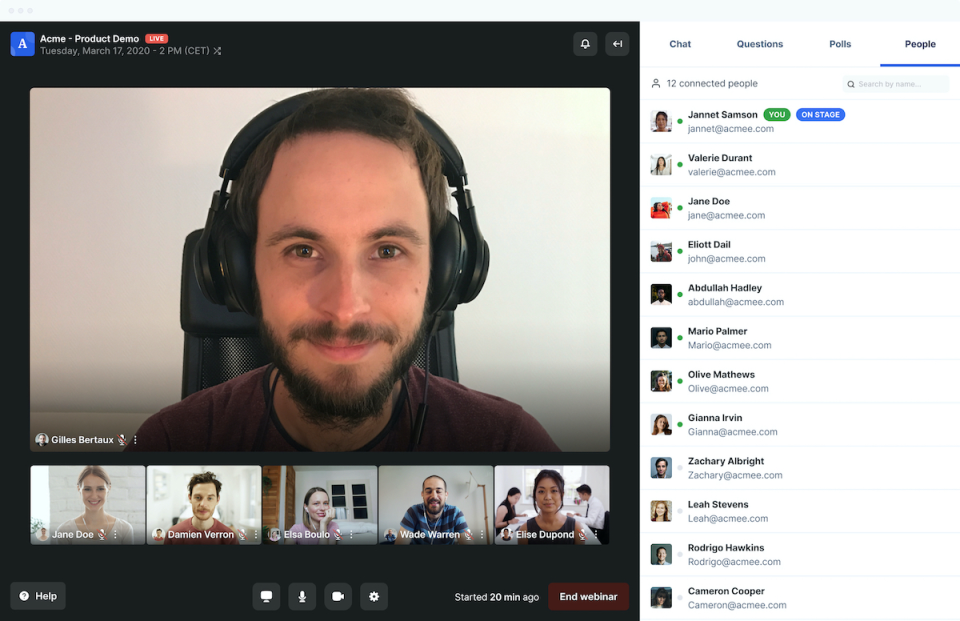
Most “free plans” in this category are trials with a countdown clock. Livestorm’s isn’t. It caps out at 30 attendee credits a year rather than a number of days, so you can genuinely test the platform on a real audience before any money changes hands.
Reviewers who’ve used it past the free tier keep landing on the same word: easy. No downloads for attendees, no onboarding call required. The tradeoff shows up if you run webinars often, since 30 attendee credits disappears fast for a team hosting weekly sessions.
Pros:
- A genuine free plan, not a time-limited trial
- No downloads required for hosts or attendees
- Consistently high reviewer marks for ease of use and UI clarity
- Reviewers who’ve used it past the free tier keep coming back to one word: easy
- Lets you test the platform on a real audience before spending a dollar, not just a sandboxed demo
Cons:
- The attendee-credit model runs out fast for frequent hosts
- Marketing automation is lighter than platforms built specifically for lead gen
Pricing: Starts at €2.50/attendee for up to 400 attendees. Free plan available (30 attendee credits/year)
6. Demio – Best for Simple, Single-Host Browser Webinars
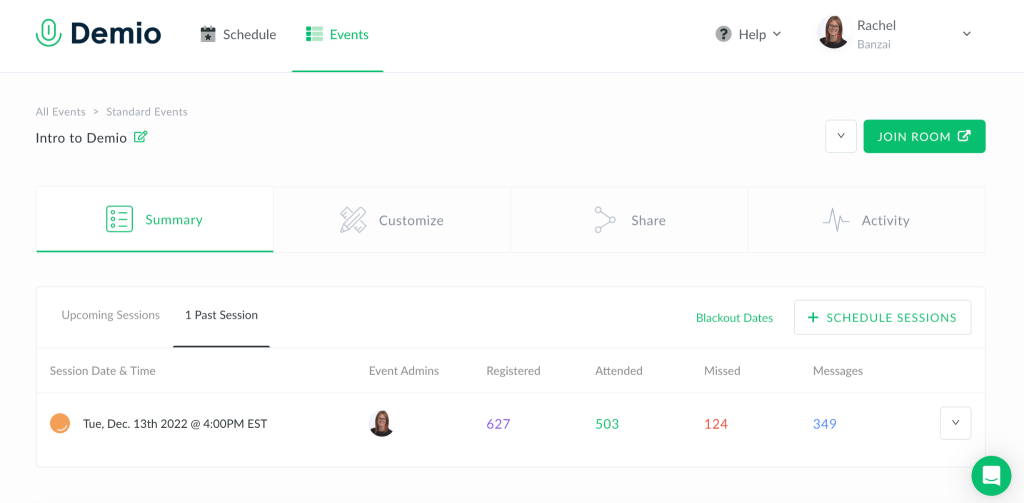
Demio’s entire design philosophy is getting out of the way. Attendees join from a browser, there’s no app icon to explain, and once the session starts, the interface doesn’t compete for attention with whatever’s on screen. It’s a small thing reviewers mention constantly.
The catch is the entry plan covers exactly one host, and at roughly $63 a month, that’s a narrower door than some competitors offer at a similar price.
Pros:
- Clean, browser-based attendee experience with zero downloads
- Consistently high reviewer marks for ease of use and setup
- No app icon to explain to attendees, which reviewers mention constantly as a friction-reducer
- Interface is built to stay out of the way once the session starts, so it doesn’t compete with what’s on screen
- 14-day free trial gives a real test window before committing
Cons:
- Entry-level pricing (~$63/month) covers a single host only
- Smaller integration ecosystem than WebinarNinja or GoToWebinar
Pricing: Starts at $59/month for the Starter plan, with higher tiers offering more attendees and advanced features. 14-day free trial available.
7. GoToWebinar – Best for Established, Enterprise-Integrated Teams
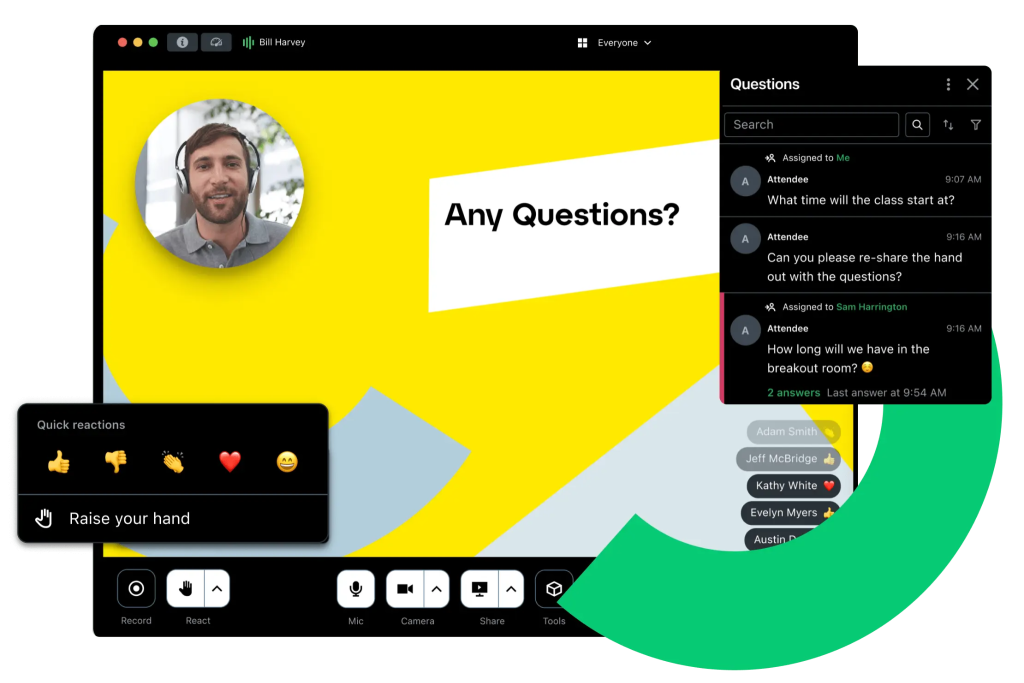
GoToWebinar’s biggest advantage is familiarity. It’s been a default choice in this category long enough that most marketers have used it somewhere, and that track record comes with broad integrations with HubSpot and Salesforce and dependable performance at scale.
The flip side of that stability is a product reviewers describe as feeling a step behind newer entrants like Livestorm or Demio, both in interface polish and how quickly new features ship.
Pros:
- Long track record and broad integration support with HubSpot and Salesforce
- Reliable performance for large-audience webinars
- Familiarity most marketers already have with the platform lowers onboarding friction for new hosts
- One of the longest-standing platforms in this category, with dependable uptime at scale
- Free trial lets teams test performance before committing to an annual plan
Cons:
- Interface and feature pace feel dated next to newer tools on this list
- Automation and lead-gen depth trail purpose-built platforms like WebinarNinja
Pricing: Starts at $59/month, billed annually.
8. WebinarJam – Best for Lowest-Cost, Sales-Focused Webinars
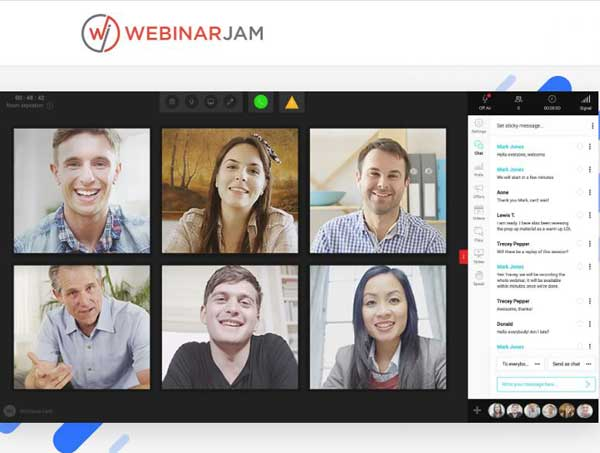
At $39 a month, WebinarJam undercuts every other paid tool here, built with a clear point of view: sales-focused live webinars, not general-purpose hosting. If automated-webinar needs grow later, its sister product EverWebinar is the natural next step.
The price makes sense once you look at reviewer scores for ease of use and support, which trail most of the rest of this list. There’s also no free trial, so the first real look at the platform comes after you’ve already paid for it.
Pros:
- Lowest paid entry price of any tool on this list
- Built specifically around sales-webinar workflows
- Clear, singular focus on sales-webinar workflows rather than trying to be a general-purpose platform
- Natural upgrade path into EverWebinar for automated/evergreen needs once volume grows
- Price point makes it accessible for solo marketers testing webinars for the first time
Cons:
- Ease-of-use and support scores trail most other tools here
- No free trial
Pricing: Starts at $39/month; no free trial.
9. RingCentral Events – Best for Large-Scale Conference Organizers

RingCentral Events, formerly Hopin, is clear about what it’s built for: multiple stages, expo-style booths, networking lounges, the full shape of a virtual conference rather than a single session. If what’s on your calendar is a multi-day, multi-track event, this earns its place. If it’s one webinar next Tuesday, it’s more platform than the job needs.
Reviewers consistently rate the support experience highly, and the 30-day free trial is generous enough, including up to 1,000 registrations, to genuinely test it before committing to the roughly $1,490/year entry tier.
Pros:
- Purpose-built for multi-session, multi-stage virtual events
- 30-day free trial with a generous feature set, including up to 1,000 registrations
- Reviewers consistently rate the support experience highly
- Backed by RingCentral’s broader enterprise communications infrastructure
- Generous trial length gives teams real room to test before a ~$1,490/year commitment
Cons:
- Overbuilt for teams that just need to run a single webinar
- Entry pricing (~$1,490/year) reflects its event-platform positioning, not webinar-specific pricing
Pricing: Starts around $1,490/year; 30-day free trial available.
10. Airmeet – Best for Networking-Heavy Community Events
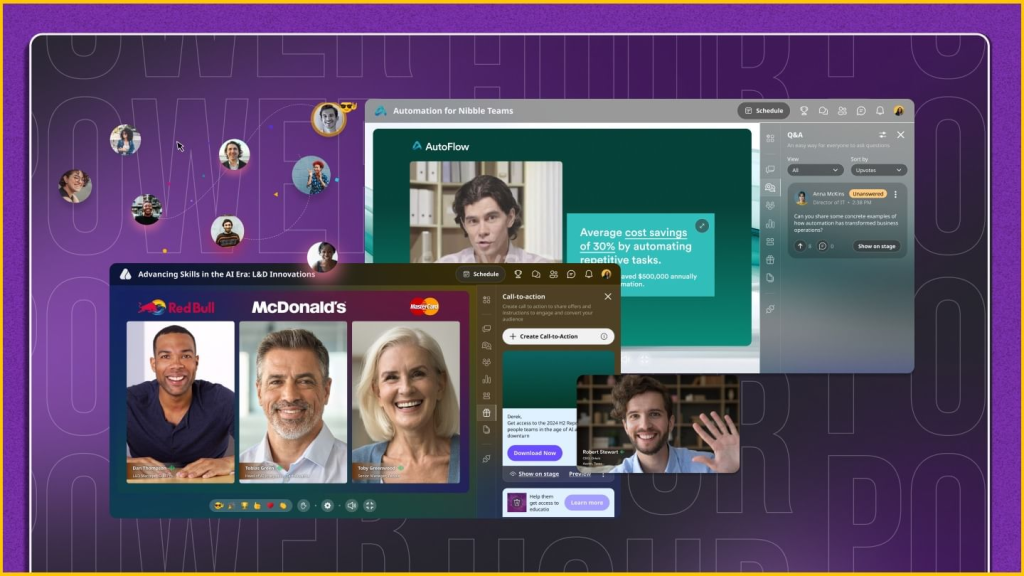
Most tools on this list treat networking as an afterthought, a chat window added onto a livestream. Airmeet builds the opposite way: speed networking, lounge-style breakout spaces, and attendee-to-attendee interaction as the actual product.
Reviewers rate it well on ease of use and event marketing, though pricing follows the same pattern as BigMarker and Goldcast itself: nothing published, everything behind a conversation with sales.
Pros:
- Genuinely strong attendee networking and interaction tools
- High reviewer marks for ease of use and event marketing capabilities
- Speed networking and lounge-style breakouts are the core product, not an afterthought bolted onto a livestream
- Strong fit for community-led and membership-style events where connection matters as much as content
- Free trial available for testing before a sales conversation
Pricing: Starts around $167/month. Free trial available.
My Evaluation Criteria
Every tool in this list was assessed using a consistent, six-point framework, not just feature checklists from vendor websites. This evaluation draws on analysis of 200+ real buyer conversations with webinar users across industries, as well as verified feedback from review communities such as G2 and Capterra. Here is what went into each review.
- User Reviews/Ratings: I reviewed verified user feedback on G2 and Capterra. Real frustrations, like Zoom Webinars’ post-event analytics falling short of reviewers’ expectations or Demio locking CRM integrations such as Salesforce and HubSpot behind its pricier Premium tier, came directly from these sources, not from vendor claims.
- Essential Features & Functionality: The value of a product is ascertained by its core features and overall functionality. Through an in-depth exploration of these aspects, the tools’ practical usefulness and effectiveness are carefully evaluated.
- Ease of Use: The user-friendliness of a product or service is assessed by focusing on its design, interface, and navigation. This ensures a positive experience for users of all levels of expertise.
- Customer Support: The quality of customer support is examined, taking into account its efficiency and how well it supports users in different phases – setting up, addressing concerns, and resolving operational issues.
- Value for Money: Value for money is evaluated by comparing the quality, performance, and features. The goal is to help the reader determine whether they would get their money’s worth.
- Industry Analysis & Expert Commentary:This part of the evaluation draws on publicly available analyst commentary and expert-authored comparisons across the webinar software space.
Why Look for a Goldcast Alternative?
Three problems keep coming up when teams outgrow, or never quite fit, what Goldcast is built for, the same three issues that surface in nearly every conversation about Goldcast competitors, and each has a direct fix.
- Problem 1: Budgeting stalls because pricing isn’t published anywhere. A marketer trying to compare options before a planning meeting can’t get a real number without a sales call. Alternatives like WebinarNinja, Livestorm, Demio, GoToWebinar, WebinarJam, and RingCentral Events all publish at least entry-level pricing, so budgeting doesn’t require a calendar invite first.
- Problem 2: Video-content repurposing goes unused on internal or training webinars. Teams running onboarding sessions or internal updates rarely need a session turned into blog posts and social clips, so paying for that pipeline adds cost without adding value. A straightforward hosting platform covers the actual job without the extra layer.
- Problem 3: Enterprise-shaped tools come with enterprise-shaped setup. A five-person marketing team doesn’t need the same configuration overhead as a demand-gen org running hundreds of sessions a year. Attendee-based or flat small-team pricing, like WebinarNinja’s or WebinarJam’s, fits that scale without the extra complexity.
My Top 3 Goldcast Alternative Picks
If you don’t want to read the full comparison, here’s the short version:
- WebinarNinja
The only platform on this list where AI covers the whole lifecycle, registration headlines, pitch coaching, live chat, and post-event content, while still publishing transparent, flat pricing you can see before ever talking to a salesperson.
- Livestorm
If you want to test a real platform on a real audience before spending a dollar, Livestorm’s 30-attendee credits a year gets you there without a countdown-clock trial forcing your hand.
- RingCentral Events
If what’s actually on your calendar is a multi-day, multi-track virtual conference rather than a single webinar, this is built for that scale from the ground up, not stretched to fit it.
Ready to Pick the Best Goldcast Alternatives?
The right Goldcast alternative depends on whether your team needs deep content repurposing, straightforward lead-gen webinars, or room to run a full multi-track event. Whether you frame the search as finding alternatives to Goldcast or shortlisting Goldcast competitors, the underlying question is the same: what does your team actually need the platform to do?
Most teams start out chasing one specific gap, cheaper pricing, fewer setup steps, a format they’re missing, and then discover they need broader platform support than a single-purpose tool can offer once their program grows.
That’s why WebinarNinja remains my top pick on this list. It doesn’t ask you to choose between live, automated, hybrid, and series webinars; it gives you all four, along with built-in registration pages, email follow-up, and free course delivery, in one account. For teams that want a platform to grow into rather than outgrow within a year, WebinarNinja is the one worth starting with.
Start your free trial or watch a live demo of WebinarNinja before you decide.
Frequently Asked Questions
How much do Goldcast alternatives typically cost?
Pricing spans a wide range among alternatives to Goldcast. Attendee-based or flat-rate platforms like WebinarNinja start at around $0.30/month; mid-market tools like Demio and GoToWebinar run at $65/month; and enterprise platforms like ON24 typically run $10,000 or more per year under a custom contract.
What should I look for when comparing Goldcast alternatives?
Check whether pricing is actually published or gated behind a sales call, whether the platform is scaled for a single webinar or built for enterprise/conference use, and how it's rated on G2 and Capterra once reviewers are past the demo stage.
Do Goldcast alternatives require attendees to download software?
Most do not. WebinarNinja, Livestorm, Demio, and GoToWebinar all run in the browser with no downloads for hosts or attendees. Zoom Events may require an app depending on the plan and device.
How do I migrate from Goldcast to a new platform?
Start by exporting your registrant lists and past recordings from your Goldcast account. Most alternatives support CSV import for registrant data, but video migration varies by vendor, so confirm your new platform's import tools before canceling your old subscription.
Is there a Goldcast alternative with transparent, published pricing?
Yes. WebinarNinja, Livestorm, Demio, GoToWebinar, WebinarJam, and RingCentral Events all publish at least entry-level pricing online, unlike Goldcast, ON24, BigMarker, and Airmeet.
Which Goldcast alternative works best for lead-gen and sales webinars?
WebinarNinja is built specifically around that use case, with registration, follow-up email sequences, and post-webinar analytics in one account rather than a separate content-repurposing layer.
Want to host a webinar for free?
Use WebinarNinja to teach, improve marketing, and grow your sales.