Running a webinar used to mean juggling five things at once: presenting, watching the chat, tracking who showed up, and hoping the tech didn’t glitch mid-sentence. In 2026, AI has quietly taken over the parts of hosting that used to eat up the most time: answering repeat questions in chat, turning a recording into a blog post, building a sales script from scratch, or coaching your pitch before you ever go live.
That’s the promise, anyway. In practice, “AI webinar software” covers a lot of ground, and not every platform that claims the label backs it up with something real. According to Wave Connect’s 2026 webinar statistics report, 87% of B2B marketers are already using or testing AI somewhere in their webinar workflow, so the harder question isn’t whether to use AI; it’s which platform’s AI is actually worth paying for.
This comparison is based on a review of each platform’s pricing pages, product documentation, and independent reviews, including a broader look at how webinar platforms compare, to find the tools worth your time this year.
But before that, here’s a quick video that reviews the best webinar software on the market:
What Is AI Webinar Software?
The category sits on a spectrum, not a single standard. Some platforms build AI from the ground up as a core part of the product, ready on day one. Others bolt AI onto an existing meeting tool, gate it behind a pricier plan, or require setup (such as a prebuilt knowledge base) before it actually works.
Two platforms can both call themselves “AI webinar software” and mean very different things by it, which is exactly why the comparison below breaks down what each tool’s AI actually does rather than just noting that AI exists.
10 Best AI Webinar Software to Check
Some of these tools solve a narrower problem than a general meeting platform ever could, and a few genuinely surprised me once I looked past the marketing page. What’s harder to tell from pricing pages alone is which platform’s AI claim actually holds up once you’re mid-webinar and a question interrupts your pitch.
I spent the past few weeks going through each vendor’s product documentation, pricing pages, and independent reviews on G2 and Capterra, testing what I could access directly, to find the ten worth your time this year.
Here’s a quick look at how they stack up before we get into specifics:
| Tool | Best For | Standout AI Feature | Attendee Cap | Starting Price | Free Trial |
| ProProfs WebinarNinja | Generating leads, growing sales, and teaching better | AI Co-Host suite: AI Sales Coach (pitch feedback), AI Engagement Lead (live chat FAQs), AI Editorial Lead (headlines), AI Content Strategist (post-event content) | 1,000 live/unlimited automated | $0.30/attendee/month | 14 days, full features |
| WebinarGeek | EU-based marketers wanting live AI chat support | AI Assistant answers live chat Q&A from your knowledge base; AI replay chapters | Varies by plan | €19/month | 14-days |
| Zoom Webinars | Enterprises already standardized on Zoom | AI Companion: summaries, drafting, smart recordings | Varies by plan (scales with add-ons) | $83.33/user/month | Free plan (meetings only) |
| ON24 | Enterprise B2B content repurposing & pipeline attribution | ACE AI engine turns one webinar into transcripts, summaries, e-books, and video clips | Enterprise-scale (custom) | Custom (typically $25K+/yr) | No free trial |
| Demio | No-download live webinars with AI chat automation | Demio AI automates on-demand chat responses (Premium tier) | Tier-dependent, lower at entry plans | $59/month | 14 days |
| EasyWebinar | Revenue teams are tying webinars directly to a CRM | AI Webinar Funnel Builder generates a launch-ready funnel in under 10 minutes | Varies by plan | $44/month | 7 days |
| WebinarKit | Solo creators running automated/evergreen sales webinars | AI generates the full script, slides, and voice narration; AI Chat Selling runs 24/7 | Unlimited on automated funnels | ~$67/month | 7-day trial for $1 |
| Zoho Webinar | Teams already inside the Zoho ecosystem | No dedicated AI feature has been published yet | Up to 10,000 on higher tiers | ~$8–9/organizer/month | 14 days |
| BigMarker | Large branded virtual conferences and networking events | AI-powered attendee matchmaking | Enterprise-scale (tier-dependent) | ~$99/month (scales into thousands for enterprise) | 7-day free trial |
| ClickMeeting | GDPR-first teams needing accessible live transcription | Automatic speech-recognition transcription and captions | Tier-dependent | ~$25/month | 30 days |
Now, here’s how each one actually holds up:
1. ProProfs WebinarNinja
Best Webinar Software to Generate Leads, Grow Sales, and Teach Better
The one I keep coming back to is WebinarNinja. Part of the ProProfs suite, it’s an all-in-one platform for running live, automated, series, and hybrid webinars, with a full course-hosting tool bundled in at no extra cost, zero-download WebRTC streaming, built-in landing pages and email sequences, and SOC 2 Type II-certified hosting.
After comparing WebinarNinja with the other tools on this list using the same public pricing pages, product docs, and feature breakdowns (see the AI Webinar Creator page), one thing stood out to me: its “AI Co-Host” isn’t built for just one job.
An AI Conversion Writer applies proven headline formulas to your registration page, while an AI Sales Coach reviews your offer for clarity, pacing, and call-to-action placement. During the webinar, an AI Webinar Co-Host monitors the live chat and answers FAQs such as “Will there be a replay?” without interrupting you. Once the session ends, an AI Content Strategist turns it into blog posts, emails, and social snippets.
Pros:
- AI writes high-converting headlines, reviews your session, answers live chat, and repurposes it into content afterward.
- Runs live, automated, series, and hybrid webinars to fit any teaching or selling style.
- Built-in landing pages and automated email sequences handle registration and follow-up without extra tools.
- Chat, Q&A with upvotes, polls, offers, and handouts keep attendees engaged throughout the session.
- Auto-records every webinar with replays ready within seconds and detailed attendance analytics.
- Integrates with Mailchimp, HubSpot, Stripe, and 1,000+ apps via Zapier for full workflow automation.
Cons:
- No downloadable or on-premise version.
- Dark user interface option not available.
Pricing: A FREE 14-day trial is available. Paid starts at $0.30/attendee/month.
Case study:
Check how Gavin Tye, founder of Sales Market Fit, saw 200% growth in qualified leads after switching to WebinarNinja, with a single session generating $20,000–$25,000 in revenue.
2. WebinarGeek: Best for AI Chat Support Built Into the Live Workflow
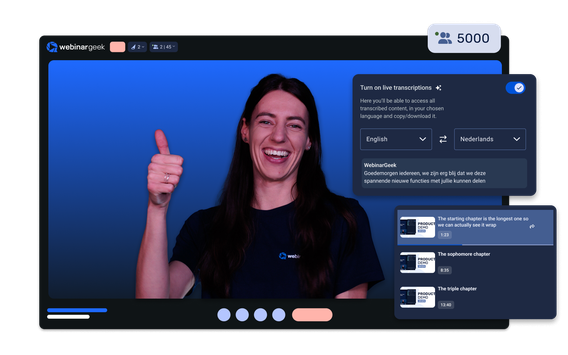
WebinarGeek was the platform that made me rethink what “AI during a webinar” could actually mean, instead of just after. It leans on AI throughout the whole lifecycle rather than treating it as an add-on.
The AI Assistant is trained on a knowledge base you set up in advance and can answer live chat questions on your behalf while you’re presenting; live captions and real-time translation cover global audiences, and AI-generated chapters plus post-event summaries structure the replay automatically. It’s also GDPR-compliant with European data hosting, and integrates with HubSpot, Mailchimp, ActiveCampaign, Pipedrive, and Zapier.
Pros:
- AI trained on your own knowledge base for precise chat answers
- Strong European compliance positioning
- Live captions and real-time translation help reach global, multilingual audiences
- Broad integration support, including HubSpot, Mailchimp, ActiveCampaign, Pipedrive, and Zapier
- 14-day free trial includes full Premium features, not a limited demo
Cons:
- Less recognized brand outside Europe
- Requires pre-building the knowledge base before the AI can answer chat questions, unlike out-of-the-box alternatives
Pricing: Starts at €19/month billed annually for up to 50 viewers. 14-day free trial available.
3. Zoom Webinars: Best for AI Bundled With the Platform Everyone Already Knows
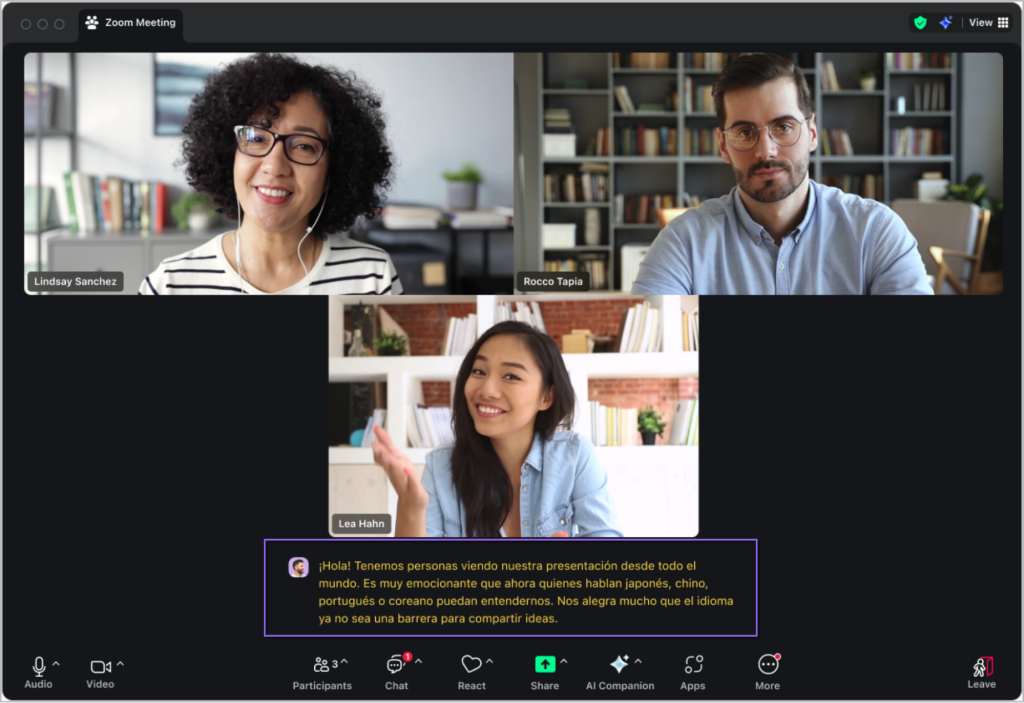
If your team already lives in Zoom, this is the one you’re probably actually going to end up on, whether or not it’s the “best” AI story here. Zoom Webinars is a paid add-on to Zoom’s core Workplace plans, and it inherits Zoom’s AI Companion.
That’s a generative AI assistant, included free with paid Pro, Business, or Enterprise plans, that drafts messages, summarizes sessions, and generates smart recordings across the entire Zoom ecosystem, not just webinars. There’s also an optional custom AI Companion add-on (~$12/user/month) for cross-platform bots and custom agents, and near-universal attendee familiarity since most people have already used Zoom.
Pros:
- No new tool for attendees to learn
- AI Companion is included, not a separate subscription
- AI Companion also drafts messages and generates smart recordings across the whole Zoom ecosystem, not just webinars
- Near-universal attendee familiarity reduces friction for first-time joiners
- Optional custom AI Companion add-on available for cross-platform bots and custom agents
Cons:
- AI Companion was built for meetings first, so webinar-specific AI depth is thinner than purpose-built rivals
- Pricing stacks up fast once you add the Webinar add-on, Phone, and storage
Pricing: Starts at $83.33/user/month, billed annually, for webinars with up to 500 attendees, or $129/user/month, billed monthly.
4. ON24: Best for Enterprise-Grade AI Content Repurposing
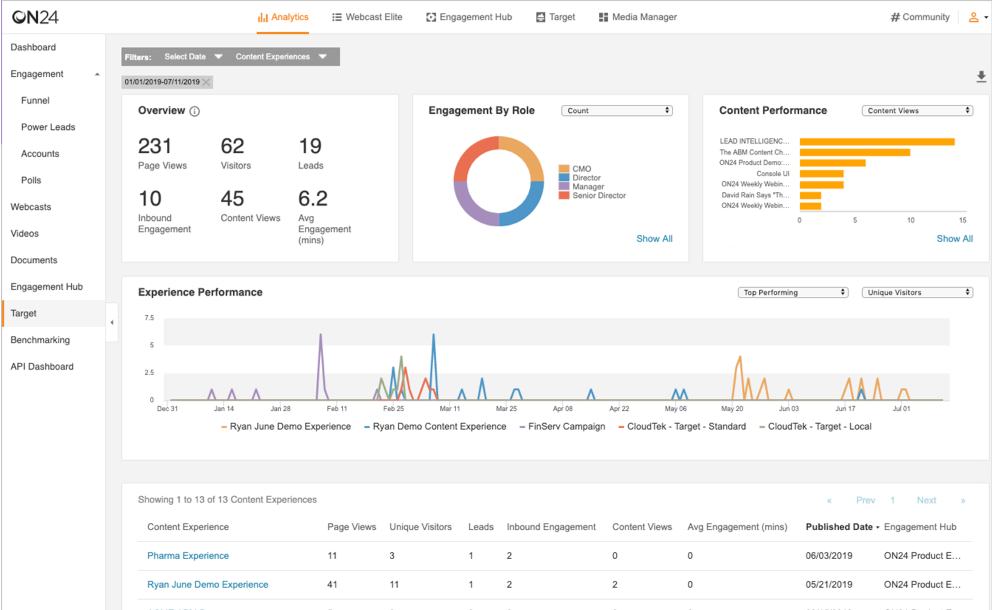
This is the one I’d point an enterprise marketing team to and nobody else. ON24’s ACE engine (AI-powered Analytics and Content Engine) is built to turn a single webinar into a whole content library.
That means transcripts, summaries, e-books, blog posts, and short-form video, tied directly into segment-level personalization, automated nurture sequences, and Key Moments engagement heatmaps that pinpoint where attendees drop off. It’s SOC 2 Type II certified and GDPR-compliant, and it’s the deepest AI content pipeline on this list by a wide margin, but it’s built for a very specific budget and use case.
Pros:
- Deepest content-repurposing AI on this list
- Strong analytics-to-revenue attribution
- SOC 2 Type II certified and GDPR-compliant, suited to enterprise compliance requirements
- Automated nurture sequences and segment-level personalization built into the platform
- Key Moments heatmaps pinpoint exactly where attendees drop off
Cons:
- No free trial. Typical contracts run from roughly $25,000 to well over $100,000 per year
- Advanced AI features are gated to the Standard tier and above
Pricing: Custom quotes only; Essentials, Standard, and Advanced tiers.
5. Demio: Best for Clean Live Webinars With AI Chat as an Add-On
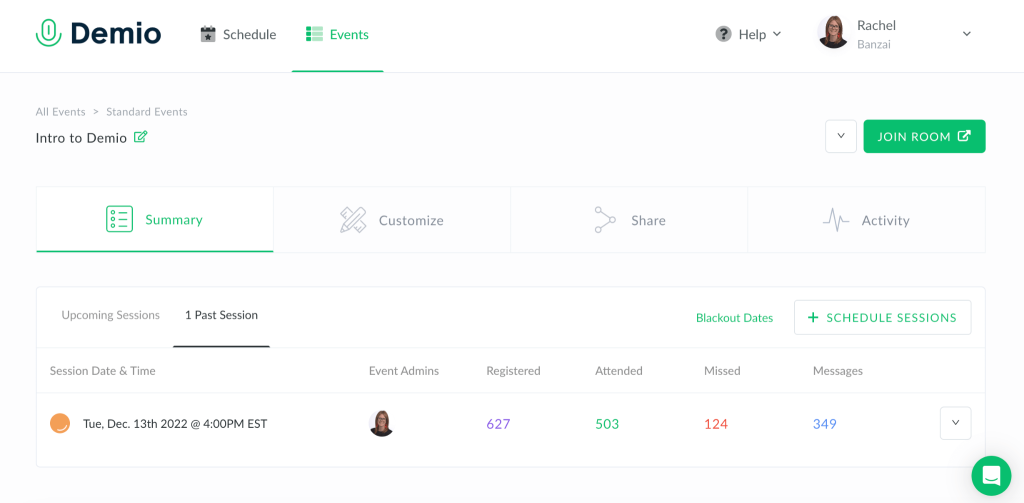
Demio is the one that feels the cleanest to actually run a webinar on. That no-download, one-click join experience on desktop or mobile is genuinely nice, and it covers live, series, automated, and on-demand webinar types.
Its AI layer, Demio AI, arrived later than the rest of the product and focuses on automating chat responses for on-demand sessions (Premium tier and up), alongside a Boost add-on for crowd-sourced promotion, rather than being the platform’s main selling point.
Pros:
- Consistently high marks for ease of use and interface design (around 4.6/5 on G2)
- No-download, one-click join experience for both desktop and mobile attendees
- Supports four webinar types (live, series, automated, and on-demand) in one platform
- 14-day free trial available before committing
- Boost add-on supports crowd-sourced promotion to help grow attendance
Cons:
- AI features are locked behind the pricier Premium tier
- Attendee caps are lower than several rivals at the entry tier
- Limited true evergreen/simulated-live depth
Pricing: Starts at $59/month for the Starter plan, with higher tiers offering more attendees and advanced features. 14-day free trial available.
6. EasyWebinar: Best for AI-Built Funnels Tied to a Native CRM
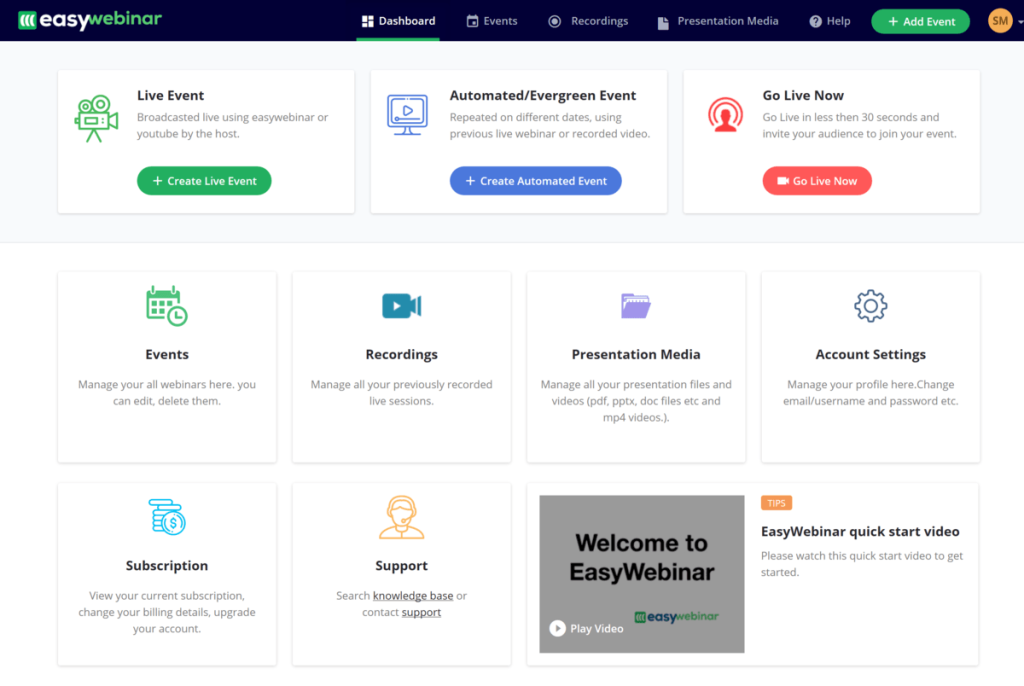
EasyWebinar isn’t primarily a webinar tool. It’s trying to be a revenue tool that also runs webinars. Its AI Webinar Funnel Builder generates a complete funnel: pages, sequencing, and offers, in minutes, feeding directly into its own native EasyCRM, complete with behavioral lead scoring and an auto-dialer.
It supports four formats (Live, Simulated Live, Evergreen with just-in-time delivery, and On-Demand), in-session checkout via Stripe or PayPal, and is SOC 2 Type II certified with SSO/SAML. That’s a genuinely different pitch than most of the platforms on this list.
Pros:
- Genuinely rare combination of webinar hosting, CRM, and monetization in one product
- Supports four webinar formats, including Evergreen with just-in-time delivery
- In-session checkout via Stripe or PayPal lets you monetize directly inside the webinar
- SOC 2 Type II certified with SSO/SAML for enterprise-grade security
- 7-day full-access free trial, not a stripped-down demo
Cons:
- The format range and CRM depth add a learning curve for teams that just want a simple training webinar
Pricing: Starts at $44/month for the Launch plan. 7-day full-access free trial available.
7. WebinarKit: Best for Writing Webinar Scripts
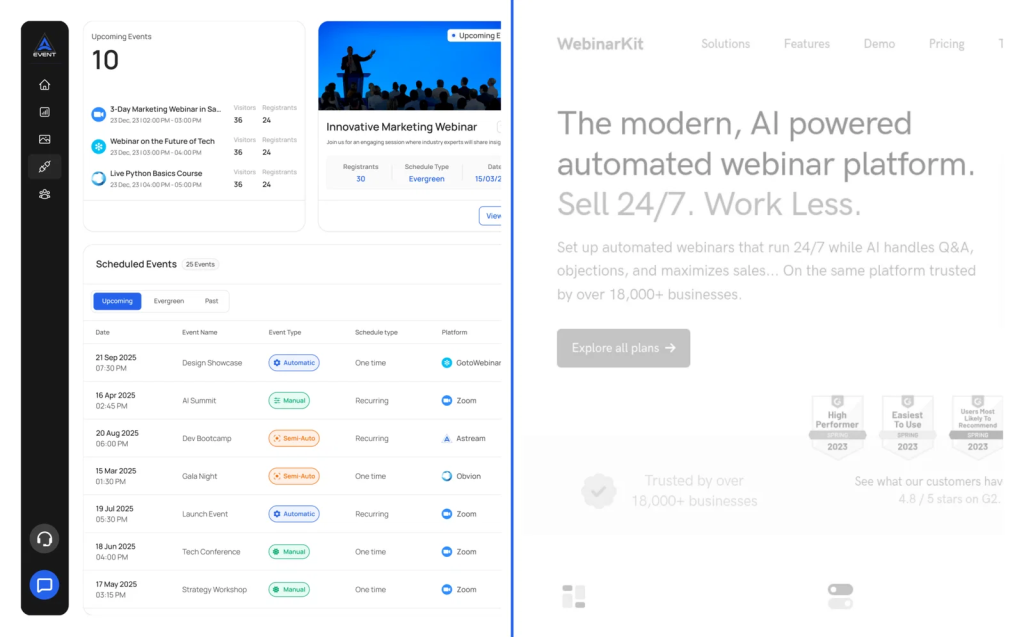
WebinarKit is the one to reach for if you’ve never written a sales webinar script before and don’t want to start now. As a dedicated AI webinar automation software, it’s built specifically for automated, evergreen selling rather than live, interactive hosting.
Its AI Webinar Builder generates a complete sales presentation (script, slides, and voice narration) from a short description of your offer, then an AI Chat Selling layer takes over and engages leads, answers objections, and sells to attendees around the clock, across unlimited automated, simulated-live, and multi-day webinar funnels.
Pros:
- Fastest path from idea to a running sales webinar of anything on this list
- Affordable relative to enterprise competitors
- AI Webinar Builder generates the full script, slides, and voice narration from a short offer description
- AI Chat Selling engages leads and answers objections around the clock
- Supports unlimited automated, simulated-live, and multi-day webinar funnels
Cons:
- Built for automated selling, not live, interactive hosting, a poor fit if your webinars are primarily live training or internal sessions
- AI usage is credit-limited on lower tiers
Pricing: Basic plan around $67/month, Pro around $97/month with added AI credits. 7-day trial for $1.
8. Zoho Webinar: Affordable, CRM-Connected Webinars
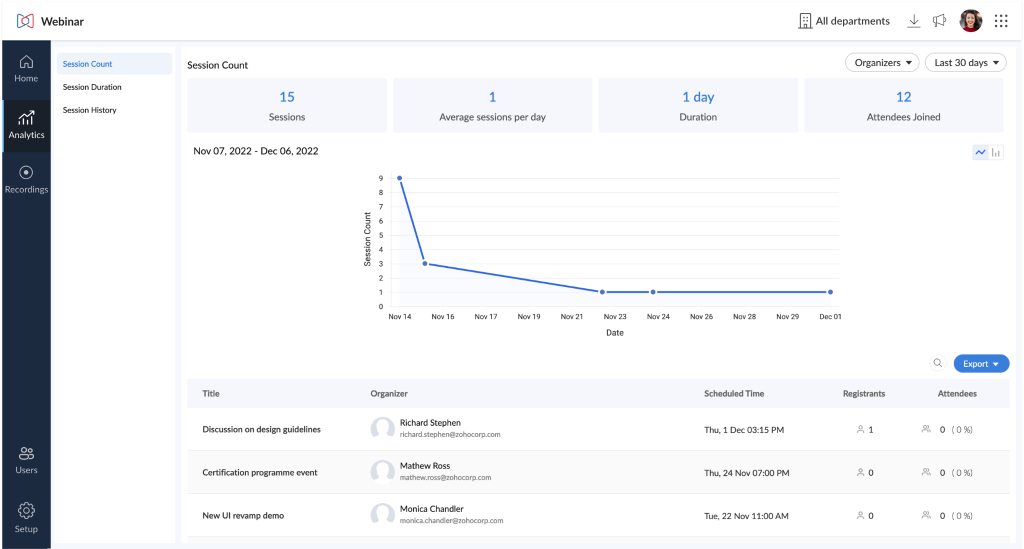
If you’re already running your business on Zoho, this is probably the boring, correct choice. Zoho Webinar is dependable and well integrated with Zoho CRM, Campaigns, and Meetings.
It offers source tracking for lead attribution, customizable registration pages, and support for up to 10,000 participants on higher tiers, but I couldn’t find any dedicated AI feature published for it as of this writing, which is worth knowing before you go in expecting one.
Pros:
- Very affordable entry point
- Strong fit if you already run on Zoho
- Deep native integration with Zoho CRM, Campaigns, and Meeting
- Supports up to 10,000 participants on higher tiers
- 14-day free trial plus a permanent free tier, not just a time-limited trial
Cons:
- No published AI capabilities
- Attendees on lower tiers may need to download the Zoho app to join
- The interface feels dated next to newer entrants
Pricing: Standard around $8–9/organizer/month, Professional around $16–19/month. 14-day free trial available.
9. BigMarker: Best for Large Branded Events and Networking
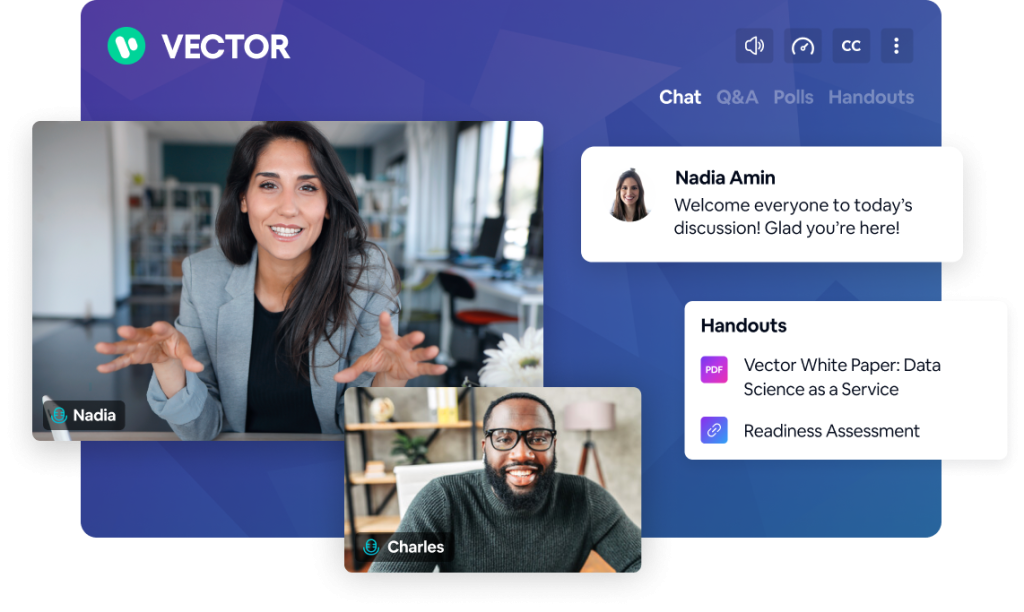
BigMarker is a heavier lift than most tools here, and it’s built for that purpose. This is aimed at mid-sized and large organizations running full virtual conferences, not a single webinar, with white-label branding, live/simulive/automated/on-demand formats, and enterprise-grade reporting.
Its AI feature set centers on attendee matchmaking for networking rather than content generation, which is a different bet than almost everything else on this list.
Pros:
- Strong for complex, multi-session virtual events
- Highly rated support
- White-label branding for a fully custom-branded event experience
- Supports live, simulive, automated, and on-demand formats in one platform
- 7-day free trial available on most tiers
Cons:
- Pricing is complex and expensive relative to most tools on this list, often running well into four figures annually for meaningful attendee capacity
- Steep learning curve
Pricing: Starts around $99/month, scaling significantly with attendee tiers and features. 7-day free trial
10. ClickMeeting: GDPR-First Webinars With Accessible Live Transcription
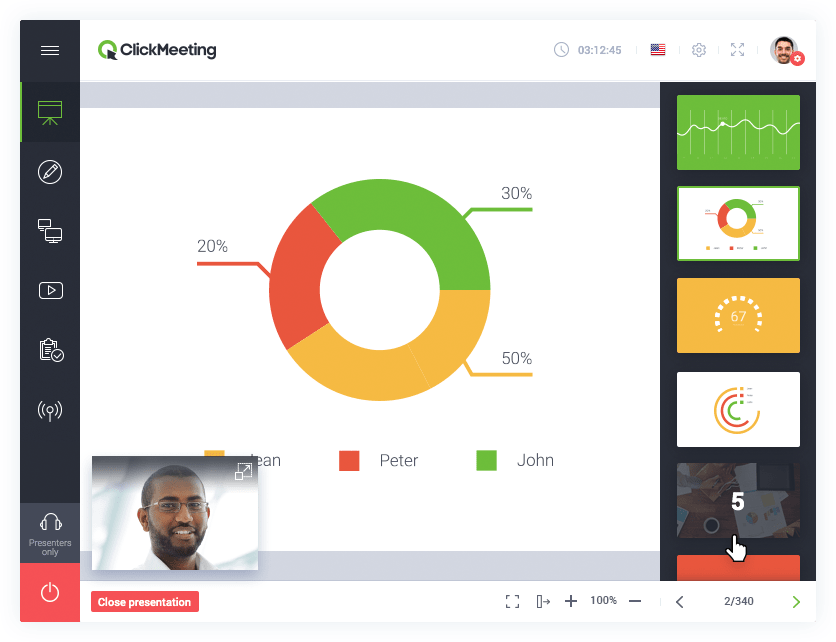
ClickMeeting doesn’t try to compete on generative AI at all, and that’s honestly a reasonable choice for what it’s going after. It’s a European-headquartered platform leaning on compliance and accessibility instead.
That means GDPR compliance with EEA-based servers, end-to-end encryption available on higher tiers, and automated webinars. The most useful AI-adjacent feature I found is automatic speech-recognition transcription for live captions and downloadable transcripts.
Pros:
- Strong data-residency and accessibility story
- Low entry price
- Automatic speech-recognition transcription for live captions and downloadable transcripts
- End-to-end encryption option available for sensitive sessions
- 30-day free trial, longer than most competitors on this list
Cons:
- No AI content-generation or AI chat tools
- Automated webinars are gated behind a pricier plan
Pricing: Basic around $25/month (25 attendees), Pro around $45/month (50 attendees). 30-day free trial.
My Evaluation Criteria
Every tool in this list was assessed using a consistent, six-point framework, not just feature checklists from vendor websites. This evaluation draws on analysis of 200+ real buyer conversations with webinar users across industries, as well as verified feedback from review communities such as G2 and Capterra. Here is what went into each review.
- User Reviews/Ratings: I reviewed verified user feedback on G2 and Capterra. Real frustrations, like Zoom Webinars’ post-event analytics falling short of reviewers’ expectations or Demio locking CRM integrations such as Salesforce and HubSpot behind its pricier Premium tier, came directly from these sources, not from vendor claims.
- Essential Features & Functionality: The value of a product is ascertained by its core features and overall functionality. Through an in-depth exploration of these aspects, the tools’ practical usefulness and effectiveness are carefully evaluated.
- Ease of Use: The user-friendliness of a product or service is assessed by focusing on its design, interface, and navigation. This ensures a positive experience for users of all levels of expertise.
- Customer Support: The quality of customer support is examined, taking into account its efficiency and how well it supports users in different phases – setting up, addressing concerns, and resolving operational issues.
- Value for Money: Value for money is evaluated by comparing the quality, performance, and features. The goal is to help the reader determine whether they would get their money’s worth.
- Industry Analysis & Expert Commentary: This part of the evaluation draws on publicly available analyst commentary and expert-authored comparisons across the webinar software space.
Why Does Your Business Need AI Webinar Software?
Three problems keep recurring when teams run webinars without AI support, and each has a direct fix.
- Problem 1: Registration pages underperform because the headline is a guess, not a test. Most hosts write one headline, publish it, and hope it converts. A 2026 HubSpot study found that 42% of marketers use webinars specifically for lead generation, making a weak registration page a direct hit to the pipeline, not just a cosmetic issue. AI-assisted registration tools generate multiple headline variants based on proven conversion formulas, so you’re testing data-backed copy instead of a single guess.
- Problem 2: Hosts lose momentum answering the same three chat questions every session. “Will there be a replay?” and “Where do I get the slides?” interrupt your flow every time you’re mid-pitch. AI chat assistants, whether trained on a knowledge base like WebinarGeek’s or working out of the box like WebinarNinja’s AI Engagement Lead, scan chat in real time and answer repetitive questions instantly, without you breaking stride.
- Problem 3: A strong webinar dies the moment the session ends. Without a system to repurpose it, 60 minutes of expertise becomes one recording nobody watches after the first week. AI content tools automatically convert that recording into blog posts, email sequences, and social snippets, so the webinar keeps generating leads and content value long after the live session ends.
Built-In AI vs. Bolted-On AI: What to Actually Check
Built-in AI is designed around the webinar workflow itself. It ships as a core part of the product, ready to use without extra setup or a higher-tier unlock. Bolted-on AI is adapted from something else: a broader meeting tool, a premium add-on, or a feature that needs configuration before it works. That means the AI highlighted on a pricing page isn’t always the AI you actually get on day one.
According to Grand View Research’s 2026 virtual events market report, the global virtual events market is projected to reach $297.16 billion by 2030, growing at a 20.0% CAGR from 2025 to 2030, and AI is a big part of why vendors are racing to add features here. But not every “AI webinar software” claim means the same thing, and the real AI capabilities in webinar software vary far more than marketing pages suggest. Before you commit to a platform based on its AI pitch, it’s worth checking which of these it actually is:
- Native AI, built for webinars specifically (built-in), like WebinarNinja’s AI Co-Host or WebinarKit’s script generator, is designed around the webinar workflow itself.
- AI inherited from a broader platform (bolted-on): Like Zoom’s AI Companion, which was built for meetings first and extended to webinars.
- AI gated behind a higher tier: Several platforms on this list (Demio, ON24) only unlock their AI features on pricier plans, so the “starting price” in the comparison table above isn’t always the price you’d pay to actually get the AI.
- AI that requires setup before it works: WebinarGeek’s chat assistant needs a built-in knowledge base; out-of-the-box tools like WebinarNinja’s AI Engagement Lead work without that step.
None of these is automatically better. It depends on whether you want AI ready on day one or are willing to configure it for a better long-term fit.
My Top 3 AI Webinar Software Picks
Let’s check out the top 3 tools out of the list above that really make a great impression as AI webinar platforms:
1. ProProfs WebinarNinja
The only platform here where AI touches the whole lifecycle: headline, pitch, live chat, and follow-up content, inside a genuinely simple, affordably priced all-in-one tool. It is an all-in-one webinar platform for businesses, marketers, coaches, and trainers, designed to generate leads, grow sales, and teach better.
2. ON24
If your webinar program needs to feed a content calendar and a CRM at scale, ACE’s transcript-to-blog-to-video pipeline is the deepest on this list for enterprise budgets.
3. WebinarKit
If you’re a solo creator or small team that wants AI to write the script and sell on autopilot, this is built specifically for that job.
AI Webinar Software for Specific Use Cases
The right choice often depends less on overall rankings and more on the specific context in which the software will be used. A coach running lead-generation webinars, an enterprise team managing a large-scale conference, and a course creator selling paid content each have different priorities, and each is best served by a platform purpose-built for that specific need.
The table below maps common business scenarios to the AI webinar software best equipped to handle them, allowing you to identify the right fit without reviewing every platform in detail.
| Use Case | Best Tool | Why |
| Coaches and consultants running lead-gen webinars | ProProfs WebinarNinja | AI-assisted registration, pitch coaching, live chat, and content repurposing in one platform |
| Running paid or gated webinars with checkout built in | EasyWebinar | AI Webinar Funnel Builder plus native Stripe or PayPal checkout in one product |
| Running polished, no-download live demos | Demio | A clean one-click join experience, with AI chat automation available on the Premium tier |
| Already standardized on Zoom | Zoom Webinars | Bundled AI Companion inside the Workplace plan your team already pays for |
| Large branded virtual conferences with networking | BigMarker | AI-powered attendee matchmaking alongside deep event customization |
| GDPR-first hosting with AI-handled live chat | WebinarGeek | EU-based, with an AI Assistant trained on your own knowledge base |
| Budget-conscious teams that don’t need AI | ClickMeeting or Zoho Webinar | Reliable webinar basics at the lowest entry price on this list |
Ready to Try AI Webinar Software?
If you want a platform where AI handles the full webinar lifecycle, from registration headlines and pitch feedback to live chat FAQs and post-event content, ProProfs WebinarNinja is a practical choice. It also supports live, automated, and course-based webinars without a stack of add-ons, with CourseNinja bundled in for free. This makes it a strong fit for coaches, consultants, and small-to-midsize teams running regular lead-generation webinars.
Frequently Asked Questions
How much does AI webinar software cost in 2026?
Pricing spans a wide range. Attendee-based platforms like ProProfs WebinarNinja start at around $0.30 per attendee per month; mid-market tools such as Demio and WebinarKit typically run $45 to $200 per month; and enterprise platforms like ON24 often cost $25,000 or more per year under a custom contract.
Is there a free AI webinar tool?
Most platforms on this list offer a free trial rather than a permanent free tier. WebinarNinja, Demio, and Zoho Webinar all offer trial periods with real usage limits, and Zoom's free plan covers meetings but not webinars.
How is AI actually changing webinar hosting?
The most common uses in 2026 are automated chat responses, AI-generated post-event summaries, and content repurposing, and AI-assisted script or funnel generation for automated/evergreen webinars, rather than AI replacing the live presenter.
Can AI webinar software handle automated or evergreen webinars?
Yes. Platforms including WebinarNinja, WebinarKit, and EasyWebinar support automated or evergreen formats that run pre-recorded sessions on a set schedule, often layering AI-driven personalization or AI-generated scripts on top so the session still feels live to each viewer. WebinarKit, in particular, is built as dedicated AI webinar automation software, generating the entire script and running chat-based selling without a live host.
What should I look for in an AI webinar assistant?
Look for AI that covers more than one stage of the webinar lifecycle: ideally registration copy, live chat moderation, and post-event content repurposing, rather than a single feature like meeting summaries. Also, check whether the AI works out of the box or requires a knowledge base to be configured first.
Do AI webinar platforms require attendees to download software?
Most 2026-era platforms, including WebinarNinja, Demio, and WebinarGeek, run entirely in the browser with no downloads for hosts or attendees. Zoho Webinars' lower tiers and Zoom Webinars may require an app download, depending on the plan and device.
How do I migrate from my current webinar platform?
Start by exporting your registrant lists, past recordings, and email automation sequences from your current tool. Most platforms, including WebinarNinja, offer onboarding support and import tools, so confirm your new platform's integrations cover your existing CRM and email tools before canceling your old subscription.
Which AI webinar software works best for course creators?
ProProfs WebinarNinja includes CourseNinja at no extra cost, letting course creators run live and on-demand courses alongside webinars in the same account, while WebinarKit and EasyWebinar focus more narrowly on automated sales funnels for course launches rather than course delivery itself.
Is AI webinar software worth it for small businesses?
Yes, particularly on platforms with attendee-based or low flat-rate pricing rather than enterprise contracts. A small business running monthly webinars can access AI-generated registration copy, live chat support, and content repurposing on WebinarNinja for $0.30 per attendee per month, without committing to a five-figure annual contract.
Want to host a webinar for free?
Use WebinarNinja to teach, improve marketing, and grow your sales.