A new customer signs the contract, gets a welcome email with a PDF guide attached, and is never actually shown how to use what they just paid for before the first invoice lands. Somewhere else, an onboarding session runs live exactly once, and half the customers who registered miss it because the time slot never worked for their time zone. That gap is exactly why customer success teams start looking for the best webinar software for customer onboarding: something that can make the experience repeatable without making every customer wait for a calendar slot.
According to Forrester research, the decision to renew is often made within the first 90 days of the post-sale journey, giving onboarding teams a narrow window to prove value. A recorded or self-paced onboarding webinar doesn’t wait for a calendar slot to open up.
I compared the platforms on the parts of onboarding that are hardest to scale: running multiple sessions as a connected program, confirming whether customers actually completed it, and making the experience available without a live host each time. Current pricing, product documentation, and buyer feedback from G2, Capterra, and TrustRadius were used to check how well each option supports those needs.
What Is Webinar Software for Customer Onboarding?
The distinguishing features aren’t the same ones that matter for a sales demo: what counts here is whether a session can repeat across a whole sequence, whether attendance and completion can actually be tracked, and whether a customer who missed the live version still gets the same experience on replay.
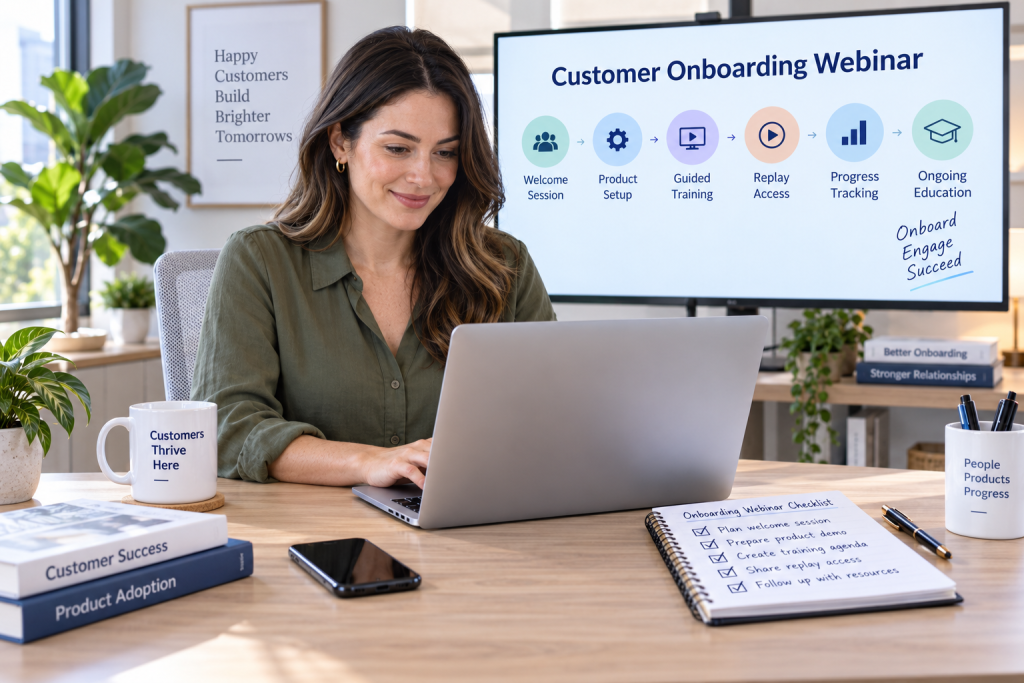
A single onboarding session rarely covers everything a new customer needs. Some platforms are built to string several sessions together into a structured track, closer to a short course than a one-off meeting, while others treat onboarding as just another webinar type with no real distinction from a sales demo.
10 Best Webinar Software for Customer Onboarding to Check
A few of the platforms below have built real features specifically for structured onboarding: multi-session series, completion certificates, or a persistent library a new customer can revisit. Others handle onboarding fine as a one-off session, but have nothing in place to track whether it actually worked.
The question worth asking isn’t just which tool can host the first welcome call, but which one holds up once onboarding becomes a repeatable, trackable program rather than a single good meeting.
Here’s a quick look at how they stack up before we get into specifics:
| Tool | Best For | Standout Feature | Attendee Cap | Starting Price | Free Trial |
| ProProfs WebinarNinja | Generating leads, growing sales, and teaching better | Four built-in AI roles: AI Conversion Writer, AI Sales Coach, AI Engagement Lead, and AI Content Strategist | 1,000 live/unlimited automated | $0.30/attendee/month | 14 days, full features |
| ON24 | Enterprise onboarding programs with reusable content | Key Moments heatmap for session drop-off | Enterprise-scale (custom) | Custom ($25K+/yr) | No |
| GoTo Webinar | Teams that already trust the GoTo brand | Basic completion certificates | 250 to 3,000 | ~ $59/user/month | Yes |
| BigMarker | Building a persistent onboarding resource library | Media Hubs for organizing on-demand content | Enterprise-scale (tier-dependent) | ~ $79/month | No |
| Livestorm | Self-paced, on-demand onboarding at scale | On-demand event support built into the core product | Tier-dependent (credit-based) | ~ $99/month | Free plan only |
| Zoom Webinars | Teams already standardized on Zoom | AI Companion bundled with Workplace | Varies by plan | ~ $66-83/month add-on + license | Free plan (meetings only) |
| Demio | A single, well-run welcome session | Marketing-focused engagement analytics | 50 to 150+ (tier-dependent) | ~ $42-63/month | Yes |
| ClickMeeting | Automated, always-on onboarding sequences | Evergreen and automated webinar formats | 25 to 10,000 | ~ $25-35/month | Yes (14 days) |
| Zoho Webinar | Teams already on Zoho, wanting AI session notes | Zia AI notes plus RevAI live transcription | Up to 10,000 | ~ $8-9/organizer/month | Yes |
| Microsoft Teams Webinar | Teams already on Microsoft 365 | Webinar hosting bundled into base plans | Up to 1,000 | ~ $12.50/user/month (bundled) | Depends on the license |
Now, here’s how each one actually holds up for a customer onboarding program:
1. ProProfs WebinarNinja
Best Webinar Software to Generate Leads, Grow Sales, and Teach Better
ProProfs WebinarNinja has a dedicated customer onboarding solution designed for structured customer education, not a single welcome call. Its Series format lets teams connect multiple sessions into a single program, while CourseNinja can turn that sequence into a more guided curriculum.
For a customer success team, that means onboarding can start as soon as a customer is ready, continue across several focused sessions, and remain available through automated webinars when a live time slot does not work. Certification packages also give teams a clearer way to confirm that customers have completed the program rather than merely registering for it.
Pros:
- AI improves onboarding messaging, answers live customer questions, and turns each session into reusable follow-up content.
- Runs live, automated, series, and hybrid webinars for scheduled, self-paced, or multi-session customer onboarding.
- Built-in registration pages and emails manage onboarding invites, reminders, and follow-up without extra tools.
- Chat, Q&A, polls, offers, and handouts keep customers engaged and asking questions throughout onboarding.
- Auto-records every webinar for fast customer replays and attendance and participation tracking.
- Integrates with Mailchimp, HubSpot, Stripe, and 1,000+ apps via Zapier to connect onboarding workflows.
Cons:
- No downloadable or on-premise version
- Dark user interface option not available
Pricing: A FREE 14-day trial is available. Paid starts at $0.30/attendee/month (includes CourseNinja, worth $ 1,200).
Case study:
Doug Herman, Executive Director at Pacific Worlds Institute, used WebinarNinja to deliver and record educational sessions for learners across different locations. Pre-recorded sessions and replay access made it easier to revisit training, while registration and engagement data helped the team understand participation and improve future sessions. The same setup can work well for customers’ onboarding programs that need repeatable, flexible product education.
2. ON24
Enterprise Onboarding Programs With Reusable Content
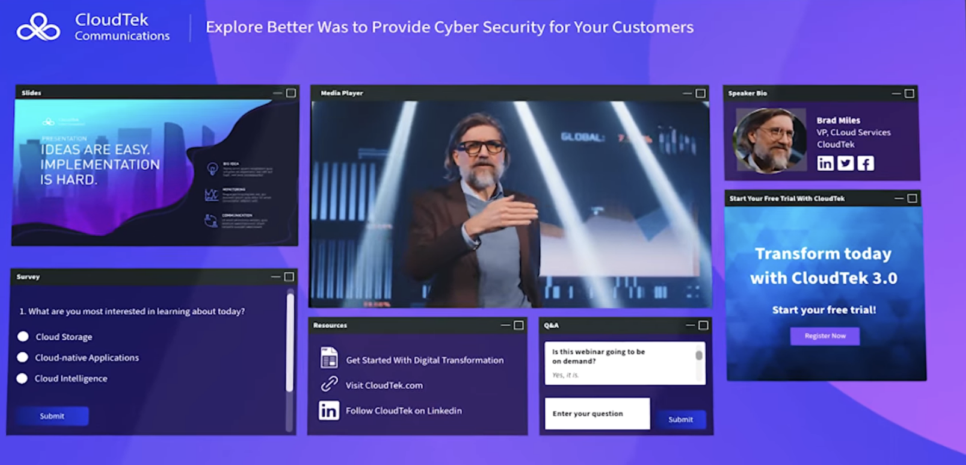
ON24’s Key Moments heatmaps show where new customers lose interest during an onboarding session, which is useful when the same material is delivered repeatedly across a large customer base. Its ACE engine can then turn the original session into transcripts, summaries, and other reusable assets for the customer success team.
That matters most in enterprise onboarding, where one weak section can create the same confusion across hundreds of accounts. Instead of treating each session as a one-off event, teams can use the engagement data to refine the program and reuse the strongest parts across segments.
Pros:
- Key Moments heatmaps pinpoint exactly where new customers disengage during onboarding
- ACE engine repurposes one onboarding session into a lasting content library
- Built for the scale of an enterprise customer base, onboarding continuously
- SOC 2 Type II certified and GDPR compliant
- Segment-level personalization for onboarding content by customer type
Cons:
- No free trial and no published pricing, so evaluating fit means entering a sales process first
- CRM and customer-data integration are available at the entry tier, but reviewers report it needs real engineering effort to set up properly
Pricing: Custom quotes only, across Essentials, Standard, and Advanced tiers. Most organizations pay $25,000 to $100,000+ annually, with a median contract around $38,750.
3. GoTo Webinar
Reliable Onboarding for Teams That Already Trust the Brand
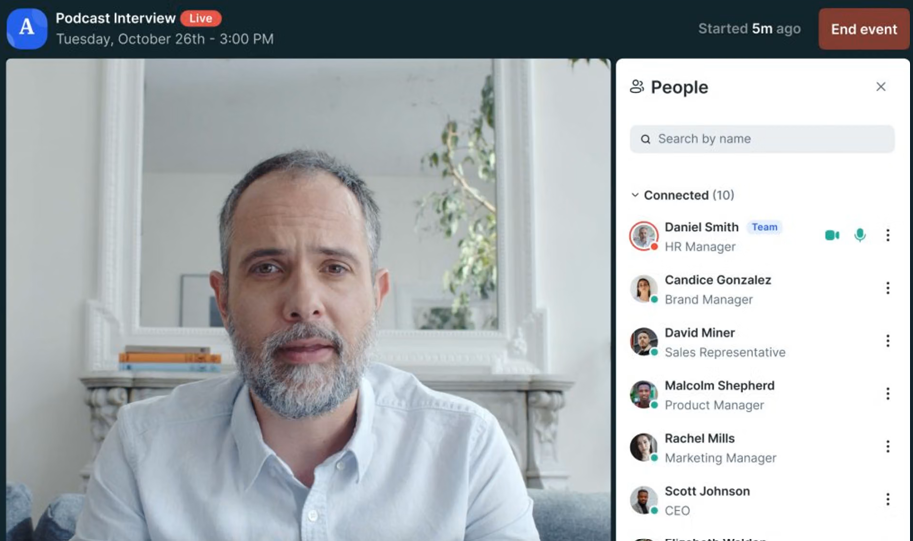
GoTo Webinar’s completion certificate feature covers the basics: an automated email with the certificate attached can be sent after the session. For teams that only need a straightforward way to acknowledge attendance, that may be enough without adding another platform to the stack.
The limitation appears when onboarding needs to prove more than attendance. Quizzes, automatic grading, and deeper progress tracking sit in the separate GoTo Training product, so a customer success team building a true learning path may outgrow the webinar product alone.
Pros:
- Predictable attendee tiers make it easier to scale onboarding from small groups to larger customer cohorts
- Basic completion certificates are included without an add-on
- Attendee capacity scales predictably from 250 to 3,000 across tiers
- CRM integrations available on the Pro and Enterprise tiers
- A free trial lets a team test it before committing
Cons:
- Real quizzes, automatic grading, and detailed progress tracking live in a separate paid product, GoTo Training, not in GoTo Webinar itself
- Automated sessions, needed for onboarding that runs without a live host, only unlock on the Pro and Enterprise tiers
Pricing: Plans start at around $59/user/month for the Lite tier (250-300 participants) and scale to roughly $399- $499/month for Enterprise (3,000 participants). A free trial is available.
4. BigMarker
Building a Persistent Onboarding Resource Library
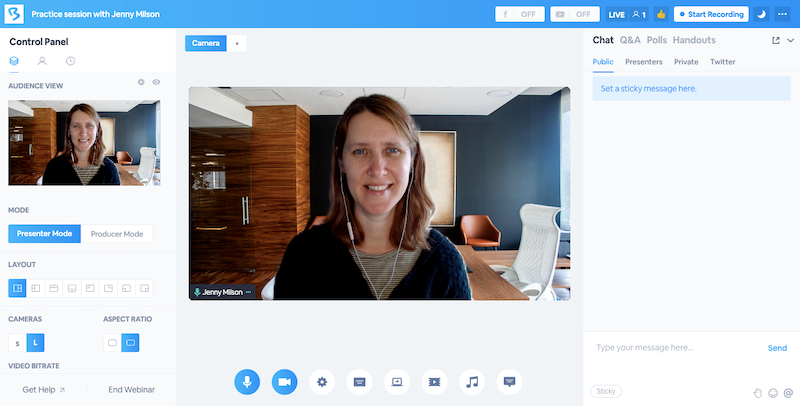
BigMarker’s Media Hubs let a team organize on-demand onboarding content into a browsable library, so a new customer can return to the right session weeks after the initial welcome call, rather than searching through old emails for a recording.
That makes BigMarker more useful when onboarding content has a long shelf life. A customer success team can keep setup walkthroughs, role-specific sessions, and refresher content in one branded destination rather than rebuilding the same explanations for every account.
Pros:
- On-demand Media Hubs let customers revisit setup and refresher sessions after initial onboarding
- Media Hubs organize on-demand onboarding content into a browsable, lasting library
- White-label option removes any trace of a third-party platform from the customer experience
- Supports live, simulive, automated, and on-demand formats in one platform
- Enterprise-grade reporting for large-scale onboarding programs
Cons:
- No published free trial, so a team commits to a paid plan before confirming fit
- Custom white-label implementations can require more setup and coordination than standard onboarding programs
Pricing: Starter around $79/month (100 attendees), Elite around $299/month (500 attendees), custom Enterprise pricing above that.
5. Livestorm
Self-Paced, On-Demand Onboarding at Scale
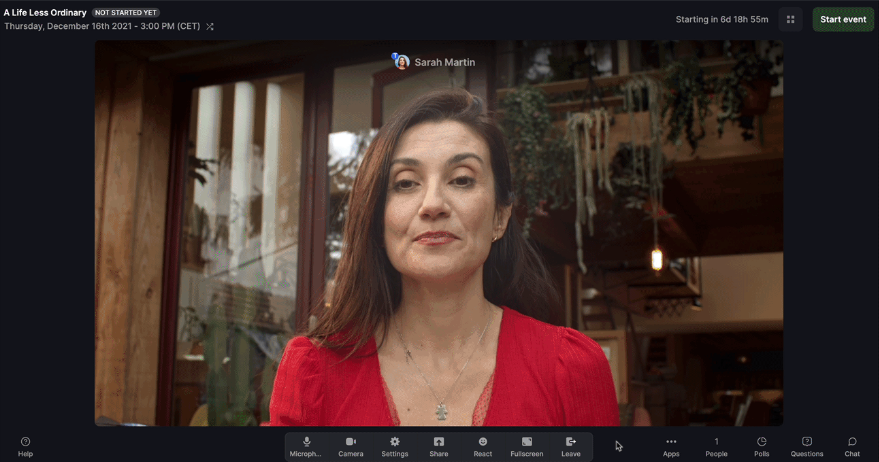
Livestorm treats on-demand events as a core format, which works well when customers need to begin onboarding whenever they are ready, rather than waiting for the next scheduled session. The browser-based experience also removes an extra setup step for someone who is already learning a new product.
Its built-in emails and CRM connections make the format more practical for continuous onboarding. A team can remind customers to attend, follow up with no-shows, and pass participation data into systems such as HubSpot or Salesforce without turning each cohort into a manual campaign.
Pros:
- On-demand format is a core, first-class part of the product, not an afterthought
- No-download join experience removes friction for a brand-new customer with no prior relationship to the platform
- Native CRM connections with HubSpot and Salesforce, no Zapier required
- Built-in email automation for onboarding reminders and replay follow-up
- Detailed analytics on attendance and drop-off during onboarding sessions
Cons:
- Per-attendee credit pricing, around $3/attendee, adds up quickly for a company onboarding a steady stream of new customers
- No unlimited white-label branding, so the platform’s own identity stays visible to new customers unless a costlier tier changes that
Pricing: Free plan limited to 30 attendees and 20-minute sessions. Pro starts around $99/month, Premium reaches around $299/month, and Enterprise is custom above $500/month.
6. Zoom Webinars
Familiar and Reliable, With Nothing Onboarding-Specific
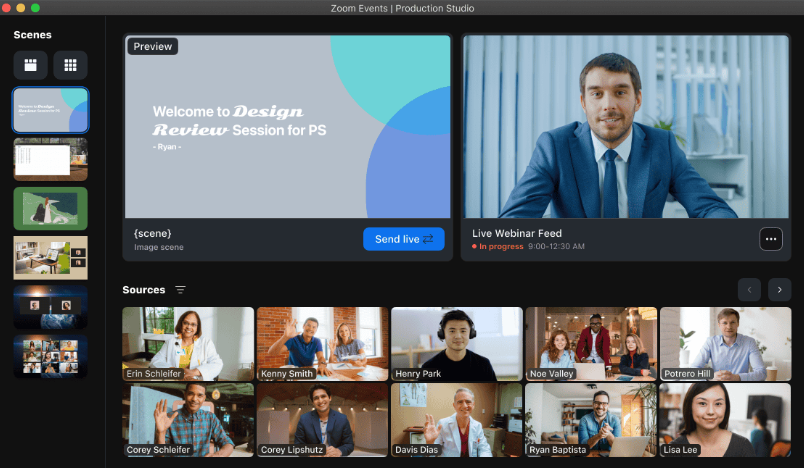
Zoom Webinars benefits from near-universal familiarity, which can reduce friction for a brand-new customer who does not want to learn another meeting interface while also learning the product they just bought. AI Companion can also generate summaries and notes for teams already using paid Zoom Workplace plans.
That familiarity, however, does not turn Zoom into a structured onboarding system. Teams that need completion certificates, quizzes, or a multi-session learning path would still need another tool to prove that onboarding was actually completed.
Pros:
- AI Companion comes bundled with paid Workplace plans instead of requiring a separate purchase
- Near-universal familiarity reduces the odds of a technical hiccup during a brand-new customer’s first session
- Works with existing Zoom Phone and Rooms investments that many teams already have
- No new tool for a customer to learn on top of the product itself
- Custom AI Companion add-on available for cross-platform use
Cons:
- No native completion certificates or quizzes, so confirming a customer actually finished onboarding requires a separate tool
- Webinars are a paid add-on stacked on a separate Workplace license, so the real monthly cost runs higher than the add-on price alone
Pricing: Requires a paid Workplace license (Pro around $14/user/month or Business around $18/user/month), plus the Webinars add-on starting around $66-83/month.
7. Demio
A Clean Option for a Single Welcome Session
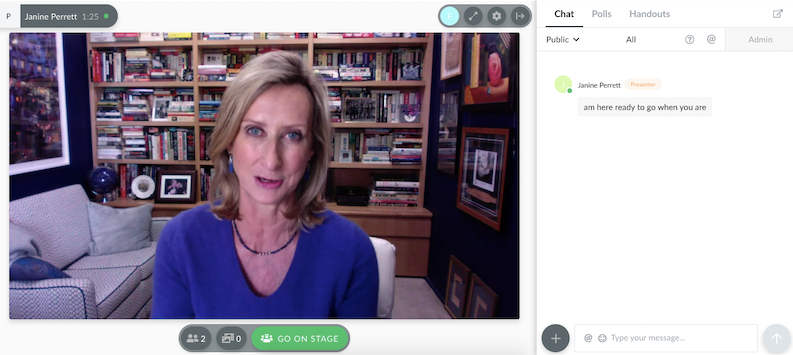
Demio’s no-download join flow and clean interface make it a practical choice for a single onboarding webinar where the goal is to get a new customer into the session with as little friction as possible. Automatic recording also makes it easy to send a replay to anyone who misses the live event.
Where it becomes less suitable is a longer onboarding journey. Because there is no true multi-session series format, teams have to manage a curriculum as separate webinars rather than one connected program, which adds administrative work as onboarding grows.
Pros:
- No-download joining reduces friction for new customers attending their first onboarding session
- Marketing-focused analytics track registration source and attendance in detail
- Automatic recording and replay help customers catch up when they miss the live onboarding session
- Native HubSpot and Salesforce integrations on the Premium tier
- Free trial lets a team confirm fit before paying
Cons:
- No true multi-session series format, so a longer onboarding curriculum has to be built as separate, disconnected webinars
- The Starter tier caps at one host and 50 attendees, restrictive once onboarding volume grows
Pricing: Starter runs about $42 – $63/month for one host and a 50-attendee room, with a 3-hour session limit. Growth starts at $75 – $117/month and unlocks automation.
8. ClickMeeting
Automated, Always-On Onboarding Sequences
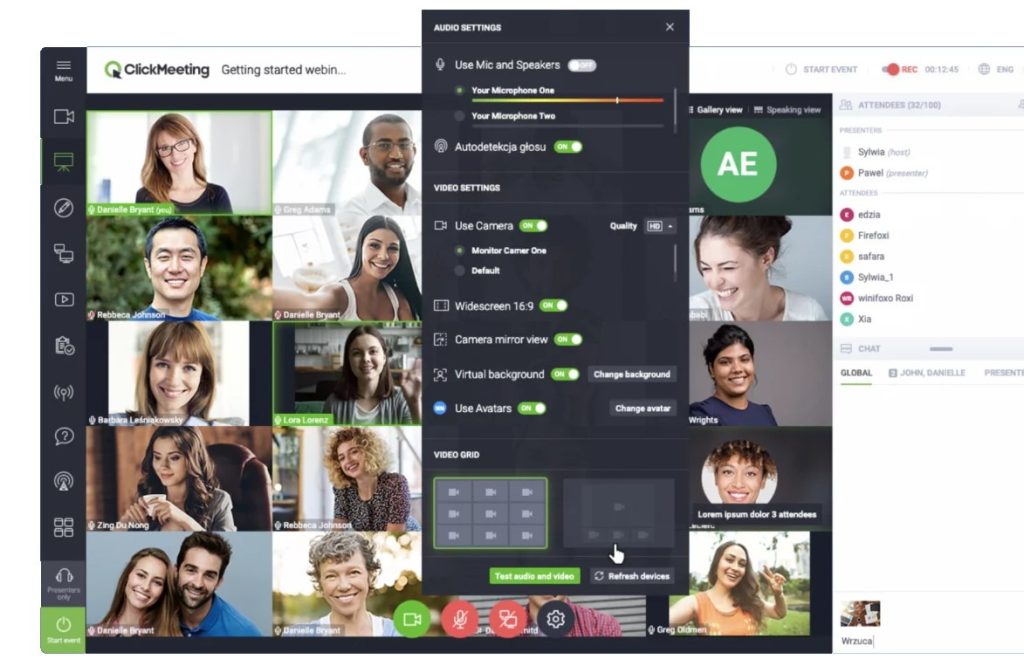
ClickMeeting’s Automated plan supports evergreen webinar sequences that can stay available whenever a new customer signs up. That fits companies with customers arriving continuously rather than in neat monthly cohorts.
The trade-off is that automation is available above the base Live plan, and the platform does not provide built-in certificates or quizzes to confirm completion. It can keep the content available around the clock, but teams that need formal progress tracking still have to layer on another system.
Pros:
- Automated and evergreen formats support an always-on onboarding sequence
- GDPR compliance and EU data residency reassure European customers during onboarding
- Enterprise tier scales to 10,000 participants for a large onboarding cohort
- Genuine 14-day free trial at a low entry price
- Automatic speech-recognition transcription for live captions
Cons:
- Automated sequences require upgrading from the Live plan to the pricier Automated plan
- No completion certificates or quizzes built in, so confirming a customer actually finished onboarding needs an outside tool
Pricing: Live plan starts at $25-$35/month for 25 attendees. Automated plan starts at around $45/month. Enterprise is custom-priced for up to 10,000 participants.
9. Zoho Webinar
AI Session Notes for Teams Already on Zoho
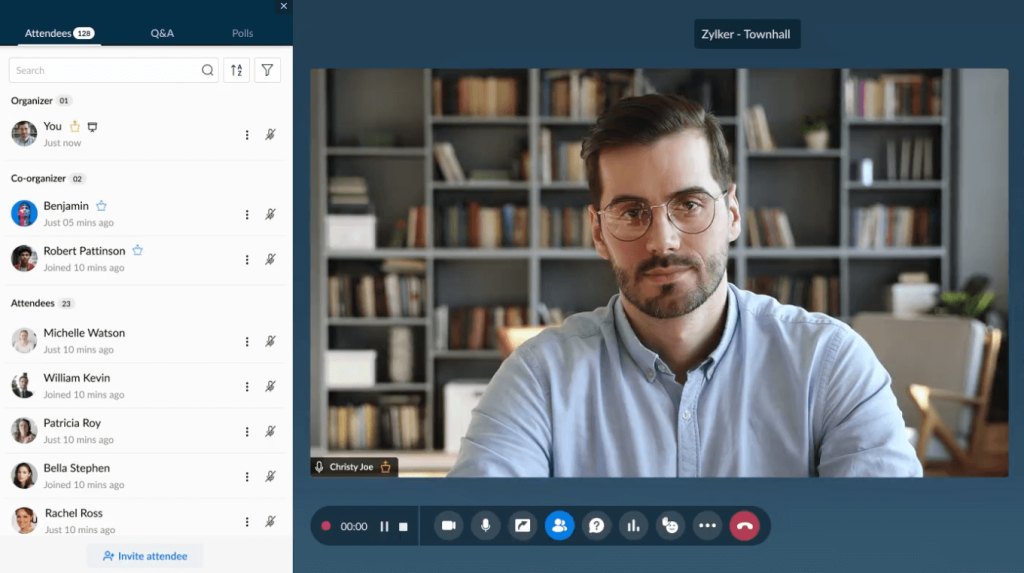
Zoho Webinar now includes AI capabilities that are useful for customer onboarding: Zia can generate session notes and key takeaways, while a RevAI integration adds live transcription. That gives customer success teams a written record of what was covered without relying entirely on manual notes.
Its strongest fit is for organizations already using Zoho CRM. Webinar activity can stay closer to the customer record, making it easier for success teams to see onboarding participation alongside the rest of the account history.
Pros:
- Zia AI generates automatic session notes and key takeaways from onboarding calls
- RevAI integration adds live transcription for accessibility and record-keeping
- Zoho Flow enables no-code automation between webinar events and other Zoho apps
- Deep native integration with Zoho CRM for tracking onboarding status alongside the account record
- Free trial and a limited free tier are both available
Cons:
- Still no completion certificates or quiz functionality built specifically for onboarding tracking
- Attendees on lower tiers may need to download the Zoho app, adding friction for a brand-new customer
Pricing: Standard around $8-9/organizer/month, Professional around $16-19/month, Enterprise around $66/month.
10. Microsoft Teams Webinar
Bundled Into Microsoft 365 for Teams, Already Using It
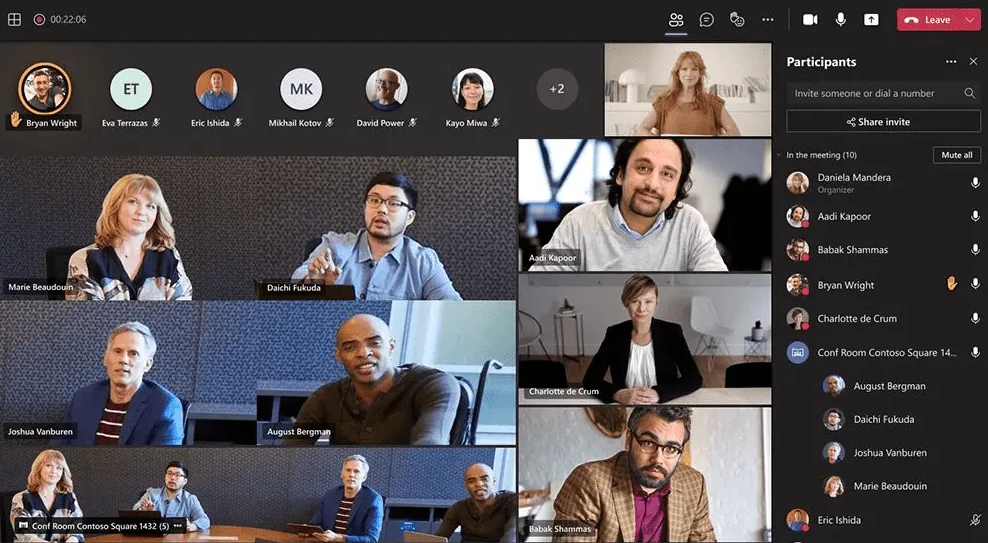
Core webinar hosting moved into the base Teams Enterprise and Microsoft 365 Business Standard plans. For onboarding enterprise customers who already operate in Microsoft 365, this can remove one more unfamiliar platform during an already busy first few weeks.
Teams Premium adds intelligent recap and more advanced production features, but the webinar product itself is still not designed as a completion-tracking system. Customer success teams that need quizzes, certificates, or structured progression would have to add Microsoft Forms or another learning tool.
Pros:
- Webinar hosting is now bundled into Microsoft 365 plans, and many enterprise customers already use it
- Supports up to 1,000 attendees with registration and reminders built in
- Running onboarding on a customer’s already-approved platform can shortcut a new vendor security review
- Intelligent recap, through the Teams Premium add-on, turns a session into a shareable summary automatically
- Runs on infrastructure that most enterprise IT departments already manage
Cons:
- No native completion certificates or quiz tooling, so confirming onboarding actually happened means layering on Microsoft Forms or a separate system
- Advanced production features like multi-presenter engagement reporting still require the separate Teams Premium add-on
Pricing: Core webinar hosting is included in Microsoft 365 Business Standard (around $12.50/user/month). The Teams Premium add-on (around $10/user/month) adds AI-powered recaps and advanced production.
Evaluation Criteria
Each platform was checked against its live pricing page, published documentation, and independent buyer feedback from G2, Capterra, and TrustRadius. Six factors shaped the evaluation.
- User Reviews/Ratings: I checked independent buyer feedback on G2, Capterra, and TrustRadius to see how the platforms perform in real use, with particular attention to ease of joining, reliability, support, and overall value for customer onboarding teams.
- Essential Features & Functionality: The value of a product is ascertained by its core features and overall functionality. Through an in-depth exploration of these aspects, the tools’ practical usefulness and effectiveness are carefully evaluated.
- Ease of Use: The user-friendliness of a product or service is assessed by focusing on its design, interface, and navigation. This ensures a positive experience for users of all levels of expertise.
- Customer Support: The quality of customer support is examined, taking into account its efficiency and how well it supports users in different phases – setting up, addressing concerns, and resolving operational issues.
- Value for Money: Value for money is evaluated by comparing the quality, performance, and features. The goal is to help the reader determine whether they would get their money’s worth.
- Industry Analysis & Expert Commentary: Independent analyst coverage and third-party comparisons specific to customer onboarding and customer success tooling, used to check vendor claims against outside opinion.
Questions to Ask Before You Buy
Before choosing a webinar platform for customer onboarding, check whether it supports the way your team actually runs onboarding. The right tool should fit your delivery model, customer volume, CRM workflow, and level of automation without forcing extra manual work.
It also helps to think beyond the first few sessions. A tool that works well for a handful of customers may become harder to manage once onboarding volume grows or multiple team members need to run sessions. Features that support webinar engagement, such as chat, Q&A, polls, and follow-up, also matter when customers need more than passive viewing.

Ask questions such as:
- Can customers watch without creating an account or downloading software?
- Are automated webinars included in the plan you are considering?
- Can your team see who attended, what they interacted with, and how long they stayed?
- Does webinar activity sync with your CRM?
- Can one recording be reused without rebuilding the event?
- What happens as attendee volume increases?
- Are branding, integrations, and automation included, or are they paid add-ons?
What Can Increase Webinar Costs?
The starting price rarely tells the full story. As onboarding scales, costs can rise because of attendee limits, organizer licenses, automation upgrades, integrations, branding, or premium AI features.
It is better to compare the total cost of the onboarding workflow than to choose a platform based solely on its lowest advertised plan. A lower-priced tool can become more expensive if essential onboarding features sit behind higher tiers or require separate tools.
Check for:
- Attendee limits: A cheap base plan can become costly as the audience grows.
- Host or organizer charges: Some tools are priced per organizer in addition to the webinar capacity.
- Automation upgrades: Automated or evergreen webinars may be available on higher plans.
- CRM integrations: Native integrations can require premium tiers.
- Branding: Removing vendor branding or adding custom domains may incur additional charges.
- AI features: Some platforms bundle AI, while others charge separately or restrict it by plan.
- Annual commitments: Enterprise platforms may quote annual contracts rather than straightforward monthly pricing.
What Should You Test During a Free Trial?
A free trial should help you test the actual onboarding webinar workflow, not just the webinar interface. Focus on the tasks your team will repeat most often, such as setup, automation, CRM syncing, replay delivery, and follow-up.
It is also worth involving the people who will use the platform regularly. Customer success managers, onboarding specialists, or account managers may spot friction that is easy to miss during a quick product evaluation.
Watch for issues such as:
- Creating one webinar requires too many disconnected setup steps.
- Automated sessions are supported but difficult to configure.
- Attendee analytics stop at registrations and attendance.
- CRM data requires manual exports.
- Replays look noticeably different from the live experience.
- Important controls disappear on lower-priced plans.
- Customers must install the software before joining.
- Branding or confirmation emails are difficult to customize.
When Should You Switch Webinar Platforms?
You probably do not need to replace your webinar platform just because another tool has more features. Switching makes more sense when the current setup creates repeated friction for the team or customers.

Before moving, review the broader webinar management process and consider what has to be migrated or rebuilt, including recordings, registration pages, CRM connections, email workflows, and automated sessions. If the current platform still handles onboarding reliably, the disruption of switching may outweigh the benefits.
- Reps repeatedly recreate the same onboarding sessions manually.
- Customers cannot watch sessions on demand.
- Webinar engagement does not sync with the CRM.
- Attendee limits regularly force plan upgrades.
- Multiple tools are needed for registration, hosting, reminders, and follow-up.
- Customers regularly struggle to join.
- The team cannot tell which attendees are actively engaged.
- Webinar recordings sit unused after the event.
Ready to Build a Better Customer Onboarding Workflow?
The right webinar platform should make onboarding easier to repeat, easier to track, and easier for customers to complete on their own time. That means looking beyond basic hosting to check whether the platform supports automation, replay access, CRM integrations, engagement, and structured multi-session learning.
For teams that want live, automated, series, and hybrid webinars in one place, ProProfs WebinarNinja can support onboarding from the first welcome session through follow-up and ongoing customer education. The best choice still depends on how your team delivers onboarding, how much completion tracking you need, and how closely webinar activity needs to be connected to the customer record.
Frequently Asked Questions
What Is the Best Webinar Software for Customer Onboarding?
The best option depends on how onboarding is structured today. A single welcome session benefits from a clean, simple platform, while a multi-week program needs a series of support, completion tracking, and automation that doesn't require a live host for every new customer.
How Much Does Webinar Software Cost for Customer Onboarding?
Pricing varies by how many new customers are onboarded per month, how many sessions the program includes, and whether it needs to run automatically. A company onboarding a handful of customers a month has very different needs than one onboarding hundreds continuously.
Can Automated Onboarding Sessions Replace a Live Welcome Call?
They can replace much of the repeatable content, product walkthroughs, feature explanations, and setup steps.Automated webinars can make that core content available without requiring a live host every time, while a live component still works better for account-specific questions or white-glove enterprise onboarding.
How Long Should a Customer Onboarding Webinar Run?
20 to 30 minutes per session works well when onboarding is broken into a short series rather than a single long call that tries to cover everything at once. Shorter, focused sessions tend to have better completion rates than a single 60-minute overview.
Does Onboarding Webinar Software Work for Enterprise Customers?
Yes, provided the platform supports the volume, integrations, and reporting an enterprise account expects. ON24 and Microsoft Teams Webinar both fit that scale, while WebinarNinja works well for companies that want the same structured onboarding without enterprise pricing.
What Metrics Should a Company Track From an Onboarding Webinar Program?
Track attendance versus invitation rate, completion rate across a multi-session series, and time-to-first-value after the program ends. Strongwebinar analytics can also help teams see engagement, replay activity, drop-off points, and which sessions need improvement.
Does Onboarding Webinar Software Integrate With a CRM or Customer Success Platform?
Many platforms integrate with common CRM systems, though the depth varies. Zoho Webinar integrates natively with Zoho CRM, and WebinarNinja's integrations sync registrant and attendance data so that a customer success team can see onboarding status alongside the account record.
Is a Dedicated Onboarding Platform Worth It for a Small Company?
Yes, particularly on platforms with low flat-rate pricing rather than enterprise contracts. A small team onboarding a modest number of new customers a month can access a structured series format and completion tracking on WebinarNinja without a five-figure annual commitment.
Can Onboarding Webinars Track Whether a Customer Actually Completed the Program?
Only on platforms built with that in mind. WebinarNinja's Series format supports certification packages, while several other platforms on this list, including Zoom Webinars and Microsoft Teams Webinars, have no built-in completion tracking at all.
Which Webinar Software Works Best for a Fully Self-Paced Onboarding Program?
Livestorm and ClickMeeting both support on-demand or automated sequences that don't require a live host, making them a strong fit for a company that wants onboarding available the moment a customer signs up, regardless of time zone.
Do New Customers Need to Download Anything to Join an Onboarding Webinar?
Most modern platforms, including WebinarNinja, Livestorm, and Demio, run entirely in the browser with no downloads required. Zoho Webinar's lower tiers and some Microsoft Teams Webinar configurations may still prompt an app download, adding friction for someone brand new to the relationship.
How Do I Migrate From One Webinar Platform to Another?
Start by exporting registrant lists, past recordings, and email automation sequences from the current tool. Many platforms, including WebinarNinja, offer onboarding support and import tools, so confirm the new platform's integrations cover the existing CRM before canceling the old subscription.
Want to host a webinar for free?
Use WebinarNinja to teach, improve marketing, and grow your sales.