Teams comparing eWebinar alternatives usually need one of two things: another automated webinar tool or live delivery alongside automation. eWebinar supports recorded demos, onboarding, training, flexible scheduling, human chat, and automated series.
The gap appears when programs need more than automated delivery. Live presenting requires another tool. Monthly tiers cost $99, $199, or $299, with limits on active webinars and registrants. ON24’s 2026 analysis reports 60% registration-to-attendance in its 2025 platform data, not a guaranteed switching outcome.
Compare 10 eWebinar alternatives and competitors for automated, live, series, and hybrid delivery, using pricing pages, documentation, and G2/Capterra reviews. Your webinar goals determine which trade-offs matter; your webinar strategy guides the choice.
10 Best eWebinar Alternatives
A few of these genuinely surprised me once I looked past the feature page, and a few solve a narrower problem than eWebinar ever tries to. That gap between what an automated-only platform delivers and what a full-lifecycle webinar program actually needs is exactly what this breakdown is built to close.
| Tool | Best For | Standout Feature | Starting Price |
| ProProfs WebinarNinja | Generating leads, growing sales, and teaching better | AI-powered webinar tools: AI Sales Coach (pitch feedback), AI Engagement Lead (live chat FAQs), AI Editorial Lead (headlines), AI Content Strategist (post-event content), AI Funnel Builder (set up a webinar workflow) | $0.30/attendee/month |
| EverWebinar | Automated evergreen sales funnels | Timed offers and flexible scheduling | $79/month, billed every two years |
| StealthSeminar | Automated webinars with live options | Live and automated delivery; hybrid on Professional | $69.95/month |
| WebinarKit | Automated funnels on an annual budget | Funnel pages, reminders, and recorded delivery | $49/month, annual promotional rate |
| EasyWebinar | Live and automated delivery together | Growth combines both formats with EasyCRM | $116/month for Growth |
| Demio | Engagement-led marketing webinars | Engagement analytics and CRM connections | $45/host/month, billed annually; live Starter |
| Livestorm | CRM-connected B2B programs | Attendee-credit billing across live and recorded sessions | €2.50/attendee credit in a yearly pack |
| BigMarker | Branded enterprise event programs | Automated webinars and multi-session events | Custom |
| GoTo Webinar | Structured enterprise webinar programs | Reporting, live delivery, and eligible recorded events | $62/organizer/month, billed annually |
| Zoom Webinars | Live presentations with recorded options | Live broadcasts; simulive on Webinars Plus | $66.67/month, billed annually; standard Webinars |
1. ProProfs WebinarNinja
Best for Generating Leads, Growing Sales, and Teaching Better
ProProfs WebinarNinja connects automated delivery with the live sessions a growing program may need. eWebinar supports recorded sessions, chat, and automated series; ProProfs WebinarNinja adds live presenting and hybrid sessions alongside automated and series formats in one account.
Registration pages capture leads; built-in emails handle confirmations, reminders, and follow-up. Chat, Q&A with upvoting, polls, offers, and handouts keep people involved. Automatic recordings provide replays, while analytics track registrations, attendance, watch time, and engagement.
Live webinars support launches and demonstrations; automated sessions repeat stable content; series support deeper teaching; and hybrid sessions combine recordings with live interaction. CourseNinja adds live and on-demand courses. For evergreen webinars, test scheduling and question handling, rather than assuming every automated experience works the same way.
AI Conversion Writer suggests registration copy, AI Webinar Co-Host helps answer recurring chat questions, AI Sales Coach reviews sessions, and AI Content Strategist drafts follow-up and repurposed content. Hosts retain control of the message and final review. Supported marketing connections, Stripe, Zapier, and API access extend the workflow as configured.
Pros:
- Runs live, automated, series, and hybrid webinars for launches, recurring demos, and customer education
- AI Conversion Writer, Webinar Co-Host, Sales Coach, and Content Strategist support preparation, delivery, review, and reuse
- Built-in landing pages and emails manage registration, confirmations, reminders, and scheduled follow-up
- Chat, Q&A with upvoting, polls, offers, and handouts give prospects ways to participate
- Automatic recordings, replay delivery, and webinar reports cover registrations, attendance, watch time, and engagement
- HubSpot and Mailchimp connections, Stripe payments, Zapier, and API access support configured workflows
- Browser-based attendee access and CourseNinja live/on-demand courses are included at no extra platform cost
Cons:
- No downloadable or on-premise version
- Dark user interface option is not available
Pricing: A FREE 14-day trial is available. Paid starts at $0.30/attendee/month (includes CourseNinja, worth $ 1,200).
Case study:
Michael Lancto, an entrepreneur and online business coach, used ProProfs WebinarNinja to rebuild his training sessions with live Q&A, chat, and recordings. The customer story describes a more interactive teaching experience and lower costs.
2. EverWebinar
Best for Dedicated Automated Evergreen Funnels
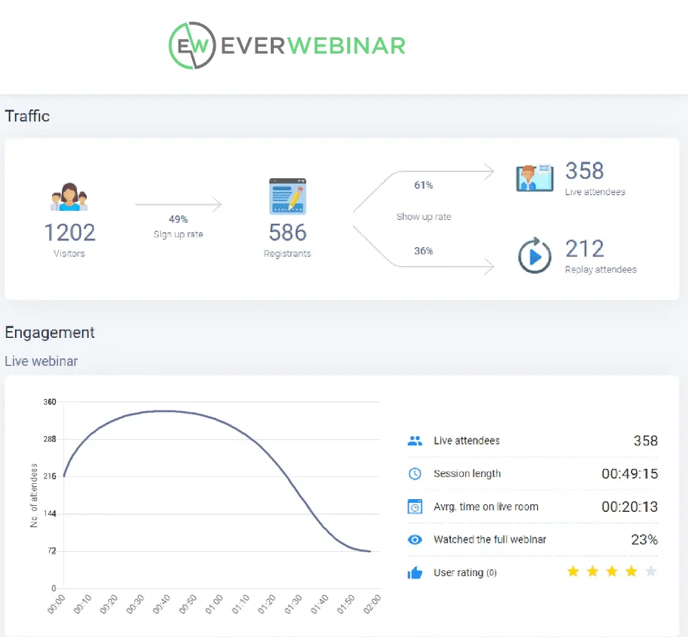
EverWebinar is a direct alternative for teams keeping automated delivery at the center of their program. Recurring schedules, just-in-time sessions, and on-demand viewing suit recorded demos, coaching presentations, and training. Its webinar funnel tools connect registration with timed engagement and follow-up.
The useful distinction is the sales workflow: offers, calls to action, and messages for attendees who stayed, missed the session, or left early. A webinar CTA can appear at a chosen point in the recording. Moderators can also answer chat live; WebinarJam is a separate option for a presenter-led live broadcast.
Pros:
- Dedicated automated delivery with recurring, just-in-time, and on-demand scheduling
- Timed offers, polls, surveys, and handouts support recorded sales presentations
- Human chat replies can accompany the recording when a moderator is available
- Email follow-up can differ for attendees, no-shows, and people who leave early
Cons:
- Presenter-led live webinars require a separate live product, such as WebinarJam
- The lower effective monthly rates require annual or two-year commitments
- Real-time human chat still requires someone to monitor and answer questions
Pricing: Starts at $79/month with a two-year commitment, billed at $1,896. Annual billing is $99/month, charged at $1,188; monthly billing is $199. A 14-day trial costs $1.
3. StealthSeminar
Best for Automated Webinars With Live and Hybrid Options
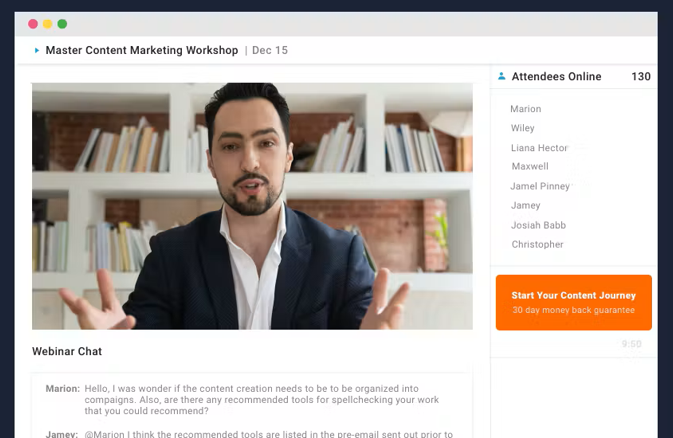
StealthSeminar combines automated and live webinars, with hybrid delivery on Professional. For teams building an automated webinar funnel but still running occasional live events, that combination can reduce the need for a separate presenting tool.
Recurring and just-in-time scheduling, webinar pages, email reminders, chat, and Q&A support the core workflow. Professional adds hybrid sessions, split testing, custom fields, and white-label domain options. Test the replay experience and follow-up emails with your actual recording before choosing a tier.
Pros:
- Starter supports automated and live webinars with 100 simultaneous attendees
- Recurring and just-in-time scheduling suit repeatable presentations
- Registration pages, email reminders, chat, and Q&A keep the funnel connected
- Professional adds hybrid delivery, split testing, and custom domain options
Cons:
- Hybrid webinars require Professional rather than an entry plan
- Starter and Professional both list a 100-person simultaneous-attendee limit
- Streaming-hour allowances become another comparison point on Growth
Pricing: Starter begins at $69.95/month for 100 simultaneous attendees. Professional is $99.95/month and adds hybrid delivery; Growth starts at $175/month. A 30-day free trial is available.
4. WebinarKit
Best for Automated Funnels on an Annual Budget
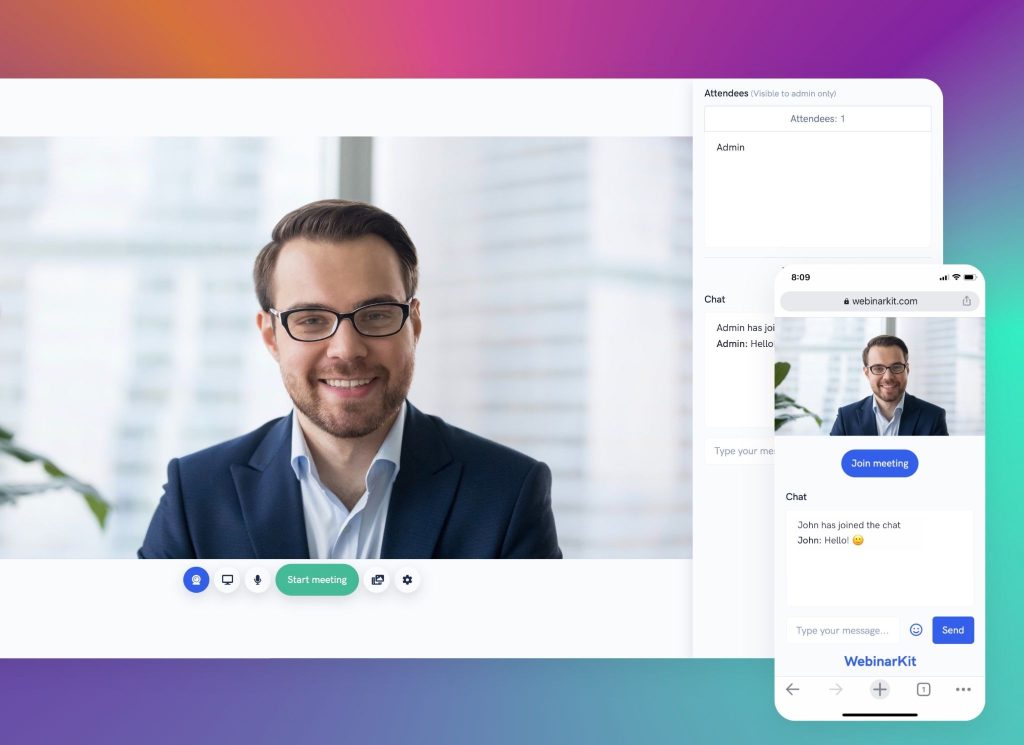
WebinarKit packages recorded delivery with funnel pages, reminders, follow-up, and engagement tools. It is worth testing when cost is the main reason for considering eWebinar alternatives. Compare the actual annual commitment, rather than treating a promotional monthly equivalent as month-to-month billing.
Its automated product supports on-demand, live, ongoing, and multi-day events. Build a prerecorded webinar, then test the watch room, chat, and replay experience. WebinarKit Live is a separate offering, and bundles combine products. Match the package to your webinar branding and live-delivery requirements before buying.
Pros:
- Automated Standard advertises unlimited webinars, registrants, and automated attendees
- Funnel pages, reminders, and follow-up emails support the recorded-session workflow
- Live chat, a questions box, and offers provide audience interaction
- Multi-day events offer another option for a recurring content program
Cons:
- WebinarKit Live is separate from the automated product unless bundled
- Annual discounts and coupons require checking the full checkout commitment
- Video hosting, replay features, and AI allowances vary by package
Pricing: Automated Standard displays $49/month billed annually with a 30% promotional coupon. The trial costs $1 for 7 days.
5. EasyWebinar
Best for Live Plus Automated Delivery in One Account
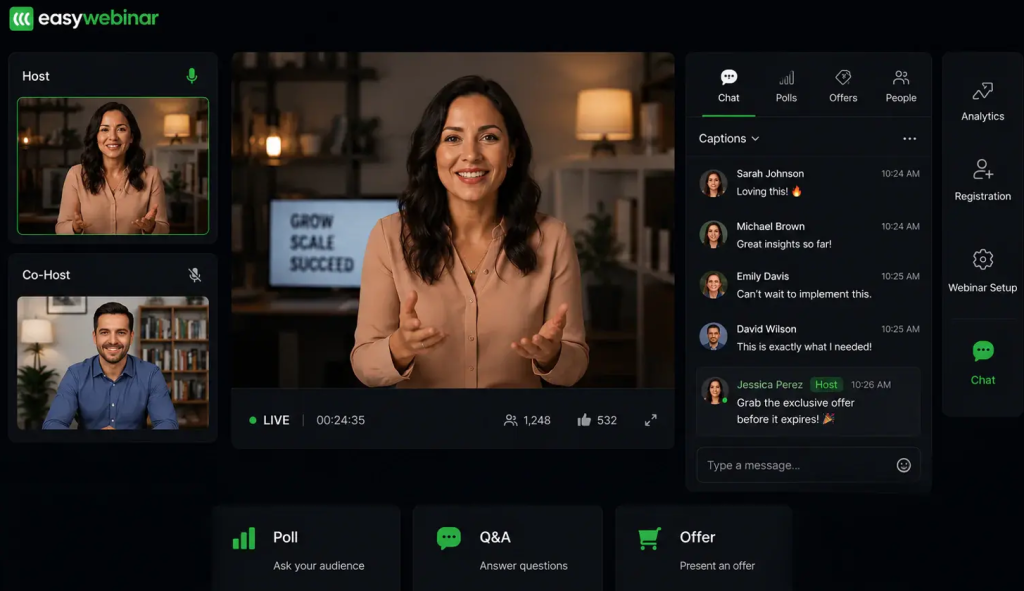
EasyWebinar covers live, simulive, automated, and evergreen webinars on eligible plans. For eWebinar users adding launches, partner events, or live sales sessions, Growth combines those formats without another webinar subscription.
Its AI Webinar Builder helps prepare the funnel, while Growth adds EasyCRM and checkout capabilities. These features can connect audience engagement with the next sales step. Test how webinar analytics and contact activity are integrated with the system your team uses; advanced external CRM connections require higher tiers.
Pros:
- Growth combines live, automated, simulive, and evergreen delivery
- Growth includes 200 live attendees and 1,000 automated viewers per session
- EasyCRM and checkout support connected sales workflows on eligible plans
- AI Webinar Builder assists with scripts, pages, emails, polls, and calls to action
Cons:
- Launch excludes automated, simulive, and evergreen webinars
- Native HubSpot, Salesforce, and Pardot connections require Pro or above
- Webinar, storage, and AI-credit allowances need checking alongside room capacity
Pricing: Growth starts at $116/month for 200 live attendees and 1,000 automated viewers per session. Launch is $44/month but excludes automation; Pro starts at $198/month. A 7-day free trial is available.
6. Demio
Best for Engagement-Led Marketing Webinars
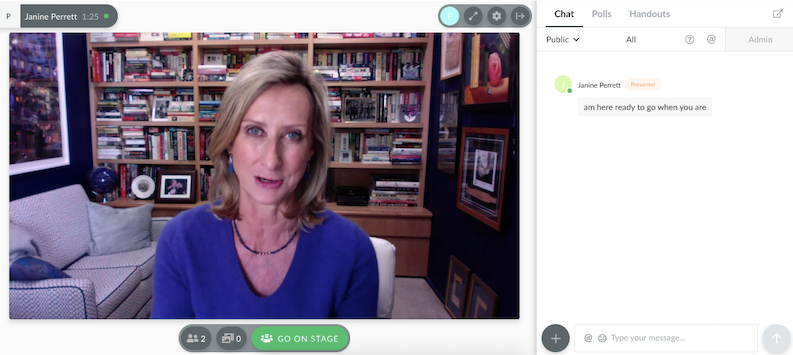
Demio connects live and automated sessions with engagement analytics and marketing integrations. For teams whose lead nurturing depends on what an attendee watched or clicked, the useful test is how those actions reach the follow-up workflow.
eWebinar also tracks interactions and offers CRM connections, so this is a field-by-field comparison. Check the event, contact record, and downstream action you need. Demio’s automated and on-demand delivery requires Growth or above; premium integrations have their own plan requirements. Useful webinar data is the information your team can act on after the session.
Pros:
- Engagement analytics connect attendance with participation and calls to action
- Growth and higher plans support automated and on-demand webinars
- Chat, polls, handouts, and featured actions support audience participation
- Marketing integrations can connect session activity with configured follow-up workflows
Cons:
- Starter supports one host and a 50-attendee live room
- Automated delivery requires upgrading beyond Starter
- Salesforce, Marketo, and other premium integrations require the applicable higher plan
Pricing: Starter begins at $45/host/month (billed annually) for one host and 50 live attendees; monthly billing is $63. A 14- day trial available.
7. Livestorm
Best for CRM-Connected B2B Webinar Programs
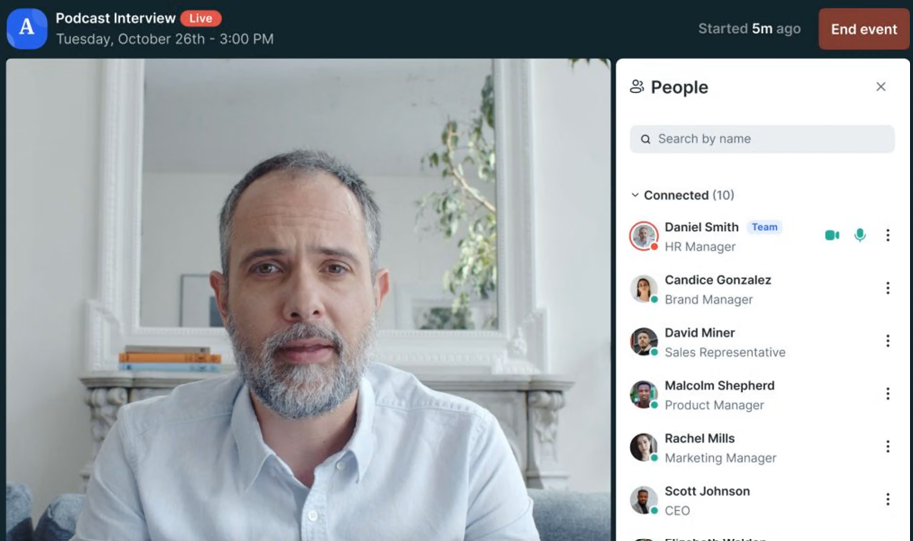
Livestorm combines browser-based live and recorded delivery with CRM connections. HubSpot, Salesforce, and Pipedrive are documented integrations, but availability and transferred fields differ. Salesforce requires Enterprise. Test your specific handoff instead of assuming a connection sends every interaction to every contact record.
Its attendee-credit model is the other important difference. One external person attending two different sessions uses two credits; live attendance and replay viewing for the same session count once. Calculate webinar ROI by tracking repeat attendance across the entire program, then assess whether the integration reduces recurring webinar management work.
Pros:
- Browser-based attendance supports live, replay, and on-demand viewing
- HubSpot and other integrations can connect registration with your marketing workflow
- Credit billing excludes registrants who never attend
- Internal team members do not consume attendee credits
Cons:
- Repeat attendance at different sessions consumes additional credits
- Salesforce and several other enterprise integrations require Enterprise
- Reaching the credit allowance can block new attendance until the plan is upgraded
Pricing: Pro displays €2.50/attendee credit in a yearly pack; the displayed selection is 400 credits. Enterprise uses custom pricing. Free testing is available.
8. BigMarker
Best for Branded Enterprise and Multi-Session Programs
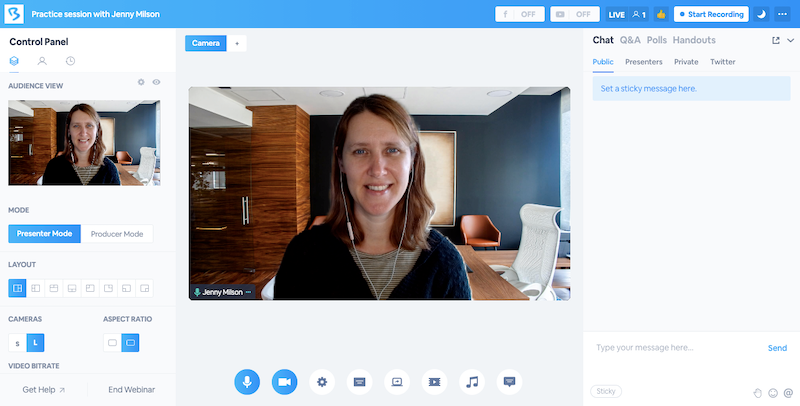
BigMarker combines automated webinars with live events, multi-session programs, and branding options. It is relevant when an agency or enterprise needs more than a recurring recorded presentation, such as a client-branded event environment or a larger conference program.
The comparison needs precision: eWebinar already supports branded pages, custom domains, branding removal, and automated series. BigMarker’s value depends on the wider event structure and package you need. Map the sessions during webinar planning, then test the guest invitation, event pages, emails, and replays under the quoted branding scope.
Pros:
- Combines automated and live webinars with broader event-program options
- Multi-session and multi-track events suit larger audience programs
- Branding and white-label options can support client-facing experiences
- Monetization capabilities support paid events on applicable packages
Cons:
- Pricing and capacity require a package-specific quote
- Wider event capabilities may add setup work for a simple evergreen funnel
- White-label scope and services need explicit confirmation in the proposal
Pricing: Custom quotes based on the webinar or event package.
9. GoTo Webinar
Best for Structured Enterprise Webinar Programs
GoTo Webinar combines live presenting with reporting and eligible delivery of recorded events. Enterprise teams adding launches or customer events to an automated training program can assess both formats within their current packages.
Attendance, engagement, polls, and Q&A support post-session reporting. Recorded events can reuse existing content, and eligible packages add cloud recordings and source tracking. Compare replay delivery and the information your stakeholders need, then include the required tier in your webinar cost calculation.
Pros:
- Reach includes one organizer and up to 500 participants
- Higher tiers support 1,000–3,000 participants for larger programs
- Reporting, polls, Q&A, and automated emails support structured delivery
- Recorded-event options extend content beyond a single live presentation
Cons:
- Cloud recording and advanced branding require the applicable higher tier
- Source tracking and other advanced functions are package-dependent
- Browser and app access can differ by event type and attendee device
Pricing: Reach starts at $62/organizer/month, billed annually, for up to 500 participants. A free trial is available.
10. Zoom Webinars
Best for Live Presentations With Recorded Options
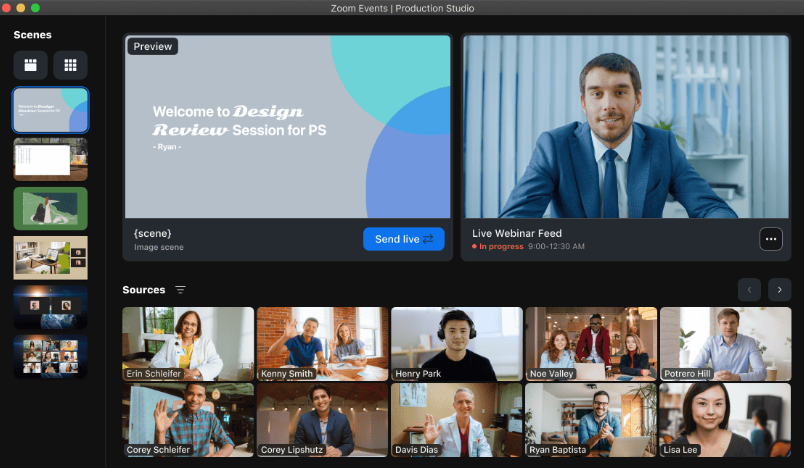
Zoom Webinars serves programs whose audience needs a presenter who can answer questions and adjust the discussion live. For eWebinar users adding that format, the useful comparison is the full attendee journey, from joining to post-session follow-up.
Standard Webinars supports live broadcasts and recordings. Webinars Plus adds simulive delivery, on-demand video, and production tools, so recorded delivery does not automatically require a separate platform. Registration settings determine attendee identification, while reminders and follow-up depend on event configuration. Connect those choices to your lead-generation workflow, rather than assuming every viewer becomes an identified lead.
Pros:
- Live presenting, polls, chat, reactions, and Q&A support direct audience interaction
- Standard Webinars include recording and performance-reporting capabilities
- Webinars Plus adds prerecorded presentations delivered as simulative events
- Higher-capacity packages support larger broadcasts when required
Cons:
- Simulive and richer on-demand capabilities require Webinars Plus or another eligible package
- Capacity and license requirements need checking for the selected purchase
- Browser access and available features can differ from the app experience
Pricing: Standard Webinars start at $66.67/month, billed annually, or $89/month. Webinars Plus starts at $82.50/month billed annually or $99/month, and includes simulive delivery.
My Evaluation Criteria
Every tool in this list was assessed using verified reviews, product documentation, and current pricing pages. The comparison separates a direct automated replacement from a platform that adds live presenting.
- User Reviews/Ratings: Reviewer feedback on G2 and Capterra provides context on setup, support, reliability, and pricing friction. Individual results are not treated as universal benchmarks.
- Essential Features and Functionality: Compare scheduling, human and automated chat, timed interactions, recordings, analytics, and live presenting. Automated series are already available in eWebinar, so they are not presented as missing features.
- Ease of Use: Assess both the host’s setup and the attendee’s path from registration to playback. Personalized welcomes and clear question handling matter as much as the video player.
- Customer Support: Check available support channels and the help offered when scheduled delivery or attendee access fails. A trial should establish the route your team would use during a real problem.
- Value for Money: Match active webinars, registrants, attendee capacity, credits, hosts, integrations, and billing commitments. Your webinar content library determines which limits matter, not just the headline rate.
- Industry Analysis and Expert Commentary: Benchmark research helps frame webinar best practices. Vendor datasets and customer stories provide context, not guaranteed outcomes or proof that dedicated software always performs better.
What Does eWebinar Already Cover?
Understanding what eWebinar’s 100% automated focus includes and excludes helps teams evaluate whether an alternative adds something they genuinely need or whether the automated-only model covers the program’s actual requirements.
| Part of the Workflow | What eWebinar Supports | What to Compare |
| Scheduling | Recurring, just-in-time, and on-demand access | Time zones, available start times, and immediate playback |
| Questions | Human chat in real time, later replies by email, and optional AI moderation | Response ownership, coverage hours, and the AI add-on |
| Participation | Timed interactions such as polls, questions, handouts, and offers | Timing, mobile usability, and the resulting attendee data |
| Multi-part learning | Series, progress pages, completion requirements, and certificates | The exact learning workflow and any organizational requirements |
| Branding and data | Branding options, custom domains, paid branding removal, analytics, and integrations | Package scope, exported fields, and CRM actions |
| Presenting | Prerecorded video rather than a live presenter | Whether a host needs to adapt the presentation in real time |
These capabilities are documented in eWebinar’s feature guides, including its series functionality. The reason for switching is a specific unmet requirement, not a feature the current platform already provides. Keep an inventory of the recording, timed offer, poll, and email attached to each session. A sound webinar email sequence should still make sense when someone registers weeks after the original campaign.
That inventory is also the starting point for migration. Before moving a session, identify which attendee actions inform lead scoring and which data must remain accessible afterward. A video export alone does not preserve the workflow around it.
Can You Move the Workflow Intact?
Moving from eWebinar to a multi-format platform, or switching between dedicated automated platforms, involves evaluating a different set of priorities than the initial platform decision. Run one existing session through the replacement from registration to CRM handoff.
Begin with the attendee’s invitation. Use an external email address, register on mobile, and check confirmation, calendar details, reminders, and the join link. The registration page should collect the fields you need without making the first step harder.
Replay the interaction timeline. Use the same recording, welcome message, poll, handout, and offer as your current session. Check whether they appear at useful times, such as after a late join or reconnection. Ask an unexpected question and confirm what happens when no moderator is available. A recording should never leave a viewer wondering whether anyone will answer.
Recreate the schedule and follow-up. Configure recurring times, immediate access, and time zones. Register twice with the same test contact, then compare the attendee, no-show, and replay messages. Check delivery timing, unsubscribe handling, and whether the recording remains accessible for the intended period.
Inspect the actual CRM record. Compare new and existing contacts, custom fields, attendance, watch time, and the interaction that triggers your next action. Check duplicate handling and export options. A connector logo does not establish that every action becomes a usable contact property.
Run the new live component, if that is why you are switching. Test the presenter, moderator, and guest access, and recovery after a dropped connection. Your webinar presentation should work with the same audience conditions you expect at launch. The trial succeeds if both the session and its handoff survive the move.
My Top 3 eWebinar Alternative Picks
-
ProProfs WebinarNinja
My first pick when automated delivery needs to sit beside live, series, and hybrid webinars, with AI assistance and live or on-demand courses in one account.
-
EverWebinar
A direct option when recorded sales funnels, flexible scheduling, timed offers, and audience-specific follow-up are the main job.
-
StealthSeminar
A fit for teams comparing live and automated webinars in one product, with hybrid delivery available on Professional.
Ready to Move Beyond Automated-Only Delivery?
eWebinar earns its position when recorded delivery, flexible scheduling, and responsive chat already serve the program. Keep it when that workflow works. For programs adding live launches, hybrid presentations, or courses, ProProfs WebinarNinja is my top pick. Its four formats, registration, emails, engagement tools, analytics, AI assistance, and CourseNinja connect the work before and after each session.
Start your free trial or watch a live demo of ProProfs WebinarNinja before you decide. Test your existing recording, the new live session, the follow-up, and the total cost.
Frequently Asked Questions
What Is the Difference Between eWebinar and a Multi-Format Webinar Platform?
eWebinar delivers prerecorded sessions with scheduling, interactions, human chat, optional AI moderation, and automated series. A multi-format platform such as ProProfs WebinarNinja also supports live presenting and hybrid sessions. Compare whether the presenter needs to adapt the content in real time, rather than assuming automated delivery excludes human conversation.
How Much Do eWebinar Alternatives Typically Cost?
Compare the billing model and the plan that includes automation. ProProfs WebinarNinja displays $0.30/attendee/month with promotional annual billing; other tools charge by host, room size, credits, or subscription. eWebinar itself starts at $99/month for one active webinar and 1,000 monthly registrants. Include commitments and required upgrades.
Do eWebinar Alternatives Require Attendees to Download Software?
Many offer browser-based attendance, including ProProfs WebinarNinja, Livestorm, Demio, EverWebinar, StealthSeminar, and WebinarKit. GoTo and Zoom access can vary by event type and device. Test the actual invitation from an external browser and managed device, including microphone permissions, app prompts, captions, and reconnection.
Which eWebinar Alternative Works Best for Sales-Focused Automated Funnels?
EverWebinar is worth testing for recorded sales funnels with timed offers and segmented follow-up. ProProfs WebinarNinja combinesautomated webinars with live and hybrid sessions when buyers need a conversation. Compare scheduling, question coverage, and the CRM action that follows an offer click before making a decision.
Is There an Alternative That Covers Automated and Live Webinars in One Account?
Yes. ProProfs WebinarNinja, StealthSeminar, EasyWebinar, and Demio support both on applicable plans. WebinarKit Live can be bundled with its automated product, while Zoom Webinars Plus offers simulive delivery. Check plan gates and question handling: recorded playback, live chat, and a live presenter are different capabilities.
Which Alternative Works Best for Training and Onboarding Programs?
ProProfs WebinarNinja includes CourseNinja for live and on-demand courses alongside webinars. eWebinar also supports automated training series and completion tracking. Compare learner access, assessments, certificates, records, andintegration requirements against your actual program. Teaching features alone do not establish that every organizational compliance requirement is met.
Want to host a webinar for free?
Use WebinarNinja to teach, improve marketing, and grow your sales.