GetResponse is a genuine all-in-one marketing platform. Email automation, landing pages, funnels, and webinar hosting share one subscription. For teams comparing GetResponse webinar alternatives, the question is which parts of that convenience they need to keep.
The limitations show up when webinars become the primary program rather than a supporting feature. GetResponse already supports live and on-demand sessions, interaction, recordings, and attendee-level reports. Compare its capacity, scheduling, integrations, and follow-up with the program you want to run next.
TwentyThree’s 2026 research found 48.5% of surveyed companies integrate webinars with their marketing stack; ON24’s 2026 benchmarks report 60% registration-to-attendance conversion in its dataset. These are benchmarks, not guaranteed results from switching tools.
These 10 GetResponse webinar alternatives and competitors cover both paths: keeping email integration or separating webinar delivery. A clear webinar strategy helps identify what needs to change.
10 Best GetResponse Webinars Alternatives
A few of these genuinely surprised me once I looked past the feature page, and a few solve a narrower problem than GetResponse ever tries to. That gap between what a bundled email-marketing webinar layer delivers and what a dedicated webinar program actually needs is exactly what this breakdown is built to close.
Start with your webinar goals, then compare the tools against them.
| Tool | Best For | Standout Feature | Attendee Cap | Starting Price |
| ProProfs WebinarNinja | Generating leads, growing sales, and teaching better | Four webinar formats, AI assistance, and CourseNinja in one account | Select live capacity; 1,000+ through sales | $0.30/attendee/month |
| EasyWebinar | Webinar sales funnels with built-in CRM | EasyCRM, checkout, and automated delivery on Growth and above | 50 live on Launch; 200 on Growth | $44/month, billed monthly |
| WebinarJam | Live sales webinars with offers and room-capacity tiers | Live offers; EverWebinar included on Basic and above | 100 on Starter; up to 5,000 on Enterprise | $39/month, billed annually |
| EverWebinar | Dedicated automated and evergreen programs | Scheduled recorded delivery and just-in-time sessions | Confirm applicable audience limits | $79/month, billed every two years |
| WebinarGeek | EU-based branded webinars across several formats | Viewer-capacity tiers and live, automated, on-demand, and hybrid delivery | 75 at displayed Premium entry tier | €59/month, billed yearly |
| Demio | Lead generation with engagement-based follow-up | Attendee activity and supported marketing integrations | 50 on Starter; larger rooms on higher plans | $45/host/month, billed yearly |
| Livestorm | B2B teams connecting webinars with CRM workflows | CRM-specific connectors and attendee-credit billing | Plan-specific; credits govern usage | €2.50/attendee credit* |
| GoTo Webinar | Teams needing organizer-based plans and larger rooms | Reporting, reminders, and capacity-defined packages | 500 on Reach; up to 3,000 on Complete | $62/organizer/month, billed annually |
| eWebinar | Repeated recorded demos, onboarding, and lead nurturing | Recorded delivery with scheduling, interactions, and chat | 1 active webinar; 1,000 registrants/month on Level 1 | $99/month, billed monthly |
| Zoom Webinars | Teams whose audiences already know Zoom | Familiar webinar delivery with capacity-based licenses | Selected license capacity; up to 100,000 on larger packages | $66.67/month, billed annually |
1. ProProfs WebinarNinja
Best for Generating Leads, Growing Sales, and Teaching Better
ProProfs WebinarNinja integrates registration, engagement, recordings, and follow-up into a single webinar workflow. For teams already strong in email marketing, the useful distinction is to keep that system while adding four webinar formats, AI assistance, and CourseNinja for teaching.
Registration pages capture leads before anyone joins. Built-in emails handle confirmations, reminders, and scheduled follow-ups. Chat, Q&A with upvoting, polls, offers, and handouts help people participate, while recordings and replay emails extend the session’s value. Analytics track registrations, attendance, watch time, and engagement.
The AI Conversion Writer suggests registration headlines and copy. The AI Sales Coach reviews sessions for improvements, and the AI Content Strategist helps repurpose webinar content into drafts for blogs, emails, and social posts. Hosts retain control of the message and final review.
Pros:
- Live, automated, series, and hybrid webinars support sales campaigns, recurring sessions, and deeper teaching
- AI-powered webinar tools assist registration headlines, recurring chat questions, session review, and post-event content repurposing
- Built-in landing pages and emails cover registration, confirmations, reminders, and scheduled follow-up
- Chat, Q&A with upvoting, polls, offers, and handouts help prospects participate and express interest
- Automatic recordings, replay delivery, and webinar reports track registration, attendance, watch time, and engagement
- Supported email/CRM connections, Stripe, Zapier, and API access extend workflows; validate required fields
- Browser-based attendee access and included CourseNinja support live and on-demand courses alongside webinars
Cons:
- No downloadable or on-premise version
- Dark user interface option is not available
Pricing: A FREE 14-day trial is available. Paid starts at $0.30/attendee/month (includes CourseNinja, worth $ 1,200).
Case study:
Gavin Tye, founder of Sales Market Fit, used ProProfs WebinarNinja to share useful B2B sales content with founders and attract qualified leads. His detailed account describes one lead from a webinar with a potential value of 20,000 – 25,000, rather than booked revenue.
2. EasyWebinar
Best for Webinar Sales Funnels With Built-In CRM
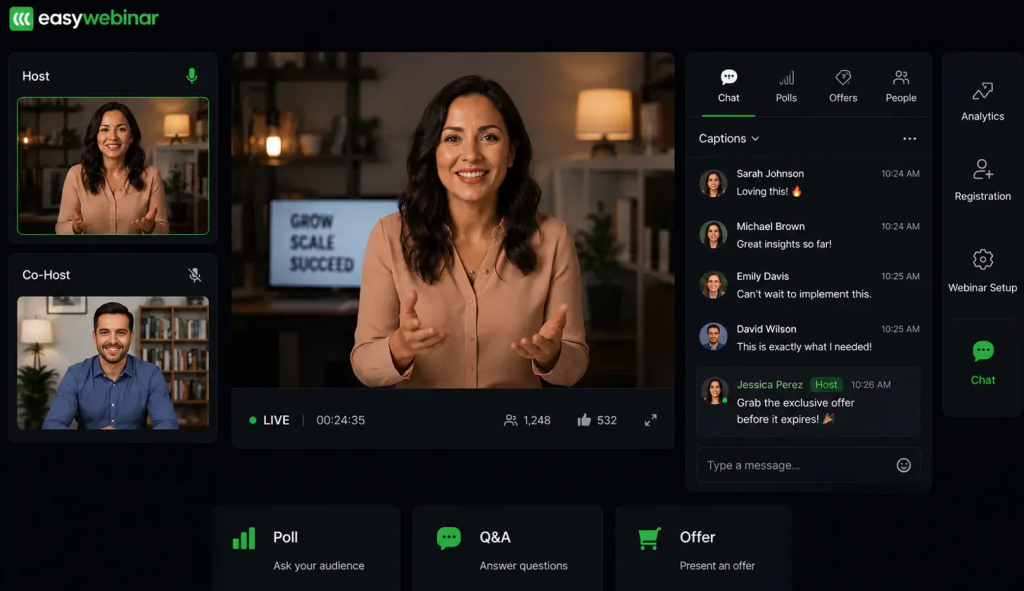
EasyWebinar combines webinar delivery with registration pages, email follow-up, and an AI Webinar Builder. Growth and higher plans add automated, simultaneous, and evergreen sessions alongside EasyCRM and in-webinar checkout. That makes it relevant when the comparison goes beyond the room to the entire webinar sales funnel.
For teams whose GetResponse usage centers on webinar-plus-email campaigns, the appeal lies in keeping more of the surrounding sales infrastructure within the webinar platform. Launch covers live sessions and replays; it does not include the same automation, checkout, or CRM coverage as Growth. Test whether the built-in CRM replaces the work your team currently does elsewhere or simply adds another contact database.
AI-built scripts, pages, emails, polls, and CTAs can shorten preparation time, but the final offer and webinar follow-up still need to be reviewed. Native HubSpot and Salesforce Pardot connections are listed on Pro; confirm the exact plan and data needed before treating all integrations as included.
Pros:
- Live delivery plus automated, simulive, and evergreen options on Growth and higher plans
- EasyCRM provides lead scoring, sequences, and automated follow-up from Growth
- Built-in checkout supports paid webinars and in-session purchasing on eligible plans
- AI Webinar Builder assists with scripts, registration pages, emails, polls, and calls to action
Cons:
- Launch excludes the automated delivery, payments, and EasyCRM offered on Growth
- Native HubSpot and Salesforce Pardot sync require Pro rather than the entry plan
- Separate live-attendee and automated-viewer allowances need to be included in the cost comparison
Pricing: Launch starts at $44/month, billed monthly, for 50 live attendees. Growth starts at $116/month, billed monthly, for 200 live attendees and 1,000 automated viewers. A 7-day trial is offered.
3. WebinarJam
Best for Live Sales Webinars With Offers and Larger Rooms

WebinarJam is purpose-built for live sales webinars at scale. Its offer displays, polls, attendee management, and capacity tiers make it relevant for creators, coaches, and businesses using webinar calls to action to guide the next sales conversation.
WebinarJam also provides an email and SMS system for webinar communication. That is different from a broad email marketing platform for newsletters and ongoing list management. Its companion, EverWebinar, handles scheduled evergreen delivery and is currently included with the Basic, Professional, and Enterprise packages. For automated webinar funnels, check the included package before buying the products separately.
Pros:
- Live capacity scales to 5,000 attendees on Enterprise without an email marketing subscription
- Offers, polls, and attendee interaction support the in-session sales conversation
- Webinar email and SMS tools keep event communication close to the session
- Eligible plans include backup-room controls and EverWebinar automated delivery
Cons:
- Starter’s 100-attendee room and one-hour session limit may constrain longer presentations
- Evergreen delivery uses the companion EverWebinar product; confirm package inclusion
- Webinar notifications do not replace every newsletter or wider marketing-automation workflow
Pricing: Starter begins at $39/month, billed annually, for 100 attendees; monthly billing is $49. Basic starts at $79/month, billed annually, for 500 attendees and includes EverWebinar. A 14-day trial costs $1.
4. EverWebinar
Best for Dedicated Automated and Evergreen Webinar Programs
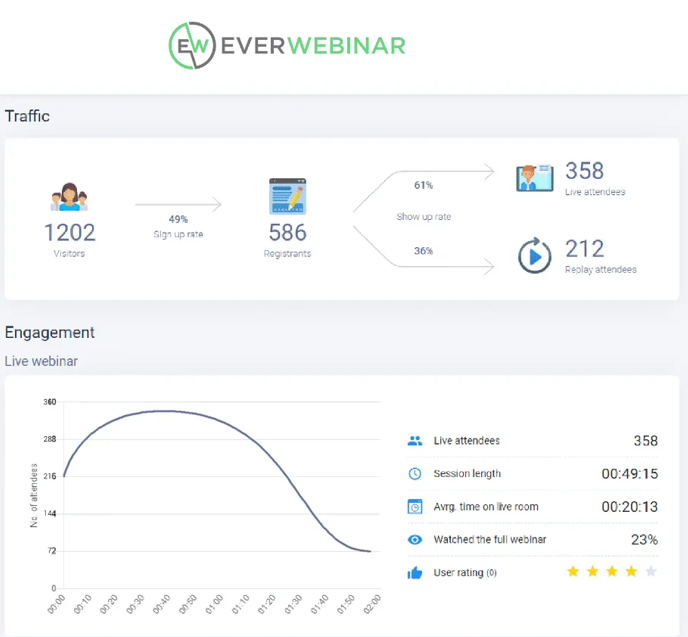
EverWebinar delivers prerecorded sessions as scheduled, interactive webinars without requiring a presenter to repeat the material live. For email marketers with an existing GetResponse audience, the appeal lies in a dedicated evergreen webinar workflow with flexible scheduling and just-in-time options.
GetResponse also supports host-free on-demand playback. The comparison is therefore about how viewers join, when sessions start, which interactions run, and what happens after a question or offer is clicked. A recording available anytime and a scheduled automated event solve related but different jobs.
EverWebinar includes offers, polls, email/SMS tools, and chat options around the recording. For prerecorded webinars, decide who handles unanswered questions and how viewers learn when to expect a reply. If live sessions are also required, compare a qualifying WebinarJam bundle with separate subscriptions.
Pros:
- Dedicated recorded delivery supports scheduled and just-in-time sessions without repeated live presenting
- Offers, polls, and chat options add participation around prerecorded material
- Webinar email and SMS tools support reminders and follow-up around the session
- WebinarJam connections support moving a live recording into an automated program
Cons:
- Live broadcasting requires a live webinar product rather than EverWebinar alone
- The lowest monthly equivalent requires paying for two years upfront
- Recorded interactions still need a clear route for questions requiring a person to answer
Pricing: The two-year option is $79/month equivalent, billed as $1,896 every two years. Annual billing is $99/month equivalent, or $1,188 annually; monthly billing is $199. A 14-day trial costs $1.
5. WebinarGeek
Best for EU-Based Branded Webinars Across Several Formats
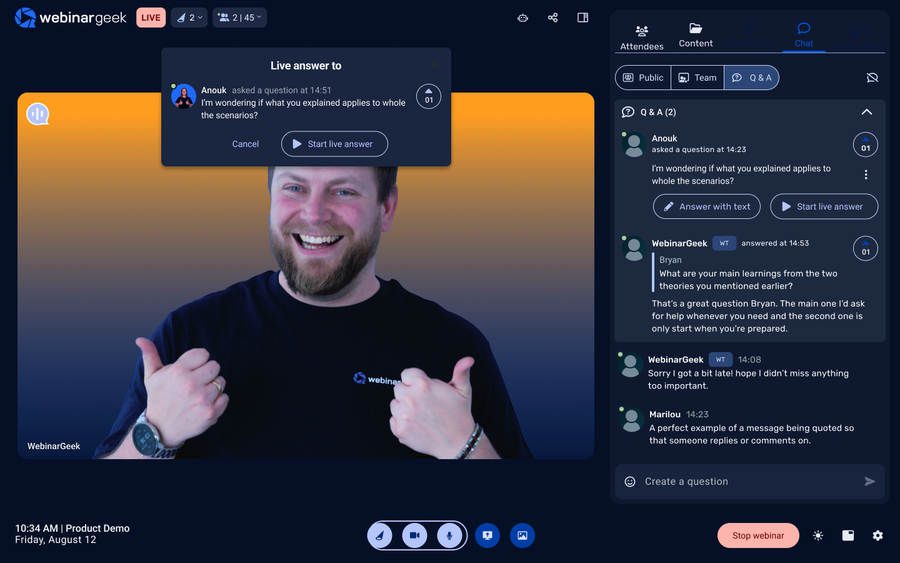
WebinarGeek is a dedicated EU-based platform for branded live, automated, on-demand, and hybrid webinars. Its viewer-capacity tiers make it worth comparing when your webinar needs have grown independently of your email list size.
For European marketing teams reviewing data residency and privacy, EU hosting is relevant, but it does not establish compliance on its own. Check the applicable contract, data processing terms, access, and retention. Compare webinar branding across registration pages, the attendee room, emails, and replays rather than judging only the live screen.
WebinarGeek includes marketing connections and webinar analytics, with HubSpot and Salesforce available through plan-specific inclusion or add-ons. For teams separating webinar delivery from GetResponse, the practical test is whether the attendee information supports the same lead nurturing your email campaigns need.
Pros:
- Live, automated, on-demand, and hybrid formats support different campaign and education requirements
- EU-based infrastructure is relevant to procurement teams reviewing data location
- Custom branding covers multiple parts of the attendee experience on eligible plans
- Viewer-capacity tiers separate webinar pricing from the size of an external email list
Cons:
- Required audience capacity changes the subscription price; the entry rate is not a flat host price
- HubSpot and Salesforce access can require add-ons or Enterprise
- Hosting location alone does not settle your organization’s privacy and retention requirements
Pricing: Premium starts at €59/month, billed yearly, at the displayed 75-viewer tier. Higher viewer tiers and Enterprise cost more. A 14-day trial is available.
6. Demio
Best for Lead Generation With Engagement-Based Follow-Up
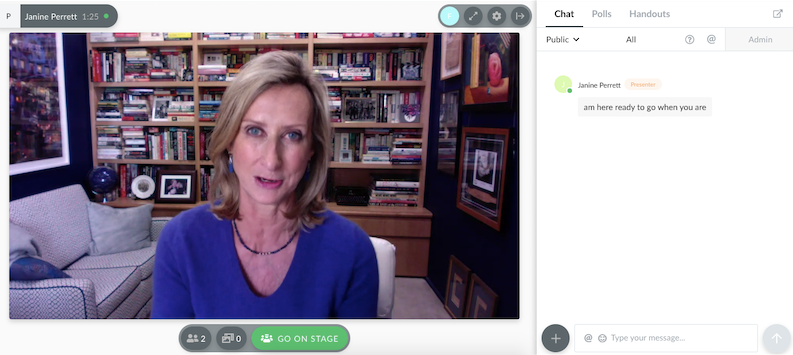
Demio focuses on turning attendee activity into useful marketing follow-up. Polls, featured actions, attendance, and engagement reports help teams understand interest before choosing the next message. For marketers separating webinars from GetResponse, that makes webinar analytics a practical part of the comparison.
Its supported integrations can connect session activity with email and CRM workflows. Which actions become tags, properties, or campaign activity depends on the connector and configuration; not every click automatically triggers the same action everywhere. Run the actual follow-up rule during the trial.
Demio supports live events and series, with prerecorded, automated, and on-demand delivery on eligible plans. Browser-based attendance keeps joining simple on supported devices. Check the plan needed for audience engagement, automation, branding, and CRM access rather than treating the entry subscription as the full marketing package.
Pros:
- Attendee activity and reports help teams segment follow-up using session behavior
- Browser-based attendance avoids a required app download on supported devices
- Live and series events sit alongside automated and on-demand formats on eligible plans
- Marketing integrations connect webinar activity with supported email and CRM workflows
Cons:
- Starter is limited to one host and a 50-attendee room
- Automated delivery and advanced branding require checking the appropriate higher plan
- Premium CRM integrations can add a plan requirement beyond the entry price
Pricing: Starter begins at $45/host/month, billed yearly, for 50 attendees. Larger rooms, additional hosts, automation, and premium integrations change the price. A 14-day trial is available.
7. Livestorm
Best for B2B Teams Connecting Webinars With CRM Workflows
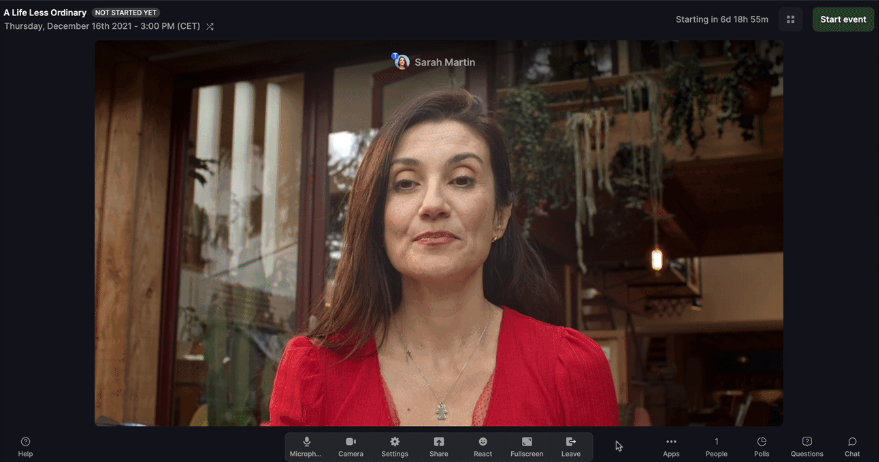
Livestorm connects webinars to CRM systems via connectors such as HubSpot, Salesforce, and Pipedrive. For teams ready to separate webinar delivery from email marketing, the value is connecting both to the sales process without rebuilding it after every event.
The connectors do not all transfer identical information. Salesforce supports campaign creation, member statuses, field mapping, and aggregated engagement data; its access is associated with Enterprise. Pipedrive documents registration and attendance triggers with actions such as creating contacts, deals, and activities. Compare the specific webinar data your sales team needs, rather than assuming every poll response or CTA click reaches every CRM.
Pros:
- Native connectors support different HubSpot, Salesforce, and Pipedrive workflows
- Contact, campaign, and attendance information can support follow-up without repeated CSV exports
- Browser-based attendance supports external audiences on compatible devices
- Credit billing excludes no-shows and internal team members
Cons:
- Connector fields and actions differ; verify the required workflow for each CRM
- Salesforce and other enterprise connections can require Enterprise
- Repeated attendance across different sessions consumes additional yearly credits
Pricing: The public Pro page lists €2.50 per attendee credit, purchased through an annual plan. Enterprise uses custom pricing. Free testing is available.
8. GoTo Webinar
Best for Organizer-Based Plans and Larger Webinar Rooms
GoTo Webinar combines defined room capacities with organizer-based plans, registration, reminders, polls, Q&A, and reporting. Reach supports 500 participants; Elevate supports 1,000; Complete extends to 3,000, with additional broadcast options. These are package limits, not a promise that the entry price includes every feature or maximum audience.
Its reporting covers session performance and audience activity, while higher packages add capabilities such as registration-source tracking, recorded delivery, branding, and AI summaries. For teams with an established webinar program, test the actual reports and export fields against the information GetResponse already supplies.
The appeal is that it’s a webinar-specific environment without requiring a broader email marketing subscription. The trade-off is that the required organizer seats, recordings, integrations, and audience size still determine the package. Check webinar planning requirements before assuming the published Reach price covers an enterprise event.
Pros:
- Reach includes a 500-participant room, reporting, polls, Q&A, and automated event emails
- Larger packages support 1,000 or 3,000 participants and additional production capabilities
- Registration, attendance, and engagement reporting support post-event review
- Recorded delivery and marketing connections are available, subject to package and configuration
Cons:
- Elevate and Complete require sales-led pricing rather than a public price at every tier
- Organizer seats, recording requirements, and premium features affect the total package
- Attendee joining methods and available browser features need testing on the intended devices
Pricing: Reach starts at $62/organizer/month, billed annually, for 500 participants. Elevate and Complete are presented through sales. A free trial is available.
9. eWebinar
Best for Repeated Recorded Demos, Onboarding, and Lead Nurturing
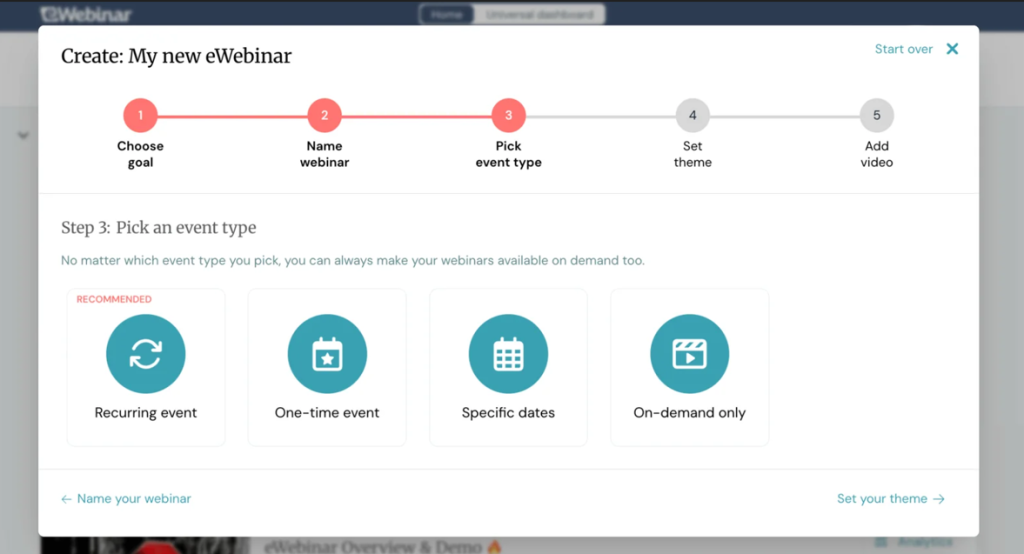
eWebinar is built around recorded presentations that are delivered repeatedly, without a presenter delivering the session live each time. For marketers with an existing GetResponse audience, it offers a focused approach to nurturing contacts through scheduled, interactive content.
Attendees choose from available times, watch the recording, and use configured interactions and chat. Team members can answer chat live when available or respond asynchronously. That is different from a live presenter answering questions on camera, and the question-handling process deserves as much attention as the playback schedule.
For teams working to grow their email list with webinars, their registration and scheduling tools can support a repeatable campaign. Check how each registrant reaches the right email list and how on-demand viewing affects follow-up. GetResponse also offers on-demand playback, so compare the specific scheduling and interaction improvements rather than assuming recorded delivery is new.
Pros:
- Recorded delivery removes the need to repeat the same presentation live
- Flexible scheduling and timed interactions support recurring demos and educational sessions
- Chat supports live responses when staffed and asynchronous follow-up when appropriate
- Unlimited recurring sessions and team members are included within the selected usage tier
Cons:
- Recorded presentations do not replace live broadcasting or presenter-led live Q&A
- Active webinar and monthly registrant allowances govern the subscription level
- Interactions, question coverage, and email handoffs need configuration before launch
Pricing: Level 1 starts at $99/month, billed monthly, for one active webinar and 1,000 registrants per month. Annual billing is $1,010. Larger active webinars and registrant allowances cost more. A 14-day trial is available.
10. Zoom Webinars
Best for Teams Whose Audiences Already Know Zoom
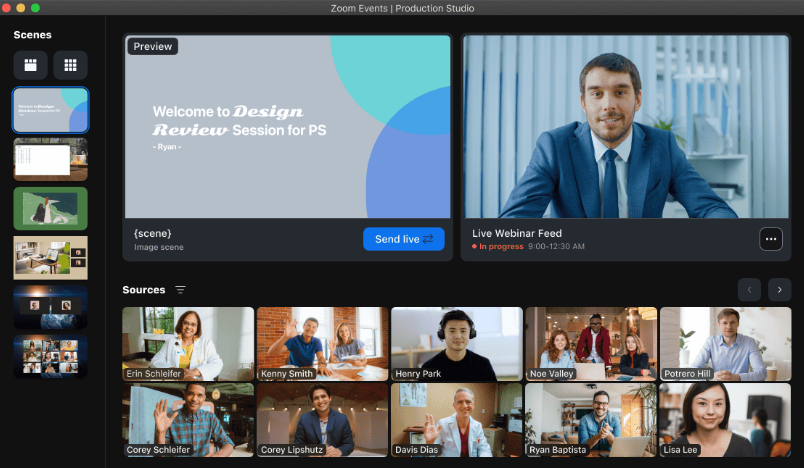
Zoom Webinars is worth comparing when your audience already uses Zoom, and familiarity matters at the join step. It provides registration, polls, Q&A, chat, recordings, and reports in a webinar environment built for one-to-many presentations.
Registration-based confirmation, reminder, and attendee/no-show follow-up emails are built in. A separate email platform remains useful for broader newsletters and nurture campaigns, but it is not required simply to send webinar reminders. For a webinar invitation campaign, test the actual message, join route, and external guest experience on supported devices.
Standard Webinars, Webinars Plus, and Events have different production and delivery capabilities. Larger capacity is available, but it requires the corresponding license. Attendees are not automatically registered or identified in every configuration. Confirm registration, authentication, browser access, and webinar replay options before comparing it with GetResponse.
Pros:
- A familiar interface can reduce explanation for audiences already using Zoom
- Registration, reminders, follow-up emails, and attendee reports support event communication
- Polls, Q&A, chat, and recording options support structured external presentations
- Capacity-based licenses and higher products support larger audiences and production requirements
Cons:
- The selected webinar license and required host account determine the complete cost
- Simulive and advanced production capabilities depend on the product and plan
- Browser joining, app prompts, authentication, and identification vary by event configuration
Pricing: Standard Webinars start at $66.67/month (billed annually) or $89/month (billed monthly). Webinars Plus starts at $82.50/month annually.
My Evaluation Criteria
Every tool on this list was assessed using a consistent framework based on product documentation, current pricing pages, and independent review sources. Here is what went into each review.
- User Reviews/Ratings: G2 and Capterra provide context for setup, support, and everyday use. Individual reviews do not establish that a product lacks a documented capability.
- Essential Features and Functionality: Two use cases guide the comparison: improving webinar delivery while retaining email integration, or separating webinars from the broader marketing platform. Registration, formats, engagement, reporting, and follow-up are assessed against that job.
- Ease of Use: Both the host-side setup experience and the attendee join experience matter. GetResponse’s primary advantage is bundled convenience. An alternative should solve a real problem without adding unnecessary recurring work.
- Customer Support: Available support routes and escalation options matter during setup and live problems. A team should test the route it would actually use; this comparison does not claim every provider’s response time was measured.
- Value for Money: Compare contact-list pricing, attendee capacity, hosts, credits, active webinars, and add-ons under the same campaign assumptions. A realistic webinar cost calculation includes the email platform you intend to keep.
- Industry Analysis and Expert Commentary: Benchmark research helps frame webinar best practices. Vendor datasets and customer stories provide context, not guaranteed outcomes or proof that dedicated software always performs better.
What Can You Keep in GetResponse?
Understanding the practical differences between GetResponse’s webinar capabilities and those of a dedicated platform helps teams make an honest evaluation rather than a feature-checklist comparison.
GetResponse already offers live hosting, registration, reminder emails, audience interaction, recordings, and webinar reports. Creator also includes on-demand and paid webinars. For an existing email audience that keeps registration and communication close to the campaigns already running.
| Keep or Test | What Matters in the Comparison |
| Email lists and campaigns | Keep the system your team uses successfully; confirm how new webinar registrants reach it. |
| Recorded delivery | GetResponse’s on-demand recording starts after a viewer registers and chooses to play. Compare this with recurring or just-in-time schedules. |
| Attendee reporting | GetResponse reports individual attendance duration and survey answers. Test which extra events a replacement exposes and sends onward. |
| Capacity and storage | Creator currently lists 100 attendees and three recording hours; Enterprise lists 1,000 attendees and 20 hours. Compare the actual package needed. |
| Content reuse | Decide whether you need replay hosting, written drafts, short clips, or course delivery; these are different outputs. |
For webinar lead generation, the distinction is what your team can do with the information after a session. A richer report is useful when it improves qualification or the next conversation, not simply because it contains more columns.
Your existing email system may remain the right place for ongoing campaigns. A dedicated tool earns its place when it improves delivery, data access, or content reuse enough to justify another connection.
When Are You Paying for Email Twice?
GetResponse’s value proposition is bundled convenience at a competitive price. The economics shift when the bundling includes capabilities the team already has elsewhere or does not use.
The common scenario: a team already uses Mailchimp, HubSpot, or ActiveCampaign for email. It adds GetResponse for webinars and now pays for overlapping email infrastructure. That overlap is worth examining, but a second subscription is not automatically wasteful if the bundle still costs less than the alternative.
Use the same audience and feature requirements in both calculations:
- Keep the bundle: Include the actual GetResponse contact tier, webinar capacity, recording storage, and any additional tools still needed.
- Separate delivery: Include the email platform you retain, the webinar tier that fits peak attendance, connector costs, and setup time.
- Include the ongoing work: manual export counts, duplicate-contact cleanup, and the time required to maintain reminders and follow-up.
Creator currently starts at $69/month on a monthly plan, or $56.58/month on an annual plan, at the displayed entry contact tier. It includes a 100-attendee webinar allowance. Demio’s $45 annual-billing entry tier has a 50-attendee room, while WebinarGeek’s €59 entry tier has 75 viewers. Those starting prices do not indicate equivalent capacity or savings.
The honest question to ask before evaluating alternatives: Is GetResponse’s email marketing layer genuinely better than what the team already uses, or is it redundant overhead paid to access the webinar feature?
A virtual event ROI assessment should include the handoff, not just the license. If separating the tools creates weekly reconciliation work, address that in the webinar marketing plan before assuming a lower subscription price improves the program.
My Top 3 GetResponse Webinar Picks
-
ProProfs WebinarNinja
My first pick when lead generation, sales sessions, four webinar formats, and live or on-demand courses need to share one registration-to-follow-up workflow.
-
EasyWebinar
A strong fit when the webinar program needs a built-in CRM and checkout, and Growth or a higher plan covers the required automation and audience.
-
eWebinar
The focused choice when recorded rather than live delivery, recurring schedules, interactions, and question coverage are the main job.
Ready to Choose Your Next Webinar Tool?
GetResponse earns its place among email marketers who want webinar capabilities without adding a separate subscription. Keep it when the bundle supports the audience, reporting, and follow-up you need. Choose a dedicated platform for a specific improvement that justifies the added connection.
ProProfs WebinarNinja is my top pick when that improvement includes four webinar formats, built-in registration and emails, engagement tools, recordings, analytics, AI assistance, and CourseNinja in one account. Validate the email handoff, live capacity, and total annual cost before making a decision. Start your free trial or watch a demo with your actual workflow in mind. Test the session, the follow-up, and the cost before you decide
Frequently Asked Questions
What Is the Difference Between GetResponse Webinars and a Dedicated Webinar Platform?
GetResponse combines webinars with email, landing pages, funnels, and courses. Dedicated platforms offer different combinations of delivery formats, integrations, production tools, and follow-up. ProProfs WebinarNinja adds four webinar formats and CourseNinja in one account. Compare the workflow you need to improve rather than assuming bundled webinars lack core features.
How Much Do GetResponse Webinar Alternatives Typically Cost?
Compare the billing unit and commitment. ProProfs WebinarNinja displays $0.30/attendee/month with annual billing; other platforms charge by room size, host, attendee credits, active webinars, or longer-term subscriptions. Include your retained email platform, required integrations, and actual capacity before deciding which starting price represents the lower total cost.
Do GetResponse Webinar Alternatives Require Attendees to Download Software?
Many offer browser-based attendance, including ProProfs WebinarNinja. Access still depends on browser, device, permissions, and event configuration. GetResponse also supports browser attendance. Test the actual guest invitation on a managed device and typical audience network, including any app prompts and features that differ between joining methods.
Which Alternative Works Best for Automated and Evergreen Delivery?
ProProfs WebinarNinja supports automated webinars as well as live, series, and hybrid formats. GetResponse also offers host-free on-demand playback. Forautomated webinars, compare recurring schedules, just-in-time options, attendee interactions, question coverage, and content updates. The best fit depends on how viewers should join and receive answers.
Can I Keep GetResponse for Email and Add a Webinar Platform?
Yes, provided a supported connection transfers the information your campaigns need. ProProfs WebinarNinja can connect via Zapier; there is no native GetResponse integration. Check triggers, fields, lists, duplicates, and consent before launch. Evaluate itsintegration options against the specific handoff rather than assuming every engagement event syncs.
Which Alternative Supports Lead Generation and List Growth?
ProProfs WebinarNinja combines registration pages, reminders, engagement tools, replay delivery, analytics, and supported integrations. That supports a connected webinar campaign while you retain an existing email platform. GetResponse already connects webinars with its lists, so choose an alternative when a verified delivery or follow-up improvement justifies the switch.
Want to host a webinar for free?
Use WebinarNinja to teach, improve marketing, and grow your sales.