
Most webinar moderation advice stays too abstract. It tells you to “keep things on track” or “engage the audience” without showing what that actually looks like when the room is live, the speaker is moving fast, and the chat starts filling up.
So let us start where the real work starts.
Start Here: Find the Point Where Your Last Webinar Started to Slip
Before you improve your next webinar, diagnose the last one.
Most moderation problems show up in one of these five places:
| What Happened | What It Usually Means | What the Moderator Should Fix First |
|---|---|---|
| The speaker was strong, but the session still felt messy | Nobody owned the flow minute by minute | Run-of-show and live cues |
| Chat was active, but Q&A felt chaotic | Questions were collected, not curated | Question triage method |
| A small tech issue turned into a tense moment | There was no calm bridge script ready | Problem-handling language |
| The webinar ended abruptly | The moderator had no landing script | Closing structure and CTA handoff |
| The audience stayed quiet for too long | Participation started too late | First-minute engagement prompt |
Here is a realistic example.
A SaaS company runs a customer education webinar called How Customer Success Teams Cut New User Onboarding Time From 21 Days to 10.
The speaker knows the topic cold. The slides are fine. Registrations are solid.
But the session still feels uneven.
The moderator gives a long introduction, the speaker starts late, chat questions pile up without any sorting, and when the audio glitches for 15 seconds, nobody tells the audience what is happening. The webinar recovered, but the room feels less confident after that.
That is what moderation really changes.
Not the expertise. The experience.
This guide uses that same webinar example all the way through, so you can see what a good moderator actually does before, during, and after the session.
Decide the Moderator’s Job Before the Webinar Starts
Many teams think the moderator is the person who says hello, reads a bio, and returns at the end for Q&A. That is too small a job description.
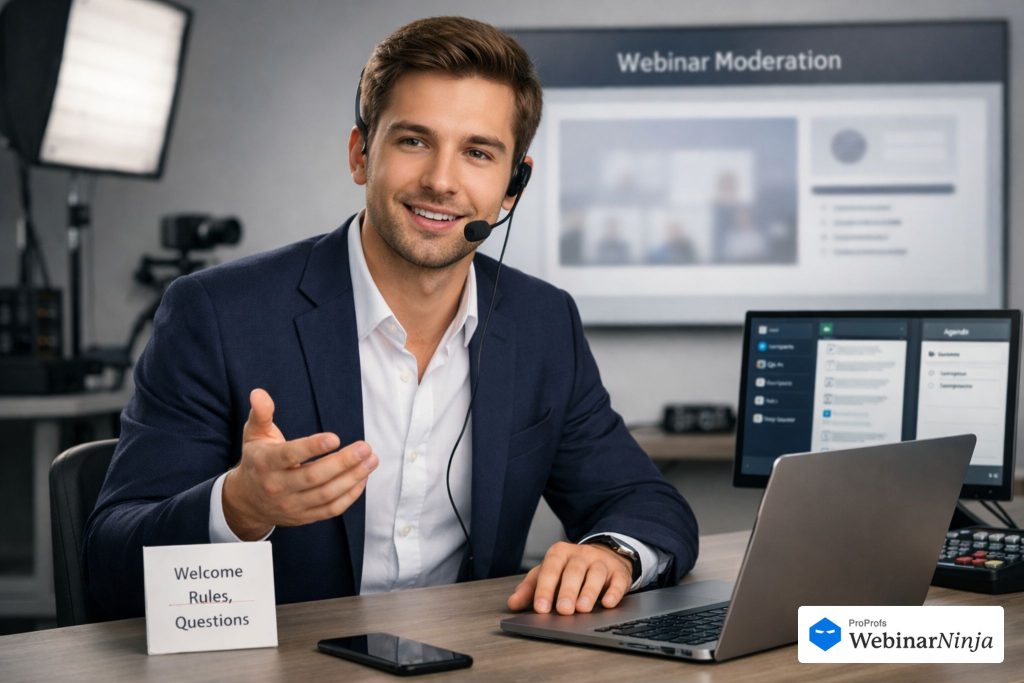
A useful moderator owns four things:
- Flow: The session moves when it should move.
- Audience care: People know what to do, where to ask, and what happens next.
- Q&A quality: The best questions get asked in the best order.
- Stability: Small problems do not turn into public stress.
Using our example webinar, here is how I would split responsibilities.
| Task | Moderator Owns | Speaker Owns | Tech Support Owns |
|---|---|---|---|
| Welcome, agenda, and ground rules | Yes | No | No |
| Teaching the core content | No | Yes | No |
| Watching chat and Q&A | Yes | No | Optional |
| Deciding which questions go live | Yes | Supports | No |
| Private time cues | Yes | Receives | No |
| Fixing platform-level problems | No | No | Yes |
| Keeping the audience calm during glitches | Yes | Optional | No |
| Closing and next steps | Yes | Supports | No |
This matters because live confusion usually begins with role confusion.
If you are moderating and speaking at the same time, you should still separate the jobs mentally. That means scripting the sections that normally break first, especially the first five minutes, the Q&A transition, and the close.
Build a Moderation Pack Before You Go Live
A good webinar feels relaxed because the hard decisions were already made before anyone entered the room.
I like to prepare a simple moderation pack. It does not need to be fancy. It just needs to answer the questions that cause stress in real time.
For the onboarding webinar example, the pack would include these five items.
1) A Run-of-Show With Actual Time Blocks
Do not write “intro, content, Q&A, close.” That is too loose. Write the clock.
This gets much easier when your broader webinar planning is already sorted before you script the live flow.
Here is a filled-in version you can copy.
| Time | What Happens | Who Leads | What the Moderator Is Watching For | |
|---|---|---|---|---|
| 0:00 to 0:02 | Welcome, orientation, chat prompt | Moderator | Early participation | |
| 0:02 to 0:05 | Speaker intro and agenda | Moderator to speaker handoff | Smooth transition | |
| 0:05 to 0:18 | Problem framing and common mistakes | Speaker | Confusion in chat, repeated themes | |
| 0:18 to 0:20 | Poll: What slows onboarding most? | Moderator | Segmentation data | |
| 0:20 to 0:35 | Framework and examples | Speaker | Pace, question clustering | |
| 0:35 to 0:43 | Q&A | Moderator leads, speaker answers | Question order and time | |
| 0:43 to 0:45 | Recap, resource, next step | Moderator then speaker | Clean close | |
| Closing and next steps | Yes | Supports | No |
That is already better than a generic agenda because it tells you where your interventions belong.
2) A Speaker’s Brief on the Things That Usually Go Wrong
Do not just send the slides and meeting link. If you are moderating for someone outside your team, a short webinar guest speaker brief can prevent a lot of avoidable confusion once the room goes live.
Give the speaker a short briefing note.
For example:
Speaker brief
- Keep the introduction to under 30 seconds after handoff
- Expect the first audience poll at minute 18
- Q&A begins at minute 35 even if all slides are not covered
- If I send “2 min” in the backchannel, wrap the current point and stop
- If audio drops, pause and wait for my cue before restarting
That note prevents more trouble than most rehearsals.
3) A Backchannel Plan
Agree on one private communication method before the webinar starts.
That could be Slack, WhatsApp, event chat, or direct platform messaging.
What matters is that it is fast and private.
Keep the messages short.
Use things like:
- “2 min”
- “Take a poll now.”
- “Repeat the last point slowly.”
- “Audio issue, pause.”
- “Move to Q&A”
That keeps you from interrupting publicly unless you truly need to.
4) Three Interaction Prompts Prepared in Advance
Do not improvise every audience prompt live.
Have them ready.
For our example webinar, I would prepare these:
Opening chat prompt: What part of onboarding takes the longest for your team right now?
Mid-webinar poll: Which part of onboarding slows new users down most?
- Training content
- Internal handoff
- Product setup
- User follow-through
Q&A transition prompt: Drop your toughest onboarding question into Q&A now. I am going to group the ones that will help the most people.
Prepared prompts make the room feel intentional. That is one of the easiest ways to build interactive webinars without forcing the moderator to talk too much.
5) Bridge Scripts for Awkward Moments
This is the part many teams skip.
You do not need a script because you expect disaster. You need it because hesitation feels worse than the problem itself. And before you even get to live troubleshooting, it is worth knowing how to test webcam and microphone settings ahead of time.
Here are four lines worth keeping in your notes:
If the speaker is running long:
“I am going to pause us there so we can protect the time we saved for questions, because a lot of useful ones are coming in.”
If chat goes quiet:
“Quick check before we move on. Type yes in chat if this is the part your team struggles with most.”
If a slide is confusing people:
“I am seeing a few questions on this step, so let us slow down for 20 seconds and make that part clearer.”
If you need to buy time:
“While we pull that up, drop your biggest question into Q&A, and I will sort them by theme.”
That is moderation. Quiet control, not visible panic.
Use the First Two Minutes to Make the Room Feel Safe and Active
The first two minutes decide whether the webinar feels like a guided event or a loose video call.
Your goal is simple. Tell people what they are in, how they should participate, and what will happen with their questions. Then get them to do something small right away.
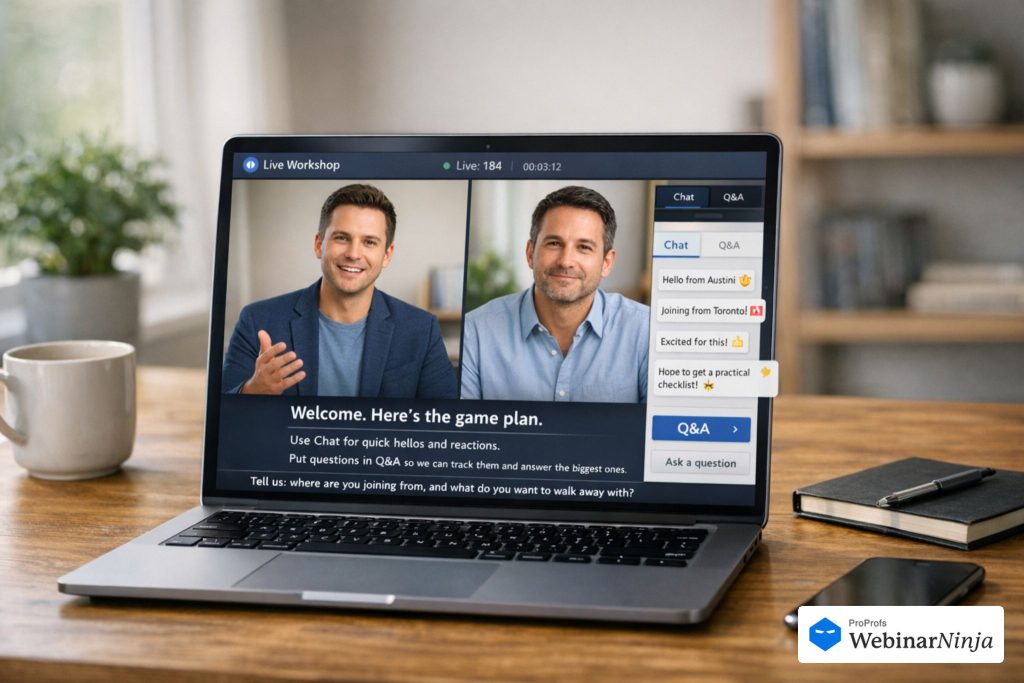
Here is a full opening script you can copy and adapt.
Opening script
Hi everyone, welcome. You are in the right place for today’s session on how customer success teams cut onboarding time from 21 days to 10.
I am [Moderator Name], and I will help guide the session and keep an eye on your questions as we go.
Here is how this will work. [Speaker Name] will walk through the framework first, then we will move into Q&A near the end. If a question comes up while you are listening, drop it into the Q&A tab so I can group the strongest ones together.
To get us started, put one thing in chat for me. What is the part of onboarding that slows your team down most right now?
Perfect. I am already seeing product setup, internal handoff, and follow-through come up. That helps us tailor the conversation as we go.
[Speaker Name], over to you.
Why does this script work?
Because it does four jobs fast. It orients, sets rules, starts interaction, and gives the speaker a clean runway. If you want more structures like this, a clean webinar script helps the moderator and speaker stay aligned from the first sentence.
A weak opening usually sounds like this:
“Can everyone hear us? We will wait another minute. Thanks for joining. We are excited to have you. Let me tell you a little about our company.”
That kind of opening wastes attention before the webinar even starts.
How to Moderate Live Without Becoming the Second Speaker
A lot of new moderators make one of two mistakes. They either vanish for 30 minutes and return only for Q&A, or they jump in so often that the speaker never settles into a rhythm.
The right approach sits in the middle.
You should be visible enough to steady the room and light enough not to steal it. A lot of that comes down to simple webinar etiquette, especially knowing when to guide the room and when to stay out of the speaker’s way.
Using our onboarding webinar example, here is what that looks like in practice.
Post Small Reassurance Signals
These are short lines in chat or quick spoken cues that reduce uncertainty.
Examples:
- “We will open Q&A in about 10 minutes, so keep dropping questions in.”
- “I am seeing several of you mention handoff delays. We are about to get into that.”
- “Good question coming in on implementation. I am saving that for Q&A.”
These lines matter because they tell the audience they are being heard, even when you are not answering yet.
Protect Time Without Sounding Harsh
Most speakers do not run long because they are careless. They run long because they care and they are trying to be useful.
So your time cues should feel supportive.
A private cue might be:
“2 min, then Q&A”
A public cue might be:
“We are right on track, and I want to make sure we leave room for questions, so let us land this section and move into the final example.”
That keeps the speaker moving without making the audience feel tension.
Turn Chat Into Pattern Recognition
You do not need to reply to everything. You need to notice what is repeating.
For example, if five people ask variations of the same thing during the onboarding webinar, do not read all five aloud.
Summarize the pattern.
Say this instead:
“I am seeing a cluster of questions around how much of onboarding should be automated versus handled by a person, so let us make sure we hit that in Q&A.”
That makes the room feel curated rather than crowded.
How to Run Q&A by Value, Not by Arrival Time
The fastest way to ruin Q&A is to go in order. The audience does not care which question arrived first.
They care whether the answer helps them. That is why moderation works better when you focus on attendee value rather than just trying to manage webinar attendees in order.
I use a simple sort system.
First, Group Questions by Theme
In our example webinar, the live questions might look like this:
- How long should onboarding emails run?
- What should happen on day one versus day three?
- How do you stop users from dropping after setup?
- What if our team is too small for manual check-ins?
- How do you measure onboarding success?
Those are not five equal questions. They usually collapse into three themes:
- Sequence and timing
- Human touch versus automation
- Measurement and success criteria
Now Q&A feels shaped.
Second, Ask the Questions in a Useful Order
Start with the foundational question, then move to edge cases.
For example:
Question 1: What should a good onboarding sequence cover in the first week?
Question 2: Where should teams use automation, and where does human follow-up still matter?
Question 3: What should you track if you want to know whether onboarding is actually improving?
That order helps the largest number of attendees.
Third, Reframe Messy Questions Before the Speaker Answers
A good moderator often improves the question before the speaker hears it.
Here is a messy question:
“We have a small team, different customer segments, some users need hands-on help, and we are not sure whether our issue is email timing or product friction, so what should we do first?”
Here is the moderator version:
“Let me tighten that up so the answer helps more people. For a lean team that cannot give every new customer hands-on support, what should they fix first: onboarding sequence, support touchpoints, or in-product guidance?”
That is easier to answer and more useful to the room.
Fourth, Park the Questions That Are Too Specific
You do not have to answer everything live.
You do have to protect the room.
Use a line like this:
“That one is a great question, but it is very specific to your setup. I am going to save it for follow-up so we can use this time on the questions that apply more broadly.”
That lets you say no without sounding dismissive.
How to Handle Glitches & Disruptions During Moderation
Problems feel larger when nobody is narrating them. That is exactly why it helps to keep a short plan for webinar technical issues open before the session starts.
A calm moderator can make a minor issue stay minor.
Here are the copy-paste lines I would keep open in a separate note during every webinar.
If the Speaker’s Audio Starts Breaking
“Looks like the audio is clipping for a moment. Give us 10 seconds while we reset it.”
Then, if needed:
“Thanks for your patience. While we fix that, drop your top question into Q&A and we will pick up right where we left off.”
If Screen Share Fails
“We lost the slides for a second. We are bringing them back now. While that reloads, let me quickly recap the last point so nobody loses the thread.”
Then restate the last clear point in one sentence.
If the Speaker Drops Off Completely
“It looks like [Speaker Name] dropped for a moment. They are rejoining now. Let me hold the room for a minute and summarize what we covered so far.”
Then give a 20-second recap and ask one chat question to keep people present.
If Someone Becomes Disruptive in Chat
Do not perform the moderation in public unless absolutely necessary.
Remove, mute, or warn quietly.
If you need a public line at all, keep it minimal:
“We are going to keep the chat focused so the session stays useful for everyone.”
Then move on immediately.
The principle here is simple. Acknowledge, guide, redirect.
Do not overexplain.
How to Close the Webinar Like a Landing
A weak webinar close sounds like everybody suddenly remembered the clock.
A strong close sounds deliberate.
The moderator should start the landing before the speaker gives the final CTA. That handoff works best when the webinar CTA feels like a natural continuation of the session instead of a sudden sales turn.
Here is a clean closing structure you can reuse.
Step 1: Signal That You Are Landing
“I want to start bringing us in for a close, and before we do, let me pull together the three ideas that came up most clearly today.”
That sentence prepares the audience to listen again.
Step 2: Recap Three Things, Not Ten
For our onboarding webinar, the moderator’s recap might sound like this:
“First, strong onboarding gets slower when teams try to do everything manually. Second, most delays happen around handoff and product setup, not welcome emails. Third, the teams that improve fastest usually measure early activation, not just attendance in training.”
That recap helps people leave with shape, not fragments.
Step 3: Hand Off the Next Step Clearly
Then cue the speaker.
“[Speaker Name], before we wrap, can you tell everyone where they can get the checklist and what the best next step is if they want to apply this framework?”
That is better than the moderator forcing the offer. It keeps the CTA in the speaker’s voice while preserving structure.
Step 4: Close the Loop for Everyone Else
After the CTA, finish with practical clarity.
“Thanks again for being here. We will send the replay, the checklist, and a short summary of the questions we did not get to. If you dropped a question in Q&A and we could not cover it live, we will use those themes in follow-up.”
That sentence does a lot of cleanup. It reduces regret, explains what comes next, and makes the webinar feel complete.
Use the Moderator’s Follow-Up to Extend the Value of the Session
A moderator’s job does not end when the room closes.
The chat log and Q&A list are usually the clearest record of what people actually cared about.
I would do three things right after the onboarding webinar ends.
1) Send a Short Internal Debrief
Here is a simple format you can send to the speaker and team.
Subject: Webinar debrief: onboarding session
- Strongest engagement moment: the poll on what slows down onboarding most
- Repeated audience theme: uncertainty around human touch versus automation
- Clarification point: Several attendees were confused about what to measure first
- Follow-up opportunity: create a short resource on onboarding metrics and sequencing
That note helps the next webinar get smarter.
2) Turn Unanswered Questions Into a Follow-Up Asset
Do not waste the questions you could not answer live. A strong webinar follow-up email can turn those unanswered questions into one of the most useful parts of the whole event.
Pick the best ones and answer them in a follow-up email or post.
Example:
Subject: 3 onboarding questions we did not get to live
Hi [First Name],
Thanks again for joining today’s webinar.
We did not get to every question live, so here are three that came up repeatedly:
1. How much onboarding should be automated?
Automate reminders, basic education, and progress nudges. Keep human support for moments where confusion or risk is highest.
2. What should teams track first?
Start with the action that shows a user reached a value, not the action that proves they logged in.
3. What usually slows down onboarding the most?
In many teams, it is not a lack of content. It is unclear setup steps and a weak handoff between teams.
Replay and resources are here: [link]
Best,
[Name]
That kind of follow-up extends the usefulness of the webinar instead of just recycling the replay link. You can make that even stronger by adding a few post-webinar survey questions while the session is still fresh in people’s minds.
3) Update Your Moderation Notes While the Session Is Fresh
This step is small and extremely valuable.
Add one line under each of these headings:
- What worked in the opening
- Where the speaker needed clearer time support
- Which chat prompt got the best response
- Which question types were hardest to manage
- What bridge script do you wish you had ready
If you do that after every webinar, your moderation gets sharper fast. Over time, that works even better when you compare those notes with simple webinar analytics so you can spot where attention, drop-off, and engagement really shift.
Your Next Webinar: What to Prepare in the Next 24 Hours
If you want to improve quickly, do not try to become a perfect moderator in theory. Build a system you can reuse.
Here is the order I would follow.
Today:
- Pull up the last webinar you moderated and identify where it slipped first.
- Write a real run-of-show with timestamps, not just topic labels.
- Decide who owns chat, Q&A, timing, and tech issues.
- Prepare one opening script, one Q&A transition line, and one closing script.
- Agree on a private backchannel with the speaker.
Tomorrow:
- Write three interaction prompts in advance.
- Prepare four bridge scripts for tech issues and awkward pauses.
- Decide how you will sort Q&A by theme, not by arrival order.
- Draft the post-webinar internal debrief email.
- Draft the attendee follow-up for unanswered questions.
If you run webinars regularly, it also helps to use a platform that keeps chat, Q&A, reminders, and replay delivery in one place. WebinarNinja is a practical option when you want fewer moving parts and a cleaner workflow for repeat sessions, especially if the goal is to make moderation feel consistent instead of improvised.
Want to host a webinar for free?
Use WebinarNinja to teach, improve marketing, and grow your sales.