A prospect who wants to see whether your product handles one specific task doesn’t want to sit through a 30-minute call, a company overview, and three slides of background before the rep finally opens the screen share. That mismatch is exactly why sales teams go looking for the best webinar software for product demos: a platform that lets buyers see the product quickly, live or on demand, without forcing every evaluation into a rep-led call.
According to a Gartner sales survey, 67% of B2B buyers prefer a rep-free evaluation experience, meaning a growing share of your audience wants to see how your product works before, or instead of, talking to anyone on your team. A recorded or on-demand demo is a direct response to that preference.
I compared the platforms around what actually matters in a product demo: keeping prospects engaged during the walkthrough, letting them watch on their own schedule, and making it easier for sales teams to follow up after the session. Pricing, product documentation, and recent user feedback helped validate how well each tool delivers on those needs.
What Is Webinar Software for Product Demos?
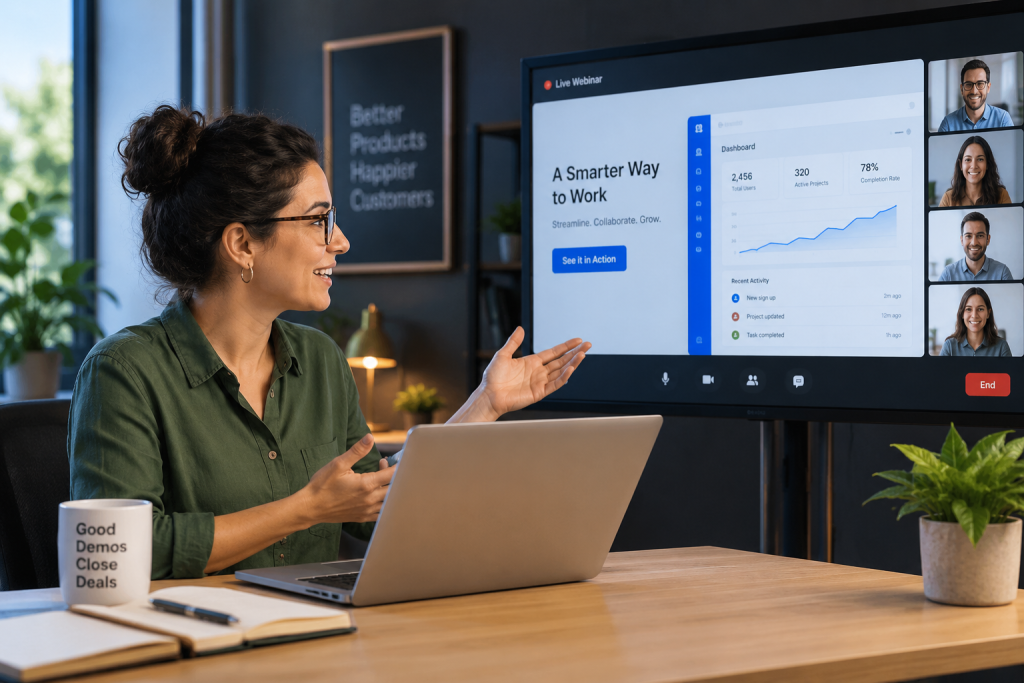
The distinction matters because a demo has different needs from an internal meeting: it requires a registration flow that qualifies the viewer, engagement tools that keep attention on the shared screen, and a recording that can be reused indefinitely once the live version has run its course.
Not every platform treats demos as a first-class use case. Some build registration pages, chat, polling, and analytics specifically around converting a viewer into a buyer. Others are general video-conferencing tools in which a demo is just one more meeting type, lacking the follow-up and repeatability a sales team actually needs.
11 Best Webinar Software for Product Demos to Check
A few of the platforms below treat the demo itself as the product experience, down to how a viewer registers and what happens the moment the session ends. Others are solid general-purpose tools that work fine for a demo without doing anything specific to help it convert. The harder question, one a features page won’t answer, is whether a platform still holds up once a team is running the same demo dozens of times a month rather than presenting it once.
Here’s a quick look at how they stack up before we get into specifics:
| Tool | Best For | Standout Feature | Attendee Cap | Starting Price | Free Trial |
| ProProfs WebinarNinja | Generating leads, growing sales, and teaching better | Four built-in AI roles: AI Conversion Writer, AI Sales Coach, AI Engagement Lead, and AI Content Strategist | 1,000 live/unlimited automated | $0.30/attendee/month | 14 days, full features |
| ON24 | Enterprise demo programs with heavy content reuse | ACE AI content-repurposing engine | Enterprise-scale (custom) | Custom ($25K+/yr) | No |
| GoTo Webinar | IT-familiar live demos for corporate buyers | Broad attendee-capacity tiers | 250 to 3,000 | ~$59/user/month | Yes |
| BigMarker | Large branded launch demos and press events | AI-powered attendee matchmaking | Enterprise-scale (tier-dependent) | ~$79/month | No |
| RingCentral Webinar | Large-scale sessions on RingCentral infrastructure | AI-powered Q&A responses and Smart Translations | Up to 10,000 attendees | Add-on to RingEX plans; included with Ultra | Yes |
| Livestorm | No-download demo experience for busy prospects | AI transcripts and content repurposing | Tier-dependent (credit-based) | ~$99/month | Free plan only |
| Zoom Webinars | Teams are already standardized on Zoom | AI Companion bundled with Workplace | Varies by plan | ~$66-83/month add-on + license | Free plan (meetings only) |
| Demio | Clean, marketing-focused demo experience | Marketing-focused engagement analytics | 50 to 150+ (tier-dependent) | ~$42-63/month | Yes |
| ClickMeeting | GDPR-first hosting for European buyers | EU data hosting, live transcription | 25 to 10,000 | ~$25-35/month | Yes (14 days) |
| Zoho Webinar | Teams already on Zoho CRM | Native Zoho CRM and Campaigns integration | Up to 10,000 | ~$8-9/organizer/month | Yes |
| Microsoft Teams Webinar | Teams already on Microsoft 365 | Webinar hosting bundled into base plans | Up to 1,000 | ~$12.50/user/month (bundled) | Depends on the license |
Now, here’s how each one actually holds up for a product demo program:
1. ProProfs WebinarNinja
Best Webinar Software to Generate Leads, Grow Sales, and Teach Better
ProProfs WebinarNinja has a dedicated product demo workflow rather than treating a demo as a generic meeting type. Teams can run live, automated, series, and hybrid webinars from one account, with browser-based streaming, registration pages, email sequences, engagement tools, and SOC 2 Type II-certified hosting built into the workflow.
For product demos, the AI layer covers four different points in the buyer journey. The AI Webinar Creator includes an AI Conversion Writer for registration headlines, an AI Sales Coach for pitch review, an AI Engagement Lead for repeat live-chat questions, and an AI Content Strategist that turns the finished session into follow-up content. That gives a demo team support before, during, and after the presentation instead of adding separate tools at each stage.
Pros:
- AI sharpens demo headlines, reviews pitch delivery, answers recurring buyer questions, and turns sessions into follow-up content.
- Runs live, automated, series, and hybrid webinars for rep-led, self-serve, and multi-session product demos.
- Built-in landing pages and automated emails handle demo registration, reminders, and post-session follow-up without extra tools.
- Chat, Q&A, polls, offers, and handouts help presenters capture buyer interest without interrupting the walkthrough.
- Auto-records every webinar so prospects can replay demos while sales teams review attendance and engagement.
- Integrates with Mailchimp, HubSpot, Stripe, and 1,000+ apps via Zapier to connect demo activity with sales workflows.
Cons:
- No downloadable or on-premise version
- Dark user interface option is not available
Pricing: A FREE 14-day trial is available. Paid starts at $0.30/attendee/month (includes CourseNinja, worth $1,200).
Case study:
Gavin Tye, founder of Sales Market Fit, used WebinarNinja to turn webinars into a repeatable sales channel. After switching, he reported 200% growth in qualified leads, with a single session generating $20,000–$25,000 in revenue.
2. ON24
Enterprise Demo Programs With Heavy Content Reuse
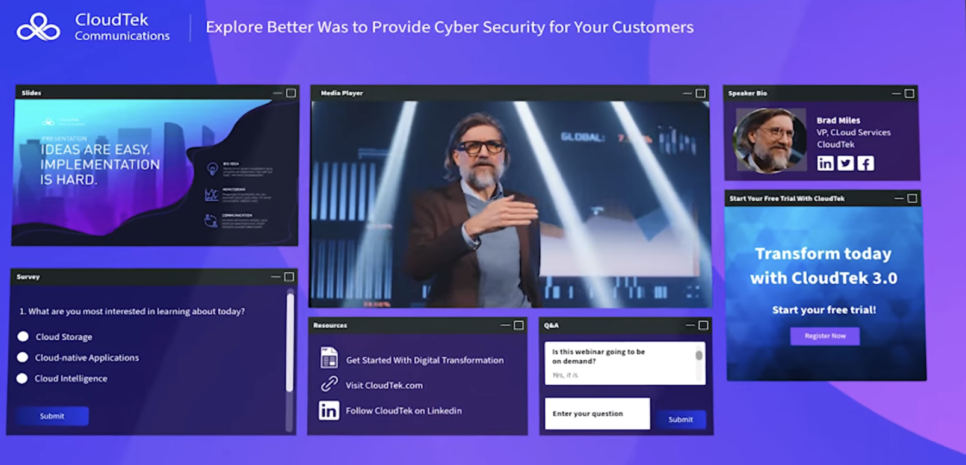
ON24 has a specific concept for this use case, which it calls a “Deminar”: a live or on-demand demonstration designed to feel like a real-time conversation rather than a canned recording. Combined with its ACE engine, a single demo can be repurposed into transcripts, summaries, and shorter clips, which suits a large enterprise team running the same product walkthrough across many segments.
For product teams that demo the same platform to different industries or account tiers, that reuse matters: one core walkthrough can feed segment-specific follow-up content without asking reps to rebuild the demo from scratch each time.
Pros:
- Purpose-built “Deminar” format designed specifically for product demonstrations
- ACE engine turns one recorded demo into a reusable content library
- Key Moments heatmaps show exactly where viewers lose interest during a walkthrough
- SOC 2 Type II certified and GDPR compliant
- Built for the volume of an enterprise-scale demo program
Cons:
- No free trial and no published pricing, so a team has to enter a sales process before seeing real numbers
- CRM integration is technically available at the entry tier, but reviewers report that it needs real engineering effort to configure properly
Pricing: Custom quotes only, across Essentials, Standard, and Advanced tiers.
3. GoTo Webinar
The IT-Familiar Choice for Live Demos to Corporate Buyers
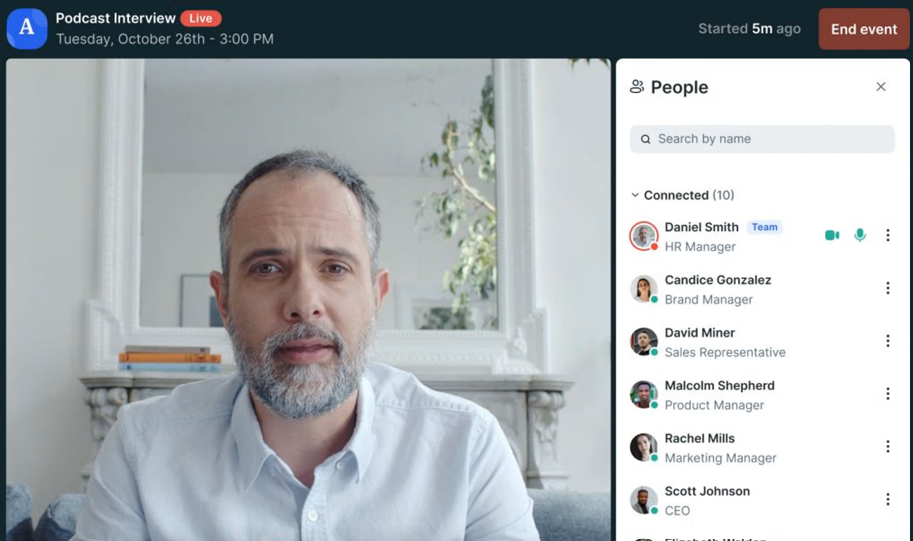
GoTo Webinar’s brand recognition can shorten the internal approval process when the buyer on the other end of the demo is a large, IT-cautious organization that already has the tool on an approved vendor list.
That makes it a stronger fit for scheduled, rep-led product demos than for a self-serve demo library. Sales teams that mainly present live can lean on familiar joining, recording, and CRM workflows without introducing an unfamiliar platform during evaluation.
Pros:
- Wide brand recognition reduces friction with security-conscious corporate buyers
- Attendee capacity scales predictably from 250 to 3,000 across tiers
- CRM integrations available on the Pro and Enterprise tiers
- Unlimited cloud storage on Pro and Enterprise tiers
- A free trial lets a team test it before committing
Cons:
- Automated demos, the format that lets prospects self-serve outside business hours, only unlock on the Pro and Enterprise tiers
- No built-in AI tools for pitch review or chat handling, so those tasks stay entirely manual
Pricing: Plans start at around $59/user/month for the Lite tier (250-300 participants). A free trial is available.
4. BigMarker
Large Branded Launch Demos and Press Events
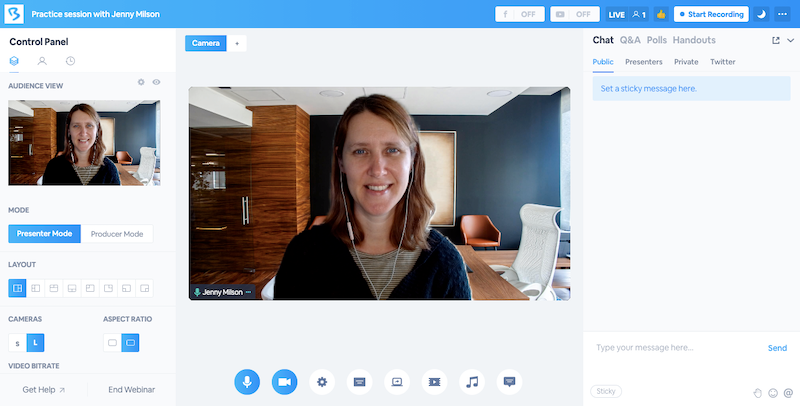
BigMarker’s white-label branding and AI-powered attendee matchmaking suit a company unveiling a major product to press, analysts, and top-tier prospects at once, where the event needs to look and feel entirely custom.
For routine one-to-one sales demos, that production depth can be more than a team needs. It becomes much more useful when the demo is part of a coordinated launch with multiple presenters, audience segments, and follow-up paths.
Pros:
- White-label branding removes any trace of a third-party platform from the attendee’s view
- AI matchmaking helps connect press, analysts, and prospects at a large launch event
- Supports live, simulive, automated, and on-demand formats in one platform
- Enterprise-grade reporting for large-scale events
- On-demand delivery keeps launch demos available for prospects after the live event
Cons:
- No published free trial, so a team commits to a paid plan before confirming fit
- Pricing climbs steeply between tiers, and a demo audience of a few hundred can push past the Starter plan fast
Pricing: Starter around $79/month (100 attendees), Elite around $299/month (500 attendees), custom Enterprise pricing above that.
5. RingCentral Webinar
Best for large-scale internal demos, all-hands sessions, and teams already on RingCentral
RingCentral Webinar is built for large, controlled presentation sessions, think all-hands meetings, company-wide training, and external product demos at scale. It supports up to 10,000 attendees, with up to 1,000 interactive participants who can be brought on stage to speak.
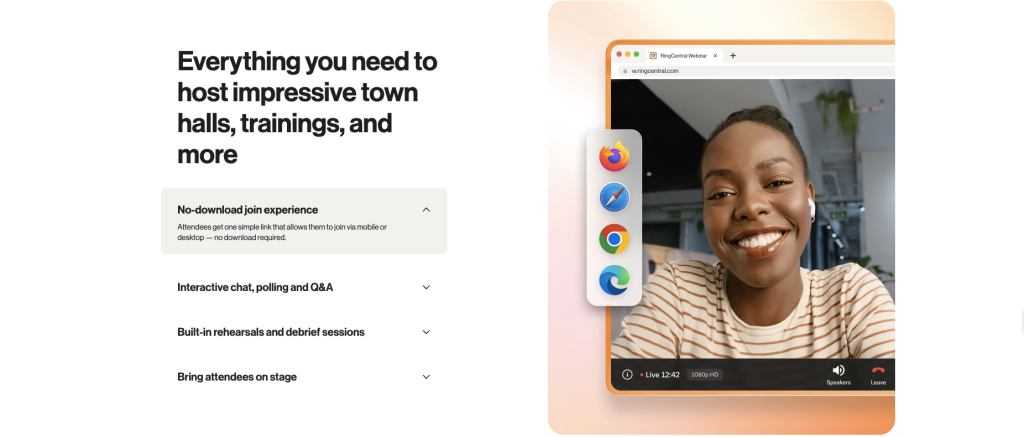
Setup takes as little as two clicks, attendees join via browser with no download required, and automated email reminders and follow-ups handle attendance logistics automatically.
The presenter experience includes screen sharing, annotations, interactive whiteboards, and on-screen emoji reactions for gauging live engagement. No download is required for attendees to join, which removes the friction that typically causes drop-off in a demo context.
Pros:
- No-download browser join for external attendees: prospects can enter a demo without installing anything
- AI-generated post-session transcripts and summaries for sales follow-up
- End-to-end encryption and HIPAA compliance for regulated industry demos
- Native integration with RingEX, so internal teams stay connected on the same platform
- Recordings shareable with configurable permissions: useful for on-demand demo access after the live session
Cons:
- Pricing requires a sales conversation rather than self-serve sign-up, which adds friction for smaller teams evaluating quickly
- Dedicated webinar-first platforms like Demio or Livestorm may offer more marketing-specific engagement analytics out of the box
- Best suited for organizations already in the RingCentral ecosystem: standalone buyers will need to evaluate whether the broader platform fits their needs
Pricing: Contact RingCentral sales for webinar pricing.
6. Livestorm
No-Download Demo Experience for Busy Prospects
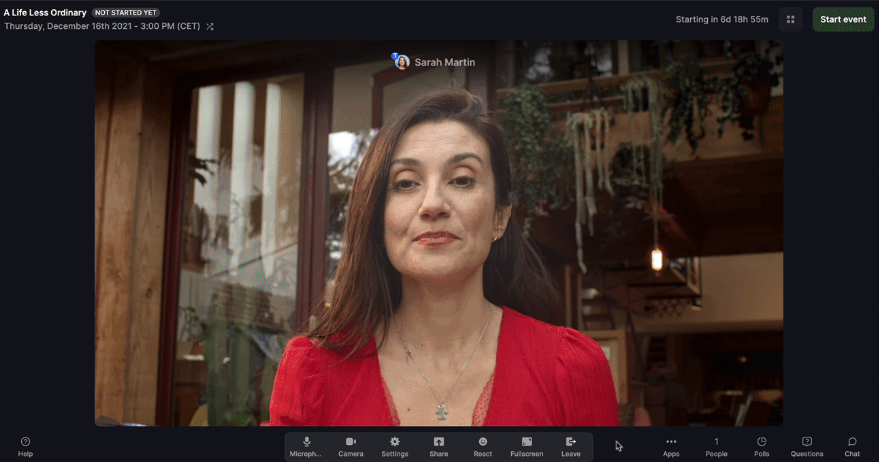
Livestorm runs entirely in the browser, which removes one common reason prospects skip a scheduled demo: not wanting to install anything just to see a product they haven’t committed to yet.
Its built-in email automation and CRM connections also fit a marketing-led demo funnel, where registration source, attendance, and replay follow-up need to move into the sales process without manual handoffs.
Pros:
- No-download join experience across every session type
- AI-generated transcripts and summaries turn a demo recording into written reference material
- Native CRM connections with HubSpot and Salesforce, no Zapier required
- Built-in email automation for reminders and replay follow-up
- Detailed analytics on attendance and drop-off points
Cons:
- Per-attendee credit pricing, around $3/attendee, adds up fast for a team running frequent demo sessions
- The free plan’s 20-minute cap is too short for most real product walkthroughs, and there’s no white-label option at any tier
Pricing: Free plan limited to 30 attendees and 20-minute sessions. Pro starts around $99/month, Premium reaches around $299/month, and Enterprise is custom above $500/month.
7. Zoom Webinars
The Familiar Platform Your Prospects Have Already Used
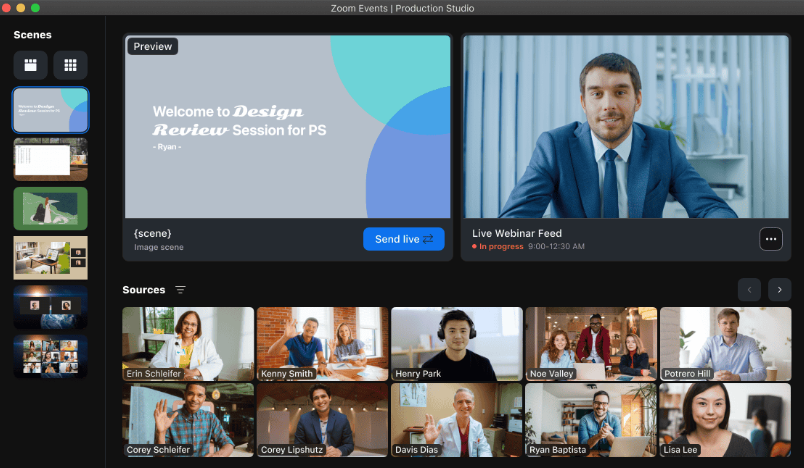
Zoom Webinars are widely familiar, which can reduce the odds that a prospect will have connection issues right when the demo is supposed to start. AI Companion, included on paid Workplace plans, drafts summaries and notes without a separate charge.
For teams already standardized on Zoom, that familiarity makes scheduled live demos easy to operationalize across a large sales organization. It is less naturally suited to an always-on, automated demo motion where the recording itself needs to keep qualifying and converting prospects after the rep logs off.
Pros:
- AI Companion comes bundled with existing Workplace licenses instead of requiring a separate purchase
- Near-universal attendee familiarity reduces technical friction during a first-touch demo
- Works with existing Zoom Phone and Rooms investments that many sales teams already have
- No new tool for a prospect to learn before joining
- Custom AI Companion add-on available for cross-platform use
Cons:
- Webinars are a paid add-on on top of a separate Workplace license, so the real monthly cost runs higher than the add-on price alone
- AI Companion was built for internal meetings first, so it doesn’t do registration-page copywriting or demo-specific chat handling
Pricing: Requires a paid Workplace license, with Pro around $14/user/month, plus the Webinars add-on starting around $66–$83/month.
8. Demio
Clean, Marketing-Focused Demo Experience
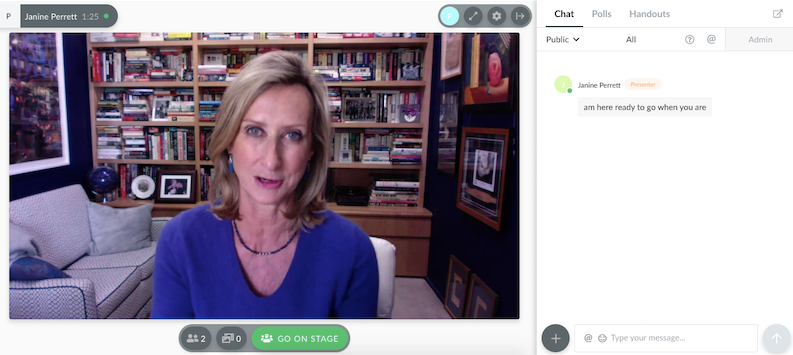
Demio’s no-download join flow and registration-source tracking make it a reasonable fit for a small sales or marketing team running occasional live demos, though its AI capability trails most of the field.
The strongest fit is a marketing-led demo program where a clean attendee experience and campaign attribution matter more than enterprise production controls. Teams planning to rely heavily on automated demos should check which plan unlocks that format before choosing it.
Pros:
- No-download joining reduces friction for prospects attending their first product demo
- Marketing-focused analytics track registration source and engagement in detail
- Automatic recording and replay help prospects revisit the walkthrough after the live session
- Native HubSpot and Salesforce integrations on the Premium tier
- Free trial lets a team confirm fit before paying
Cons:
- The Starter tier caps at one host and 50 attendees, restricting the moment a team runs more than one demo track
- Automated demos, the format that supports self-serve viewing, require upgrading to the pricier Growth tier
- Reviewers consistently flag Demio’s AI capability as thin compared to competitors on this list
Pricing: Starter runs about $42-$63/month for one host and a 50-attendee room, with a 3-hour session limit. Growth starts at $75-$117/month and unlocks automation.
9. ClickMeeting
GDPR-First Hosting for European Buyers
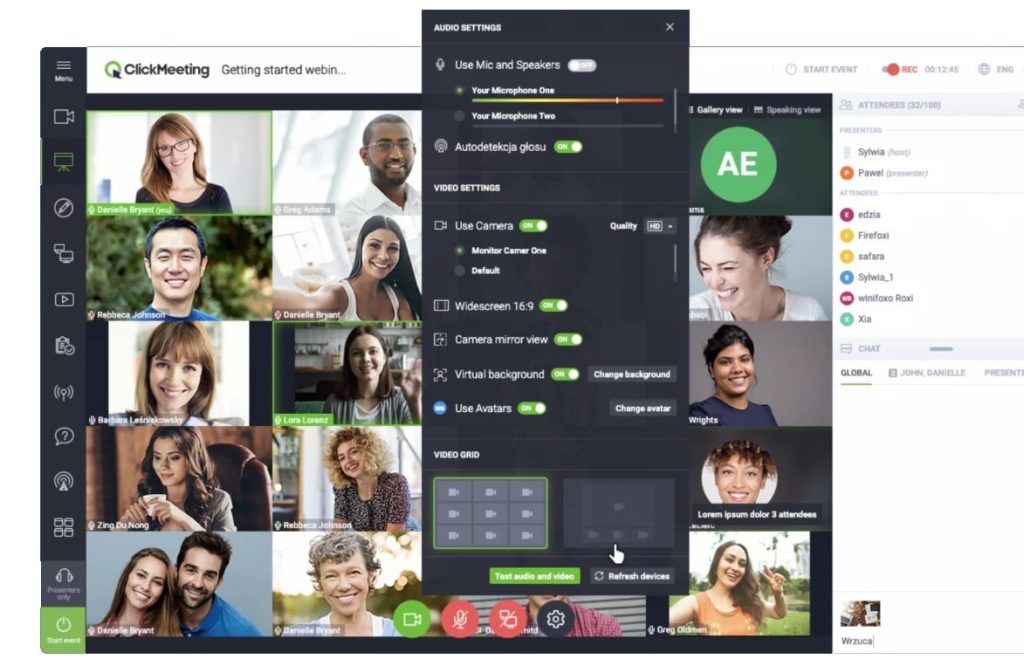
ClickMeeting’s EEA-based hosting matters for a sales team demoing a product to European prospects with strict data-residency expectations built into their own procurement checklist.
That is especially relevant when the demo itself is part of a formal vendor evaluation and security review.
Browser-based joining, transcription, and higher-capacity options enable the same platform to handle both smaller sales demos and larger customer-facing presentations.
Pros:
- GDPR compliance and EU data residency reassure European buyers during evaluation
- Enterprise tier scales to 10,000 participants for a large launch demo
- Genuine 14-day free trial at a low entry price
- Automatic speech-recognition transcription for live captions
- Browser-based joining with no downloads
Cons:
- Automated demos, needed for a prospect to self-serve outside business hours, require upgrading from the Live plan to the pricier Automated plan
- No dedicated AI content-generation or chat-automation tools of any kind
Pricing: Live plan starts at $25-$35/month for 25 attendees. Enterprise is custom-priced for up to 10,000 participants.
10. Zoho Webinar
Affordable and CRM-Connected for Zoho Sales Teams
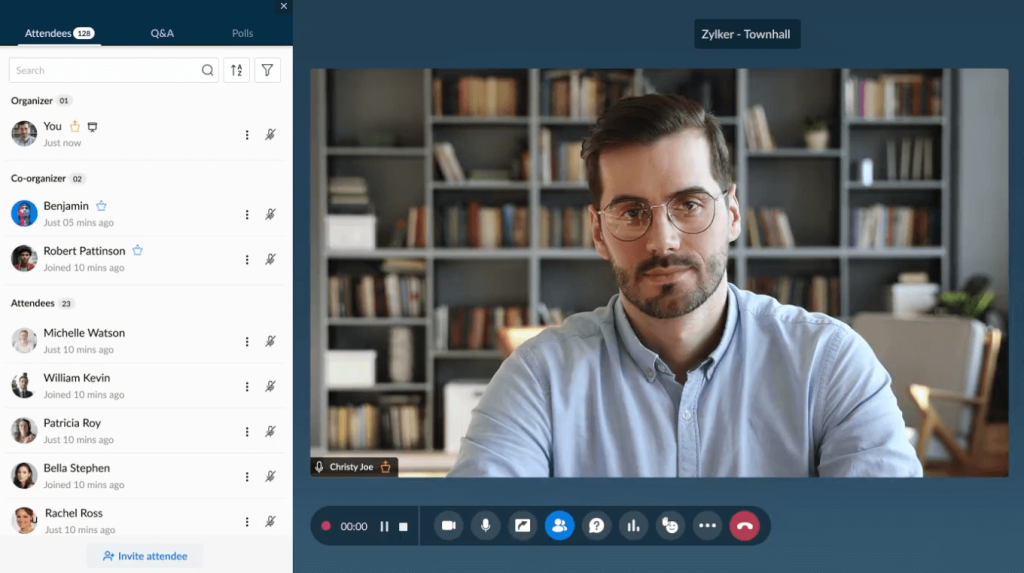
Zoho Webinar’s native tie-in to Zoho CRM keeps demo registrant and attendance data flowing straight into the same system a sales team already uses to track the deal.
For a Zoho-based sales motion, that means a rep can see who registered, who attended, and what follow-up is needed without moving demo data between systems. Its AI is more focused on session assistance, such as notes and transcription, than on demo-specific pitch coaching or live FAQ handling.
Pros:
- One of the most affordable entry points on this list
- Deep native integration with Zoho CRM and Campaigns for post-demo follow-up
- Scales to 10,000 participants on higher tiers for a large launch event
- Customizable registration pages and engagement tracking
- Free trial and a limited free tier are both available
Cons:
- AI features focus more on notes and transcription than on demo-specific pitch coaching or live FAQ automation
- Attendees on lower tiers may need to download the Zoho app, adding friction for a first-time prospect
Pricing: Standard around $8-9/organizer/month, Professional around $16-19/month, Enterprise around $66/month.
11. Microsoft Teams Webinar
Webinar Hosting Bundled Into the Microsoft 365 You Already Pay For
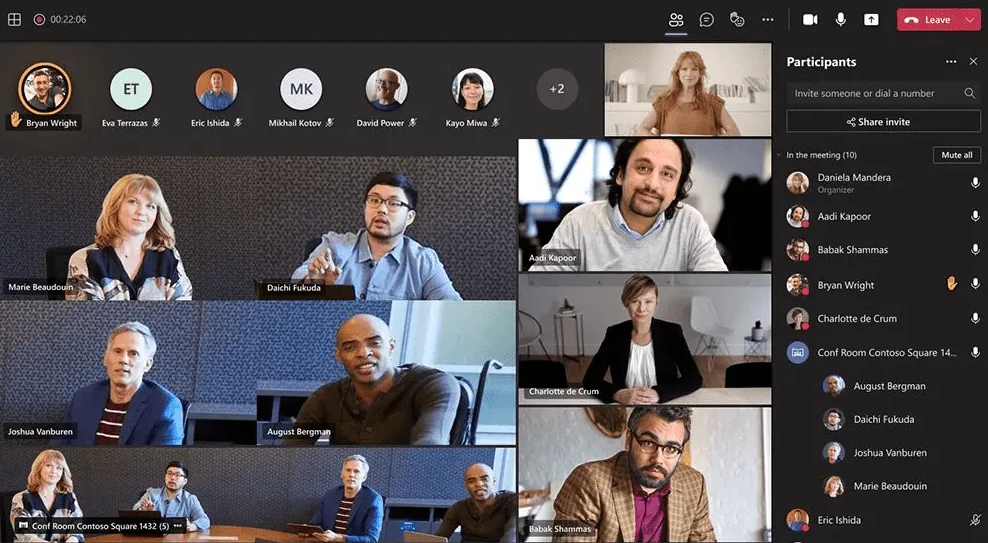
Microsoft folded core webinar hosting, registration pages, and reminder emails into the base Teams Enterprise and Microsoft 365 Business Standard plans, removing them from the separate Teams Premium add-on. For a sales team already on Microsoft 365, that means demo capability without needing to procure a new tool.
That makes Teams Webinar practical for scheduled enterprise demos where prospects and presenters already work inside Microsoft 365. The value is operational convenience rather than a purpose-built self-serve demo funnel, so it fits best when the rep is still expected to lead the session live.
Pros:
- Webinar hosting is now bundled into Microsoft 365 plans, and most sales teams already pay for it
- Supports up to 1,000 attendees with registration and reminders built in
- Intelligent recap, through the Teams Premium add-on, turns a demo into a shareable summary automatically
- Runs on infrastructure most corporate IT departments already manage
- No new vendor relationship to get approved
Cons:
- Advanced production features like multi-presenter engagement reporting still require the separate Teams Premium add-on
- Not purpose-built for demo conversion; there’s no landing-page builder or pitch-coaching tool like a demo-first platform offers
Pricing: Core webinar hosting is included in Microsoft 365 Business Standard (around $12.50/user/month).
Evaluation Criteria
Each platform was checked against its current pricing, published documentation, and independent buyer feedback from G2, Capterra, and TrustRadius. Six factors shaped the evaluation.
- User Reviews/Ratings: I checked independent buyer feedback on G2, Capterra, and TrustRadius to see how the platforms perform in real use, with particular attention to ease of joining, reliability, support, and overall value for product demo teams.
- Essential Features & Functionality: The value of a product is ascertained by its core features and overall functionality. Through an in-depth exploration of these aspects, the tools’ practical usefulness and effectiveness are carefully evaluated.
- Ease of Use: The user-friendliness of a product or service is assessed by focusing on its design, interface, and navigation. This ensures a positive experience for users of all levels of expertise.
- Customer Support: The quality of customer support is examined, taking into account its efficiency and how well it supports users in different phases – setting up, addressing concerns, and resolving operational issues.
- Value for Money: Value for money is evaluated by comparing the quality, performance, and features. The goal is to help the reader determine whether they would get their money’s worth.
- Industry Analysis & Expert Commentary: Independent analyst coverage and third-party comparisons specific to demo and sales-enablement software, used to check vendor claims against outside opinion.
What Separates a Demo Platform From a Webinar Tool?
A product demo has one job: help a buyer understand whether the product can solve a specific problem. That changes what matters when choosing software. A demo-focused platform should also support the steps around the session, from registration to follow-up.
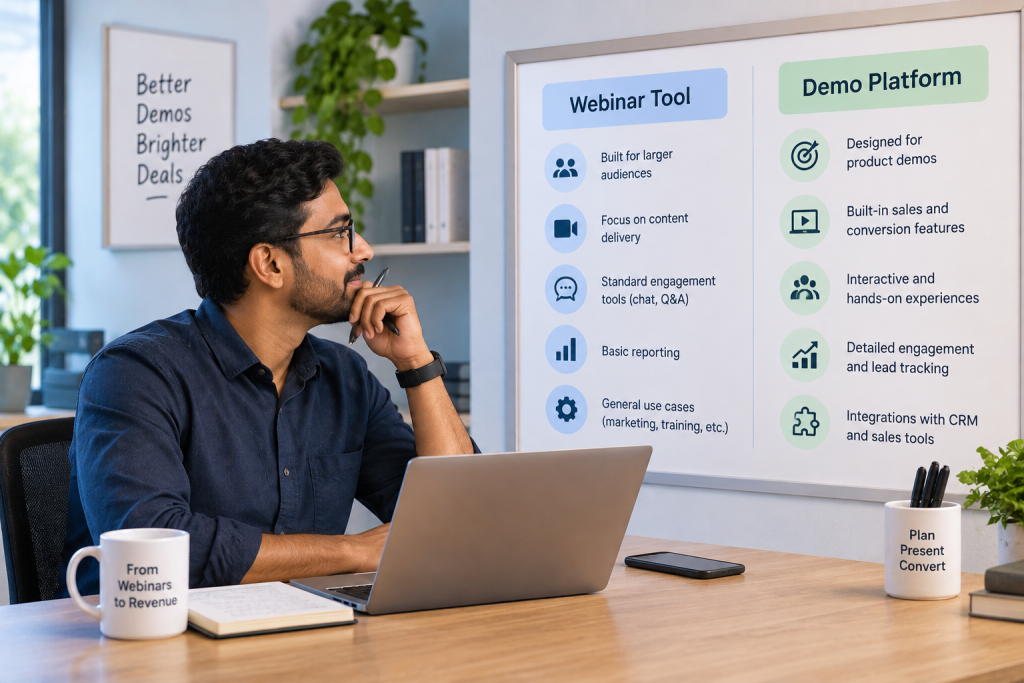
Instead of judging platforms mainly by attendee limits or presentation features, look at whether they help prospects move through the demo without unnecessary friction. The best options also make it easier to join, interact, and revisit the session later.
- Fast access: Prospects should be able to register and join without complicated setup or downloads.
- Flexible viewing: Live, automated, and on-demand options let buyers evaluate the product when they are ready.
- Interaction during the walkthrough: Polls, questions, chat, and other webinar engagement strategies help presenters understand what prospects care about.
- Reusable demos: A strong session should continue to work after the live event rather than disappear into a recording folder.
- Sales follow-up: Registration, attendance, engagement, and replay activity should give the sales team useful context for the next conversation.
This also explains why a general meeting platform can work perfectly well for occasional demos but becomes limiting once demos turn into a repeatable acquisition channel.
Which Webinar Platform Fits Your Buying Priority?
The right platform depends on how your team runs product demos and what matters most in the sales process. A team focused on self-service evaluation will prioritize different capabilities for one running large product launches or frequent rep-led demos.
It also helps to consider where the demo sits in your broader webinar funnel. Registration, live interaction, replay access, and follow-up can all matter differently depending on how prospects move from initial interest to the next sales step.
| If Your Demo Motion Looks Like This | Prioritize | Strong Options |
| Prospects want to evaluate independently | Automated and on-demand demos | ProProfs WebinarNinja, Demio |
| Reps run frequent live demos | Easy hosting, engagement, CRM workflow | ProProfs WebinarNinja, Zoom Webinars |
| One demo needs to serve multiple campaigns | Recording reuse and repurposing | ON24, BigMarker |
| Product launches attract large audiences | Branding, production, scalability | BigMarker, ON24 |
| Most prospects are existing Microsoft users | Familiar joining experience | Microsoft Teams Webinar |
| Sales already runs through Zoho CRM | Native CRM connectivity | Zoho Webinar |
| European buyers have strict data requirements | GDPR and EU hosting | ClickMeeting |
The important distinction is whether the platform is supporting an occasional presentation or an ongoing demo program. The latter benefits far more from automation, reusable sessions, analytics, and structured follow-up. As demo volume grows, those workflow capabilities usually matter more than adding another presentation feature.
Where Can Demo Webinar Software Save Time?
Webinar software can save sales teams time before, during, and after a demo by reducing repetitive coordination, follow-up, and presentation work. A structured webinar management process also keeps registration, delivery, and follow-up connected, rather than rebuilding the workflow for each demo.

- Before the demo: Registration pages and automated reminders reduce the manual coordination required to get prospects into the session.
- During the demo: Engagement tools let presenters answer questions and understand buyer interest without constantly breaking the walkthrough.
- After the demo: Recordings, analytics, follow-up emails, and webinar data help sales teams continue the conversation without manually rebuilding context.
- Between demos: Automated and on-demand sessions let prospects see the product even when a rep is unavailable.
For teams repeating the same walkthrough several times each week, those workflow improvements can matter more than adding another presentation feature.
My Top 3 Webinar Platforms for Product Demos
The right choice depends on how your team delivers demos, how much of the process needs to run without a rep, and what should happen after a prospect watches. A well-planned interactive product demo can also help you decide whether engagement, automation, content reuse, or large-event production should carry more weight in your decision.
ProProfs WebinarNinja
The only platform here where AI supports the full demo lifecycle, from registration copy and pitch review to live questions and follow-up content, inside one simple, all-in-one workflow.
ON24
If your demo program needs to turn webinar content into reusable assets and feed enterprise marketing workflows at scale, ON24 is built for that level of content reuse and reporting.
BigMarker
If your product demos need to feel more like branded launch events, BigMarker stands out for white-labeling, production control, and flexible live, automated, and on-demand formats.
Ready to Turn Your Webinar Product Demos Into Sales?
A good demo platform should make the experience easier for both sides of the sale. Prospects should be able to see the product without unnecessary friction, while sales teams should spend less time repeating the same presentation and more time responding to genuine buying interest.
That is why the best choice is rarely the platform with the most webinar features. It is the one that fits how prospects actually evaluate your product.
For teams that want to combine live demos with automated and on-demand viewing, ProProfs WebinarNinja offers both formats on the same platform, with tools designed for engagement and follow-up.
Frequently Asked Questions
What is the best webinar software for product demos?
The best option depends on how a team runs demos today. If the goal is a self-serve, on-demand demo that still converts, look for automated formats, effectivewebinar registration pages, and follow-up tools designed around the sales process.
How much does webinar software cost for product demos?
Pricing varies by session volume, audience size, and required features. A small sales team running occasional demos has very different needs than an enterprise program running the same walkthrough across dozens of segments a month. Evaluate pricing against the expected volume, not the lowest advertised tier.
Can a recorded product demo convert as well as a live one?
A recording serves a different part of the funnel well. It reaches buyers who prefer to evaluate independently and works well for early-stage or repeat viewing, but it cannot handle deal-specific questions in real time the way a live demo can.
How long should a product demo webinar run?
Fifteen to 30 minutes covers most product demos without losing the viewer's attention, leaving a little room for questions if the format is live. Demos that try to cover every feature instead of the one or two that matter to the audience tend to lose viewers before the value ever lands.
Does webinar software for product demos work for enterprise sales teams?
Yes, provided the platform supports the volume, hosts, and integrations an enterprise motion requires. ON24 and Microsoft Teams Webinar both fit that scale, while ProProfs WebinarNinja works for teams that want the same demo-specific tooling without an enterprise price tag.
What metrics should a sales team track from a product demo webinar?
Track registration-to-attendance rate, the point in the demo where viewers drop off, and the follow-up action rate within 48 hours of the session. Reviewing yourwebinar analytics also helps you compare how recorded, on-demand, and live rep-led demos perform against different benchmarks.
Does product demo webinar software integrate with a CRM?
Many platforms integrate with common CRM systems, though the depth varies by provider. Zoho Webinar integrates natively with Zoho CRM, and ProProfs WebinarNinja's integrations automatically sync registrant and attendance data, so a rep can follow up without manual data entry.
Is automated demo software worth it for a small sales team?
Yes, particularly on platforms with low flat-rate pricing rather than enterprise contracts. A small team running a handful of demos a month can access automated formats, registration pages, and follow-up content on ProProfs WebinarNinja without a five-figure annual commitment.
Which webinar software works best for a product launch demo?
Platforms built for large, branded events with strong production tools work best for a launch demo aimed at press or a wide audience at once. BigMarker's white-label branding and ON24's enterprise-scale reach both fit that need better than a lighter, sales-focused tool.
Do prospects need to download anything to join a product demo?
Most modern webinar platforms, including ProProfs WebinarNinja, Livestorm, and Demio, run entirely in the browser with no downloads required. Zoho Webinars' lower tiers and some Microsoft Teams Webinar configurations may still prompt an app download, adding friction for a first-time prospect.
Can I use the same demo recording for multiple prospects?
Yes, on platforms that supportautomated webinars or on-demand formats. The recording can continue generating new views after the original session, often with registration and follow-up built around it, without requiring a rep to repeat the same demo.
Should I use one evergreen demo or separate demos by use case?
Use one evergreen demo when the core problem, workflow, and audience are consistent. Create separate demos for different buyer roles or industries that require different proof points. A shorter, use-case-specific recording usually gives prospects a clearer path to the feature or outcome they actually came to evaluate.
Want to host a webinar for free?
Use WebinarNinja to teach, improve marketing, and grow your sales.