It is 10:58 AM. Your webinar starts in two minutes. You refresh the dashboard one more time. Registrations: 412. Attendees in the room: 71.
Well, the registrants did not miss the webinar because your topic was weak. It was because of something that happened, or did not happen, in the days between registration and show time.
A missing calendar invite.
A reminder email that looked exactly like the last one.
A Monday 8 AM slot that got swallowed by a rescheduled stand-up meeting. None of that has anything to do with your slide deck.
Here’s a guide with strategies to reduce webinar no-show rates. By the end, you will know exactly which four emails to send and when, what a registration page that filters for real intent looks like, and how to tell whether your webinar platform is quietly doing this work for you or quietly making it harder.
What Is a Webinar No-Show Rate, Exactly?
A webinar no-show rate is the percentage of registrants who signed up but did not attend the live session. The formula: (registrants who did not attend divided by total registrants) multiplied by 100. Register 412 people, get 71 live attendees, and your no-show rate is 82.8%, a bad but far from unusual number for a first-time host running a single reminder email and a Monday morning slot.
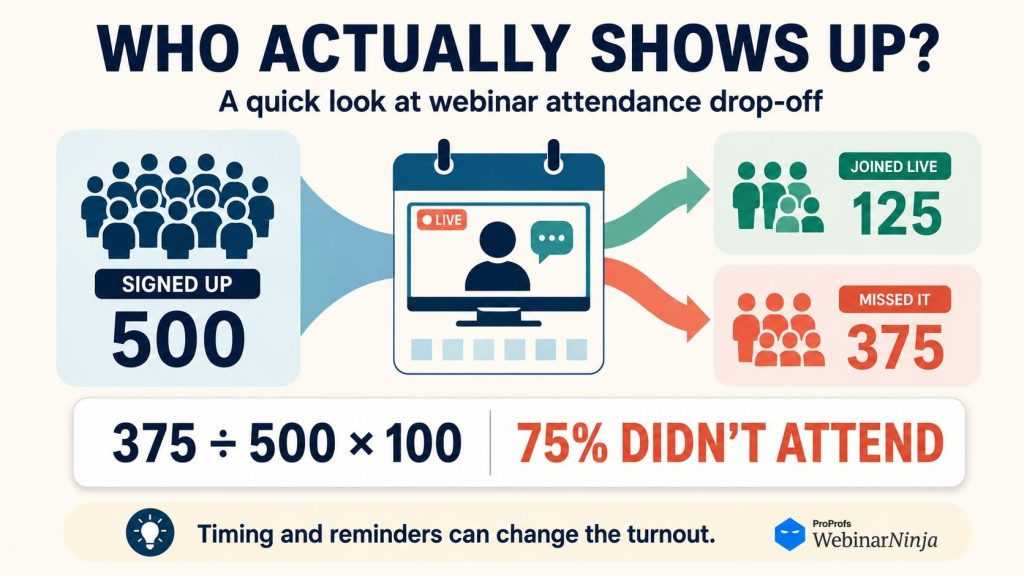
No-show rate is the inverse of the attendance rate, and the two are used interchangeably in most reporting dashboards.
If a report shows a 35% attendance rate, the no-show rate sitting right behind it is 65%. Reducing webinar no-show rates and improving webinar attendance are, functionally, the exact same project viewed from two directions.
Why a High Webinar No-Show Rate Drains Your Pipeline
Picture a demand gen manager named Priya. She spent $3,000 in paid promotion and two weeks of email nurture to get 500 people to register for a product demo webinar. Only 140 showed up live. The other 360 still cost her $3,000, the same nurture sequence, and the same sales development hours spent prepping a follow-up list of 500 names instead of 140.
Her cost per registrant looked great on the promotion report: six dollars. Her real cost per attendee, the number that actually predicts pipeline, was closer to twenty-one dollars, more than triple what the dashboard implied.
Multiply that gap across every webinar her team runs in a quarter, and the no-show rate is not a vanity metric anymore. It is the single biggest hidden tax on her cost per lead.
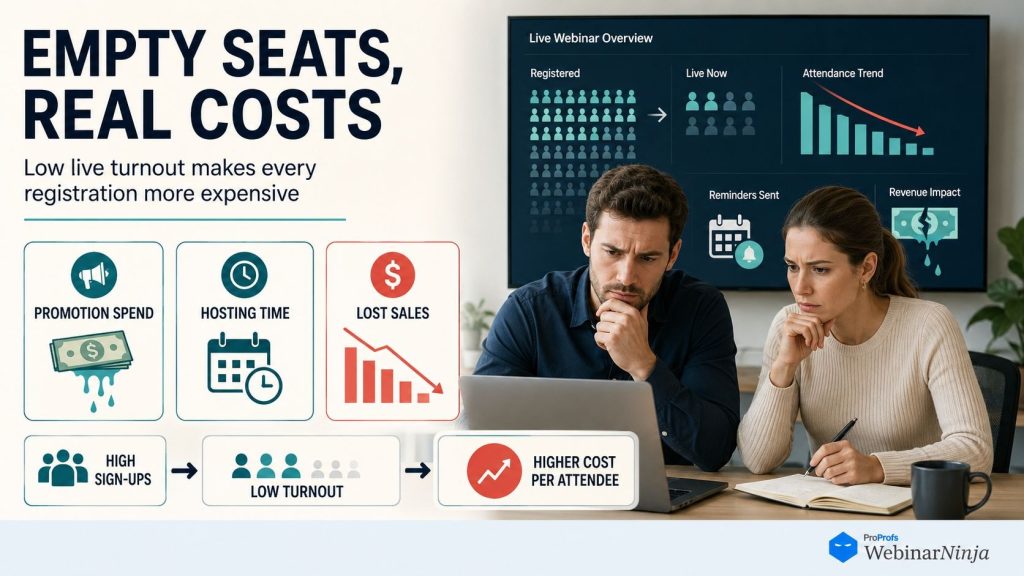
There is a second cost that shows up a week later: her sales team was told to expect 500 warm leads and got a call list of 140. Territory plans, follow-up cadences, and forecast math all get built around the registration number, and every no-show quietly breaks that math a little more.
Want to host a webinar for free?
Use WebinarNinja to generate leads, improve marketing, and grow your sales.
The 9 Strategies That Actually Reduce Webinar No-Show Rate
Before we check the strategies, check out this quick video:
Sounds good?
Now, check out the strategies, in order of impact-to-effort, each with an example to help reduce webinar no-show rates.
1. Replace Your One Reminder Email With a Four-Touch Sequence
The problem: One email sent the morning of the event is easy to miss entirely if the registrant is in back-to-back meetings.
What it looks like in practice: Imagine you are running a Thursday 11 AM product demo for a mid-market HR software audience. Here is the exact sequence:
| Touchpoint | Timing | Job it does | Example subject line |
| Confirmation | Immediately after registering | Lock in the calendar slot | “You’re in: here’s your calendar invite for Thursday” |
| Value reminder | 4 days before | Rebuild the original reason they signed up | “The one HR workflow we’re fixing live on Thursday” |
| Day-before nudge | 24 hours before | Resurface the event before the week gets busy | “Tomorrow, 11 AM: bring your toughest onboarding question” |
| Go-time reminder | 1 hour before | Remove all friction from the click | “Starting in 60 minutes, here’s your direct link” |
Notice none of these four say “don’t forget” twice.
Each one earns its place. A registrant who ignores email two still gets caught by email three, and a registrant who ignores both still gets caught by the one-hour send with the link sitting right there, no searching required.
Action step: Build this exact four-email reminder email sequence in your email tool before your next webinar. If your platform can trigger it automatically off the registration timestamp, set it once, and it runs on every future event without you touching it again.
Here’s a quick video on how to create automated email sequences for webinars:
2. Attach a Real Calendar Invite, Not Just a Confirmation Email
The problem: Forgetting is the single biggest driver of no-shows, and an inbox reminder competes with fifty other unread emails. A calendar invite does not.
What it looks like in practice: A registrant named Marcus signs up for your Wednesday webinar on Monday. Your confirmation email includes a one-click “Add to Google Calendar” button plus an ICS file for Outlook users.
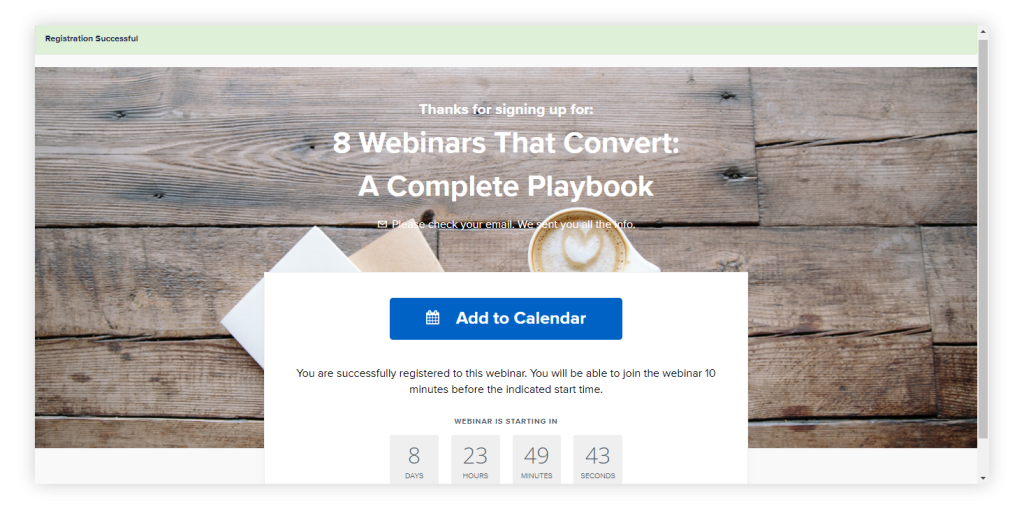
The event now lives on his calendar with a 15-minute native alert built into his operating system, not in his inbox. Three days later, when someone proposes a client call for that same slot, Marcus sees the conflict immediately, because his calendar is already flagging it, and moves the call instead of ghosting your webinar.
Action step: Check your current confirmation email right now. If it does not include a calendar file for at least Google and Outlook, that is a five-minute fix with an outsized return.
3. Move Off Monday and Friday, and Off the Early-Morning or Late-Afternoon Slots
The problem: Scheduling around your own team’s open calendar slot, instead of your audience’s actual habits, caps your attendance rate before promotion even begins.
The data: According to HubSpot’s webinar promotion guide, Wednesday and Thursday each draw 26% of attendees, with Tuesday close behind at 24%, which is exactly why Monday and Friday keep underperforming, no matter how good the content is. Time of day matters just as much: HubSpot’s webinar best-practices research points to 10 AM and 11 AM as the two most reliable start times for both engagement and attendance.
| Day | Attendee preference |
| Wednesday | 26% |
| Thursday | 26% |
| Tuesday | 24% |
| Monday / Friday | Remaining share, split |
What it looks like in practice: A training team that had always defaulted to Monday 9 AM (the only open slot on the shared calendar) moved a recurring onboarding webinar to Thursday 11 AM. Nothing else about the content, promotion, or reminder sequence changed. The live turnout jumped because Monday mornings are dominated by catch-up work and rescheduled weekend fallout, while Thursday late-morning sits in a genuine calendar lull for most office workers.
Action step: Audit your next three scheduled webinars. If any are on Monday, Friday, before 10 AM, or after 3 PM, move them to a Tuesday through Thursday, mid-morning or mid-afternoon slot before you send a single promotional email.
4. Cut Your Registration Form Down to Three Fields
The problem: every additional form field is a small tax on intent, and it compounds. HubSpot’s own form-conversion research calls this the Goldilocks problem: go too long, and you scare prospects off before they finish, go too short, and you cannot qualify who is actually worth calling.
What it looks like in practice: A SaaS company selling a compliance tool ran two identical webinar campaigns, same topic, same promotion budget, two weeks apart. The first used an eight-field form: name, email, company, title, phone, company size, industry, and “how did you hear about us.”
The second used three fields: name, email, and company. The three-field version pulled in noticeably more total registrants, and, more importantly, those registrants showed up at a higher rate, because filling out three fields takes ten seconds of genuine intent, while filling out eight often means someone clicked through on autopilot and forgot they did it by the time the event rolled around.
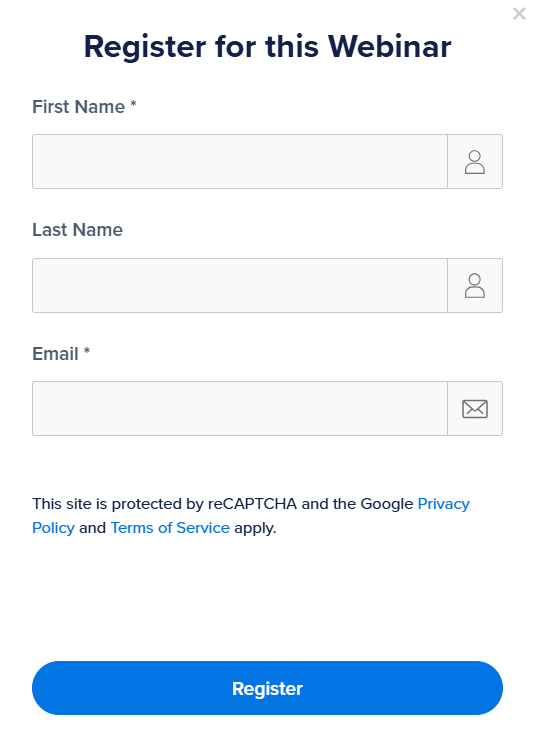
Action step: Open your current registration form. If it asks for more than three fields, cut it down to name, email, and one qualifying field your sales team actually uses, then let progressive profiling or a CRM lookup fill in the rest later.
5. Add One Small Commitment Between Registration and the Live Date
The problem: Clicking “register” is a low-effort action. People do not feel obligated to show up for something that costs them nothing.
What it looks like in practice: A coaching business running a lead-generation webinar added a single optional question to their confirmation page: “What’s the one thing you want us to cover live?”
Registrants who answered that question, even in a single sentence, showed up at a higher rate than those who skipped it, because answering the question was a small act of investment. They were no longer a passive name on a list. They had already told the host what they wanted, which made the event feel like something built partly to train and communicate with that specific person in mind.
Action step: Add one open-text question to your registration or confirmation flow. Keep it optional, keep it to one sentence, and use the answers to open your live Q&A by name.
6. Rewrite Your Registration Page So It Filters, Not Just Converts
The problem: vague registration copy inflates your registrant count while quietly increasing your no-show rate, because it attracts people who were never a strong match for the actual session.
What it looks like in practice: Compare two headlines for the same webinar. “Join Our Webinar on Customer Onboarding” pulls in a wide, low-intent crowd who register reflexively off a generic topic. “Steal the 4-Step Onboarding Email Sequence That Cut Our Churn by a Third” pulls in fewer total registrants, but a much larger share of them actually wanted that specific outcome, and specific-intent registrants show up.
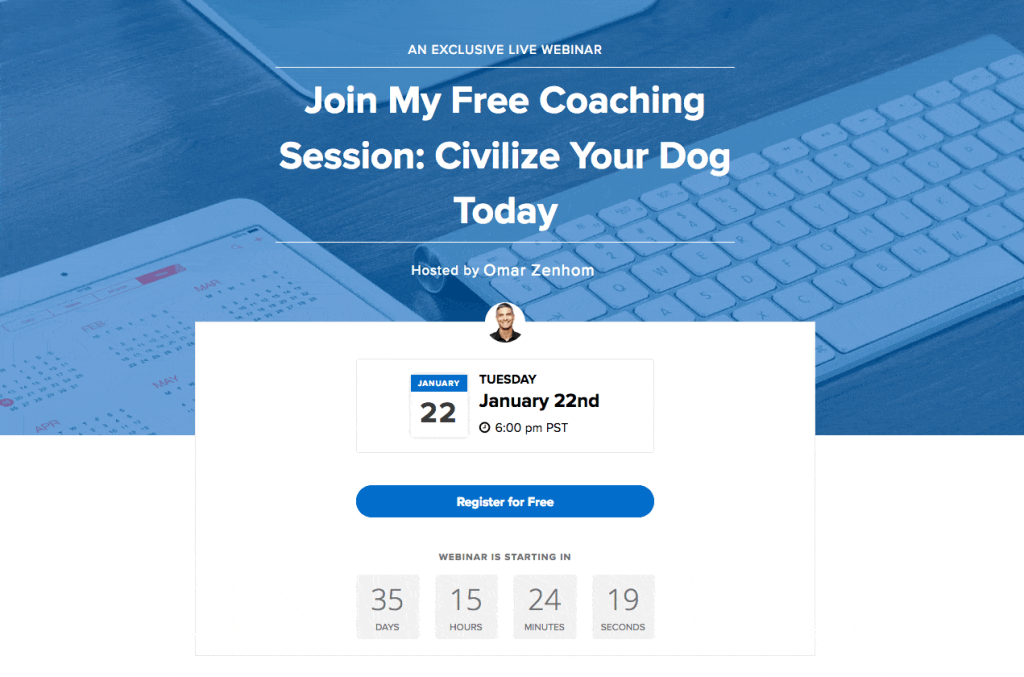
Action step: Rewrite your next registration headline to name the exact, specific thing someone walks away with, not the general topic area. If the headline could describe five other webinars, it is too vague to filter for intent.
7. Strip Out Every Point of Access Friction
The problem: a required download, an account creation step, or a buried join link gives an already-hesitant registrant a built-in excuse to bail at the last second.
What it looks like in practice: A financial services firm ran the same webinar two ways. Version one required attendees to download a desktop client before joining. Version two ran entirely in the browser, no download, no login, click the link, and you are in.
The browser-based version consistently pulled in more last-minute attendees, specifically the group that clicks the link two minutes before start time, because there was zero setup standing between the click and the room. The download version lost that entire segment to “I’ll figure it out later,” which for most people means never.
Action step: Test your own join flow from a fresh browser and a phone right now. Count the clicks between the email link and being inside the webinar. If it is more than two, that is the friction you are choosing to keep.
8. Give Replay-Only Registrants a Real Path Instead of Losing Them
The problem: A meaningful share of your registrants never intended to attend live, and treating every one of them as a failed reminder sequence wastes effort chasing a fix they never needed.
What it looks like in practice: A consulting firm added one line to its registration confirmation: “Can’t make it live? You’ll get the full replay within an hour of the session ending, no extra sign-up required.”
Registrants who knew upfront they only wanted the replay stopped feeling like they were letting the host down, opened the replay email at a high rate, and stayed in the nurture funnel instead of quietly unsubscribing after missing the “you missed it” guilt email most hosts send instead of a real on-demand webinar option.
Action step: Add a one-line replay guarantee to your registration and confirmation pages, and ensure your platform can actually deliver the replay within an hour, not three days later when the moment has passed.
Here’s a quick YouTube Short to help you understand how to make your webinar replay sell:
9. Break Your No-Show Rate Down by Segment, Not Just One Overall Number
The problem: A single blended no-show rate hides the exact information you need to fix it.
What it looks like in practice: A B2B software team noticed their overall no-show rate remained flat at 58% for months, no matter what they tried. When they finally split the number by registration source, the pattern jumped out immediately: cold-paid ad registrants accounted for 22%, while registrants pulled from the existing customer list accounted for 71%.
The blended average had been hiding a paid-acquisition problem the whole time. Once they saw it split out, they built a longer, more aggressive reminder sequence specifically for the cold-ad segment, rather than applying a single generic cadence to everyone.
Action step: Tag registrants by source at the point of sign-up, then pull attendance by segment after your next webinar. Do not judge your reminder strategy by one blended number again.
Want to Skip the Copy-Pasting? Grab the Done-For-You Kit
Every template, checklist, and tracker in the nine strategies above is available as a single downloadable kit, ready-to-send reminder emails, a calendar invite generator, a registration form audit, and a no-show tracker you can start using on your very next webinar. No rebuilding from scratch required.
Want to host a webinar for free?
Use WebinarNinja to generate leads, improve marketing, and grow your sales.
How to Tell If Your Webinar Platform Is Helping or Quietly Working Against You
Every strategy above is technically possible to run by hand: a manually built four-email sequence in a separate tool, manually created calendar files, and a spreadsheet tracking no-shows by segment. Most teams start exactly there.
Most teams also quietly stop doing it consistently within a couple of months, because the fourth reminder email is the first thing that gets skipped when the person who usually sends it is out sick or slammed that week.
5 Qualities of a Good Webinar Platform
When you are evaluating your current platform, or considering a switch, look specifically for these five things:
- Automated webinar marketing sequences that run off the registration timestamp, so the four-email cadence from Strategy 1 fires on its own for every webinar, not just the ones someone remembers to build manually.
- A short, smart-field registration page that auto-fills known contact data, so you can keep the form to three fields without losing the sales-qualification data your team wants.
- Built-in on-demand or automated formats, so the replay-only registrants from Strategy 8 get a real, immediate path instead of a three-day-late “sorry you missed it” email.
- Attendance analytics broken out by registration source and timing, so you can display Strategy 9’s segment breakdown in a single dashboard view instead of a manual export and a pivot table.
- A browser-based join experience, no required download, so Strategy 7’s friction fix is the platform’s default behavior rather than something you have to configure around.
A platform that bundles all five natively, whether the format is a live webinar or a structured course built with an on-demand webinar course platform, turns “reduce our no-show rate” from a recurring, easy-to-abandon manual project into something that happens automatically on every single session you run.
That gap, automated by default versus manually rebuilt every time, is usually the real difference between a team whose no-show rate stays low for a year and a team that fixes it once, gets busy, and watches it creep right back up three months later.
What Actually Causes People to Register and Then Skip Your Webinar?
Before you fix anything, here are some reasons that distinguish the causes you control from those you do not.
- They genuinely forgot. A registrant three weeks out with no calendar hook has to remember your webinar on their own, competing against every other meeting invite that week.
- Something more urgent landed on the calendar. A rescheduled client call slides straight into your Tuesday 2 PM slot, and your webinar loses every time.
- They registered specifically for the replay. A meaningful share of your list never intended to attend live. They wanted the content on their own schedule.
- The value faded by showtime. One confirmation email and two weeks of silence are enough for the original reason they signed up to go cold.
- Joining felt like friction. A required download, a login wall, or a join link buried three scrolls into an email is enough to lose the marginal registrant at the exact moment they meant to click.
Only one of these, fading value, has anything to do with your content. The rest are logistics problems, which means they are fixable with process, not a better deck.
Mistakes That Quietly Push Your No-Show Rate Higher
Even hosts who fix one or two of the strategies above can still get blindsided by a handful of habits that undo the progress. Watch for these six in particular.
- Sending one reminder and calling it a strategy. A single morning-of email is easy to lose in an inbox full of meeting notifications.
- Scheduling around your own team’s free slot instead of your audience’s habits. Monday and Friday, or the very early and very late hours, are working against you before the promotion even starts.
- Asking for eight form fields when you need three. Every extra field filters out the real intent along with the real data.
- Treating every registrant identically. A cold paid-ad registrant and an existing customer do not show up at the same rate and should not get the same reminder cadence.
- Skipping the calendar invite. Relying on registrants to manually add your event to their own calendar is asking them to do the exact thing most likely to prevent the no-show.
- Punishing replay-only registrants with a guilt email. Treating every non-attendee as a failed reminder wastes effort on fixing a chunk of your list that was never needed in the first place.
Reduce Webinar No-Show Rates Starting With Your Next Session
Here is the one thing to take from all of this: a webinar no-show rate is not a content problem. It is a logistics problem built from reminder timing, calendar friction, form length, and scheduling choices, and every one of those is fixable before your next session goes live.
Start today with the two changes that take the least setup and return the most. Add a real calendar invite from Google and Outlook to your confirmation email. Then build the four-touch reminder sequence from Strategy 1, with each email doing a different job rather than repeating the last one. Both can be live before tomorrow’s promotion email goes out.
Once those two are running, look hard at your platform. If keeping this cadence consistent means manually rebuilding it every single time, that gap is worth fixing next.
This is exactly the gap WebinarNinja was built to close: automated reminder sequences that fire on their own from the moment someone registers, a short and smart registration form that does not force you to choose between three fields, real sales data, and a built-in on-demand path for replay-only registrants instead of a guilt-trip email. All of it runs by default on every webinar, not just the ones someone remembered to set up by hand.
That is why teams running frequent webinars who are tired of rebuilding the same four emails from scratch every single week tend to land on WebinarNinja to keep their no-show rate down without the manual upkeep.
Frequently Asked Questions
What is the common webinar no-show rate?
There's no universal "good" number, but a no-show rate in the 50 to 65% range is common across B2B marketing webinars. Internal training and onboarding sessions, where attendance is tied to someone's actual job, typically post meaningfully lower no-show rates than public lead-generation webinars.
How do you calculate a webinar no-show rate?
Divide the number of registrants who did not attend by your total registrant count, then multiply by 100. Register 300 people, get 120 live attendees, and you have 180 no-shows, a 60% no-show rate. Track this per webinar and by registration segment for the most useful picture; platforms like WebinarNinja surface this breakdown automatically in the dashboard instead of requiring a manual export.
How many reminder emails should you send before a webinar?
Four touchpoints work well for most B2B webinars: an immediate confirmation with a calendar invite, a value-reinforcing reminder several days out, a day-before nudge, and a final send an hour before start time. Fewer risks people forgetting; far more risks list fatigue. WebinarNinja can run this exact sequence automatically off the registration timestamp, so it fires for every webinar without anyone scheduling it by hand.
Does sending too many reminders hurt attendance?
Yes, if every reminder repeats the same message. Registrants tune out repetitive "don't forget" emails fast. Each touchpoint should add something new, a speaker preview, a specific takeaway, or the direct join link, rather than restating the same date four times.
Why do people register for a webinar and then not attend?
The most common reasons are forgetting due to no calendar integration, a scheduling conflict that landed after registration, or registering specifically for the on-demand replay rather than the live session. Access friction, a required download or a buried join link, adds a smaller but avoidable layer on top.
Does the day of the week actually affect webinar attendance?
Yes. Mid-week days consistently outperform Monday and Friday, since Mondays are dominated by catch-up work and Fridays see earlier check-outs and lighter meeting attendance. Choosing a Tuesday, Wednesday, or Thursday, and a mid-morning or mid-afternoon slot, removes a scheduling disadvantage before a single reminder goes out.
Should webinar registration forms be short?
Yes. A shorter form, generally name, email, and one qualifying field, reduces registration drop-off and produces registrants with clearer intent. Long forms with numerous required fields both lower total sign-ups and increase the odds that the people who do register forget why they signed up by showtime. WebinarNinja's registration pages support smart fields that auto-fill known contact data, so the form can stay short without your team losing the qualification data it needs.
Can a calendar invite really reduce no-shows?
It is one of the highest-leverage, lowest-effort fixes available. A calendar invite turns a single email into a standing reminder that the registrant's device resurfaces closer to the event, without you having to send another message. Confirmation emails without a calendar file rely entirely on the registrant remembering to add the event themselves; WebinarNinja automatically attaches a calendar file to every confirmation email.
What should you do about registrants who only wanted the replay?
Give them one, upfront. Add a line to your registration or confirmation page guaranteeing a fast replay, and consider a simple registration-time question asking whether they plan to attend live or prefer the recording, so you can route each group with the right message from the start instead of chasing them with the same live-only reminders. WebinarNinja delivers that replay automatically to every registrant, whether or not they showed up live.
Does webinar length affect no-show rates?
Indirectly, yes. A vague or unusually long time commitment on the registration page makes it easier for a busy registrant to deprioritize as the date approaches. Stating a clear, realistic duration upfront and actually sticking to it sets an expectation that is easier for someone to commit to and keep.
Is it better to host webinars live or make them automated?
Both have a place. Live sessions work best when real-time interaction (Q&A, polls, live audience questions) is central to the value. Automated or on-demand formats work better for consistent lead generation or training content, since they eliminate scheduling conflicts for registrants who can watch whenever it fits their day. WebinarNinja supports both formats natively, so you can run the same content live or automated without switching tools.
How do you track the no-show rate by registration source?
Tag registrants by acquisition channel (paid ad, organic email list, partner referral, existing customer list) at the point of registration, then compare attendance rates after the event. This routinely reveals that certain sources bring in registrants who behave very differently from others, information you can use to adjust reminder timing or messaging for that segment going forward. WebinarNinja's built-in analytics let you filter attendance by source directly, without exporting to a spreadsheet.
Want to host a webinar for free?
Use WebinarNinja to teach, improve marketing, and grow your sales.