You filled the room.
People showed up. They stayed for all sixty minutes. Some even took notes.
Then the offer slide went up.
Silence. A handful of leads. Out of 200+ attendees.
If that sounds familiar, welcome to the club nobody advertises: marketers with excellent content and a quietly broken webinar conversion rate.
I’ve spent decades working with demand-gen teams, agencies, SaaS marketers, consultants, and coaches alike. And I can tell you the fix is rarely “get more people to register.” It’s almost always something smaller, more specific, and far easier to repair than most teams assume.
This guide walks through exactly that. What a webinar conversion rate actually is. How to calculate yours without a spreadsheet headache. A full six-step process to raise it, with real examples and a takeaway for each one. And, near the end, a straight answer on whether live or automated webinars convert better.
Grab a coffee. This one’s detailed on purpose.
What Is a Webinar Conversion Rate?
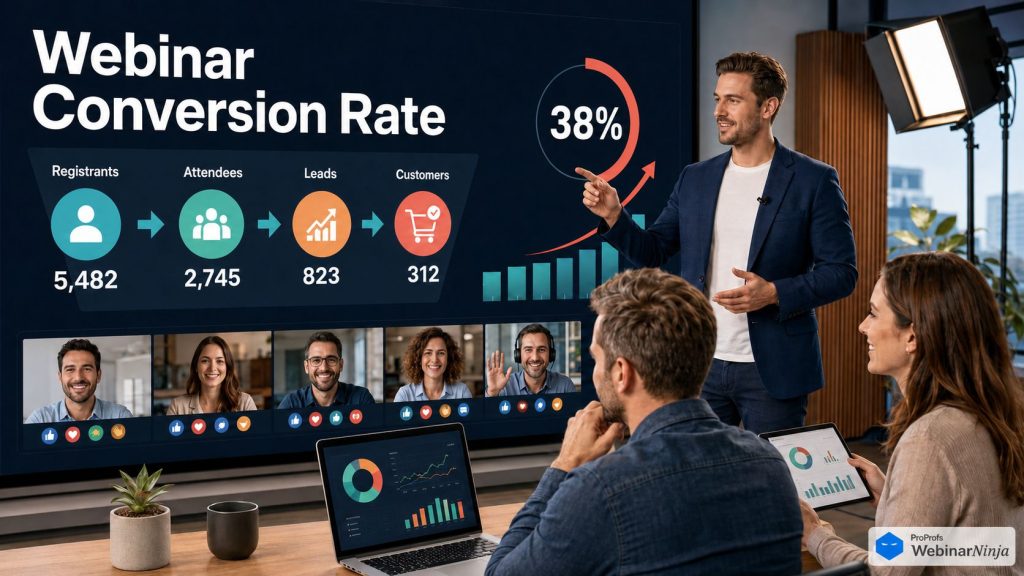
Your webinar conversion rate is the percentage of live attendees who take the desired action. It’s the single number that tells you whether a session actually did its job, not just whether people showed up. A high headcount with a weak conversion rate is a vanity metric dressed up as a win. The real signal always lives one step further down the funnel, in how many of those attendees moved.
Now, the action shifts depending on where the webinar sits in your funnel:
- Top-of-funnel: downloading a resource, joining an email list.
- Mid-funnel: requesting a demo, starting a free trial.
- Bottom-funnel: a direct purchase, a signed contract, a booked sales call.
Here’s the part marketers often get wrong: conversion rate is not attendance rate, and it’s definitely not registration rate.
- Registration rate measures interest.
- Attendance rate measures commitment.
- Conversion rate measures the outcome you actually care about.
A packed room with a weak conversion rate is a content or offer problem, not a promotion problem.
A study by Forrester in 2023 found that 62% of B2B buyers actively seek proof and testimonials before committing to a purchase decision.
Webinar audiences behave the same way, whether you’re selling software, a service, or a program. They are not withholding action because they showed up.
They’re withholding it because something in the session didn’t answer the doubt already sitting in their head.
How Do You Calculate Your Webinar Conversion Rate?
Good news: the math here is refreshingly simple. No calculus required.
The core formula:
| Webinar Conversion Rate = (Number of Conversions ÷ Number of Live Attendees) × 100 |
If 150 people attended live and 18 requested a demo, your conversion rate is 12%.
But conversion rate is only one metric in a bigger funnel. Here’s the full picture:
| Metric | Formula | What It Tells You |
| Registration Rate | (Registrants ÷ Landing Page Visitors) × 100 | How well your invite turns curiosity into a placed bet |
| Attendance Rate | (Live Attendees ÷ Registrants) × 100 | How many people actually kept their appointment with you |
| Webinar Conversion Rate | (Conversions ÷ Live Attendees) × 100 | The number that actually moves the pipeline or revenue |
| Replay Conversion Rate | (Replay Conversions ÷ Replay Viewers) × 100 | Whether your recording still converts after the live show ends |
Track all four. Separately.
A study cited by Statista found that 89% of marketers rate webinars as outperforming other channels for generating qualified leads.
That statistic only holds up if you’re actually measuring each stage. Otherwise, you’re just guessing with better vocabulary.
Ready to Improve Webinar Conversion Rates & Generate More Leads?
What Is a Good Webinar Conversion Rate?
“Good” depends entirely on where the webinar sits in your funnel and what you’re asking attendees to do. Not on vibes.
Here’s the honest breakdown, based on a warm audience (people who already know your brand through email, content, or a prior touchpoint):
| Webinar Type | Typical Attendee-to-Conversion Rate | What It Signals |
| Top-of-funnel lead gen (gated resource, e-book, checklist) | 20% to 40% attendee-to-lead | Broad appeal, low-commitment ask |
| Mid-funnel product webinar (demo request, free trial) | 10% to 20% attendee-to-demo or trial | Moderate qualification needed |
| Bottom-funnel sales webinar (direct purchase, paid signup) | 5% to 15% attendee-to-purchase | Objection handling and proof carry real weight |
| High-ticket, application-based webinar (enterprise deals, premium programs) | 3% to 8% pitch-to-application | Sales process quality matters as much as the webinar itself |
If you landed here searching for how to improve webinar conversion rates for coaches specifically, that last bracket is yours. High-ticket, application-based webinars behave the same whether the offer is a coaching program or an enterprise contract.
Below these ranges? Don’t panic. Don’t blame your list either.
The usual suspects are your pitch structure, your offer clarity, or a follow-up sequence that quietly dies after 48 hours.
If you want a deeper breakdown of what a genuinely well-run session looks like end-to-end, this piece on webinars that convert is worth a read alongside this one.
That’s exactly what we’re fixing next.
What Do You Need Before You Start Optimizing?
Skipping this part is how teams “optimize” for six months and see nothing move.
Don’t worry. Before touching a single slide, confirm you have:
- A tracked funnel. Registration count, attendance count, replay views, and conversion count are visible at every stage. Not buried in three different apps.
- One offer, one audience. A webinar selling three things to three buyer types convinces nobody of anything. Pick one offer. Pick one person.
- Visibility into drop-off, not just turnout. Knowing 150 people showed up tells you nothing about where 138 of them mentally left the room.
- Your existing tools are connected, not duplicated. If your CRM, email platform, and payment processor aren’t talking to your webinar tool, you’re doing manual data entry that a proper set of webinar integrations should be handling for you.
- A system to deliver what you sell. If the webinar sells a course or paid program, a built-in teaching layer like CourseNinja means your pitch and your delivery live in the same place. No second tool. No second headache.
Got those five? Good. Now let’s fix the actual number.
How Can You Improve Webinar Conversion Rates?
This is a sequence, not a menu. Skipping step two and step four won’t save you.
Step 1: Qualify Registrants Before They Ever See the Webinar
The Process:
- Add one or two questions to your registration form.
- Ask something like: “What’s the biggest challenge you’re trying to solve right now?”
- Follow with: “Have you evaluated a solution like this before?”
- Use the answers to write your pitch in the buyer’s exact words, not yours.
This is the cheapest lever in any lead generation webinar strategy. Most teams skip it. Their competitors thank them for it.
Example:
A B2B software company running a webinar for a $12,000-a-year platform added one qualifying question to registration.
Attendance dropped 9%. Fewer casual browsers signed up.
Demo-request rate among live attendees rose from 14% to 22%. Everyone left in the room was already evaluating a real purchase.
Takeaway:
- Fewer, more qualified attendees will always outperform a larger, less qualified crowd.
- Vanity metrics don’t move the pipeline. Conversion rate does.
Step 2: Rebuild Your Content Around One Pain Point, Not Ten
The Process:
- Pick the single pain point your ideal buyer feels most acutely, right now.
- Cut every tangent that doesn’t build toward that one problem.
- Build your teaching arc to solve one visible layer of it live.
- Make it obvious that the full fix lives inside your product, service, or program.

Marketers prove expertise by trying to cover everything a prospect might care about.
It feels thorough. It dilutes the pitch.
If you demonstrate the entire solution for free, there’s nothing left to convert on.
If your platform includes an AI assistant, feed it your raw topic before building a single slide. A decent one hands back headline angles and a rough structure built around that one pain point, so you’re not starting from a blank deck and a strong coffee.
Example:
A fitness coach rewrote a 45-minute “everything about metabolism” session into 30 minutes on one topic: why cardio alone stalls fat loss after 40.
Same offer. Same price. Same audience size.
Conversion rate: 4% to 9%.
Takeaway:
- One sharp pain point beats ten shallow ones, every single time.
- Depth converts. Breadth just impresses people who were never going to act anyway.
Step 3: Move the Offer Earlier and Cut It in Half
The Process:
- Move your offer slide to start between minute 30 and minute 40 of a 60-minute session.
- Compress the pitch itself to 10 to 12 minutes. No longer.
- Cover exactly six things: what it is, who it’s for, what’s included, the guarantee or proof point, the price or next step, and the deadline.
- Cut everything else. Yes, even that one case study you love.
Attendees don’t vanish during your teaching content.
They vanish during a slow, overlong pitch.
If your offer appears at minute 50, you’ve already lost the fence-sitters.
Example:
A financial services firm’s pitch used to run 20 minutes, starting at minute 45.
They restructured to 10 minutes, starting at minute 32.
Stick-through-pitch rate (the share of attendees still watching at offer time) rose from 61% to 84%.
Overall conversion improved by roughly a third. Same offer. Zero pricing changes.
Takeaway:
- Timing is a conversion lever, not a scheduling detail.
- A shorter, earlier pitch almost always outperforms a longer, later one.
Step 4: Handle Objections Inside the Webinar, Not After
The Process:
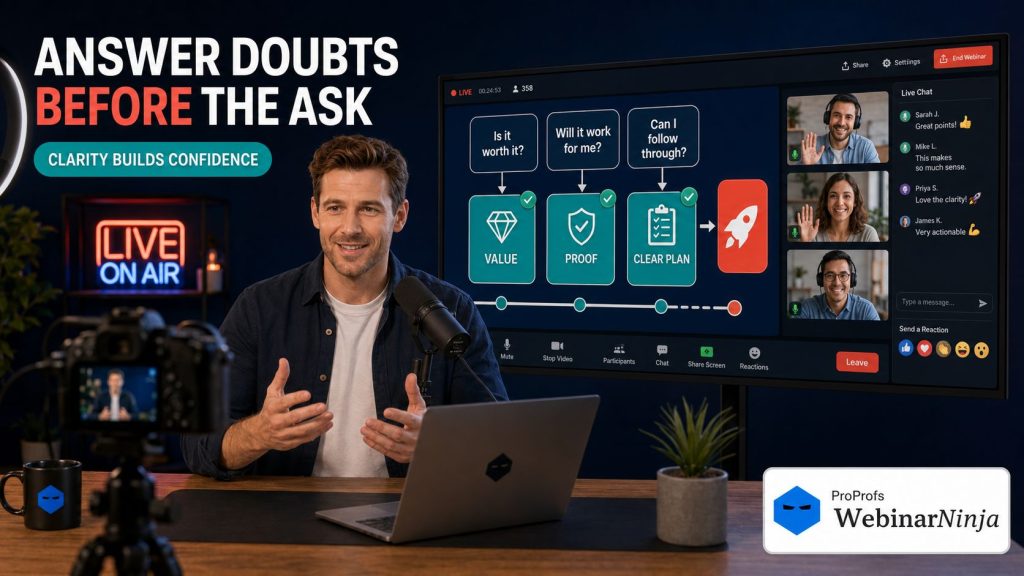
- Identify the three objections that kill most deals: no budget right now, tried something similar before, and doubt about implementation or follow-through.
- Name each objection out loud before the ask is revealed.
- Answer it directly. Don’t dance around it.
- Review your draft pitch before going live. A colleague, a sales lead, or an AI-based readiness check built into your platform can flag a buried CTA or a transition that drags.
Q&A is not where objections get handled. Half the room leaves before it starts.
A clear, well-placed webinar CTA inside the pitch itself does more heavy lifting than almost anything else on this list.
Takeaway:
- Silent objections don’t disappear. They just show up as “not right now” at the point of decision.
- Naming the doubt out loud is oddly disarming. Try it.
Step 5: Send a Follow-Up Sequence That Converts for Five More Days
The Process:
- Build a five-to-seven-day sequence after the live event.
- Email one: the replay link.
- Email two: a case study or proof point.
- Email three: an FAQ addressing common hesitations.
- Email four: a deadline reminder.
- Email five: last chance, with urgency that’s actually real.
Most teams send one “thanks for attending” email and call it done.
Undecided is not the same as no. It just needs a nudge with better timing.
A structured webinar email sequence routinely recovers 20% to 40% of total conversions after the live event ends.
Example:
An e-commerce brand running a product-launch webinar added a five-email sequence.
31% of that launch’s total sales came from the follow-up window. Not the live call.
Takeaway:
- The webinar starts the conversion. The follow-up closes it.
- If your funnel stops at “thanks for attending,” you’re leaving a third of your results on the table.
Step 6: Track the Right Metrics So You Know What to Fix Next
The Process:
- Track registration rate, attendance rate, stick-through-pitch rate, offer click rate, and conversion rate separately.
- If registration and attendance are healthy but the conversion rate is low, the pitch or offer is the problem.
- If attendance is weak but conversion rate among attendees is strong, your reminder emails need work, not your pitch.
- Review this breakdown after every single session. Not just the ones that flopped.
Five numbers. Five different possible fixes. Guessing which one is broken wastes your next thirty days.
The moment your session ends is also when this data is most useful and most likely to be ignored.
A transcript that’s searchable the instant you hang up, and a system that can turn it into a blog draft, follow-up emails, and social posts without you re-watching the recording, turns one hour of live work into a week of usable content.
Takeaway:
- You cannot fix what you haven’t measured.
- The fastest teams to improve are the ones who review the numbers before they touch the slides again.
If these steps feel like a lot to hold in your head during a live session, that’s fair. Six steps, five follow-up emails, and a dozen things to track is a lot to wing from memory. That’s exactly why we built a handout for this. Every step above, turned into a checklist, a calculator, and a fill-in-the-blank template you can actually use.
Download the free webinar conversion rate optimization handout and turn this guide into something you check off, not just read once and forget.
Sounds good?
Now, before we move forward, here is a quick video to help you build a high-converting webinar funnel, with expert recommendations:
How Do Live and Automated Webinars Compare for Conversion?
This question comes up in every marketing team’s planning meeting, usually right after the third campaign.
Here’s the honest comparison:
| Factor | Live Webinars | Automated Webinars |
| Objection handling | Real-time, in the moment | Pre-built into the script and follow-up |
| Setup effort per session | High, every single time | High once, then near zero |
| Conversion ceiling | Slightly higher on a strong day | Slightly lower, but consistent every day |
| Best for | Testing and refining a new pitch or campaign | Scaling a pitch that already converts |
| Attendee flexibility | Fixed time, fixed date | Runs on their schedule, 24/7 |
Neither format wins outright. They solve different problems.
Run live webinars first, while you’re still figuring out what objection actually needs answering.
Once the pitch converts consistently, an automated version scales the exact same result without your team burning another Tuesday afternoon on a repeat performance.
Sounds good?
If you need to understand live and automated webinars better, here is a quick video I recorded to help you:
What Results Can You Expect From Webinar Conversion Rate Optimization?
Apply steps one through five, in order, and most teams see movement within one or two sessions.
Not months. Sessions.
The typical pattern:
- Attendance holds steady or dips slightly. Qualifying registrants trim the crowd a little.
- Conversion rate rises 30% to 80% relative to the previous baseline.
- Most of that lift comes from the pitch and the follow-up, not from bigger promotion.
What not to expect:
- Doubling your rate by changing the offer alone.
- Fixing a broken funnel by simply running more webinars.
- A great follow-up sequence rescuing a pitch that never names the real objection.
Once a live pitch converts consistently, running it as one of your automated webinars lets the same pitch keep working on a schedule, without your team hosting it live every single week.
Okay, now, before we move forward, here is a quick YouTube Short that can assist you with your first webinar:
What Common Mistakes Affect Webinar Conversion Rates?
A quick list of the usual suspects:
- Giving away the entire solution for free. If attendees leave with everything they need, there’s nothing left to convert them on.
- A vague call to action. “Learn more” loses to “book your demo before Friday at 5 pm.”
- Fake urgency. Attendees notice when your “deadline” resets every single campaign. So does their trust in your brand.
- Hiding the ask too long. Delaying the offer past the point of emotional buy-in adds friction exactly when you need the least of it.
- Running the same webinar unchanged for a year. Audiences shift. The pitch that worked at 200 subscribers may flop at 5,000.
- A platform that can’t show drop-off. If you can’t separate stick-through rate from raw attendance, you’re optimizing on guesswork with a nicer dashboard.
For a broader checklist beyond conversion specifically, this rundown of webinar best practices is a solid companion to the fixes above.
Ready to Improve Webinar Conversion Rates & Generate More Leads?
Webinar Conversion Rates: The One Thing to Fix This Week
If you remember nothing else from this guide, remember this:
The fastest way to raise your webinar conversion rate isn’t a bigger audience.
It’s a shorter, earlier, sharper pitch. Backed by a follow-up sequence that keeps converting after the room empties.
Pull your last recording. Time-stamp when the offer started and how long it ran.
Past 45 minutes, or longer than 15 minutes? That’s your starting point. This week, not next quarter.
Here’s the practical reality behind all six steps above: each one needs its own data, its own timing, and its own follow-through, and doing that across five different disconnected tools is a job in itself, separate from actually running the campaign.
This is precisely where WebinarNinja earns its keep. Registration, live and automated hosting, follow-up email sequences, and post-session analytics all live inside one system, so the fix your marketing team makes this week is visible in the numbers next week, not buried across a spreadsheet, an email tool, and a video platform that don’t talk to each other. It’s also why AI-assisted pitch planning and session repurposing sit inside the same dashboard instead of being one more tab someone has to remember to open.
Fix the pitch. Track the five numbers. Send the five emails.
Your webinar conversion rate will thank you, and so, eventually, will your pipeline.
Frequently Asked Questions
What is the difference between a webinar's attendance rate and its conversion rate?
The attendance rate measures how many registrants show up live, typically 40% to 50%. Conversion rate measures how many of those attendees actually convert. A healthy attendance rate with a low conversion rate points to a pitch or offer problem, not a promotion problem.
What counts as a conversion on a marketing webinar?
A conversion is a completed purchase, demo request, trial signup, or qualified lead tied directly to the webinar's offer. Clicking the offer link is engagement, not conversion. Track completed actions separately from clicks to measure what actually matters.
How long should a webinar run before you present the offer?
Start the pitch between minute 30 and minute 40 of a 60-minute session. Waiting past minute 45 loses attendees already weighing whether to leave. The teaching section should build directly toward the offer, not sit disconnected from it.
What time of day gets the highest webinar conversion rates?
Tuesday, Wednesday, and Thursday between 11 a.m. and 2 p.m. in the attendee's time zone consistently produce the strongest attendance and follow-through. Weekend and Monday-morning sessions typically see weaker stick-through rates across most industries.
Can you improve conversion rates on automated or evergreen webinars?
Yes. Automated webinars replay a recorded session on a set schedule or on demand, without a live host. You can still test pitch timing, CTAs, and follow-up sequences against the recording, since the content around it remains fully editable.
How many slides should a high-converting webinar have?
Most effective sessions run 25 to 40 slides, with roughly a third dedicated to the pitch: offer breakdown, proof points, bonuses or add-ons, price or next step, and deadline. An overloaded teaching section usually signals too many topics, not too much value.
Does a bigger registration list always mean a better conversion rate?
No. Larger webinars often see lower percentage conversion rates, since broader audiences include more unqualified attendees. A tightly qualified list of 150 frequently outconverts an unqualified list of 800.
Is it better to use a free webinar tool or a paid platform for conversions?
A free, bare-bones tool usually lacks built-in registration pages, email automation, and automated replay, meaning three separate tools for one funnel. A paid, all-in-one platform reduces the technical hand-off points where attendees quietly drop.
What webinar registration page conversion rate should marketers expect?
A webinar registration page should convert 18% to 28% of visitors on a warm, owned audience, and up to 35% to 50% on cold traffic with a strong headline. Below 15% usually signals a headline or clarity problem on the page itself.
How much does it cost to run a high-converting webinar funnel?
Costs vary by platform and ad spend, but an all-in-one webinar platform typically runs $50 to $150 a month at a small-team scale. That's well below the cost of stitching together separate tools for landing pages, email, and video hosting.
Should you run live webinars or automated ones first?
Run live first. A live session lets you handle objections in real time and collect the exact language your buyers use when they hesitate. Once that live pitch converts consistently, turn it into an automated version to extend its reach.
How do you A/B test a webinar pitch?
Change one variable at a time: pitch timing, offer framing, or the headline, not all three at once. Run each version for at least two sessions before comparing, since a single small or unusually warm audience can easily skew one result.
What is a realistic timeline to see your conversion rate improve?
Most teams see a measurable shift within one to two optimized sessions after applying the pitch and follow-up changes above. A full plateau-to-new-baseline shift, where the higher rate holds steady, typically takes three to five sessions to confirm.
What is the fastest way to fix a low-converting webinar?
Pull your last replay and time-stamp exactly when the offer starts and how long it runs. If it starts after minute 45 or runs past 15 minutes, shortening and repositioning it earlier is the single fastest fix, usually visible in the very next session.
Want to host a webinar for free?
Use WebinarNinja to teach, improve marketing, and grow your sales.