Somewhere in your Google Drive right now, there’s an employee who never sleeps, never takes a sick day, and has personally pitched your offer to hundreds of people without you knowing about it. It’s your webinar replay.
Most businesses have no idea they’re sitting on this. They record the webinar, ship one lazy follow-up email, and quietly let this tireless little worker rot in a folder labeled “Webinars_2026_final_FINAL.”
That’s not neglect; that’s malpractice. Mild malpractice. The kind you can still fix before lunch.
A webinar replay isn’t a leftover from your live event. It’s an employee you already trained and paid for, but forgot to actually put to work.
By the end of this guide, you’ll know exactly what a webinar replay is, why most of them get benched instead of promoted, and ten specific, deeply detailed tips to finally give this employee a real job: generating leads and conversions on a schedule you never have to manage yourself.
What Is a Webinar Replay?
A webinar replay is the recorded version of a live webinar, made available to attendees, no-shows, and anyone else you choose to share it with after the event ends.
It usually includes:
- The full presentation, start to finish
- Any polls, offers, or slides shown during the live session
- A call to action that keeps working long after the live chat has gone quiet
- Analytics on who watched, how long, and what they clicked
Think of it as your webinar’s afterlife. Handled well, it outlives the live event by months, sometimes years.
And if you already use an AI webinar software like WebinarNinja, that auto-records your Live webinar and can send the webinar recording automatically, here’s a quick video on how to use it effectively:
Why Most Webinar Replays Go to Waste
Here’s the uncomfortable truth.
Most replays get sent once, sit in a folder, and quietly expire without anyone noticing, like gym memberships in January.
Common culprits:
- No urgency in the follow-up email, so it gets buried in someone’s inbox
- No gating strategy, so there’s no way to capture new leads from it
- No timestamps or CTAs, so viewers drop off before reaching the offer
- No tracking, so nobody knows if it worked at all
None of these are hard to fix. That’s the good news.
Let’s fix them, one tip at a time.
Stop letting a good webinar go to waste. Put your replay to work with WebinarNinja.
10 Tips & Tricks to Turn Your Webinar Replay Into a Lead & Conversion Engine
You’re about to get the exact playbook, no vague theory, no “it depends,” just ten specific, battle-tested ways to take that recording and turn it into a lead and conversion machine that works while you don’t.
Tip 1: Send It Fast, While the Interest Is Still Warm
Timing is everything here. A replay sent a week later feels like a rerun nobody asked for.
The rule is simple: send it within one to three hours of the event ending.
That’s the window where open rates and click rates are at their highest.
| Time Sent After Event | Typical Open Rate Behavior |
| Within 1-3 hours | Highest engagement |
| Same day, 3-6 hours later | Noticeable drop |
| Next day or later | Steep decline |
Why the rush? Buyer patience has gotten shorter, not longer.
A Salesforce report found that 64 percent of consumers now expect real-time responses when they reach out to a business, a number that keeps climbing every year. Your replay email is, functionally, a response to their interest. Treat it that way.
Here’s how to actually operationalize this instead of just nodding along:
- Pre-write the replay email before you go live, not after
- Set your platform to auto-send the replay link the moment recording processing finishes
- Schedule two follow-up emails in advance, one at 48 hours and one at 5 days, for anyone who hasn’t clicked
You can use AI to draft that follow-up email for you the moment the session ends, pulling directly from what was actually said on the call so it reads like a recap instead of a template, which lines up neatly with the webinar best practices around fast, relevant follow-up.
Example: If your webinar ends at 2 PM, your replay email should be out the door by 3 or 4 PM, not “sometime tomorrow when things calm down.” Calm down later. Send first.
Pro tip: mention something specific from the live Q&A in that first email. “Remember when someone asked about pricing tiers at minute 38? We answered it.” That’s a callback, and callbacks work in comedy and in email subject lines.
Tip 2: Gate It on Purpose, Not Out of Habit
Should your replay be gated behind a form, or open to anyone with the link?
Both work. They just work for different goals, and picking blindly is how you end up with neither.
| Factor | Gated Replay | Public Replay |
| Best for | Capturing new leads | Reach and brand visibility |
| Total views | Lower | Higher |
| Lead quality | Higher, self-selected | Mixed |
| Effort to set up | Landing page and form | Just a shareable link |
The data leans in favor of gating when lead generation is the actual goal.
A 2024 Salesforce study found that carefully gated, high-quality content converts at a rate up to 45 percent higher than comparable content that’s freely accessible. That’s not a small edge, that’s the difference between a good quarter and a mediocre one.
Here’s how to build the gate without annoying anyone:
- Keep the form to three fields max: name, email, and maybe company
- Use a dedicated lead generation page instead of a generic pop-up, so the offer feels intentional, not accidental
- Add a single sentence above the form explaining exactly what they’re about to watch
AI can generate several headline options for that gate page in seconds, applying proven formulas to your topic so you’re not stuck staring at a blank field wondering how to phrase it.
Example: Gate it for the first two weeks to squeeze out every lead you can. Then flip it public so it keeps earning organic views long after the “new” smell wears off.
Watch out for this mistake: gating everything forever. Even the best content has a shelf life as a lead magnet. After that, it’s just… content.
Tip 3: Add Clickable Timestamps and Chapters
Nobody wants to scrub through 47 minutes of video to find “the good part.” Nobody has ever wanted that, in the history of video.
Break your replay into chapters. Label them clearly, like you’re building a table of contents for a very short, very persuasive book.
- “The Problem” (00:00)
- “The Fix” (08:30)
- “Live Demo” (18:00)
- “The Offer” (35:00)
This isn’t just a nice-to-have for viewer comfort. It moves the needle on completion rates in a measurable way.
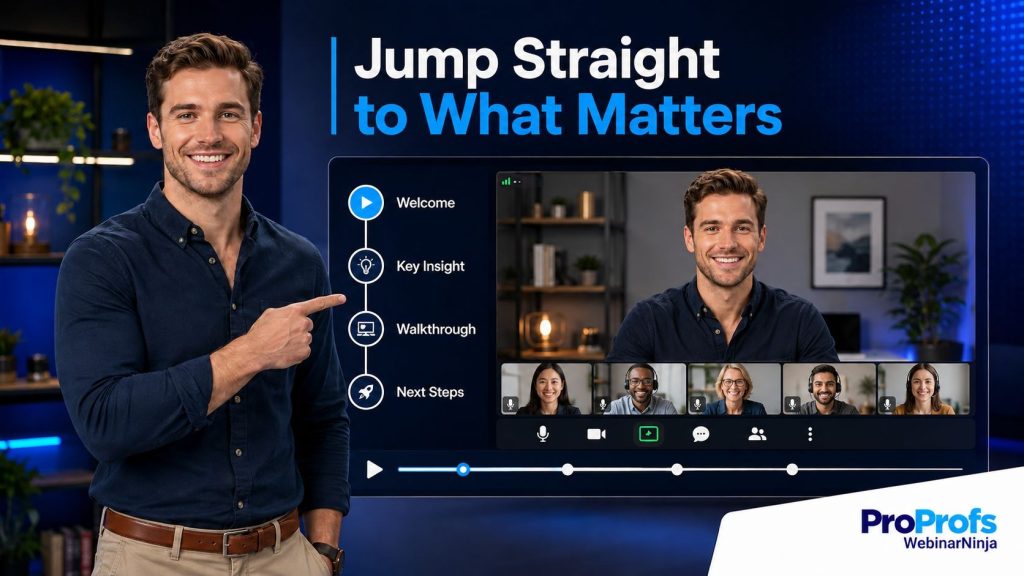
A 2026 HubSpot and Wistia report tracking millions of replay views found that chapter-indexed replays achieve a 67 percent higher completion rate than replays without them.
Sixty-seven percent. That’s not a rounding error, that’s a different video entirely, as far as your conversion rate is concerned.
To set this up properly:
- Rewatch your own recording once and jot down natural section breaks
- Name each chapter after the outcome, not the topic (“Get More Leads” beats “Marketing Strategies”)
- Put your strongest chapter title on the segment right before your offer, so skimmers land exactly where you want them
Example: A viewer who jumps straight to “The Offer” chapter is closer to converting than one who never gets past minute 10 of an unmarked video. Chapters get them there on purpose instead of by accident.
Want to host a webinar for free?
Use WebinarNinja to generate leads, improve marketing, and grow your sales.
Tip 4: Layer In CTAs at the Middle and the End
One CTA at the very end is like putting the punchline in your email signature. Nobody’s still reading by then.
Place a CTA at three distinct moments:
- Right after you deliver your single strongest point
- Again at the exact moment you made your live offer
- One final time in the closing seconds, for the stragglers
Each CTA should say the same thing, in the same words. Consistency here isn’t boring, it’s clarity.
Example: If your best insight lands at minute 12, that’s where a “Grab the Template” button belongs, not buried three sections later where only the truly devoted will find it.
A few formatting details that matter more than they should:
- Keep the CTA on screen for at least 8 to 10 seconds, long enough to read twice
- Use a color that doesn’t blend into your slide deck, the same design logic behind good landing page examples
- Say the CTA out loud on camera at the same moment it appears, so viewers who are half-listening still catch it
Running your recorded session through an AI review against proven high-conversion frameworks will point out exactly where a CTA is missing, too early, or too easy to miss, instead of leaving you to guess whether the placement actually worked.
Tip 5: Turn It Into an Automated Webinar Replay
This is the tip that changes everything, so pay attention here even if you skimmed the rest.
A regular replay is tied to one event. An automated webinar replay runs on its own schedule, or on demand, complete with simulated chat and a scheduled Q&A.
Setting one up, step by step:
- Pick your best-performing live webinar, based on attendance and offer clicks, not just registrations
- Load the recording into WebinarNinja’s automated webinars tool
- Rebuild the same reminder email sequence you used for the live version
- Turn on simulated chat so it still feels alive to new viewers
- Set it to run daily, weekly, or continuously, based on how much new traffic you’re sending to it
Here’s a Short Video that will help you get a better idea:
Why bother with all this instead of just leaving the replay in an email? Because the math on automated nurturing is genuinely hard to ignore.
Gartner research on integrated lead-capture-to-nurture workflows found they achieve 51 percent higher marketing-to-sales conversion than disconnected, manual follow-up.
An automated webinar replay is exactly that kind of integrated workflow, just wearing a video costume.
In that simulated chat, AI can scan for the questions viewers ask most often, things like whether a replay will be available afterward or where to grab the slides, and answer them instantly without waiting on a human to notice and jump in.
Example: Instead of one webinar generating leads for a week, an automated version generates leads every single day, without you hosting it more than once. You did the work once. Let it collect the paycheck on repeat.
Turn your best webinar into an automated replay that keeps generating leads while you sleep.
Tip 6: Repurpose It Into Bite-Sized Clips
Your 45-minute replay is secretly ten pieces of content wearing a trench coat.
Cut out:
- Your single best insight
- The moment you handled a tough objection with grace
- Any stat that made people say “wait, what?” in the live chat
Post those clips on social. Point every single one back to the full replay, and don’t be shy about doing it more than once.
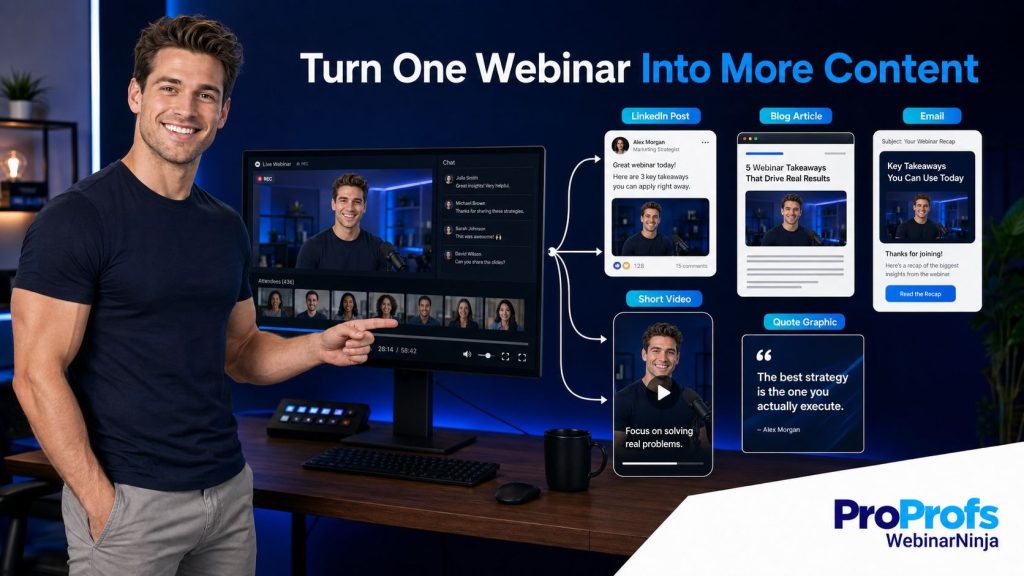
This isn’t just a hunch. HubSpot’s 2025 State of Marketing report found that short-form video now delivers the highest ROI of any content format marketers use, ahead of long-form video and even live streaming.
If you want a full playbook on this instead of winging it, WebinarNinja’s guide on how to repurpose webinar content walks through exactly which moments to pull and where to publish them.
Take it a step further and let AI generate a full set of blog posts, follow-up emails, and social snippets the moment your recording ends, so the repurposing described above starts as a draft instead of a blank page.
Example: A 90-second clip of you busting a common myth in your industry will get more shares than a link to a 45-minute video ever will. Let the clip do the recruiting, then let the full replay do the converting.
Here’s a second life for the same recording that most teams never consider: bundle your three or four best replays into a short lesson series inside CourseNinja, and suddenly your webinar library is a mini curriculum instead of a folder of orphaned videos.
Tip 7: Embed It Directly on Your Sales Page
Stop writing another paragraph explaining what your product does.
Show it instead. It’s faster, it’s more convincing, and frankly it’s a relief for whoever was assigned to write that seventh bullet point about “seamless integration.”
Embed the replay, especially the demo portion, right on the sales or product page it’s most relevant to.
Where this works best:
- Pricing pages, where the demo answers the “is this worth it” question before it’s even asked
- Feature pages, where a 90-second clip beats a screenshot every time
- Onboarding or welcome pages, where new customers can self-serve instead of emailing support
If your goal is to actively grow sales rather than just inform visitors, this tip earns its keep fast, and it pairs naturally with the kind of demo-driven approach outlined in WebinarNinja’s grow sales resources.
Example: A prospect scrolling your pricing page is far more likely to convert after watching two minutes of a real demo than after reading two more bullet points about “seamless integration.” Show, don’t tell. It’s not just a writing rule, it’s a conversion rule.
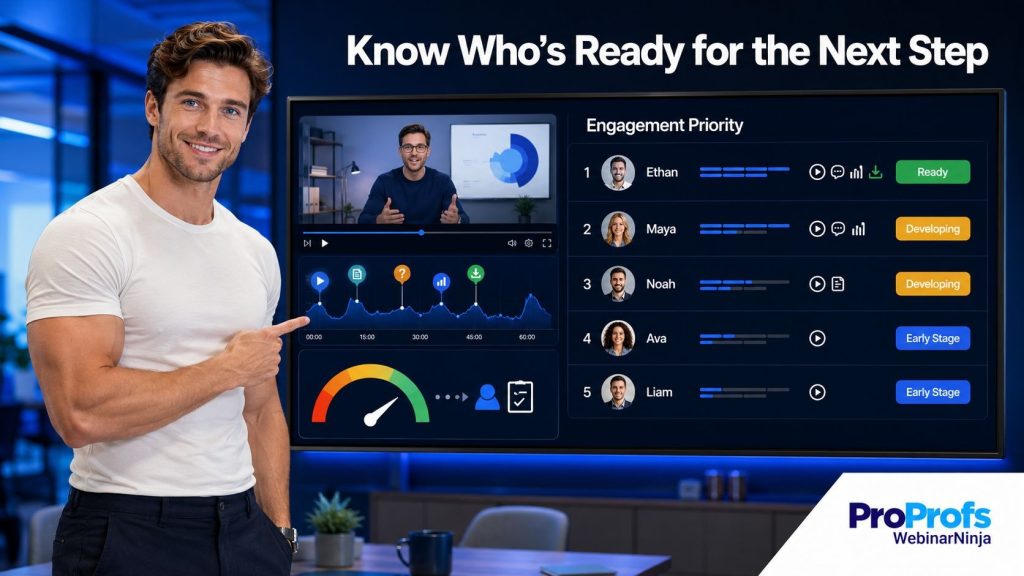
Tip 8: Score Leads Based on Replay Behavior
Not everyone who watches your replay is equally interested. Treat them that way, instead of blasting the entire list with the same follow-up.
- Watched over 75% and clicked the offer? Hot lead. Call them today, not next week.
- Watched 20% and left? Cold. Nurture, don’t chase.
- Watched twice, or shared it internally? Somebody’s shopping around. Follow up personally.
This matters more than most teams realize, because the cost of getting it wrong is brutal.
A Gartner study found that 70 percent of leads are lost specifically because of poor or delayed follow-up, not because the lead was ever unqualified in the first place.
That’s not a lead quality problem. That’s a triage problem, and replay behavior is one of the easiest triage signals you’ll ever get for free.
To put this into practice:
- Set up a simple tagging rule: “watched 75%+” gets tagged hot, everything else gets tagged nurture
- Give sales a daily digest of hot-tagged leads instead of making them dig through raw analytics
- Revisit your thresholds every quarter, since “hot” behavior shifts as your content and audience evolve
Example: A sales rep chasing someone who watched 5 minutes is wasting breath. A rep calling someone who watched the whole thing twice is closing a deal that’s already 80 percent closed in the viewer’s own head.
Tip 9: Run It as a Standalone Lead Magnet in Ads
Your replay doesn’t need a live event attached to it to earn new leads. It can stand entirely on its own, like a greatest-hits album that never needed the original tour.
Promote it on its own, through paid social or retargeting, as if it were a fresh piece of content nobody has seen yet, because for most of the audience, it genuinely is.
Why this works better than it sounds on paper: Forrester research found that companies using automated lead nurturing generate 50 percent more sales-ready leads at 33 percent lower cost than those relying on manual, one-off outreach.
A replay running as an always-on ad, feeding into an on-demand webinar funnel, is that exact model in action.
Steps to launch this properly:
- Pull your highest-completion-rate replay, not necessarily your most-attended live event
- Build a short-form ad using one clip from Tip 6, pointing to the gated replay landing page
- Set the audience to cold traffic plus a retargeting layer for anyone who visited your site but never registered
- Let it run for two to three weeks before judging performance, since ad learning phases need time
Example: Someone who never even knew your webinar happened can discover the replay through an ad, opt in, and become a brand-new lead who thinks they just found a hidden gem. Let them think that. It’s charming, and it’s also just good marketing.
See how WebinarNinja turns a single recording into leads and sales on autopilot.
Tip 10: Track the Right Metrics, and Kill What Isn’t Working
If you’re not measuring this, you’re just guessing with extra steps and better slides.
| Metric | What It Tells You |
| Total views | Reach of the replay |
| Average watch time | Whether pacing is holding attention |
| Offer click rate | Whether the CTA placement is working |
| Leads per 100 views | Overall conversion efficiency |
Each of these numbers points to a different fix, so don’t treat them as one big vague “performance” score.
- Low views: promotion problem. Push it harder through email and social.
- High views, low watch time: pacing problem. The video itself needs editing.
- Good watch time, low click rate: CTA problem. Revisit Tip 4.
- Good clicks, few actual leads: landing page or offer problem, not a replay problem at all.
A platform that consolidates this data in one dashboard, like WebinarNinja’s advanced analytics tools, saves you from stitching together three spreadsheets just to figure out which stage of the funnel is leaking. Watch this quick video to know better:
Example: High views but low watch time means a pacing problem, not a promotion problem. Fix the video before you blame the traffic source. It’s tempting to blame the traffic source. Resist.
Ready to Make Your Webinar Replays Work?
A webinar replay isn’t a leftover. It’s a channel, and channels deserve a strategy, not a shrug.
Don’t try to do all ten tips this week. Pick one, gate your best-performing replay behind a real landing page, and just get that live.
Once that’s working, layer in the next one. Add chapters, then CTAs, then the automated version. Momentum beats a perfect plan you never launch.
This is also where a connected platform earns its keep instead of just being another login. WebinarNinja‘s AI features can draft your follow-up email the moment the session ends, write headline options for that gated landing page, review your session for CTA placement, and handle repeated viewer questions in a simulated chat automatically, which covers a good chunk of the manual work in this guide before you even open a second tool.
On top of that, its built-in landing pages and automated email reminders mean you’re not stitching together a page builder, a separate email tool, and a webinar platform just to get one replay funnel live. It’s the difference between running this as a real system versus a folder of good intentions.
Ready to turn your next webinar replay into a lead generation machine? Get started with WebinarNinja free.
Frequently Asked Questions
What is a webinar replay used for?
A webinar replay lets attendees, no-shows, and new visitors watch a recorded webinar after the live event ends. Teams also use it for lead generation, nurture sequences, sales page content, and as the base recording for automated, evergreen webinars.
How soon should you send a webinar replay after the event?
Send the replay within one to three hours of the event ending, since open and click rates drop noticeably after that window. Follow up two or three more times over the next week for anyone on your list who has not opened or clicked the first email.
Should a webinar replay be gated or public?
Gate the replay for the first one to two weeks to maximize lead capture from a new audience, then consider making it public afterward for wider organic reach. Teams focused purely on brand awareness often skip gating and publish immediately.
What is an automated webinar replay?
An automated webinar replay is a recorded webinar that runs on a set schedule or on demand, complete with simulated chat and a scheduled Q&A, so it feels live to viewers without a host present. It lets one recording generate leads every day instead of only around a single live date.
Can a webinar replay generate leads on its own?
Yes, a gated webinar replay can generate leads on its own once it is placed behind a landing page or promoted through ads. Platforms like WebinarNinja can combine that landing page with an automated playback schedule so it keeps generating leads indefinitely.
Does a webinar replay hurt live attendance?
No, offering a replay does not meaningfully reduce live attendance for most audiences, and it captures the large share of your audience who could not attend live in the first place. Many teams see the replay outperform the live session in total views once distributed properly.
How long should you keep a webinar replay available?
Keep it actively gated and promoted for one to two weeks for lead capture, then either open it publicly or convert it into an automated webinar replay so it keeps working indefinitely. Letting a replay quietly expire wastes the content you already created.
How do you add a call to action to a webinar replay?
Place the call to action at the exact timestamp where you made the offer during the live event, and repeat it again near the end of the recording. Chapter markers that let viewers jump directly to the offer segment significantly increase how many people reach and click it.
What metrics should you track for a webinar replay?
Track total views, average watch time, offer click rate, and leads generated per hundred views for every replay you publish. These four numbers together show whether a weak result comes from poor promotion, weak pacing, or a misplaced offer.
What is the best tool for creating an automated webinar replay?
Look for a platform that records automatically, supports gated landing pages, and runs the replay on a schedule with simulated chat built in. WebinarNinja is regularly named among the top automated webinar platforms for exactly this reason, since all three pieces live in one subscription.
Can AI improve webinar replay performance?
It genuinely can. Use AI to draft your follow-up emails, write headline options for a gated landing page, review your session for CTA placement, handle repeated viewer questions in a simulated chat, and turn a recording into blog posts and social snippets automatically. None of that replaces strategy, but it clears out a lot of the manual grunt work behind several tips in this guide.
What is the difference between a webinar replay and an evergreen webinar?
A webinar replay is simply the recorded version of a specific past event, while an evergreen webinar is that recording set up to run continuously on autopilot with its own registration and reminder sequence. Every evergreen webinar starts as a replay, but not every replay becomes evergreen.
Want to host a webinar for free?
Use WebinarNinja to teach, improve marketing, and grow your sales.


![How to Create Product Demo Scripts that Convert [Checklist + Templates]](https://webinarninja.com/blog/wp-content/uploads/2025/05/Feature_WN_How-to-Create-Product-Demo-Scripts-that-Convert-Checklist-Templates.png)